Problems? See this thread at archive.org.
OK. PCIe port #1 & port #2 are no longer usable for x2 link setup. PCIe port #1 is occupied by ethernet card which is not removable. Now, only PCIe port #3 & port #4 can be use for x2 link setup. However, we don't know what is PCIe port #3. Moved your Wifi card to another mPCIe port & check in AIDA64 where Wifi card is appeared now.
If you can borrow ExpressCard adapter, e.g. ExpressCard to eSATA adapater or USB adapter, you can confirm PCIe port number for ExpressCard slot.
-
I tried moving the WiFi card to the only other mpcie port I found, and it caused another port to show up on the list (#5). So when I move that out of the way, I have ports 2,3 and 4 open. Perhaps I should remove the SD card reader, if I CAN, to enable x2 with ports 5 and 6?
I honestly cannot find any other mpcie ports other than the ones I have shown in the pictures of my laptop posted earlier. -
So, now Wifi card is appeared at PCIe port #5? But you can't do x2 link setup with PCIe port #5 & port #6 because firewires is occupied PCIe port #6 & it's not removable. You can only do x2 link setup with PCIe port #3 & port #4 IF port #3 is ExpressCard slot.
-
Yes, even though it doesn't even LIST port 5 previously.
I can only hope that the EC slot is port 3. *prays* -
Hi guys it's been a while,
I changed the power supply I had to a non-broken one and now instead of stability issues all the time, I get stability issues in 2d mode...Any ideas? The card doesn't seem to like 0.875V mode. Maybe resoldering my PSU connections might work...but I need a new soldering iron as my 2 dollar one retired -_- -
Ok guys, I have managed to negotiate a better PE4L 2.1 deal for us. Houston, we have lift off

1-17-2012: Masaharu from BPlus finalizes the pci-e 2.0 compliant PE4L 2.1 pricing
-
Great news ^_^
-
Is this for sale now?
-
Don't think so, they said it will be after their new year's eve (so Feb 6th if i remember well).
-
How long cable will follow then?
-
I own a Lenovo x220. Is it worth waiting for PE4L 2.1 or PE4H 3.0?
-
70 dollars yay !!!
I will sell my PE4H 2.0a at low price let's say 40 euros shipped, in case someone with previous gen laptops is interested. I'm from France.
Expresscard package :
http://s4.noelshack.com/uploads/images/10186533504774_pe4h.jpg -
How long do you want it to be? 45cm/1.5ft, 60cm/2ft, 100cm/3.3ft, 150cm/5ft, 200cm/6.6ft
Keplar 28nm GTX680 in Feb?
Maximum PC | Nvidia GeForce GTX 680 May Launch Ahead of Schedule tells us
This is being discussed in http://forum.notebookreview.com/gam...eforce-gtx-680-may-launch-ahead-schedule.html . -
For me, PE3A x1 2.0.opt has no noticable bandwidth bottleneck with a GTX460 in Crysis2 or BFBC2, so I'd go for a PE4L 2.1 if I were in the market for one. Not to mention, I have my card hanging off my laptop and I think that's just fine
As it is, 55 for a PE3A is already pretty steep, I don't see a need to go to a PE4H.
Does anyone have any ideas for my stability problem? MSI Afterburner isn't forcing full voltage like I want it to... -
I have to report another working Setup
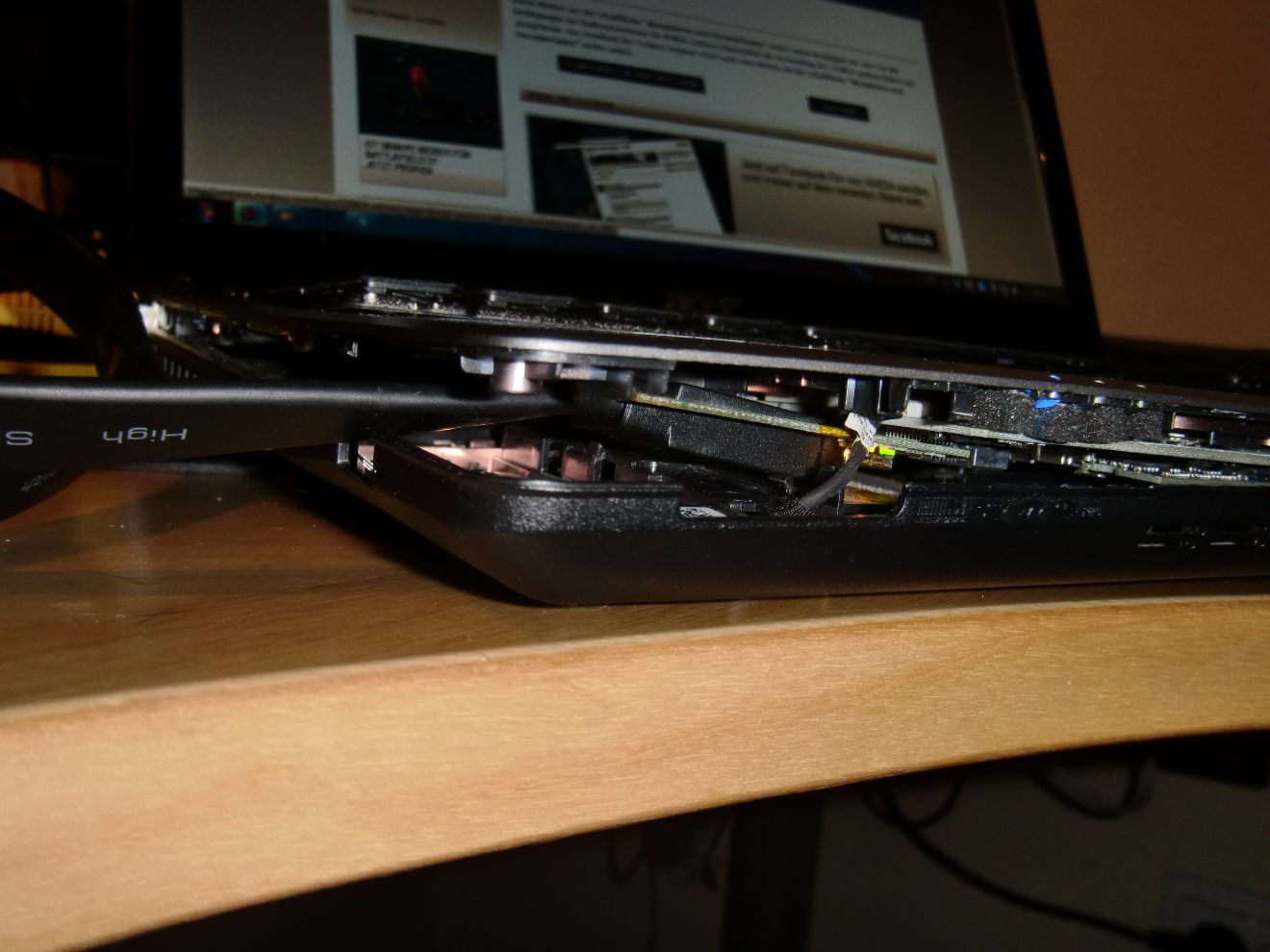
- Acer Aspire 3820TG
- switchable Intel HD / ATI 5650
- i5-450m
- 8 GB Ram
- PE4H 2.4a + PM3N
- EVGA GeForce GTX460 FPB
- psu: SilverStone SST-ST45SF (450W)
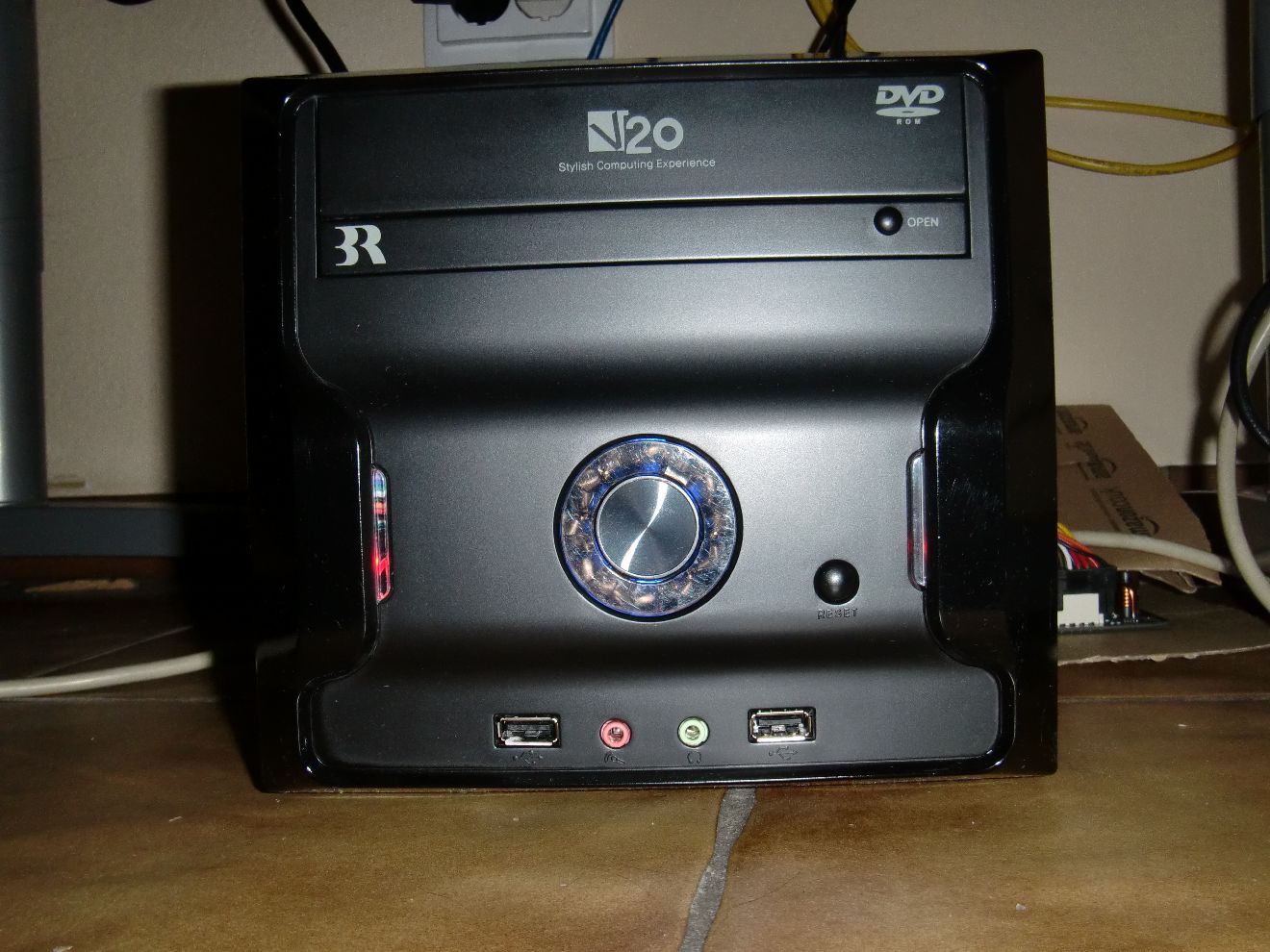
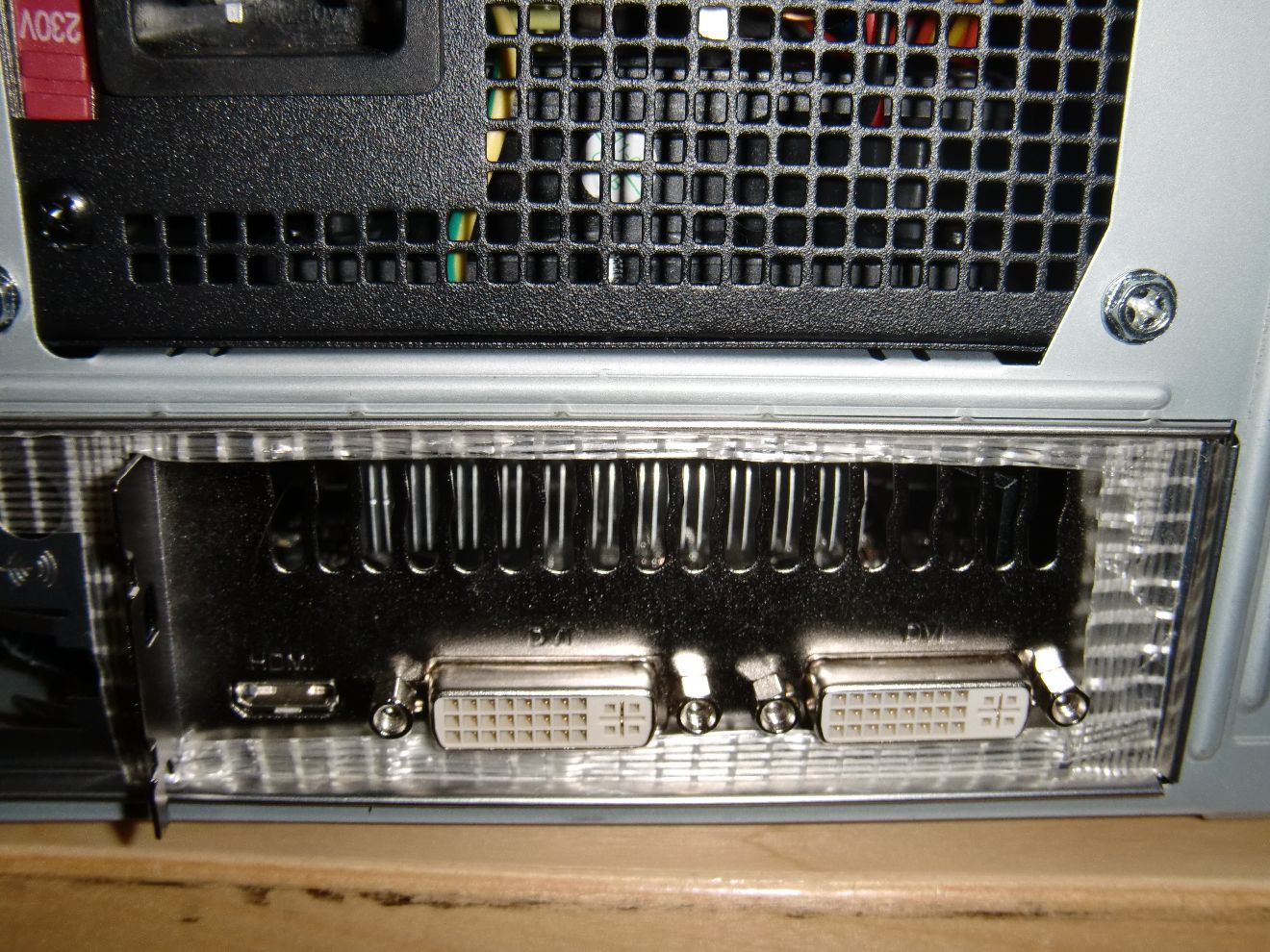
- enclosure: 3R SYSTEMS V20
Switching between eGPU & dGPU is done via BIOS-Mod, TOLUD is 0xA0000000 with dGPU disabled.
Still have some work left:
- solder full size mPCIe-slot (PM3N is currently in half size wifi slot)
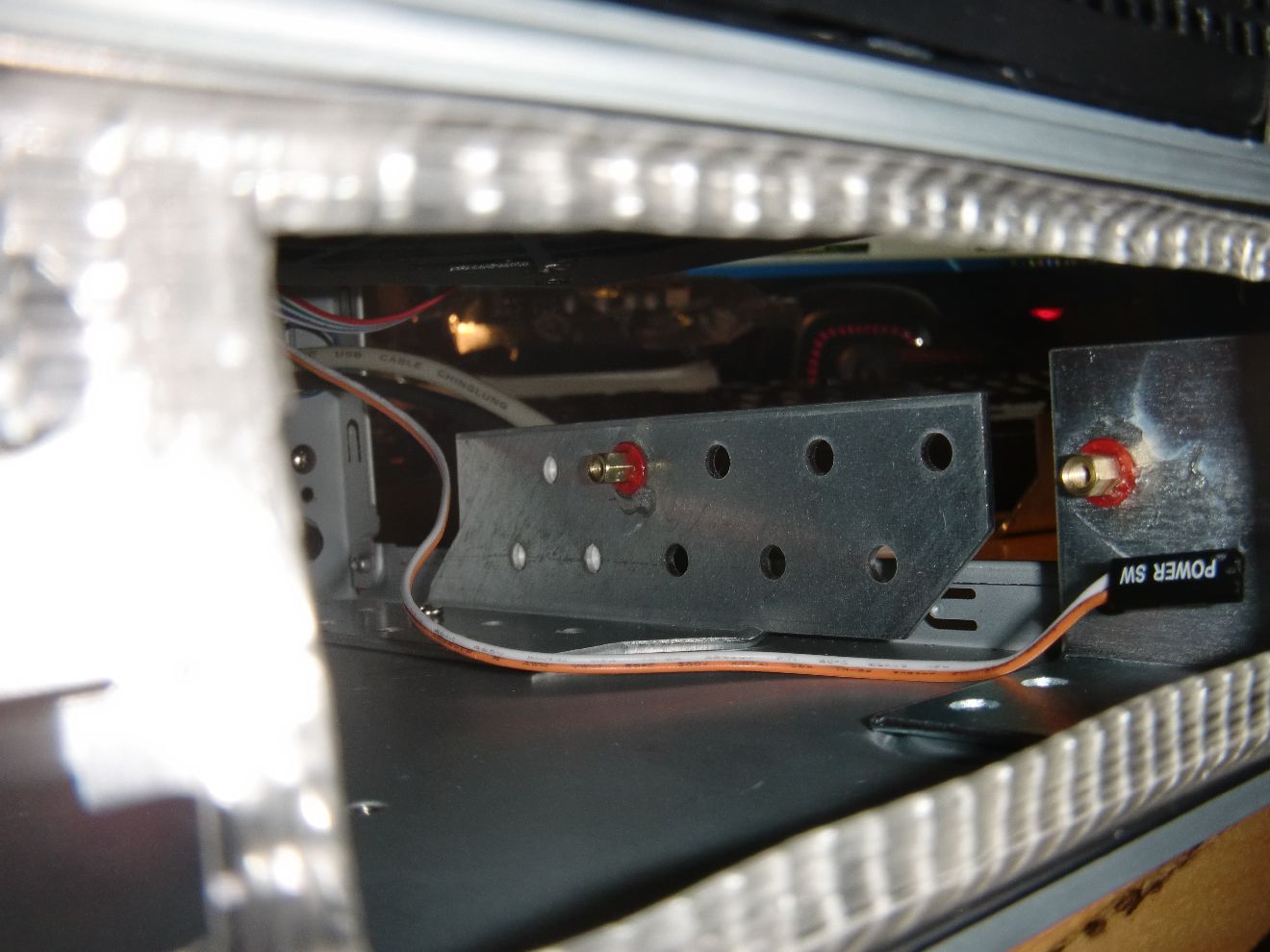
- connect SWEX to power button
- wire internal usb hub & dvd drive
My first psu was too weak (+12V1: 14A, +12V2 - 10A), the silverstone has enough juice (36A). The GTX460 requires 24A.
Now it's time for some statistics
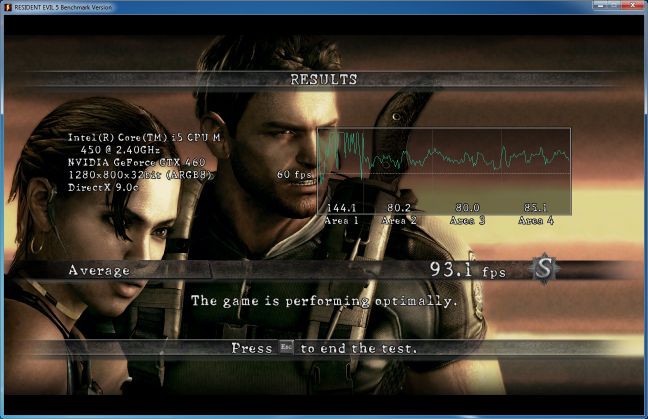
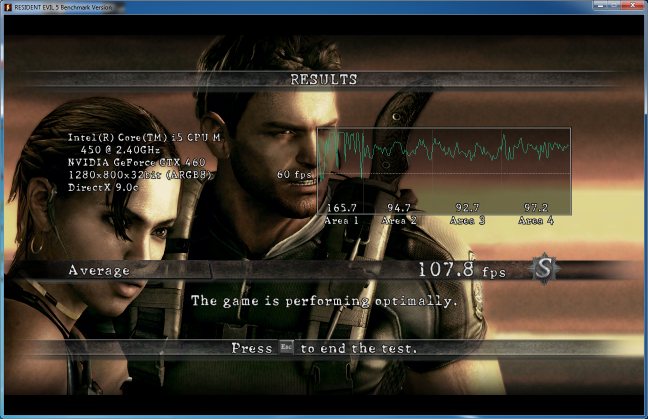
GTX460 @ x1.1Opt (stock clocks):
- fsb & pcie@133 - 13505@3dmark06, 93.1@re5(windowed)
- fsb & pcie@155 - 15479@3dmark06, 103.8@re5(windowed), 107.8@re5(fullscreen)
Attached Files:
-
Nando,
I for one would like to go with the maximum length possible. I currently use the 1.5M cable from DX ( Message - DealExtreme, and i use my EGPU exclusively via internal optimus. Frequently I play games in bed on my laptop tray with my egpu on the side, either on my night table or on the ground (if anyone is wondering how I can do this it's because I have the most compact and portable eGPU enclosure/power supply shown to date on this thread). It's pretty obvious that more people are going to be using the internal optimus mode considering the huge performance increase from the previous generation. For me, 1.5M is a minimum, the longer the better (2M would be great). For people who say this is too much length, it really isn't hard to neatly bunch up and tie any unused length. The fact is that the cable is NOT replaceable like the previous generation and having more length allows for more flexibility in other applications.
In an ideal world hwtools would create 2 versions, one with the shorter length and one with the longest length. I really hope this is the case. I am sure people such as myself who would like the longer version would be willing to pay a little more for this. -
I don't think they can afford it, considering that they world for stock and no on ordering, making at least 4 different versions of the same adapter could bring too much extra costs. Anyway would be the best solution at all
30cm -> EC2C
30cm -> PM3N
100cm -> EC2C
100cm -> PM3N
Furthermore I'm happy to announce you that starting from tomorrow (hoping to receive the visit from the postman in time) I'll start making videos with my girlfriend's EOS 550d of popular games played with the eGPU solution (currently with PE4H rev 1.5, in future with newer adapter),
During my past weekend i made just the intro of the solution with Sony Vegas (available HERE for sneak peak). Post which games you would like to see tested and I'll try to accomplish the task (obviously for benchmark results I'll run in first place the games on the first page of the topic). -
I want it to longer than the 30cm I got with my last kit, thats too short to place be able to place my box another place than next to the laptop so 50cm - 75cm
-
My ECslot turned out to be slot 2... so Slot 1&2 pair is now impossible. The only viable option for me would be slot 3&4, however I am unable to find slot 3 in my laptop.
-
The vids are a very welcome addition that will definitely get a highlight spot on the first page of this thread. The initial x1.1Opt vids good ones for users with Series-5 or older hardware to get a feel of true gaming performance. Future x1.2Opt results showing the smoother FPS the extra bandwidth provides.
I recall moral_hazard found he had a third mPCIe socket in his GT627 but was missing the connector. Would require someone to solder it on. The GX620 schematic does indicate 3 mPCIe sockets (which are pci-e). There are a maximum of 6 ports for your chipset. So if you can solder another socket on there then could do a [p3+4] x2 implementation using 2xPM3Ns. Ie:
GT627 port layout
port1: LAN
port2: expresscard
port3: <-- this must be the third mPCIe socket
port4: wifi mPCIe socket
port5: second mPCIe socket
port6: Firewire/SD controller
@all - we are seeing all sorts of desired cable lengths ranging from 30cm/1ft to 200cm/6.6ft. Not sure how that will pan out. It may well mean a longer cable such as 200cm/6.6ft is supplied where the user folds and ties it down to their required size.
I wish BPlus could figure a way of giving us back the socketted mHDMI connector so we could choose what cable best suits us. -
Perhaps I could take out my firewire/SD controller?
-
Not feasily to remove existing mounted chips and hijaak the port. It's very fiddly work with no guarantees of success. You'd need have SMT solder rework experience and specialist gear (+ magnifying lens) or have a BGA workstation to be able to pull it off.
Instead solder a mPCIe socket so can access the third port. Looks like it's the one shown below. I believe BPlus have some mPCIe sockets they could provide you, then would just need to solder it or ask say a mobile phone repairer to do it for you. It can be done by the home user equipped with a soldering iron, solder flux, solder and a bit of clout.
![[IMG]](images/storyImages/gt627port3.jpg)
-
Is it supposed to be just a set of metal bars that don't really protrude from the motherboard? It's essentially flat. If so, maybe it IS the Third port, and I'll try soldering it.
However, I will NOT charge into this blindly, and I'll scrounge the internet for guides about how to connect it up to a socket and solder it on correctly. Hopefully I find a solution :c
EDIT: Is that two screw-holes I see just above the connecting metal? Perhaps I only need to screw it down rather than solder it on? Also I want to inquire about the use of the black wires connecting to the WiFi card on the right. What purpose do they serve? I do not have another set of them for use, so I was wondering if it's essential to connect the mPCI-e socket.
Hmm I was also thinking maybe I could remove the open socket and simply transfer it to port 3. -
Hello,
First off, thank you to everyone who has helped me find out if my computer is eGPU capable. I am still wondering:
1. Can the mHDMI cable go through an extender and still work? I have a half-height miniPCIe slot right next to the back wall of the optical drive bay. I read that the miniPCIe adapter card can have parts of its circuit board cut off to make it half-height. However, the mHDMI cable itself will still extend beyond the half-height slot area. Therefore, I would need to cut a hole in the back of the optical drive bay and remove the optical drive to let the cable out. However, then it would be very difficult to remove or connect the mHDMI cable to the port. If I could put an extender near the opening to the optical drive bay, it would be easier to connect and disconnect the cable.
2. My computer has HD 3000 graphics inside of its CPU and a Radeon 6770m dGPU. I switch between the two using the drivers included in my computer. Even if my eGPU uses an AMD GPU, it will still need desktop drivers, right? How will having two instances of Catalyst affect my computer? Will it be difficult to remove the eGPU (more complicated than power down the computer and disconnect the cable)? Is this what the DNA drivers were for? -
The wire connected to Wifi card is for the antenna. It's necessary for Wifi/WWAN card only.
Hello,
- You can use extender with current available kit. However, with PCIe 2.0 5Gb/s compliant kit (when available later), you can't use extender because the newer PM3N (mPCIe card) & the mHDMI cable & newer PE4L/PE4H are permanently connected together (soldered).
- Your notebook have switchable graphics (Intel HD + ATiAMD), right? I remember you want to use ATiAMD Radeon HD 6950. Why not getting Nvidia Fermi graphic card instead? With Nvidia Fermi graphic card, you can do x1.Opt setup (x1.2Opt with PCIe 2.0 5Gb/s kit) because your notebook have active Intel HD 3000 iGPU. It will provide much better performance than ATiAMD Radeon HD 6950 because ATiAMD card will only working at x1 link bandwidth. Opt=Optimus will provile PCIe data compression which boost performance over PCIe x1 link.
If you want to use ATiAMD card, don't install two different drivers (mobility & desktop drivers) at the same time because they might cause problem. So, you need to use D.N.A. drivers OR using desktop driver with modified INF file to support both dGPU & eGPU. OR for dGPU, install mobility driver via Device Manager "Update driver" & for eGPU, install desktop driver using setup file.
-
Hello,
I was wondering what the delivery times would be for shipping to Australia, if anyone has done that before.
Thanks. -
Hi Everyone,
I have a PE4H V2.4 and EC2C adapter. I also have a GTX-460SE 1GB.
When I use an old PCIe Graphic (GeForce 7xxx with 256Mb) all is working find on my Thinkpad W510 but When I use the 1GB graphic Card then the laptop LCD go to 640x480 and the device appears with “!” in device manager.
I never use the USB bootable tools to fix anything. I read a lot of post from this forum but there are a lot of posts (PCI resources, ….
My W7 x64 is installed with only 1 partition on HDD0 (no 100Mb partition or IBM original restore partition).
Is someone be able to show me a page where I can find a simple explanation step by step? I don’t need to redirect picture on Notebook screen, I just need the highest perf on an external screen.
Is it possible to do the same with my VPC-Z? I read a lot of stuffs with Optimus problem to ameliorate perf of Express card port.
Thanks everyone. -
Hey, i've bought a PE4L from Harmonic Inversion
I've made the purchase on December 24, its been almost a month and i haven't recived my item!.. I've payed 130$ for it (25$ for Internationale to Israel), what can i do? can i refund my money? Are they even a real company?..
My account status shows that the item is shipped.. Well where is it? what should i do? Panic? I got scammed accept it and move on? Any idea what i can do here fellas?.
this is what it says on status:
Order Status: Shipped
Order Number: 00002109
emailed them but not much help
-
Hi,
Did you check what is the Error code? Just double click the graphic card device with exclamation mark & check the Error code.
Probably held by Customs. Did you contact HIT? -
Nah, no panic, i ordered mine from Taiwan on Dec 26th and i'm going to receive it probably today. For 10 days i didn't know where the package was (and i was raging enough) If they have sent it with USPS, you should track in Israel with priority mail. Check on
track-trace with the tracking you have and see. Probably it could be at the customs
-
Hey how exactly do i track the order?
the order id is 00002109 and it gives me a page from 2008 not related to mine.
How do i get the real tracking ID? it says on their recipe USPS (USPS - International Airmail (Please Contact for Cost Estimate))
They haven't given me the item id or anything or any response. It could be stuck at customs and they didn't call/mail me send a notice.. Although according to a new law that came out a month or two ago in israel, any item thats above 1200 Shekels will not be payed customs for it. (1200/3.7=325$ usd).. And this package is only 130$.. Meh. -
The order ID doesn't count as tracking code, if the seller didn't gave you a tracking code similar to RXxxxxxxxxxUS as far as I know isn't possible to track the packagehave faith and continue to try contacting the seller to obtain the tracking code)
-
thanks i've emailed them 3-4 times now still no response, guess because i live in EST+7 time zone their office didn't even open yet.
So i'll wait patiently and see how things go, thanks!. -
Can anyone else confirm this drawback of Windows 7 Starter edition? Is there a technical reason why it doesn't work properly?
-
Does some1 know if the Alienware M14x is eGPU capable? AIDA64 says there are 6 mPCI-e Ports where 2 are empty. I think 1 full-sized one is near the wLan-card.
-
According to Review Alienware M14x Notebook - Notebookcheck.net Reviews it have two mPCIe ports but they are located under battery. You can use eGPU but eGPU doesn't look suitable for M14x considering the location of mPCIe port.
-
Yep, but you can remove the battery if you are plugged to the powercord
and everything else would be senseless because you definitly wouldnt play without beeing plugged in
-
Yes, of course you can.
-
I did not receive your email until after we were closed yesterday. It appears that your order is in Israel working it's way through customs but I will call USPS to see if I can get better information. If it is lost than we can discuss your options at that point. You should have receive an invoice when it was shipped and the tracking number is on the invoice. I will email you another copy in case you did not receive it. -
I get the Code:12 error using PE4L with an ATI HD2600XT(will upgrade if this works)
Im using a Fujitsu T900 Windows 7 with 8gb ram but when I try and do a compaction using Setup 1.x my laptop freezes. Normally this happens immediately after I do this, sometimes during boot.
I would really appreciate any help on this. Is there anything else I can try? -
Please post screenshot of Device Manager; set View to " Resources by connection" & expand the Memory tree. No need to expend sub-tree under Memory tree.
Look for first PCI bus with 8 digits memory address & refer to: Pre-purchase FAQ -> How can I check if my notebook is compatible with an eGPU? -
Hey thanks for the quick response, i did get an email that showed me the id not sure if i should post it here, USPS (PD checked x), the customs are supposed to send a mail/telephone to me/contact me if i have to pay customs, but i know the new law that came out prohibits paying customs to anything lower than 1200 NIS (325$ USD~). Anyway, am i typing the right id at the right site?.
Edit:if you can email me the actual USPS tracking ID that would be much appreciated, Israel Post service strikes again and failed to send me a mail notice or even call me. -
I found the perfect egpu enclosure
I present to you the kleenex box, perfect for nice airflow since there is already an opening :
All flavors, wood , aluminium, plexiglas...
Bote Mouchoirs - Aux Loisirs Cratifs
Boite distributrice de mouchoirs - Offre entreprise
Kela LINE Boite à Mouchoirs Clear 18487 - Achat / Vente Boîte à coton sur maginea.com
-
Hi everyone!
Thank you for the support of an awesome product!
I got the PE4H working together with Asus GTX560 TI Top on my HP Probook. When running it performs great.
However, I got 2 minor problems.
1. Whenever I hotswap the ExpressCard, either in or out, I get a bluescreen.
2. I've got a docking station to which a display is connected. The same display is connected to the eGPU, but on another port. When docking the laptop, the eGPU stops working and the docking station starts transmitting the image instead. No error message or anything.
Bios is updated and the latest mobile nvidia drivers are installed.
Can anybody please help me with any of these propblem?
/Eric -
You cannot hotswap the express card without getting a blue screen. You have to put Windows in sleeping mode to switch between gpus.
-
I have a nother question...
Does every Laptop have a PM3N Slot to stick in (plug in) the PM3N Adapter
I hope so...but I dont know -
Theorically yes even if it's already filled by a wifi minicard. Not a problem since you can pop it out and use a usb wifi stick instead. Some notebooks have free mini-pci slots. I saw several of them on notebookcheck review pictures.
Major issue is the location of the mini-pci slot which is rarely convenient and sometimes not reachable. Express card is so much handy. -
ok thanks for that...hope it will work for my msi cx 640.
Maybe you can say if it will work for this laptop?
Would be nice, if you cant it isnt bad because if i will receive it I can test it myself. -
You didn't open it your lap yet to check ?
I found it on notebookcheck :
http://www.notebookcheck.com/typo3temp/pics/285b7e3ad8.jpg
It appears to have a mini-card slot which is accessible despite already used by a wifi card. Should work for you.
http://www.notebookcheck.com/Test-MSI-CX640-Notebook-GT-520M.51171.0.html
In addition your lap seems to work with optimus. No Tolud issue i guess. -
hello
i need help
i have hp elitebook 8540p with dGPU nvidia NVS 5100 (only this one) and 4Gb ram
i try other everything(what i find) but i must deinstall 2Gb ram for working solution
i canot alocate resources for eGPU in DIY eGPU Setup 1.x with 4GBram
its posible disable dGPU and use only eGPU or some help how use 4GBram and eGPU in same time?
can someone help?
DIY eGPU experiences
Discussion in 'e-GPU (External Graphics) Discussion' started by master blaster, Sep 18, 2009.