Problems? See this thread at archive.org.
Yay it works finally. I'm surprised you got 2 driver installs. Whenever I update my driver only 1 installs, and only the 460 is listed in the INF, but whenever I am using the mobile card only, everything says I'm using the updated driver. I think I'll do some testing to see if it really is running the updated driver. I hope I don't break my driver and get the mess you had in the process. I think I'll try out one of the 260 drivers that had the bugged dx7. Should be easy to see the poor fps.
-
Khenglish, we had a discussion as to why Nando had got me to add my desktop GPU to the mobile inf... well, so that I can have 1 driver that has both my 9600Mobile and 9600Desktop info in them. Hence running the Nvidia mobile inf modded setup.exe installed to both cards.
To avoid my mess, make sure that your driver version is the same under device manager after you update your driver(s). Otherwise, on a reboot, you're going to pee in your pants lol. -
nlooije asked me what exact steps I took, so I'm putting it here in hopes it will help others:
This is what I did, may or may not work for you. I know you will try because that's all you can do right. I did the same thing, try and try till I almost cry!
1) Uninstall all Nvidia drivers from control panel.
2)Safe boot and run Driver Cleaner and delete all things Nvidia. Also run CCleaner registry clean and delete all things Nvidia related.
3) Reboot laptop.
4) When you get to Windows 7 64bit (I am using this) desktop, Windows will install standard VGA driver automatically.
5) Turn on DIY Dock and plug it in and pray. (Hotplug while at windows desktop)
6) Windows will flash and come back on with my desktop GPU listed (as well as the laptop GPU which is always there). Windows may install automatically a Nvidia driver for the desktop GPU. It will keep the laptop GPU at the standard vga driver. If Windows ask you to reboot, do not reboot.
7)*Go to your setup.exe file in your Nvidia mobile driver folder and double click to run it.
8) It will install the driver for both cards, you will get 2 warnings (one for each card) that you are not installing a verified driver, click continue, and hope you go to DIYDock heaven.
* I am using my modded inf which has to contain my laptop and desktop GPU info. I modded it from nando's modded inf for 270.51 mobile nvidia driver. -
I'm new to this so still reading up. Planning on picking up the x220 and I have a 6870 on hand.
The corsair cx430w should work right? Seems like a good deal about $15AR
Newegg.com - CORSAIR Builder Series CX430 CMPSU-430CX 430W ATX12V Active PFC Power Supply
Would I just need to buy this package?: PE4L-EC2C ver1.5 Package Contents
Not sure if x220 is pcie 2.0 yet -
You can't renumber the ports. They are hardwired into the southbridge. If port 3 is a wireless card or something that you can move, you can move that to port 2 and do x2 on ports 3 and 4.
-
nando,
I am planning to buy macbook with thunderbolt for future release of p4l or whatever it will be named for thunderbolt. What do you think - is it a good idea, or should I better stick to normal PC way? I could buy for the same money (1300$) Dell XPS 15 with good full hd screen and 540m 2gb, and then i need to upgade it with mPCI extention card wich is proved as working solution.
What do you think? Is risk big enough? -
A day of playing with my DIYDock, I've noticed a strange phenomenon. By default, my laptop monitor is my main monitor, and I extended the image to my external monitor. If I play a video (avi movie) on the external, it plays badly at full screen, frames skip, voice and picture are out of sync. It's better if I make the video image size smaller. In either case, it seems to be using my laptop GPU, since I can see that my laptop GPU heating up while the desktop GPU stays at the same temp while playing video. Laptop GPU temp will immediately drop when I stop playing the video on the external screen.
So today I experimented by making my external monitor my main monitor, and what I get is the reverse. The same video plays fine on my external screen at full screen. But now the same video plays badly on the laptop screen. The difference is, my laptop GPU isn't heating up like before, and the desktop GPU temp stays the same.
I've also noticed that in either scenarios, playing video seems to use quite a bit (around 10%-20%)of processing power were as before the DIYDock, it hardly used any CPU processing power.
So what could this be? I do know that when I installed the modded 270.51 driver, I only selected to install the driver and non of the extra stuff like physics, audio etc.. It did also install 3D Vision (although I didn't remember clicking on it during install). I have already turned off HD Audio under Device Manager and set Physics to use CPU (I've toggled this to no avail).
Any ideas?
Edit update: Well, I figured it out myself. The video playback frame skip is dependent on the media player I am using. I usually use VLC, it didn't do well. Maybe it requires a reinstall, I don't know. Quicktime player was slightly better. The best was.... Microsoft Media Player, also had the lowest CPU utilization rate, very low at that. -
Getting frustrated here after three days of trial and error. No success whatsoever.
Dell M1530, windows 7:
8600M GT + HD4870 - 400w psu and PE4H + EC2C.
port 1: Lan
port 2: wifi (disabled)
port 3: -
port 4: -
port 5: expresscard (x1E possible?)
I have tried installing and uninstalling drivers (+driversweeping after each uninstall), disabling and enabling display adapters, wifi, ram... Running out of options here
After driver uninstallation my laptop detects my internal gfx as standard vga adapter and vidock gfx as ati radeon 4000 series. No signs of errors there.
When I install catalyst drivers it gets detected as radeon HD4870, but after reboot ccc tells me driver isn't compatible or card isn't installed. Probably because of internal gfx? Disabling internal gfx doesn't help.
If I install nvidia drivers for 8600M GT and try turning vidock on when resuming from sleep - 4870 fan starts spinning slower (as a sign of detection), but just stops after few secons. Windows makes that "new device connected" sound and then disconnection sound.
If I ignore sleep and plug vidock in while in windows -> bsod. Usually caused by atikmdag.sys.
Running setup 1.x with 36-bit compaction on vid-2 (detected as ATI, 1002:9440) and forcing vid-1 to 32-bit (10de:0407) doesn't make any difference. I've tried anti-whitelisting but I'm not sure if I'm doing it right.
And still no signal on external display from vidock. Disabling internal gfx hides any desktop expanding options. And aero. And sleep.
Any advice? -
Hi,
I just got PE4L + EC2C but haven't been able to make the setup run. I'm using a GTS450, the laptop is a ThinkPad T510, Windows 7 x64.
I'm trying different plug / switch-on orders, deinstalling and reinstalling drivers etc. But regardless of all that, I'm not getting ANY reaction when plugging in. I'm really wondering if either the ExpressCard adapter or my slot is maybe non-functional on a hardware / connection level.
Does anyone else have the problem of zero reaction from Windows? I can boot with the thing plugged in, sleep and wake, Windows does not seem to notice any hardware at all.
My other general wondering is that, since the video card says x16, maybe it wouldn't work with the x1 setup? Although this was sort of mentioned in this thread (the post regarding suggested nvidia setup), I just start to look for any possible reason when things don't work out.
So can you guys all confirm that using PE4L (the short one) through a single ExpressCard / PCIe port is OK for a x16 GPU?
Any other hint for testing the overall setup would be very much appreciated... (I'm not even at the installation nightmare stage). Thanks in advance. -
hey guys. if you have a monitor with audio out would that work with hdmi from diy vidock
-
you need both drivers for 8600 & 4870 to be wddm 1.1 in win7 or the same wddm version. you could try installing a microsoft driver for 8600 and catalyst for 4870.
if win7 doesn't 'like' something you won't be able to make 4870 your primary video.
if you disable the internal gfx and uninstall its driver then you need a win xp driver for 4870 in win7 -
x16 card will work fine at x1. Do you get 2 green lights on the PE4L when it is connected and running on your laptop?
-
Hey all. Can someone look at my memory map to see if a x2 link is feasible?
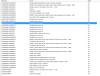
My setup is a Dell Latitude e6410 (Core i7 720QM, 8gb memory, nvidia discrete graphics)
Have the PE4H connected to a EC2C and it's working with a PCIe 2.0 x1 Connection. no issue on Windows 7 x64 and normal ATI drivers.
I'm curious about:
1. Difference between PCIe 1.0 and 2.0 x1 connections
2. If anyone has using this model or a similar model/chipset gotten the x2 link working using the EC2C and the PM3N
simultaneously without using the Vidock USB boot disk
Here's the info I've been able to gather along with screenshots of System Info, AIDA/Everest, and GPU-Z and the only motherboard drawing of the computer I could locate from the service manual.
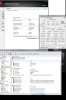
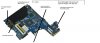
There are 3 Empty internal pcie slots.
Yet in Everest/AIDA64 it says there are only 4 ports it can see.
Port 1 empty (I understand this is the root one?)
Port 2 (WLAN)
Port 3 (Firewire / SD card Controller Ricoh)
Port 4 (Expresscard Radeon)
Update: ok. so the WWAN is most likely a USB wired Pci-e slot.
So my only hope is that the half length "ON Technology/CMG slot" is a pcie slot.
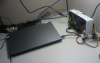
Here's a pic of my setup.
-
Has anyone any more information on PM3N v1.2? I was told it was April 18th, but not there yet!
Almost can't wait any longer and thinking about just going x1 (guess I can upgrade later!) -
Have you tried reseating your graphics card? and/or verifying that it's getting enough power. I had odd detection issues until I noticed that the card was seated oddly.
-
Yes, I just found out today that it would work with hdmi. The reason why it was not working for me, was that I had to disable my laptops hd audio and test if my T.V/ external monitor would work with the sound and of course it worked.
-
My temporary ghetto cardboard setup.
View attachment 64264 -
Yes, but not by default. One of the LEDs only lights up when SW1 is set to state 2.
-
Thanks for advices, key001 and variance84! But still no success.
I googled for wddm 1.1 drivers for my gfx cards with no success. Aren't those new nvidia/radeon drivers wddm 1.1-compatible? I've tried drivers with and without whql. Also installed readyDriver+ allowing 4870 DNA drivers in 64-bit os.
Windows 7 detects 4870 and installs wddm 1.1 driver as default, but I couldn't find any catalyst wddm drivers for 4870. Am I doing something wrong here?
Same with 8600M. I found older (179.23) wddm drivers from latopvideo2go, but inf is missing. Can't install. Windows7 detects 8600M GT as standard vga adapter. Windows update installed new nvidia drivers, but there isn't any sign of them being wddm 1.1.
Also tried xp drivers on 4870 and disabling & uninstalling drivers 8600M from device manager (is there any other way to disable it?). Win7 still doesn't allow 4870 as primary gfx. I got some IRQL bsods also.
And I can't find microsoft drivers for 8600M. Should I try this instead?
I've tried this, reseated it couple of times and reconnected power pins. 4870 is detected, fan spins at normal speed and lights are on. I think this is driver issue. 400W psu should be enough for 4870 which is peaking at about 230W? -
Hello there....do somebody try to connect pe4h using EC03 (usb3.0) because my laptop is acer aspire 5750g. I think that port also support 5gb/s since my laptop is sandy bridge. As i heard pe4h now cannot support 5gb/s is that true...
-
Yes, me too, i was asking the same question PLUS: Does the PCIe 2.0 do as the same as x2 link? Or it's just using x1 from the PCI gpu?
-
Hey,
after much help and several emails later, nando has helped me get my laptop and external graphics card up and running. Cheers mate!
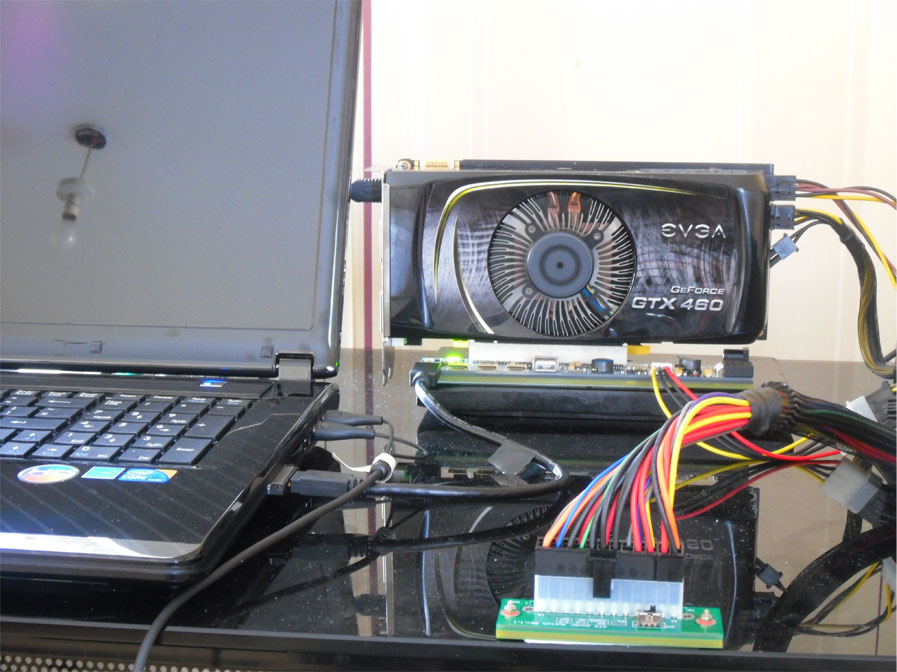
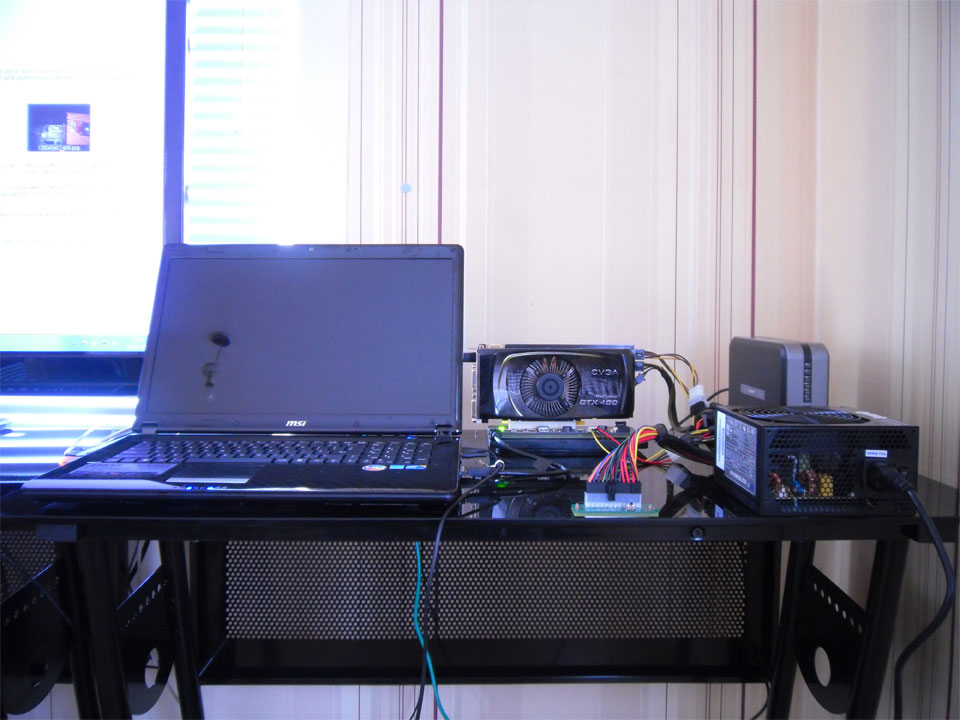
Had a few problems along the way but finally managed to get x1opt working. Due to a high TOLUD problem with my bios, I was not able to get both the intel GMA HD graphics and GTX460 SSC working together. I tried both the bootmenu option and the usb alternative, both to no avail. To alleviate the problem I had to remove one 2gb stick and replace it with a 1gb stick, giving me a total of 3gb of system memory.
Setup 1.x wasn't required, neither was the process of putting the laptop to sleep, powering on vdock and resuming to the desktop. I 'am lucky enough to have to just turn on my laptop, then turn on the vdock using the swex switch. As long as the "perst switch" is set to 2 or 3 to allow a delay, this will allow for the onboard graphics to boot first. After that my screen changes over to my plasma.
Laptop :
MSI CR720-267XUK
17.3" LED screen (1600x900)
Chipset HM55
Intel Core I5-460M - 2.53ghz
3GB DDR3 1333mhz ( 2.86gb usable )
320GB Western Digital HDD
EVGA GTX460 SSC 850/1700/1950mhz (factory overclocked)
W7-64-bit Home Premium
PE4H PCIe passive adapter kit ver 2.4 (express card)
500w OCZ StealthXStream 2 PSU - 36 amps on 12v rail
Mobile verdi driver 270.51 +nvam.inf.
External display - LG 50" 1080p 600hz Plasma
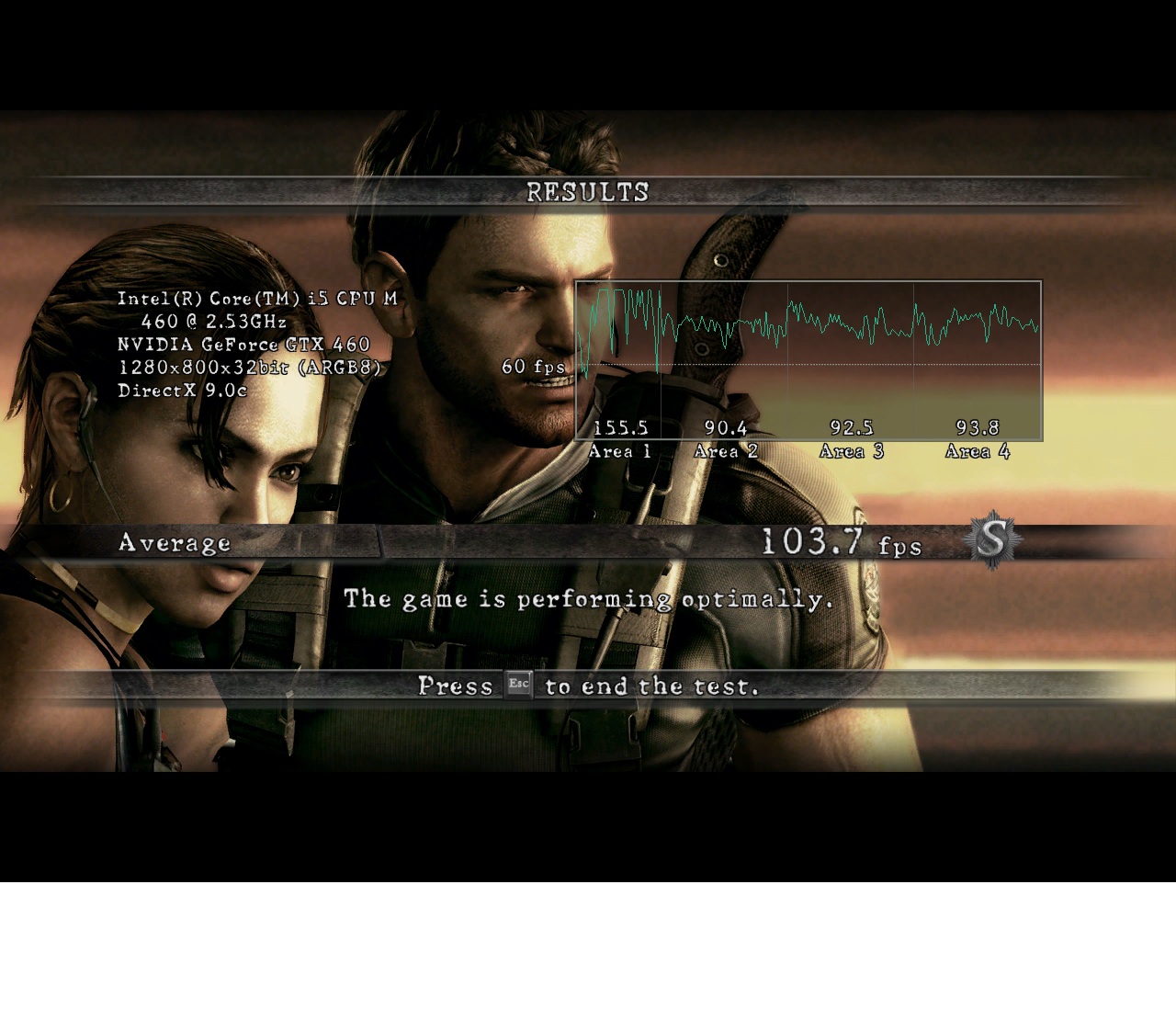
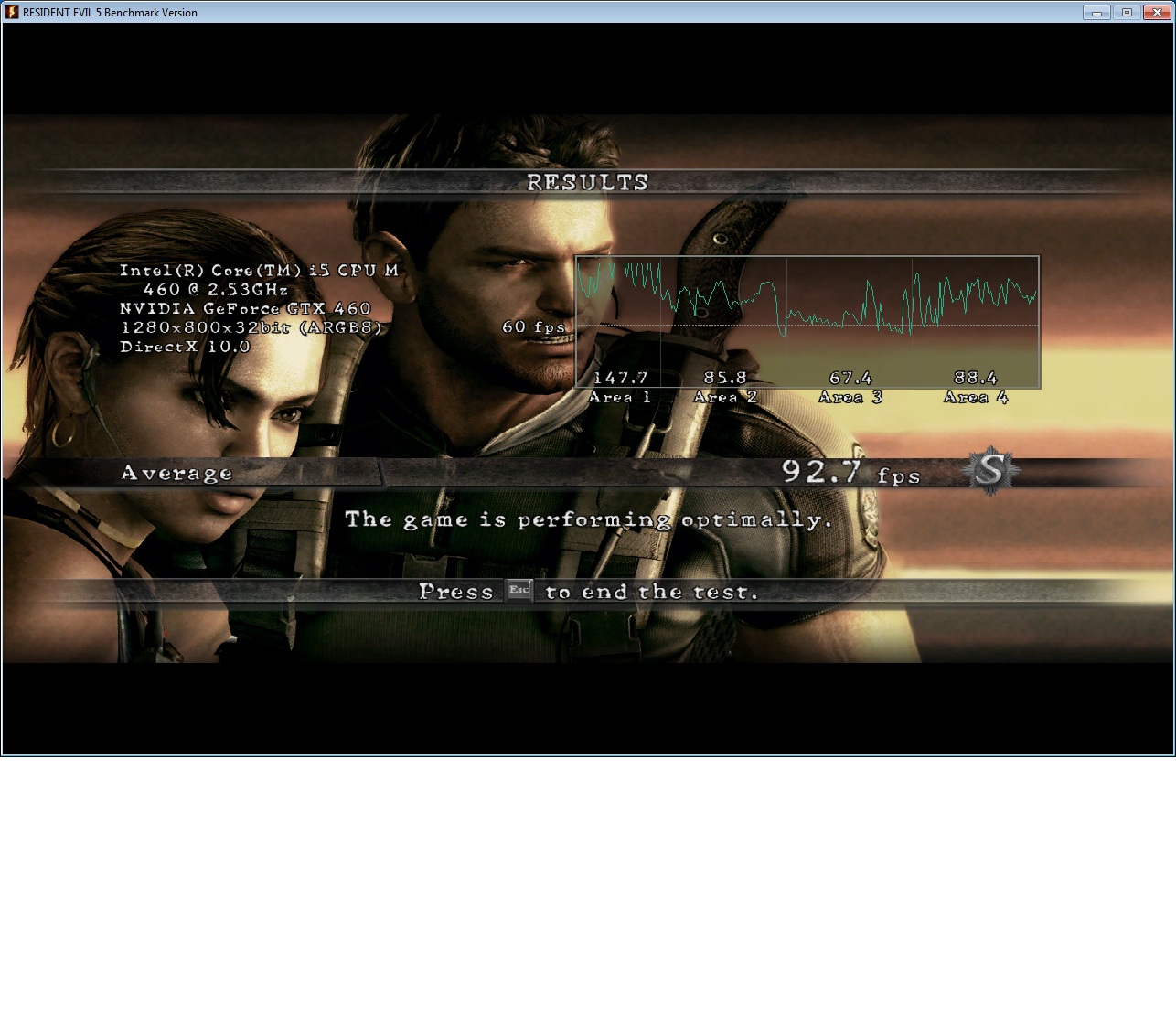
Below I have included a few photos of my setup, and 2 screenshots of RE5
at the recommended 1280 x 800 , physx set to cpu , GTX460 hdmi audio disabled. DX9 + DX10.
3DMark06 score : 14268 http://3dmark.com/3dm06/15663885Attached Files:
-
-
How would I do that if you like to explain to me?
so far in each port :
PCI-E 1.0 x1 port #1 In Use @ x1 (Marvell Yukon 88E8040 PCI-E Fast Ethernet Controller)
PCI-E 1.0 x1 port #2 In Use @ x1 (ATI Cypress/Hemlock - High Definition Audio Controller, XFX Radeon HD 5850 Video Adapter)
PCI-E 1.0 x1 port #3 In Use @ x1 (Atheros AR5009 802.11a/g/n Wireless Network Adapter) -
Appears your computer refuse to run two nvidia. Once you have VD running properly, try going to display settings, detect a new monitor, under the new monitor set desktop to that monitor's number(#2 I assume). Then you should be running. I will guess optimus will not work with you because internal gpu is turned off. How you verify VD to work is simply go to advance setting in display settings. Under there you should be able to see dedicated memory and your normal allocated memory whatever your ram is.
Hope this solves the problem so you can start playing. I can understand the frustration. -
Thanks to one of the posts I also tried using a flash disk on the PE4L which was proved to be functional, fortunately.
However, a borrowed PCIe video card (a single width GeForce 7600 without additional power sockets) still doesn't get detected by Windows. Which means it's not card specific. Maybe nVidia specific?
Does this mean I have to use DIYViDock-Setup? Or what should I try? -
What I meant to say is that your x16 physical slot card will work on a x1 physical slot (which is what your PE4L has). You need to keep SW1 set to state 2-3.
-
Most wireless adapters are mcpi-e, so you can move them around from one port to another. I am not familiar with yours so it may be integrated onto the motherboard. You need to find out if it's a card or not, and if you have a wired port 4.
-
Anyone else experience problems with ATI and Bad Company 2? I am only getting 20FPS on my ATI 6950, while on the internal 4650 I geet 60fps.
Thanks. -
Turns out to be an essential piece of information. While the hotplugging still doesn't work, SW1 on state 2-3 got the video card detected in DIYVidock setup - at last!
The video card was then detected in the following boot, I installed the regular driver 270.61 from nvidia, and it seems to work well so far.
Now I can boot Win7 with the card plugged in, but to be honest I don't know what exact steps in the setup lead to this result. Because I was clicking through the setup options many times (with SW1 set to x1), I can't remember what the crucial step was eventually. IIRC it was simply compaction in bridge mode, and boot into W7 or something.
Additional note.
After playing around a bit, I was wondering how to disconnect (as I have to make my desk cat-proof). Apparently hotplugging is not possible and I have to treat the GTS450 like, well, a desktop component, meaning that it needs to be connected and powered when booting, and can only be disconnected when the laptop is off. Sleep + disconnect wakes into BSOD even when manually switching back to the internal GPU prior to the sleep.
Anyway, MANY THANKS to the forum and all the experience, software etc. shared here. Also thanks @exe for answering my posts.thank @wicked20 for the 3dmark result XML hint
my rig:
15" Lenovo T510, i5-520M @ 2.4GHz, 4GB RAM, QM57, NVS3100M
PE4L + EC2C, Gainward GTS450 1GB @x1, setup: yes.
results: (NVS3100M --> GTS450)
Windows Performance Index 4.9 --> 5.9
RE5.var 23.3fps --> 62.5fps
3Dmark06 3295 --> 4879
SM2.0 score 1231 --> 1899
HDR/SM3.0 score 1184 --> 1816
CPU score 2733 --> 2738
Starcraft 2 doesn't run smoothly with everything Ultra on 1080p (native of my external), but High @1080p runs OK after some initial stuttering (uploading issue?), whereas the built-in NVS3100M would struggle with low/medium @720p. -
Hi Katamari,
You can use winrar to extract the saved files 3dmark results, and open the xml file. -
The shader scores are really bad compared to the results I'm seeing in this German forum thread. What could be responsible for that? Any optimization tips?
edit:
I'm using the PSU of a Shuttle barebone to power the video card. The PSU is spec'd at 250W and powering nothing else, this should be sufficient for the GTS450, right? Or is it possible that the GPU is bottlenecked by the PSU?
Since I have a NVS3100M, I guess I can't use the Optimus driver? -
I have a fujitsu T900 with i7-620m, and the system freezes every time right after I do the compile thing, can anybody help or direct me to the right solution please?
-
Unfortunately your results look in line with x1 performance. x2 would almost double performance in some cases (like 3dmark06 sm2 and sm3 scores). You can also look into overclocking your pci-e bus, and disabling the HDMI audio output.
If the GPU wasn't getting enough power, it would be powering off on you when running games/tests. -
I am so excited!
I just bought a PE4H v2.4 (65$) + corsair cx430 (20$) + Zotac GTX 560 Ti OC (210$)
Total : 295$ for a nice setup.
I have 2 notebook at home to connect it : a MSI GX640 and a HP 2530p.
I will try both to see the difference in perf between C2D and i5. Also, I will try the mobility HD5850 in the GX640 to compare.
When it will be release, I will buy the next HP 2560p and sell my two other notebook.
Next soon! -
I had the same problem with Avlan's 266.35 64-bit driver. If you have that driver I would recommend you to change it to something new. I am still using first driver.
-
That's strange that you cannot get hot-plugging to work. Hot-plugging works great with my T410i and GTS450 in Windows 7, I am able to plug in the card while the machine is running and unplug it without having to put the machine in standby mode. Optimus also works, and I am able to obtain double your benchmark scores with identical hardware.
I would assume that the T410i and the T510 be almost identical at the hardware level, so this must be a software issue. Are you using the right drivers? The mobile 270.15 drivers worked for me, I recommend you try those out and see if you can make that hardware work out a little better for you. -
That sounds intriguing indeed...
I'm using 270.61 desktop version, picked out by the GPU model. What do you mean by mobile driver? This type?
Re: hotplug, how did you install? I mean my card wouldn't be detected at all, and tying to install the driver without it plugged wouldn't work, as the setup aborts when not finding a valid card. -
katamari, Please read first page more carefully. Optimus Driver will give you significant performance boost.
-
I did read it and my understanding is that it only works with an Intel primary GPU, whereas I have a NVS3100M.
edit:
yeah so I tried out the modded Optimus driver anyway. Same everything as far as I can tell.
Where would the Optimus setting be? I can't see anything related in the Nvidia control panel.
3DMark06 results also unchanged. Btw 3DMark Vantage crashes with the "device removed" error that seems to be common (both with 270.61 and with the modded 270.51).
Also, even as my rig is prepared for the GTS450 (since it works when booted with it), it would still not be detected when hotplugging. -
Hey, did you try this Magma - PCI & PCI Express Expansion Solutions : FULL_FUNCTION_2_6.exe ?
-
Not sure about the NVS3100M. Have you tried disabling it from the Device Manager? Since you have an i5 processor, you will also have the integrated Intel HD graphics chipset, as that is part of the CPU. After disabling it, I would uninstall all nVidia drivers (including those for the NVS3100M), plug in your GTS 450, and try installing the 270.51 drivers again.
Best of luck, the performance really is worth the trouble! -
Hey. No haven't tried that out yet, wasn't aware of it. Would that allow me to get around the space allocation problem and run my full 4gb?
-
Any word on when 2.0 capable cables might be coming from hwtools? I hope they can still use mini-hdmi connectors so we don't have to replace the whole setup, or least only replace the $20 converter card and not the base unit.
Hope to have a x220 eventually and at least one of the minicard slots should be 2.0, not sure about the expresscard pci-e port.
BTW, tested out a 4890 I wasn't really using on an older vostro 1700. I know its not a good match (powering it is a pain, 6+8) but I just wanted to see this stuff working for myself.
Had no problems installing it: I just booted the laptop with it already plugged in and powered, windows detected the card, regular drivers, reboot and basically done. External monitor obviously, and the laptop only has 2gb of ram so that might be part of why it was painless.
Fired up a couple games and its far better than the onboard 8600m, I'd guess the 1.6 core2 is the bottleneck even with a x1 4890. If the defective nvidia gpu dies before the owner is done with the laptop (its from the bumpgate era), at least I know it can still be used at a desk this way. -
Deactivating the NVS didn't get the Intel activated. Reinstalling the driver also always covers the NVS along with the GTS. Too bad.
So you have the NVS too and it "just works"? -
No, I just have the Intel HD graphics.
This thread suggests that it's possible to disable the nVidia graphics entirely via a BIOS setting. It may be worth messing around with. -
Hello Everyone,
Can anyone please tell me that is my laptop compatible with a DIY ViDock system?? Cant just figure it out. Here is my laptop specifications:
Dell N4030 14" LCD Display
Intel(R) Core i3 2.26 GHz (2261 Mhz)
4(2x2 GB) GB DDR3- 1333 RAM
ATI Mobility Radeon HD4330- 512 VRAM
Motherboard: Intel HM57 Chipset
OS: Windows 7 Ultimate
one more thing i dont have any HDMI port in my laptop. Please i will be very grateful if anybody come up with a good news. THANKS.Last edited by a moderator: May 8, 2015 -
It seems to me that that thread starter has an Optimus-capable rig and can therefore disable the Nvidia part. I don't have that BIOS option, my T510 is one of those older, pre-Optimus models.
So our hardware are not identical, and being unable to use the Intel GPU inside of the i5, I seem to be stuck with x1.
Thanks for the inputs though. I'll try a HD5770. -
Hello Everyone,
Can anyone please tell me that is my laptop compatible with a DIY ViDock system?? Cant just figure it out. Here is my laptop specifications:
Dell N4030 14" LCD Display
Intel(R) Core i3 2.26 GHz (2261 Mhz)
4(2x2 GB) GB DDR3- 1333 RAM
ATI Mobility Radeon HD4330- 512 VRAM
Motherboard: Intel HM57 Chipset
OS: Windows 7 Ultimate
one more thing i dont have any HDMI port in my laptop. Please i will be very grateful if anybody come up with a good news. THANKS. -
Thanks for these fixes but the nvam.inf did not include the GTX 560 Ti everywhere it should. It doesn't work for those who own GTX 560 Ti.
I've fixed it, now it includes all the current desktop fermi
nvam.inf of the Verde 270.61
DIY eGPU experiences
Discussion in 'e-GPU (External Graphics) Discussion' started by master blaster, Sep 18, 2009.