Problems? See this thread at archive.org.
Thanks for trying Nando. Still nothing. Sounded promisnig as when I plugged in Port 3 the fan on the GTX 460 ramped down from 100% to whatever (which is what happens when the laptop is usually turned on), but couldn't detect the card still
-
-
Yes. You could do a DIY ViDock using either the wifi mPCIe slot or expresscard slot. AN NVidia or ATI-AMD card would work. If the expresscard slot is port1 or port5 then could do a x1E AMD-ATI setup which would give some pretty decent performance. See 2. Which video card do you recommend for best performance on my system? on first page.
Hmm.. OK. Try something else. After you set x2 width, can you hot plug your wifi card in port2 and does it gets detected? If not, then try the anti-whitelisting feature to 'save' the port3 state when you booted with wifi inserted, then load that state after you reboot without wifi inserted.
If using Setup 1.0e8 then set your x2 port using the "x1E" rather then the x2 menuitem. It doesn't do a HOT reset. That might be the problem.
Actually, I'd recommend using the the latest Setup 1.0f-pre release here which doesn't combine the PCI hot reset with setting x2 link width AND a more robust anti-whitelisting setup, plus many other improvements. -
Thanks for quick reply.
To use "x1E" capabilities do I have to buy PE4L? Even those powerful cards can run plugged in that short pci-e?
Or do I have to go for PE4H? -
PE4L is sufficient for x1/x1E/x1.Opt setups. Only if you want x2 you'll need a PE4H. PE4H does offer a better stand due to the longer PCB and you can connect a laptop PSU up to 19V (it has built-in DC/DC conversion to 12V), so for lower-end cards with up to 60W TDP, you won't need a bulky ATX PSU. Anyways, you can also build this DC/DC converter for total 5$ if you need it. First post gives all info needed. Many ppl here are running powerful cards through a PE4L and it generally works very well.
-
any progress with Thunderbolt?
-
Still no luck! Tried various things...
Observations
a) Using 1.0f when I now set to x2 mode the card is still detected (without having to reboot). But still boots into x1
b) The wi-fi card was not detected when hot-plugging
c) When both saving and restoring the port the program never went back into Setup 1.x (it just stayed in the dos-looking screen) -
Hi
I hope I can get some help because I cant get my DIY vidock to work. I was hoping to do a x1.opt setup so I got:
PE4H ver 2.4 + EC2C (I do not want to do a x2 link, I just wanted a better stand)
Galaxy GTX 560 ti GC
CoolerMaster Extreme Power Plus 500W (it has 2*18A on 12v rail - Newegg.com - COOLER MASTER eXtreme Power Plus RS-500-PCAR-A3-US 500W ATX12V v2.3 Power Supply)
Brand new Dell Vostro 3300 i3-370m, Intel GMA, Win7 64bit, 4gb ram.
(I dont have an external screen yet.)
Problems:
Psu doesnt turn on when I try to turn it on via the swex. (Not when the expresscard is inserted, nor when the expresscard isnt inserted.)
Cannot power on laptop with expresscard inserted. (with or without psu turned on via the swex)
Laptop wont come back from sleep of I put expresscard in during sleep. When I pull out the expresscard and go back into w7 it says that some drivers werent installed correctly. (It happens with or without psu turned on via the swex)
So I cant even get started Does anybody have any suggestions on what to do? My best guess is that I need an external screen to do the setup the first time. But does that explain the psu not turning on?
I would really appreciate any help.
Aloha, Rasmus -
Value at Risk - that is a beasty card!
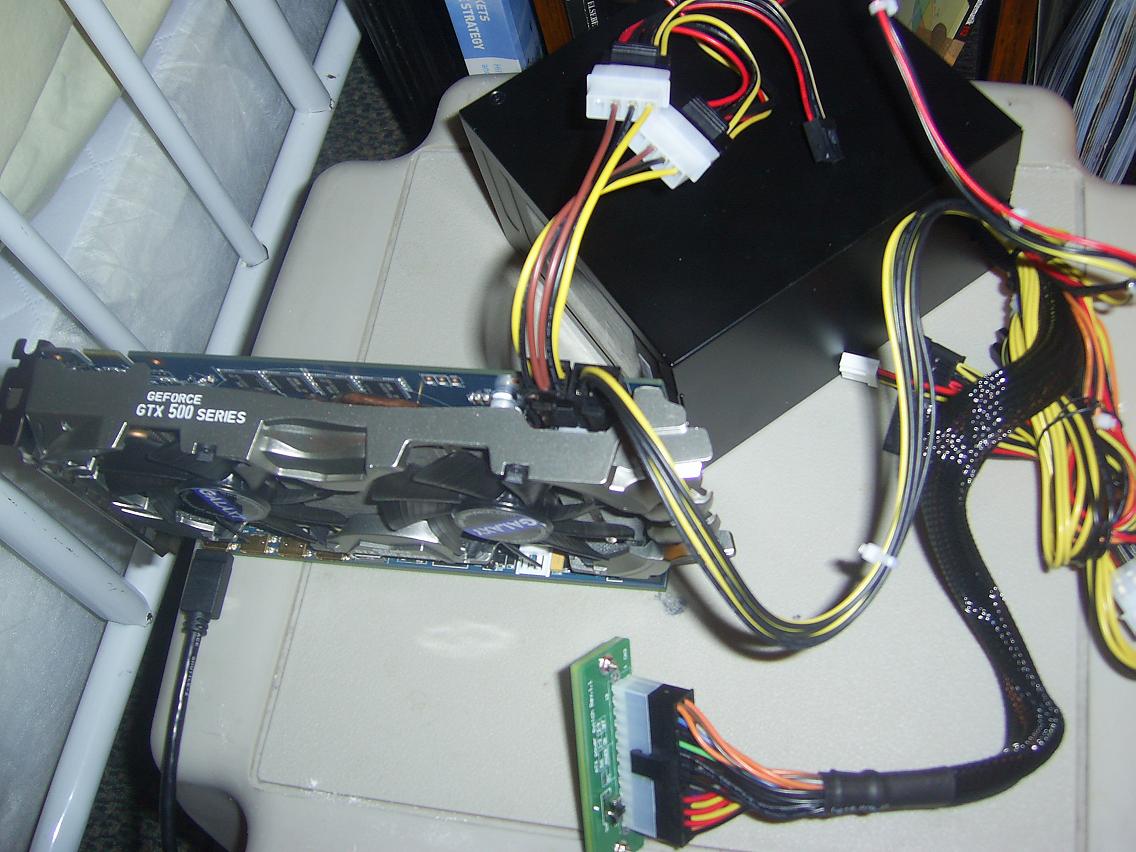
Are you sure it is all connected? (so probably 2 x 6 pin on the card, as well as the connection to the PE4H?)
Also the power supply labelling is not great (it is not a 500W card), see Cooler Master eXtreme Power Plus 500 W Power Supply Review | Hardware Secrets but the fan should still spin if connected correctly -
Thanks for the reply I really like the card too, even though it is not working yet
I have one 6 pin pci-e and 2*peripheral into one 6pin pci-e connected to the gpu. And the motherboard 20+4 pin connected to the swex.
Hmm… The psu might not be the best, but MikjoA uses a Cooler Master Elite power 400w ( Cooler Master Elite Power 400 W Power Supply Review | Hardware Secrets) for his gtx 560 ti, so I just thought that mine would work.
When I turn on the swex the fans on the psu moves about 1cm and then stops again.
Do you know what to do?Attached Files:
-
-
on the pic that you posted it shows that you have not connected the small thin white connector on the PE4H. plug that in and your fans will spin.
-
Oh my god I'm such a noob! Thx for the advice, I'll start installing drivers asap
-
haha dont worry, first time i hooked up my 460gtx i forgot to plug in the black connectors so only the fans would spin. we all learn by experience...
-
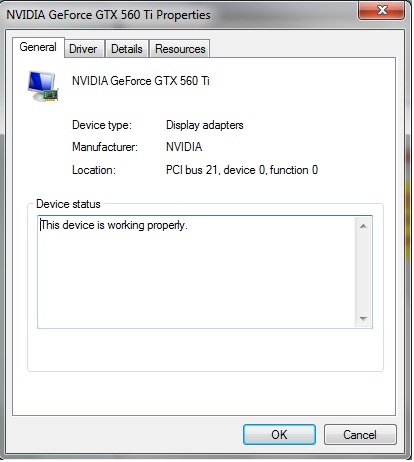
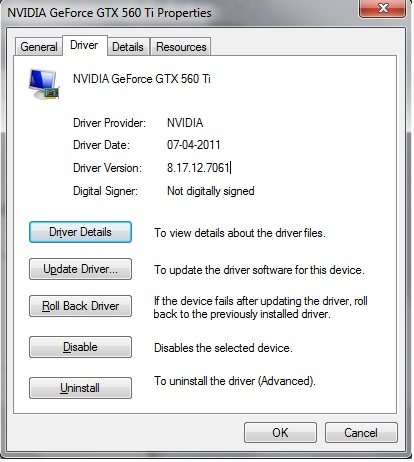
Okay, got drivers installed without too many problems.(Had a blue screen after w7 was done installing drivers after the first time I got it to recognize the GPU. It forced me to shut down the laptop, so I had to install the optimus drivers on the nex bootup) The gpu is up and running and I can see it in gpu-z and I can access nvidia control panel.
However, I cant seem to get it to kick in on the internal screen during games, benchmarks etc. Like in RE5.var my laptop insist on using Intel HD. I tried to change the settings in nvidia control panel between Auto-select and High Performance nvidia processor etc, but nothing has worked so far.
Other notes:
The laptop cant find the gpu when I use the sleep-resume method, nor when I power the DIY dock on after bios on startup. Only way for the laptop to find the gpu is to plug the expresscard in with the gpu powered on and w7 running.
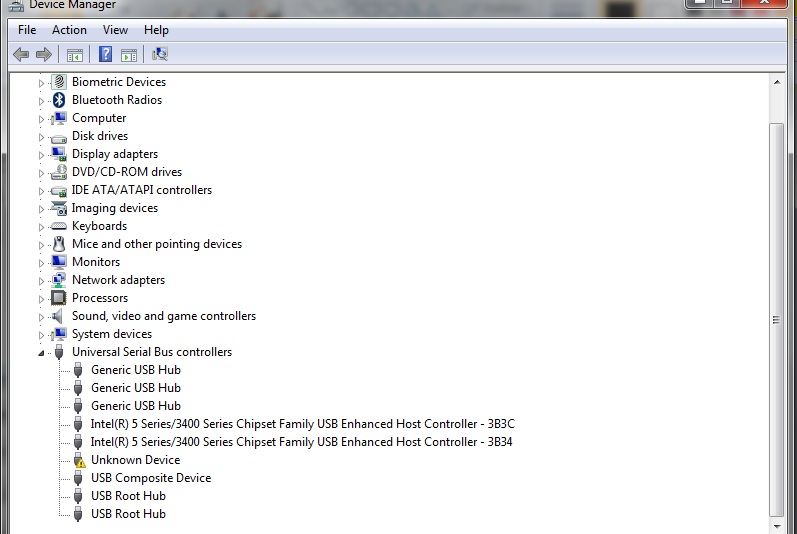
Sometimes, when I plug in the expresscard, w7 promts that the usb device isnt recognized. After 10 seconds the screen flickers and the gpu is recognized OR w7 promts that the divice drivers wasnt installed successfully. However, even after that I can see the gtx 560 in gpu-z.
So at this point I guess I might have installed the drivers wrong, or that I need a better way to plug in the DIY dock.
Any help would be very much appreciated
Attached Files:
-
-
@Value At Risk
I think that Optimus is simply refusing to work on your internal screen. A bit ago I had the same thing happen [Driver version 270.51], out of the blue I might mention, it was working just fine with Optimus, then one time it just didn't work on the internal screen at all... it would still work on the external screen at the same performance level as before, so Optimus was seemingly working with the external screen, but not with the internal, even though it all showed up in device manager, Nvidia panel worked, and so did the desktop gadget I am using to monitor it, all of this even when no external screen was attached....
I ended up playing with uninstalling and reinstalling both the Intel gfx driver, and the Nvidia one a few times (jumping between old and new versions [266.58, 270.51, and 270.61 all with their respective nvam.inf files], also doing the "custom install" and choosing "clean install"; even installed the drivers I got from the disc that came with the card); after that and a few shutdowns and power ups later (as well as changing settings), I got it working with the driver version 270.61 and it has been working great since then
One way to see if this is what is happening with your setup check a external monitor (HDMI should work fine with any driver, but VGA won't on any of the newer Optimus drivers, but should on the driver version that came with your card)
I have no idea what it was that caused it to freak out and stop working on me, but I did manage to fix it after fiddling around a bit... maybe a failed connection to the system causes it?
also, I was helping the member firstwave with his DIY ViDock and he had the issue with Optimus not working on the internal screen, but it worked on his external, for him it never did work on the internal screen at first like it should have (it is basically the same situation you have) -
I know vista doesn't work well with a DIY ViDock, but has anyone tried it? Is it possible?
Also, has anyone had any experience using the ViDock with the Sager 5790?
Thanks! -
The only problem with vista is that you cannot run graphics drivers from multiple vendors. ex. you can't have an internal ATI card and external Nvidia card running at the same time.
With Vista you could get any Nvidia card, and doing x2 is still possible under vista. Considering that your internal card is better than the average IGP, I think you would find x1 performance to be unacceptable compared to your internal card (I did with my internal 9600m gt, which is around the same performance as your card). I would only get an external card if you could do x2, which I think would be likely on a large laptop like you have (larger laptops usually have more mpci-e ports than smaller ones). -
Thanks for the help! I really appriciate it, and I will try it out for sure! Nando also suggested that I uninstall the intel drivers and reload nvidia drivers etc.
I guess I have a long night of playing with drivers ahead of me
I won't get an external monitor until next month so untill then it is all about getting the internal screen to work. However, after that I don't really need the optimus to work in the internal screen
-
My experience with Optimus on the internal LCD was that I needed to boot with the NVidia connected in order to make Optimus work on the internal screen. When plugging it into the running machine, it didn't work for me. I used Optimus Tools to figure that out.
-
Thanks Nando4 for your answer about the MSI laptop. Finally I didn't buy it.
Anyway, I found another interesting laptop, Fujitsu LIFEBOOK AH531 W7HP64. It has a new I3 2310M CPU and a HM65 chipset with express card slot. Do you think I could do a x1 2.0 through express card slot? I guess it is Sandy Bridge, right?
Thanks in advance!
D -
I'm trying the PE4H with a Creative X-FI Titanium PCI-E with a Toshiba Satellite P100 and so far I cant get anywhere.
Laptop spec is:
ICH7M
Windoes 7 x64 Ultimate with 4GB
Nvidia go 7900gtx
So I could install the driver in Safe Mode,but when booting it BSOD with IRQ not equal or Less.It BSOD all the time (if I try to Hotplug).Creative X-FI is in Control Manager but it says driver not installed?
So my question is do I have to do a Setup 1.X in order to get this to boot into Win 7 .
Any help would be great as I am very new to this -
Okay guys!
I got my Edge 14" with the following specs:
Intel Core i3-2310
4GB DDR3
ExpressCard/34
Which adapter should I get? I want to be able to do internal screen if possible and I'd like to get the most speed I can. -
No one yet has gotten the 5.0 Gb/s transfer rate to work yet, however, not many have tried. The PE4H/L designers have stated that the cables they are using have difficulties with the higher transfer speed. The higher rate may be possible, but it is not something to count on with current hardware.
-
question about the vid card and psu. doesn't the gtx 460se require at least 450W psu? the corsair only provides 430, right? i'm confused as to how the two can work together.
-
The wattage recommendations are based on the average 12V rail amperage of 450 Watt PSU's. They are also for a power supply to an ENTIRE machine. An entire computer has a processor that uses around 7-10 amps, hard drives and optical drives that might use 2-3 amps and the video card which can use anywhere from 6-18 amps or more. The amps matter more than watts, but on average, 450 watt power supplies have around 18 amps to each 12v rail.
To put it simply, the wattage recommendation is simply because a 450 watt is more or less "guaranteed" to provide enough power for a system and amperage to the 12V rails to power the video card. The video card doesn't run on the "watts", it runs on amps that go through 12v rails. Now a days, most PSU's have two or more 12v rails and divide total amperage to them. Lots of components run on 12v rails so a 430 watt power supply is more than adequate to power one video card. In fact, a 120 watt power supply could do it if you got all the amperage to the 12v rails.
A lower wattage power supply will be just as acceptable as long as it provides, for example, 23 Amps to the 12V rails.
A Corsair 430 watt power supply has server-grade components and very solid 12v rails so it's perfectly acceptable to run a GTX 460 on it.
Fun story: Back in 2006 when the 8800GTX dropped, I had set up a system for it and everyone told me how retarded I was for using a 620 Watt power supply to power not one, but TWO over-clocked 8800GTX's with a quad core CPU. That PSU was a Corsair HX620, one of the highest rated modular power supplies to hit the market.
The wattage doesn't tell you the full story. The amperage of the 12v rails does. -
Thanks for your answer! So theoretically it s possible with the laptop, but I will need to wait for a new cable, is that right? Is it only their hdmi cable that has difficulties, or all kinds of hdmi? Couldn't we buy that from elsewhere? There are plenty of shops with mini hdmi cables...
Do you suggest to wait to select a laptop until the cable is ready and someone can try it?
D -
There is no difference between the HWtools cable and a standard mini HDMI cable. The problem with waiting for a new cable to be designed is that the mini HDMI cables already have excellent shielding. Both transmit and receive pairs have separate aluminum shielding, with the pair of wires properly running parallel together, and the entire cable had another layer of shielding. The only place improvements can be made is the connector, where there is around half an inch of wire that is completely unshielded. However, since Thunderbolt does use the 5.0 Gb/s transfer rate, it should be possible for a 5.0 Gb/s mini-HDMI compatable cable to be made.
-
1.3/1.4 HDMI cables (including mini HDMI - type C cables) already handle 8.16 Gb/s.
-
essenar
thanks so much for that detailed explanation! -
Hey Guys
I am in need of some help. I finally got my video card today Asus GTS 460 768MB. I plugged it in the PE4L, and did the sleep, plug in express card, and resume and I have trouble of getting my card detected in windows 7 (64-bit). I could not get it detected in the Vidock setup. I tried it with different delay settings on the SW1 and SW2, but no luck.
Anybody know why this happens? Maybe the cable is defective or the card?
any help would be greatly appreciated. -
If the card is not detected but functional, the fans should be spinning at 100%. If you can hear the fans, they are at 100%. The normal speed is too silent to hear unless your room is dead silent. If the fans aren't spinning at all, make sure you plugged everything in and that the power supply is adequate.
The delay settings are just for getting your system to start if there are resource problems. Try having no delay with everything connected and power and see what happens. -
So if I am understanding this correctly, you have to use 2GB of memory on the initial configuration and then you can return to 4GB assuming you have the proper ports?
I will be undergoing this project soon on a Sandy Bridge and I will also be attempting the internal LCD. -
The fans are spinning fast, its quite loud. I am pretty sure I got the jumper settings right. I am using a 450W Power supply.
I set the SW2 to 1-2 as it says on the board, disabled (default). Am I missing something else? This is a 1.5a version btw. -
Oh I found this BTW SLI Patch official doc
I ran the patch and apparently mobile chipsets are supported, meaning that WE CAN RUN SLI!!!!!
I met someone at an RPI uberlan that also had a gtx 460 DIY vidock, but never got your name. If you're reading, wanna get together and see if it works? I can do x2 to one card and x1 to the other. The only thing we need to get is the SLI bridge, which costs less than 10 bucks. I'd have to disable or remove my internal card, but I think it's worth is considering how hilarious it would be if SLI actually worked. Hell, it might even be significantly faster since in theory there would be 50% more bandwidth to the graphics cards.
@ pushhead:
Ok so the card is running, but not detected. What happens if you don't use the jumpers and boot with the card already on? Also a 450W rating doesn't mean much. What matters is the current rating for the 12V rail. -
@Khenglish
The Power supply has a total of 304W on a dual 12V rail according to the box.
Tried it without the jumpers, still dont work on windows or the vidock setup. Any other suggestions? -
A problem you may be having is that only one of the 12V rails may be going to the graphics card. Just because you have multiple cables does not mean you are using both rails. Try changing around which cables go to the graphics card to make sure that you have both rails going to it. You will definitely have power issues with only one.
-
I tried switching cables before, same story. I doubt that it is an issue with the power. I have a feeling it has something to do with the cable or maybe the expresscard port. Hopefully Nando could have an answer
-
Did you plug both the floppy power connector to the PE4L board and the PCIe connectors to the GPU? Are both LEDs on PE4L on? The fans are running then? Next step wire the EC to the PE4L board and finally slide it into your laptop - what happens then?
-
Hey guys, I'm still getting frequent BSODs :/
This is what I get when the laptop reboots:
![[IMG]](images/storyImages/e49d1f4758e8613296a2b90c40f46a9d.png)
This is the event viewer:
![[IMG]](images/storyImages/d920a873f16cbb43384d173ddc505215.png)
I tried running Half-Life 2 and crashed just after the opening scene. -
Exactly!That is why I don't understand it...
-
Yes I plugged in the floppy power connector and the 6-pin PCI-e connectors on the card. Only one of the LEDs come on when I turn the PE4L on, the D2 LED, D1 remains off. Are both LEDs supposed to be lit?
EDIT: I looked at my Asus GTX 460 box, it says the card requires a 12V rail with a minimum rating of 24A. My BFG power supply is only 18A max on a 12V rail. I probably should try a higher 12V rail, hopefully that should work, when I do try it. -
Hi again.
I'm on a HP pavilion dv7-3130eo and I bought the PE4H-EC2C version 2.4 from harmonicinversion.com and I visited this forum earlier when I was trying to get it to work. To make a long story short I had to drop the project for a little bit but I' ready to go again.
So; what card should I invest in? ATi or Nvidia? This HP has a GT230M and I heard somewhere that I should get a card different from the internal gfx? Something to do with drivers I suppose?
Thanks for your help.
Lurifax -
Nando4 or anyone,
Power Express 250W W0099RU Free 2 Years Ext. Warranty (Refurbished Product)
Do you know where we can find the manual or spec for this enclosure? Can we replace it with a better PS such as 700W? Why would say $30 is pricey?
Much thanks.Last edited by a moderator: May 5, 2015 -
@Value At Risk, and Nando4
OK, so it was time to reinstall all my OS's (no big deal, except when I got to setting up my DIY ViDock again it... well it didn't work. I had installed it all with the 270.61 drivers and the modifies inf file; it seemed to go well, the Nvidia control panel was even entirely usable and the card was detected properly by every part of my system [GPU-Z, Drvice manager, Nvidia Control Panel, ect...] but when I went to try any game on the internal screen, it just ran off the Intel integrated)
So since I had a non-working 270.61, I went and installed the version 266.58 (selecting 'custom install' and then the 'clean install' option, rebooted, installed 266.58 all the way and tested it with the same game and it worked!) One more reboot and then I did a standard install of 270.61 and it has all been working since then
With a fresh system I:
-Installed 270.61, reboot, no Optimus working internally
-Fresh install option from the 266.58 installer, then reboot
-Installed 266.58 and confirmed it was working, then a reboot
-Installed 270.61, rebooted, and confirmed functioning
-No issues to note other than that
Maybe the newest version of the driver doesn't have all the components, or part of it fails to install? IDK but I have seen this [it works and all, but no Optimus to 'accelerate' what is on the laptop's screen] twice personally (first time it was with the 270.51 driver out of the blue after it was working for some time; and now with the 270.61 driver as the first Nvidia driver on my system after a fresh install); something to look into as it seems everyone esle who is using the newest drivers as their only drivers [ie: never had the other drivers installed], is seeing it -Value At Risk, and firstwave when I helped him with his seem the exact same as it all works/ gets detected, but there is no Optimus -
A SLI setup would a first. Yes.. more bandwidth. SLIpatch patch looks like it does some low level stuff. Wonder if we can spoof the PCI ID of the primary video card to be a 4500MHD/Intel HD to get x1.Opt compression on non-IGP systems?
The ThermalTake PSU is US$30-shipped, which is a bargain. The enclosure+GTS450 sold for $362. It's a custom setup designed around the PSU. I somewhat doubt a 700W version of that PSU is available. No reason why DIYers can't leverage off that design and make their own cheaper enclosure using the same PSU.
In any case, the PSU is 250W, or 300W peak. Good enough for a GTX560/HD6870. A GTX570 / HD6970 peak at 298W/287W so are touch and go.
270.61 64-bit nvam.inf using section087 instead of section091
The previously posted 270.61 64-bit nvam.inf defines the desktop Fermis to use section091, where section0xx defines what components to load. Now the highest section used prior to modification is section087, by a GT540M. Section091 was chosen as it provided additional components: 3dVision, NView, NVSmi, which might be a problem.
So I've changed the desktop Fermis to use section087 in the the attached file. Please test and advise if that corrects the issue. If not, search for the three occurrences of "nando" where the mod was done and replace the 'section087' entries to 'section084' and test again.
If that doesn't fix the problem, then I wonder if GT540M users would also see their Optimus not work with this driver? Maybe time to mod the next beta/offical and just call this one a dud install?Attached Files:
-
-
Thanks Nando, I tested it out and it seems to be all there and working
OK, so here is what I did:
-Did the "clean install" option (to wipe out driver remnants), rebooted
-Installed 270.61 [with the initial .inf file], rebooted, confirmed non-functionality
-Replaced the .inf flile with the new one
-Did the "Clean install" option again, rebooted
-Installed 270.61 [with the new .inf file], rebooted, confirmed functionality
Of course others should test it out to see if it works or not (widen the statistical base); but from here it seems to all be there
Thanks again for your huge contributions to this forum, you are awesome Nando4!!
-
Wait, so with the Power Express 250W W0099RU Free 2 Years Ext. Warranty (Refurbished Product) I don't need an ugly stinking power supply sitting on top of my desk? Is it quiet?
Will it work with the AMD Radeon 6xxxHD or 5xxxHD series? Does it slow down the connection speeds to the computer at all?
What AMD/ATI Card around $70-$100 would you guys recommend if I went with that power supply enclosure? And do I need to order any additional connections with that 250W enclosure?
And also, is there a difference between Expresscard 54 and Expresscard 34 in Sandy Bridge computers? Which one is more recommended for ViDocks? -
I believe the express 250w psu is already sold out at thermaltakestore and many online store.
-
Yea other day I went to Frys and saw cables rated for >8 Gb/s. They were Monster cables, which is a brand known to sell completely overpriced audio cable, but anyways...
I guess HWTools just means that the cables they got their hands on aren't good for higher speed. So it sounds like the PE4L/PE4H are good to go if you buy some better cable from another supplier?
Regarding the numerous power supply questions, I think it might be a good idea to stick a note on the first page saying something like this:
To determine power supply needs:
Look up the power draw of your video card, find PSU from reputable manufacturer (seasonic, delta, etc. are some good OEMs) with high quality components (usually the ones with higher efficiency also have better power regulation and are more stable, don't cheap out!) rated for at least 30% more amps on the 12V than you need, to keep the power supply running healthy. In fact I'd go 50% excess for overclocking headroom and to keep the power supply running closer to 50% of max load, for best efficiency and stability.
If there are multiple 12V PCI-e connectors on the card, then multirail PSUs can split the load. A 6 pin PCI-e connector is officially good for 75W, although the wiring is rated for a bit more. 8 pins are rated for 150W, (12.5A), so you can guess that a 6 pin is actually good for around 9A. Most PSUs have reasonable capacity on each rail, and if you buy anything from a quality brand with over 300W you're probably safe on any card, besides the most power hungry models. However you cannot be sure that the power supply you are getting has ample power, so CHECK the specifications.
Newegg has a huge selection of power supplies, and has great clear photos of the specs sticker. A quick list of mostly reputable brands that I can come up with off the top of my head.
Seasonic, Enermax, Corsair, PC Power and Cooling (although their efficiency isn't that great, they have had great reputation in the past), FSP, Thermaltake, OCZ, Antec, are all brands known for good (or excellent) quality PSUs.
This list is by no means exclusive, and there are plenty of great power supplies from many manufacturers. Johnnyguru does a lot of testing on power supplies and that can get you a better idea. In general as I said, very high efficiency PSUs usually have good power quality as well due to better design and components. An issue you do run into is that most of the best quality power supplies are very high wattage, and lower wattage power supplies are usually not made as well. This is just a compromise you need to make to plug just a video card into it.
Another source of power supplies can be power supplies pulled from more recent machines from Dell and HP and the likes. Some of these have high quality, high efficiency power supplies sourced from Delta or other manufacturers, and can provide enough power for a midrange card. For a list of high efficiency power supplies (lower heat and noise), you can go to 80plus.org and download the spreadsheet of testing results, and look for lower power 80plus platinum/gold/silver power supplies. One that is somewhat easy to find is the Dell RM112, rated in the mid 200s, which is good enough for a midrange card, and it has >90% typical efficiency. -
Anybody able to have a look through these?
Attached Files:
-
-
It's related to graphic card driver. It caused by either:-
- Corrupted driver
- Graphic card overheating
- Faulty graphic card
Try the graphic card on a desktop computer to rule out faulty hardware.
DIY eGPU experiences
Discussion in 'e-GPU (External Graphics) Discussion' started by master blaster, Sep 18, 2009.