 Problems? See this thread at archive.org.
I get the same error when I run the USB install of Setup 1.x on my 2530P. A disk image install has no problem. Please try that instead or vice-versa if that method gives you issues.
3GB will work with Win7. 4GB will not. For Linux could do a 36bit PCI compaction of the eGPU using Setup 1.x then chainload to Linux and boot with the "nocrs" kernel option to ignore the ACPI-set root bridge boundaries.
-
-
Hello again.

So, I finally invested in a new GFX card and I had windows detect the card, then rebooted and installed the latest gfx drivers but now I've run into a problem. :-(
I can see that I have resources problems and I downloaded the Setup1.x and unpacked it. Problem is that when I run "Setup-disk-image.bat" I get the following errorcode.
(translated from danish so might not be exactly what it says on the english version)
****************************************************************
DIY ViDock Setup 1.x disk image bootitem installer
****************************************************************
[install_dir=C:\DIYViDock, CurPath=C:\DIYViDock].
!!Please ensure you are an admin user!!
Press any key to continue or CTRL+C to exit . . .
0. Copying installation files from C:\DIYViDock to C:\DIYViDock . . .
Der kan ikke udføres en cyklisk kopiering (Cannot perform a cyclic copy)
error occurred. Please copy files manually.
Copying grldr and menu.lst to C:\.
1. Defragging C:\DIYViDock\DIYViDock-Setup-10e8.img.
2. [XP ntldr] no C:\boot.ini detected.
[Vista/W7 bootmgr] BCD entry \DIYViDock\grldr.mbr already exists. Skip.
Press any key to exit . . .
Now, I cant seem to get past this bit and desperately need your help. Anyone got any ideas?
I'm on a HP pavilion dv7-3130eo, PE4H from harmonic and a Radeon HD6950 gfx. -
nando4, I actually did a disk image install. How do I disable it so that I can load to the os and so that maybe I can reinstall it?
-
Does it work on the internal LCD?
-
I just got this working on a Thinkpad T60 model 2007. My machine has the T7200 processor, 3GB RAM, ATI X1300 discrete graphics and I'm running XP SP 3. I bought a PE4H from HIT - of course I can only run at x1, but the larger adapter isn't much more expensive and looked more stable mechanically than the tiny PE4L. I'm using an older Asus Radeon 9600 GT graphics card and a 350W ATX supply I had laying around. So far everything is working great - I haven't tried any sort of tweaking regarding the x1/x1E stuff (I'm not even sure what mode I'm running in - probably it's the slowest), but I can drive dual 1920x1200 monitors just fine and play high-res quicktime trailers (the full 1080P trailers don't play well, but 720P works ok), so the performance is plenty good for me. All I did to my machine was set the BIOS to boot using the PCIe graphics card (if present) and then, with my card plugged in, installed the latest Nvidia drivers. I now have both ATI and Nvidia drivers installed, but this doesn't seem to cause any trouble at all - things work fine whether I'm attached to the external Nvidia card or just driving the internal LCD from the X1300.
I'm really happy with this upgrade - it's awesome to be able to drive two big monitors from my old T60. My only complaint is that the whole thing is a bit clunky/fragile mechanically, but I have plenty of desk space so I can keep the card and cabling out of the way. It's only been a couple of days that I've had this running, so we'll see how well the cable/expresscard adapter holds up to repeated insertion/removal cycles.
I plan to get something like a GTX 550 or 560 pretty soon (mainly to play around with CUDA programming) and I'll post my experiences once I get that running. -
Edited: Regarding the buying without discrete VGA - if someone would buy notebook without discrete VGA to do eGPU and then he couldn't run eGPU it would be really nasty...
Nando you suggest buying notebook without dGPU - is it possible to do x1.Opt without the dGPU that supports it?
Also the version of the PCIe adapter I've bought is 1.0a, what can it be a problem? -
It will boot into Win7 with only the internal screen, but for some reason Windows goes into 'Preparing Your Desktop' and logs into a generic environment. It doesnt do this when plugged into my 23" screen.
Oh well, dont care though, I'll never use it with the tiny 14" lcd so I'm not going to troubleshoot it any further. -
Ok, so I got the bootloader to work, but I'm struggling to find a setup that will let me boot into windows without errorcode 12.
Can someone explain me the difference of 36bit and 32bit?
A couple of the combinations returns me immediatly to the bootloader when I chainload windows, is this correct? Should I just boot windows from that or does it do that because the combination isn't correct? Edit: Found the correct answer to this
/Lurifax on a HP pavilion DV7-3130EO, Win7 using PE4H from harmonic and a Radeon HD6950 gfx card. -
Update:
Tried the following:
Method: 32-bit
All devices
Vid_1
Vid_2
Vid_1 Vid_2
All comes up with ”No solution found”
Method: Bridges
“No solution found.”
Method: 36-bit
Perform 36-bit compilation on all devices forcing none to 32-bit: (512mb) Blue screen.
Perform 36-bit compilation on all devices forcing Vid_1 to 32-bit: (128mb) Loops to bootloader.
Perform 36-bit compilation on all devices forcing Vid_2 to 32-bit: (256) Blue screen.
Perform 36-bit compilation on all devices forcing Vid_1 Vid_2 to 32-bit: No solution.
Perform 36-bit compilation on Vid_1 forcing none to 32-bit: (256mb) Boots up with degraded graphics and cant detect external gfx.
Perform 36-bit compilation on Vid_1 forcing Vid_1 to 32-bit: (128mb) Loops to bootloader.
Perform 36-bit compilation on Vid_1 forcing Vid_2 to 32-bit: (128mb) Boots up with degraded graphics and cant detect external gfx.
Perform 36-bit compilation on Vid_1 forcing Vid_1 Vid_2 to 32-bit: No solution.
Perform 36-bit compilation on Vid_2 forcing none to 32-bit: (128mb) Loops to bootloader.
Perform 36-bit compilation on Vid_2 forcing Vid_1 to 32-bit: (128mb) Loops to bootloader.
Perform 36-bit compilation on Vid_2 forcing Vid_2 to 32-bit: Boots up with degraded graphics and cant detect external gfx.
Perform 36-bit compilation on Vid_2 forcing Vid_1 Vid_2 to 32-bit: Boots up with degraded graphics and cant detect external gfx.
Perform 36-bit compilation on Vid_1 Vid_2 forcing none to 32-bit: (265mb) Boots up with degraded graphics and cant detect external gfx.
Perform 36-bit compilation on Vid_1 Vid_2 forcing Vid_1 to 32-bit: (128mb) Loops to bootloader.
Perform 36-bit compilation on Vid_1 Vid_2 forcing Vid_2 to 32-bit: (128mb) Boots up with degraded graphics and cant detect external gfx.
Perform 36-bit compilation on Vid_1 Vid_2 forcing Vid_1 Vid_2 to 32-bit: No solution.
Also tried to ignore the following:
Ignoring Vid_1 compactionmethod bridges: Boots but both screens stay black.
Ignoring Vid_1 compactionmethod 32-bit. 32-bit on Vid_2: Boots but both screens stay black.
Ignoring Vid_1 compactionmethod 36-bit. 36-bit on Vid_2, none to 32-bit: Boots but both screens stay black.
Ignoring Vid_1 compactionmethod 36-bit. 36-bit on Vid_2, Vid_2 to 32-bit: Screen goes black, no boot.
Havn’t tried to ignore Vid_2 as it seems a bit silly to ignore the card I’m trying to get to work.
If i boot normally into win7 I can see the external card in device manager but it's flagged with code12. :-(
I also tried to disable the internal GPU in BIOS, but that option isn’t there at all.. So; what the heck do I do now?`:-o
/Lurifax on HP Pavilion dv7-3130eo, Win7 using PE4H from Harmonic and a Radeon HD 6950 -
I'm absolutely grateful for all the information provided in this thread!!! It was good see other with the same idea and actually testing it for results!
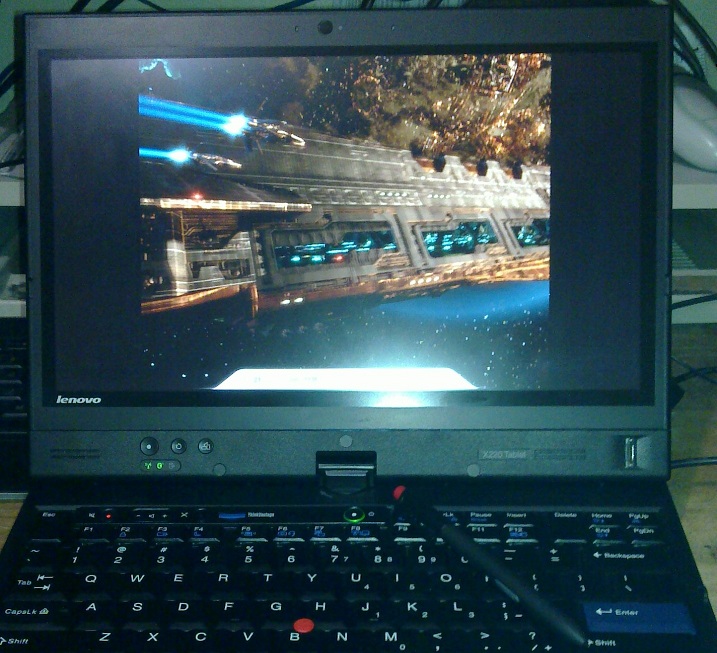
I have a X220T (tablet pc) with:
i7 2620 @ 2.7 GHz
8 GB RAM
Intel HD 3000
Windows 7 Pro 64 bit
Harmonic Inversion, ExpressCard to x16 PCIe adapter
ASUS 560Ti
Cooler Master GX 750W Power Supply
I followed XAV's experience and downgraded to the 1.11 BIOS ( Lenovo Support - Drivers and software - ThinkPad X220, X220 Tablet, X220i, X220i Tablet) and booted with everything plugged in and powered up, no special setup just plug and play. I tried PCI compaction with the 1.16 BIOS but 256 MB was the most I could get, and only with 8 GB installed, but it still wasn't enough. I already had the 560Ti and GX 750W in my desktop so I just cannibalized that. I originally planned on buying a workstation card for CAD but the gamer cards work just fine. I installed the notebook drivers with the modified .inf, click through the signature warning, reboot, works. My old desktop was an AMD 7750 Black Edition (dual core 2.7 GHz), 8 GB RAM, and a 200 MHz FSB mobo (iirc). Last I tested my desktop it ran basically everything on High with 8xAA at 30-60 fps.
I chose 3DMark Vantage for benchmarking since most new reviews don't use 3DMark06 anymore and the more strenuous test highlights benefit of more shaders (instead of just raw clock speed) in newer cards. All test in 3DMark Vantage, defaults, 1280x1024 (interpolated on laptop):
Config = GPU Mark / CPU Mark = Overall
Desktop + 560Ti = 14501 / 4174 (lol!) = 8960
X220T + HD 3000 + Laptop Display = 605 / 8739 = 788
X220T + 560Ti + Laptop Display = 8850 / 10437 = 9199
X220T + 560Ti + 3D Card Output = 13862 / 10547 = 12852
X220T + 560Ti + Laptop DisplayPort Output = 7087 / 10338 = 7692
I have Intel Wireless Display (WiDi) also and it didn't work. Simply says it's connecting but never does anything. WiDi has about an annoying 250 ms response time anyway so nothing of value was lost.
Since my laptop's performance is now on par with my desktop, and my desktop was already sufficient gaming, I plan on dumping my desktop and using my laptop entirely for CAD + gaming. Things seem to take longer to load on the x1 link, but run just as fast. I may experiment with PCI compaction again so that I don't have to reboot with the eGPU plugged in. (can't be hotplugged after boot)Attached Files:
-
-
You need Intel 4500MHD, HD or HD3000 iGPU as the primary bootup video + NVidia Fermi card for x1.Opt to work. I suggested avoiding buying Sandy Bridge systems with an existing dGPU in an Optimus configuration as wicked20 tried to get his HD3000.iGPU+GT540M.dGPU+GTX460.eGPU setup without any success. I speculate it could work by disabling the GT540M and removing it completely from the nvam.inf driver file then load the GT460 in it's place. It is however a risk to buy then try.
Earlier PE4L/PE4H will also work though older PE4H may need the fuse bypass if using high power video cards.
Use the devel version of Setup 1.x, run Save Diags.compact_fails. Upload the resultant contents of the \diag directory to mediafire.com and post the link. -
Does optimus work on x4500m?
It is the graphics chip for GL40 and GS40 instead of x4500mhd used on GM45 and most GS45 -
Yes. Acer47ok's Sony vgn-ns110e has a GL40 chipset. When combined with a GTX460SE it did activate a x1.Opt link here.
-
We should petition Lenovo to bring back the 3.0 TOLUD in new BIOS versions. The T420 and T420s also have to use an old BIOS for it to work.
-
I haven't been following the BIOS releases for the X220 even though I have one, what are all these updates? Seems like an awful lot of updates for a notebook that's only been around like a month. Is it for the fan speed complaints?
Sorry could someone sum up the issue with the newer BIOSes? From what I'm reading, it sounds like some issue with memory, if I have 64 bit OS it should be okay right? -
Good idea. Can point Lenovo to the explanation of the TOLUD problem + solution given here. I've also posted a thread for Dell to do the same for their Vostro/Latitude users: http://forum.notebookreview.com/del...ostro-latitude-egpu-friendly.html#post7633189.
Is Villagetronic's ViDock 4+ any tidier than a eGPU solution?
Check out a ViDock4+'s wiring here, main image copied below. It's an enclosure + external 1x75W AC adapter + external 1x150W AC adapter + plenty of excess cabling.
I prefer the cleaner sprtnbsblplya's plexiglass enclosure for his eGPU with a more powerful PSU (left) or thendless' xbox360 PSU adaptation (right). Both with only two dangling cables: the power cable + mini HDMI/EC2C cable.
![[IMG]](images/storyImages/img1921l.th.jpg)
![[IMG]](images/storyImages/dscn2354v.th.jpg) Last edited by a moderator: May 6, 2015
Last edited by a moderator: May 6, 2015 -
Anyone using a new Sandybridge Lenovo Thinkpad, please sign the petition for them to fix our BIOS files at:
Petition to fix TOLUD in newer BIOS files - Lenovo Community -
*Moved* to Dell Studio 1557 thread.
-
Thanks for taking the time to start that Latitude thread in the Dell section. Your combined contributions of limitless expertise and relentless organization of knowledge resources within the forums are nothing short of remarkable, and the community is lucky to have you. Seriously, it's highly appreciated.
I hear you loud and clear about the R840 and T420s; my problem is that I'm a total snob for backlit keyboards. It's why I picked a refurbed Latitude E4200 over the HP 2530p back in the day, even when I saw all the ridiculously cool things you were doing with your 2510p and 2530p (re: multiple drives via optical caddy). The official R840 page is pretty funny, because if you scroll down to the FAQs, the fifth-most-asked question is "Does this laptop have a backlit keyboard?" For a manufacturer like Toshiba that puts backlit keyboards on a lot of models, it's frustrating to find it missing from the R840.
Also, did you guys know that the (horribly monster-sized, of course) Alienware M17x R3 has an HDMI input port? ( seen here on far right) I think it was added so that people could use the screen as an impromptu TV for Xbox360 and PS3, but man, that sure would be a nice feature to have on a small laptop so that we could ditch the performance penalty on eGPU. I can't find any small laptops that have that available.
Also, sprtnbsblplya, you should tell me how much money I'd have to funnel at you to get you to build me one of those sweet eGPU enclosures.
-
Cheers for the help. I encountered another peculiar problem though. It seems that Im not administrator on the computer for some reason!
I enabled the hidden administrator account, set my own account as admin and disabled the hidden admin acc again, but when I run "setup-disk-image" it tells me that Im still not admin!?? Very strange that...
I could run the egpu from the bootloader and "save Diags.compact_fails, but it wont save the results, probably because I cant create the devcon.txt file because Im apparently not admin. Or something. Frustrating!!!
Any ideas?
Edit: I was wondering. I'm using the default win7 home professionel edition that came with the computer. I could install my own personal windows ultimate, that way I would know for sure that I will be admin. Seems rather drastic to do that though, but Im determined to get this to work...
/Lurifax on HP Pavilion dv7-3130eo, Win7 using PE4H from Harmonic and a Radeon HD 6950 -
wow 13k gpu score in vantage on an x1 link. I wish I got an ATI card instead.
-
Please run \eGPU\eGPU-Setup-mount in Windows then check the the v:\diag contents. The admin reporting used in setup-disk-image was based on some VBS code I found on the net. Looks like will need to be replaced with a warning Please ensure you are an admin user instead.
Are HD6xxx series running x1E-equivalent performance levels?
A huge score for an ATI card but the weird thing is Kizwan's low 3dmark06 score SM 3.0 of 5151. Lower end HD68xx cards get 6300+. We've even seen HD6950 cards break 7k with i7 CPUs.
So it looks to me like the HD6000 series cards are posting 15-30% faster SM 3.0 numbers than similar performing HD5000 series cards when used on a Series-5 chipset. That increase was noted when the x1E tweak was engaged so would mean AMD have fixed their hand-shaking issue with Intel chipsets probably now running full duplex rather than half.
Not sure if this also applies to Series-4 chipsets. The HD6xxx results we have for that series are just the final 3dmark06 numbers rather than a screenshot so I don't have SM3.0 data.
It would be worthwhile testing a HD6000-series on your x1/X1E/x2/x2E capable platform to confirm if the x1 vs x1E and x2 versus x2E produce the same results. If they do then the HD6xxx series would be the performance choice to use on an Intel chipset. -
Remember that even though his CPU is an i7, it was running at low clockspeeds, which may be the cause of the lower sm3 score. I'd love to test a high end 6xxx or 5xxx series card, but I can't get my hands on one. If anyone lives near me I'd be happy to go visit you and test out a card or even try SLI with another 460.
-
Room temperature over here is over 33C. The i7 temperature is high (91C) & was throttled while running the benchmark.
@nando, I have updated Resident Evil benchmark with correct resolution, 1280x800. -
E6420 can certainly do a eGPU setup using 3GB of system RAM. 4GB might present problems as explained in http://forum.notebookreview.com/del...ostro-latitude-egpu-friendly.html#post7633189 . For status on "double speed expresscard" see pci-e 2.0 (5GT/s) on a Series-6 chipset.
SLI would require a low TOLUD value of 3GB to have sufficient PCI space (512MB free) to host 2 video cards but a GTS450-SLI (x2) setup would be faster than a GTX460 (x1) setup.
Means anybody with a mPCIe and expresscard slot could use SLI to get a x2 link. Wonder if the x1.Opt compression would apply to each card for those with Intel iGPUs?
If SLI is the technique necessary to double bandwidth then I would love to see a SLI-specific revision to PE4H. Desirable features being:
- use a Thunderbolt (x4) cable, with some splitter for individual lanes for expresscard/mPCIe users
- have a second x16 slot for the 2nd card in a SLI setup
- have a second floppy molex to supply 75W to each card
Updated. Hope you can do another set of benchmarks when the ambient temperature is cooler. -
My TOLUD is 3GB
-
I ran the 3DMark06 benchmark again. I got 13157 & HDR/SM3.0 Score is 6706. I have update my post #4221 with new 3DMark06 score.
-
Dear Nando4,
I'm considering to buy a new laptop and I guess I will go for a Fujitsu Lifebook AH531. Do you recomend to go for the one with internal GMA HD graphics or the one with NVIDIA GeForce GT 525M 1.0 GB in order to use it with optimus? For some reason it is more expensive with the GMA HD...
Thanks!
David -
Thanks everyone (especially Nando) for all the suggestions. Here's an update on my Lenovo X200 mod saga.
I finally figured out that the problem with failed POST with the eGPU hooked up on port #3 was the RAM. I had 2x4GB Crucial DDR3 SODIMM sticks installed and it somehow messed with the BIOS. Replacing the new RAM with the original 2x1GB from Lenovo sorted the problem. Mixing Crucial and Lenovo RAM causes the original system board error or other similar POST critical errors. The same applies to using just 1x4GB Crucial which means that it is not just due to having more than 4GB RAM which is the official maximum RAM for this laptop. Of course lowering the total RAM of the system also lowered the TOLUD for my setup (from 3GB? to 1.92GB) so that might have improved matters. I will test 2x2GB Lenovo RAM and compare it with the 4GB Crucial result in order to find out.
Since cold booting the system with the eGPU on PM3N is working (disables IGP though) I tried to hook it up with a x2 link (port 3+4). I've used Setup1.0f to set port #3 to x2 and rebooted. Unfortunately the BIOS resets the port layout to port 1-4 enabled and x1. It's possible that the Wifi card sitting on port #2 triggers the reset upon reboot. I'll try moving it to port #1 or removing it altogether and see if it makes any difference.
I had to reinstall Windows as the hardware detection upon sleep/resume was giving me issues (BSOD, hangs, failure to initialize GPU, etc). The OS installation is now brand new, W7Pro x64 SP1 with all updates and modded Verde 275.33 drivers - all seems to be working fine (with 2GB RAM).
TL;DR
- BIOS errors at POST with eGPU on PM3N port #3 are related to non-Lenovo 4GB RAM sticks. Replacing it with original 2x1GB Lenovo memory allows the machine to boot with the eGPU as sole display adapter but lowers TOLUD to 1.92 GB.
- Port #3 set to x2 (3+4) is reset to x1 on hot reboot or sleep/resume. Wifi card on port #2 may force this behaviour.
- Windows eGPU detection and initialization was seriously botched after multiple driver installations, BIOS changes, etc.. Fresh OS and driver installation sort it out so problems were not due to failing hardware (phew).
-
I have been struggleling with this for a couple of days now, so I am reaching out for some help.
I have got my PE4H-EC2C, a GTX550, and a Corsair CX500 PSU. I am running Win7 64-bit with 4GB Ram and Intel 4500MHD on a Fujitsu T5010.
However, when I set everything up, all that pops up in device manager is "Standard VGA Graphics Adapter", along with an "This device cannot start. (Code 10)".
According to the great internet this is usually due to a non-functioning driver etc. But nVidia refuses to allow me to install any driver because it does not recognize any compatible hardware on my machine.. I have tried using the Setup 1.x, and in the box in the top right it does recognize an nVidia eGPU, however, when I chanload from there, it still doesn't work.
I have also tried Nautis' 256.96, but that would not install either due to not finding any suitable hardware..
Yesterday, I had a friend bring over their GFX card, an Nvidia GTS250 (I believe) and that gave error 12, and let me install the nVidia driver, unfortunately I did not install the Optimus one, so I unstialled the driver again, but didn't get to try any more as he had to leave.
Any suggestions?
Thanks in advance!
Edit: Oh and the PSU should be more than powerful enough, so I don't think that is the issue. -
Another method of setting x2 is to boot to the setup program with only port 4 plugged in and the card on. Next set x2, then plug in port 3. Next run "initialize" in the video card options. This makes your card only ever see an x2 link so it should immediately be configured at x2, avoiding a reboot.
-
Either option has it's risks. The Optimus equipped system will not have TOLUD 4GB+ issues since can try doing relocation to make room available but may present challenges to get Opimus working with a NVidia dGPU and eGPU. The HD3000 isn't going to have conflicts due a NVidia dGPU but might present TOLUD problems. Decisions.. decisions.
I'd go the Optimus unit since it's cheaper and would give it a crack to get going. A exchange policy would be handy just in case you'd need the iGPU-only model to get the x1Opt setup going.
I've just updated the nvam.inf for Verde 275.33 to contain GTX550Ti. Please install that from the modded drivers area then re-run Verde driver setup. -
Thanks alot! After I used your new nvam.inf, everything worked flawlessly out of the box! First restart gave me 3 displays, which I am guessing is one for Optimus, one for onboard and one for external.
A new world have just opened, will be returning with benchmarks
Thank you again, really appreciate the effort you put in to this
-
I'm sorry to bug you once again, but I've spent yesterday and part of today trying to figure this out.
I mount the image with imdisk and label the drive "V". Does it have to be a specific size or anything? Do I have to make it a specific type of drive?
I set it to 10mb and created a folder name "devcon" and in that folder I make a .txt file called mkdevcon? Is that right or what am I doing wrong?
When I create the disk and reboot to run the save diags.compact_fails it tells me that a report has been saved to A:?? When I reboot the txt file is empty and I dont have a folder named V:\diag...?
I've googled alot of today and I havn't been able to find the answers so I could really use some help for dummies here... :-(
/Lurifax on HP Pavilion dv7-3130eo, Win7 using PE4H from Harmonic and a Radeon HD 6950 -
I just contacted amfeltec to check the total price for their mpci-e to pci-e. It seems like they have changed the price of their product. I am adding their answer
Code:Hello, Thank you for your interest in our product. Please find below quotation for your order. In order to complete your request, please provide us your shipping address and the phone number. Quotation (Prices in USD) ---------------------------------------------------------------------------------------- SKU Item Qty Unit Price Total Price ---------------------------------------------------------------------------------------- SKU-035-02 Flexible MiniPCI Express to x1 PCI Express Adapter 1 $ 41.68 $ 41.68 ((power from standard ATX power supply) Freight Shipping and Handling $ 66.47 ---------------------------------------------------------------------------------------- Quantity discounts are available. Stock -------- We have this product in a stock. Shipment ------------- The quotation includes shipping charges via Xpresspost with tracking number. If you would like to use your shipping account, please provide us the shipping account details. Payment ------------ We accept following methods of payment: PayPal, credit card and bank wire transfer (additional $40 fee). Please let us know what payment method you will prefer. If you have any questions, please do not hesitate to contact us. Best Regards, Sales Team Amfeltec Corp. t. 1 905 417 6438 x103 | e. [email protected] www.amfeltec.com See us at: • TMC’s Internet Telephony Expo East, Miami, FL, USA, February 2-4, 2011 • ESC Silicon Valley, San Jose, CA, USA, May 2-4, 2011
-
Hi
I did that and I have sent you the link.
I Thank you a lot
-
[delete because of double post]
-
Could an eGPU set up, say, with a HD 5670, be powered by a pico-psu?
Power Supplies Kits -
Specification:-
- Dell Studio 1557 + 4GB DDR3
- PE4H-EC2C package
- eGPU PowerColor ATI Radeon HD 5870 (x1 link) (Max TDP 188W)
- Corsair CX500 V2
<big>GAMES EXPERIENCE</big>
<strike> ...to be concluded...</strike>Games Settings FPS (average range from lowest to highest) DirectX 9 DirectX 10 DirectX 11 Battlefield: Bad Company 2 Resolution : 1280x800 Overall Quality : Advanced Level of Detail : High Texture Quality : High Shadow Quality : High Effects Quality : High Anti Aliasing : 8x Anisotrophic Filter : 16x VSYNC : Off HBAO : Off 50 - 96
Screenshot 1
Screenshot 230 - 76 30 - 50 Need for Speed: Shift
(a bit choppy when too many cars & effects at the same time)Resolution : 1280x800 Refresh Rate : 60hz Anti-Aliasing : 0xAA Windowed : On Texture Filtering : Anisotrophic 16x V-Sync : Off Car Detail : High Shadow Detail : High Track Detail : High Motion Blur : High Texture Resolution : High 16 - 72
Screenshot 1
Screenshot 2
Screenshot 3N/A N/A Need for Speed: Hot Pursuit
(steady FPS, microstutter)Resolution : 1280x800 High Resolution Textures : On Motion Blur : On Shadow Level : High Anisotropic : On N/A N/A 25 - 35
Concluded at post #4221.Last edited by a moderator: May 12, 2015 -
Don't need the picoPSU part, you only need 12V on a video card.
-
Just bought a 2,5m mini hdmi to mini hdmi cable. Even with this length my PE4H works - awesome
-
Sony debuts a pretty slick eGPU solution. Hopefully just the first of many.
-
So earlier its been talked about using an expresscard 2.0 is much more effective than the given card by HTWtools, which is an expresscard 1.0. However, I am trying to find an expresscard 2.0 upgrade that uses a mimi hdmi output. Any suggestions on where to find this, for I have scoured the internet and have yet to find anything.
-
Once again; I am truly and utterly lost now.
I've been trying for the last three days to get the eGPU setup to work as described, but I can't get it to save the diagnostic report to V:/diag...
When I run the compaction_fails it tells me that a I should zip/rar the diagnostic report located at a:/diag but that drive isnt anywhere?
I really hope someone can help me because I am really really frustrated now and I feel that I have persued all other options.
/Lurifax on HP Pavilion dv7-3130eo, Win7 using PE4H from Harmonic and a Radeon HD 6950 -
PicoPSU does not make sense for an eGPU since all GPUs do only need 12V and 3.3V supply. 3.3V is unproblematic because it is only logic power, 3W @3.3V should be by far enough. 12V is directly connected to a PE4L/PE4H and the GPU via the PCIe power jacks.
-
Hey kizwan, since you tested NFS Shift - I have been playing that on a 460x1.Opt setup and the game runs great on high details, however when I am touching opponents with my car in the game, the game gets very choppy for a few seconds (I think the fog effects pull down performance). Did you notice that?
-
Yeah, that is the same thing I experienced. I included screenshots in my previous post. The one with 16 FPS is when I bumped a car & gets very choppy for few seconds.
-
hwtools will have pci-e 2.0 hardware available on Jul 30th
Just received word and updated the eGPU pci-e 2.0 and Thunderbolt status, copied below. The wording suggests a new PE4L/PE4H and/or PM3N/EC2C PCB is required to transmit the faster pci-e 2.0 signals.
NVidia is far better at running NFS Shift
I ran NFS Shift on a HD5750 with x1, x1E and x2 links and on a GTX470 with x1 and x1.Opt link. The GTX470 was smooth with occasional microstutters on x1 or x1.Opt. The HD5750 was very choppy on x1, improved with x1E and was reasonably OK with x2. THe HD5750's FPS would drop drastically with more onscreen cars. Running NFS shift using the x1.Opt internal LCD mode sees it run faster than the HD5750's external LCD even if the HD5750 is using the faster x1E link. -
I tested NFS Hot Pursuit ( post #4243). FPS is steady between 25 - 35 (1280x800). Occasionally microstutters.
@pyr0 & @nando4, can you guys test NFS & Bad Company 2 (if available) with the same settings ( post #4243)? I want to see maximum FPS you can get. I can get 90 FPS with Bad Company 2 ( DirectX 11) on some short scenes but I didn't included it in my average FPS range.
DIY eGPU experiences
Discussion in 'e-GPU (External Graphics) Discussion' started by master blaster, Sep 18, 2009.




![[IMG]](http://imageshack.us/photo/my-images/543/img1921l.jpg/)
![[IMG]](http://imageshack.us/photo/my-images/39/dscn2354v.jpg/)


