 Problems? See this thread at archive.org.
ImageShack Album - 4 images
what's this?
-
Nothing overclocking related. There's hope but its not going to be easy.
-
Well if you're strange than so am I Plume
 I really like this netbook as well. Actually, I prefer to just call it a notebook because with netbook people assume it's underpowered but I can do anything on it as well... I did upgrade it with 4 GB ram and a 128GB SSD, but it really flies now and so far anything I've tried works fine. Sometimes it is a bit slow on some CPU intensive things like unpacking files but at other times it feels faster than my gaming rig which has an i5 2500k with 8GB ram but no SSD. The SSD really makes all the difference. I've also been doing some coding on it in eclipse which works fine as well. Maybe if you're working on bigger projects the compiling might get slower, but so far for smallish programs it's an absolute treat to be able to just work with it on my lap in my favorite comfy chair
.
I really like this netbook as well. Actually, I prefer to just call it a notebook because with netbook people assume it's underpowered but I can do anything on it as well... I did upgrade it with 4 GB ram and a 128GB SSD, but it really flies now and so far anything I've tried works fine. Sometimes it is a bit slow on some CPU intensive things like unpacking files but at other times it feels faster than my gaming rig which has an i5 2500k with 8GB ram but no SSD. The SSD really makes all the difference. I've also been doing some coding on it in eclipse which works fine as well. Maybe if you're working on bigger projects the compiling might get slower, but so far for smallish programs it's an absolute treat to be able to just work with it on my lap in my favorite comfy chair
.
I do still use the gaming rig for, well, gaming. As impressive as this machine's gaming performance is, it obviously can't compete with a proper desktop pc with a good graphicscard. I did install need for speed underground 2 on the acer for something to do when I can't play on my gaming rig or xbox and it performs beautifully.
-
can someone click in POWER tab - Advance cpu controls ?!! and make screenshot
-
its only a p-state control. basically you can bios force the chip to the downclocked state. i have the modded bios. theres nothing of use for overclocking. we still gotta wait...
-
We have to add OC modules wich allow oc´ing but we can´t add them because we need PLL and Chipset information and UEFI Driver editing skills for this.
-
ok, hope some cracker will hit it , why is apu so FSB angry ? and i was thinking about c60 turbo...they can achieve it by 133 mhz fsb or 13,3x multiplicator..hm what yu think?
-
the turbo is likely through the multiplier. fsb generally doesnt change dynamically on amd chips.
-
I have the Asus 1015B with 4GB RAM and 6 cell battery. Normal temps are 65C, and gaming temps are 85C. Am running Windows 7 Ultimate x64.
For the Asus netbooks, it comes with an overclocking program that can change the FSB....from 99MHz to 105.5Mhz.....and the multiplier can change too. When surfing, the CPU can downclock to 800MHz, and while gaming, overclock to 1055MHz.
If someone could find out how the program works, we can probably make it overclock more.
KEEP THIS THREAD ALIVE PEOPLE
RAWK ON!!1 -
Give me a link to the programm. Is 1055Mhz the max. value wich can be set or your max. stable value
.
-
ASUSTeK Computer Inc. - Eee- ASUS Eee PC 1015B
Under Utilities -> Super Hybrid Engine. -
Yep, thats the one, the super hybrid engine.
An icon will appear in the notification area icons. Just right click and select super performance. Then it will clock between 820MHz when idle and 1055 when under load

You can see the red icon near the clock with an 'S' in it, indicating super performance mode. -
Does it override the Brazos tweaker voltage settings or it works fine with them?
I'm getting a Bios error. How did you get it to work on the acer? -
What Brazos tweaker voltage settings are you referring to? I haven't heard of such a thing. I have not tried running it on the acer. I know it can run on my Asus. Thought it might run on the Acer too.
-
It doesn't run on the Acer because of the bios incompatibility.
Brazostweaker is a little program that lets you undervolt the cpu. Great little tool. -
it looks asus has open FSB freq. and also NB vid, which acer dont...
hey asus guy can yu try brazos tweaker and try to increase multiplic. of cpu ?
maybe thats open too... -
OH MY GOSH, the multiplier method worked. I tried underclocking and then thought of overclocking. And first try, 1.1GHz was no problem. Going to see what my stable clocks are.
-
Can any of you guys summarize what you've done so far. I havne't really been keeping up with this thread...
All I got was the BrazosTweaker to lower my voltage. -
Check out how fast my C50 can run
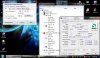
and as far as I am willing to go
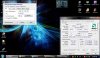
-
this is mine in acer, i really dunno if this is REAL or not, but this was done with brazos tweaker
![[IMG]](images/storyImages/1964920.png) [/url][/IMG]
[/url][/IMG]
-
It is fake. 202x16 is 3248, not 1620......Mine is totally stable @ 1.8GHz. Temps on a cooling pad with wprime and furmark running simultaneously are 80C.
I can overclock using the multiplier. And if i use the super hybrid engine, my FSB will increase. But I leave it so my FSB is 100Mhz, and change my multiplier so now it is x17.8.
You cannot change the multiplier on the Acer? -
Any idea how this overclocking/undervolting applies to the C-50 in my convertible tablet? Also, what are you all using to monitor temperatures? HWMonitor doesn't seem to be working.
-
All,
Don't get too excited about overclocking. I'm sorry, but the C-50 is internally locked to run 1.0GHz maximum. CPU-Z is actually reporting it wrong. Guess, why BrazosTweaker is just stating 1000MHz on the below left.
You can use benchmark tools like PassMark or SuperPI to check it out.
Increasing the fsb seems more reasonable to me, to yield a bit of performance.
Regards,
witteks -
I'm 100% sure 60% overclocking is impossible without a massive increase in voltage.
Barzos is based on an old architecture that was never overclocking friendly. Don't get your hopes too high. I think 10-15% is the max you'll be able to get at stock voltage. -
about the pic i post earlier...that seems so weird to, but that showed up after i validate online the cpu-z...this one i post which is directly from the computer...
and it seems cpuz really read it wrongly....WEI doesn't report any changes, nor other benchmark software...so it seems still impossible to overclock our C-50
![[IMG]](images/storyImages/Untitled.png)
-
So i can underclock but not overclock using the Brazos Utility? Damn, just as I was happy
-
that is bad news... amd mmooffoos locks APU totaly?
it seems like fsb 100-119mhz only hope
hey asus guy, try 119mhz on fsb with brazos tweak it should work and report back please ...thanks in advance...
and btw. latest monitor softs support c50..iam using aida64 which is great to monitor everything... -
I use open HW monitor and enable the widget. The temperature monitor works as well in HWinfo64
-
I don't know how to adjust the FSB using Brazos Tweak. is it the CLK area? whenever I change it to any other value and click apply, it just jumps back to 100....
-
nope in second tab i think P1 state(its high 1ghz state)... yu see FSB <100> - change that to 119 nad apply and monitor and do some Pi or other reliable test...
thanks -
Changing the CLK (formerly called FSB) is not going to work in BrazosTweaker.
The only way would be a similar tool, which was mentioned for the ASUS netbook (Super Hybrid Engine).
Without having access to the internal PLL or at least knowing what is built in, there is no way to change the CLK. Sorry.
-witteks -
Could you take a screenshot of what you are referring to? Mine has no FSB area, just the CLK, multiplier, VID, and p1 or p0 frequency. the others are buttons like service and what not.
-
I know, I have been looking for some other program to change the FSB. I used to do PLL based OC'ing on my old rig. But I am lazy to try all the PLL's now. If someone is good at coding, they could look at the programming of the asus hybrid engine and figure out the PLL's i think
-
If it would be opensource ...
Just fyi, I've renamed FSB to CLK in version 1.0.4.
-witteks -
aha so every brand has their coded stuff...thats not wise, they should use reference design
so more work for developers and crackers
yes i mean CLK = FSB ..i dint know
ashwin : and yu can select custome clocks in yur asus hybrid eng. ? or its only button to enable ? -
It's just a combination of preset settings. The super performance makes it to 105MHz FSB and 10x multiplier. The others are combinations of 100MHz FSB and 8 or 10x multiplier. Can the FSB be changed on the Acer using Brazos Tweaker? If it can, I can disable super hybrid engine from starting and use the Brazos Tweaker instead.
Someone please check if the FSB can be changed on the Acer. Thanks -
no no ..acer has locked those settings..and brazos will porbably be updated over time..so be happy with hybrid eng..or yu can try undervolt p0 and p1 with brazos tweaker...0.8vid for p0 and 0.9 for p1 for cooler system and battery savings...
-
Thanks for replying. So you are suggesting using 0.8v for P0@1000MHz and 0.9V for P1@ 800MHz? Shouldn't it be the other way around?
Could the others please tell me what the stable voltages are for the C50 for both the P-states?
Thanks -
aha sorry iam on desktop so ihavent give yu exact, yes for p0 0.9 and for p1 0.8
and yes its stable for me and others who tries...
-
Allright, Thanks for the voltages. The temperatures at idle seem to be the same. Will it be lower when gaming? If it is, by how much?
-
The ASUS Super Hybrid Engine is using BIOS Settings for overclocking and underclocking. If we hack the executable and find out where the offsets for this settings are we could allow oc´ing through the BIOS. Also we could oc higher and would have voltage control
.
Time to use OllyDbg again. But i guess only asus has added this options and unlocking them will get more complicated.
-
That sounds awesome, but the Asus thread is dead and nobody else seems interested to overclock their netbooks.
Anyone here knows any programming and is willing to unlock the 1015B BIOS? -
aswin a suggest read the thread from 107 to 110... temps at idle are little bit down but on gaming its noticible ....maybe 10 deg cels. lower
-
Thanks for pointing me to the right page.
-
Hi
I've just got one of these, and even though its got the 6 cell battery its showing 4hours of use on a full charge? -
iam not checking battery, but what power/performance mode are yu in ? the most yu will get in BALANCED MODE...
-
yeah its in balanced mode (default) with brightness turned way down
-
Try to install a program, which measures the current wattage (i.e. BatteryBar). Don't believe too much in the calculated time left. More important is, how low the idle wattage is. I think the 522 should show something around 6W, if I'm not mistaken. Acer 522 users should correct me, if this number is too high.
In case you see significantly more than this for longer periods, something with your power setup is probably wrong.
-witteks -
Can anyone with their charger there give me the specs, i want to order a second to leave at work
-
AO522 C6CKK AMD C-60,1G,250G HD,¥1999,≈$290
¡¾ºê³AO522-C6Ckk¡¿ºê³£¨acer£©AO522-C6Ckk 10.1Ó¢´ç±Ê¼Ç±¾µçÄÔ£¨C-60 1G 250G ÎÞÏß ÉãÏñÍ· HDMI£©ºÚÉ« ¡¾ÐÐÇé ±¨¼Û ¼Û¸ñ ÆÀ²â¡¿
AMD C-50 CPU and 6250 GPU performance(Acer 522 review)
Discussion in 'Gaming (Software and Graphics Cards)' started by Shadowfate, Jan 22, 2011.


