 Problems? See this thread at archive.org.
AMD is playing their cards close to the chest this time.
With launch happening this very month, its weird we havent seen anything regarding desktop Tonga at all.
-
-
What was the comparison between 680m vs 7970m?
-
The 680M still outperformed the 7970M by 10% and had great overclockability, which gave it another 20% on top of that.
-
Im suprised there is nothing.. thought AMD would be big on advertising this tbh
-
W Sara
No problem mate. I had to look a while to fint it and its awesome. With mu 7970m oc'd to 1040 Core and 1560 mem i can okay on high with 60 ish fps on a multiplayer server.
Edit: i actually found it http://forums.guru3d.com/showthread.php?t=389511 -
Seems that I'm the only one here hoping that this time AMD/ATi would hit, and it would hit HARD. No clocks, cores, benchmarks, whatever hard evidence. Just wishful thinking, for the sake of competition. AMD has some market-share to gain. Maybe they are waiting to one-up nVIDIA, instead the other way around. Who knows. Seeing how biased most of you are, even if it's top performer I doubt that it would get its much deserved place in the up-coming configurations. I mean, 7970m was almost tie with 680m, but you can see which is the preferred choice. How much was the real-world performance difference? A couple of FPS for almost twice the money? Okay. And yes, I'm biased as well, it's AMD topic after all. Say whatever you want, I know which one I'm going to get, just like you have already set your minds.
Oh and AMD releasing rebrands. At least they know how to do it, tell that to 880m!
/rant -
I want them to do well this year. I'm tired of seeing re-brands from both sides of the table.
GuniGuGu likes this. -
I'd like to see a new compaby enter into (mobile) graphics card market to make the current roster shift their arses. Intel could do with some better competition too.
I wonder if there will be a r9 M285x? Like a 6970m to the 6990m. 75W?
Sent from my One S using Tapatalk -
Rumor has it that Tonga chip will be used on several SKUs.
Sorta like Tahiti: 7970, 7950, 7870XT.
So yeah, could be M285X as well
I think Tonga will be the best value performance/$ while GTX 980M will edge out R9 M295X.
But there are certainly also possibilities that R9 M295X and 980M will be like 7970M and GTX 680M. Pretty close.
All depends on what AMD have managed to do with the GCN 2.0 cores and how they have optimized them. The ball is in Nvidia`s courtyard, they have already shown what Maxwell can do against Kepler. Now its time for AMD to shine and show their creation.
I think the first thing we will see from AMD is teasers on twitter. Or someone recieving a mysterious letter from the island Tonga or something like that. Typical AMD
-
I have found an article about Tonga but it seems to be nothing but predictions. But who knows, maybe the guy got his hands on some specs and makes it look like a prediction to avoid issues.
Radeon R9 285 2GB News - AMD Radeon R9 285 Predicted Official Specs And Details -
Thanks for that, I want a card a little bit better then the M6000 which runs most games very well that is still not to bad on battery. I run a slice with my Dell M6700 I can get 4 and half hours of portable gaming at full clocks on my 3612QM chip and the M6000 fire pro hey
.
Do you think the M6100 would be a better way to go for me due to my portable gaming needs? does the extra watts say 100watts take away heaps of battery time?
Is it safe to undervolt the 7970M cause that's something I'd be keen on the 7970m has heaps more ROPS right? -
0.975v works very well on 7970M (stock is 1.05v) at stock clocks. Some people have had success at 0.95v but you may need to lower clock speeds a bit.
Sent from my One S using Tapatalk -
Thanks for that so it uses about 80 watts once it's underclocked. that proberly take 30 minutes off my battery time?
To undervolt MSI afterburner?
I'm going use MX4 paste on the unit to keep it cool. so it should underclock with my Dell M6700? -
So you are saying it was 30% faster. I have trouble seeing those numbers anywhere. Ok sorry i saw them when comparing 680m overclocked to unusable long term clocks and 7970m left at stock. Then maaybe you might get your 10+20 but those numbers just dont add up.
-
680M was the better chip though I think, it overclocked way better & ran cooler too I think. Optimus ran more glitch free than Enduro too, and sli ran with greater compatibility & better user experience than crossfire - no skipped frames or frame latency issues. So, I think it's deserved. I'd love to see AMD bring something really good to the table - better all round - competition is good!kevin_172 likes this.
-
I think it's possible to get close to a 45% overclock on the core of a 680M with a voltage increase to 1.05V - this would be close to 1100Mhz on the core. In a notebook with good cooling, those voltages & clocks are long term gameable, on something like the M17xR4 for example. Do you know what the maximum gameable overclock is on a 7970M in terms of percentage overclock? If you compare the two you might have an answer.
-
Yes it is possible. Not every chip out there can do a 45% overclock. I've seen some benches doing as high as 1300ish overclocks - but in no way you can have that for long term without serious degradation to the card. Why? Chip at that speeds creates serious amounts of heat - proper cooling takes out most of it, like in r4, but some of it stays "traped" inside the case and degrades electronics on entire pcb. Thats why you cant use it long term.
Dont get me wrong 680M is faster and better card than 7970M and I'm even looking to get one, but the double price of 7970M is a tad too much and my mindset has hard time to justify that purchase, regardless of how badly i need to have Optimus and get that extra battery life on my notebook.
I never bothered with maximum overclocks on high end components, as long term you just loose more than you gain. Why? You already have a card that can eat up anything that is served and just spit it out in terms of high/ultra details on 1080p. With maximum overclock where you dance just under the temperature threshold for those cards with few bits of dust and thermal paste degradation guess what happens?
I understand that many of the enthusiasts will not agree with me and that is your right - if you have the money and want the best of the best then my mindset is completely different from yours. I look for long term exploitation of my hardware where you want best of the best at all times.
Let me be clear - I'm against those super duper high overclocks in notebooks - while on desktops that is completely different matter altogether. As ability to cool all the components there is exponentially better. But people get loose touch with reality even there as they tend to push those overclocks to the point where they kill 2-3 cards during their warranty period.
EDIT:
You wont get too much battery life with any card, unless you undervolt it by editing vBios, but then dont even expect something serious. GPU cards just suck serious amount of power and depending on games that you play switching to IGP could give you best possible outcome if you dont play too demanding games.
And benches concerning M6100 can be found here and some of them are ported to notebookcheck.com page.
For now I didnt find anything that I can use to dump my vBios and modify it as well as anything that would let me to overclock/undervolt my M6100. But considering how well its performas considering my needs and temperatures I'm getting I dont have need for that. Compared to my M8900 M6100 runs 10-15c cooler in same scenarios its as cool as 4000M was while i had it for testing for a few weeks. -
1.05V is not too much for Kepler. These are close to the stock 1V value of the 780M, and the smaller chips like the 750M use up to 1.15V, so high voltage is not damaging as long as temperatures are ok (to a point). 1.05V and below 85/90degC is safe in my opinion. That's achievable with good cooling in some laptops. This is usable long term (a 45% overclock on 680M @1.05V). (I have my chip at my overclock & 1.05V with no detrimental effects for over a year now, I'll be sure to post around the forums if my card fails).
Cloudfire likes this. -
You need to flash custom vBIOS using atiflash and svl7's vBIOS patcher, available from Tech Inferno forum. I assume it'll work OK on your m6700 but that is only an assumption.
Sent from my One S using Tapatalk -
Can confirm, have run my GTX 770Ms at 1.05V.
There is one problem with SVL`s approach with custom vbios for these chips though. Its that its run on 1.00V flat all the time (except idling), even in 3D clocks that doesnt need 1.0V. 1.0V is great when you overclock the chip, but other than that you have to deal with higher temperatures because it runs at higher voltage than stock vbios.
SVL should make a vbios with normal voltage for stock clocks, and 1.0V for once you go over that. Would be the best balance between performance and heat -
Warning OT inc.
80-90 may be safe for a chip itself, but there are things to factor in. Also usable long term really depends on how long you expect to stick with a notebook for you that might be 1-2 years. Most of the people i know use notebooks for as long as they work. But the again - their mindset and budget is much different than yours and mine. Seeing how people around me change both PC-s and notebooks every 5-6 years that influences my view on longevity and what overclock is safe. My expectations are 3 years minimum. With high hopes that it will run even longer
Yes, 750M can work with higher voltage - but its not just chip degrading that is affected by overclock, chip itself is usually the last thing to go out. VRM-s should be taken into consideration as well as memory chips and chip soldering. Mobility cards cooling do cover all of the VRM parts especially when you move into higher end chips but those components run incredibly hot and in most of the high end cards VRMs, on stock, operate just under the maximum rated power very near to maximum rated temperatures. When you factor in overclock you push them over the threshold - and from my desktop experience most of the deaths from overclocking come from VRM-s burning out - and if you move into more detail mosfet(s) are first to burn out. When you run your chip near 90c understand that you run entire gpu pcb near that temperatures. While in desktop cards due to humongus cases and number of fans people use you will have some airflow over the pcb to reduce temperature stress on cards (if we exclude those leaf blower reference design cards)
At my uni for a paper I did some checking with few of the desktop cards, we mostly compared electrical elements used on GTX 460's as far as i recall we compared cards from MSI, Asus, Gigabyte, Palit and other than comparing manufacturers we compared models within each manufacturer. Cheaper cards with reference design had bottom of the barrel electrical components and while you moved to more expensive models like TF2 from MSI you could see they had double the amount of VRM modules compared to reference design - meaning they could provide double the power to the chip itself with same amount of stress to each individual VRM component compared to reference design, not to mention difference in rated values for some of the electrical components - where higher valued models often use parts that can sustain more torture.
Now when you move into mobile solutions - there is not much difference in quality of VRMs used across the board since there arent many manufacturers of those cards to start with. Margins are rather low and stuff used is "good enough" most of the time. Cards like 680M sometimes happen than can go up and beyond with overclock but as soon as OEM finds out about that you get 880M. Compared to 7970M where people expected overclocks that were available in its desktop parts but without sufficient power available you get your hands full of burnt cards.
I found out that safest way to overclock is to find a "step under high end" cards that uses PCB of much more power hungry card. An old example would be MSI GTX 460 TF2 whose PCB could acomodate even a GTX 480 chip without any issues at it had same number of VRM-s and power they could provide was even above rated needs for 480. In mobility world nVidia usually sticks x70M cards on x80M pcb and usually notebooks like aw17r1234 and various clevo machines have same heatsinks for both cards and since the chip itself requires less power it has allot of available headroom in both cooling and power available department.
That all said - i find 680M much more interesting card compared to 780m and i really like what nvidia did there. For AMD i see 7970M as a good stepping stone, but OEMs should try to bump up their game in terms of VRM quality.
Hopefully AMD will deliver with m295x, when i look at my m6100 and its mars chip i really like what I'm seeing. Only thing i dont like about m295x is that 125w tdp. Regardless of notebook that thing will run hot. Hopefuly there will be something like m294x that offers GCN 2.0 inside lower TDP -
Yes, I think I agree with some of what you say there. In short though, I've not heard of many (or any) stories of 680M's (or any Kepler cards really) dying from overclocking, not at 1.05V when adequately cooled anyway - and they've been overclocked heavy since 2012. So, my view is that it is still safe. I won't say anymore on it though, because it's off topic.
-
I think svl7 bases his default gaming voltage for the vBIOS on the voltage used when the card is at maximum boost in its orignal vBIOS form. So, for example, mine was 0.925V at default boost, when he created the vBIOS for mine the default gaming voltage is also 0.925V. He did the same for the 780M I believe. So, he is just using the stock max boost voltage & sets the default clock to the max boost clock (and disables all boost behaviour). (Most people flashing his vBIOS are going to be overclocking anyway, that's most of the purpose - except with the 880M that runs so close to the thermal limits in most machines that overclocking is not really often possible)
-
Desktop Tonga cards revealed which our M295X will be based on. No information about specs though. Shoot :/
But atleast we are damn close :thumbsup:
AMD Radeon R9 285 with Tonga GPU pictured | VideoCardz.comMr Najsman, triturbo, kevin_172 and 1 other person like this. -
With how quiet AMD is keeping things, I wonder if we are in for a crazy surprise.Cloudfire likes this.
-
-
Well I still think it will be 20-30% faster than GTX 880M but Im open for more. Wouldnt mind that at all
I wonder if MXM cards will have that engine as well. Should result in a proper 880M SLI beating for sure with awesome CF scaling -
No reason not to and in laptops its an even bigger bonus, a cable that can be removed that causes problems.
-
Yes but does it need something special on the motherboard?
-
Nope. Cards with XDMA communicate through PCIe directly to each other and doesnt go from card to card through crossfire cable. Since MXM cards is connected directly on PCIe, it should be no problem I think
-
Thanks very much for the info
-
Hey
I'm wondering what I do to get a bios made for my 770M cause it's stuck at 135MHZ and I want it to go higher when I'm gaming on battery. I can run my Fire pro 6000 at full 800MHZ clocks on battery and it runs great. just really want to get the 770M working so that I can play Far Cry 3 on the go
-
You wanna be really careful about forcing your GPU to run at max boost clocks when gaming on battery. I did that with my old M1530, and the battery drained from full to empty in literally 3 seconds & then shut down (I hasten to add that it was overclocked by about 75% at the time, and I had accidentally unplugged the power cord during a gaming session!). I had destroyed my battery due to excessive current draw - there's a reason why GPU clocks are limited when gaming on battery! If you do want to give it a go though, here's the link to the website (there's already some modified 770M vBIOS on there):
NVIDIA Kepler VBIOS mods - Overclocking Editions, modified clocks, voltage tweaks -
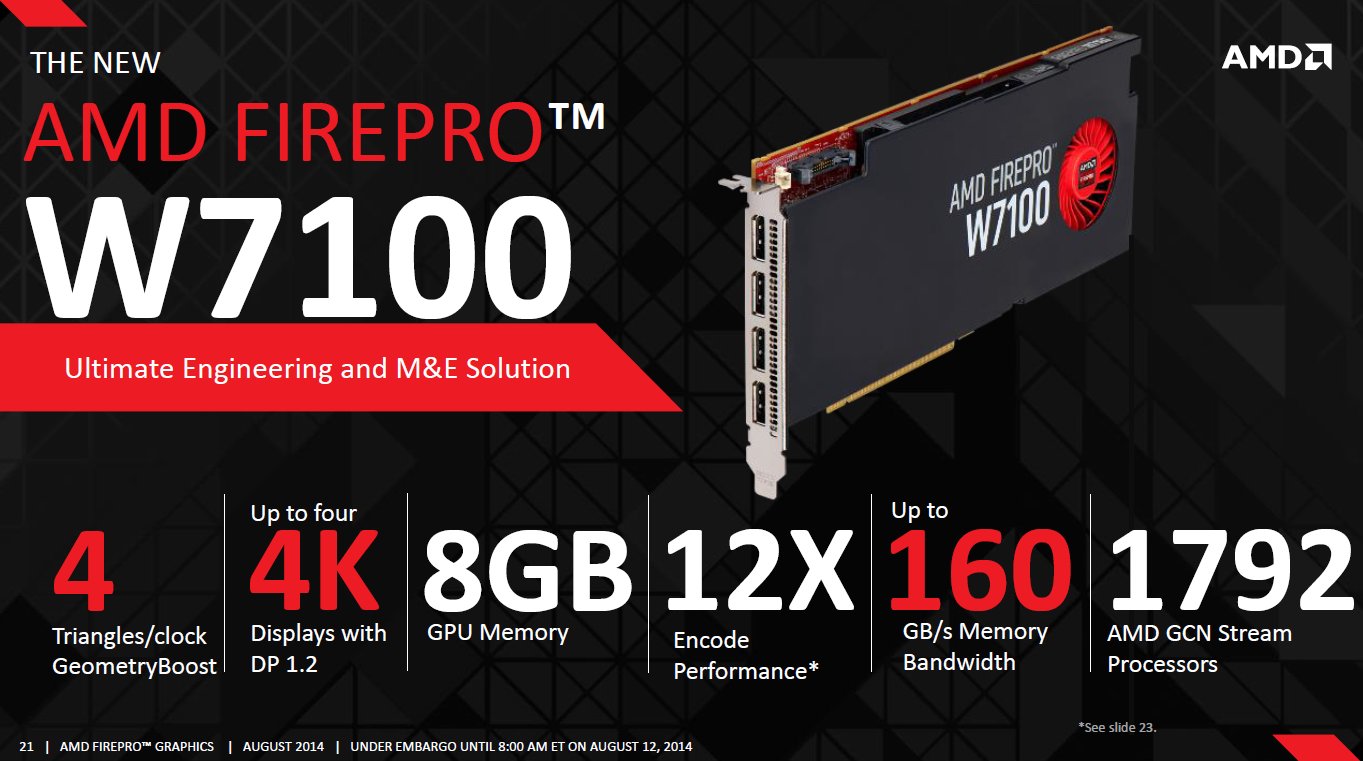
The first Tonga GPU to ever see the light is the FirePro W7100. It features 1792 shaders and 28CUs.
No words about R9 M295X yet but considering there are Tonga GPUs out with less than the rumored 32CUs for M295X, it is plausible it could have 28CUs as well. Or 32CUs. We will see.
AnandTech Portal | AMD Completes FirePro Refresh, Adds 4 New FirePro Cards
Another interesting part is
Exciting times ahead for mobile graphic cards indeed
GuniGuGu, triturbo, TomJGX and 1 other person like this. -
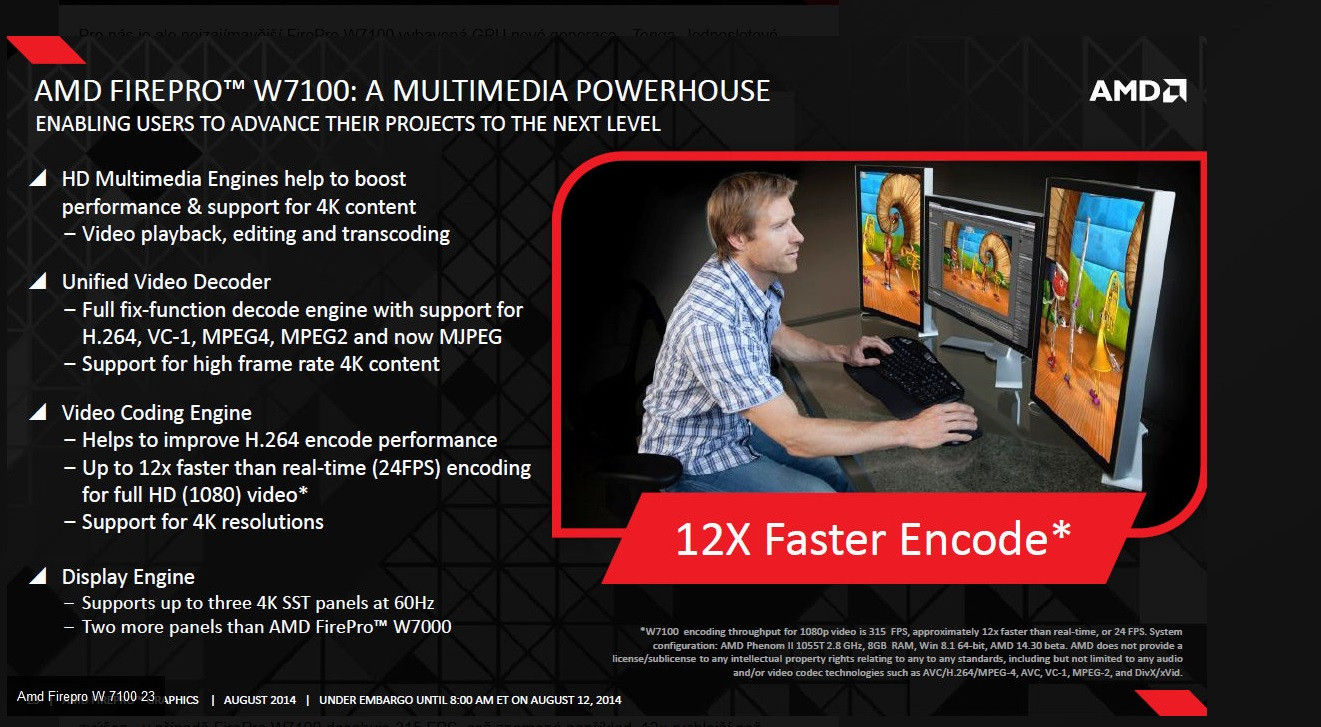
Seems like Tonga have far more ACE units (Asynchronous Compute Engine) than 7970. 4X as many
Plus TrueAudio and XDMA
Tonga

7970 (Tahiti)
 triturbo likes this.
 -
Thanks for the updates
Imagine this - R9-M295X inside with XDMA enabled + eGPU setup rocking R9-285X = relatively light yet powerful 15/17 inch on the go and quite the CrossFire monster when home
-
Let's hope that we won't be disappointed. I personally hope for desktop R9 280X performance but I am not so confident if there is less shader units (1792 like the W7100) than a 7970, a smaller memory bus and (far) lower clocks..
-
Tis the whole point of updated technology. 7870 was comparable to a 7950 despite lower cores, memory bandwidth etc. I am sure proper tweaking of their architecture can yield more with less, just like their previous VLW5 vs VLW4. Their HD6000 series had less cores, yet more performance, than HD5000 series.
-
The W7100 and R9 285 launching this month are based on Tonga Pro which has 28CUs and 256bit bus. R9 285X based on Tonga XT launching next month is supposed to have 32CUs and 2048SPs, That's also when R9 M295X is supposed to launch. Fudzilla's sources also claim 285X to have 384bit bus and 3GB memory, and to be faster than GTX770. Also Tonga XT is supposed to have 1MB L2 Cache compared to only 512KB (confirmed that half is disabled by AMD slides) on Tonga Pro and 768KB on Tahiti XT.
-
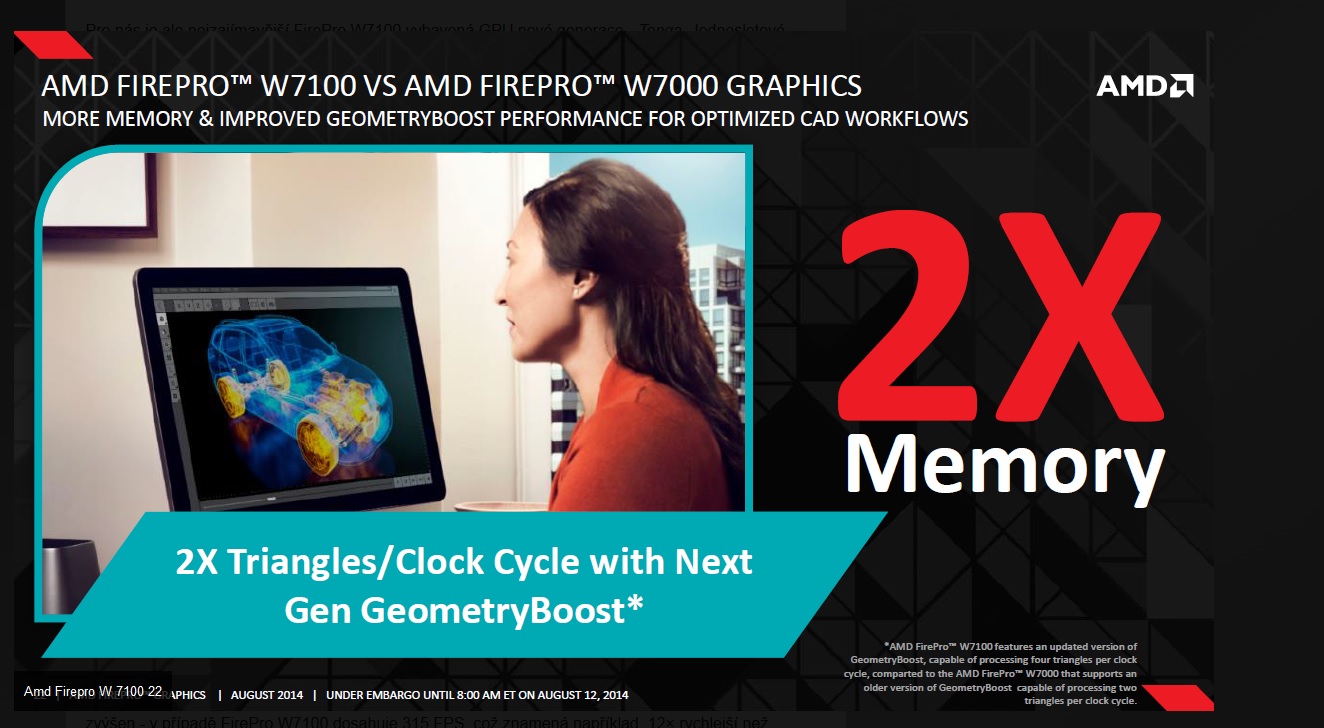
I doubt it will have less cores than Tahiti, just lower clocks, but the biggest improvement is that 2X increase of Triangles/clock which should feed the CUs faster and the 4X increase in ACE (should improve dynamic threading I think, but this is a more Compute/CPU like feature)
-
I talked to Hassan from WCCF about the R9 285X with 384bit bus and he just posted a new article about it along with a die schematic of the full Tonga GPU. Anyway enjoy the read and here is the link:
AMD Radeon R9 285X "Tonga XT" Graphics Card Reportedly Features 2048 SPs, 384-Bit Bus and 3 GB GDDR5 VRAM.Cloudfire likes this. -
Interesting.
Well either that one is legit and R9 M295X will have less then 32CUs. Like W7100.
Or R9 M295X will be one bottlenecked GPU since it will be 256bit while desktop have 384bit.
The good news is that according to Chiphell, R9 285 with 1792 shaders match R9 280X with 2048 shaders, in 3DMark Extreme.
So thats worst case scenario for M295X. Best case, if M295X got 32CUs it will be extremely powerful. -
According to this table, posted sometime ago, it should be 32, isn'it?
http://cdn.videocardz.com/1/2014/06/AMD-Radeon-R9-M295X-Tonga.png -
Yes, but that was some time ago, things could have changed. In either case if the +2% improvement compared to 280X on the Chinese forums is true, then we should see some impressive results, especially if the Full Tonga GPU is used for the M295X.
-
I didn't heard anything about this 2% over the 280X, this could be great.
-
It could be that the program they are using at ozone3d just reckognize the chip through vbios, and just think it is a full chip even if it isnt.
Or it could be a full chip.
Who knows, this will for sure be very interesting. Should give the 880M a good spanking either way
-
I am hopeful of full tonga but even tonga pro would be enough of a jump as it would be GTX770 performance. Since this one is lower clocked than the desktop counterpart, we could still see a full tonga in specs, just lower performance due to clocks, a la 780m.
-
FirePro W7100 with 28CUs have a TDP of sub 150W according to recent news.
7970M was based on 7870 which had a TDP of 175W so they should have more room for more CUs.
Could be 30. I dont know
-
More shaders at a lower speed is more efficient than less at a higher clock unless you are bound by something else related to the core clock.
I can't recall a chip they have harvested differently for a mobile variant before. -
But fewer shaders at a higher clock speed is usually faster.
Radeon R9-M295X
Discussion in 'Gaming (Software and Graphics Cards)' started by Tsubasa, Mar 15, 2014.


