 Problems? See this thread at archive.org.
Furmark + Prime95:
84C for GPU, 95C for CPU.
Didn't check temperatures in games. But it didn't throttle for sure.
-
My p34 arrived 2 days ago. I like it but the following issues:
1. Build quality. I cant close the lid completely. Right and left corners are off by 1 mm or even more. Use can see the lid is off on the left.
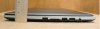
Besides the lid problem something is loose on the left side bottom (where usb port is). When I press on this area it click as if it was a button.
2. I realized that 1920x1080 resolution is to tiny for me. My previous laptop had something like 1280x1024.
3. I hate win8 so much that I was fed up after half an hour working with that
-
Well, usually I do my own changes, but GenTech had a great price at the time for what I wanted. I wanted the Samsung PM841 512GB mSATA SSD instead of the default, and I didn't need the HD (already have extras kicking around). At the time, GenTech charged $475 for the PM841, and the lowest price I could find at Amazon or eBay or other sites was $499 (might have changed since then). So... for me, a good deal. This leaves my HD bay open for me to add something later if needed. Also at the time, GenTech charged $0.01 to change to Windows 7. One cent! In the end, then, I paid $435.01 above base for what I wanted. I'm all in favor of do-it-myself, but a little homework here led me in a different direction.
-
What I don't like about this laptop:
1) Too bright keyboard backlighting even on 50% level
2) Automatic keyboard backlighting works very bad. It's activated only when the room is completely dark. Seems that there is no way to adjust this...
3) Speakers. Actually they are better than I had in Sony S15 but worse comparing to my current work laptop (Dell XPS 12). And without Dolby they are just awful. I would return the laptop if Dolby wasn't pre-installed.
4) No dedicated document navigation keys. But it's definitely better that the stupid numpad block in P35k...
5) Too grainy screen. Though this is a matte screen and I've never seen non grainy matte screens.
6) Battery life. Shame, shame, shame on Gigabyte for this...
7) A DEAD PIXEL (now checking with GentechPC how to return or exchange it, will let you know whether "30 days dead pixel warranty" is worth or not). At least one more user reported the same problem. So AHVA screens can have this problem. I'd afraid to buy P34g w/o "dead pixel warranty". -
I thought the same thing when I've seen 1920x1080 on a 15.6-inch laptop for the first time. But after that I had to use 1920x1080 on a 12-inch laptop for a few months and now 1920x1080 on P34g looks really good to me.
-
I have the same problem as number 1. Is your base even? Mine is not.
-
Mine is fully base from ExcaliberPC.
-
My base is even but I can confirm that the lid doesn't close completely. But I don't really care
-
Yep, my lid is the same. If you look, half way down and at the end are little rubber bumpers. Pretty sure these make the lid do that. IMO I'm glad they're there....probably stops any contact of keys to the screen, my Vaio had super tiny ones and after a couple of years you could see key marks permanently on the screen, was not happy about that.
Retroceded and hennyo like this. -
What micke13 said is completely true.
If the lid closed the whole way your keyboard will leave marks on the screen
Now I don't know about it being higher on one side but, it looks minor.hennyo likes this. -
Wish they'd have 25% backlight on the keyboard option, it's too bright for casual use.
-
She'd be hearing it without sound as I always wear headphones, I like to game on the couch with a lapdesk and she sits nearby. My sammy gamer 7 is somewhat quiet.. you can hear it under load but barely. Sort of like a semi-noticable whoosh instead of a whine or loud air sound. As a comparison, if my MacBook Pro 13 (2011) fans kick up under heavy load they are definitely much more noticable.
What's the closest thing you can compare the sound to if it was under game load sitting there with the speakers muted. Thanks!
-
Yes.
Sent from my SGH-M919 using Tapatalk 2 -
Similar to a cooling fan on a desktop pc (when your ear is really close to it)!
-
One of the reviewer said that he was surprised that it was throttle back so much while on battery but without really any practical example. For those that have the unit. How would you rate the performance while on battery? Do you feel it was sluggish while using regular program. I don't really expect to game while on battery but I assume office and browsing should be no problem.
-
It was ok. I didn't run any games while on battery but browsing was just fine.
Another issue here is that battery life is just terrible. You don't want to be away from a power outlet
-
Hows the bloatware btw? Anything completely unnecessary? Aside from lowering the brightness, turning off the backlight, using Optimus, using power saver, and undervolting the CPU, what else can I do to increase battery life?
Need to get ready to set this up
-
It's almost clean. At least no pre-installed trial offices and antiviruses A few gigabyte's utilities. Some of them are junk, some of them are useful.
I guess that battery life is not related to bloatware... -
Seriously. Consider uninstalling your audio driver and rebooting to use the default Windows one. You can always reinstall if you don't like the Windows driver. Alternatively, the stock realtek driver also doesn't have any issues
Sent from my SGH-M919 using Tapatalk 2 -
Yeah yeah I know, guess I just forgot to hit enter and separate it aha.
That sounds good, minimal bloatware is always nice. -
Someone asked about performance while on battery.
Just tried to run Battlefield 3. Again got ~30fps (1920x1080 Ultra). -
Btw. How many speakers does P34g have? Only two (in the front) or there are two more (above the keyboard)? I read somewhere that it has 4 speakers but seems to me that it has only two...
And what a damn genius in Gigabyte decided to put speakers in the front so that they face bottom? -
Those grills are intake for the cooling system. Only the ones in the front are speakers. I hope there's an easy way of popping those grills out and cleaning them because they're probably going to collect dust in them pretty fast. My guess is that they bounce sound off the surface of whatever and that the subwoofer is somewhere on the bottom.
-
Try the Clevo W230ST with the tin can speakers at the BACK facing down. D'oh!
-
I'm so worried to do this but sound matters a lot to me!
Actually, battery does too...
Why am I buying this laptop again?
Sent from my Nexus 4 using Tapatalk 4 -
Been thinking it would be nice to have fan speed control. I get 45-50°c on idle, and the fan doesn't slow further down. It is hearable in a silent room, it's not bad, but it's the kind of noise you notice after an hour of working and realize it was bothering. Not fit for small classrooms nor libraries, probably.
Do you guys know if there's a way around?
Also, it would be nice if we could measure battery life? I'm seeying quite erratic results 2-4h... -
The fans on mine quite often turn very silent, it's quite a difference after hearing the fans idle speed. I would have thought the 'stealth' option in the smart manager would do it, but it just seems to prevent them from getting really loud.
For battery I'm getting around 3 hours max just browsing the web and watching a few youtube videos. :/ -
3 hours is pretty weak, was hoping for more when not gaming. This will be my primary computer for the office, I won't be gaming on it too much, but needed something that mobile that could handle games when I have to demo them in front of audiences. I considered going straight-up ultrabook, but it was my understanding that none of them had powerful enough video options for my needs. Our default machines at work are Dell Latitudes, which have actually gotten thicker and heavier since they purchased my last one 4 years ago, but in addition to increasing the weight, they removed the option for discrete video. So going with this machine, hopefully it will arrive soon, there's a NVIDIA Quadro 160M in my current machines, and using it for dual monitors really puts a strain on it.
The p34 will be docked most of the time, pushing video to dual monitors, and using USB keyboard and mouse. Would love an extra power brick so I don't have to haul one back and forth to work every day. -
Anybody getting double keystrokes on the comma and period keys? Happens to me fairly regularly. In fact, does it for a lot of the keys unless a really light touch on the chiclets.
-
What do the other owners think of the screen? I can't decide to keep or return it... I don't know if it's me that makes a big deal of it but I think there is a kind of blurry effect: Moreover whites are yellowish, blacks are much better than my Vaio S13 though. Here are some crappy pictures of my S13 side by side with the p34g (you can see on the first pic the difference in whites, the difference is bigger in reality):
![[IMG]](images/storyImages/tlsw.th.jpg)
![[IMG]](images/storyImages/63rq.th.jpg)
![[IMG]](images/storyImages/lz5z.th.jpg)
![[IMG]](images/storyImages/lcb3.th.jpg)
ImageShack Album - 10 images
I spent the evening looking for a new laptop for my girlfriend with 100% luminosity and the sound at 100%, we watch about 1 hour of 720p video on youtube and the battery last just over 3 hours. Not bad for a laptop this powerfull!
A cristaldiskmark of the ssd:
![[IMG]](images/storyImages/cnmr.jpg)
I will do a clean install if I decide to keep it, so we'll see. -
The white point can probably calibrated to your liking. You can try finding icc profiles for the alienware 14 which has the same display
Sent from my SGH-M919 using Tapatalk 2 -
Where did you download the driver? I tried to your method but must have downloaded a wrong version
-
Got the file from here:
http://downloadcenter.samsung.com/content/DR/201212/20121211100541089/Touchpad_11.7.5.5.ZIP
It's actually a Windows 7 driver, but it works great. -
I may give this Samsung driver a try. I am also a new owner and like the laptop a lot overall. However I am running into a strange issue with the touchpad. I have been working on a paper in the last two days and found that the cursor hops randomly in word 2013 (a few spaces away, lines above or below) when I am typing. I did a little search and found that this is commonly a touchpad sensitivity issue. I tried adjusting the touchpad sensitivity and TP rejection options, and they don't seem to help very much. Often it happens when I am certain that my palms are not touching the touchpad - it's almost like the pressure of my palms resting on the side of the touchpad is setting it off too. If anyone is running into a similar problem or have a solution this minor annoyance so I can work without turn off the touchpad, it would be greatly appreciated! Thanks for everyone's input - it has been very educational learning more about the tricks and ticks of this new machine...
-
Thanks that did the trick, two and three finger taps and still have the three finger swipe motions as the default driver. The issue now however is the mouse on this driver seems very sluggish, even with pointer sensitivity turned up. It feels like mouse acceleration or something, compared to the default driver which felt very responsive.
Is it the same for you? The two/three finger taps are great but mouse sensitivity/responsiveness takes precedence I think, it would be perfect if I could get it from the default driver somehow -
Unfortunately, I seem to having this problem too. Tell me if you find something to fix it.
-
The display model/manufacturer on these P34G is the same FHD IPS Panel found on the new Alienware 14 and i had the AW14 back in July but end up returning it. Here is a quote from my original review regarding the AUO panel on the AW14.
"The screen has very good viewing angles because of its IPS technology and good color gamut but it suffers from grainy/smudgy look of the AUO panel and it has "IPS Glow Bleeding" issue especially annoying when on a dark background when gaming or watching a movie. It also has a yellowish tint and a look of oversaturation to it."
So i can understand the frustration of what the other current p34g owners are complaining about in regards to the display. I was actually considering buying the p34g but i changed my mind when i found out that the display horror issue, the cpu being severely throttled down when on battery, and the mediocre battery life of just 3hrs.
Still a solid machine though so don't let it discourage you potential buyers and if you can live with the grainy screen, yellowish white tint and bleeding glow, then it is still a good screen with great viewing angles and good colors. -
I think it is very personal. All LCDs I ever had in my life were/are matte and I see no grainy effects or at least I do not know what it is.
Though I agree about glow bleeding in the dark. My left upper corner is more yellow than black. It is really annoying.
But the worst thing I suffer is too high resolution (1920x1080). -
This reminds me about the CRT vs LCD debates.
You like what you like. Nearly all of the public computers I have used are matte and have that sparkly effect to them. and it doesn't bother me one bit. -
Exactly. I returned mine this morning...
I have two desktop monitors, a laptop and they are all matte. All of them are kind of grainy, but none of them have the blur effect affecting the p34g. Add to that the yellowish tint and low luminosity. We sure like different things and while others can be less sensitive to this, it's a deal breaker for me. -
So, what are you going to take instead of it? (may be clevo w230st or razer blade?)
Id almost ordered it but thanks to your posts(the cpu being severely throttled down when on battery, blur effect) i cancelled it. -
I don't play on the go so I'll probably build another desktop for my parent's house (I go there every weekend) and take an ultrabook for the university. A desktop as powerful as the p34g for gaming is fairly cheap and If you don't require a discrete GPU there's plenty of ultrabooks out there with high battery life, gorgeous screen and better build quality.
The problem really is when you try to combine the two, I tried with the p34g but as much as I want to love it, I'm not convinced. There's no other options that satisfy me, the w230st is too big, too heavy and too ugly. Unfortunately the screen of the razer isn't as good as the rest of the machine and the screen is what you look at all day long. -
I dont really require discrete gpu, but i require powerful proc and ~ light weight and i couldnt find anything better than these models. Too big, too heavy and too ugly are the only cons of the w230st?
-
Kind of feel tricked...
-
No, erratic fan management with grating noise, throttling, light bleeding and poor battery life. (I never owned it, it's just information I gathered on the w230st owner''s thread)deniska80 likes this.
-
Indeed. After undervolting, I've managed to scrape around 5 hours VERY light web usage, browsing the web with 30% brightness. -
Can you describe this blur effect? Have been waiting patiently for Anandtech's full review, but any other info to possibly be warned about would be good
Sent from my Nexus 4 using Tapatalk 4 -
Damn. Was looking forward to this laptop for months! Hearing about the battery, screen issues and sound was bad enough - but the recent findings about build quality and damage have me really worried!
Looks like the search for the perfect gaming laptop continues! Haha
Sent from my Nexus 4 using Tapatalk 4 -
Honestly the sound works fine over headphones with the right drivers. Also the screen isn't that bad...there are rarely any ips screens without any kind of backlight bleeding. The viewing angles are excellent as is the color reproduction. The matte screen is amazing for outdoor use. Honestly, you really shouldn't expect much more than 3-4 hours on a gaming laptop...Just my 2c
Sent from my SGH-M919 using Tapatalk 2 -
For a start, I don't have any complaints about the screen but I haven't had many laptops. I honestly couldn't tell there are any issues with it unless someone pointed them out. But I'd much rather have this matte screen than a glossy touchscreen. And I haven't found any sound issues on mine using my headphones, however I'm no audiophile so that's just me
Gigabyte P34G
Discussion in 'Gigabyte and Aorus' started by spicypixel, Jun 3, 2013.


![[IMG]](http://img21.imageshack.us/i/tlsw.jpg/)
![[IMG]](http://img689.imageshack.us/i/63rq.jpg/)
![[IMG]](http://img202.imageshack.us/i/lz5z.jpg/)
![[IMG]](http://img812.imageshack.us/i/lcb3.jpg/)
![[IMG]](http://imageshack.us/photo/my-images/33/cnmr.jpg/)


