 Problems? See this thread at archive.org.
Thanks. And what is meant by "multitasking" exactly? Like running a virus scan and loading programs and/or copying a file or files simultaneously? Or extracting a file while trying to do regular work?
-
Those are both multi tasking scenarios.
Here are two more:
SSD vs Hard Drives: Performance Tests and Conclusion -
Thanks, wouldn't a lot of that have to do with the I/O controller on the motherboard too?
I'm leaning now towards the 60GB Vertex 2. It just seems to have the best of all worlds, little compromise in any area. I guess it will be worth the $50 price increase. Although for general file copy performance that Kingston seems to kick butt too.
The most stress what I might do is like I mentioned in previous post, copy a file to or from my home server while extracting/compressing or loading programs or running a virus scan.
edit: Kingston cost is now $95 with MIR, so makes price difference $60! Although I also noticed the kingston has active/idle power of 5.2W/0.7W vs Vertex 2 of 2.0W/0.5W How can Vertex 2 be less than half the power consumption?
-
I have no idea what this tweak does but as far as I can tell its the only one that no doubt makes a difference for me. Everything went UP! Im on a 965chipset. Doesnt seem to make my computer any hotter either. Thanks. I will post benchmarks in a little bit.
-
Check those numbers posted by Phil as well
http://forum.notebookreview.com/har...-full-advantage-fast-ssds-20.html#post6693099
for instance CS4 installed in half the time -
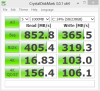
My best run before any tweaks.
View attachment 55827
This with that single tweak normal boot in windows.
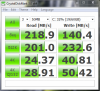
Kingston 64gb V+ -
I didn't even know the Kingston V+ has such good 4K random reads and writes.
@ htwingnut, I don't believe manufacturers' claims about power consumption. Instead I check reviews that have actually measured it. -
Since I've dont that tweak I can here high frequency whines when I run the benchmark. Its not loud at all but in a quite room I hear it.
-
What software can i use to measure the amount of data written on my SSD in its lifetime? Also i need a software which gives more data about SSD's.. normal software gives nothing much..
-
You can try the Intel SSD Toolbox v2.00 and see if it works for your SSD.
-
Hmmm... I tried the link stamatisx provided and now, should I be scared?
In less than 2 months my Inferno lost 7% of it's life? Specifically: in 595 'on' hrs?
Worse, it doesn't report what has been written nor read from the controller used.
At this rate, I should be getting a new G3, sooner, rather than later...
Assuming a 24/7 run time: the drive won't last a year.
Am I doing the math correct?
See:Attached Files:
-
-
i used crystaldiskinfo before but it didn't give anything about amount of TB written.. which software does that? Also if this one does , where is it?
-
Maybe, I have lost nothing yet had my Intel G2 over 8 months and done partitioning plus reinstalls of Windows and Linux:
Attached Files:
-
-
To me it shows everything though
![[IMG]](images/storyImages/smart.th.png)
4 TB in 1600 Hours of operation 100% healthy 1% wear -
@tilleroftheearth
If you want to extend the life of your SSD, secure erase the disk and on the partition you gonna create leave 5-6 GB or more out, unallocated. This works for the Intel ones, I suppose it will work for the others as well. -
Well, I finally ended up pulling the trigger.
I got an OCZ Vertex 2 60GB and Momentus XT for my laptop, and a Kingston 64GB for my desktop (coupled with a WD Caviar Blue I already have in there). I'm hoping I'll be happy with that combination. I'm tempted to order another 64GB Kingston to replace the 40GB Intel in my netbook because space is kinda tight. It works but requires a lot of maintenance to keep 8-10GB free, plus I'd like to use hibernate on the netbook, and that will obviously consume another 2GB of space. -
stamatisx, I already use less than 70% and the drive itself has 28GB of 'spare' nand (28%). (Inferno 100GB SandForce).
-
Trust me the empty space doesn't count since the controller will utilize all of the NANDs equally. With 28% over-provisioning I wouldn't worry so much, but in case you do, you know now how to extend it
-
WOW cool. You can tell us how they all compare in real world everyday use. All these benchmarks dont mean much to me. I used hibernate on my ssd and the difference from a normal boot is only a few more seconds anyway so I just use sleep and shut down now.
-
Absolutely will report back.
My netbook I use a lot whenever I'm watching my kids outside, play room, living room, wherever and frequently have to just close the lid. Sleep is ok, but sometimes I close the lid and it sits until late that evening or next day when I forgot to plug it in.
My regular notebook I usually just let it sit in my kitchen where it's most accessible and rarely move it around except when I visit friends or relatives for the day or overnight. And even then I'm taking my netbook more. I don't plan on using hibernate but in this case I could move the hibernate file to my hard drive instead. -
Okay, weird thing. So, as you can see, I have my OS installed on an OCZ Vertex LE 240GB.
Every few reboots/shutdowns or so--say, once every 15--my computer will fail to detect the SSD, and give me a "there is no OS, yada yada." If I reboot and enter BIOS to look at boot order, the OCZ will be at the bottom. I bump it back to the top of the boot order, reboot, and everything works as it should.
Today it failed even after entering BIOS, and I had to physically unplug and reinsert the drive to get it detected again. It's been behaving so far as of typing this post.
So, am I looking at a dying SSD? Firmware is the latest 1.11. Back when I had two WD3200BEKTs in RAID on this machine it never failed to detect them, so I don't think it's a SATA port connection problem. -
Could just be the controller being wonky. I would RMA if you can.
-
I'll crash the OCZ forums first and see if it's a known issue or if there's a fix for it. If not, I'll probably just RMA.
Thanks, Mr. Wingnut. -
Generally it is not recommended to use hibernate on SSDs in oder to reduce wear.
Everytime you hibernate 4GB (if that's your memory size) is written to the SSD. -
Phil, that is not strictly true.
With a 4GB RAM system, entering hibernation will only write as much RAM data to the drive as is being used.
If you had simply booted the system and put it in hibernation - it could be as little as a GB or less. -
Might find the answer for your problem from this thread
Corsair Force F120 SSD Random Kernel-Power 41 BSOD; Not Detected on Boot
Good luck -
I gave this a shot on my Studio 14z (9400M chipset), using a Mushkin Callisto 240GB drive (Sandforce).
This is using a fresh install of win 7, all drivers and updates installed, applied all tweaks in the Optimization Guide, except for disabling the page file. I rebooted before each run.
Before:
![[IMG]](images/storyImages/BMBefore.jpg)
After:
![[IMG]](images/storyImages/BMAfter.jpg)
The largest difference was on the 4K read/write but the temps did go up a bit, the minimums more so than the maximums.
Anyone else notice similar results? -
Can you check what's the current health for this drive using CDI?
Thanks -
It's not in my laptop anymore so probably not.
-
Okay
@ComputerMD82
Can you check your Mushkin Callisto 240GB drive (Sandforce) using CrystalDiskInfo 3.8.0? -
Here it is:
![[IMG]](images/storyImages/CDI.jpg)
-
Hmm. The difference in my situation is that I have no had a crash from within the OS. I only have my boot order messed up after I power down, which could be a similar problem, I think. Maybe when my laptop powers off the Sandforce controller doesn't power down correctly, thus disrupting my boot order.
Good read. Thanks. -
As I expected. CDI can't read accurately on Sandforce drives?
Thanks!
Anybody else with Sandforce SSD would like to share their CDI (health)? -
Mine's telling me 82%. It was brand new when I started using it about two weeks ago.
-
I've used mine for 3 days and it reports 57%.....
-
A bit of info on interpreting smart info on SandForce controller ssd`s
Interpreting SMART Data on Corsair Force Series SSDs - The Corsair Support Forums -
Yup. I wasn't able to check its health when I first installed it on my system because I was too busy tweaking my system and comparing the results (before and after + previous SSD) until today.
Mine is 73%
Secure erased my SSD but still 73% health
PS: No problem on the drive except for the health status. -
Thank you for the article, very interesting indeed.
You should have seen my face when I saw 57%... I've installed it once in my M17x, used it 2 days, then secure erased it when I swapped it for the C300, then installed it in my 14z today.. That's it. It feels like it's working just fine though, no hiccups at all. -
Guys, maybe you should check on Linux
![[IMG]](images/storyImages/smartk.th.png)
Oh btw, it has and a simple benchmark, if it is accurate the disk is super fast on Linux...
![[IMG]](images/storyImages/readonly.th.png)
The program is called Disk Utility and it comes by default on Ubuntu, so you can use a Live CD and give it a try:
System -> Administration -> Disk Utility
Select the disk that you want to check SMART or run a read only benchmark (for a read/write the disk needs to be empty) -
Mine doesn't show anything about amount of write... The drive status is unknown and literally everything's 100.. looks like the software isn't working for me. Do you'll press something or what?
-
None (accurate) for Sandforce drives yet.
-
Let that be a lesson to all: There is more involved in boot time than just the SSD. In fact, is some case, the difference is infinitesimal.
Also keep in mind that sleep uses significantly more power than does hibernate. And again, the difference is only a few seconds. For the conservative lot, hibernate should always be the preferred state. -
lol i have a crucial C300 drive.
-
Yeah, the C300 has an "Marvell 88SS9174 BJP2" Controller
-
Shouldn't hibernate use zero power since it writes ram contents to disk?
-
Yeh, when hibernating, the computer turns completely off.
-
I guess I was being rhetorical, because the statement sounds kinda silly. Some power is always more than zero. Anyhow...
Writing 1-4GB to your SSD every time you hibernate doesn't sound like a great recipe if you want to extend the life of your SSD. -
but that isn't sandforce.. so what utility can i use to see if my drive is ok?
-
Anybody tried Disk Keeper 2010 , there is an 30 day trial
http://www.diskeeper.com/diskeeper/home/premier-hyperfast.aspx
SSD Thread (Benchmarks, Brands, News, and Advice)
Discussion in 'Hardware Components and Aftermarket Upgrades' started by Greg, Oct 29, 2009.



![[IMG]](http://img837.imageshack.us/i/smart.png/)


)
![[IMG]](http://img225.imageshack.us/i/smartk.png/)
![[IMG]](http://img805.imageshack.us/i/readonly.png/)

