Problems? See this thread at archive.org.
Thanks. The CDM scores seem normal.
It's their real life results that seem off. I expect they had chipset problems. The Vertex install times seem way too long.
-
It does seem strange. To see such a big difference between the synthetic benchmarks and the realworld ones its almost a total reversal. Synthetic benchmarks are not of course indicative of realworld performance but they give you a basic understanding of what to expect and they are demonstrable and repeatable.
For example, if you got high 4k read/write in CDM (random and 0 fill) + high iops and you are going to have a fast drive for things like caching. The extent of it can vary depending on outside limiting factors (i.e. low power state throttling) but generally there is a trend. I like notebookcheck alot for their notebook reviews but everything else, they are light on explaining methodology which leaves the conclusion in dispute. -
I would put a positive spin on this and say that this is why we want to wait for high capacity SSD's.
The quirks, glitches and other SSD anomalies fall by the wayside with enough nand capacity to let the controller do its job properly (and efficiently).
We don't get told what happens past 33% filled with this review nor do we know how it will perform when it is also 'degraded'.
I'm highly optimistic though that as a boot/system/app drive, this will still remain a fast SSD - even if it takes 256GB of capacity to keep it that way.
Can't wait to spec a new notebook with dual drive bays, Huron River platform and the 'next gen' SSD along with the biggest XT hybrid available in 2011. -
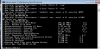
Can You guys run
in elevated command prompt and report back with results and what SSD are You using!Code:winsat disk
Thanks! -
Here ya Go...
Crucial 64Gb in SATA3 mode.Attached Files:
-
-
Angelbird to Bring PCIe SSD on the Cheap
Thanks Les! -
Hey Les, can you post the AS-SSD File copy result here:
http://forum.notebookreview.com/har...lt-hdds-ssds-easy-comparison.html#post6807854
Just for your notebook please.
And everyone else too of course.
I'm on a WD6400BEVT now. Do you want me to run that? -
Interesting thought about capacity. Kind of thought that myself but could not put it into words. These controllers need some ROOM to run around!
-
SAMSUNG SSD PB22-JS3 FDE 2.5" 128GB
Serial ATA 3Gb/s
left: balanced
right: high performance -
*piff*
![[IMG]](images/storyImages/cimg3112.jpg)
(just arrived in the mail )
)
Nice Sticker. That's the 3.5" adaptor bracket it's sitting ontop of. The adaptor protects the SSD from one side.
![[IMG]](images/storyImages/cimg3113w.jpg)
SSD Slits in the packaging are where the adaptor was placed to protect SSD.
![[IMG]](images/storyImages/cimg3114.jpg)
Digging the power consumption (I dunno what an actual laptop drive should be, lol). Made where I am from!
![[IMG]](images/storyImages/cimg3115h.jpg)
-
ok so I got a Vertex 2 120gb but I'm wondering which is a good system to put it in to get the best performance for buck.
120gb is plenty of space for me.
If none of them are good, I also have to option of selling it to a friend who has a i5 laptop he can use it on.
Netbook Atom N450 w/ 2gb ram currently has 160gb 5400rpm
17' Laptop AMD Turion TL-62 w/ 4gb ram currently has 200gb 5400rpm (80gb and 120gb)
I think the netbook would benefit more b/c of newer hardware but with a SSD, the bottleneck would be the Atom now. I fear that the Atom would limit the performance gain from the SSD.
The laptop is much older so it may not be completely optimized for SSD even though the processor is faster.
Any advice is greatly appreciated. -
Both will benefit a lot from a SSD. I suggest you put it in the one you use most.
-
@ Phil: Please run it, so I can compare it to SSDs.
@ jeremyshaw: Enjoy it!
@ ntheo: doesn't matter in which one You put it, I believe that very soon another system will get upgrade too!
-
![[IMG]](images/storyImages/winsatdiskoczvertex260g.jpg)
OCZ Vertex 2 60GB -
looking for a little advise... why SSD(s) would guy recommend for a Macbook Pro 15 I need 80GB or more anything over 120 or so GB is overkill.
budget? lets say around 200$ USD. will go higher if needed. basically I want speed > than storage. I want it to boot FAST I want everything to be fast. and I want the most out of the battery so lower power consumption the better, especially under idle.
I've been out of the loops for a while, back when the intel G2 was stomping everyone over. -
OCZ Agility 2 90GB *should* fit the bill nicely.
Intel G2 seems to still have lower power consumption in some reviews, higher in others.
I'm recommending Sandforce based drives due to Anandtech's reviews of them.
http://www.newegg.com/Product/Product.aspx?Item=N82E16820227608 -
can I assume the vertex 2 is still better than the agility 2? they are priced exactly the same (190$).
never mind... its a 3.5inch drive -
it is. But you probably won't notice any difference, besides in benches. But if they're the same price... go for Vertex 2 ALL THE WAY.
-
Agreed, you won't notice the difference between Agility 2 and Vertex 2. But at the same price get the Vertex 2.
Current standing for AS-SSD Copy benchmark:
- SAMSUNGPB22 128GB - 350 - maximinimaus (PB22-JS3 FDE 2.5" 128GB)
- Intel G2 80GB - 307 - Jkleiss
- CrucialM225 256GB -232 - wikoogle
- Corsair Nova 128GB - 166 - Abidderman
- KingstonSNV425S2 - 150 - HRK
http://forum.notebookreview.com/har...le-copy-result-hdds-ssds-easy-comparison.html -
ok, great! always open to options, but it looks like the Agility 2 is the best bet!
-
Question about OCZ Vertex 2. This is what I get in CrystalDiskMark:
![[IMG]](images/storyImages/imagepb.jpg)
I saw another user with scores that are quite a bit higher:
![[IMG]](images/storyImages/intelrst.jpg)
... so how come? AHCI was enabled in BIOS, Intel Rapid Storage Technology is installed, and my drivers are up-to-date. The system specs are listed in my sig (Thinkpad laptop). SSD firmware is 1.11. -
@ unreal, the other user ran the benchmark with different settings. (0 Fill data)
try running with 0 fill. -
@ unreal, yeah, use 0 Fill data - but also see if looping music in WMP while the test is running makes a difference too (in your system).
-
You are right, I just noticed it too. That detail slipped me. Here's the new one:
![[IMG]](images/storyImages/imagetd.jpg)
So, basically, the reported numbers for these drives (including a huge number of the reviews I read) are all BS? In the ACTUAL file copy the disk will be way slower than advertised. -
That is exactly how I feel too.
Not only that the 'actual' speed is far below even than that of the 'random' data CDM indicates too:
See:
http://forum.notebookreview.com/6811379-post24.html -
I tried running those tests and I get around 60MB/s on each. Which seems rather "slow" since it's the same sandforce chip?
Also I never got the advertised seek time of 0.1ms in any of the benchmarks I ran. -
Yeah - those unattainable 'seek times' are elusive to me too.
Did you try any of the JJB tweaks and/or the stamatisx tweaks to your system?
That's why I suggested you run WMP while running the CDM benchmark - it will simulate the above tweaks (up to a certain degree). -
That's incorrect. Sandforce drives reach those speeds with compressible data.
Most real world data happens to be compressible.
It would have been more honest if Sandforce drives were advertised with a speed rating for compressible data and a rating for non compressible data.
But who cares about all these synthetic numbers, it's real world performance that counts. -
Phil, I agree with most of your statements above.
But at least in this example (even though we don't know the SSD used) the real world performance does not compare even remotely with what most SSD benchmarks would indicate it should perform at.
See:
http://forum.notebookreview.com/har...erformance-increase-over-hdd.html#post6810222
The real SSD 'advantage' in the above example is around 4% (based on the times given). -
In some situations it's 4%, with launching programs or heavy multi tasking it can be about 300%. Most situations are somewhere in between.
I'm quite suprised by the real world performance of Samsung SSDs. I think these SSDs have, mistakenly, gotten too little attention because of their lower 4K random performance.
In the AS SSD copy benchmark the Samsung is also leading. -
Yes Phil, I agree about the variabiity of the % improvements.
Keep in mind though that the 300% improvements are mostly limited to very, very small time slices though.
As to the 'performance' of Samsung SSD's - I think 'forgotten' is where they belong although the AS copy benchmark says otherwise. In day to day use they feel barely a step above a mechical HD (except for boot speeds).
How can the copy benchmark be so good then? Because the drive is being used in it's 'ideal' scenario: one task/disk request at a time. -
I agree they are best in single tasks, but that's what most users do most often I think. At least I do.
Not only the copy benchmarks is excellent, but also the real world installation times, Windows 7 boot times, and Open office launch times.
I think these drives haven't been reviewed a lot because they are not as available as the other drives. -
Take a look at "winsat disk" results!
I would say that "Average Read Time with Sequential Writes" and "Average Read Time with Random Writes" matter the most!Attached Files:
-
-
Thanks for the explanation Phil! I find it hard to navigate through all these benchmarks and am unsure which ones best reflect real world scenarios.
There's CrystalDiskMark, HD Tune, ATTO Benchmark (this is the only one where I hit max 280/270 MB/s read/write), AS SSD, etc. -
so.. what would you pick... (and why)
OCZ Agility 2 90GB @ 210$ shipping and taxes included
OCZ Vertex 2 extended 90GB @ at 217$ shipping and taxes included.
I'm haveing a hard time deciding. this is for use in MBP 15. -
New firmware 1.23 for OCZ Sandforce drives has been published on OCZ forums. (fixes SMART issues)
Discussion here: http://forum.notebookreview.com/har...agility-2-vertex-2-vertex-le.html#post6813080
Those are all synthetic benchmarks, none of them are a very good indicators of real world usage.
A bit better than the standard synthetic benchmark is PC Mark Vantage, that simulates real world usage. But nothing goes above real world benchmarks. Techreport publishes many real world benchmarks on nearly every SSD.
If you tell me what your usage, priorities, budget are I can give you a recommendation.
Neither of those look like very good prices.
Iirc I've seen 120GB Sandforce drives for $210. -
Thanks! I see you are pretty knowledgeable on SSDs, so would appreciate the help.
I got for OCZ Vertex 2 for my portable laptop, for $210 simply because it was one of the cheapest and was/is relatively new and "fast". And it was 120GB, as that's the capacity can I work with easily as a single drive.
I am planning to buy another 60GB SSD for m17x laptop (in my sig). It would be used as a boot drive with win/programs like photoshop, matlab, mathematica and probably 1-2 games (whatever can fit), like WoW. The other 250GB Seagate drive inside is fine when it comes to size. It stores several (~6-8) ISO files, some HD movies, music, etc. So I am mostly interested in speeding up access times, loading times, boot time and such. Large file transfer speed can be crap for all I care. I don't copy big files that often. I plan to spend max around $120. -
Corsair Nova V64 is $107 at Newegg after rebate. Seems like a very good deal.
Alternatively 60GB Sandforce drive or a 60GB Vertex 1 would work too. -
Interesting suggestion, however I found no reviews for that particular drive. Only for Nova V128.
That said, all these sandforce drives look to have pretty similar specs. I've checked Techreport (finally good review site!), too bad they don't have more reviews.
I am still leaning towards OCZ, especially since Newegg has ~$20 discounts popping now and then. Right now I am looking at OCZ Agility 2 60GB with sandforce, for $130 total (with all discounts + there's a $20 mail rebate but everyone says it takes from 4 months to infinity to get it.). I know only $10 extra.... but then for even $10 extra I can get Vertex 2... ... and it never ends. There's also Crucial RealSSD C300 60GB for the same price ($130). I read your review in your sig too.
I am not sure whether I'd ever really notice the difference between Agility 2 and Vertex 2. Supposedly Vertex2 has a fancier firmware and better IOPS scores. -
Question to Samsung SSD owners:
I have the following SSD: (bought seperately NOT with a Dell computer)
Samsung 128GB MLC SSD 2.5"
SSD P/N: MMCRE28G5DXP-0VAD1
F/W: VBM9LD1Q
Someone told me to update to VBM9MD1Q Drivers and Downloads, but im not sure whether i can flash my drive with a Dell firmware (I don't know if the drive came from a Dell). The serial number matches the guide on the page, but I don't know if it will work on a non-Dell laptop? -
You won't notice the difference.
By the way, I think Seagate XT is worth a look to. 500GB is about $110. Instead of having two hard drives you can have one. -
Hi there,
While I did own several Sammys (see here for instance) myself, I never upgraded their firmware, most likely because I didn't feel I had to.
I see that yours is OV AD1, which makes me think it is NOT TRIM capable. While the Dell website you link to does not state in it's information portion that this firmware upgrade is to enable the TRIM capabilities, I suspect it has someting to do with it.
Nevertheless, I can't see why this FW update coming from Dell could brick your drive because it hasn't been bought from them; Apple, Dell, HP, Lenovo and all the other major computer manufacturers/designers have an OEM agreement with Samsung for the SSDs they put in their machines...
But the most important question is this one: WHY would you upgrade it if there's no reason for doing so ? I mean, do you have/face a problem with your drive ?
The problem is that there's no documentation as to what is this firmware bringing to the table; might be very appropriate, might be a very good idea, might be the most brilliant thing you could do, but we don't know because there's no such clear statement about what is this fw upgrade for, what it fixes, etc.
The underlying reasonning here is this: if it's not broken, why risk a fix ? Obviously, the final choice is yours, and on my part, I would most likely take the risk, because it's in my nature, but it's all up to you at the end of the day.
Bottom line, I would not worry about the brand (Samsung vs Dell), but I 'd be cautious as to whether it's a good or a bad idea to upgrade the FW, never mind the polarity Dell-Samsung.
Actually, I just realized that your FW is VBM9L D1Q, which would mean it has been taken out of a Dell device; as far as I know, it would have been VBM9L A1Q for an Apple, one, VBM9L H1Q for an HP one, VBM9L L1Q for a Lenovo one, VBM9L S1Q for a Sony one, and so on.
So, my thought is that you should be able to update with no problem.
Just an extra advice: whatever you choose to do, TRY TO NEVER FILL YOUR DRIVE MORE THAN 2/3 OF IT'S CAPACITY; see here for more details.
Hope this helps !
eYe
-
Website
update - Dell ? Durchsuchen - Alles Dell.com
gives more information about the new firmware.
"Recommend customer to use this new FW for resolve the performance degrade issue when SSD getting full" -
Thanks for the reply. I actually haven't installed the drive yet, I\m just analyzing possible options as to increase its future performance and have to be 100% of my steps, as I don't want to brick it.
Why upgrade you ask? Well, it says its a performance related upgrade... more performance is always welcomed by me. I try to eliminate the risk by asking here, but as it is my first drive, I'll probably not update it, but apply performance tweaks and follow guide lines regarding SSD's. Cheers -
Just got my new Corsair Nova V128GB2 yesterday and I'm very happy with it. It doesn't have the random small-file read/write speeds of the X25-M I had, but it absolutely screams at all the rest. I've come to distrust CrystalDiskMark and go with ATTO only now and according to that benchmark it's up to specs. Now if only it maintains performance at a reasonable level. The Intel I had degraded noticeably over just 5 or 6 weeks.
Can anyone recommend a program that will work on this SSD (Indilinx Controlller) to check & interpret SMART values? There doesn't appear to be anything comparable to the "Intel SSD Toolbox" for this Corsair drive. -
Try google-ing for "Indilinx SSD status".
-
Intel G2 GB.
Attached Files:
-
-
Corsair Nova V128GB2
Using Intel RST 10.0.0.1043
No registry tweaks. Not run in Safe Mode. Windows 7 Ultimate x64
![[IMG]](images/storyImages/WinSat.jpg)
-
Just got my OCZ Agility 2 60 GB SSD for my Vostro 1500 at Microcenter for 140 with 20 MIR
285 write/275 read, SF1200 controller. Pretty sweet deal, Windows boots in 7, usable in about 14 seconds -
Just in case anyone is interested... I havent jumped in yet but this looks like it might be worth it...
PARAGON Software Group - Early Adopter Program
SSD Thread (Benchmarks, Brands, News, and Advice)
Discussion in 'Hardware Components and Aftermarket Upgrades' started by Greg, Oct 29, 2009.


![[IMG]](http://img51.imageshack.us/my.php?image=cimg3112.jpg)
![[IMG]](http://img221.imageshack.us/my.php?image=cimg3113w.jpg)
![[IMG]](http://img253.imageshack.us/my.php?image=cimg3114.jpg)
![[IMG]](http://img169.imageshack.us/my.php?image=cimg3115h.jpg)