Problems? See this thread at archive.org.
I've been told that the latest version of Acronis True Image does exactly that, with proper alignment.
-
That would be good to have for cloning/migration. I'll try and verify that info with a link.
EDIT: Well, here's one link: Acronis SSD
It says alignment will be fine (Acronis) but it doesn't say anything about cloning/migrating to a smaller drive like the Paragon claims it can do. I think I'll sign up for the Paragon program and try it out. -
Acronis True Image Home 2010 can clone to smaller drive, but only if all Your data can fit to that smaller drive, so I believe that this will be possible with Acronis True Image Home 2011
-
Winsat for WD6400bevt
Attached Files:
-
-
Kingston V-Series 64GB (not V+)
![[IMG]](images/storyImages/ssdwinsatdiskkingston64.jpg)
-
I've just installed an SSD (OCZ Vertex 2 60GB) and it is just phenomenal. An SSD isn't quite a necessary purchase, but my experience so far has convinced me it's pretty close.
-
LOL.
My life of watching movies, playing music, browsing the web, scanning in film and editing photos utterly depends on my SSD. hahaha -
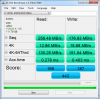
mine's below.. how is it?
![[IMG]](images/storyImages/paint1u.th.png)
-
As long as it doesn't die on you after a month like mine did

It is nice, but now that I'm using the momentus xt SSD doesn't seem quite as necessary. -
I'm looking forward to when SSD's become much more affordable. I'll enjoy its IOPS performance when it comes to massive amounts of photos.
-
can't wait untill I get my 90GB OCZ Agility 2. then I really won't be able to hear my MBP! some time next!!!
-
I just installed the 1.23 OCZ Sandforce firmware and it blue screened when attempting to restart. 'Operating System not found'. So I booted from my spare HDD and by god do you notice the difference when you suddenly go from SSD to HDD. I had 48 windows updates to install and they took forever...
Turns out a cold boot was all I needed to do and the Vertex 2 is working fine now. -
Good to hear. My first Vertex 2 I got last week was defective. Hope the new replacement works well.
-
Intel Solid state toolbox 2.01 out
Only seems to improve secure erase function and timings on some systems -
What improvments have they made with the new version? I tried to run the firmware update in Admin mod and the app could not see the drive???
-
![[IMG]](images/storyImages/winsatdisk.png)
Corsair Force 120GB in an Acer 4820TG with Intel HM55 (no performance tweaks). Not run in safe mode. Win 7 Home Prem x64. -
When I first tried to update the firmware of my Vertex 2, I just ran the application. And it didn't see the drive, so I ran as Admin and then it saw the drive.
-
I tried it as Admin, it still does not see the drive???
-
Are you right clicking and selecting 'run as admin', or are you logging into an Admin account?
This may make a difference for you.
Good luck. -
I had to goto a older version of Intel Rapid Share Driver
-
Thanks. I'll keep that in mind. My new replacement Vertex 2 from Newegg should be here soon.
-
This could be why the Indilinx SSD Status app doesn't see my SSD. I'm using the (beta) version 10.0.0.1043 of Intel's RST. No matter, I can get S.M.A.R.T. info from CrystalDisk Info (and convert the hex numbers to decimal). Hex 63 converts to 99 -- (drive life estimate). It recently went from 64 to 63. (SMART D1).
![[IMG]](images/storyImages/th_CDI.jpg) [/URL][/IMG]
[/URL][/IMG]
Confirmed by SSDLife:
![[IMG]](images/storyImages/th_SSDLife.jpg) [/URL][/IMG]
[/URL][/IMG]
-
That was my problem, I was running 10.0.1043 also. I downgraded, ran the firmware update, the updated back to 10.0.1043. Everything is good to go.
-
I just tried SSDLife, and my Drive is in the yellow 36%??? What gives, it's a month old, running all the new drivers, firmware, and tweaks.
-
Don't worry about it. These programs seem to work differently depending on drive controller type, firmware, IRST driver, etc. They really aren't all that reliable unless written by the manufacturer (i.e., Intel SSD Toolbox for Intel SSDs).
If you look at the SSDlife pic in my last post it says my drive life left is one year and about two months. I know that's bogus.... can't be right. The drive is only a week old. But I have been writing to it a lot this past week and that's probably why the estimate is that way. A couple weeks with much fewer writes and program/erase cycles and that estimate should go way up.
Corsair doesn't have a program comparable to the Intel SSD Toolbox (as far as I can tell). So, I just rely on basic SMART info... like I get from CrystalDisk Info. Eventually, I think all the manufacturers will come up with info programs for their drives... at least, I hope they do. -
I gotca, thank you
-
You SSD is broken. I will give you $50 for it
Are you running firmware 1.23? -
yes, FW 1.23 and Intel RS 10.0.1043. I have no issues, I think I am getting weird reading from SDDLife, I uninstall-ed it, problem solved.
-
flynnaz,
You really should be using Intel RST driver v10.0.0.1046 WHQL.
See:
Station-Drivers: le site de drivers, bios, firmwares avec un forum d'aide -
Well, my new replacement Vertex 2 is arriving soon, so I checked the OCZ forum.
It seems they recommend 1014 and after flashing, update to the newer FW like 1043 or 1046.
General Discussion 1.23 Firmware update experiences
I'm also going to put a Vertex 2 into the second bay and flash it first and then put it into the first bay and install Windows 7 just to be on the safe side as OCZ says when you update the drive while it is running the OS, strange things happen, which is why there are the couple warnings there about BSOD, etc. -
I found the source: http://download.intel.com/it/pdf/En...t_of_Notebook_PCs_with_Solid-State_Drives.pdf
It also shows productivity improvements coming from SSDs. -
Tiller: Thanks for that. I didn't know a WHQL IRST driver was available.
Good work, finding that. Interesting study. It only makes sense that productivity would go up. I can boot into Linux in 8 seconds to a usable desktop and it shuts down (full power-off) in 3 seconds. Amazing.
For anyone wanting to install Ubuntu Linux (get the latest version: 10.10) for an SSD -- and here is a tweaks thread that will optimize your installation for your SSD:
Tuning Solid-State Drives in Linux
Be sure and read all three pages and apply all tweaks. They make a very real difference in performance and endurance. -
I will update when I get home, thank you for the update
-
From the Intel research:
![[IMG]](images/storyImages/Untitled-9.jpg)
-
That equates into about 45 seconds per person per work day, that's assuming each worker is unable to do anything else productive during that time.
-
Should I be concern about what hd tune is reporting on my intel ssd 80gb G2. This is with the latest beta drivers intel_rst_10.0.0.1046. I dont get this with 9.6
Attached Files:
-
-
Why not use Intel Toolbox to check health of Your SSD?
-
Turns out I am running v10.0.0.1046 WHQL
-
First Intel G3 benchmarks posted here:
http://forum.notebookreview.com/har...pgrades/528974-first-intel-g3-benchmarks.html
Please use that topic for discussion about the results. -
This is an interesting article:
See:
Superfast SSDs are coming, but will they be used the right way?
Hope they formalize the spec's soon. -
Very interesting article.
-
Coming? They have been around for a while now and in the consumer market. See OCZ's revodrive. But the same criticisms that many have been levelling at SSDs (namely the high price relative to capacity) apply way more to PCIe based SSds because are balls out expensive.
-
Hayte,
the exciting news is not that the physical drives are 'coming', but that interface standards are being sought. That is exciting and 'what's coming'.
Standards bring the prices down because there is a common goal for manufacturers to aim for. Proprietary equipment is what keeps prices high - does 'captive market' ring a bell? -
just got my Agility 2 90GB in my macbook pro 15, this thing is epic!
-
Anyone figured out a way to secure-erase a Corsair SSD (Indilinx Controller) without hot-swapping by using a desktop computer (to "unfreeze" it) ?? It doesn't work using Parted Magic with the SSD in an external USB enclosure.
The Corsair forum folks are saying I have to use a desktop so I can unplug/reconnect after the OS has booted. -
You may use linux and the ata secure erase command. There is another forum member who reported that he managed to unfreeze the drive without removing it by simply closing and then opening the lid. I didn't have the chance to try it yet but it should work.
http://forum.notebookreview.com/alienware/520731-how-do-you-secure-erase-your-ssd.html#post6739927 -
Okay, thanks stamatisx, I'll give it a try. +1 rep.
-
If you have an eSata port, put it in a eSata enclosure, connect it to the notebook and boot Parted Magic. The frozen state should be gone. This works for me with a HP 8530w and Parted Magic 4.11 and 5.4.
-
Thanks, maximinimaus, but that's not necessary. I found a way, thanks to stamatisx and Sean50... see the thread HERE.
Worked for me... with the SSD in the laptop, booting from Ubuntu 10.10 LiveCD on a USB stick. Do the sleep trick to unfreeze your drive.
(I don't have an eSata port OR a desktop.) -
Hey guys, i know this doesn't really pertain to SSDs specifically, but you guys in here know your stuff really well...
Anyone know of a good enclosure than can turn a 3.5" sata HDD into one with a esata connection? I feel like modding my external because usb 2.0 is just pathetic, and this esata port on my laptop never gets used.
Thanks guys, +rep for the help
SSD Thread (Benchmarks, Brands, News, and Advice)
Discussion in 'Hardware Components and Aftermarket Upgrades' started by Greg, Oct 29, 2009.




![[IMG]](http://img709.imageshack.us/i/paint1u.png/)