Problems? See this thread at archive.org.
Thanks guys, so Intel G2 a no-go? Those samsung specs say "Up to" which could mean anything. Although benchmarks I've seen for the most part put them close to on par with one another except in a couple distinct instances.
My concerns with Samsung and Crucial:
Samsung - Firmware updates are destructive, i.e. requires a reinstall and sounds like it is a PITA.
Crucial - Tons of posts about AHCI and freezing issues
By the way, my laptop has SATA III (6Gbps). Maybe I should just wait it out.
Actually I was looking to get a larger drive in my netbook, 32GB is ok, but still a little tight. But thought I might as well get something bigger, better, faster for my new laptop and move my 80GB to my netbook.
-
FYI- my Samsung 470 benched on ATTO at 265 read and 260 write on a fresh install of Windows 7 Ultimate so it was WAY above the specs. I think that the Intel SSD is a great option as well....although I've never had a chance to use one.
Seeing that you have the new NP8170, I would probably wait it out for the new Vertex 3, Crucial C400, or Intel G3 to see how they compare. They should be out within the next few months. -
Yeah, it's just hard to pass up a good bargain.

Maybe I'll just get a Corsair Nova 64GB to put in my netbook and sell my 32GB.
I'm not so concerned about benchmarks as I am solid reliable real-world performance. Sequential writes mean nothing to me for the most part. I will be using it as an OS drive with a number of desktop apps like Office, gimp, windows movie maker, and a few games that might benefit from the faster load speeds. Otherwise I have a 750GB hard drive for everything else. -
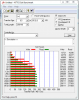
ocz has good prices in my opinion... and they're friggin fast... here's my vertex 2 57% full
Attached Files:
-
-
Yeah OCZ is good. Except I'm going to steer clear of them until this whole 25nm performance fiasco gets sorted out. They are best with highly compressible data, but anything else they are just average.
-
yea got mine before the fiasco luckily ... and i thought it was the other way around? they were bad with highly compressible data? such as videos n such?? Could be wrong though...
well i shouldn't say bad... just not as fast as their usual speed... lol -
No, if the data can be compressed, the performance is better because it's less data to write, so it can write it more quickly. Try running an all 0's bench using CrystalDiskMark and compare with random data.
I own a 60GB Vertex 2 for my gaming desktop and love it. I use it primarily as a boot drive but have put a couple games on it as well. -
ive been reading this thread for a bit now, but when i came into this thread my question was what is the fastest SSD, or if that was a too broad of a question, which company(s) make the fastest SSD, and i was reading htwingnut's posts about the three he was choosing
but with my setup, im not too sure whether the same drives will "fit" . so if not, what would be the best SSD for these Alienware m17x specs:
i7-920xm
2x500gb 7200rpm HDD in Raid 0
Windows 7
Dual 5870 Xfire. -
What do you mean by "fit"?
Pretty much anything will work just fine. OCZ is kind of squirrely at the moment because they switched to the 25nm process from 34nm and have no way of identifying which is which. Apparently the 25nm ones also are smaller in capacity than published and also slower than the 34nm drives. -
haha, well, ive never transfered a HDD, but i was thinking along the lines that it might be kinda like memory, (you cant put ddr5 mem in a ddr3 slot type of deal)
ok, so with what you said above, what drive would you suggest, or atleast what company to go with? i know to stay away from OCZ atm -
Any 2.5" SSD will fit in place of any 2.5" hard drive (HDD) slot. They have the same external dimensions and SATA connectors in the same place. So no worries there. Since your machine supports only SATA II (3Gbps) ports, then you won't benefit much from the newer SATA III drives, but they will still work, just their maximum performance will be limited to the SATA II speeds (which is still very quick).
Corsair Force SSD's are similar performance to the OCZ's except they haven't pulled the wool over people's eyes, so they are also an option. You are best to get input from some of the other experts here though, I'm only a slightly educated user.
I'm partial to Intel mainly because they seem to be the most hands off type SSD, solid performers, and seem to be the most reliable. They utilize little power as well, but mainly important for netbooks or other devices you are trying to maximize battery life out of. Intel also has some good tools and firmware updates are pretty straight forward and don't destroy the data on the drive forcing a reimage or resinstallation of contents (although backing up contents before flashing is highly advisable). Samsung firmware updates require you to reload all your data on the drive. Some users have been commenting on Crucial lags and delays and point it at the Crucial SSD's, but nothing has been positively confirmed what the real culprit is.
In any case a single SSD will most likely outperform your RAID 0 setup. You can RAID SSD's but then you will lose TRIM functionality. Basically it will require occasional secure erase to maintain performance regardless of which drive you use. -
mmm, so im guessing the best choice would be to stick with SATA II, and intel, and i would rather not have to erase ever so often. but meh, anyways, thanks for your help, intel it is. +1
-
Well, if you run in RAID then you may have to secure erase on occasion because TRIM isn't supported in RAID.
-
Between the Intel and the Samsung, I'm starting to lean towards Intel mainly because the Intel has better read performance, Samsung has better write performance. A majority of what I will be using it for will be reads. I mean I've had this Intel 80GB for nearly a year, it started in my gaming desktop, then to my netbook, then to my notebook, then into my new notebook and it only has 628GB written to it so far.
-
Any thoughts on Corsair Force 60gb vs. Samsung 64gb? The Force is faster by a decent margin in almost every metric, it's $105 vs. $95 after the discount.
-
Just as clarification, videos and image files are typically bad because they're already highly compressed, which means that Sandforce drives can't compress them any further (which is why I describe them as incompressible data). And yes, it's true that they're still pretty fast, but down to "only" HDD speeds (sequentially). They still are much faster than HDDs when it comes to 4K read/writes. In terms of general OS usage, Sandforce still really can't be beaten significantly, although, as stated many times in this thread, there really isn't a whole lot of difference between the fairly high end drives for most purposes.
The Force is a Sandforce drive, with all its attendant limitations and advantages. This means that most of the metrics used to measure the Force are somewhat inflated, unless you see a benchmark done with random fill data (not ATTO). Otherwise, apart from the previously mentioned Sandforce limitations, you can't go too far wrong with either drive. -
Well, the Force also does well in the PCMark Vantage benchmarks. Is that usually representative of real world performance?
Samsung 470 64GB 2.5 Inch / AXM0601Q, Corsair Force F120 120GB 2.5 Inch / 1.1a, Kingston SSDNow V+ 100 64GB 2.5 Inch / CJRA0202, Intel X25-V G2 Postville 40GB 2.5 Inch / 2CV102HB, Samsung 470 128GB 2.5 Inch / AXM0701Q, Samsung 470 256GB 2.5 Inch / AX
In the HD Tach RW done below, there was high cpu load with the Samsung 470 64gb. Can I assume that something in the background must have caused this? CPU load will kill battery life much faster than marginal differences in power consumption between drives.
Samsung 470 64GB 2.5 Inch / AXM0601Q, Corsair Force F120 120GB 2.5 Inch / 1.1a, Kingston SSDNow V+ 100 64GB 2.5 Inch / CJRA0202, Intel X25-V G2 Postville 40GB 2.5 Inch / 2CV102HB, Samsung 470 128GB 2.5 Inch / AXM0701Q, Samsung 470 256GB 2.5 Inch / AX
Thanks for the feedback. -
Note that the Force listed there is a 120 GB drive; Sandforce drives tend to have much lower performances as the size drops, which is not as much of a case for the Samsung.
-
A few posts later -> even an Intel G2 doesn't slow down noticeably without Trim.
As far as I can tell, the manual Trim provided by the toolbox has no effect on performance of the Intel G2 drives (that's on Vista) - and yes, if I write 600GB to the drive then every cell has been written too/been erased at least once with wear levelling.
Do I still run the manual Trim - yes, it's scheduled, but you don't notice and actually can't benchmark the difference either.
(On an Intel G2 that is) -
I thought that'd be the case too, but google images for benchmarks of both capacities shows that the 60gb version is either the same or slightly faster than the 120gb.
I'm probably going to go for the Samsung since it's cheaper and 4gb larger. Can you comment the cpu usage for the 64gb Samsung in my previous post? That's the only thing that really bothers me. -
I remember (random fill) results of about 80-90-odd sequential writes for the 120 GB, and 50-70-odd for the 60 GB, but I may be misremembering.
As for the CPU thing, I have no idea. Since I'm not sure exactly where they got those benchmarks (I suspect they're user-submitted), we have no idea what might have been the configuration of whomever submitted the high CPU usage value. Maybe there just happened to be a virus scan running at the same time or something. -
I ordered the Samsung. Hopefully it works well, hard to pass up this ssd at $95.
-
yeah, sammies are nice disks. they are a great replacement for a hdd. but if you want something with a wow-effect, something that truly delivers gains, then better invest in an intel. much more worth it. and as les is gone, i can say that without he having to complain
-
It's too bad Intel never produced a 60-64gb ssd. For me, and I suspect many others, that size is the sweet spot in functionality and price for a boot drive.
-
the 80gb and the 40gb are more sweet spots to me. systems that don't need anything (media center setups and similar) get the 40gb one and have more space than they ever need. ordinary pc's get the 80gb one and, again, have more space than they ever need.
haven't had the need for 60gb. and 60gb makes no sense based on the design of the intel controller. -
That's my issue with those capacities. 40gb is so small it has very limited practical uses while 80gb is just excessive, as you said more space than I ever need. I'd love to use an Intel drive since they're solid in reliability and perform well as boot drives, but I can't even come close to justifying the cost of the 80gb since other manufacturers have caught up.
-
you always want to have some spare space. so go for the 80gb. it's always good to have "more space than you ever think you need" for those moments where you'll need more than you ever thought (copy around something for a friend, or what ever).
don't compare cost. compare cost/gb. -
My OS + programs take up no more than 35-40gb ever. 40gb free space is excessive, and the extra $40 over the Samsung 64gb is wasteful for me. cost/gb is useful when making comparisons, but one needs to look at absolute cost when determining what's actually required for a given application.
I should reiterate that I don't think there's anything wrong with an 80gb capacity; it's the right size for a lot of people. There's just a big hole between that and the next step down in Intel's lineup. OCZ and Corsair have done a very good job in this regard. -
well, what ever. i'd buy the 80gb one
-
Yeah I agree with davepermen. More space is better and I've learned the hard way. I've also found that Intel is the most stable drive. All the others have caveats or known issues. Corsair Force had freeze up issues early on, OCZ is being stupid about their move to 25nm, Crucial is continuing to have freeze issues and not being addressed, Samsung has destructive firmware updates, Sandforce drives in general tend to require decent freespace (like 40%) to maintain performance and/or recover performance quickly.
Intel is just a solid performer, has good tools, and firmware updates are easy and not destructive. They perform well with random or compressible data and seem to maintain their performance even over time. Not to mention they sip power. No they aren't the fastest drives, but they are a great balance all around. I also think the 120GB is the best $/GB value around. -
I just bought a Samsung 470 OEM version. Does anyone know if there's any difference between this is and the regular Samsung 470? Do they both get the same firmware updates?
-
now if only the g3 will friggin be released already ... this ocz was only bought cuz they're taking forever
-
yes. They are the same
-
Well, I figured even when G3 is released it will be expensive, and be a little while before prices will drop. Plus I'd like to let them shake out all the bugs. I'll probably buy a SATA III drive end of this year or so. For now I'll be happy with my Intel.
-
davepermen, did You try Samsung 470 Series?
BTW: for me 40 GB is to small, 80 GB to big, and 64 GB perfect (20 GB free of 60 GB) -
don't know but i guess not.
i've 34gb free on my 80gig. but on the occasion that i have to temporary hold a bluray movie on it for a random reason.. yours would be too small
-
I lost hope on the G3, but I'm looking foward to 510, hoping to buy one next month. Ill wait for the 25nm to seattle and mature the firmware, I'm hoping the 510s are fast and reliable as all G2 were.
-
You seem to favor Samsung. Would there be a noticeable difference for day to day tasks between Samsung and Intel?
I thought 510 was the G3?
According to this (quick Google search), 120GB 510 is $280, 250GB is $580. Crazy expensive IMHO. Hoping I can get a 120GB 510 for < $200 eventually like this 120GB G2. -
if there's one annoying thing about ssds is, prices won't go down as long as people will buy
the 510 are indeed crazy. but then again, they're new, they're fast, so no one will try to sell them for cheap.. sadly.
day to day i felt samsung to be a bit less responsive, less snappy. but what do i know?
-
Yeah, that's why I decided to stick with tried and true Intel. It is ridiculous though, pricing isn't going down at all really. Sure you get a decent deal on a 60-64GB or a low end 128GB but where's the $1/GB?
-
Intel G2, still the best(most balanced) even it is now the oldest that is still on the market, what an irony.
Its read speed(random, i.e. what we use most) is still the best.
Either 80G or 120G, depending on actual space need. 80G is just right(60 IMO is too small for any reasonable notebook setup), 120G would in general be enough except for video/game heavy users. -
^^^^ thats not true. More reliable definately.... faster? hmmm not so much.
Will you notice the faster speeds from newer SF and samsung ? Probably not for most people. -
No, it seems that the 510 are the replacement of the X25-E (still 34nm), aimed more enthusiast than consumers, according to what info is avalable 450 reads / 310 writes and sata III, while G3 seems more 300/300 sataII (25nm).
Yea seem expensive, but also faster then the G3, and hoping as reliable as G2. Still wondering about random write/read speeds. -
@ htwingnut: I just think that I get the most with Samsung for my money. It was 201$ in July 2009.
I had Intel X24-V 40 GB and didn't notice any difference compared to MasterDrive SX (older Samsung controller, PM800), so I think that there won't be any noticeable difference between Samsung 470 and bigger Intel G2. But of course, it depends on Your usage pattern.
@ davepermen: can You check P/N?
I remember You were saying that older Samsung SSDs (PM800) feel less snappy then Intel, so I wounder do You have new 470 Series (PM810).
And why do You say: "but what do i know?" -
Hi all.
Regarding the Samsung 470 256 gb ssd can anybody tell, if it is recoqnized in Windows as Samsung PM810 or MZ5PA256HMDR?
I bought an OEM drive and it is recognized as Samsung PM810. I know this is internal Samsung code for the 470 drive, but when I run the Samsung tool box, Samsung SSD Magician, the software says that it's not a supported SSD(even if it recoqnize it as a PM810 drive). So can't do any of the SSD optimization.
It reports the firmware as AXM06D1Q.
Will it be safe to do a firmware update?
My crystalmarkdisk scores are about 210 MB/s seq. write and 205 MB/s seq. read.
Do you think everything is OK?
Thanks
When I run -
^^ I would contact Dell (assuming that is the OEM manufacturer that you got it from) to see what they say. Then call up Samsung customer support to confirm it. I wouldn't risk updating the firmware without checking and checking again seeing that it's a OEM drive. Also, when you update the firmware, it will delete the contents of the drive so be prepared with that. I would know....because when I first got my 470 I had to install windows then update the firmware, then reinstall windows again.
As for your speeds: I was getting 265 read and 260 write using ATTO and around 250 read 240 write using crystaldiskmark so your scores are a bit low. I would recommend that you update your chipset to the latest Intel firmware which should boost those scores a bit. Hopefully this helps! -
I found this from another thread as well:
Originally Posted by maximinimaus
The Firmware of the Dell version isn't upgradable with the current Firmware AXM0701Q by Samsung. One must wait until Dell releases the upgrade.
According to benchmarks AXM0701Q performs better. -
Hi thanks and I actually just read the same thread about it being a Dell OEM drive. Sucks that there is no firmware update.
Yeah, I think my scores are a bit low. My Windows Experience Index score is only 5.9. It's on a newly installed window 7 on an Acer 1830T-3721 with core i5-430um and 8 gb ram.
Don't know what is wrong. I believe that I installed the newest Intel RST-driver -
What pattern we are talking about here ? I am talking about random read of relatively small size(what most day to day Windows tasks involved), not sequential read of copying big files(I don't need SSD for that, not cost effective).
Also, newer SF you mean the 2000 series or the 1x00 series ? -
Your immaturity is showing through and you've missed the point again. No one is faulting the 80gb capacity. Everyone needs different capacities. The point is that there's a gaping hole in Intel's lineup. The same goes for Samsung 470, of which i've just bought a 64gb; range jumps from 64gb to 128gb.
Fyi, ripped bluray .mkv's are 8gb max, usually in the 4-4.5gb range.
SSD Thread (Benchmarks, Brands, News, and Advice)
Discussion in 'Hardware Components and Aftermarket Upgrades' started by Greg, Oct 29, 2009.

)))