Problems? See this thread at archive.org.
You will have to enter your bios settings, if it's an asus, press F2 after pressing the power button until the bios loads. From then, find the boot options in the menu, they will probably be under a tab names boot order, boot options or somewhere in the advanced menu. From there, change the boot device order so that your SSD is set as the first one you boot from.
EDIT: I merged your question in the other thread so all discussion about booting from the SSD is now in this thread.
EDIT: Sometimes having two laptops is awesome, as you can use one to check things in the bios and the other to type a reply. Ok so for an Asus laptop, select boot in the tabs at the top of the bios configuration. From there boot device priority and then select the one you want as the first boot device.
-
Here is a good place to start ...
SSD Guides - The SSD Review -
Hi all, is there anyone aware of Renice K3VLAR-E failure statistics and possible data recovery tools?
Short story long: I bought 120Gb version about a year ago and replaced internal drive in HP 2710p. Was pretty happy all this time, but tonight the drive suddenly died during normal use, the BIOS and system don't see it anymore, neither as internal drive, nor as USB boxed. Booted off emergency media, I saw garbage instead of drive ID string in Windows device list, so looks like it's gone, it's good they have 2 years warranty coverage.
Now I have are 2 questions:
1) How common such failure may be, are you aware of multiple issues, does it make sense to replace to the same drive or rather switch to a different model (there are not so many options for 1.8" PATA SSD)?
The disk had normal use as a main system drive. Last months I remember having a couple of BSOD's after which the drive was not present, or cases when it suddenly disappeared from drive list, but after a power cycle it was all OK.
2) In case of regular mechanical drive I wouldn't even ask this question, but maybe there is a better chance of data recovery for SSD using some low-level tools? Like, check/update drive firmware, diagnose for minor/major problems?
I *do have* critical data backed up, but there is still something I kept there which will be a pain to collect again, especially after the news about MegaUpload... -
Should I use Raid0 on 2 ssd or not?
I get 820mb/s read and 420 mb/s write.
I heard trim is not supported yet but will be soon and wanted to know if the drive's performance degrades much quicker on raid0.
The command which checks whether you have trim or not , shows that I have trim when I am on raid0. -
Good site in which compilation of others' knowledge and experience.
-
Hey guys, need a bit of advise.
I came to a point where I wanna clean my laptop completely, I usually format drives and reinstall everything from scratch, but since I got ssd 8 months ago, I remember reading that formating is not good for ssd's.
Care to share some light on what should I do ? -
Unless you are doing multiple reformats a day it wont matter.
-
-
Is it possible to clone to an MSATA drive from a regular hard drive? It would be going from a 750GB drive with 3 partitions to a 80 or 120GB MSATA drive that would have the same 3 partitions and information.
Also, are the OCZ MSATA drives out there stable? I have heard of some BSOD firmware issues with some of their 2.5" SSD's, so I am a little leery about buying an MSATA drive from them.
Thanks! -
^ Anybody?
-
Yes you can clone from a regular HDD to SSD but make sure that you have enough space on the SSD . I work in IT department and we clone with Acronis from regular HDD to SSD and it works well.
-
What about driver conflict.
-
Thanks. Which Acronis program does everyone use to clone the drives? Acronis® True Image, Acronis® Backup & Security or Acronis® Migrate Easy?
Thanks again! -
I use Acronis® True Image and it always works well
FYI - the new Kingston SSDs come with a free copy of Acronis -
Ok,
I have a 320 gig HD, just reinstalled windows on a 136gb partition, nothing else on it at the moment only chrome, and zacbrowser for my kid. I can clone that to a 80gb ssd no problem, correct? there won't be 80 gb of information on it. -
depending on the tool, yes. but to make it more simple, you could just reduce the 136gb partition in windows directly to, say 50gb, and then use a tool, and then expand it.
some do this automatically. but, just in case, windows provides you with the tools to do that. -
Acronis is really good at this.
-
perfect....good to know. now to pick a SSD for the system...after that, the 320 is getting a replacement to a 750gb in the second drive bay..
-
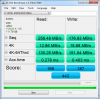
![[IMG]](images/storyImages/AS_SSD.png)
Samsung 830 128gb in my desktop, SATA 2 connection. -
Samsung 256GB in M15x. Score any good?
![[IMG]](images/storyImages/captureavr.png) [/URL]
[/URL]
Uploaded with ImageShack.us[/IMG] -
Hello
I recently purchased a 256 GB Samsung 830 from compsource.com and I have a question on the packaging. I have a strange feeling that the package that was sent to me was previously opened can someone please send or post a picture of the Seal that is on the box. The seal that was on my box seems to be broken and covered up by another silver plain seal.
Thanks -
I don't have a pic for you of the seal in tact but this is without (I imagine that its some kind of holographic seal by the looks of the "remains" on the box, on a new drive, I wouldnt expect to see any "tampering" or attempt to reseal it) but why not simply get in touch with the seller and tell them it seems like its been opened and resealed and that you arent happy - maybe they will let you return it and get a replacement sent out....
-
Thanks for the reply Stevie. I plan on calling the store on Mon when they opened. I will ask for a replacement or refund. Another note is the ssd came with a free copy of batman arcome city which is unavailable to download.
-
Maybe that's because Samsung only had that offer running till the end of December if you bought an 830 series drive before then. Either way, sounds like the retailer was at fault again for selling those drives under that promotion - false advertising if you ask me.Mind you, if you have the code that shipped with the relevant drive, you should still be able to d/l it before 31st May 2012. Check out the following for the info from Samsung:
http://us-samsung.gamesplanet.com/shop/batman-arkham-city
Sounds like someone may have previously bought the drive you bought, opened it and then used the download code inside the box (hence broken/resealed) and sent it back somehow........ -
-
Samsung SSD Awesomeness :yes:
Samsung SSD Awesomeness - YouTube -
LSI Releases Code To Manufacturers New Increased Capacity SandForce Driven SSDs Hit The Streets
OVER PROVISIONING
LSI Releases Code To Manufacturers - New Increased Capacity 'SandForce Driven' SSDs Hit The Streets - The SSD Review -
Here is probably better place to ask (original thread):
What SSD (60-80GB) do you recommend for the OS & programms?
I've found recommendation for those: Intel 320, Crucial m4, Samsug 830. I briefly checked the Anandtech reviews, but I have no experience with SSD disks (I know that the speed of random 4KB read is the most important, but that's all).
Also the reviews at Anandtech are of SSDs with larger capacity (the 64GB disk is probably slower).
What SSD would you recommned?
EDIT: I've found this comparison of 64GB Crucial m4 and Samsung 830, the performance of both looks similar, they recommend the Samsung 830 (and it has better results from the real life part of the test).
So I'm going to buy the Samsung 830 64GB. -
After a few tweaks, the Corsair Performance Pro Marvell powered SSD:
Attached Files:
-
-
Hi widezu69,
What tweaks did you do to the Corsair to get these results? -
I used the JJB tweak:
http://forum.notebookreview.com/sol...-intel-series-4-5-965-chipsets-jjb-tweak.html
As well as using the latest iteration of throttlestop and unchecking the C1E box. This disables the more aggressive power saving option. Because I'm using 2nd Gen i7, I can effectively force my CPU to full 3.7Ghz when running the benchmark using throttlestop giving these results. It is the same as the StamatisX tweak but because it is performed with throttlestop instead of in the registry, I can change it on the fly. Disabling C1E does not affect CPU usage as it still steps down to save power so it is a win win. So far, I reckon it is the highest AS SSD result in a single drive configuration.
People need to know more about this SSD. It screams! -
@widezu69.. if you install rst drivers, you should improve you're scores further (that disk should be able to pull well over 30MBps 4k qd1 reads)
-
What are rst drivers?
-
intel chipset drivers, they contain sata drivers.
-
Hi ivan,
My Lenovo W520 arrived yesterday and my Corsair Perf Pro 256GB is arriving today.
Do I need to install the intel chipset drivers to get maximum performance?
Thanks -
yes, performance is better with intels drivers than with microsofts, but they could be included in lenovo windows installation already, though feel free to install latest version available on intels web site, it won't hurt or cause any problem.
-
There is no real difference with the Intel driver installed or not. I get virtually the same performance. And the Intel driver adds a few seconds to my boot time. I have it uninstalled.
It is however essential if you are using RAID though
-
RST= Rapid Storage Technology. You need the chipset drivers--- Intel Chipset Device Software.
The Intel(R) Chipset Device Software installs Windows*
INF files to the target system. These files outline to
the operating system how to configure the Intel(R) chipset
components in order to ensure that the following features
function properly:
- Core PCI and ISAPNP Services
- PCIe Support
- IDE/ATA33/ATA66/ATA100 Storage Support
- SATA Storage Support
- USB Support
- Identification of Intel(R) Chipset Components in
the Device Manager -
Very interesting indeed !
-
So as an owner of an Intel G2, what is it going to take in SSD breakthroughs to make a perceivable difference in speeds for the end user over such early models?
When should we expect to see such gains?
I plan on upgrading sometime next fall from my G2 if Intel's new drives are out by then, and I know I'll gain just going from SATA 3Gbps to 6Gbps, but from everything I've read on this forum, there really isn't much of a noticeable difference at this point in time between early drives and the current models. -
next breakthrough? most likely native pcie attached ssds in a few years(I'd bet my money on ram cached enthusiast versions to show up), as sata standards can't follow their speeds.
But nothing ever will come close to boost we got in seek times jumping from hdd to ssd, only faster loading of big apps, and extremely fast read/write operations for whatever reason one might use them.
In a real world home or gaming use you probably wouldn't notice difference between your g2 and fastest sata3 ssd available. -
Intel G2?
The 320 Series were a noticeable improvement over the G2's and the current 520 Series are in a class by themselves (given they are used in a way to maximize their benefits).
Don't need to wait for the next big breakthrough - just need to pair the current creme de la crop with a current platform choice.
For example - an i5 plus 16GB RAM with an Intel 520 240GB SSD is very noticeably faster than an i7 plus 16GB RAM and an M4 256GB SSD.
No 'SSD breakthrough' needed - just need to match the current top dog with a current, maxed out platform.
I have no doubt that in a few short weeks/months this combo will be replaced by whatever Intel is offering combined with Ivy Bridge, Win7x64 and at least 16GB RAM.
As I have mentioned before, in a couple of years SSD's went from toys to usable tools and each real upgrade (ie: Intel products) is well worth for me to upgrade to - just like I used to do with HDD (going to the most current 7200 RPM drive available each few months). -
I'm hoping the next breakthrough is the integration of SSDs and HDDs in a similar manner to what you see with the Z68 SSD caching. A single hard drive with an integrated 64-128GB SSD to cache as much of the primary partition as possible. Either that or they'll finally figure out how to get the cost per GB down to HDD levels
.
SATA3 speeds are just ridiculous, we don't need more any time soon that is for sure. -
I agree with Greg in hoping that they bring a balance to SSDs and HDs. I really hope it is not all in a single device though.
-
What is considered idle for an ssd? How can it be idle when you are using the OS you installed on it? O_O
-
I finally got around to installing my Plextor 128M3 SSD. Boot time is definitely improved. Will have to use it a little while to see if I see any other benefits
Does anyone change the default alignment from 1024 for your SSD?Attached Files:
-
-
These are the results that I got from an Intel 520 120gb ssd installed in my Sony F11. I did not use any tweaks just installed the Intel RST driver. Could anyone please tell me what could I do to improve the scores.
Attached Files:
-
-
nothing much really, you're caped by yours chipset performance. You could do few system energy saving tweaks and improve performance, but unless you really need that for your job productivity just forget about it as it will increase your power consumption and temeprature of your system and you'll never get full potential of a disk any way.
It's just not worth it. -
I am not a fan of Z68 SSD caching and, to this day, believe the most probably option will be through use of NVELO Dataplex which is the most viable caching solution at present IMHO, whether we are looking at SATA 2 or SATA 3 caching.
What I don't understand is how they plan on incorporating caching into the netbook environment where all but 1-2 are going full SSD without HDD choice. How then do we do that?
We could probably go with integrated SSD and Dataplex and a 7mm HDD in some cases but there is no way that would ever fit into a Series 9, Z830 or Zenbook along with several others.
SSD Thread (Benchmarks, Brands, News, and Advice)
Discussion in 'Hardware Components and Aftermarket Upgrades' started by Greg, Oct 29, 2009.