Problems? See this thread at archive.org.
Looks like Samsung finally got its you-know-what together and released a Mac-friendly way to update firmware. That's the thing that keeps me from recommending SSDs to Mac owners.
-
-
OK, I asked this elsewhere but this seems to be where the cool kids hang out, LOL!

As mentioned before, my M17x (which has now shown up) came with a 750 GB HDD and a 64GB mSata SSD configured as a cache drive. I assume the BIOS is set up for RAID for this to work this way, but I am finding I really don't understand this stuff very well.
So I have the M17x laptop set up as above, and an 840 Pro (512 GB) sitting in a box next to it, waiting to be installed.
One option is to simply leave the BIOS in RAID (assuming it is set up that way) and just plug in the new 840 Pro and install the OS and use it however that works, right? But if I do that, how will it treat the drives in the system?
The other is to switch to AHCI or ACHI or whatever, then install the 840 Pro. What will happen to the existing drives (the 750 G HDD and 64 G mSata cache drive) if I do that? Will they keep their data intact, but just lose the cache capability? Can I not be in AHCI and use the 64 GB mSata drive as a cache drive for the 750 GB SSD?
Thanks (my head is hurting trying to understand all of this! LOL!) -
Is anyone experiencing BSODs problems with their SSD when rebooting the laptop which has had one or several sleep-overs
before? I have a HyperX 120GB first generation (SH100S3120G) with 501ABBF0 firmware. BSODs do not appear randomly, only
after reboots that followed a previous sleep and the error says spmething about the system doesn't support multiprocessors. -
What's the best SSD on the marke these days for consumers in terms of speed and reliability? Is it still an M4?
-
I'd say Samsung's 840 Pro is a pretty good contender for best ssd on the market right now.
-
Larger and Cheaper is what we're seeing with the availability of the Crucial M500 series and the 128GB MLC NAND.
Not to be out done for too long Samsung has announced their own 3 bit128GB MLC NAND chips and has begun mass producing them.
So there may be a 960GB Samsung 840 Pro in the near future or a model with a different name.
Samsung Mass Producing High-Performance 128-Gigabit 3-Bit Multi-Level-Cell NAND Flash Memory | Business Wire -
Is the M500 MLC SSD 3-bit too?
Next Samsung should announce the arrival of consumer-class mSATA/NGFF 840 base/Pro SSDs to take Crucial's form-factor advantage away! A 1TB 840 Pro SSD sounds like a great idea to me. I will not stop recommending Samsung SSDs, their bulletproof reliability/worry-free/error-free performance is simply fantastic. Then there's the other guys. -
Part#MT29F512G08CKCABH7
FBGA Code:NW524
FBGA - Micron Technology, Inc.
According to Micron:
Density leadership: Our 20nm 128Gb MLC is the highest-density die on market today, providing up to 1Tb in a single package.
Solid performance: The best balance of endurance, ECC complexity, and performance.
Cost-effective: As the leading technology node, 20nm NAND provides 2-bit-per-cell efficiency.
NAND Flash expertise: Our leadership in process technology and design, as well as our stringent testing, ensures optimum performance and reliability.
Technical support: Our multistage technical assistance helps you design in some of the industry’s highest-quality memory with ease. We work with chipset vendors, OS designers, and other enablers to ensure that our parts are optimized for your design.
MLC NAND - Micron Technology, Inc. -
Looking for some advice on my SSD performance. It's recently degraded a fair bit from my original "new" bench results. Can't quite put my finger on what or where I am (or if I am) going wrong. Any input the SSD guru's can give would be greatly appreciated as it's doing my noodle in!
Okay, first spoiler shows how the array was performing "out of the box" and the second spoiler is as it is right now - drastic reduction in performance.
![[IMG]](images/storyImages/asssd2.png) It's quite odd that on some benches, I get high figures, then if I leave it a while doing nothing and re-run, they can turn out much worse than previously. Some tools give better results than others, too. The recent bench above was done after leaving the system idle at the log in screen for around 10hrs.
It's quite odd that on some benches, I get high figures, then if I leave it a while doing nothing and re-run, they can turn out much worse than previously. Some tools give better results than others, too. The recent bench above was done after leaving the system idle at the log in screen for around 10hrs.![[IMG]](images/storyImages/asssd1.png)
Write back cache is enabled and write back buffer flushing is turned off, too. Both drives consistently showing 6gbps in RST also.
I just downloaded CrystalDiskInfo and below is what it shows - along with my RST setup (both drives running at 6gbps) - although the drives are reported as "good", I'm not too happy with the status - also, not too sure what to be looking for as bad signs...any ideas?
![[IMG]](images/storyImages/crystaldiskinfo1.png)
![[IMG]](images/storyImages/rst1.png)
-
I'm not a big fan of AS SSD;I prefer ASU.
Have you changed iRST versions?
Bios or Firmware changes?Updates?
More data installed since 1st benchmark.
High Performance power mode?
Speed Stepping turned off?
Check if TRIM working with trimcheck app
http://files.thecybershadow.net/trimcheck/ -
WhatsThePoint, good points...
I've installed IRST v12.5xx from Storage Drivers dot com and have been enjoying much more responsive systems. Benchmarks? Blah - All I know is that the brain/mouse/OS connection is more direct and noticeably smoother with the 12.5 drivers vs the 11.7 drivers I was using previously.
How much capacity is used on the RAID setup is also a big factor - if it's much more than 50% than that could be the issue if the array is also pushed to it's limits significantly daily/weekly. (The 830's easily hit a 'wall' that they may not recover from unless Secure Erased to recover their performance).
Another line to investigate is to remove MS update KB2728344 from the system. This was one of the worse performance robbing, BSOD'ing, hard, unexpected rebooting 'updates' that MS has released in a while...
I don't know if removing that update will increase benchmark 'scores' - but I wouldn't be surprised if it did - the systems felt at least at half their performance level with that KB updated installed.
Good luck. -
Thanks for the replies, guys.
I haven't changed iRST versions of late - been running with 11.7.0.1013 from Intel's website. Might be worth looking at the v12.5 ones. No Bios updates as none available. No firmware updates as Dell aren't offering any even though there is newer firmware that ships with newer OEM drives - I'm stuck with this FW.
Data amount has not changed dramatically - maybe a gb more or less. High performance mode always on, hard drives set to never turn off, PPM set at max, write back cache enabled and buffer flushing turned off. SpeedStep enabled at Bios level but was the same for previous tests anyway.
Capacity is (or shouldn't be) an issue here as my drives/array are 424gb free of 462gb. Never been over crammed with data. I'd be interested to learn of a secure erase tool that would be safe to use on Dell OEM 830's (PM830's). Unfortunately, I cannot tell if I have that KB installed because my history is gone, as this install was a "user created" factory recovery using AlienRespawn to create a recovery USB of my clean install.
TRIM is showing as working (CMD query disabledeletenotify blah blah blah) but I dont have an OROM which actually supports it - the fact that it shows as enabled is probably of little use to my Raid. Checking with the link given, TRIM is not working, but then again, I wasn't expecting it to be. Reference: M18x R1 - A05 with RST OROM 11.5
EDIT: Grabbed Anvil and ran a test with default settings - what do you guys think? - I found this article that tested a single 830: Samsung 830 SSD Review - Anvil's Storage Utilities | Myce.com and my 100% incompressible run (with my raid setup) seems to be on the low side of what I would have expected.....
EDIT 2: Added a 0Fill test for comparison:![[IMG]](images/storyImages/asu1.png)
![[IMG]](images/storyImages/asu2.png)
-
See if the 12.5 IRST drivers do anything for you.
See:
www.station-drivers.com • Afficher le sujet - A gift for you guys! (Latest Intel RST & ROM)
I might even find and install the KB2728344 MS update manually - then uninstall it after a couple of reboots - just to make sure it is not installed in the first place.
I would also stop benchmarking the array - when it is working 'right' - you'll see/feel it. No benchmarks required to 'prove it'.
As TRIM is not working this slow down is inevitable - you may want to pursue a way to do a SE on the drives - and then doing a clean install (don't do a backup/clone of your system as-is!!!).
Is the performance drop noticeable in day to day use? Is the RAID0 a pre-requisite for your workflow/programs? Is re-installing Windows over and over putting you off?
Consider taking the drives out of the array and simply using them in AHCI mode. It seems right now you're not getting the full benefits of RAID0 with two 830's - but you are sure getting all the headaches.
Try the 12.5 drivers and see if anything improves - otherwise, unless you're going to do a complete rebuild (re-install and SE of the drives) I don't think you'll get the performance the drives originally offered for a short period of time (and this is without hammering on the array too it seems).
Good luck. -
Well, I've done a clean install (again LOL - I don't mind actually) and it hasn't done anything for performance. Windows updates done - cannot find that KB, though. Even Google reveals no info on it. Are you sure that's the correct KB number?
I haven't tried those RST drivers just yet as I wanted to see how a clean install would pan out. That's on the "to do" list. What tool would you recommend for SE on a PM830? - Magician will not work due to the OEM FW.
Also, I don't bench the drives often, in reality. This merely came about as a curiosity to compare original performance with performance further down the road. There are certain things that appear to slightly hang in normal use. It's a possibility to take them out of the membership, although not one that I really intended, but I appreciate that at least TRIM would be effective maintenance vs. GC.
Something that I find odd, maybe it's something of nothing but I do find it strange. After a CLEAN install, and after using diskpart/clean (not clean all), what I am finding is that the drives seems to have "held on" to various info, in some format. This comes accross as various Windows OS settings that would normally be on, are as I set them instead. An example of this is "change device installation settings" - by default, Windows should have this set to ON and I always turn it off right after a clean install. On my latest install, I went to uncheck this option and it was already turned off ??? - if Windows or the drives have "remembered" these settings, how much other information/data/settings has it remembered....how much of the old registry would it have remembered......
Also, the Windows of certain applications (iRST, for one) open up in the wrong orientation. What I mean by this is that the iRST window, on first opening, launched partially dragged off-screen. It's almost like Windows remembered where it was when it was last closed for some bizarre reason. -
Sorry, my mistake: it is KB2778344.
If previous settings seem to be 'sticking' - then it doesn't seem that you're doing a clean install - or, it seems like Windows is not stable enough (drivers/updates/etc.) at the time you're trying to put those settings to use (Windows 8 is like that... without the first round of Windows Updates right after a clean install).
Also: a clean install won't help (performance) if you don't SE the drives first.
There are many Linux based SE methods available - but if you don't want to get into that, you could simply remove the drives from the array, format them (using windows 7 SP1 or Windows 8) and they should be 'trimmed' at almost new levels.
SE'ing would be even better, but formatting the drives individually under the newest Windows O/S's should give you back 95% of the performance (if not all of it).
Before you format the system again: see if removing KB2778344 and uninstalling any old IRST drivers and then installing IRST 12.5 from the link above helps with the performance/feel.
Good luck. -
Thanks for the advice. I'm pretty sure that I am clean installing. I'm booting from the Win 7 OS disc that shipped with my machine, Shift/F10 at install screen, Diskpart/clean/create partition primary/format = ntfs quick/exit/carry on with install to free space. After that, update all system drivers & Windows Updates - that's as clean as clean can be, without using SE or a clean all/full format, right? - if you know of a better way, I'm all ears
I checked for that KB - not installed. Not coming up in check for updates - maybe it's been pulled. I've found the manual download so I could give installing/uninstalling a whirl - nothing to lose. -
You're making the clean install too complicated imo:
Simply go to Advanced Install options to delete all partitions (and even create, partition, format and delete them again...).
You may want to try the Advanced options to create leave ~30% as unallocated (not the same thing as free space).
Also, you want to run the Advanced install options at least twice - once with the drives seen individually (out of the array) to ensure a good/optimum TRIM'ing with NTFS Format command - and also a second time to leave unallocated space on the RAID0 array.
Curious to see if this works - and good to see MS pull (hopefully) that BAAAADDDD update.
-
I've only been adding the diskpart steps recently - and only because of the slight "carry-over" (if that's what you can call it) of previous installation settings etc. - prior to that, my clean installs have always been pretty standard - disc in/advanced/delete all/install to unallocated.
I could try a smaller partition, but leaving 30% of a SSD basically allotted to over-provisioning seems a complete waste of the drives space. I hadn't considered taking them out of the membership and formatting them, but sounds like a plan.
And yeah, I reckon that one was pulled, just like the recent KB2823324 security update that was also pulled on 9th April: MS13-036: Description of the security update for the Windows file system kernel-mode driver (ntfs.sys): April 9, 2013 - check your's for that bad boy!
-
Thanks for the heads up - but KB2823324 never even made it onto my systems.
I don't understand why you're so concerned with over provisioning (30%) when you have said earlier that 424GB is 'free'?
Yeah, definitely need to take the drives out of the array to format them (and therefore TRIM them) properly - then, you can create the array again...
Also, as mentioned, if you're installing Windows 8 - don't do any 'customizations' until you've run Windows Update a few times and it shows it is up to date. Same with Windows 7 - if you're not installing Win7 SP1, then make sure you install your chipset, video, sound/etc. drivers first and all updates before your customizations.
Did IRST 12.5 give any noticeable improvement? -
Hahaha - caught that one before it wreaked havoc, eh? :thumbsup:
Yeah, 424gb free is my basic clean install with nothing on the drives except the OS, drivers, Windows F-up-dates. I would intend to load a fair bit on after this "base image", not up to the max, but probably over 70% - that was my only concern about over-provisioning.
My procedures are exactly that - Install OS, install system drivers, run Windows Updates and THEN do customizations. I tried Win 8 and reverted back as I didn't like the tablet/touch screen aimed approach. My OS disc is Win 7 SP1 anyways, so no biggie there.....
I'll make sure to take them out of the raid and give them a good TRIM'ing before re-establishing the membership and re-installing the OS. I haven't tried the 12.5's yet as I have kinda got bogged down with other stuff, but I have them downloaded and ready to test later.
BTW, thanks for your help/advice thus far....:thumbsup: + rep!
EDIT: Just a FYI for anyone else, 12.5 iRST is up on Intel's website: https://downloadcenter.intel.com/De...Rapid+Storage+Technology+(Intel+rst)&lang=eng - I'm gonna give these a whirl right now.....
EDIT 2: No joy with these......
![[IMG]](images/storyImages/newrst.png)
-
Hi guys...
I'm thinking of getting an SSD, and after reading so many reviews, I'm totally confused.
My requirements: ~256 GB / ~180-250$ (I'd prefer cheaper, but don't want to compromise on reliability either)
I'm confused... Should I get the Samsung 840 Pro or the Corsair Neutron or the Plextor M5 Pro?
I'll be using it for general stuff, with some video transcoding, some gaming and occasional large file transfers.
Thanks.
Sent from my HTC Sensation on CM10.1 -
For 'general stuff': almost any 240/256GB SSD will do.
For video transcoding: the Neutron GTX will give better (sustained) performance.
For gaming: no comment.
For large file transfers: if you're not transferring to an equally capable SSD... it doesn't matter.
Consider that Windows wants ~25GB 'free' space for proper functioning (in addition to any additional free capacity you'll need for temp files - especially while video transcoding...) and that almost all SSD's will perform substantially better (sustained, over time) with ~30% OP'ing via leaving that additional capacity as 'unallocated' and see if a 256GB SSD is still a viable option for your workflow.
256GB nominal = ~238GB formatted capacity
70% of which = ~165GB total capacity with ~30% OP'ing
Less 25GB 'free space' for Win7/8 = 140GB capacity
Less 50GB additional free space for video transcoding = 90GB capacity
So, can you fit your O/S, programs and data in ~90GB or so (feel free to adjust the above estimates I made for you)?
If you can make it work, great.
If not, I would keep saving for a larger capacity SSD (the 512GB Samsung 840 PRO would probably be my first choice for this workload mix on a notebook - I would consider the Neutron GTX only if the notebook had a great cooling design - the LAMB based SSD's run much hotter...).
For more suggestions on setting up the SSD:
See: http://forum.notebookreview.com/sol...rage/718208-asus-ux32vd-db71.html#post9194652
Good luck. -
I've an old Lenovox220 with a superslow 5400 rpm smasung hard disk.
I need a budget upgrade.
Is it better to keep this hdd using the msata slot or to replace the hdd with a samsung 840 basic (120 or 250 gb ?) ?
I need sufficient space to have a dual boot system (win 7 + linux) and some IDE like visual studio, netbeans, latex, etc.
No more.
What about it ?
thks -
I would definitely get an mSATA M4 256GB SSD and keep the HDD for backup...
No more - but will be a huge improvement over the 5400 RPM HDD.
Okay, some more ... if you really only have 2GB RAM - I would recommend at least 4GB (even with only a 32bit O/S).
Good luck. -
Hi, guys! I would like to buy a laptop sometime in September 2013, from the US(me being from Eastern Europe), probably through Xoticpc. Anyway, I have several questions regarding the storage.
1. Let's say I buy the new MSI GX70, it has a 750GB 7200rpm HDD and I want to add an SSD. Where do I add it? I mean do I have to get out the HDD and put the SSD or can they stay together?
2. I don't understand the differences between storage devices. So we have the normal HDD with 5400/7200 rpm, the slowest; next is the mSATA which currently is using SATA II technology so not the fastest and third we have the SSD SATA III which is the fastest, am I right?
3. What kind of combinations would be viable? For example, a 7200rpm HDD with a larger SSD? Or a HDD with 2xmSATA for Raid Option?
4. I've seen that you can use RAID 0(mirror), 1(speed) or 5(if I remember correcly). Should I use SSD or mSATA in RAID or not? Does it have some disadvantages? (I remeber that RAID 0 is practically useless for gaming, being a mirror)
5. Now, what should I buy? No 7200rpm HDD but a large SSD instead or a 7200rpm HDD with a 128 GB SSD? Or should I buy mSATA?
6. I've read that for the SSD to keep it's peak performance it needs 30% of the space free. Is it true? Also, how durable are the SSD? I mean , if I buy one now, will it last me at least 5 years?
7. If I buy only a SDD with no HDD, won't it get slower as the time passes due to the intensive write/read process or will it be fast a long time as long as I keep the 30% free space rule?
8.What's your opinion regarding Hybrid SSD? Is the performance in gaming better than a 7200rpm HDD?
Thanks in advance for the answers! I know there are a lot of questions but answering these questions should illuminate my mind regarding the HDD/SSD technologies. -
#1
#2
#3
#4 I just do not get. I can get understand maybe one in the optical drive it is the second I just do not understand.
#5 I would stay away from mSATA unless I had to. It offers less interchangeability and increased cost. The normal set up at least basic is..........SSD primary and 256GB as a minimum if you can afford. A very large HDD say 500GB+ I think 7200rpm is best.
#6 Yes what you have heard is true to a point. Leaving free space does help with the data management and gives the hardware space to manage. On durability and that entire issue. You lack the time and even more so the commitment to ever waste a SSD. It will last far beyond your needs.
#7 Yes, yes and yes that is the point.
#8 I would just get an SSD hybrid is a compromise. If you get SSD do not get a hybrid. No real need. -
1) Being an AMD based platform, it seems like it only supports one regular 2.5" SATA III port for a single HDD - but I'm not familiar at all with AMD chipsets.
See 'Specifications':
MSI Global GX70 3BE
2) HDD's are the slowest in responsiveness, bootup, shutdown and opening/closing programs - but are more than adequate at transferring data between devices at high speeds (ie. sequential transfers), even compared to SSD's. SSD's along with mSATA SSD's greatly increase the responsiveness of the O/S and the system in general (along with even higher sequential speeds).
SATA II vs. SATA III depends not only on the device, but also the specific notebook/system/platform you are considering. Almost all current mSATA models are SATA III and almost all SATA III SSD's are backwards compatible with SATA II connections. Just because a system is new/current doesn't guarantee it will have the fastest connection for all the storage subsystem components it can support. For example; ThinkPAD's have mSATA support but only at SATA II speeds (which is a huge cut into the performance of an SSD, btw).
While a SATA III capable mSATA or 2.5" SSD in a SATA II port is still obviously faster than a HDD (whether 5400RPM, 7200RPM or any 'hybrid') - it is still much less responsive than the same SSD used in a SATA III port - no matter what the benchmark 'scores' might say.
Still worth to use an SATA II mSATA SSD as the boot/OS device instead a HDD; but not worth sacrificing the performance of a modern system when a SATA III connection is a possibility.
3/4/5) The only 'viable' long term solution is a single, large SSD (if you only have one SATA port). Or two large SSD's (with two SATA ports; either mSATA or regular). RAID is just a gimmick (unless you're doing RAW 4K video editing projects...) with issues regarding reliability/dependability of the system, and; performance drops due to TRIM not being performed properly or at all on the SSD's.
See:
One SSD Vs. Two In RAID: Which Is Better? : Are Two SSDs Any Better Than One?
As for the option of having an SSD (boot/OS/program) drive and a HDD for your data... I think this defeats the major purpose of an SSD powered notebook; durability. If you drop, move or hit/shock the system while the HDD is being accessed - it could still kill/damage it (and your Data). With an all SSD solution, you get what is one of the promises of a modern notebook: true mobility - even with it running.
6/7) Windows needs ~25GB free space to not complain (for most users/workflows). An SSD (ime) needs ~30% additional 'unallocated' space to keep most of it's 'as new' speed/performance advantage - by doing this OP'ing (over provisioning) another huge benefit is that WA (write amplification) is as low as possible for the nand chips which in turn contribute to a longer lasting and more reliable SSD vs. one that is used with no 'unallocated' space. And yes; free space and 'unallocated' is not the same; you need both to sustain the reliability and the performance over time.
Another point to keep in mind is that 'small' (120/128GB) SSD's are not worth your time. A 240/256 or 480/512/960GB SSD (eg. Intel 520/SanDisk Extreme or Crucial M4/Crucial M500 Series) is highly recommended.
High capacity SSD's with fully populated channels, optimally interleaved nand chips and quality (NOT asynchronous) nand chips all come together to offer something much bigger than the sum of the parts; an SSD that is not only usable in today's O/S's and workloads (along with the free space and OP'ing SSD's need right now) - but one that offers real world performance AFTER the nand has settled into a used or 'steady state' that is obviously better than the mechanical HDD's we are upgrading from.
See:
HARDOCP - Introduction - NAND Flash Faces Off - Synchronous vs. Asynchronous
You may also want to see this thread for a little more info:
See:
http://forum.notebookreview.com/solid-state-drives-ssds-flash-storage/718208-asus-ux32vd-db71.html
8) Don't waste your time with hybrid drives. None are worth considering at this point in time (with regards to 'better' gaming).
Hope this helps.
Good luck. -
Hi guys and gals, I could use some advice...
I'm thinking about selling my Dell Samsung PM830 SSD and either grabbing two 840 Pro's, or grabbing another Samsung 830 and RAID'ing it to the Dell PM830? The Dell PM830 and Samsung 830 are both the same, correct?
Thanks. -
Yeah - the PM830 7mm SSD is the same as the retail 830 - firmware being the only real difference. It's maybe worth noting that the PM830 variants of their retail brothers do not perform quite as well as the ratail versions for 4k read/writes.
-
That's what I was hoping, except the firmware part, but I'm sure I can update that if need be.
Thanks for the info. -
Well, updating the Dell OEM variant is really only possible if Dell actually released an update. They haven't done this ever, afaik. Reference: http://forum.notebookreview.com/alienware/638053-updating-samsung-pm830-firmware.html
At least with a retail drive, you know that you will be able to update firmware whenever the manufacturer has a new FW available. As of now, Dell have shipped many OEM PM830's with several different FW's but no official process/procedure to upgrade, which really annoys me, as my drives carry an early FW vs. the ones that ship now. -
So, RAID is not a good idea, or simply won't work? Retail + PM830.
-
Thank you tilleroftheearth and ASUS-UX32VD, now I have a better understanding of the whole HDD technology
-
Not necessarily a bad idea, and they WILL work. You can put two different manufacturer's SSD's in a raid membership - obviously size/capacity need to match otherwise the raid array will only be double the size of the smallest drive in that array. It's not a prerequisite that firmware's match either. Of course, the best/most ideal setup is having identical drives with identical firmware. I don't know the exact "hit" on performance if you raid a PM830 with a retail 840 Pro, but because one drive performs quite a bit slower than the fastest drive, it's going to have some impact on overall performance - wether you notice it in "real world" usage, I doubt. It would maybe show a little in benchmarks compared to if you had two 840 Pro's.
I only mentioned about the firmware of the OEM PM830's because it is by no means as "user friendly" in terms of being able to update firmware - you are reliant upon Dell releasing newer firmware, which the seldom do. On the other hand, retail drives are more easily upgradeable if a newer firmware is released - and those releases tend to be quicker to be released directly by the retail manufacturer than Dell, who drag their heels.
A small point also is that OEM PM830 drives do not work with Samsung Magician, which allows you to perform several functions such as secure erase etc.
If it were me, and money was not an object, I would grab a pair of retail 840 Pro's - but one final thing to consider would be your Dell warranty on your M18x. If you still have balance of original system warranty, selling off original parts may hinder your ability to get service from Dell as they may well insist on only troubleshooting original system configuration - you won't have that if you sell the original drive, and technically, Dell could refuse to troubleshoot any future problems which may or may not arise. If you can afford to keep the PM830 and buy the 840 pro's, that's what I would do. If you must sell it to get the 840 pro's, I'd maybe consider another PM830 if its significantly cheaper than the single Pro.
Of course, the other alternative is simply NOT to raid them, put the OS and frequently used stuff on the faster 840 Pro and use the PM830 for storage/data of everything else.
It's funny you should post about this, I was thinking of selling my x2 256 PM830's because of some problems with them concerning degraded performance. For the warranty reasons, I elected not to sell them - but I am in the process of getting them replaced by Dell with a single 512gb PM830. Had I known at the outset, I would not have bought SSD's from Dell, I would have ordered with a base HDD and kept it for warranty, and then bought retail drives.
Maybe Tiller could comment on the above - he's more of an expert than me when it comes to SSD's
-
Detailed answer, and that makes sense, but I think you misunderstood what I meant. I'm not planning to RAID a PM830 with an 840 Pro. I was asking if it were okay to buy a retail Samsung 830 and RAID it with the Dell PM830, considering they are both of the same series. I'm assuming this will work fine, right?
-
Yeah, sorry. Yes, exactly the same as I wrote mentioned above - just in your scenario, it'll be a retail 830, which is closer to the performance of an OEM PM830 anyway. 4k figures are a bit better on the retail version so overall, I don't think it would make a huge difference it you raided your existing drive with either another PM830 or a retail 830.
Given that scenario, I'd probably be swayed to keeping the original drive if you need it for warranty and buy either another PM830 or Retail 830 - I wouldn't worry too much about having two retail 830's vs a combo of the two. -
Thanks, that's what I was wanting to hear.
I'll be purchasing another 830 through Amazon then. -
Irrespective of technical concerns, I'd move quickly in finding the discontinued 830 via retail sources, if this is your choice. You may find the 830 becoming cost-prohibitive, or not sourced through your usual channels.
-
$219 on Amazon. Bought one already... I'll let you guys know how it turns out. Hopefully I won't have any issues. If they don't RAID well together I'll just return the 830 and sell the PM830 and buy two 840 Pro's, but I doubt I'll have any issues.
-
I hate buying technology because new awesome is always coming out but I really want an SSD For my laptop. I like the new Sandisk Extreme II that just came out because it has great numbers and good power consumption (close to the samsung 840). Do you guys think I should bite the bullet and get this one? Is there another one you'd recommend instead (840pro)?
-
"Another point to keep in mind is that 'small' (120/128GB) SSD's are not worth your time. A 240/256 or 480/512/960GB SSD (eg. Intel 520/SanDisk Extreme or Crucial M4/Crucial M500 Series) is highly recommended."
I have been thinking that a 128 gb ssd would be adequate but you state no. Why is 128 ssd not enough? Thank you.
"Don't waste your time with hybrid drives. None are worth considering at this point in time (with regards to 'better' gaming)."
I am not interested in gaming but have believed hybrids offered improvements over a hdd. Please discuss -
There are many threads where I state small capacity 'toy-like' SSD's are inferior and give the reasons there...
See:
http://forum.notebookreview.com/solid-state-drives-ssds-flash-storage/718208-asus-ux32vd-db71.html
The above link/thread is one such example.
As for the Hybrid drives? Sure, they offer improvements vs. HDD's (in benchmarks) and even in real world usage if you do the same thing over and over with your computer. But the cost vs. the benefit for Hybrid drives is not there.
As Anand stated in an article for caching ssd's... 256GB is where he would consider the minimum (same as me...) and even then; why use caching at all at that point?
And that is a far cry from the 8GB cache most/all Hybrids now offer (thereby taking them out of consideration if any significant and real world performance related improvements are to be expected) - not to mention that the latest Hybrids are offered with slow 5400 RPM 'base' spindle speeds vs. the much, much, much better 7200 RPM versions from just a few months back.
Hope this helps - sorry for the late response!
Good luck. -
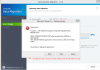
Speaking of issues, I'm having one with my Samsung migration software. Trying to move from my full OCZ to present 840 Pro but keep getting this
![[IMG]](images/storyImages/down-small.png)
What do?
EDIT: None of the below buttons work. It just closes the programAttached Files:
-
-
Is this a clean/healthy install of Windows?
In the rare cases where I clone a drive (for client's; for the 'recovery' partition peace of mind), I always do a full restore of the system (formatting the C: drive) and create the Restore CD's from there (if they're not already created, of course).
This would be my one, major suggestion.
Good luck. -
Actually I had just installed the last of my major programs and that put the drive well past the free space limit. I figured that when I got to this point I would need to switch to a larger drive. I just wanted to clone the whole kit and caboodle to the 512GB Sammy but for reasons still unknown I got the above window.
Since I already had Acronis from my original HDD to SSD cloning I simply updated and used that. A few clicks of the mouse and the deed was done without any hitches.
I then relocated the OCZ to bay 2 duties--a huge reduction from my 1TB HDD--but at least I can make better use of SATA 6 and maybe gain a bit more battery time. I say maybe because the HGST was remarkably efficient and whisper quite too. In any event, thanks for responding, but I guess that's what can happen when the cloning disc is included for free?
One more thing, Windows now registers me at 257 GB free of 476 GB but no partitions or anything. Is that a sufficient setup for optimum performance? Any tweaks other than that?
One more thing, even when the OCZ was full it only took 18 sec. to boot, and that was with only 16 GB free! I would have thought it would be a lot slower being in the red zone and all. -
Actually, I had just installed the last of my major programs and that put the drive well past the free space limit. I figured that when I got to this point I would need to switch to a larger drive. I just wanted to clone the whole kit and caboodle to the 512GB Sammy but for reasons still unknown I got the above window.
Since I already had Acronis from my original HDD to SSD cloning I simply updated and used that. A few clicks of the mouse and the deed was done without any hitches.
I then relocated the OCZ to bay 2 duties--a huge reduction from my 1TB HDD--but at least I can make better use of SATA 6 and maybe gain a bit more battery time. I say maybe because the HGST was remarkably efficient and whisper quite too. In any event, thanks for responding, but I guess that's what can happen when the cloning disc is included for free?
One more thing, Windows now registers me at 257 GB free of 476 GB but no partitions or anything. Is that a sufficient setup for optimum performance? Any tweaks other than that? -
In my experience; free space does not equal 'unallocated' space at all.
I had a client that took a few weeks/months to convince to have him 'give up' 30% of his SSD's capacity on an older, but one time 'workstation' class platform.
When he finally did - he was blown away at the performance/responsiveness his older system is giving him. Still using the same system today.
I would suggest you leave at least 25GB free space on the C: drive (if you can point any needed temp/scratch disk operations to the OCZ, of course) and leave the rest 'unallocated'. If you really aren't using the space - may as well make it work for you (with reduced WA and better performance).
To do this properly: shrink the O/S partition to the size you decide - create a new partition with the remaining capacity. Once created; do a quick format on the new partition. Leave the computer idle (make sure it wont' sleep - disable that in the power options) for at least half an hour - I would leave it up to two hours myself and then; delete the partition and leave it 'unallocated'. (At least until you need more space; then you can incrementally 'Extend' the size of the O/S partition to taste).
What you have just done is TRIMMED the 'unallocated' capacity and allowed the SSD enough time to clean the nand fully.
Now; it is ready to give you the benefits that OP'ing promises.
(Note that this is not as good as leaving some of the drive 'unallocated' from a brand new state: but it is much better than simply shrinking the partition and hoping the GC will eventually fully clean the nand (I haven't found an SSD that does that on it's own yet...).
Good luck. -
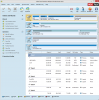
Ok, I used Partition Wizard to accomplish part 1 the shrink, and it says unallocated. Is there any benefit with using this method or shall I still proceed with step 2 ? I thought these tools were suppose to streamline these procedures. What do think?
Also to accomplish this for the OCZ that would be a 71 GB partition @30%? Looks like I'm going to need that larger mSATA after all.
ThanksAttached Files:
-
-
Tiller, two questions about overprovisioning,
1) Lets say a new install of win 7 on a new ssd, 512gb, im probably going to use about 150gb, i see you recommend around 30% overprovisioning, would more tangible better? i mean like 40 or 50%, or 30% is sweetspot.
2) For setting the overprovisioning on a used ssd, is it enough just to delete the partition and re do it while the win7 install is going? -
1) I have found that 30% is the sweet spot - any less and I want to redo the installation again (i.e. I can feel it slowing down on me as I use it). However; on my most used setups (desktops); those SSD's are minimum 50% 'unallocated' - depending on their capacity - but note that they are used as temp/'scratch' disks for hours on end.
If you know that your install is ~ 1/3 of the capacity though: I would leave 2/3's as 'unallocated' - this certainly won't hurt the drive any - and, anytime you need to use more capacity? Simply 'extend' the partition as you need it (up to a max of 2/3's 'used').
This is exactly what I do with HDD's too - and clients notice the difference immediately when their slow lumbering HDD is confined to the first 5% (~100GB) of the disk instead of being allowed to 'roam' over 1, 2 or more TB's unnecessarily.
2) While the recommend 'right' way is to do a SE (secure erase) on the SSD - it is (close) enough to simply delete ALL partitions and recreate a new one (leaving some as 'unallocated').
Something more to keep in mind:
In my current 'standard' installs: I have never used more than 100GB for the C: drive partition (data not included). However, if I create two partitions (one O/S, one data - and I almost always do...) and I make the C: drive smaller (say 60GB's) - I have gotten 'stuck' by not being able to expand it if I need to. How stuck? Well; if I can't move the data off without 'breaking' Windows... I have needed to do a full install again... ouch.
The way to get around this is to create both O/S and Data partitions at time of install like so:
(Note: the 'numbers' supplied are for Windows 8 x64).
On a new/unused disk (or an HDD/SSD that you've deleted all partitions on):
Create a 103000 MB Partition - Windows installer will warn you it may create additional partitions - allow it. This will be our C: partition.
On the remaining unallocated space - create an additional partition (this will be for our data) - making sure that you're leaving the full 30% (or more) of the total drive size as the last remaining 'unallocated' space, after this data partition is created. If the drive is large enough (480/512GB) - just create another 100GB (102600 MB) partition for now (remember: you can always expand it as you need to).
Go back to the 100GB partition and delete it - and then re-create the C: drive partition at the capacity you want. If we chose 50GB (as an example), then you can have your Data partition be 50GB larger (and still have that ideal 30% 'unallocated').
Though it seems we have ended in the same place with much more work; in reality, this only takes a couple of minutes to do properly. And what we gain is that if we do need to expand the C: drive (O/S) partition in the future - we can simply, easily and safely do it. Without needing to re-install Windows again.
This also helps HDD's too: as it keeps the heads confined to the fastest parts of the disk (the smaller you make the C: drive partition).
In the end this ensures that the work you've put into in setting up your system is not wasted (or worse; results in data loss) if you ever need to reinstall windows again (and deleting partitions/formatting the C: drive is the only proper way to do a re-install).
Hope this helps.
Good luck.
SSD Thread (Benchmarks, Brands, News, and Advice)
Discussion in 'Hardware Components and Aftermarket Upgrades' started by Greg, Oct 29, 2009.


![[IMG]](http://img607.imageshack.us/i/asssd2.png/)
![[IMG]](http://img407.imageshack.us/i/asssd1.png/)
![[IMG]](http://img33.imageshack.us/i/asssd2.png/)
![[IMG]](http://img715.imageshack.us/i/crystaldiskinfo1.png/)
![[IMG]](http://img39.imageshack.us/i/rst1.png/)

![[IMG]](http://img585.imageshack.us/i/asu1.png/)
![[IMG]](http://img9.imageshack.us/i/asu2.png/)
![[IMG]](http://img29.imageshack.us/i/newrst.png/)