 Problems? See this thread at archive.org.
Unless you're doing some fairly heavy duty stuff, you won't notice the difference between the two. They're very close in most day-to-day usage scenarios. The M550 is designed as an enthusiast/performance SSD, while the 840 EVO is more of a mainstream SSD, but still has excellent performance (RAPID caching helps with that some).
If I were looking at this for my own use case, while the M550 does perform better, it doesn't perform $40 worth of better, and that's the price difference for the size you're looking for. Some people might be willing to pay $40 for more performance, but for me it would have to be noticeable, and I generally look for the optimum price/performance ratio rather than the max performance at any price.
Samsung's got a few extra tricks in its Magician software.
-
-
For basic stuff, gaming actually thats all
Sent from my SHV-E210S using Tapatalk -
In general, games really dont care about what your storage drive is like. It's usually It's up to the GPU, CPU, and display to determine the performance in a game.
That said, I agree that $40 is a massive amount of money relative to the trivial amount of performance gains, especially since you won't notice it unless you specifically try to test for it. -
So samsung evo is more worthed?but the thing is i heard from some people mlc nand is more reliable than the one samsung evo use, is it true?
Sent from my SHV-E210S using Tapatalk -
While it's technically true that MLC has a longer write lifespan than TLC, it helps to do the math. Which, luckily for you, I did a while back. Brace yourself, this gets into some detail.
A power/heavy user can expect to do about 20 GB of writes per day on their drive. Based on that, assuming 250 GB-class drives in both cases, and worst-case write amplification of 3x, an MLC drive is generally rated to last 34 years, while a TLC drive is rated to last 11 years. Assuming they only last to their rating (most NAND lasts longer) do you really think you'll have the drive or the computer for over a decade? That's pretty much worst-case for a desktop user, generally desktop users do around 10 GB per day, and write amplification has a hard time getting as bad as 3x. But when you're speccing mission-critical servers it's best to worst-case use scenarios, so I do.
In essence, you're paying for another 23 years yeah....which you probably won't use. If you will use it, maybe it's worth that $40. I'd never use a drive more than 10 years anyway though, it would be replaced with something newer by then, even in one of my mission-critical SQL servers (particularly in one of those, come to think of it).
I know you're looking at 500 GB class drives, but I generally do my calculations with 200-250 GB class drives, and double the figures when I need the next size up. After that point they increase but they don't necessarily double, that depends on the manufacturer. -
Thanx for the info, i get it now, is there any other ssd that u recommend with the same price tag?or evo is good enough?
Sent from my SHV-E210S using Tapatalk -
Either the 840 EVO or the Crucial M500 are fine options. Probably the most reliable options out there too, outside of Intel. And I generally don't recommend SandForce based drives, not even the Intel ones.
Sent from my LG-D800 using Tapatalk -
Price would be a huge factor with a light workflow. Samsung and Crucial are equally reliable. You may want to look at the new Crucial MX100 The 512GB is $200 at Newegg with a promo code.
Crucial MX100 CT512MX100SSD1 2.5" 512GB SATA III MLC Internal Solid State Drive (SSD) - Newegg.com
Crucial is, definitely, aiming at Samsung, the market leader in sales. The M500 opposed the original TLC 840, the 550 - EVO. The MX100 replaces the M500 with better performance and a low price. -
So any developments on that supposed breakthrough that will make ssds like twice as fast that I heard of not too long ago?
Sent from my Nexus 5 using Tapatalk -
Vaporware
Sent from my iPhone using Tapatalk -
Nah, not vaporware...
We just haven't been back to that future yet.
See:
http://forum.notebookreview.com/sol...ost-60-less-power-usage-more.html#post9680557 -
Possibly less than vaporware even.
Sent from my LG-D800 using Tapatalk -
If you absolutely had to use MLC for whatever (mostly psychological) reason and prefer Samsung, 840 Pro is still around at this time.
-
The advantages of MLC are not simply psychological with a real storage subsystem workload (or even occasional high performance needs too in a 'consumer' setting such as simply copying GB's of data back and forth, for eg).
The 840 Pro SSD, although MLC, is nowhere close to the best reliability AND performance option at this time either. -
The advantages of MLC are dependent entirely upon workload, and below a certain write threshold, completely psychological. It takes well over 20 GB of daily writes to get a TLC drive down to the 11 year mark, assuming worst case write-amplification of 3x, which frankly no one is able to get these days (generally the norm is between 1x and 2x unless you overfill your drive). That 11 year mark is a worst-case mark, and it's going to be more like 20+ years with a real-world write amplification figure, while the MLC drive will go for over 40 years. So again, in any real sense, your PC will fall to dust before you wear out your SSD, unless you're dumb enough to put a high-load production SQL DB on the thing (which is what they make eMLC for anyway).
You realize that, to get a TLC drive to only last 5 years, you have to be doing somewhere between 60 and 100 gigs of writes per day on the thing? And at that point a consumer MLC drive is only going to last 10?
Seriously, do the math. I can tell you haven't done it. Provide me a desktop use case where an MLC drive will appreciably outlast a TLC drive based on rated lifetimes (which are always short of actual lifetime anyway). To the point where you'll have to replace the TLC drive within the lifetime of the machine, but not the MLC drive. Then mathematically try to support your case. I look forward to the silence.
FYI a 250 GB TLC drive is rated over 250 TB of writes over the course of its lifetime. A 250 GB MLC drive is rated north of 720 TB of writes, lifetime. eMLC drives are rated over 3000 TB for a 200 GB drive. You see, I did the math. None of this is witchcraft or magic, it's science. -
You're confusing the issue. The advantages of MLC are not simply total TB's written (yawn).
I'm talking about real world performance (and yes, with a 'real' workload that actually pushes the storage subsystem).
TLC can be the snappiest thing to happen to storage drives in a long time (1TB EVO is currently the responsiveness king with 650GB allocated capacity), but for sustained performance (even just copying files) - the only word for it is: it sucks. I just don't use it in it's sucky capacity...
I haven't seen a recent MLC drive fall on it's face that way: it is the limitations of TLC nand with it's high programming voltage (for erases), firmware that is protecting the manufacturer from too many warranty claims (it tries to keep the erasing happening at a leisurely pace) and the simple fact that more processing (DSP) is required to ensure data stored and retrieved from the drive is the data we actually wanted to store/retrieve in the first place.
There is no math involved. I use different SSD's in my varying workloads and the differences are blatantly obvious to me. Of course, YMMV.
The math may predict what 'should' happen - we lowly consumers actually generate the data of what actually happens.
To look at one aspect of an SSD is missing the point of having one:
They are built for performance, not indefinite permanence. -
Again, The advantages of MLC are dependent entirely upon workload, and below a certain write threshold, completely psychological. Nice try changing the subject though.
-
Well, he's still technically correct about that last post. I can especially imagine DSP on a TLC drive being a real PITA.
However, I agree with you that the little details like that really don't matter for Average Joe. AJ is just going to use the drive for very basic tasks, I/O-wise, and the price would be the biggest difference (that and longevity, though a decade or more is still a long long time for a drive...). Just my two cents, but comparing my MLC drives to my sister's 840 TLC drive, i didn't notice any subjective difference outside of benchmarks. Browsers opened just as quickly, files were loaded and saved just as quickly, boot time was very very close as well, etc. The only real concern of any hardware really is if it meets a certain demand the user has, and mu sister's more than happy with her technically inferior TLC (and I'm happy with my MLC too, though i paid a lot more for it back in the day :/)... -
Sorry, I didn't think I was changing the subject (I really thought you were...).
When we're talking about SSD's I think (purely) performance. The same as if we were talking about Ferrari's I wouldn't be asking about the warranty or how comfortable the ride to McDonalds will be.
See:
ASRock Z97 Extreme6, M.2 PCIe, And Samsung's XP941 SSD
See:
Results: PCMark 8 Storage Consistency Test - A 1400 MB/s SSD: ASRock's Z97 Extreme6 And Samsung's XP941
The second link above (Pg 8), first graph, shows how bad TLC performs with a real workload - it doesn't matter if it lasts a decade (it would take that long to get a job out using one of those drives). Below HDD performance? Yeah; much, much below.
Because the firmware is trying to protect the weak and vulnerable nand from self destructing and also protecting Samsung from debilitating warranty claims too.
I too said the workload matters and the fact is it matters even when the workload isn't 'extreme' too, but rather mundane: simply copying files.
If you consider it acceptable for only 2 to 10 minutes bursts (depending on the capacity and RAM cache of the specific model) of high performance (expected of an SSD after all) before the SSD needs to rest for 'hours' is normal - I think you're in the minority.
If I was claiming to 'feel' a difference I would defer to your 'psychological' assessment.
But this is night and day difference - TLC is simply an 'ssd' for the masses and nothing else.
Don't worry though; I too have a 'molasses' workflow some days too.
-
tiller, could you please describe your average workflow, especially in regards to "mundane" workloads like copying files? I mean, are you transferring terabytes of data at a time?
With my admittedly limited experience, I couldn't tell the differenece between a 500GB 840 Evo, 512GB 840 Pro, or 480GB SanDisk Extreme II as my boot drive for daily use. I use my computer mainly for browsing, gaming, office producitivity, and the occasional computation heavy (scientific modelling) task. I think it's fair to say my workflow is fairly representative of the average Joe's workflow. -
I upgraded my 120GB Samsung 840 Pro to a 250GB Samsung EVO.
I haven't been able to tell a difference in terms of speed. My laptop, a Thinkpad T410 has SATA2 so I am limited by that. But having the extra room is very nice. I am used to running 500GB HDD's so dropping to 120GB was killing me. Now that I have 250GB I can dual boot Windows 7 and Linux (once the linux mint team releases the KDE version) and put a 500GB data drive in the ultrabay.
Workflow: MS Office (outlook, onenote, excel, word), remote desktop and command line for IT voodoo, light flash gaming.
I have read an Anandtech review of the drive where they did accelerated wear leveling and testing. Supposedly my drive will live longer than the 3 years Samsung warranties it for.
AnandTech | Samsung SSD 840 EVO Review: 120GB, 250GB, 500GB, 750GB & 1TB Models Tested
I am extremely happy with my purchase decision. It was on sale Fry's for $150 and I couldn't pass up that deal.
What do you guys think of the 840 EVO? I really love mine. -
I usually buy SSDs on price as there's little practical difference between in my experience. I can't say anything about the Samsung as I've never seen one, but for most uses, the SATA II connector won't be the performance bottleneck as it's the latency, not the throughput, that makes SSDs fast.
-
I have moved from Samsung PM830 to Crucial MX100 256GB, my workflow is pretty minimal and very basic
but I like the low temps for MX100 few benchmarks to compare, I couldn't get temps for PM830.
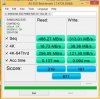
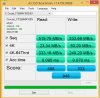
 tilleroftheearth likes this.
 -
ellalan, thanks for the temps on the new MX100's - these look just as good as the original M4's but with much, much better performance.
Best of all; they're available now and the prices are going to put HDD's to pasture.
See:
Crucial MX100 Series Solid State Drive, 512GB at Memory Express
$240 for a 512GB SSD and this isn't even a 'sale' price - 2014 is looking to be a good year for SSD's (along with the SanDisk Extreme Pro 960GB model).hendrix and alexhawker like this. -
Finally becoming affordable...
-
Samsung Electronics 840 EVO-Series 1TB 2.5-Inch SATA III Single Unit Version Internal Solid State Drive MZ-7TE1T0BW @
Price: $399.99
http://www.amazon.com/gp/aw/d/B00E3W16OU
Less than $0.40 a gigabytehendrix likes this. -
hello guys, i'm using lenovo y510p. i'm going to buy 480 or up ssd. my choices are
plextor m5 pro extreme
samsung 840 evo
ocz vertex
ocz vector
what do you think will be good for me? i'm only using it for daily use, bcs my stock hdd is 5400 and it feels slow for me -
Samsung 840 Evo is my choice.
-
dewinandita, I too second the largest capacity EVO you can afford, from your choices above.
Good luck. -
Thank you for your answer, ellalan. I appreciate it
Thank you tilleroftheearth, i think i am going to buy the 500gb one, bcs in my country it gets really expensive..
By the way, i am using Y510P and it has m.2 ngff port, is Plextor M6E going to fit? -
Samsung 850 Pro 128GB SSD Review
samsung 850 pro? mmmmmmmmm?
Samsung 850 Pro 1TB SSD Review - The New Performance King
1 TB 850 pro MMMMMMMMMMMM? -
I'm about to buy a larger M.2 SSD for my HP Spectre 13T-3000. I see three devices on Amazon that look comparable (listed below). Besides price, what other differences would cause me to buy one over the other. Of course, I'm interested in best reliability, best performance, and, very importantly, ease of installation (which probably means which one has best software to clone old smaller SSD). The options in the M.2. 512GB 2280 class (please let me know if there are others):
Crucial M550 512GB SATA M.2 Type 2280 Internal Solid State Drive CT512M550SSD4 $319.99
Transcend 512 GB SATA III 6Gb/s MTS800 80 mm M.2 SSD Solid State Drive TS12GMTS800. $273.25
ADATA USA Premier Pro SP900 512GB M.2 2280 Solid State Drive 0.85-Inch ASP900NS38-512GM-C. $254.99 -
I would like to purchase an mSATA SSD for a notebook which is capable of SATA2 speeds max. The notebook in question awaits other upgrades as well, thus price is important. Since mSATA SSD will be accompanied by 2x 2TB M9T's I already have, I believe 256GB is enough even with 30% OP. So far I am looking at Kingfast 256GB F8M mSATA. They seemingly have good 4K performance, are good enough quality and very cheap at the same time. Any suggestions?
-
I wouldn't worry about the SATA2/3 capabilities. Reliability and price would be my focus.
With that said, the Crucial M4 is the most stable mSATA SSD I have used. If the reliability/longevity of the system is important, tracking one of these down would be time worth wasting.ajkula66 and Starlight5 like this. -
Agreed wholeheartedly. These do occasionally pop up at reasonable prices - be aware that the OEM version was known as Micron C400 - and would be my preferred choice to almost anything available today in the mSATA format.tilleroftheearth and Starlight5 like this. -
Are the Micron C400 versions firmware upgradeable by the end user? If they are, then they are another option to the M4 models, I agree.
-
Yes they are upgradeable by the end user.tilleroftheearth likes this.
-
ajkula66, tilleroftheearth, thanks.
-
Anybody can advice for or against this m.2 ssd? I can buy it for ~238 euros.
SSD ADATA Premier Pro SP900 512GB M.2 2280 -
Some of the ADATA drivers are actually Crucial rebranded drives, you might be able to buy them cheaper than ADATA.
Samsung and Plextor M.2 drives get extremely hot during use, other than that no issues. -
There's not much of an offer around here, for m.2 ssds and this ADATA has a lower price than most others. It's also about 40 euros cheaper than CRUCIAL M550 (similar specs also, just a tad lower speeds).
I couldn't find any reviews of ADATA ssds in general, let alone this particular model.
It comes with 3 years warranty and I'm thinking...what could go wrong?! -
I'd be a little leary about any M.2 offering right now if you want the highest performance your system can offer.
See:
ADATA Launches SP910 2.5-Inch and SP900 M.2 SATA SSDs | techPowerUp
Notice the comments in the link above.
Warranty is no indication of how reliable or better yet, fit for use, a component is.
It is simply one way of increasing the price of the product while making it palatable to the uninformed consumer.
What could go wrong? May run too hot and throttle itself and the rest of the system, might not be compatible with your workflow (being a SF based drive and therefore an inherently weaker option for workflows with already compressed data) from a performance and longevity stand point. Again, SF based, it may decide that it won't show up in your system one fine day you decide to boot from it. The warranty may cover replacing the part - but the (down) time and frustration of getting a new drive, installing your O/S and your Programs again will seem like a mere nuisance vs. the DATA that you may never see again in that scenario.
Backup fully and often and backup again. Not only for this specific drive, but for any system you have your own data on.
See:
http://forum.notebookreview.com/sol...-crucial-m550-vs-plextor-m6e.html#post9829650
Good luck. -
So I have a couple SSD's laying around that I simply haven't had much time to get around to using. I want to get an idea from people who are up-to-date on how slow these are compared to the current stuff coming out. And yes, I realize they're old: Kingston hyperX 120gb (I believe this is a rebranded Intel with SF controller???) and the X25-E 64GB Slc. I got a few of each and I wonder if it's worth it to run them in RAID-0 or just buy something cheaper nowadays. I do a lot of gaming, a lot of compression and movement of large files/back ups.
-
@tilleroftheearth I ended up ordering another laptop model that can house 1x7mm and 1x9.5mm drives so I will go for a 2.5" ssd and skip any m.2 drivers. Thanks for taking your time to explain
tilleroftheearth and Ferris23 like this. -
If you have a system that supports TRIM with RAID0, then the Kingston HyperX models may be more than good enough (I would be looking at a 4x RAID0 for this to approach current performance standards... and even then from one or two current gen drives, not 4 or more).
The 'better' SSD by far is the X25-E SLC of course, but those are from another era (2009) and I would guess that they won't play as well as expected (not with regards to reliability, but rather performance and more specifically; TRIM performance) with current hardware (a RAID0 TRIM aware Z77 based system or above), but since you have both, it is only your time to try them out.
If you have two similar platforms that you can do identical installs to with the different SSD's, you'll be able to see which is the better option in a very short while (with no guessing).
The drawbacks will be that you will need 8x X25-E's to have the same capacity as 4x the HyperX. Do any of your platforms support that?
For myself, I count the time in building, testing/verifying of the system more valuable than what the storage subsystem is worth - even for small 8x SLC drives.
I would be inclined to buy two 1TB Samsung 850 Pro's or two 960GB SanDisk Extreme Pro's if funds are not a concern for the highest performance today - or, if funds are tight, one or two Crucial MX100 512GB models instead of using the SSD's you have on hand.
I would also buy a few external enclosures for the number of Kingston and Intel SSD's you have and turn them all into USB 'keys' - if for no other reason, that they're used (even if only to a fraction of their potential).
The SF based Kingston drives blow away the X25-E's in raw performance 'scores' - but they're not what I would be comfortable with on a system of my own. The old X25-E's are great in an enterprise workload (even today) - based on day in/year out reliability and sustained, always on usage. But a lot of HDD's can and do surpass what those golden oldies are capable of - as long as we concentrate on sequential performance and on performance consistency and less on I/O, of course. A hard cap of 200MB/s for the Intel drives is just not cutting it today. And for me, neither is setting up a system based on Kingston SF based storage from effectively 3 years ago - with the main performance concern here being the atrocious write speeds of compressed data on a SF based controller (again; as low or lower as in the (current) HDD range).
Don't let my preconceptions stop you from at least testing what you have. But knowing the limitations and the current possibilities, along with your own testing, you can make the best decision possible for you.
Hope I have given enough info for you?
Good luck. -
Kingston SSDs use the crappy SandForce controller which can only achieve the advertised speeds when it deals with compressed data. That's why on the box of my previous Kingston HyperX 3K SSD it said "These results were achieved with ATTO Disk Benchmark" because it uses compressed data. But in the real world, I was getting around 170MB Read/Write, no where near the advertised speeds. I would never use a Kingston SSD even if you paid me.
upgrading from ANY HDD to even the slowest SSD would be a night and day difference. ANY SSD will blow an HDD out of the water. But when comparing these crappy Kingston SSDs with the high performers such as Samsung840/850 PRO or SandDisk Extreme II / SanDisk Extreme PRO / Crucial M550/Crucial MX100 they would leave the Kingstons in the dust.
you never know how much faster it would be until you try it
Just my 2 cents worth -
I am long aboard the ssd train and I am aware of the performance differences.
However, my doubts were about that particular a-data model that I had never read a review before.
All in all I dropped the ideea of an M.2 ssd and going for a 2.5" model.
Sent from my LG-D855 using Tapatalk -
Hi all -- returning to the scene after a long break
I'm out to replace the 160GB intel SSD in my HP Pavilion DV7t CTO 6100 because I need more primary drive space. wow, Since I stopped paying attention, OZC has gone from an industry darling to bankrupt, Sandisk extreme pro has gained a lot of respect, and Crucial is still in there respectably as well. Anyway I'm leaning towards a 480GB extreme pro which, as of this writing, was under $300 at Amazon.
On Edit: As this laptop is only SATA 3Gb/sec there seems little reason to pay extra for performance that cannot be realized .. so I'm leaning more towards the crucial, which brings up this question: any issues with the MX100 series or is the M550 recommended in this application?
I would like to ask for pointers to the swap process itself on the HP. I haven't kept up with the scene for a couple of years and the procedure has drained out of my head. pointers please? Is it basically "use a USB/SATA cable, format, then xfer bits using Acronis or something?Last edited: Dec 10, 2014
SSD Thread (Benchmarks, Brands, News, and Advice)
Discussion in 'Hardware Components and Aftermarket Upgrades' started by Greg, Oct 29, 2009.


