 Problems? See this thread at archive.org.
I think it might be because of very small files <1MB and searching/scanning takes a long time than usual. MBAM 3.x is somewhat buggy.
Try free space defrag in PerfectDisk or Micrsoft's very own defragger with the same thing defrag /X volume_letter:
I'd suggest vacuuming Google chrome profile using Bleachbit if it supports that feature like firefox.
And if possible uninstall current IRST driver and install 17.x driver from Intel's site.
-
-
So I think I am getting the Clevo 775TM-R from HIDevolution. Seems to fit most my needs. Was going to go with the i7-9700k, RTX2070, 32gb premium RAM, all their cooling mods plus I think I plan on having with me a Klim cooler side vent fan to help if needed.
This is for paid work although my usage varies. I do a lot more photo work on my laptop but will be probably about 50/50 once I get this one between photo/video. I shoot with a Canon C200 and BM Ursa Minis so up to 4K but mostly 65% of the time 1080p. All RAW files. I also shoot RAW photos.
As far as time, it also varies. Some days I’m on my computer 8 hrs, some 0-2 hrs. I have probably about 20tb worth of files in external HDDs which house everything including backups currently but will probably need to expand that soon.
Let me just say I am coming from a 13 year old HP DV6000 so this is a HUGE upgrade already for my laptop. I also use my business partners Desktop maybe once/twice a week for video editing which we custom built that has a Ryzen 7 1900x, 64gb vengeance ram, a 1080gtx and 1080gtx Ti in SLI, and a ton of internal and external SSDs/HDDs. So I’m use to a well performing desktop.
I am on my laptop the most though as I’m always on the move, so just want to make sure whatever setup I go with can handle the job. That being said, I’m also not rich so I can’t just break the bank for the best out there all at once. I plan on buying the drives separate from HID as they charge way to much for them and installing myself to save some money. My build is already at the $3500 mark without taxes. And I maybe have room for 2 m.2/nvme drives to buy that will fit my needs.Last edited: Apr 2, 2019Vasudev likes this. -
HP Pavillion, yeah, I remember those. This will be an insane upgrade if done right.

That platform seems like a mostly good fit for your outlined usage. I would go for at least 64GB of RAM though (I'd just max it out to 128GB right now, myself and be done with that aspect, including reaping all the benefits of the RAM goodness every time I powered this up).
Hope the cooling is up to par for the dual 970 Pro 1TB drives. Also, suggest you get a second power adaptor right away (I never take the second power adaptor out of my bag when at the office). The second becomes invaluable if a power adaptor goes south...
Anything current can handle the work, even a 2 year old i5-8250U when enough RAM is thrown it's way. Just how much effort/patience do you have to put behind the keyboard to get this work done? The i7-9700K should be a beast after using the DV6000, but again; cooling will be the key here.
You previously mentioned 100GB project files, is this a single project? Is this a good estimate for the average? The RAM capacity becomes very important here. 32GB is circa 2015 levels of performance. 16GB is for watches/phones. Don't choke the performance of the CPU by forcing it to swap out to the storage when RAM is what is needed.
Also, buy the OS/Driver USB key for $25. You may only use it once or twice, but it will be good for a quick setup when you put in your own drives to see how everything behaves.
I'd still do a clean install though, OP'ing to 67% of the drives actual capacity when seen during the Windows installer in Advanced setup.
If you could give us a quick update when you receive this of its performance characteristics (not 'scores' or BM's, but your real-world evaluation of it; heat, throttling, noise, productivity gains...), I'll be looking forward to that post.
Good luck on this journey. Don't settle for subpar performance in any aspect of this platform. Your $$$$ are just as good as anyone else's.
Take care.
-
As @tilleroftheearth suggested I’d go for the PRO drive for sustained writes. The 970 1 TB is ~$350 or $100 more than the EVO but may well be worth it in your case. The 960 PRO 2 TB is $449 on Newegg and probably the best buy.
tilleroftheearth you have some extreme performance needs. I looked at the same sustained data as you and saw a glass half full where you saw half empty. Granted I can’t judge because different people have different requirements.Papusan and tilleroftheearth like this. -
Thanks for the reply. I'll look into PerfectDisk more another time, but sleep now! Today I did install Auslogics Disk Defrag as it's a program I know & trust from my spinner using days, and that's got an SSD optimise function, that I ran just now. It doesn't make any difference to the scanning speed of that troublesome JS Code Cache folder though.
Thanks for the info about Intel Rapid Storage Technology, I didn't realise a newer driver was out, it's March release this year actually, so that 17.x is new! I installed it now. No difference to scan speed of that JS Code Cache folder though. Bleachbit I don't know, but I googled it very briefly, it seems to clean up temporary files - I've got CCleaner installed, so I think I can do the same thing using that, but correct me if I'm wrong. I'll try giving CCleaner a go tomorrow and I'll test to see if JS Code Cache folder is still slow scanning or not.Vasudev likes this. -
No, an 'SSD optimize' function is worth less than dirt (as you just found out).
The only defragger that can fully defrag the files and the free space in one pass is PerfectDisk. Others may come close, but no cigar.
Download a trial of PD, disable OptiWrite and use SmartPlacement with the following parameters for Data Layout in SmartPlacement (double click on a drive partition and select SmartPlacement):
- Starting with the leftmost dropdown box - Select Rarely.
- Then right next to it, select Boot,
- Then, select Occasionally,
- Then select Recently,
- Finally, select Directory.
Now, hit Okay and make sure you run a SmartPlacement run by not hitting the Green Play button, rather, click the text that says Start underneath it and select SmartPlacement.
Let it run (it may take a while). At this point, I would run it at least once more.
Extra points (do before the above):
If you have 16GB RAM or more, disable the pagefile, the hibernation file, and the System Restore function. Make sure you delete any Restore points too.
Reboot the computer. Do the PD steps above.
Again: the biggest benefit here is not a defragged file system. Rather, a defragged free space file system. Meaning that the SSD is ready on your command to write to free space as requested/demanded. Rather than doing the read/erase/write dance, it must do, with an otherwise thrashed nand subsystem.
It may not bring the scanning to where it should be - that depends on the quality of code that Malwarebytes uses - but you should still notice an improvement in any case.
In my experience, anything other than MS touching 'protected' O/S areas is the virus. I would be uninstalling/not using this A/V anymore in your shoes.
See:
https://www.techapeek.com/2019/03/2...er-av-can-now-stop-malware-from-disabling-it/
See:
https://www.meartechnology.co.uk/bl...x-safe-browsing-extension-for-chrome-firefox/
See:
https://www.microsoft.com/security/...-defender-antivirus-can-now-run-in-a-sandbox/
Last edited: Apr 3, 2019Robbo99999 likes this. -
Thanks for the detailed instructions. I'm running it now on the 3 partitions of my 2 SSD's. I'm running it on all 3 partitions at the same time - I'm assuming that's not a problem. One partition already completed (the games partition) within 15mins, the other 2 partitions which are on my Sandisk Ultra II are still processing, and it's about 1/3 through the boot partition after about 30mins runtime.
I'll read up on those links you posted. I'll update this post with any of my findings re scanning performance or 'other performance' after the PerfectDisk optimisation is complete.Papusan and tilleroftheearth like this. -
I would only run it on a single partition at a time of each SSD.
Looking forward to your findings.
-
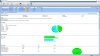
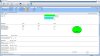
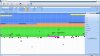
Ah, I did it on all 3 at the same time, hopefully not a problem, although the program seemed to come back with good results, at least in the Summary, do these look ok to you?
-
No, don't worry about a one-time event. It would have just taken longer to complete, that's all.
The summary doesn't look good to me though. See the 47.6% free space fragmentation? That should be zero (or very, very close to it).
Can you post an image of the SmartScreen placement options you've set?
-
Yes, I saw that, but the drive space map looked good, and the program said not to worry about the 2000 odd free space fragments. I did follow your instructions I think:
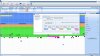
Should I run it again you think? Although it looks like the Brown Coloured blocks are the cause of the fragmentation, they're the Excluded files, so I'm not certain that it would be able to move those even if I ran it again?tilleroftheearth likes this. -
Is System Restore being used? If it is, turn it off (you can turn it on again afterward if you really want), delete any restore points and run it again.
It should really be 'zero' the free space fragmentation. It may even need another run.
Edit: There is nothing else running when you're defragging, correct?
-
Robbo99999, one more thing... did you disable OptiWrite in Global Settings Stealth Patrol? Make sure that is disabled.
I am leaving in a few minutes for an appointment. I might be able to see your progress/posts, but probably not be able to reply.
So, assuming the free space defrag completes fully, let your system idle for at least half an hour or so afterward. (Letting the nand do any internal cleanup it needs).
Then test if you see it is any more responsive. Take care.Robbo99999 likes this. -
Yep, System Restore Protection for all drives is set to Off. Yep, that's right, nothing else running during the defrag runs - Avira Free Antivirus Realtime protection, MSI Gaming LAN Manager, and Intel Rapid Storage Technology icons in the task bar as usual - so not active, just 'background', the usual startup items. I'll try running it again just on C: drive.
EDIT: yep, I had disabled OptiWrite in the Global Settings.
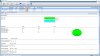
EDIT#2: redid the defrag on both C: and E: partitions, the ones that had the free space fragmentation, and the defrags completed in literally just a minute or two, hardly any free space fragmentation now:
 Last edited: Apr 3, 2019tilleroftheearth likes this.
 -
Have you tried Malwarebytes forum?
-
I only do a deep scan probably once a week or something, so not too bothered about going on there to report it or find a solution. I was wanting to optimise my SSD the best I could to rule that out as a problem, because that benefits other uses of the computer too.
@tilleroftheearth , I'm not really noticing any differences in my system now after the defrag, but I don't push the SSD hard for the things I do (web browsing, gaming, light office). I'm not noticing any more snappiness of desktop & applications. Malwarebytes scan is still slow for the google chrome js cache folder - although the disk doesn't seem to be pegged at 100% active time quite as much when scanning that directory, but it's still scanning it slow even when not at 100% active time - so there's a pecularity with that folder that's slowing down the scanning apart from just active time of the disk (it's not easily seen to be CPU related, as low CPU usage, so unknown bottleneck going on for scanning of that folder). But I appreciate the help with PerfectDisk, I should think it's optimised my SSD as much as I can, so there's that!tilleroftheearth likes this. -
Bleachbit is much more than CCleaner w/o adware.
If you've trouble trusting 3rd party SW's then give MS's tools a try especially contig from sysinternals suite and MS defrag. You can check this thread out http://forum.notebookreview.com/thr...-powerdefrag-free-space-consolidation.827436/ and beware it won't make your SATAIII SSDs perform like NVMe drive but you might gain some speed in certain workloads or heavy IO.Aroc and Robbo99999 like this. -
Oh yeah, I'd forgotten about your recommendation to clean out the temporary files, I'll probably use CCleaner before my next weekly Malwarebytes scan, to see if it speeds it up. I don't really want to try anymore defraggers, I think PerfectDisk would have done a good job and I don't want to keep thrashing the SSD for no reason.
-
If your SSD is being thrashed you need to kill processes that consume heavy IO, that way thrashing can be minimised.
-
It's not being thrashed by my daily usage, it's being thrashed by the defrag programs I've been running today. Read my last post and it will make sense now.Vasudev likes this.
-
Robbo99999, sorry for replying so late. Just got a free minute again to post.
Not sure how your system is set up, of course (software, drivers, etc.), but did you leave the system on and idle for the next half hour to an hour so that the SSD could do its internal housekeeping as necessary? After doing so on my systems and then using them normally for less than an hour afterward, the 'snap' is noticeably back.
Know that how you have set the parameters for SmartPlacement in PerfectDisk isn't 'thrashing' your drive, btw.
It will do a minimal re-arranging as the order I use doesn't needlessly move things around.
Not that I recommend doing a SmartPlacement defrag every day (which I used to do on older, more durable, SSD's...), but doing it even every week is not an issue as far as write to nand are concerned vs. normal usage.
When you consider that simply reading the nand files is detrimental to SSD's, doing a once or twice a month defrag with PD's SmartPlacement ensures that those reads (and writes) are affecting as few nand cells as possible, given the workload.
If you have your data fully backed up, I also recommend an offline defrag and then an additional online defrag or two to fully get the SSD 'PD'd'.
The results of the Malwarebytes scan not benefitting from this isn't too surprising to me. I have used/tried it in the past, but the quality of the software is obviously lacking, IMO.
Windows Defender is getting a Sandbox feature on May 10th this year. (Actually, it already has it).
This will continue to be the only A/V software I run on my systems. And the only one I will trust with Sandbox support too (scary to think anyone would let a third party player into the guts of their O/S).
I may be more sensitive than others to how defragging affects my platforms, but it also depends on how the other's systems are used too.
Hope that doing a ccleaner run has restored some responsiveness to your system when doing your weekly Malwarebytes run.
Robbo99999 and Vasudev like this. -
But isn't Sandbox available only on Pro and Enterprise version? I don't see it on mine, however I did see VM extensions in Home edition which gives Hyper V like features on Home and that's the reason VMWare wasn't working. I simply switched to Linux for all important apps and it doesn't complain.jclausius likes this.
-
Yep, I did leave it idling after the defrag was complete, I didn't really notice any difference in 'performance', but then again my system wasn't slow and was snappy before anyway, I just wanted to see if it would help the speed of scanning for Malwarebytes on that problematic JS Code Cache folder of Chrome. I haven't done the CCleaner thing yet, but I'll test Malwarebytes speed once I have done so. Thanks for your pointers.Vasudev and tilleroftheearth like this.
-
Can you provide a screenshot of the folder?
-
You'll be able to find the folder in your User folder, this is the path of mine:
C:\Users\Rob\AppData\Local\Google\Chrome\User Data\Default\Code Cache\js
It contains over 100 thousand individual 1KB sized files! -
I'm a FF guy. I never use Chrome.
-
Oh, ok, but that's what they are, 1KB sized files and over 100,000 of them.
-
Put them to recycle bin and close chrome. Re-open Chrome and you should see newer js cache files.
-
Ah, it's ok, I don't want to mess with it. Like I said I might use CCleaner & then see how long the scan takes then. Thanks for your pointers though, but I'm gonna forget about it until next time I run a virus scan.tilleroftheearth and Vasudev like this.
-
I just bought a 1TB NVMe SSD, (Sabrent 1TB ROCKET NVMe PCIe M.2 2280 Internal SSD High Performance Solid State Drive (SB-ROCKET-1TB)) for £106 pounds on a promotion, I just couldn't pass it up, loads cheaper and good read & write speed specs (3450 MB/s (read) and 3000 MB/s (write)), and a whole 1TB of storage: ( https://smile.amazon.co.uk/Sabrent-...rds=Sabrent&qid=1559928077&s=computers&sr=1-3)
It's arriving tomorrow, and I'll get it installed over the next day or so, I'll at least do a comparison of boot time, and perhaps some program/game launch times - it won't be particularly wide in scope or depth as I don't want to dedicate much time to it - and am I afraid there won't be any differences to my SATA 3 SSD's, ha! Mostly I couldn't resist the 12% off voucher for an already good value product, considering I spent £80 on each of my 500GB SATA 3 SSD's over the last few years, then double the space on this NVMe drive combined with massively improved sequential reads & writes...my tech curiosity and bargain pleasing centre of my brain could not resist this purchase!
970 Evo was £80 more expensive, and WD Black was £90 more expensive....which is 75-85% more expensive than this drive I bought. They're supposed to perform on similar levels and compete against each other. I feel I've got a bargain!Papusan, Aivxtla, Vasudev and 1 other person like this. -
Cool, so I've got that 1TB Sabrent NVMe SSD installed now, and I've got all my games and programs installed on it along with a clean Windows 10 Home install (vanilla). It was trouble free really, the hardest part was working with limited space underneath my monstrous Noctua NH-D15 CPU cooler, getting the tiny tiny M2 screw screwed in (to hold down the drive) was a lesson in innovation, patience and perseverance! Windows 10 installed really quickly once it had finished reading all the data from the flash drive - I don't think I had to wait more than a couple of minutes at any point until it was prompting me to make installation choices (choosing the installation options was the most time consuming part of the process) - the fastest installation I've ever experienced, subjectively way faster than an install on a SATA SSD.
Boot times are slightly faster than SATA SSD, and program load times are a little faster. Windows Start Up from power button press to password screen: SATA = 19sec, NVMe = 16sec. Windows shut down: SATA = 5sec, NVMe = 3sec. Battlefield 1 game load from desktop to menu screen: SATA = 29sec, NVMe = 27sec.
Synthetic tests are really quite impressive with this drive. In some tests it's faster than any NVMe SSD tested that I've found in any reviews, when talking about AS SSD benchmark. Here's my Sabrent 1TB NVMe SSD result (4K 64 thread Writes are massively larger than anything I've seen, and 4K read result also higher than a lot of them):
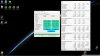
It blows all other drives out the water by 1000 points out of all the drives Guru3d have tested for instance:
https://www.guru3d.com/articles_pages/patriot_viper_vpn100_m2_nvme_512_gb_ssd_review,14.html
Thing is, base test systems are not the same, but I've seen NVMe reviews where base systems were overclocked 7700K, and they still didn't score as high as my drive in this AS SSD test. I'm quite surprised!
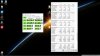
Crystal Disk Mark performance is good, but not blowing other drives out of the water, it's almost on par with 970 Evo Plus 1TB performance, which is probably the fastest NVMe drive out there currently, here's my result and then a link to the Guru3d testing of the 970 Evo Plus I mention:
https://www.guru3d.com/articles_pages/samsung_970_evo_plus_nvme_m_2_(1tb)_ssd_review,15.html
Temperatures have topped out at 57 degC, during the CystalDiskMark, which produces the highest temperatures I've seen on my drive, that's without any heatsink - 57 degC is ok isn't it?
Another thing I've noticed, Windows 10 installation process installed a Microsoft NVM Express Controller driver rather than an Intel Rapid Storage Technology driver - in fact IRST is nowhere to be found on my PC on this fresh install.
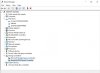
Is there any benefit to installing IRST with an NVMe drive? My Sabrent NVMe drive does not come with any drivers from the manufacturer (they don't exist).
All in all, very happy with this purchase, other NVMe drives of this size and performance cost 75-85% more than the price I paid for this one! From the limited tests I've done it's basically the same or better than Samsung's latest 970 Evo Plus! (Although I'm sure there's some people that might be able to show me some differences).
(To keep @tilleroftheearth happy I overprovisioned the drive by 30%, although he may have something to say about my choice of NVMe SSD, ha!)
EDIT: Oh yeah, 5 yr warranty with this drive now I've registered it online! (not sure how many years it was without registering).Last edited: Jun 9, 2019 -
It’s a great drive for most home users and gamers at the cost. The Corsair MP510 is also a good one , it uses the same NAND and controller and is similarly priced normally and is factory over provisioned (12-13%) a little more to keep up full drive performance and latency hence its advertised as a 960GB or 1920 GB SSD.
The Samsungs are only better if you need sustained performance especially after the SLC cache is depleted and also when it comes to full (fully occupied by data) drive performance where the better controller can keep latency down and keep performance up compared to competitors when at factory OP levels (6.8%). This is especially true for the PRO drives. If you OP cheaper drives to at least 12-15% like the MP510 does by factory default that last issue should mostly be mitigated.
As for 30% OP on top of the 6.8% factory default, for most home users and gamers its a bit excessive unless you have some niche needs I’d say leave it at default as you won’t notice a difference in normal use and let the controller use any unused space as OP, I personally usually partition my drives 1TB down to 800 GB and 2TB drives to 1.6TB. So 22% if you include the 6.8-7.0% factory OP which you can’t see/touch.
With drives though with weaker Silicon Motion controllers like the HP EX950 you will see a doubling of latency and I believe performance drops to like 1/4 when drive is nearly filled if you don’t have like at least an additional 15% OP over the factory default (6.8%).
NVME Drivers
As for drivers I’ve seen quite a few tests and between nvstore (Microsoft default), third party (ie Samsung) and IRST there were negligible differences in most cases. I have the Samsung driver installed with my 970 Pro but it doesn’t really change much in tests. Additionally with third party drivers sometimes they can be bad like Samsung’s nvme driver last year where it caused BSODs and other issues with Hyper-V I believe. So stick to default msahci with your bios set to AHCI. Use the IRST drivers if you have RAID setup.Last edited: Jun 10, 2019Starlight5, Robbo99999 and Vasudev like this. -
My Sabrent 1TB drive is 954GB usable, so I guess it's OP'd by 4.6% from the factory. I set aside an additional 287.57GB as unallocated - so that equates to a total of 666.28GB usable. If you say it's a 1TB drive then that's 34% overprovisioned, but I was basing it off the 954GB max usable size, so that would equate to a 30% OP - I'm not sure which is true/real, but either way I don't need all the space on the drive at the moment so I may as well OP it by at least as much as a I have already. I don't have any niche needs that you mentioned, and if I need the space then I'll just reduce the OP, but now I've got 3 NAND type drives in my PC right now and those SATA SSD's are virtually empty now I've transferred almost everything over the NVMe drive - so I'd probably just start filling the SATA SSD's rather than significantly reducing the OP on the NVMe drive. I got 250GB of free space left on the NVMe before I would even need to start considering decreasing the OP on that drive.
Yep, I'm using AHCI mode, and the default Microsoft drivers, so I guess that's a good combination like you said at the end there - I'm not gonna use RAID. -
Just some clarification on factory OP: 1TB drives have 1024 GB of actual NAND flash so 954 GB of user available space means you have ~6.8% factory OP that you can’t touch. Any OP you add is in addition to that. So on a drive advertising 960 GB like the MP510 with 893 GB available user capacity it’s got 12.8% OP as the drive is still a 1024 GB unit in reality. Some write heavy enterprise drives advertise 800GB (still 1024 GB of Flash) with like 745 GB of user space so they have like 27% factory OP.
Last edited: Jun 9, 2019Robbo99999 and Vasudev like this. -
Also add MiB or MB calculations that different OS uses.
Is OP still relevant on small drives? I did it and ran out of space and had to merge the reserved OP back to primary partition. -
The (Gibibytes) to (Gigabytes) conversion difference is used as the base 6.8% OP on most drives as the drive actually has space in Gibibytes (Windows reports space in Gibibytes) but drive manufacturers advertise user available space in Gigabytes. Some Linux distros like Mint and also MacOS report in Gigabytes that’s why it might seem like you are getting the full 1TB in those OSs.
1024 Gibibytes of Flash (the actual total space on drives) equates to ~1100 Gigabytes of user available space if there was no factory OP whatsoever.
So with factory OP at 6.8% (76 Gigabytes = 70 Gibibytes) of NAND Flash you get 1024 Gigabytes = 954 Gibibytes of user available space. Some drives advertise 1000 Gigabytes which is equal to 931 Gibibytes of user available space for those, so they have even more OP (9%) (100 Gigabytes = 93 Gibibytes)
So if you put additional 30% OP on top of factory default you actually have around ~37% (on a 1024 GB drive) and 39% (on a 1000 GB drive) of space as real OP on the drive.Last edited: Jun 10, 2019Starlight5 likes this. -
Ah, in that case I've got a 35% OP on my Sabrent NVMe drive then: 666GB usable / 1024GB = 0.65 => 65% available = 35% OP. I'll report back with any more info about my NVMe drive: if it fails, or if there's any interesting performance notes I learn about it in the future - either disappointing or pleasing. Very pleased with the cost per GB and the performance so far, it's literally the same cost per GB as a 1TB SATA SSD, but with NVMe 970 Evo Plus performance - good deal!
-
When I tested OP'ing so many years ago, I too thought at first that there was a specific and absolute number that the magic began. I quickly learned that was false. Identical nand, identical controllers and seemingly identical RAM and layout meant little, because of what each model was tweaked and designed for within the firmware.
That led me to ignore any OP'd amounts and just concentrate on the OP'ing I was able to do. 33% is still the minimum I recommend and use (up to 65% for SSD's used as scratch/temp drives, continuously).
The OP'ing a manufacturer does is simply to keep warranty calls at bay, not a way to give you maximum performance over time.
The OP'ing I still recommend doing gives me the performance the drive is capable of in a consistent fashion while also giving me the longest nand life possible too.
As I've stated before, whether the drive is at 48% 'true' OP'ing or really only 33% OP'ing, this absolute number doesn't matter. What matters is the availability of the power/performance the SSD can offer (up to its rated maximums) on an effectively sustained basis.
Anyone buying and using anything other than Optane based SSD's and not OP'ing the drives by at least 30% is not getting the maximum performance they paid for.
Their choice, but with the ease of being able to expand the working partition if the capacity is really needed, this step in a great platform setup is a no-brainer, and is performed on all my systems including any I am asked to set up too.
In the case of having to reduce the OP'ing by expanding the working partition? Simply indicates that the current workflow and/or SSD capacity choice needs to be changed, where possible.Papusan and Robbo99999 like this. -
Sounds like I'm at about the right level of OP for my drive then.
Optane doesn't need OP'ing then? Is Optane the next logical step in terms of SSD mainstream adoption in the future or are there other techs that are more likely you think? -
Optane drives have OP by factory default just like regular NAND flash based drives. Their advantage is in 4K random read/writes which is pretty important and they have lower latency. Right now cost and power draw are what holding them back but I’m sure over time they may be able to overcome that but they won’t be replacing SSDs in the general consumer market anytime soon.
I don’t completely disagree with tiller but I do refrain from making people put such large OPs without context, my personal view is the following:
As for OPing it’s really very workload dependent, for an “average” home user / gamer who uses their computer mostly for web surfing, office apps and games 30-40% might be a bit excessive unless they care so much benchmarks/peak speeds, because in real world use such as boot times and load times they won’t notice much difference.
However if you do a lot of write intensive stuff like video exports and other intensive stuff regularly, yeah you want at least like 12-15% ish minimum (From tests I’ve done on 970 PRO/EVO) on the Phison E12 based (Sabrent & Corsair MP510) and Samsung Phoenix based drives like the 970 PRO for good speeds. You definitely want a much much higher minimum OP on weak Silicon Motion controller based drives in such cases as drives like the HP EX950 which have their speeds drop to like 1/4 and latency spikes to like 4x when the drive is nearly full. On TLC drives the dynamic SLC cache is reduced based on how full the drive is so for longer sustained writes you definitely would want more OP.Last edited: Jun 10, 2019Robbo99999 likes this. -
@Robbo99999 can you run a CDM on with a larger test size like 16GiB or 32GiB?
-
do you mean this M.2 905p?
Papusan, Robbo99999 and tilleroftheearth like this. -
Wow, 13% off voucher at Amazon.co.uk for that Sabrent 1TB drive I bought: https://smile.amazon.co.uk/s?k=sabrent+rocket+1tb&crid=3GUNQK3JVF62T&sprefix=Sabrent+Rocket,aps,128&ref=nb_sb_ss_i_4_14
Worth getting!
Ah, missed your post from a few days ago. Here's the results (32GiB, 16GiB, 8GiB, 1GiB):




It slows down on the 16GiB and 32GiB tests for some of the write portions, but 16GiB is able to maintain the 3000MB/s sequential, but a drop seen on "the next variable down". 32GiB test sees a reduction in Writes on both the top two variables. 8GiB is just as fast as 1GiB, no reductions seen.
How does 970Evo and 970Pro stack up against this? I've not seen any 32GiB/16GiB tests on those drives, all I can find is the default 1GiB tests?Last edited: Jun 18, 2019yrekabakery likes this. -
The Corsair MP510 uses the same NAND and Phison E12 controller. Similar (~£126) prices (without discount) but the 2TB MP510 is much cheaper (~£260) than the Sabrent. So if buying a 2TB drive look at that one for U.K. buyers.
https://www.amazon.co.uk/s?k=corsair+mp510&sprefix=corsair+mp&ref=nb_sb_ss_i_0_10Last edited: Jun 18, 2019 -
Yep, the 2TB MP510 is cheaper, but not the 1TB version. 1TB version of the Rocket is cheaper than the 1TB MP510, and then you've got the 13% off voucher on top of that, so quite a difference for that one.Aivxtla likes this.
-
Trying to help family member with laptop build...which is more worth it to get for the NVMe drive, a 500GB WD Black or 250GB Samsung 970 Evo Plus? It's $10 more for the Samsung drive. From what I can tell, it's probably safer to go with Samsung...I haven't found anyone saying their drive has failed. I have read people complain that their WD "broke." Otherwise, the benchmarks look very similar. Side note: The OS is going to be on this drive.
-
What is the price difference if he go for 500GB from Samsung?tilleroftheearth likes this.
-
From my experience with the WD Black, it is the battery drain that hurts (all test units returned). The 970 Evo Plus (but splurge for bigger capacity, if possible).
-
I haven’t seen many bring smaller drives over on new computers(upgrades). Hence I buy biggest possible when I purchase.tilleroftheearth likes this.
-
Detailed SSD reviews point to the same regarding WD drives, it’s got great performance but the firmware needs overhaul as there are issues with the drive not going into lower power modes. That’s why I would only recommend them for desktops. As for reliability it’s not going to be any worse.
When dealing with less tech savvy people, I agree he might be better if sticking to name brands even though some third parties like Corsair produce decent drives with good NAND and controllers.Papusan and tilleroftheearth like this.
SSD Thread (Benchmarks, Brands, News, and Advice)
Discussion in 'Hardware Components and Aftermarket Upgrades' started by Greg, Oct 29, 2009.


