Problems? See this thread at archive.org.
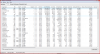
Hmmm...what does your Crystal score look like?
-
-
that's not what I meant exactly. That I've been doing since Win2K what I want is to put the hibernate & pagefiles inside a folder. That way I can keep a set per OS all on the same dedicated partition but each set inside their own folder. I read that for spinning HDD if you can't put your pagefile on a 2nd physical disk then putting the pagefile in a 2nd partition on the same drive will still benefit performance. I don't know what kind of effect an SSD would have set like this. Still I want to have a dedicated partition for all my hibernate & pagefiles (one folder per OS).
You should make sure your SSD is updated to firmware 02HD. Mine was manufactured between Dec-Feb and it came with 02HA so I updated the firmware to 02HD. Firmware 1.5 is on the intel website. -
What do you guys think of the samsung 256GB PM800 / PB-22J that Sleey0 is selling for 400? Is it good? Will I still notice I big difference between that and my 7.2k HDD?
-
wat dat?
You should make sure your SSD is updated to firmware 02HD. Mine was manufactured between Dec-Feb and it came with 02HA so I updated the firmware to 02HD. Firmware 1.5 is on the intel website.[/QUOTE]
How do I find out what my ssd's existing firmware level is? Also, am I looking for 02HD or 1.5? -
ok. I've downloaded the appropriate intel firmware files and was able to find a required iso creation program.
will try to perform firmware upgrade when I can. -
i've seen it. that alone (and the logic that tells you how it works) should be enough to not suggest turning it off. just because you haven't had a bad experience with it doesn't mean it's not there for a reason.
and yes, it saved MY some times, too.
don't know what intel messes up. they're just files, and go trough NTFS. i know they have problems with it. i just don't get, why.. -
Just picked me up a new x-25. Is there anything I need to know or worry about when I set this up? Or do I set it up just like I would a HDD? I will be putting W7x64 and possibly XP32. Thanks.
-
On Win7 just use it like a HDD

Its all done for you
On XP - best avoid it if you can, else... switch off auto defrag if it exists already. -
-
I had to manually turn it off on W7 Ultimate for my Intel(s).
-
Thanks. Yah, I hate XP, but I have an old video editing app I have to hang on to. Tried running it in XP mode awhile back and that was not very good. Will probably try again with my new laptop and new SSD to see if that will make it tolerable.
-
Strange, this shouldn't have happened...
Maybe getting a new one would help?
Unless its extremely expensive it might be worth it just for better use of the "available resources"?
But else, I see that you have no choice.. -
I'm also wondering this.
After fresh install on my Sony Intel based laptop, Auto defrag and Superfetch were on "auto" Unlike on my XPS 1340, both (defrag and Superfetch) were on "manual" after fresh install (Win 7 Pro)
Might be the laptop see the SSD as HDD?
*No option on BIOS to choose IDE/ATA/AHCI *
-
I should add, they are SLC, G1's, and in software RAID-0. Methinks this might screw with the computer's recognition of the flash onboard. It is not presently reflected in my sig.
-
Looking forward to your tests.
I'm really considering getting one of this. -
Good news but are these drives going to be SATA 3 since Sandy Bridge comes out the same year?
-
it's still timered, as it should always be awailable, imagine multi-ssd/hdd setups.
it should just not do anything on the ssd. -
Yay. The slew of Intel G2 160GBs <strike>I helped Babyhemi steal from the Intel truck</strike> managed to get at a steal auction came today.
Just need to take some pictures. -
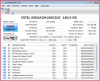
CrystalDiskInfo is telling me host writes 444.50GB and power on hours 65hrs. Is this ratio anything to be concerned about? I ran 10-20 of those CDM speed tests with default 5 iterations per test. I also ran vista's command-line defrag once on the drive (was trying to get more space shrunk out of the partition).
Just bumped into this http://msdn.microsoft.com/en-us/library/bb521577(v=WinEmbedded.51).aspx , can this be applied to SSDs so that all temp files/caching will be done in ram only? -
don't panik. 444GB is nothing to care about. an 80gb intel needs at least 10000x80GB to get written to till it fails (but most likely it lasts much longer than that).
so you're at 444 / 800000 = 0.05% of the writes you can do till it dies.
just don't care. EWF would work, but its not worth the hazzle. that is ment for situations where the whole writes you can do are in the order of some thousands max (1gb usb sticks without wear leveling, on which you install a stripped down xp, and similar cases.. in short: very special situations, mainly in industry-environments) -
Hey everybody, I'm going to get the G73JH from best buy for $1,200 soon and I had a few questions. How easy would installing an SSD be? I've never installed a hard drive, only upgraded ram a few times. Also, what SSD would be the fastest/best for the G73? My budget for the SSD is around $225, and I'm assuming I won't need that much space on it. (only need Win7 installed and a few programs, the 500GB drive can have the rest)
-
Simple but, make sure you change the drive with the OS eheheh I believe there are two in that system.
-
I'm starting to think ESET NOD32 is the culprit. I don't want ESET NOD32 writing unnecessary data to the drive using up lifespan for nothing. I have NOD32 set to log all objects and "Minimum logging verbosity" set to "Diagnostic records". Is that overkill?
Attached Files:
-
-
get rid of ESET and install MSE would be my solution. other than that, just forget about it. how long did it took to get 0.05% of your writes onto the disk? now compute how long the drive will live based on that. for that i need to know if it is the 80gb ssd, or another one. and the days since installation.
but anyways, the real way is to just not care. -
BIG PLUS HERE....Best program uses very little resources and does only minimal start up time affect.
-
actually for me, Nod32 loads up faster then MSE. 19 seconds for Nod32 (at start up) and MSE is 24 seconds.
-
NOD32 was benchmarked to have the lowest footprint of all anti-virus during the version 3 days with equal or better detection to the most popular brands. I'm using v4.2 but honestly it's the fastest anti-virus I've ever used and I really like the SSL certification and protocol scanning/filtering. Minimum requirements for version 3 is a 386 computer, version 4 only requires a 400MHz cpu and 64MB or 128MB of ram.
It's never had an effect on my system performance with full real-time scanning on the most thorough settings. Plus I get NOD32 for $10/yr. I'm about to start my 3rd year of using it now. What's MSE?
I first setup this SSD April 3rd so I've only had this running for 7 days. I already posted the power on hours for the SSD 66hrs. Other reason I care about it lasting as long as possible is because I don't want $450CAD to be used up in 5yrs lol. I want it to last until I have no more use for it; so I can reuse it in a different application when I upgrade this laptop to an SSD with faster random writes.
Also for daveperman's calculation it's more like 444/400000 because I'm splitting the 160GB in 4 partitions -
partitions don't matter (which is why i don't ever use them anymore) on an ssd. it doesn't even KNOW them.
remember that the first day of your ssd will be the most harming day to it. as you write the os and all sorts of applications to it.
so your math is 444 / 1600000 or 0.02775% allready written in one week. that means 3603 weeks till it's dead if i'm right (just got up). that would be 70 years.
and you won't install your os and apps every week so a big amount of writes is not existant anymore.
just get over the panic, use common sense and understand that it's NO issue.
oh, and in 5 years, your ssd is not worth a dime anymore anyways. there'll be much better things around by then. and much cheaper.
mse == microsoft security essentials ( here). it's free, and it's from the lone manufacturer who does it for the right reason: to make it's os save. and not, to sell more software. and that is why i can trust into that product unlike into any other virus software manufacturer based one, where you never know if they just do panic drama to sell you more.
and yes, 10$ saved is 10$ saved
-
On Vista it would be on - if you are on Windows 7 and used the recovery discs, that might have affected this - although I'm not sure if it should.
On IDE vs AHCI - see if you can find help in this thread:
http://forum.notebookreview.com/showthread.php?p=6122367#post6122367
And I think it was your PM that I replied to. -
running winsat should fix wrong settings.. (WEI for the ones using the ui)
-
Running windows 7 booting up C on the SSD is so fast that I notice there is no disk light activity for 4 to 5 seconds at the end of the win7 boot animation. I have a secondary external monitor (in extended mode, via HDMI) and it does not make a difference if it is on or not, I still wait.
Does this mean my SSD-disk boot up time is faster than the the animation and I'm just waiting for the animated 'movie' to end before I can get the logon screen??
I've never had a boot up this fast with a long period of no activity and am wondering if the win7 boot animation is required viewing or if someone has actually gotten the logon screen quicker??
-
you can disable the animation if you want to test. but most likely the moments no disk is glowing it's at 100% cpu or similar to initialize drivers and hardware.
-
Well free is good but what are the system requirements for MSE? Can it run on a 400MHz CPU with 128MB of ram, can it run on a 386 CPU? I bet not so for $10 I get an anti-virus that will use few resources and be very light on demands of my laptop speed/battery life lol.
So in the past 14hrs SearchIndexer.exe has run for 10mins of CPU time and writen 3.58GB of data in 411,616 I/O Writes. You don't think that's alot for 10mins of runtime? The most activity I did during the past 14hrs was watch a youtube vid, a 1hr TV episode on megavideo, maybe ten 2min flash video clips on a bloopers site, and two/three 30min flash videos from yet another site. Then I left it running while I slept. CrystalDiskInfo says my Host Writes are at 460GB right now.
daveperman are you sure that the intel drives actually physically move data from one partition to anywhere on the drive even if the best place is physically in a different partition? I was never sure of the movement restrictions so I was assuming data only shifts around inside the same partition. As I've stated before the reason this matters to me is because I'm splitting the 160GB into 4x40GB. I know that the largest amount of writes is the OS install and drivers. I'm not panicking I'm concerned because it doesn't look correct to me.
As for lifespan I don't care if the drive's monetary value is depleted in 5yrs I meant I don't want the functional value of the $450 I spent on it to ever be used up because when I'm ready to upgrade this laptop I want to transfer the Intel SSD to a less important use but still be useful. -
I have searched this thread and not found an answer to my question. I am hoping someone can give me a definite answer.
Will running photo screensaver be detrimental to an ssd? -
No.
10chars -
I hope not because I do... Screensaver and alternating desktop as well.
It may contribute to total writes but its still going to take a heck of alot of effort to wear the ssd out...years. -
Does anyone know if drive compression is bad for performance? I know it extends the lifespan of the SSD by having less data to actually write to the flash chips and in theory improves throughput since less actual data needs to be written which also reduces write amplification too.
-
What is the boot time difference between SSD and HDD when loading Win7? Is the boot time difference (if any) worth buying a 30GB SSD for my new laptop? Would anyone suggest it?
-
Depending on how you have your system optimized and whether you are going to choose a 'clean installation' rather than clone, it can reduce it significantly. Boot time from a typical ssd install will be from 20-30 seconds. My system starts complete in under 15 seconds. With respect to boot time, you can find exact information to assist in pretty much any Optimization Guide you may find (eheh).
-
who cares? it's important to work well on nowadays systems. nobody including you cares about a 400MHz singlecore system with 128MB ram. nowadays systems have different bottlenecks, different performance requirements, and different needs to "not use much resources". esp. in terms of batterylife savings.
omg lets cry together. i told before don't bother about the writes. it's most likely still indexing as you shuffled a lot of data onto the devices.
the drive has no clue about what's on it. it just gets writes and executes them how it wants. partitions are just that: writes. ergo, it can't ever care about them. it can't even KNOW about them.
well, it will surely still be useful. but even if it isn't, you can then get the same drive for 40$ or so, so it's not like it matters by then much anymore. use it and enjoy it. don't think that much. esp. if you think about wrong things, or do wrong conclusions because of it. you have the best (and best tested) hw in the world right now. intel states it should last 80 years if normally used (that means including those near 500gb of writes). and you know what? they know what they do very well. trust them.
yes. if you let windows stay running and not use it for anything else, it will kill your ssd within 100000 years or so.
those drives survive about a thousand TERABYTES of writes. why should you care about some registry item that gets updates maybe once a minute. which, if not cached, would lead to 1kb write each minute. or one billionth of a terabyte.
sometimes i ask myself if no one ever had math in school? (don't take this personal, it's a general question..) -
WOW. Turn that SearchIndexer off. I dunno, my upgrade install of Windows 7 Home Premium had it off by default, but that's a LOT of writes. Assuming that's the reason for the writes of course.
The X25-M drives are guaranteed for 36TB writes over 5 years, which means...
36TB/450GB/7 days = ~500 days
Watching Youtube videos and such should write nowhere even near 1% of what yours did.
My X25-M G1 drive has Power On hours of over 6000 hours and written 2.48TB.
I'd say you should be ok with the partitions though. Turn the indexing off and tell us the writes in another week or so yea?
BTW guys boot times are bound by not only drive performance but driver setups as well. My Core 2 Duo E6600+DG965WH setup booted faster than the Core i5 661+DH55HC setup. Looking at how fast my friend's Velociraptor drive based setup boots, I'd say, Windows 7 reduced the boot time differences between hard drives and SSD drives substantially.
It shouldn't. All it does(at least theoretically) is reading anyways. -
no don't turn it off. watch it over a period of a month. the installation is still fresh, the os still has to balance itself and all. searchindexer is useful. and no one should at the first sign of a possible issue throw away functionality just out of paranoya. watch it, see if it evolves. and THEN judge.
oh, and no clue where you have your 36TB from, i've 1600TB for a 160gb drive worst case. -
Ok Dave, I have already formatted this SSD 4-5 times and reinstalled OS and everything else. When I last formatted to install my Win 7 Home Premium upgrade, the before and after usage barely moved after installing EVERYTHING, I dunno say, 1.74TB to 1.76TB?
And no I don't turn features off, however, my default setup seems to be Indexing is off. -
see daveperman someone agrees that the write amounts don't look correct. 500 days is 1.5yrs, plus I have write cache buffer flushing turned off so that's supposed to reduce the actual written data to the flash chips themselves.
Attached Files:
-
-
So here's the clarification of what's enabled on my system.
When I go to "Properties" on each of the drives, it says that "indexing is enabled."
But when I go to Control Panel-Programs-Turn Windows Features On or Off, the one named "Indexing Service" is off.
So if that's the problem, then you don't need to turn both off, just the one on the Control Panel. -
IntelUser I don't have that option in control panel probably because I'm using Vista Home Premium
Attached Files:
-
-
Thanks for the answers. I did not think it would, but figured it would not hurt to ask.
So these numbers are okay for an Intel SSDSA2M160G2GC in a Dell XPS M1710? Thanks again.Attached Files:
-
-
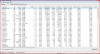
Something is wrong with your sequential reads. What mode is the SSD set to in the BIOS?
-
Definitely no. Seq read should be 200+ and 4K QD32 read above 100 since its an Intel SSD (G2)
EDIT: Found one member with Intel 160B SSD (G2). Link -
I just ran ATTO and read numbers are not close. What could cause the difference?
@hankaaron57, what do you mean by 'mode'? 'HDD Acoustic Mode'? It is set to 'Performance'. Other than that, the only thing I saw in the BIOS that might apply is under 'Power Management' I have 'SATA DIPM' enabled.Attached Files:
-
SSD Thread (Benchmarks, Brands, News, and Advice)
Discussion in 'Hardware Components and Aftermarket Upgrades' started by Greg, Oct 29, 2009.