Problems? See this thread at archive.org.
Like hankaaron57 said, you need to check your BIOS setting first. Hard Disk setting should be on AHCI/ATA/SATA mode. Or you go to Device Manager to confirm which mode you're on. (drive controller)
OS = Vista? hmm.. I think Dave can help you more.
-
-
If your in Vista I would bet your not in AHCI mode.
-
Les I'm using Vista and I have AHCI set in my bios. My BIOS has both IDE and AHCI which I had made sure was set even before my first boot of Vista when I got this Acer Aspire 1410 laptop. In fact if I remove/uninstall the Intel SATA controller drivers then Vista reverts to using AHCI 1.0 drivers from microsoft. Perhaps that user doesn't have the latest SATA drivers installed.
-
Hmmmm trying to remember Vista... Did u not have to install the AHCI driver manually during the installation process initially?
-
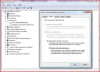
I am using Win7 Home Prem. I see no way of selecting AHCI or IDE in BIOS or Device Manager. In Device Manager, it lists the controller as Intel 82801GBM/GHM (ICH7-M Family) Serial ATA Storage Controller-27C4. DM says that it is using MS driver version 6.1.7600.16385. Thanks for the responses.
-
Device Manager to confirm only.
Just took a SS for you.
![[IMG]](images/storyImages/DriveControllerDriver.jpg)
-
@LOUSYGREATWALLGM, thanks for verifying that we are running the same driver.
I am going to try turning off the 'HDD Acoustic Mode' setting in the BIOS. That is about the only setting I can see having influence on the SSD.
EDIT: Shutting off the HDD Acoustic Mode had no significant difference. -
Including the Drive Controller?
Did you turn your System Restore off from start?
How did you install your Win 7, fresh install or? -
Yes, including the Drive Controller.
System Restore is disabled, so is Superfetch, Prefetch, Defrag.
I did a restore, from a backup of a fresh install. -
Can you test ATTO and CDM on safe mode? That will help
-
My vista was setup using the Acer Recovery DVDs so it came pre installed with Intel Matrix Storage Manager/Driver version 8. My speeds were not good on the stock settings. My speeds boosted when I uninstalled the Intel driver and ran CDM v3 before rebooting which I found out had defaulted to microsoft vista stock AHCI 1.0 controller driver. My speeds further improved when I installed Intel Rapid Storage driver version 9.
That's probably an old intel SATA driver. I recommend you go to the intel website and search their download section for the latest SATA controller and chipset/INF drivers (2 different things). Save them to your hard drive, then uninstall your existing SATA controller driver. You should find the uninstall in "Programs and Features". Reboot your system, then install the new chipset/INF driver and then the new SATA driver you downloaded.
I'm surprised your BIOS doesn't have at least an option to switch between IDE and SATA/AHCI settings. Maybe it's called UDMA or ATA7 or SATAII or SATA300. If your system is the older SATAI or SATA150 then you won't be seeing any speeds over 150MB/s I believe.
You're showing him the drive's driver but he needs to see your SATA controller driver. I think he doesn't know they're 2 seperate things. The SATA controller is what he needs to update.
Disks all use the same "disk.sys" driver for the most part. SSD might use something additional but I doubt it, I bet every SSD has the same microsoft disk driver. Also accoustic mode I don't think SSDs have a setting for that so if your controller is actually doing it then it's an unnecessary performance hinderence. SSDs make no sound to begin with.
I turned off system restore as soon as I got to the desktop. It's set on by default especially with OEM recovery discs. I also deleted the old restore points using disk cleanup.
I think you should definately find the latest drivers for your SATA controller. The reinstalling of new drivers and uninstalling old ones will help clear up some software congestion. -
It is possible that your SATA controller does not implement SATA II and is running only in SATA I mode. My T60 does the same as it has the same chipset. Still your SSD should be plenty fast.
-
well, there's indexing "the service", there's indexing as a file status in the file system, and there's windows search. indexing is deprecated and not what the user discusses. the task that ran and uses up so much writes is windows search, NOT indexing.
well, and he's completely wrong on his numbers => he gets wrong estimates => wrong guesses. and you do base yourself on that.
that's at least what i guess..
and my name has just one a..
just leave indexing alone, it's NOT the service you're looking for. windows search is it. the rest is deprecated and NEVER active.
please update your knowledge to windows 7 asap
-
If you notice, mklym was talking about his drive controller driver AND drive driver. That was the reason why I included my drive driver version on the Standard ACHI1.0 Serial ATA Controller screen shot. See below
![[IMG]](images/storyImages/DriveControllerDriveredited.jpg)
-
Oh here we go again, reminds me of the old days when I used to argue with you.
Since you have Windows 7(I'm guessing) you can figure out yourself. The thing that says when you go to Drive--Right click and "Properties"--"Allow files on this drive to have its contents indexed in addition to file properties" is
SEPERATE from
Control Panel--Programs--Turn Windows features On/off--Checkmark for "Indexing Service"
If you search for "searchindexer.exe" in Windows 7 the so-called "Indexing Service" you access through the 2nd method I mentioned is exactly Windows search, while the first method is indexing for file status.
He has used 445GB in the last 7 days, and according to Intel the drive is guaranteed for 36TB or 20GB/day. If he keeps using it at that pace, it'll last somewhere around 36TB/445GB/7 days.
Of course, I do not need to tell you its completely unscientific as even his guesses of "7 days" could be off by few days but you might argue based on the "7" days figure alone so I'll point that out.
Get it?
Intel datasheet Page 11 section 3.5.4 under Minimum Useful Life
The drive will have minimum of 5 years useful life under typical client workloads with up to 20GB of host writes per day.
You will see it ends up to be 36.5TBs over 5 years. -
I wasn't off with my day count, I just installed this system and the dates certain programs were installed was the day I got to the desktop as well the dates of certain copied files.
The log verbosity of NOD32 may have been the major culprit because I lowered it 2 levels and so far all day NOD32 has only written 235MB in 12mins of cpu time and 9,000 writes. I set windows search service to manual and I think I stopped it when I got to the desktop but it may have been turned on by a program. It's running right now 627MB of writes in 1m:45s of cpu time.
4 SS of task manager
Apr.10 3:56PM
Apr.11 8:21PM
Apr.11 10:00PM
Apr.12 7:26PM
hey does anyone know how to shrink a volume further than disk manager will allow? I tried in safe mode but the attempt always fails there and I havn't been able to shrink any further using diskpart from the Windows Recovery Environment (repair tools from setup disc)Attached Files:
-
-
Hey guys, 1st time posting on this thread and just looking for some advice please.
I recieved my 80GB Gen2 Intel SSD today and i have it in a Dell 6400 running Win7 Pro 32bit, i installed the OS by booting from a cd and installed the OS and my first job i did once done was disable Defrag and System Restore and turned off Indexing.
I then went and downloaded the newest Intel chipset driver for the 945GM chipset the laptop is running and installed it and did a reboot, i got my GPU driver then next and did same no problem,
i'm now stuck as to know what do i need to install next, do i need to install the Intel Rapid Storage Technology driver or the Intel Matrix Storage Manager?
I'm not too sure if the drive is being restricted by Sata1 or something so here's a few screenshot's to have a look at
![[IMG]](images/storyImages/DriveInfo1.png)
![[IMG]](images/storyImages/Results1.png)
![[IMG]](images/storyImages/Results.png)
![[IMG]](images/storyImages/Benchmark1.png)
![[IMG]](images/storyImages/Benchmark2.png)
![[IMG]](images/storyImages/Benchmark3.png)
Hopefully the above images might be of some help in seeing if everything is normal or not, thanks in advance,
Jonathan -
10-20 5-pass tests is writing ALOT Of data to your drive, especially if you have the test size set to 1000MB, 2000MB, or 4000MB.
Just to test this, do 1 more 5-pass test and see how much your writes increase.
That's my theory at least. Let me know if it pans out
-
Some of you guys care a little to much about writes, benchmarks, and things. Just enjoy the ssd, I know I am enjoying mine.
-
no no if you go back to my previous posts I included the results from all my previous tests. lets say 15 of those tests were 50MB size and 5 of those tests were 1000MB size, all 5-pass but nothing larger than 1000MB.
Well gee at $450+CAD you kinda want to make sure you're getting what you paid for. I wasn't worrying about a few MB/s diff originally I had a 100MB+/s lower speeds than I do now. Now my speeds are fine I'm just trying to track down what was causing me to have 460GB+ of writes in only 66hrs of drive usage. Think about it, it's real high for a system that did nothing but youtube, and a few tv episodes on megavideo. Not even any gaming.
At the moment NOD32 virus scan logging verbosity was set too high, now it's only done 250MB all day vs 3-4GB in 1 day for that one process alone. 10-15 times the unnecessary data. Google Desktop and SearchIndexer.exe are the next programs/processes to tackle. SearchIndexer has done 1GB of writes today alone.
For John-W you should download the latest Intel Rapid Storage it will raise your SSD to top performance. Approx 200+ sequential read/write. Other things to install are all your device drivers like latest sound, video, network interface, windows updates (service packs should be done first before everything), the BIOS should have been updated even before installing your new windows. Intel SSD Gen2 Firmware 1.5 (02HD) should have been installed after updating your BIOS but before setting up windows if possible. Not a problem to do it now after installation though. Intel SSD Toolbox 1.3 should be installed so you can clean/optimize the SSD and monitor it. Then look for DirectX 11, latest trackpad driver if you're on a laptop, Flash 10.1 Release Candidate, silverlight, divx?
Someone should try out compressing the whole drive, theory is that the compressed data means less actual data transfered making throughput (actual read/write data) boost in performance and extend the life of your SSD by actually writing less data to the flash chips. -
John-W
Your ssd appears to be doing fine... -
and it's everyhwere documented that these numbers are WAY BELOW what intel states themselves on how long they life in those circumstances. they talk about 80 years+
and the math is very simple: the flash chips last at least 10000 writes. to fill all of them on a 160gb ssd, you have to write 160gb*10000 of data (at the disk level, not the os level). that's 1600TB of data. he so far has half a TB, or 0.03125% of the minimal supported data written. or seen in the other way, he has to use the laptop the same way 3200x longer than the period he used it to reach half a tb (and that means fresh installment of the os each week, too).
and 3200 weeks are 61.5 years.
math is simple. using your brain helps, though
about search, well, there are 3 independent things. you just state that again, what i stated. there is the file level indexing flag (on ntfs), there is the indexing service from win2000/xp days, called indexing. there mainly for backwards compatibility, but not doing anything on it's own anymore. and then there is SEARCH. SEARCH is the only active search/indexing feature of vista/windows 7.
and those ssds are built with those os' in mind, esp. intel gen2 with trim. there's no need to disable search to have a nice life with those disks. they are BUILT FOR THIS OS.
about the antivirus. well, get rid of it. that thing writes awesome lots of data which you'll never use anyways. get MSE, drop that crap, be done with it...
indeed. but people all over the world always behave based on paranoya and fear. check politics, check wars, check economy, check social behaviour. check people buying ssds and people not buying ssds. all always just look at the bad parts. while SCIENCE PROVES OTHERWISE.
there's a great talk on ted about that right now http://www.ted.com/talks/michael_specter_the_danger_of_science_denial.html
people stop to think, and instead always do their judgments based on random fears spread by random statements. knowing math, i know what my ssds can do, and what they can't. and this is guaranteed. unlike all the fake paranoya on this web.
so in short: enjoy the ssds. don't think, just use them... Jayayess1190++
-
No its not. Doing simple math should result in 800TB and 1600TB of writes for 80GB and 160GB MLC X25's, but it doesn't end up that way. There are Intel presentations which state maximum of 370TB write limit when the workload is primarily sequential to low as 15TB when its completely random.
Calling others ignorant and not using brain or whatever is so ironic when the person claiming such makes up numbers out of nowhere. There's a reason simple math is taught at very early stages of school, its likely at that age you won't need more than that now. Time to get out of Grade 1 mathematics dave.
Sequential vs. Random isn't the only factor that determines write lifespan. The amount of controller reserved space also determines that. -
Cheers for that Les, what Storage Manager should i install and do you know if my speeds are being restricted by Sata1 in my Dell 6400?
Thanks -
and this shows in the actual ssd writes. random writes result in much MORE writes on the ssd, which is what gets reported, and thus is amazing half a tb so far on his drive. the 1600TB still stand (but are from the os view maybe just 15TB in the worst case)
i'm university grade math, i'm out of that since long. but here first grade fits very well if you know what you're doing. not using any math is much worse. which is what i accuse you of.
no, the amount of actual physical writes on the flash memory determines it, and gets reported trough the intel tool (and crystaldiskinfo i guess).
that amount of actual physical writes and it's relation to actual os writes obviously matters depending on sequential vs. random, the reserved space, etc. that's all right. but it doesn't change the fact that no matter what you do, 1600TB of actual ssd level writes are guaranteed (up to 16000TB, a.k.a. 100000 writes per cell).
but if you write just some bytes onto a cell, and it has to be cleared, it means it's MUCH MORE SSD LEVEL WRITES. and maybe his antivir happens to trigger with his tons of tiny writes exactly such a bad case.
how is this called again, that overhead? write amplification, exactly.
again, using the brain helps. always. and relaxing and just using the device helps much, too. cripling the os never helps. basing yourself on random quotes from the web doesn't, too.
and in the end, all doesn't matter. if the ssd dies in 5 years, he'll get a new much faster much better one for much less. even while it's a lot of money now, it doesn't matter if it's payed for 5 years of 100 years. after those 5 years, all that vanished anyways. he'll want a new one by then anyways. faster, bigger, cheaper, etc..
edit: and i don't ever care about the official statements of support of intel. they're obviously much much lower than what the ssds most likely will last (based on actual testings). fact is, they have it that low to be on the save side no matter what happens. -
Oh that is pure bull. IDF Fall 2009 presentation filename: MEMS003 that details Enterprise SSD endurance shows this.
Theoretically SLC based X25-E should last 10x longer. The same article shows 160GB X25-M lasting 15TB to 370TB depending on write workload but, but 64GB X25-E doing 2PB to 10PB.
How do you figure that out, huh? Is your simple math going to help figure that out now? Obviously there's more that's going on, when the differences are not 10x, but 25x+ to 130x+. There's a reason X25-E drives are called "Enterprise drives".
FYI my "Host Writes" equals 2.48TB with the Toolbox indicating around 3% for "Media Wearout Indicator". Because the wearout only shows whole numbers I might estimate the write capacity of my drive if I use the way I do now, should do 50-70TB, which is nowhere near your 800TB.
Drive Lifespan isn't = Write lifespan per cell x number of bytes on drive
but rather
Write lifespan per cell x number of bytes on drive x (Ratio of random and sequential writes) x (Another ratio related to spare area)
450GB in mere week is something very wrong. GBs in minute is also very wrong. -
continue with your bull. anyways, i'm gone by now. you should know better by now as you where in this thread to. instead you mix your stuff up as always. anyways. lets see how i can delete this account. ignorance and panic seem to win always over just common logic.
and yes, GBs in minutes is rather wrong, as i said, he should uninstall his antivir, or report it to them so they fix that behaviour. my suggestion stays at MSE. have a great time, nbr. there where good talks in here. -
I find it kinda depressing reading this last 1 or 2 pages or so of this thread.
I would like to assure everyone that I'm not taking any sides & I sincerely apologize if I offend anyone with the following comments.
I humbly agree with what Jayayess1190 had said, which is to just enjoy the benefits & performance the SSD brings rather than to worry about all the "negatives" & become obsessed with them. Of course, a lot of people will disagree with me but my reasons for thinking this way is that if you buy a SSD & have to worry about this & that, then what is the point of buying a SSD in the 1st place? To me, this seems something like "working hard to earn money but cannot spend it because of this, that, & so on."
If that is the case, then why "work hard to earn money" in the 1st place since it cannot be spent later on?
Sure, SSDs still cost a lot of money currently & maybe one should worry about the number of writes it has done during usage. But if one wants to worry about such "issues," isn't he/she a whole lot better off not buying a SSD & just stick with a HDD for the time being until prices of the SSDs are on par with the HDDs instead?
Once again, I sincerely apologize if I offend anyone with my comments/opinion.
-
yeah, but have you heard the latest record from Kenny Winker?
http://www.youtube.com/watch?v=yOIaETfKMmY -
I just installed a 160gb intel SSD G2. It is awesome so far.
Can anyone point me in the right direction so that I am using it to its full capacity?
SSD optimization and tweaks anyone? -
Do the ff then enjoy your SSD
1) Turn off System Restore
2) Check the box "Enable write caching on the device" = Device manager>drive>properties>policies
3) Set Superfetch to "manual" then clear your Prefetch folder
4) Disable Windows Search -
Good ideas...
-
Just wondering, it has been stated that SSDs tend to lose speed as they get older and all, is this true? And how could it be fixed?
-
What do you guys think about the corsair 256 for 650 bucks for a macbook pro?
CT256M225
Is upgrading to SSD on a mac kinda a waste because no trim support? -
I think you can live without trim - I'd be more worried if it supports it.
I might be completely on the wrong path here but I think you can't use just any SSD. -
No. Any SSD is fine. Though there are supposedly some "Mac versions" of drives that have Garbage Collection tailored to OS X. Not good drives though, and who knows if the GC is really that great.
One thing I will tell you is that I don't notice nearly as much of a difference on OS X as I do in Windows. I think it's because of the way that the Apple-made OS X apps have such low startup times as it is. Though, of course, things are a little faster. -
Ah OK.
In that case, maybe you can get your hands on an Intel G1? In that case garbage collection is controlled by the SSD if I am not mistaken, that would avoid any trim issues. -
Thank you.
-
I think this was my problem with the NOD32 I had all 4 scanning scanning engines set to Log All Objects. You can see in the pic what that does and how that increases exponentially the amount of data that gets written to the drive. On my next reboot I'll turn it off and see how that changes things. Reducing the log file verbosity has also significantly reduced the amount of data NOD32 has written. So my guess is if I remove the check on "Log All Objects" and put the verbosity back up to diagnostic there shouldn't be such excessive amounts of writes.
You're forgetting a major thing about mass produced pricing. When a product's value goes too low to maintain a significant predictable profit it is discontinued. When was the last time you've seen a brand new retail drive sold for less than $50CAD regular price market wide? They will never let supported SSDs go down below $100CAD. Once the product reaches that price point they will discontinue it as their justification to make buy the next SSD priced over $100CAD. All the manufacturer's care about is finding a lame excuse to make us believe it's a justified reason to replace hardware with the next more expensive one. All my life I've never seen a brand new hard drive sell for $50CAD regular price. Only End-Of-Life and retail sale/promotions have had new drives go for that price and usually they're old models anyway. Technically by your logic new 3.5" HDD under 500GB should sell for $20-$30 but have you ever seen one that wasn't used and wasn't discontinued?
If a product's market value goes below a "company marketing department set price range" it is retired/discontinued and replaced with a new model so the company can reset back to the top price point and make you believe you should be paying whatever they say. I hope I've explained myself correctly that you under stand which point of view/system I'm focusing on. I'm just pointing out that you're ridiculous if you think you're ever going to find this grade SSD for less than $100. They'll just replace it with something new and charge $400 all over again. Sure you'll get more from the newer SSDs but you won't be paying any less overall. How much is the Corsair/SandForce SSDs starting at again?
Maybe X25-M G2 will be $100 when it becomes the X25-V G3/4
You're going to close your account just because you disagree?...strange...
ESET NOD32 wasn't bad software, I may have just selected options unfavourable to an SSD. That much logging is not required it was just my preference and it's not the default settings in NOD32 either.
To your first point the main reason I got an SSD is to be able to operate my laptop while under going physical shock and movement without damage, and 2nd to consume less power & produce less heat. The speed/responsiveness boost over my HDD although the largest impacting benefit was the 2nd least important benefit to me just above the data retention ability after the SSD is expired. Data reliability of SSDs can be bundled into my main point of operability under physical shock/movement.
The cons against my preference to SSDs was drive lifespan particularly its number of erase cycles till expirery. However I trusted that with careful managed usage I can ensure I don't abuse/waste its life span before I'm ready to upgrade to an SSD with faster random read/writes. Cost/GB would be the next con.
Is this even in the correct thread? What does that vid have to do with anything here???
See my 2nd attached screenshot, the check box "Enable advanced performance.
my 2b) see my 2nd attached screenshot, the check box "Enable advanced performance. I've been using it on every laptop regardless of HDD or SSD and I use it on my desktops too since they are all plugged to UPS units.Attached Files:
-
-
Could you guys give me an opinion on which brand and model gives you the best bang for your bucks?
I'm looking for a smaller SSD 30-120 to just load up the operating system, few crucial programs (lot of editing programs) and whatever my project files would be (raws and video files I guess)
I think 30 would be fine. Maybe 15 for OS and programs and the leftover 10gb for the files in question.
I've been looking into OCZ Agilities, they seem to be a solid compromise between speed and space for the cost but if there is a better alternative it would be great.
Thanks gents. -
Meever have you considered X25-V? They come in 40GB and they're slower than X25-M but they are 34nm Gen2 and still faster than HDD. I think I've seen X25-M 80GB on sale for $100-150CAD
-
Intel.
Either the V or M series.
If you can afford it I'd suggest the 80GB M series - better would be the 160GB one... but that might be too expensive for you. -
Agreed....in overall tests the Intels show as top dog pretty much all of the time.
-
notebookreview has the most helpful community. Hands down.
Thanks for the advice guys.
OCZ Agility isn't that hot eh? Bummer. The price point was dead on. Where should I pick one up from? Ebay? -
OCZ had a few drives fail randomly... then sold a sandforce controller which wasn't perfectly designed as a limited edition drive...
Besides the fact that its 4K speeds that are important, not sequential speeds.
Where to best get a SSD:
I'd take a reliable retailer over Ebay anytime - never used Ebay so far. -
Any specific recommendations? Or just the usual suspects? (Amazon, Overstock, Newegg, Tigerdirect)
-
For the US I'd say the usual suspects.
I got mine in Germany.
But you can try Ebay - its just that I wouldn't. -
So guys. I just ordered this Corsair 256 SSD but I am a little worried about the random write speeds. There has been a firmware update on Samsung based controllers but check out this article by anandtech (great article). It's a little dated but check it out.
does the new firmware solve the random write problem?
http://www.anandtech.com/show/2829/19 -
My advice and thoughts....you will be very happy with your choice...unless you keep looking for whats better.
This is the same thing with laptops. Everyone searches like heck to find the laptop that would be perfect for their needs, orders it and then, prior to its arrival, finds all the threads here from those who may have received a substandard system. They then receive it and its inevitable that they will find the negative and the negative was ONLY the result of their finding the negative and worrying prior to arrival.
The best advice I can give is to receive it, open it, install it, install WIN7 fresh and get a feel and impression without looking at all the reviews and benchmarks. The truth is if you wanted the BEST 4k random writes you would have paid more and gotten the Intel right? You probably will never observe the difference unless you become like the rest of us and bench it to death.
Good luck and enjoy. You really ae in a very exclusive category of ssd owners having gone with a 256Gb. -
thanks. the scary part is putting it into a macbook pro w/ bootcamp.
apple with their efi 1.7 update seems to have created all sorts of compatability issues with upgradable hard drives. this drive has worked for most but who the hell knows...or maybe I'll run into a problem with boot camp install for os 7.
so far, the guys over at corsair support are not super impressive and I'm a little scared I have bought this technology too early.
SSD Thread (Benchmarks, Brands, News, and Advice)
Discussion in 'Hardware Components and Aftermarket Upgrades' started by Greg, Oct 29, 2009.