 Problems? See this thread at archive.org.
Hello. I search, but i can't find how change voltage in i5-3230m? Most programs unfortunately doesn't work... Anyone help me?
Thanks
-
This program doesn't support Core i- xxxxm Processors, you could try Throttlestop, just post your question in this thread: http://forum.notebookreview.com/har...arket-upgrades/531329-throttlestop-guide.html
-
Ok thanks i try .
-
Is there any program that could be used to undervolt an i7-4500U? I've tried TrottleStop, but the CPU is not supported...
-
No. 10Char.
-
Don't know if it will undervolt it, but did you try the latest ThrottleStop 6 Beta?
-
Thanks for this guide.
I have a Dell D630 that was getting very hot on the bottom. I wanted to get it cooler and this led me to undervolt.
Now not only is it a lot cooler (or less hot) but the battery lasts twice as long.
I point all my mates in your direction.
Cheers -
[email protected]!!!! O_____O
Temps in Intel Burn Test (Maximum setting) in the low 60s!!! O_O -
some of this information is useful fore haswell users... good stuff. +1
-
I've been having problems with RMClock after installing Windows 7 x64 - it allowed IDA even through it was turned off everywhere, moreover that it sometimes (very rarely though) allowed other default p-states, so I had to switch to CPUGenie, which is working fine and doesn't require any tricks with elevated access and task scheduler to run on startup, or registry editing for half-multiplier support - just works out of the box as intented.
-
hello!
can you tell me please:
1) is there an energy consumption advantage of undervolting a modern PC ? can you tell me how much approximately this saving can be ?
2) would it be sensible to undervolt all the PCs of a company to save money?
thanks! -
Yes. But the difference is small. The savings really comes from your CPU or GPU running cooler and lasting longer.
The answer to your second is more than likely no. Now if these computers sit around all day running full blast plugged in it might be worth it. But the problem with going that route for that reason is finding a stable undervolt which can take more time than it is worth.
Sent from my SM-N9005 -
You might give Intel XTU a try.
I just undervolted another Haswell CPU (4800mq).
View attachment 110728 -
How do you undervolted with Intel XTU ?. My laptop has i7 2630qm and it can't adjust anything.

-
I dont think you can UV with that generation chip set. I dl'ed xtu the other day and couldn't do much either.
Sent from my SM-N9005 -
Thank for reply. I just tried Throttlestop 6.00 and it works very well
-
I'm mobile and at work. Where did you download and are you sure it works? I was under the impression our chipsets couldn't be uv'ed, but I haven't checked since early 2012.
Sent from my SM-N9005 -
I got it from this thread. http://forum.notebookreview.com/har...arket-upgrades/531329-throttlestop-guide.html
I only tested on GTA 4 and temperature seems not reach to 100 c like before. I'm not sure it will work on other or not,hopefully it will. -
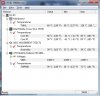
My Dell Studio 1535 all the while is having some heat issue and it brings me into this Undervolting thread. I did all the steps with a stable test by Othros (all component is about 85c max). I thought it should be fine and start to play RTCW but it turns hot again. After check with HWMonitor the motherboard temp is shooting up to 120c instead of the processer. Any idea about this issue?
-
Last weekend I did also undervolt my Thinkpad X200s with RMClock. And the ULV processor is on 0.9250V for both 6x and 7x. And also SuperLFM is doing great! It's just a shame Intel has locked this baby on 0.9250....
-
How do you undervolted with Intel XTU ?. My laptop has i7 3949xm and it can't adjust anything.
-
Hi guys, sorry for bringing this thread back.
I am using a 4700MQ with P157SM-A and would like to "undervolt" it using Intel XTU to let it runs cool at load.
Can anyone please give me some hints on how to do it?
Should I only adjust the "Dynamic CPU Voltage Offset"? or adjust both "Dynamic CPU Voltage Offset" and "Processor Cache Voltage Offset"?
And what's the best way to test the stability? I tried searching this on the Internet, but people have different opinions in this.
Appreciate for any reply
-
"Processor Cache Voltage Offset" is the voltage for the cache. Not sure if the cache is more sensitive to undervolting, but you can still do it.
Try running Prime95 for 12 hours. If it crashes, then the undervolt is unstable.
I would also advise using RealBench to confirm that the CPU is stable. There has been a few stories about people successfully stress testing their CPU for 24 hour, and then opening a web browser (or something everyday task such as gaming) causes a BSOD. -
Hi,
I have an old Asus U35Jc laptop with an Intel Core i3 370M (2,40Ghz) processor which I would like to undervolt or underclock (if possible). I can’t find the “Advanced CPU settings” tab in RMClock. Is RMClock compatible with an Intel Core i3 370M (2,40Ghz) processor? Or should I use some other program?
//Werl -
RMClock only supports up to Core 2 CPUs, it's an abandonware.
The only way to access the voltage on a first gen i3/i5/i7 is through BIOS or if you have an i7 XM CPU.
On a side note, I have a question of my own. Posted on another thread but I'm not sure if it's going to get a response:
-
Okay, thanks. Unfortunately, I can’t change anything important in BIOS : /
-
Grrrr ... Ok so I have been undervolted for a long time but recently had to install a new HD. System: Dell XPS core 2 Due T8300. I installed and ran RM Clock earlier this week. Clock would idle at .6 GHz ... but now today it will only go down to 1.20 GHz. I was screwing with some stuff this morning, but cannot seem to figure out what I could have changed. Any ideas why I cannot get it to idle at .6 any more?
-
i tryied -115mv undervolt on my i7 4702mq and it didnt crashed in aida for 8hours.Should i consider this stable?i selected cpu fpu and and cache test.Has anybody tweaked with turboo boost short power max and turboo boost power max?like reducing short power from 46,25W to 45W or turbo boost power max from 37w to 36w or 35w?will this cause damage to system
-
Open up Event Viewer. If it says anything about "WHEA Logger event ID 19" and "corrected hardware error", I would advise increasing the voltage a bit.
I have not played with the non-voltage power settings. -
is there anything alternative to the XTU as it doesn't work on my w230ss, i load it and the splash screen comes up and says it's unable to start.
-
Throttlestop?
Sent from my iPhone using Tapatalk -
does throttlestop do undervolting? can't get this intel crap working, redownloaded it several times so it's not corrupt, rebooted, updated ME firmware, checked all my drivers, just refuses to start up with an error that means nothing.
anyone know where it keeps a log? -
Yup, it does.
-
I downloaded Throttlestop, but the only way I found to lower the voltage was using a low multiplier and that's not really undervolting but underclocking. How can I reduce my i7-2670qm's voltage on Windows 8.1 without lowering the clock speed?
-
I would ask in the throttle stop thread. Uncle web should be able to answer your questions, but I have a feeling undervolting might only be supported for newer (haswell) chips. I don't know for sure though.
Sent from my iPad using Tapatalk -
got XTU working in the end, some tweak had disable wmi tracing that causes it to fail to load.
-
Is it possible to undervolt a i7-3610qm?
-
I personally recommend CPUGenie over RMClock. Switched a year or two ago, and never had a reason to regret it.
-
Not possible... Ivy Bridge CPU's don't have voltage control...
-
My i7 4710MQ works at 1.092v at max load with %100 Windows Processor State. Isn't that very high? It hits 90ish celsius. Should I lower the voltage? If so, how much? I read the OP but I'd like to know how you guys experienced on undervolting i7 4710MQ (or i7 4 cores in general).
-
You need to repaste your CPU if it's hitting 90C... Undervolting will help slightly but your just avoiding solving the problem if you do this...
-
It gets the same temps just like I first bought... So maybe the stock paste is worthless and I should paste with the proper one. I had actually no problems at 2.5 GHz frequence which never hits 80 celsius but after OCing the GPU, I feel like CPU's performance is not enough. I will repaste it but can you please tell me how can I do undervolting? 1.092v at max load seems very high to me.
-
Generally speaking, the stock paste is crap, and the application (which is even more important than the quality of the paste) is awful. So get a good thermal paste, such as IC Diamond or Gelid GC-Extreme, and google how to repaste a CPU and GPU. I can personally recommend GC-Extreme, as I used it, and it brought my CPU temps from 99C down to 82C. The most popular way to repaste is to apply a thin line of paste lengthwise along your CPU's heat spreader, and let the pressure from the heat sink do the spreading for you. For the GPU, put a small dot about half the size of a pea (depending on the size of your GPU... the one in my 5 year old StudioXPS was about 1/4 the size of the 970M in my current laptop) and again, let the heat sink do the spreading.
Undervolting a Haswell i7 is pretty simple. Download Intel XTU, and under "Manual Tuning", adjust the "Dynamic CPU Voltage Offset" to a negative number, and hit apply. How far you can undervolt will vary between CPUs. But -50mV is generally a safe number, so start with that. Then run the stress test for 10 minutes, and if it doesn't crash, you are probably ok. Then bump it down in about 5mV increments, testing after each one, until you either go as far as you want, or your system crashes. If you get a crash, back off by 10mV, and test until you are confident the system is stable again.
I've got an i7-4710HQ, and some people max out at a -60mV undervolt with this CPU before they run into stability issues, but mine is stable at -80mV, and I could probably go further, but my temps are fine so I have no reason to. So it really depends on your CPU how far you will be able to go. -
Many thanks for your detailed answer! I will certainly consider GC-Extreme which is the most cheaper thermal paste with a free shipping in eBay. Down from 99C to 82C seems absolutely wonderful.
About undervolting, I haven't done it yet but do I have to use Intel XTU everytime? Because when this app doesn't start, the settings won't apply. And If I put that app to the startup, it will start up as fullscreen which is annoying. Can Throttlestop able to do the trick?
Also, I use my CPU at 2.5 GHz with turbo boost disabled. It gets 70C max at games and max voltage VID (reading from HW Monitor) is 0.869 V. When I undervolt my CPU by -50mV, the max voltage will be 0.819 V. Am I correct? And when turbo boost is enabled, it gets 1.092 V at max. I guess this value will down to 1.042 V when I do the undervolting yes? -
At least for me, unless my computer crashes, XTU settings always apply on startup.. Are you sure your not doing something wrong? Reinstal XTU.. I don't even have it programed to run on startup(well the service is working but the program doesn't open)...
-
Where can i find a XTU how to? (CPU Haswell 4900mq)
What can i use alternative software for undervolting? I use only software, no Bios. -
Nice, but its not the right. I dont use HWBot.
-
You are probably right. I was talking about Turbo Boost Multipliers which won't apply for me unless I open it. I deal with this Throttlestop though.
By the way, I undervolted my CPU by -50mV just like Delta_V suggested and it has a great effect on temp. I ran Prime95 for twenty minutes and I got max 84C with %100 windows cpu state. Also ran 3DMark and got 85C max (and that was very instant). Before that, it was 92C. So far it is very stable. Outstanding result for me. Watch_Dogs feels more smoother at 3.5 GHz rather than 2.5 GHz but that could be psychological lol.
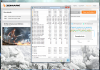
http://www.3dmark.com/3dm/6446946
Thanks again to Delta_V for his simple and great explanation for undervolting. It has guide me alot. I will also repaste my CPU and GPU with GC-Extreme or IC Diamond. Maybe that way it won't hit even 80C haha
Love the NBR and its members xoxoLast edited: Mar 30, 2015 -
Hi!
Should I undervolt my i7 4720HQ on my new PC? Will it break anything, and what effects can i expect on heat and battery life?
Also, how should I do it (with what software)?
Thanks
The "Undervolting" Guide
Discussion in 'Hardware Components and Aftermarket Upgrades' started by flipfire, Apr 1, 2008.


