Problems? See this thread at archive.org.
Just a caveat - enabling superLFM on certain machines can cause freezing. Case in point - the Dell 14z P8600.
-
After reading this thread i decided to undervolt my dv5t(t9400,win7) . Initial temps were too high(100c) after running orthos for about 5 mins only but now hv reduced to 71c(cudnt believe it at first) after running orthos for over 4 hrs.I undervolted the 9x multiplier from 1.1375v to 0.9250v.Thanks guys and thanks to flipfire for such a great guide !!!
-
See #3639. SuperLFM is just a toy and doesn't serve any real purpose. Too slow for practical computing. Undervolting alone will usually solve any heat problems. It's a WOT.
-
My fan is spinning 90% of the time, so I decided to try this but I got a BSOD(Kernel Error) when I stopped ORTHOS after running it for ten minutes ``
-
Link plz!
You have the view for SuperLFM wrong.
*The reason ALL these p-states(frequency changes) and c-states(sleep modes) exist is to reach lower power when the CPU is doing nothing, even for a millisecond. *
SuperLFM allows the fast transition times of EIST without the much higher latency penalty of sleep modes. On a properly enabled system, SuperLFM should only activate when the CPU is idle(yes, and that counts between frames of videos that doesn't require CPU). -
Here's the thread link:
http://forum.notebookreview.com/showthread.php?t=403364
In a nutshell, enabling SLFM only causes freezing on the P8600 14z if you undervolt below 1 volt. If you are under 1 volt and enable SLFM, complete freeze requiring reboot occurs instantly. -
We're mistaking "view" and "function". You are absolutely correct about the mechanism or function by which SLFM operates. No problem there. As you just stated above, it should only engage during idle when the CPU is already pulling only minimal power (even if it's only for a millisecond).
My point, or viewpoint, is that under normal operating conditions, can you even detect a difference in power use, with or without SLFM, over several hours on battery charge?
I say no. We're not dealing with a massively parallel super-computer with 10,000 CPUs where tiny fractions of a watt per chip can add up to a substantial quantity.
IMHO, for a single CPU home computer, SLFM is a toy or novelty and of little practical value. -
I'm confused. If RMClock is to be believed, my CPU runs in SLFM most of the time when I'm just surfing the web. Does idling in SLFM use just as much power as idling at the highest multiplier?
-
If so, you paid a lot of dough for a laptop that you condemned to run at a ridiculously low speed while you do normal work. I've found that RMClock overuses it, ie. all the time. So, I don't use it. It drags everything out to longer running times so any power savings you think you're getting, are lost. See my bet with Mklym in Calgary.
-
Not a noticeable difference. People who have put it to an actual test say "no diff" in minutes of battery life. Why, because using higher clock speeds at idle is akin to flipping the switch on and off much faster to an unplugged appliance. There's no extra power being used because there's (almost) no load.
-
Read further:
http://forum.notebookreview.com/showpost.php?p=5209698&postcount=136
"but we don't have an Intel chipset on the 14z."
Another thing: "Interestingly, I was unable to get below 1V beforehand with Vista (although I was able to select lower voltages).
I am now able to go below 1.000V without issue [after installing Win 7 RC & checking the DFFS box]. The only multiplier I have tried it with is the lowest... but 1.66GHz runs flawlessly @ .825V. Will be testing the other multipliers and will keep you guys posted."
DFFS: SuperLFM, which doesn't work on non-Intel chipsets -
First of all i don't really have time to read all the replies to this thread so if i am asking something that someone has already answered please forgive me, i am doing so out of being completely desperate.
I am running a fujitsu siemens notebook Amilo Xa 2529 and i would like to underclock my processor AMD turion X2 TL-64 as a result of overheating restraining me from ability to play any game. I tried literally everything, I even bought myself an ice pad under the laptop. However, one thing i always counted on as the last possible option was underclocking my processor.
This specific amd processor is dual core 2,2GHz, when playing (unfortunately) running at full speed/frequency. I was able to control or adjust the frequency of it using NHC software, but that had serious limitations - i can set it to 1.minimal performance getting 800 MHz, which is not enough for games, 2.to maximum performance getting full 2,2 GHz, which overheats the notebook(resulting in uncontrolled cooling of cpu when reaching the top temperatures of about 85 - 90c, that makes me totally unable to play any multiplayer game) or 3. dynamic performance which is supposed to switch the frequency as the computer needs to, which may seem like the right solution, but when i start any game it automatically sets the cpu to 2,2GHz and here we are overheated again.
I already downloaded this RMclock utility, read dozens of tutorials and guides and posted at various threads related to this.
So the problem i have with this software is that i cant really change which multipliers i want to use. What i would like to achieve is to restraining cpu from using the top frequencies, but even making it work at lets say 1,6GHz. However, everytime i uncheck any of those multipliers and apply the changes, after a while or immediately the computer freezes and the restart is needed.
Somewhere on the Internet i found that some cpus cant use some multipliers,
specifically: "Note that the processor in our example, the Athlon 64 X2 4800+, doesn't use the 1,200 and 1,600 MHz speeds, and particularly not 800 MHz. If you ignore this and enable 800 MHz (FID = 4.0x) on an Athlon 64 X2 4800+, then the processor will instantly halt when you click on the Apply button, because it cannot actually run at 800 MHz."
however i dont think that this may be the problem because i already tried almost every combination of mutlipliers always making my notebook freeze. Also after unchecking the highest frequencies i was able to work like that for a minute or so noticing that the cpu really stays at the highest available frequency.
please i would be really grateful if anyone could help me, thx -
@Godik -
From a quick Google search of "undervolt x2 tl" I got a bunch of posts claiming excellent temp. control with RMClock and the TL-6x family. Seems to me that you're hung up about using clock frequency to control temps. That's called underclocking. That's not what undervolting is all about. You should be trying to find the lowest stable voltage for each FID first. Usually that's more than enough to let you run your stuff at top speed, which is what you paid for when you bought the notebook. Right? -
Well, i know whats the difference between underclocking and undervolting, however i cannot undervolt in RMclock neither because any change made in that software freezes mi ntbk.
I haven't found anyone with overheating issues similar to mine with these family of amds neither, i guess i must always be special.
The thing is, i cant really run stuff at top speed because of overheating even though i would really love to. I know that this notebook can do much more(for example when playing games i get solid FPS but the problem is that even the oldest games like warcraft 3 start to overheat my notebook which automatically leads to cooling down and then serious FPS decrease), but the temperature just wont let it go.
As to undervolting, I know what it does and i also wanted to try this(at first), but i don't really think it would be enough. People say that they can lower the cpus temperature by a few degrees (some say that they got a lot more like 10 - 15c), but i think no one had the problems i have. In this conditions it would maybe help a little but definitely not solve the problem, considering that the ice pad(the thing with extra fans you put the notebook on, i don't know hows it called) helped to cool the pc down when its idle, but not when i play games. -
@Godik, it sounds like the heatsink/fan needs to be cleaned. When was the last time you took the laptop apart and cleaned it? Also, the thermal pad on the gpu might not have been installed properly. It would help the temps to change the factory thermal pads/compound, on the cpu and the gpu, to IC Diamond or AS5.
As for the problems you are having with RMClock, I have no idea. All my UV went without a problem. Sorry. -
Geez, pass the Screech and get me my belt buckle. It's ropin' time. Hey, a quick look at Google shows that Godik's model has SERIOUS overheating problems. Someone in Sweden said they were giving 'em away like free Lefsa at Christmas. Freakin' Fujitsu again.
What is AMD PowerNow and shouldn't it be disabled to let RMC take over? Maybe a look in his bios can help unlock / disable unwanted power controls so he can undervolt. The AMD cpu WILL undervolt, that's a given. Gotta be another Phujitsu Phenomenon
-
@Godik:
Your CPU is supported by RMC. http://cpu.rightmark.org/products/rmclock.shtml
Try disabling BIOS control, PowerNow (if installed), and set the power scheme to RMC in Control Panel. I sympathize with your frustration, but you have to get your voltages down. Slowing down the clock speed just to use your notebook properly should be a crime. -
Undervolting is overated
Undervolting whilst overclocking is where it's at
Swapped in a Pentium M 725 to replace a Celeron M 360 (Both running with a 533 MHz FSB)
Before undervolting:
![[IMG]](images/storyImages/725OC1.gif)
After undervolting:
![[IMG]](images/storyImages/725LV1.gif)
At stock clocks (1.6 GHz), I'm certain less than 1v would keep it stable at full load...
I'm not gonna call my undervolted OC stable yet, but it's looking promising.
Ash
-
Hi,
I have an AMD Athlon 64, which uses AMD Cool & Quiet:
1.8GHz (9x) 1.2V
2.0GHz (10x) 1.3V
2.4GHz (12x) 1.5V
I have used RMC to set CPU performance states to:
1.8GHz (9x) 1.2V
2.2GHz (11x) 1.4V
And I notice the RMC log file shows it occasionally going to 2.4GHz (12x) 1.5V.
Does anyone know why that is the case?
thanks,
gordon -
I have added a state to RMC:
1.8GHz 1.2V
2.0GHz 1.3V
2.2GHz 1.4V
and set auto-adjust intermediate states VIDs.
I do not see any of the 2.4GHz 1.5V states now.
gordon -
Oh, spoke too soon.
I am still getting the 2.4GHz 1.5V state.
gordon -
Hi,
Do you think its worth undervolting a Intel Mobile Celeron 575 processor in the Asus X58L notebook?
Thanks -
Why not. It costs nothing. It reduces heat. It prolongs battery life. It's more than safe, it prolongs CPU lifespan.
-
I checked the control panels power scheme and its set to rmc, so thats not the problem
Another thing that just came to my mind is that i am running on XP instead of supported vista. Maybe that could be the problem don't u think?
I guess i ll have to check the bios...
i found a temporary solution which may not be the best, but i dont really care - i increased the preset temperatures at which the cpu starts to cool down, which helps a bit, but the question is for how long. -
Hello everyone,
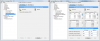
I just installed Win7 and I've been having troubles with RMClock. When I go to the individual profile page (Performance on Demand in this case), no boxes appear except the P-state transition for AC box. When I move the entire window, all the other options appear, but aren't functional. The P-State for AC is the only box that actually displays the check mark, and even if I click apply, it doesn't stay when I switch to a different part of RMClock.
Some screenshots are attached to illustrate.
I've heard that RMClock runs fine on Win7, so hopefully I'm just missing something here. I'm excited to get back to my lower temps and away from these stock voltages...
Thanks!Attached Files:
-
-
Thank you for using thumbnails. Thought I'd tuned into a Marvel comic book here yesterday. I didn't see your main profle page here. Every P-state you plan to use in any profile (Max Perf, P.O.D., etc.) must first be enabled in the main profile page. Otherwise, it won't be made available.
-
Actually, RMC works better with XP. No fighting over power control. AMD is providing a "PowerNow" driver with their newer chips. It does the same thing? as RMC but without the precise user control. Kind of like a "RMC for Dummies". Are you sure that this driver is not installed. It would cause the exact symptoms you're seeing. Also, do a Google for your Phoojitsu model. Someone must have had the same problem. RMC is the only program that makes the undervolt settings really stick so you don't have to underclock.
-
I rechecked my main page and they are all checked. The error seems to be more of a glitch than a regular software function. -
first click on the the P-state transition for AC box, also do it for battery.
then all of the other boxes will become functional. -
I've undervolted this latptop before, but I just switched to 7 and now the troubles have begun. I check the P State box now, and nothing appears. Unless I move the window (or hunt around and luck into finding one of the scroll bars in the gray waste of the picture I attached on my first post) no other options appear. Even when I do check the P State box, and apply it, it does not remain applied.
-
i ve been searching the google for 4 days now, without success.
Actually, Powernow! is enabled(when i start CrystalCPUID there is a list of similiar features and the ones that are enabled are highlighted) and i wanted to get rid of it, i mean disable it, because i was thinking maybe that is what interferes with what i want to do.
I know that u all recommend me just undervolting, but as i was saying, i cant even undervolt, not even overvolt...any change in settings of my cpu makes it unstable and ntbk freezes immediately. -
PowerNow is blocking RMC. You need to disable it so RMC can function properly. Then you can set voltages the way you want them. When you're properly undervolted, heat is no longer a problem. Then, you can run as fast as you want.
-
THATS WHAT I WANTED TO HEAR!
dont you know how to disable it?...i ve been searching how to do it for like hours, unfortunately no one had the answer... -
All right, so after some more hours of searching, i feel like to disable it i will have to upgrade my bios and i realized that it may not be that easy as i am not that experienced with this stuff
Do you think there is some other way? Darn, is it really that difficult to disable one driver??? -
I don't own any AMD processors, but I dug this stuff up for you
-
ur gonna believe it, but i have already tried that and I scored a three beautiful BSODs so i got to start the windows with the last known working settings which undo-ed the things i had done in the registry
I ll try that again tomorrow though... -
Try Microsoft's procedure. Leave the drivers in place and turn them off or on with a 0 or 1. You should just add a HackFlags=0 in your registry.
Be sure to uninstall RMC and CPU-Whatever before. You don't want any power progs. just waiting to jump in after PNow is disabled. Reinstall RMC when you can run OK without PNow. Also, reset your Windows power plan to always on or none. Give RMC a clean system to work with.
http://support.microsoft.com/kb/306458 -
I'm sure you guys have seen this:
http://forum.notebookreview.com/showthread.php?t=409058
In the second post, there is a registry hack so that RMClock doesn't knock off 100MHz for half-multipliers. Does this work and, if so, why isn't it in the first post? Sounds pretty useful to me!
~Ibrahim~ -
It's not that RMC can't handle fractional multipliers, it can. It just can't display them because the srceen output is formatted for whole numbers only. On mine, I just selected the next higher even-number FID and unchecked IDA to get the full 10.5 X, 2100 MHz.
-
OH....it's just a display issue? So it says 2000MHz, but is really 2100MHz?
Or you can just select the next higher even-one and THEN it works.
~Ibrahim~ -
No, it's the FID tabs in Profile that are integer only. The monitoring graphs will show you exactly what you're running at.
Yes. -
Oh, but you could've made that 10x into an 11x instead of using IDA mode, correct?
IDA, if I read the first post correctly (that IDA info link is BROKEN), just uses one core?
Thanks for the info, mate, I appreciate it. My SXPS16 has been delivered, but I have to drive home to pick it up.
~Ibrahim~ -
Recall my first post to you? I said it's a trick. I selected 11X because it's the next integer after 10.5. Then I disabled IDA by unchecking the box in Adv. CPU. So now, RMC has been instructed to use the highest possible non-IDA FID. That's 10.5 and that's what I get on both cores, all the time, and without any IDA spikes.
-
OK....so it just leaves "IDA" still written there, EVEN if it is disabled.
Thanks for the clarification, mate.
~Ibrahim~ -
Great, now when i want to update that cpu driver in the device manager it says that an error occurred during installation and that the access was denied. Yesterday it was installed correctly...
-
Why did you do that? CPU drivers only update rarely. Did it boot OK after turning off PowerNow?
-
What?? I did what u suggested me to do...downloaded the amdk7.sys and that other file, both of which i used to update my cpu in device manager. Afterwards Amdk7 thing appeared in registry in which i created Dword value and disabled powernow!, after which i restarted ntbk and during booting got those BSODs until i started windows with last working settings.
I thought that it wasnt the best idea so i left it like that until you replied with the same guide to do the same thing. So i decided to try that again, but when i want to update the cpu in device manager with the same two files i cant(I have to because there is no more any amdk7 thing in registry). -
@Godik - The references I found for you were "how-to" procedures. I did not suggest installing any other driver other than the one that came with your own system. How do you know the driver you downloaded is the correct one for your processor? The point of the whole exercise was to show you that an already installed AMD PowerNow driver can be disabled (without uninstalling or replacing it) with a simple registry tweak. Then, you can install RMC or similar to take its place. I suggest you restore your system to "stock" and try the simple tweak. It will either work or not. I'm not, as I pointed out, an AMD owner, so I haven't tried this stuff. But, Microsoft says it can be done.
-
As far as i know, powernow! function is present in all amd cpus. The procedure you posted was created for those people that own older amd cpus that doesnt have this function enabled, they need the driver - thus they do exactly what the guide says and can have it enabled. I assumed(same way as you did probably) that when it can be enabled by putting 1 it also can be disabled by putting 0, thats why i was trying the whole thing.
Now, i dont know if you read it, but in order to edit the registry you need to install that driver we are talking about. I have no idea if it was dangerous, I just simply had to do it in order to have the thing in registry, which i want to edit. Anyhow, the driver installation at first was successful, because the amdk7 thing did appear in the registry. However, it made my ntbk go BSOD-wild and when i started the windows with last known working settings, the driver and the registry were in its default(before trying the whole thing) state. And if i want to install the driver again i cant.
actually, what i discovered now is that without installing the driver i have an amdk8 in registry, which seems to be similiar. I wonder whether creating another Dword value like in the guide would help. -
Everyone remember to edit the RMClock_Tweaks.reg file to stop the insane refresh rate of the rmclock util which uses 2-3% CPU usage non-stop.
Thank you all. This is a must have setup for all laptops with 65nm chips. I have 20min increase in battery life and my laptops run much cooler.
The "Undervolting" Guide
Discussion in 'Hardware Components and Aftermarket Upgrades' started by flipfire, Apr 1, 2008.