Problems? See this thread at archive.org.
Hi guys,
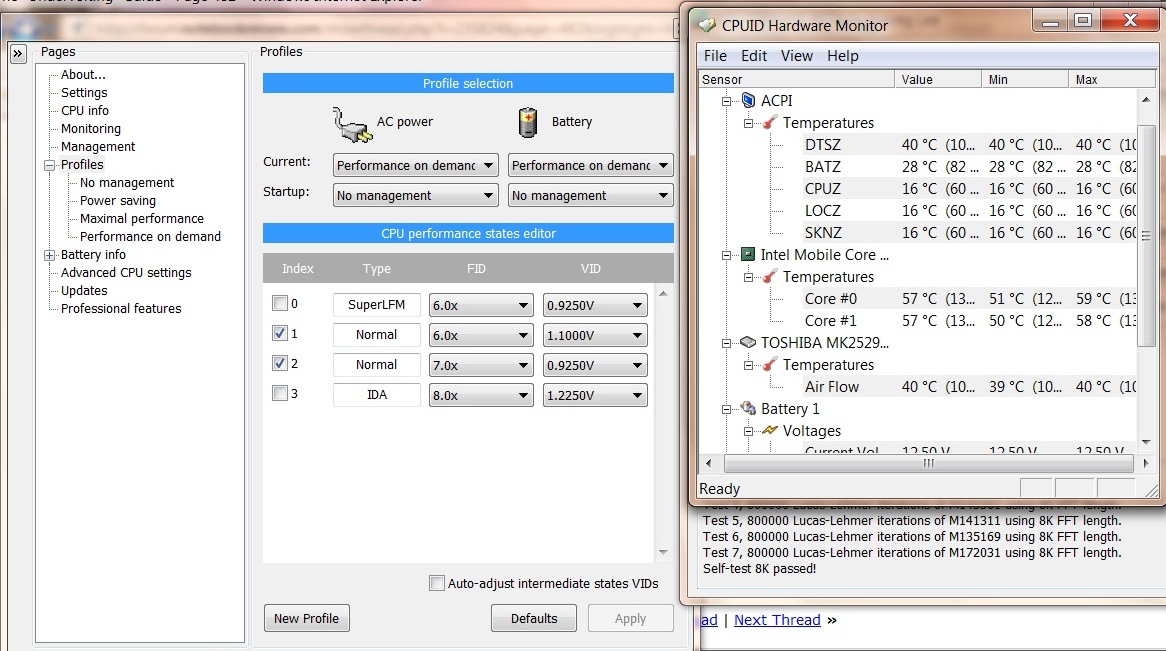
Could you please help me out - I'm following the guide in the first post but CPUID and Rightmark show different current core temperatures.. Which one should I take to be correct?
(screenshot) -- Rightmark shows 42 degrees, CPUID 57.
I'm running Win7 64bit on a Dell 1545.
Thanks.
-
any user guide/tutorial for ASUS W7J undervolting?
-
Usually HWMonitor (Which you mistook as Orthos) has more accurate temps. cheers
-
So this seems odd. I am running the test on Win 7 64, on a p8400. First of all I only have 3 steps. now I am working at the highest multiplier 8.0x at the lowest voltage 0.8750v and I am getting no BSOD, my highest V is 1.050v. Am I missing something here? I know that rmclock doesn't have the half steps but it seems a small difference between highest and lowest voltage.
-
Ok - thanks! But now we get to the weird part. After running the CPU load test on Orthos, HWmonitor showed a max core temp of 68 degrees C.
I lowered the 11x multiplier value - default was 1.500v, first lower value was 1.375v so I chose that one, ran the stability test, and got a max temp of 74 degrees.

Shouldn't the temp go down after reducing the voltage? -
Anybody succeed in undervolting UL30VT ? The option minimum is only 0.9v, how to display lower voltage ? I thought that because I'm using easy turbo 5% in bios, but after i turned it off, the VID still 0.9v and up not lower
-
p8400 is already a really efficient cpu (only 25w), that means the intel people have already undervolted to a stable level so you wont be able to undervolt any much more IMHO.
-
sir punk, if u want to play with the final half step, u can check my post. let me know if u have questions about it on rmclock
-
no. P and T series have the same default Vcore, with between 1.0v-1.25v. The fact is, CPUs are not made equally, some are better, which can run at lower voltage, and some are not that good. My P8600 can run at 0.925v without any problems, but there're some P8600 can run at even lower Vcore, and there's some cannot reach that Vcore.
-
I added a few more features to ThrottleStop for Core 2 users.
If you want a simple to use tool that consumes less resources than RMClock and supports the half multipliers in the 45nm Core 2 CPUs then it might be the tool for you.
http://www.fileden.com/files/2008/3/3/1794507/ThrottleStop.zip
It's also one of the few programs that accurately reports Intel Dynamic Acceleration (IDA) mode. When you run a single threaded benchmark like Super PI mod, it's very easy to see one core use the higher multiplier while the second core goes to sleep and uses its default multiplier. RMClock does not accurately report this or VID when IDA is in use. The FID/VID can be changing hundreds of times a second during IDA so any software that monitors these two values by sampling the CPU once per second won't be accurate.
I'm just working on adding Nvidia GPU temperature monitoring to ThrottleStop so you can create your own throttling schemes based on that if you have thermal issues. Try adding this to the ThrottleStop.ini configuration file:
GPU=1
Based on this or CPU temps you can setup ThrottleStop to adjust your multiplier a little lower automatically when your laptop starts burning through your lap. -
I am still not getting a BSOD at 0.8750v, but I got an error from Orthos, what does this mean?
2:FATAL ERROR: Final result was FA6891DF, expected: 26C78657.
2:Hardware failure detected, consult stress.txt file.
2:Torture Test ran 1 hours, 29 minutes 26 seconds - 1 errors, 0 warnings.
2:Execution halted.
do I have to worry about it? also I can't find stress.txt -
If your computer can not run Prime95 / Orthos 100% reliably without errors then it usually needs more core voltage. When you lower your core voltage and you lose Prime stability then that is a sign that you've gone too far.
-
Can I use it for UL30VT which have intel ulv ? and can it downvolt the default 0.9v to lower voltage? Seems using RMClock cannot choose lower voltage
-
great guide! finally got around to doing this on my dv7 (q9000)
I just had to use CPUID (which somehow magically lets me use the 8.5x multiplier for 2.26ghz, even shown in CPU-Z)
Running about 11C cooler at full load -
Any new info on any programs/utilities working on core i3/5/7's? I've got an i5 that needs some fine tuning = ).
-
I'm glad I did a search of this thread. Someone seems to have the same problem as I.
Was this problem ever resolved? I really find undervolting very useful for my temps, but this random freezing has been really annoying... So I just turned off RMClock altogether. -
Is it true that leaving a higher multiplier uses the same amount of battery as a lower multiplier if they are at the same voltage? (my lappy in my sig can run 6.0x (~1.5ghz), 7.5x (~2Ghz), and 8.5x (OC'd 2.26Ghz) all at the minimum 1.1625v )
I can only use cpuid/throttle stop and throttle is simple to config for just 8.5x -
Send me a CPU-Z screen shot so I can find out some more information about your CPU. If it is an SU7300 then ThrottleStop will need to be modified to try and support that CPU. That's the first one I've seen with a 6.5 multiplier. Most go from 6.0 to 7.0 and don't let you access 6.5.
Send me a PM so I don't forget. I might need some other information from you to see how low the voltage can be set to.
v3loc1ty2.0: I've done some testing and when the core voltage is locked to the SLFM voltage, it makes no measurable difference to power consumption at idle whether the multiplier is at 4, 5, 6, 7 or 8. My T7300 soon crashed at 8 but below that it was the same on the Kill-a-Watt meter. When you load a CPU, power consumption will increase when you are using a higher multiplier even at the same voltage. In theory it is a linear relationship so a 25% increase in the multiplier will get you a similar 25% increase in CPU power consumption but at idle parts of the CPU are being turned off so the power savings is minimal from one multi to the next as long as the voltage is kept constant. As always, the lower the better.
Did you try ThrottleStop? It works with the new Core i CPUs. The only problem is that core voltage is no longer adjustable. There is no software available that lets you adjust core voltage anymore because it is not possible. You can play with the multiplier and turn turbo boost on and off but that's about it. -
Thx for the info on the non adjustable core iX voltages. = )
My curiosity is itching to know why if you happen to have that information. -
Intel redesigned their processors and the register in the Core 2 series that contains the FID (multiplier) and VID (requested core voltage) was changed. The FID information was shifted over to where the VID information used to be in that register and the VID information was completely dropped. Software can no longer manipulate core voltage by adjusting this register.
If there is a new method, it's not in the Intel publicly available documentation and I don't know of any software that can change core voltage on these new CPUs. Some older software lets you change this register like the good old days but on Core i CPUs, it doesn't actually do anything.
No idea why Intel did this. -
I have successfully undervolted a T5850 on a Aspire 5720 from 1.25V to 1.00V at 2.16ghz stable.
Temps used to be 67 after prime95 blend test
Now temps are 58 after same test
Question is how do i force this setting on startup without having to start Throttle Stop?
Also, I can't seem to force the multi to lock at 13x for 2.16ghz because cpu throttles back to 6x multi for light apps. I have changed HP settings in power settings to min 100% cpu speed and still nothing.
Any ideas? -
DELL Precision M4400, T9600.
1.1125V
Stable.
Thanks a lot! -
Same Voltage Stable for my T9400! I love this guide but it misses out on one thing. It doesn't show how to make RM clock recognise half multipliers in T9400/9600 so u loose speed when u undervolt. You mgiht want to look at the below link to make sure u don't loose ur CPU speed when using RM clock. Mods , might be great note for the guide to bve updated with this.
http://forum.notebookreview.com/showthread.php?t=411168 -
Random:
AMD Turion 64x2 TL50
.875V 8x multiplier. 50-55C with chrome and skype up after 4 hours use.
HP Dv6119US used to hit 81C under load. Now it's at 60C max. -
I'm running Windows 7 x64 and everytime RMClock wants to run at startup, the UAC kicks in and prompts me. How can I allow RMClock to bypass this? But I don't want to disable the entire UAC.
-
I know, thanks. I already did the right registry changes. And there is no performance loosing
-
Ok. So I am wanting to undervolt my HP tx2525nr because the heat is ridiculous, but I am having problems with RMClock. When I install it nothing is editable. The prog doesn't recognize my cpus (AMD Turion X2 RM-70) which are supported by the software according to the manufacturers website. could someone help me? I don't know what I am doing wrong.
I follow the guide to the letter till it says go to advanced settings. Nothing is working. -
^ Are you using Vista 64?
-
Hi,
I'm trying undervolting the SL9400 CPU on my HP 2730p. There are only 2 "normal" FIDs: 6.0x and 7.0x, both have a default VID of 1.1V. I can undervolt the 7.0x down to 0.925V, which is the lowest possible level. It looks like this: (file attached)
Now that the 7.0x has a lower voltage than the 6.0x, what should I do now:
(1) Uncheck the 6.0x and superLFM, leaving only 7.0x on.
(2) Try undervolting 6.0x
(3) Use ThrottleStop instead of RMClock. (Btw, is there an option to undervolt it even below 0.925V? I got 59 celcius degrees at max and I'm still not very happy.)
I'm using Windows 7 x64 and plan to use different power plans when plugging-in and on battery. (HP Optimized and Power saving.) Do I need to tweak anything in W7 power options?Attached Files:
-
-
No, I am using Windows 7. Is this why it won't recognize?
-
You need to download the signed x64 drivers. Go to the first post and scroll down.
-
I have downloaded the signed x64 drivers. The program runs fine with the signed drivers. It just doesn't recognize my processors and it doesn't have the advanced settings, which I think is linked to the first problem. Anyone experience this issue?
This is what I am seeing. There is no CPU info or Advanced CPU Settings.
-
tvu732: Why are you not using Intel Dynamic Acceleration (IDA) mode on your SL9400? Most software is single threaded so this allows one of your cores to automatically go to sleep in the C3/C6 state when it is not needed so the other core can use the 8X multiplier. These transitions can happen hundreds of times a second. An 8X multiplier is a 14% performance boost compared to a 7X multiplier so why not use it?
By default, RMClock doesn't handle the 45nm Core 2 CPUs that use half multipliers but you don't have to worry about that since your default multiplier and your IDA multiplier are both whole numbers. I'd enable IDA and drop the voltage for all levels as low as they can go without losing stability.
I'm a little biased but for your CPU it doesn't matter whether you use ThrottleStop or RMClock. There are advantages and disadvantages to each. One disadvantage of RMClock is it doesn't accurately report how IDA works so many users don't bother with this feature.
Run ThrottleStop in monitoring mode, enable IDA and then run a single threaded benchmark like Super PI mod and it should be easy to see the one core that is doing most of the work and it will be using the 8X multiplier the majority of the time. On my T7300 I can average over 90% IDA usage during this bench.
Even with IDA mode enabled, your CPU can probably run that speed reliably at 1.00 volt or less.
The lowest possible voltage a CPU can use is written into the CPU at the factory so if RMClock only lets you go down to 0.9250 volts then that's likely as low as your CPU can go.
ThrottleStop 2.00 Beta 14
http://www.fileden.com/files/2008/3/3/1794507/ThrottleStop.zip -
Hi, I'm familiar with undervolting, but since ULV processors have come out, I'm now wondering if it's possible to "create your own ULV" system?
As I understand it, ULV processors are regular low-wattage processors that are FSB-downclocked so that they can run at super-low power. I gathered this from the ability of the Asus ULV to re-upclock itself on demand.
My question is if one were to get a notebook with the regular low-power processor, would it be possible to adjust the clock and power on the fly to have the same ULV effect? The reason is that right now, ULV laptops are a distinct item and don't come with a lot of the options one might want, so being able to "roll your own" would give us a lot more choices, such as bigger screens, etc.
Anyone have any ideas on this? -
Thanks for your advice and the link. Do I need to lower the IDA's voltage level before enabling it? Is it possible to enable both 7x multiplier and 8x (IDA) using ThrottleStop? If not, should I let my CPU run at 8x all the time or go back to RMClock and enable both 7x and IDA?
-
Is there any way to test the middle voltage? (I have 6x, 7x, 8x FID's and can't find a way to test 7x)
-
tvu732: As I mentioned, it doesn't really matter what software you use, just get IDA enabled to get some extra performance.
By setting the multiplier in ThrottleStop to 8, it should use the 8X multiplier (IDA mode) when a single core is active and drop down to 7X when both cores are active and you can get it to drop down to 6X at idle by disabling C-States and using the ThrottleStop Power Saver feature. At idle you can have a variety of power saving features fighting against each other so keep an eye on the multiplier that ThrottleStop displays at idle to make sure your laptop is running the way you would like it to.
IDA is totally dynamic. When loaded it will constantly be switching back and forth between 7X and 8X a hundred times a second. You don't need to worry too much about this as it is able to take care of itself. A setting of 8 in ThrottleStop will not give you the 8X multiplier 100% of the time. It's just a way to tell the CPU to use IDA as much as possible. If you set this to 7 you won't get any IDA.
You should be able to get away with less core voltage for IDA mode. To test IDA and to see what the minimum IDA voltage should be you will need to run a single threaded test. One thread of Prime95 with the Small FFTs option is perfect for this test. Don't use two threads of P95 for this test or your CPU won't use IDA mode at all. It is only available when one core is inactive. Lower the voltage down as much as possible without losing stability. ThrottleStop has fewer adjustments compared to RMClock but the end result should be pretty much the same in terms of performance and power consumption.
nikeseven: Use ThrottleStop or RMClock and lock your processor at 7X and then test away. Use Prime95 but when you are not testing your IDA multiplier then you need to be running two threads of P95.
wootage: I think some of these ULV processors are a bit of a joke. These things all come down the same assembly line. The ULVs might be binned so the good ones can run reliably at less voltage but most Core 2 CPUs can be significantly under volted anyhow. If you drop the multi of a regular Core 2 CPU and drop the voltage too, there isn't going to be a huge difference in power consumption compared to a ULV processor. ULV is mostly marketing hype. -
My highest voltage is .925 but it seems to fluctuate and I see 6x running at 1.00v and 8x 1.15v yet in RMclock 6x is at .875 and 8x is .925. Does it increase because of performance on demand? or is it just not working right?
-
The SP9300 uses half multipliers so RMClock by default may not report these correctly. The SP9300 has a default multiplier of 8.5 and an IDA multiplier of 9.0 but it doesn't sound like you are letting your CPU use these.
What program are you using to monitor VID voltage? I don't know of any software that accurately reports IDA VID. Post some screen shots. Your C State settings might also be causing issues. -
I was using RMClock to monitor, guess I'll try ThrottleStop since it works better with half multiplers
-
Try using CPU-Z to monitor VID. I'm not sure how it supports your SP9300 but at least it supports the half multipliers.
-
I ran Prime95 and was able to bring IDA voltage down to 0.975 safely. My question: if I set the multiplier to 8x in ThrottleStop and the multiplier automatically drops down to 7x when both cores are active, will the votage decrease too? Or will it keep voltage at 0.975v? In RMClock the minimum voltage I can set for 6x and 7x is 0.925v. I want ThrottleStop to use this voltage when the cores are idle.
Also, is Power Saver feature really helpful if 6x and 7x voltage levels are already the same?
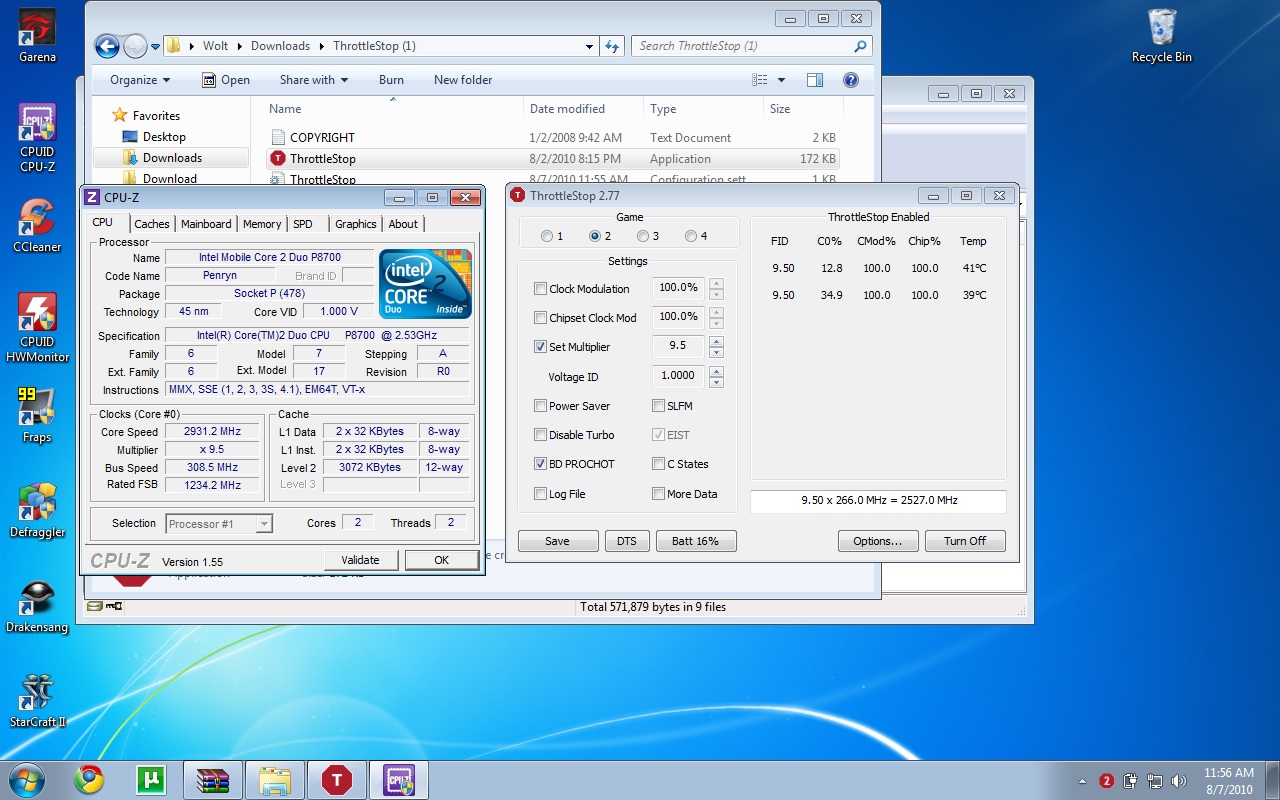
PS: the thumbnail shows ThrottleStop when I ran Prime95. I can see both cores running at different multipliers.Attached Files:
-
-
Okay using CPU-Z and ThrottleStop it is undervolting, but I'm not quite sure how TS works. Do I need to set each multiplier like I do with RMClock? And can you set up the undervolting to start with boot?
-
Here's the tutorial I wrote for getting a program to start up at boot time using the Task Scheduler. It works very well in Vista and Windows 7.
http://www.xtremesystems.org/forums/showpost.php?p=3970161&postcount=3657
ThrottleStop works a little differently than RMClock. Once you have your maximum voltage set just enable Power Saver and it will use the lowest possible voltage at idle.
tvu732: Your screen shot accurately shows you how IDA mode really works. A multiplier reading of 7.89 shows you that the 8X multiplier (IDA mode) is being used 89% of the time. That's pretty good. The less background activity you have on your computer, the higher percentage of time that IDA mode will remain enabled.
What does CPU-Z report for VID when you have Power Saver enabled? If you can, post a CPU-Z screen shot. -
Using TS, I have 6x, 7x, 7.5x, 8x, 8.5x, 9x(IDA). I set 8.5x as .925 and according to CPU-Z its .925 but then it'll jump to 1.000 volts at 6x and sometimes 1.15v at 8.5x. Is it because the extra voltage is necessary or is it something else?
![[IMG]](images/storyImages/24ceixx.png)
-
Did you go into your Control Panel -> Power Options and set the Minimum processor state to 100%? You need to do that for TS to run correctly. It modifies your existing power profile so when you use that setting it won't be trying to fight against the operating system. That might keep the VID steady.
If you edit the ThrottleStop.ini configuration file and set the key GPU=1 does that let TS report your GPU temperature? -
Yes it does work to monitor the GPU temp. It's working better with the minimum state at 100% (I thought I had it set as that but thanks considering I had overlooked it.) Now CPU-Z is reporting .925v maximum, although the only multipliers it shows are 8.5x or 6x.
-
What more do you need? If your CPU is idle it should be using a low multiplier and if it is working it might as well be working at full speed. You really don't need all those other multis.
What happens when you set TS to the 9.0 IDA setting? Run a benchmark like SuperPI Mod and see if one of your cores is using IDA.
As I said before, TS might not be the perfect solution. For some users it will be more useful than RMClock and for other users, they might get better results from RMC. Whatever works for you. I need to get my hands on a couple of different laptops so hopefully I can continue to improve it some more but as is, when properly setup, it's useful.
Does the SLFM option work correctly for you at idle? It should drop the average multiplier down to about 4.0X if there isn't too much background activity. I couldn't see any power savings with this when testing with a Kill-a-Watt meter. The majority of the power savings at idle comes from getting the core voltage as low as possible.
CPU-Z samples your processor once per second to determine the multiplier. It's not that accurate at idle and it's not that accurate when testing for IDA. If the multiplier is steady it does OK but the multiplier can be very dynamic and when it is, CPU-Z isn't accurate at all. TS uses high performance timers within the CPU that are hard to argue against. The average multiplier it reports is based on the method that Intel recommends. Run a single threaded benchmark and you will see the short comings of CPU-Z. Disable Power Saver and enable C States and you will also see CPU-Z ignore what your CPU multiplier is really up to. -
Adjusting the 9x IDA I was graced with multiple blue screens so I went back to fine tuning 8.5 since that's what I would be using most of the time. Hopfully later tonight I'll work more with the 9x, and I havn't tried the SLFM yet as I havn't been idling but I will tell you more once I get it going.
-
Thanks for your feedback. User testing provides me with information that I need to make my tools better. That helps everyone. It looks like I need to add some more flexibility into setting IDA voltage.
With 0.925v, is your CPU 100% Prime95 Small FFT stable when using the 8.5 multiplier? Some times you can end up setting the core voltage a little too low and lose stability because of it.
The "Undervolting" Guide
Discussion in 'Hardware Components and Aftermarket Upgrades' started by flipfire, Apr 1, 2008.