Problems? See this thread at archive.org.
Pretty impressive undervolt from my 8550u! It idles around .2 watts and turbos up to 29 ish. With my repaste this CPU gets 9700 in passmark
![[IMG]](images/storyImages/Yj0xQ03.png)
https://i.imgur.com/Yj0xQ03.png
-
-
is it possible to "dirty update" i mean just exchange the .exe to keep my old settings from the previous version?
-
Yup, worked for me just fine. The downloaded zip doesn't have a ini file so you can copy and replace the entire contents of your old install without worrying about it overwriting your old config file.
-
You can try these vc++ runtime repacks from abbodi https://pastebin.com/raw/46rfrtBvLast edited: May 2, 2018duttyend likes this.
-
I've been reading up on changing the PL1 and PL2 limits but I believe my 2018 HP x360 13" must have the limits for 15w set else where. Temps are fine but it loves to throttle to under 15w sometimes even though the temp is below 60c. I used RWeverything and set the values to the same as the guy who posted his Xiaomi laptop running at 30+ watts. Shame for real
-
Are you sure your CPU under volt is working? I think for the 8th Gen U CPUs the CPU Core voltage and CPU Cache voltage have to be set equally. If they are not set equally, the CPU will only under volt to the lower value so your under volt is probably only -0.0859 V. Do not depend on Voltage ID when under volting. It might be bugged when these two voltages are not adjusted equally.
It is possible that using a large negative core voltage might trick the CPU and lead it to report lower power consumption. Intel CPUs do not report measured power consumption. It is only an estimation based on VID Voltage and the VID Voltage is just a number that sometimes has very little to do with actual voltage going to the CPU. Hopefully you can do some more testing and get this figured out. -
I keep hearing the cache and core voltages need to be the same. I've been trying to figure out why the following can occur.
1) setting the undervolt on the CPU in TS to .500mV or greater causes a bluescreen.
2) Setting the cache undervolt to -250mV or greater causes a bluescreen.
3) when I have the undervolt set to -480mV ish, I get an idle voltage of around .53 which is the lowest I've seen in a lot of screenshots for the 8th gen U CPUs.
4) using the built in benchmark in TS at 29.8W the VID is only around .8v and does increase to a maximum of 1.2 when no undervolt is enabled.
So this to me says... yes it is working? but in XTU, I can't set the core and cache separately and around 150mVon the core, XTU resets my system. No blue screen or anything, just a hard reset. I'm really confused. I tried to unlock the Power limits this morning and something hard coded but me limiting me no matter what, but that's another topic.
Thanks for your response unclewebb!!duttyend likes this. -
A long time ago I noticed that XTU locks these two voltages together so I changed ThrottleStop so it would do the same. Users immediately complained so I went back and left these separate. I have no idea what CPUs can benefit from adjusting these voltages independently but I do know that some definitely do. You might be on to something.
When testing just keep in mind that the reported VID is just a number and may not have anything to do with the actual voltage that is going to the CPU cores or cache. Power consumption is calculated within the CPU but it is based on VID voltage. If the VID voltage is not correct then the reported power consumption might be wrong too. In some situations, that could be a good thing. If a CPU with a 15 Watt TDP reports less power consumption then it should allow more turbo boost, for a longer period of time.
When testing, use a consistent load like the TS Bench test and instead of trusting the VID info, keep an eye on the core temperatures. If your CPU fan speed is consistent then core temperature might be a better indication of how much voltage is getting to the CPU.
Me too! I do not have access to any modern laptops for testing purposes. On my 4th Gen laptop, these two main voltages are definitely separate. I think 5th Gen is the same. 6th Gen and beyond, some CPUs seem directly linked while others are not. I do not have access to any magic Intel book that explains what is going on. I did learn that just because Intel XTU does not let you do something does not mean that it is not possible.Vasudev, FrozenLord, ha1o2surfer and 1 other person like this. -
Because of what you explained above plus this screenshot below, I guess I can't trust the VID. Clearly the VID is lower this morning for some reason. It's hooked up to my dock with 2 1080p 144hz displays and the Voltage is lower compared to just my laptop display being driven lol....
I will do this and leave the voltage stock (until the last test) and do this testing
1) change just the cache voltage and see if the temperatures fluctuate
2) change just the "core voltage" and see if the temperatures change in the same steps as when setting the cache.
3) undervolt again and slowly undo my "-483mV" and note the temp change (if any)
XTU loves to hard reset my system without me seemingly doing anything. I could run XTU, leave the voltages stock and after 3-4 hours of gaming I get a hard reset. Where as TS lets me undervolt and my temperatures are most certainly lower because I watch the clock speed in games and I hover around 2.8-3GHz when TS is enabled vs 2.4GHz when voltages are left stock.
I have an HDMI usb capture device so I may use that to capture footage so I don't impact the TS's consistent benchmarking suite. Not only to document here if anybody is interested but also for my own interests.unclewebb, t456 and FrozenLord like this. -
I can confirm that on my 6700HQ GPU and System Agent voltages are linked. There is a pretty simple way to test if they are linked or not. Just set GPU undervolt to a crazy low voltage and apply. If no BSOD then these two voltages are linked.unclewebb likes this.
-
i7-8750H (aero 15 v8)
core/cache -130.9
iGPU/SA -95.7
reported vid at idle is ~0.68V with the undervolt. those settings above are stable for a few days, no problems with sleep/hibernate so far.
Also can confirm on 6700HQ (dell 7559) the iGPU & SA were linked but that was a long time ago.
Strangely enough on this CPU (8750H) it seems iGPU & SA are somewhat separate.
iGPU -95, SA -95 = works
iGPU -95, SA -250 = freezes (computer starts to go instantly crazy at -215)
iGPU -560, SA -95 = works
So SA changes are independent but iGPU uses the lesser undervolt of the two. Or maybe the iGPU slider doesn't do anything at all, not sure. On this CPU undervolting the SA doesn't glitch the screen out like on older CPUs I tried (display controller is part of SA). Throttlestop shows analog i/o as adjustable but digital i/o is greyed out. analog i/o does nothing as always.
EDIT: I see something similar with core/cache. They are separate: core undervolt by itself takes effect.
Going to install XTU next to TS to try bclk overclock. Nvm: can't do bclk overclocks on this model.Last edited: May 5, 2018 -
Great to hear that ThrottleStop continues to work on Intel's latest 6 core mobile CPUs. I have been thinking about making a stretch version of TS 8.60 so users will be able to see what all 12 threads are doing without having to use a scroll bar. Kind of like a stretch limo.

Always hard to keep track of what Intel is up to. That is why some hands on testing is always best. Thanks for sharing.
If you manage to overclock your BCLK, remember to use WinTimerTester to make sure that your system clocks are still running in sync. The default clock is BCLK based so changing this can screw up your system timers.
WinTimerTester 1.1
https://drive.google.com/file/d/0B0dpSo9k93jDZlZ6NWNlV0RTcUU/view?usp=sharing
Open up a Windows command window and type in this to switch to a fixed frequency timer and then reboot.
bcdedit /set useplatformclock true
To go back to the original timer, use this command and then reboot.
bcdedit /deletevalue useplatformclock
I noticed recently that Windows 10 is using a fixed 24.0 MHz on die counter compared to the 14.31818 MHz fixed timer that it used to use.
![[IMG]](images/storyImages/jilKMbX.png)
Not sure if there is any difference in terms of latency or game smoothness between any of these counters. -
Personally HPET aka Platform clock slowed things down for me. Win 10's High performance timers coupled with TSC made my PC snappier again.duttyend likes this.
-
![[IMG]](images/storyImages/screenshot_52.png)
I think the UI is fine even if it doesn't show all 12 threads, definitely appreciate that it is smaller. C0% for all cores is read the same here, IIRC it was not like that on the quad cores.
Was not able to adjust BCLK with XTU, on this laptop the option doesn't show up in XTU. Only mentioned it because the last gen aero 15 (7700HQ) which I briefly tested had the setting in XTU although it was obviously not stable around +3% or so. I carried over the win10 install from that laptop with the 7700HQ.
I don't know much about the timer issues but it is pretty topical. The last chart on this page you can see HPET eats performance
https://www.anandtech.com/show/12678/a-timely-discovery-examining-amd-2nd-gen-ryzen-results/4
EDIT: Clarifying that by "undervolting the SA = screen glitch out" I meant undervolting SA too far on older gens (6600HQ) the display started to artifact (eg, giving you a hint the undervolt wasn't stable) which makes sense since display controller is part of the system agent. On the 8750H with this particular laptop, I could undervolt the SA 200mV or so before it started messing with the display and 200mV is obviously not stable. AFAIK the display controller is still part of the SA since 8th/7th/6th gen are all identical.Last edited: May 6, 2018 -
@margroloc - Your data looks a little too perfect. Are you running any virtualization or sand box kind of software on your computer? It looks like all of the monitoring data is duplicated and is only coming from a single core / thread of your CPU. There were not any problems like this on the 8700K so I am a little suspicious. Does the data ever change from thread to thread or core to core? It should. Some antivirus software might block TS from accessing individual threads so it will keep showing the same thing for each thread.
Edit - Thanks for the AnandTech article. I thought HPET was a dead issue but obviously not.Last edited: May 6, 2018 -
Question?
Can you add the last 2C/4T for the 7980XE.
And can you re-enable VCCIN (It's missing now) and also raise it's max from 2.3 to 2.5. Thanks. -
I wish I could but I think Intel changed how VCCIN is accessed. Not sure where it is hiding. Without any documentation or new hardware to play with, there is no way for me to figure this out.
ThrottleStop is a 32 bit app so it would need a significant re-write to try and go beyond 32 threads.
TS is mostly dead. I have no plans for any significant new developments.
-
So it would need a rewrite just to add back the vccin setting that is still working in version 850?
Well, the 36 threads was an after thought, but if you click the last setting they all change to that multiplier. Was thinking more along the lines for the inline benching tool.Vasudev likes this. -
TS 8.50 supporting the 7980XE was more of an accident than by design. I have never had any hands on time with this CPU family so what TS features work and which ones do not is a mystery to me. I believe the VCCIN slider was originally left unlocked but I do not know if it works on this CPU.
Without any documentation or user feedback, the VCCIN slider for the 7980XE might have become disabled in TS 8.60.
Can you think of a way to prove that the VCCIN slider in TS 8.50 is actually working? Does adjusting it too low cause your CPU to crash or do you see some other change like a core temperature change or perhaps some other monitoring software that can prove this. I would be happy to send you an updated version with the VCCIN slider turned back on. I might even let it slide up to 2.5 V for you if you think it works.
The 7980XE is a little out of my price range so I am hesitant to turn on voltage features when I am not sure. If you would like better support, post some TS pictures so I have a better idea of what works and what does not. Maybe some day I will find a way to add 18 or 36 threads to the TS Bench. -
Give me a few to reset the system so I can take pictures.
-
-
There seems to be a few changes in the new Intel chips. And apparently these chis can pull far more that 535W, but it unlocks with voltage and scaling I suspect.
-
My god. Did you get your hands on AMD Ryzen and get similar TDP numbers as well?
>500W is insane on CPU and let alone needs twin 1000W EVGA/Rosewill/Seasonic PSUs like Der8auer said when Broadwell Extreme came up.(I might be wrong here) -
800W to 1000W CPU power drawduttyend, Vistar Shook and Vasudev like this.
-
Enthusiasts always take the components to their limits. Looks like AMD TR2 can go much higher.Vistar Shook likes this.
-
It is a big number but not really insane when you think about it. 100+ Watts out of an overclocked 4 core CPU is not unusual at all. An 18 core CPU has 4.5 times as many cores so all of a sudden, 450 Watts or 500 Watts doesn't sound too crazy.
@Johnksss - Thanks for taking the time to post some pics. I really depend on feedback like this when it is for hardware that I do not own. Taking wild guesses at what might work only goes so far. It might take me a week but I will definitely make some changes to TS so the new versions let you adjust VCCIN again.
TS queries the CPU for Analog and Digital I/O info. When an error code is returned, TS disables these so I will not be able to change that. Does Intel XTU support the 7980XE? Anything that it can do that TS cannot or vice versa?
Your screenshot shows that Speed Shift is enabled. When you check the Speed Shift - EPP box on the main screen does the multi drop down when lightly loaded? Set EPP back to 0 for maximum performance.
How does the reported BCLK compare to CPU-Z? Any BCLK difference between TS 8.50 and TS 8.60?
When you select CPU Cache in the FIVR Control, is it possible to adjust the Cache Ratio at the bottom and do these changes show up in the monitoring panel at the top right of that screen?
No hurries to answer any of these questions. The more feedback you give me, the better I can make TS support the 7980XE.Last edited: May 7, 2018duttyend, Vasudev and Vistar Shook like this. -
No problem!
Yes, XTU supports the 7980XE
No, so far it does everything XTU does, but the catch is not to make changes while both are active. Since TS and XTU don't always use the same location in the bios for changes. The bios has like 3 areas for the same exact things. I notice this a very long time ago. And while most seem to line up, a few do not. That is why XTU can always make changes While once in a while TS can not. It tries to change the secondary location instead of the primary. (I don't think i can really explain that one, so I hope you understand it)
You also don't have AVX settings...
![[IMG]](images/storyImages/6ZQ73uz.png)
![[IMG]](images/storyImages/Zhjhe9D.png)
Speed Shift seems to work. I would have to go back and change the multiplier to see it in full action.
BCLK
![[IMG]](images/storyImages/StJqbdP.png)
Cache
![[IMG]](images/storyImages/NuXOTc5.png)
Trust me. So far it almost all works under 8.50. The FID doesn't change on the fly like it use to. I'll have to take more time to do 8.60. -
Anyone else having the issue with 8.60 that you get a pop up when shutting down, telling you that Throttlestop is preventing a shutdown?
Did not have this with 8.50. -
@Johnksss - When Speed Shift is enabled, SST in green, the Set Multiplier feature will no longer work. There is a min and max multiplier in the TPL window that should work when using Speed Shift. The FID / BCLK might work better in TS 8.60. I will come up with an improved test for VCCIN support so I can unlock that slider and extend it to 2.5 V. I might look into a few more tweaks to better support the 7980XE. After seeing some of the XTU data, I don't feel so bad now. The competition appears to be showing a lot of zeros for monitoring data.
@MrBuzzkill - I just shut down Windows 10 Build 17134.1 two times; once with TS 8.60 open on the desktop and once with TS 8.60 minimized to the system tray. No issues or hangs either time. This computer has a fairly fast 960 EVO NVMe drive. You might want to go back to TS 8.50. An unlocked version is included in the TS 8.60 download for anyone having issues with TS 8.60.Last edited: May 7, 2018 -
Yes, that part works fine. I use it all the time when i'm not over clocking. Was talking more of the FID still showing say 49 after i changed it to 45.
Unlocking the slider to 2.5 would be nice. 2.4 is where it starts showing in red in the bios. So maybe we start there for the normal user with air cooling.
I would need to load up regular XTU to see if it has more settings. I will do that when i get home. That version is the Asus version.
Also to note. Where it says CHIP. That should read 100, but it only shows 87.5. Not sure if that has any bearing on anything either.Last edited: May 7, 2018duttyend, Vistar Shook and Vasudev like this. -
![[IMG]](images/storyImages/P6T3GNc.png)
I started with fixing the easy stuff. I originally set a max limit of 2.30 V so people wouldn't hurt themselves, or their CPU.
Can you check TS 8.60. That problem might be fixed already.
That is another thing that should be fixed in TS 8.60. Skylake era does not seem to use Chipset Clock Modulation anymore so that column has been removed.
![[IMG]](images/storyImages/z6seT0Y.png)
Your screenshots will definitely help me fix a few things. I am also thinking about adding a couple of small buttons so you will be able to access all 18 cores in the Turbo Ratio Limits section. Not much time for TS at the moment but it is on the things to do list.duttyend, Vistar Shook and Vasudev like this. -
I'll test it right now. Give me 5 minutes.
And where do i download the updated version?
This was unlocked in 8.50 as well. And all 3 work for the 7980XE
![[IMG]](images/storyImages/fwkUiZu.png)
-
Download link is always in my signature.
Now that I know that VCCIN adjustment works on the 7980XE, I will get those 3 options enabled too.
PowerCut on Haswell CPUs locked the VCCIN value and this caused the reported power consumption to basically get stuck at a fixed value. I think Intel fixed this bug on later CPUs. Does PowerCut still do this on the 7980XE or does it only lock the VCCIN value? -
Power cut hides the reported power consumption as far as i can tell. so instead of reporting say 405W it reports 2.7W. And power seems to be the same so far from the last bench i just ran to test it.
Update as in with the new values incorporated.
Edit:
Also, 8.60 does not show Chip value as you spoke of. -
I thought you probably meant that. Maybe next week. Maybe sooner.
Does TS 8.60 report the MHz or multiplier any differently compared to the previous version? -
Same! I get the same problem!
Oh, this is my first post here, and I'm having another problem
![[IMG]](images/storyImages/Gengkds.jpg)
I used Throttlestop in another computer with an i7-3610QM and it worked great. Now I'm using another laptop with an i7-6700HQ and I wanted do undervolt and underclock in order to save battery. The problem is, sometimes TS is working (and all works well, the CPU sometimes uses about 1~2W), and sometimes it locks at 2,1GHz, like if there was something else controlling the cpu (windows maybe?)
It happens both in battery or AC, does anyone have any clue about how to solve this?
I mean, it's nothing critical, but saving battery would be good in college
-
I think you're using HP lappie?
Set Multiplier and Power saver won't work at all on HQ chip so uncheck them. Also, uncheck More data to save battery.
Finally you can run this bat file as admin from the link to get still higher battery runtimes https://gist.github.com/Nt-gm79sp/1f8ea2c2869b988e88b4fbc183731693duttyend likes this. -
It's because you disabled turbo. If you highest multiplier is 21, then that's all you will get. Also make sure the watts are set correctly as well.
-
Hummm, good question. I think it's pretty spot on, but the bclk you have to hit the bclk button for it to actually update.
-
Nope, it's an Asus GL552VW ROG. Thanks for the tips, I really thought Power saver did something xD
I did some things in the windows power manager settings, and ran the batch, and now it's giving me what I want, running usually at 800Mhz
I will check if it stays like that between the next days.
But I want to have a low frequency, so disabling turbo is better. And also, the cpu can run at 2,60GHz (multiplier 26) but can turbo boost until 3,5GHz for 1 core, or 3,1GHz for all 4 cores -
Use Speedshift value of 200 and disable speedstep and C1E as well. 255 causes your cpu to use 800MHz and sometimes even after switching to AC the cpu gets stuck at 800MHz.
After disabling speedstep and c1e, speedshift is very efficient and even at 200 value you can staggering amount of battery runtimes.duttyend, Papusan, supercar1 and 1 other person like this. -
Disabling turbo is not better my friend. Why not "have your cake and eat it too"?
TS is pretty powerful for being a very lightweight program. like for instance... I can run lower than you with 36 Threads. Maybe not in watts though. LOL.
![[IMG]](images/storyImages/W6NjHmQ.png)
![[IMG]](images/storyImages/3OY6fBj.png)
Low watts 18C/36T
![[IMG]](images/storyImages/Jf99eNk.png)
High watts 18C/36T![[IMG]](images/storyImages/DplyjiI.png)
You just need to understand how the program works and then tailor it to your needs. As you can see. ... I did not use any power saving anything features.
@unclewebb
You can see the MHZ in these screen shotsduttyend, Vasudev, Papusan and 1 other person like this. -
Thank you!!! It's running good so far!
I'm still learning how TS works, and when I first started using it, it was with a i7-3610QM, so a lot of things were different, there wasn't speedshift and other stuff.
Thanks to both for your help ^^ -
Hi unclewebb,
thank you for all the time and effort you pour into Throttlestop!
It's very much appreciated
Could you please help me out with my Asus Vivotab Note 8? (based on an Atom Z3740)
I have just stumbled across this post:
https://katastrophos.net/andre/blog/tag/thinkpad-8/
The user states / shows that his Z3xxx Atom can be undervolted using Throttlestop - however, I am failing in trying to achieve any undervolt at all.
My Throttlestop (8.60) only shows one VID field (compared to two fields in the acreenshots of said post) and lowering that by 200mV does not change the temperature under load (checked via HWInfo) nor does the tablet crash.
Therefore, I fear that this feature might be broken in the latest version or blocked by Asus. (I have tried going back several Throttlestop versions, but the Z3740 seems to be a pretty new addition, resulting in "CPU not supported" before version 8.50.
Could you please check whether the undervolting method for the Z3795 (used in the post) can be used for the Z3740 as well?
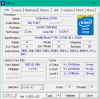
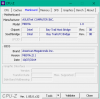
My dump via MSRFinder can be found here https://pastebin.com/rg0tnf5A
And I have attached two CPU-Z screenshots.
I'll gladly provide any assistance I can
Thank you very much for this great application and all the effort you have put in!Attached Files:
-
-
If you posted a picture of TS, maybe I could see that too.
The VID data for Bay Trail CPUs should be on the right hand side with the rest of the monitoring data. The post you linked is using an older version, TS 8.00.
The Z3740 and Z3795 are from the same Bay Trail CPU family so if TS works on one of those it should also work on the other. Show me how you have TS setup. How about a screenshot of TS while loaded with the TS Bench. Make sure you clicked on Turn On. The requested VID on the left side of TS should match the actual VID reported on the right side of TS.
One problem I remember is that TS only works correctly on these CPUs when using the Windows High Performance power profile. The problem is that many low power devices do not include this option. If you are using the Windows Balanced profile, ThrottleStop will end up fighting with Windows over control of your CPU.
I have an Asus VivoTab 8. I wiped off a layer of dust but the battery seems to be stone dead. When or if it comes alive, I will do some testing.
Edit - The search feature at NBR comes in handy. About 3 years ago I was helping @phonixner with his Bay Trail. Awesome results were achieved after the throttling was taken care of.
http://forum.notebookreview.com/threads/the-throttlestop-guide.531329/page-305#post-10007192
There is my dream come true. Lots of pics.Last edited: May 9, 2018duttyend and FrozenLord like this. -
Hey Unclewebb AKA TS founder. Sir I need some advice, what are the best settings for an i7 7700HQ CPU to still be powerful but not throttle. The i7 7700HQ is known for its heat issues, it's a super hot chip. Any advice would be much appreciated. Thanks so much sir
-
Hey there,
I am sorry but this is going my first post on this thread whatsoever and I'm not quite sure how it's supposed to work.
Maybe I'll start with my laptop model: T480s (i5-8350u, 16 GB RAM, no GPU)
I started using ThrottleStop as soon as I got my laptop (a month ago) and it was working on its own.
After the Windows 10 update some things have changed though: The temperature is higher than before AND YouTube videos feel laggy (they stutter from time to time - many hold-ups). Any idea?
I'll screenshot my settings:
https://imgur.com/cMKhvxT
https://imgur.com/ZtUNrWW
https://imgur.com/x1dAffc
https://imgur.com/LPZBnaz
I seriously don't know what to do right now. Any idea?
Thanks for any help!
Best,
DD
PS: Maybe I should add that I only use Word 2016, FireFox (browsing in general), Spotify and a mail program most of the time.Last edited: May 10, 2018 -
Ah, sorry - you're absolutely right.
Here you go:
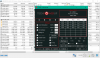
For some reason, my Throttlestop is only showing one field for VID - there is no left / right.
I tried activating the high performance profile via:
"powercfg -setactive 8c5e7fda-e8bf-4a96-9a85-a6e23a8c635c"
But no change to Throttlestop's activity / impact.
Very good find, here are lots of pixels for you
My HWInfo looks like this when left alone for two minutes
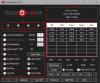
Running Prime95 using Large FFTs does not show throttling or critical temperatures (just above 62 degrees)
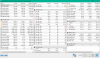
Adding Furmark on top of Prime95 leads to throttling (frequency bouncing between ~1466 and 933, but mostly 1200/1333).
HWInfo does not show throttling flags, so I guess it could be power related
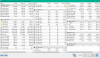
Closing Furmark, opening Throttlestop while Prime95 is still running results in this screenshot.
I have reduced VID from its 0.580 default to 0.480 and turned on Throttlestop
No change in voltage can be seen in HWInfo
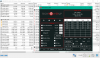
Activating high performance mode does not change Throttlestop's effect on the tablet.
Last edited: May 10, 2018 -
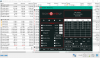
And thus screen shows the VID not taking effect: VID is requested to be 0.48 but Throttlestop still shows 0.58 and HWInfo shows 0.67
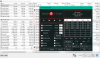
However, adding Furmark into the mix (active Throttlestop and Prime95) results in heavy throttling, going down to to 12.5 clock modulation.
Funnily enough, turning Throttlestop off does not change the throttling
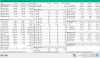
Closing Throttlestop resolved the reduced clock modulation (Prime95 and Furmark still running)
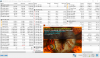
Please let me know how I can assist you in getting to the bottom of this.
Thank you very much for your support
The ThrottleStop Guide
Discussion in 'Hardware Components and Aftermarket Upgrades' started by unclewebb, Nov 7, 2010.


![[IMG]](images/storyImages/4vvGV3F.png)
![[IMG]](images/storyImages/gtIjvOI.png)
![[IMG]](images/storyImages/FkcA0sP.png)
![[IMG]](images/storyImages/ByY9hTM.png)
![[IMG]](images/storyImages/AcwB8lz.png)