Problems? See this thread at archive.org.
I set the turbo ratio to 28 on 1 profile to limit the heat being produced by the laptop. On the other profile it's set to 41 and CPU is turboing properly. Not sure about the UV though
-
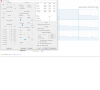
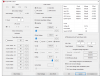
The core and cache offset voltages are partially linked. Try setting the core and cache to -250 mV.
When you are only adjusting the core, the CPU will ignore most of your request if you set it too high. -200 mV, -300 mV or -1000 mV for only the core will result in the same undervolt.
Use Cinebench R20 when testing. Start at core and cache at +0.0000 for a default run and then use -100 mV or -125 mV for both offset voltages and see if you get any difference in performance or temperatures.
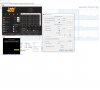
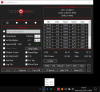
I need to see the main screen of ThrottleStop more than I need to see HWMonitor. That program does not report the offset voltages or MHz correctly so it is just taking up space in your screenshots.
Turn on the Log File option in ThrottleStop. Go play a game for 15 minutes or so. When finished testing, exit the game and then exit ThrottleStop. Your log file will be in your ThrottleStop / Logs folder. Attach your log to your next post so I can have a look. Laptops that run poorly due to power limit throttling or thermal issues are not unusual in this forum. If you have never opened your laptop to do some cleaning and maintenance, now is the time.Last edited: Nov 12, 2020 -
"Unfortunately" im not getting LP2 and EDP other right now but still once in a while my screen freezes/fps drop for a second
log file included
Thank you
Edit: This is with shift enabled at 120 and speedStep enabled aswellAttached Files:
-
-
Your CPU is running at a consistent speed but much slower than it should be. Did you disable Intel Turbo Boost or set the turbo ratios to a low number? Your CPU temperature is OK so there is no need to deliberately throttle your CPU.
If you are having freeze troubles in game, go in the ThrottleStop options window and include Nvidia GPU monitoring. It might be your GPU that is throttling. Some manufacturers have set extremely low throttling temperatures for the Nvidia GPU.seanwee likes this. -
I am going to try cinebench and see what difference it makes. The reason I feel it's not working is that I used (cpu -0.12V ; cpu cache -0.075v) settings on the previous motherboard and the peak temps when running P95 had reduced by 17-18C. Any more UV on either cache / cpu used to crash the laptop instantly. Now, the temps are the same whether cpu offset is zero or -0.1v. Exactly the same. Setting to high offset like 0.15 or 0.2 etc is not crashing the laptop. The CPU is turboing properly but throttling as it touches 100c in a few secs at full turbo.
-
No i dont really know what that is so i think not
I need to use speedShift, without it my cpu temp throttles badly.
This time i put shift on 100.
https://imgur.com/a/3ZAMS0L
(max temp in throttleStop is wrong because i exited too early, temps in included file were while gaming with throttleStop settings)
Results with GPU includedAttached Files:
-
-
I ran Cinebench R20. It seems throttlestop is working. Not sure why laptop doesn't crash with extreme UV like it used to before the motherboard swap.
EDIT : Something happened. Not sure what. Now laptop is crashing on UV offset more than -0.115V. Set UV at -0.105V with cinebench score of 1493
Score 1314 with no UV. CPU turboed to 4ghz, stayed there for ~2 secs with temps of 99c. Then it throttled down to 2.7ghz and temps of 83C and remained stable for the entire duration of the benchmark
![[IMG]](images/storyImages/ic93rj1.jpg)
Score 1459 with -0.075V on cpu core and cache. Turboed to 4ghz and dropped to 3.1ghz in 1 sec. Remained stable at 2.9ghz and 89c
![[IMG]](images/storyImages/87cSInU.png) Last edited: Nov 12, 2020
Last edited: Nov 12, 2020 -
Did you try undervolting both the core and the cache to -250 mV? If your computer crashes, the undervolt must be working.
The CPU is soldered to the motherboard. If they replaced the motherboard, they replaced the CPU. It's ability to undervolt could be quite different than the previous CPU you had. How well the heatsink was installed can also be quite different. Whatever temperatures you used to get during a stress test might have changed significantly even with the exact same settings.
It is impossible to get consistent, repeatable and meaningful results if your CPU is both thermal throttling and power limit throttling. An 8650U with unlocked power limits and proper cooling is a powerful 4 core CPU. When it is throttling, performance is going to be all over the place. You will not be able to make any comparison from one Cinebench run to the next if different amounts of throttling are kicking in at different times during the benchmark.
The log file you posted shows zero thermal throttling. A little bit of thermal throttling is OK. It helps keep the CPU at a safe operating temperature. Your log file shows improved CPU performance compared to the previous log and the Nvidia GPU is running great.Papusan, tilleroftheearth and seanwee like this. -
So i replaced thermal paste today, without using speedShift i got a max of 84C during gaming wich is huge improvement, now i did notice i got BD prochot at these temps wich i dont really understand. 84C is a pretty safe temp right so why is this happening. Also im still having these little frame freezes/fps drops they are really rare tho
-
BD Prochot reflects signaling from outside the CPU. You can safely uncheck this on the main page of TS. Not sure if I suggested this, but you can disable HPET in Device manager. That fixed a stuttering problem for me. Glad you are making progress.
-
Thanks will certainly try!
EDIT: i did what u said and put a frame limiter on CSGO unfortunately i still get rate frame drops. its more like a screen freeze than a frame drop tbh, really weird..Last edited: Nov 13, 2020 -
What hard drive do you have? Are you using an external hard drive connected to a USB port or just the internal hard drive?
Leave the ThrottleStop Log File option on while gaming. If you have a freeze, keep track of what time it happened at so you can go back in the log file when finished your game and see what the CPU and GPU were doing at that moment. Your problem is probably a hard drive or GPU problem and not a CPU problem. -
Beginner looking for help.
I installed Throttlestop as my brand new gaming laptop (HP Omen 17", i7-10750h, GTX 2080) was running what I thought was a bit too hot (97 - 98 degrees continuously while gaming, I know max is 100 degrees but still).
I tried changing the maximum processor state in advanced power settings in Control Panel to 99% and then 80% but this made absolutely no difference whatsoever. I thought changing it even to 99% was supposed to disable Turbo Boost but it did nothing - CPU was still running at 4.3ghz continuously rather than 2.6ghz.
I then installed Throttlestop but I can't get it to work as I thought it would. If I click Disable Turbo then that works - CPU runs at 2.6ghz and although it still gets a bit hot - 82 degrees or so while gaming - it's not too bad. I do lose quite a lot of FPS so I rather not disable Turbo completely. I thought I could check "Speed Shift - EPP" and increase the number next to that to get CPU to run a little slower without disabling turbo completely. But even if I change the number to 255, the CPU still just runs at 4.3ghz continuously and while gaming the temperatures hit 97 - 98 degrees. Any ideas? -
Best idea? Read post#1.

-
Which part of it in particular? Most of it is meaningless to me, I'm not very tech-minded.
https://imgur.com/a/I6gj3fL
Here are my Throttlestop settings and my Task Manager showing CPU still running at 4.3ghz -
Then this is where you begin. Read it, read it again, and read it again if necessary. Follow the steps provided and see if you can re-create what is possible.
If not, ask specific questions, then.
If the topic is really beyond your grasp (I highly doubt that!), then TS is not something you should be tampering with.
-
I don't really understand why you think my question wasn't specific.
"Why does setting Speed Shift - EPP to 255 and turning it on not have any effect on my CPU speed?" -
Throttlestop is a powerful piece of software that OEMs and Intel will do everything in their power to keep users from being able to use it in future laptops. Problem is that Throttlestop is also an extremely complicated piece of software with little to no documentation regarding what each setting and button does. You will have to slog through the 6.02 x 10^23 posts existing in the multi-verse before you can say you are almost knowledgeable.
Don't feel bad. You aren't alone and you won't get a smart ass reply from me. Do yourself a favor and watch videos such as:
That will get you started. From there, start searching on specific questions - what does ICCIN do; do i need to undervolt the iGPU; etc.
Don't dive into Throttlestop head-first. There's more stuff under the hood than you may actually need for your purposes.
https://www.ultrabookreview.com/31385-the-throttlestop-guide/#:~:text=Speed Shift – EPP operates with,at its lowest base clocks.
![[IMG]](images/storyImages/HMhg8y5.png)
-
Thanks, but my problem is that the very thing that he does at the start of the video does not work for me. He checks "Speed Shift EPP" and changes it to zero and his CPU speed immediately increases. I actually want the opposite - I want my CPU speed to decrease. But in any event whether I set it to 0 or 128 or 255 or anything in between it makes absolutely no difference to my CPU speed. I googled "Speed Shift EPP not working" but can't find anyone with a similar issue.
Yes, I am trying to get it to use lower base clocks but it isn't doing anything! It is still running at maximum clock speed even at 255. -
Because of the plundervolt mess, your Throttlestop actions may be severely curtailed. If undervolting is not an option, you could always change your PL1/Pl 2 limits to reduce heat. It will also reduce your maximum core clock.
https://www.reddit.com/r/Undervolting/comments/i2avwd/hp_omen_15_i710750h_reenable_undervolting/
Papusan likes this. -
So, asking people to read the documentation available is considered a smart-ass reply?
@Mark Wraith, no doubt @unclewebb will be here along shortly to give his indispensable answers (again) to you too.
In the meantime, read and absorb what you can. Nobody can help with that.
Btw, random peoples' 'videos' are the least likely way to gain knowledge. Specific 'skills', maybe. Knowledge from a few minutes video that tells you what to think ( if they even do that), Nah.seanwee likes this. -
Follow steps here... http://forum.notebookreview.com/threads/the-throttlestop-guide.531329/page-1226#post-11049590
Your Cpu already show clock down. See your own picture.
Let your Cpu run idle. Then post pict of TS window + FIVR window. -
@Mark Wraith - To lower your maximum CPU speed open the FIVR window and reduce the Turbo Ratio Limits. If these are locked, open the TPL window and reduce the Speed Shift Max value. Set this to 40 and your CPU will max out at 4000 MHz.
Leave the Speed Shift EPP variable on the main screen at 80. That is a good compromise. If you want full speed all of the time then set this to 0.Papusan and tilleroftheearth like this. -
Thanks Uncle. That has immediately maxed my CPU at 4000 MHz as you said. I will see what difference that makes to temperature and fps while gaming and fiddle about with them a bit if still not quite perfect.
https://imgur.com/a/JmdKCjB
CPU (or some of it anyway) still hit 99 degrees while gaming even at 4000mhz! Does this screenshot suggest something more fundamental wrong with this laptop? Two of the cores are running 10 degrees hotter than the others! -
Your CPU needs to be repasted to get the cores closer to each other (if possible).
The maximum temperatures will always be hit if you're pushing your system for so high or so long as to be beyond its cooling abilities. -
Second point understood but that 99 degrees was after gaming for only 5-10 minutes on moderate settings in World of Warcraft (not the most demanding game!)
First point - I will get the manufacturer to repaste it rather than do it myself and risk warranty because I am quite incompetent with things like that. -
Today’s notebooks use shared heatsink. You probably see that the graphics card use almost all cooling capacity. Nothing left for the processor. Re-paste may fix it or you need swap out the heatsink with a new.tilleroftheearth likes this.
-
@Mark Wraith - Many laptops from the major manufacturers have barely adequate cooling. Some people here immediately pull them apart and replace the thermal paste. If you depend on someone else doing this, you will never know if it was done properly or what paste they used.
Have you looked in the FIVR window to see if CPU voltage control is available? At the top middle it will probably say FIVR Control - Locked. If it does not say locked then using ThrottleStop to reduce your CPU voltages can help with your temperature issues.
![[IMG]](images/storyImages/74yemEf.png)
Intel has pushed their 14 nm technology too far. Modern gaming laptops with Intel CPUs tend to run at sky high temperatures.tilleroftheearth and Papusan like this. -
Can say the same for the notebook manufacturers. Shrinking the chassis size doesn’t exactly make room for better cooling. The engineers have specs from Intel but will still continue the shrinking sickness! Design before functionality.
This for all buyers of notebooks. As a reminder how bad it can be.
How Dell cripple performance explained by.....ole!!!, unclewebb and tilleroftheearth like this. -
It's not locked actually. I will try read more into how much to try changing it by and then give it a go.
-
That is good news. Set the cache offset to -75 mV and set the core offset to -100 mV. Download Cinebench R20 and do some testing.
https://www.techpowerup.com/download/maxon-cinebench/tilleroftheearth likes this. -
@unclewebb recently came across a friend's laptop and got TS for him, gen 9 cpu. strangely enough TS setting pl1/2 state works in cb15 but does not work in game. in a game only hits 45w TDP and ignores even PL2 right from the start (after a long idle session to avoid any error). i thought its bios until i saw CB15 run hitting 90w for the full duration.
what could be causing this? -
Some laptops enforce a lower turbo power limit whenever the Nvidia GPU is active. When running Cinebench, the GPU is not used so the CPU is allowed to use a higher power limit. This is usually controlled internally by the EC and there is no easy way around this limitation. If you have checked the FIVR - Disable and Lock Turbo Power Limits box then you are out of luck.
-
@unclewebb when will you release throttlestop v9.3?
-
or better yet, start a gofundme so we can help donate on a next machine so TS will continue to support newer gen CPU past rocketlake.redmop, custom90gt and cfe like this.
-
Hello Unclewebb, Hello guys,
I didn't check performance since several month cause had no issue. Yesterday, i decided to change my annual thermal paste on my MSI laptop. I also clean my fan witch i didn't since i bought the pc and was a good point. I forgot to remove the HDD and SSD as usual, don't know if it rely on my problem, remove the battery only... Didin't touch on settings in throttlestop and bios before or after.
Today i start to play on a game and cpu max on 2 core was 71° instead of 84° 2 days ago and GPU 64° , before was 71° So far so good, but , because there's always a but ^ ^
The problem is Taskmanager report 100% utilisation on core n°2 when i play the game. My Windows is on version 1809 (ver.17763.973) tweak avoid plundervolt, control windows updates or bios update...
My pc has the MSI tweak in Bios since i own the laptop. Here is the different pics in throttlestop and task manager, while the game is running.
(Speed Shift is enable in bios,in throttlestop in the options,and when i change it, i change it too in the power plans.) It's been a while that i didn't check performance because all was fine,so don't know if the tak manager wrong clock on core 2 is related to my servicing of the laptop, windows bug, or technical issue... I don't know if this bug is important and should get resolved, or my laptop will have issue in the future... ( I did search any kind of this trouble on the network but could see people reporting different things,like idle cpu 2Ghz but taskmanager report 4.0Ghz for example,or idle on desk and cpu 100% in taskmanager.)
Thanks for the help or any idea about my trouble.
(MSI GE73 Intel 8750H - GTX 1070)Attached Files:
Last edited: Nov 24, 2020 -
-
The Task Manager Utilization data is not accurate, especially on mobile CPUs.
The Base Frequency for the 8750H is 2.20 GHz.
https://ark.intel.com/content/www/u...-8750h-processor-9m-cache-up-to-4-10-ghz.html
When you run this CPU at 3.40 GHz, Windows takes the CPU Utilization data and multiplies it by (3.40 / 2.20) which is +54.5%. This means when your CPU core is at a real load of 70%, Windows multiplies that by 1.545 and reports that your Utilization is at more than 100%. The Windows Task Manager graphs are useless on any CPU that uses Intel Turbo Boost. The more turbo boost a CPU uses, the more inaccurate the graphs become. Mobile CPUs have a low base multiplier so they use a high percentage of turbo boost. This causes a problem with these graphs.
Resource Monitor does the same thing. It reports that my mobile CPU is running at more than 100%. How is that possible?
My base multiplier is 24 so it uses 2400 MHz as its default value. When 1 core is active, the 36 multiplier is used so it reports that as (3600 / 2400) or almost 150%! My CPU is really flying! Dumb Windows. Most users never seem to notice these things. They assume those graphs must be perfect. Not quite.
Look at your ThrottleStop data. It does not have this problem. That thread is at 89.1% in the C0 state. That core is being heavily used but it is not being overloaded. This can be a good thing. You can get better performance if you leave a task on the same core. There is less overhead if Windows does not have to move the task and the cache data around from core to core.
Why are you running your CPU so slow? It is not overheating. Increase the turbo ratio limits so your CPU can run at its full rated speed. Windows Task Manager will not be happy but ThrottleStop will probably report lower C0% since your cores will be running more efficiently. It would also be a good idea to upgrade to ThrottleStop 9.2. It no longer uses the WinRing0 or RwDrv.sys drivers so in theory it is safer.
Good question. When it is done, I will release it.
With my daughter moving back home in April, my time and mental ability to work on TS has been greatly diminished. Most of the recent changes have been minor. I would like to finish adding at least some 10 core CPU compatibility to TS before the next release. I have been slacking for a while.
Edit - Here is a good example of the Task Manager inflating its data. 4 Threads of the TS Bench provides a steady 50% load plus another percent or so to take care of the background tasks. Check out what the Task Manager graph shows. Utilization and usage are two different things.
![[IMG]](images/storyImages/5ydsatA.png)
To bring the Task Manger data back to reality, take the 72% that it is reporting, multiply it by the default multiplier (24) and divide by the turbo boost multiplier (34).
72 X (24 / 34) = 50.8%
That is comparable to the C0% data that TS reports.Last edited: Nov 24, 2020Avé César, ole!!!, tilleroftheearth and 1 other person like this. -
Thank you so much for those explaination, i was scared about a hardware failure.
Last summer the laptop get hotter (of course some days here were hotter than others days) specially when i was playing CoD Warzone, cpu reache end 80's, to 90° so i had to slow, tweak, the turbo ratio limits and Speed Shift EPP to 93. I will test some other games with my config for now and compare if it reaches 84° max on some cores as before like in BF1. I had remove CoD warzone cause of those 30Go of patch updates, so annoying to reinstall half the game each time so can't compare on this one ^ ^
For the cache , core data, i still don't understand why it's a good point, on multi threads, i thought more core, threads, is better, faster
Edit : I played a bit of BF1 and max temp was 79° on several cores. I'm on to update throttlestop 9.2 ( finger cross )Last edited: Nov 25, 2020 -
Intel processors are designed to tolerate temperatures up to 100 degrees C - at that temperature, they will protect themselves by shutting down. You could certainly allow temps into the mid-90's under heavy stress without worrying about damage to your CPU. Undervolting with TS can certainly help with temps, and allow better performance - and it seems you have made some good progress with repasting and cleaning. You are on the right track - keep going.
Best,
JoeAvé César likes this. -
I do not have any updated documentation but what Intel used to do is they would set the thermal throttling temperature (PROCHOT) to 100°C and then they would set the thermal shutdown temperature (THERMTRIP) 25°C to 30°C higher than that. The purpose of this was to provide a user with some headroom and some time to save their work. If thermal throttling was not enough to control the CPU temperature, only then would the CPU be forced to shutdown to protect itself.
Thermal throttling works great. There would need to be a very serious problem like a loose heatsink before temperatures got completely out of control triggering a shutdown.
![[IMG]](images/storyImages/5KFXoSf.png)
The problem is that some cowardly laptop manufacturers decided to ignore Intel's advice and created their own throttling schemes. They reduced the temperature so thermal throttling begins at 95°C and then they prematurely force a shutdown at 100°C. It was never Intel's intention for their CPUs to be shutting down at such a low temperature. -
So i did update throttlestop and it looks, getting, better and better Unclewebb, thanks a lot for all your hardworks, sharing this to the people. I love the options to the Typo of the Main Interface,the Lock prochot option, some custom on the logo added + colors and typo. The "C10"
tab looks better too.
I report a little bug, different temp from the main board and the notification on min and max temp.
In battlefield 1, 79° max today on 4 cores before was 84, but don't know why on Elders scroll online, i got big jump, i mean lowest temp compare to last monday 84° to 73° just right now...
Edit, i forgot to say, when i delete the ini file, Switch off laptop, switch on to clear throttlestop before delete all file and update it, i wanted to perform a BIOS tweak reset too but i found my tweaks in it was reset too. Don't know if it's related to the "reset" for throttlestop ?! or if the bios reset when i did my maintenance on my laptop.Attached Files:
Last edited: Nov 25, 2020unclewebb likes this. -
-
How can I verify that the undervolt is actually taking affect. I can set my undervolt to - 300 cpu and it runs just fine. The undervolt does show up in HWInfo.
Alienware m17 r3 1.5.0 bios Windows 10. -
The maximum package temperature is exactly the same.
![[IMG]](images/storyImages/8opwKAo.png)
It looks like the Min data reported in the system tray is the minimum package temperature. It is possible to have individual cores running at a cooler temperature than the package. The Max data is the important data one should be looking at. The Max 65°C data in the button is the maximum Nvidia GPU temperature.
@remop - Are you undervolting both the CPU core and CPU cache by -300 mV? Probably not or your CPU would crash. Post a FIVR screenshot. It has a monitoring table that will show the voltages the CPU is using. For a 10th Gen CPU, I would start testing with the cache at -75 mV and the core at -150 mV. Download Cinebench R20 and go from there.
https://www.techpowerup.com/download/maxon-cinebench/
Also run some light load TS Bench tests, 1 or 2 Thread, to sniff out any cache instability.Last edited: Nov 25, 2020Avé César likes this. -
On 10th gen I would start at even at -40 on cache for example my 8 core can only do -50mV on cache with ac dc Loadline at 30. This is my max UV that will not produce any errors in TS bench. And than my 10875h FULL loaded have around 1.106V with all core at 4.3GHz which gave me around 100W power consumptionunclewebb likes this.
-
-250.0 mV
-1000.0 mV
I9-10980HK
Am I a victim of the plundervolt patch?Attached Files:
-
-
Just red your posts. Probably Yes.
Will write you tomorrow morning as it is midnight now in Poland and I need to sleep now. I Will write in about 9 to 10hours
For now disable all UV and go to the bios. Use key combo to unlock hiden settings.
Find following settings
Overclocking lock, and set disable and any other locks that are enable under cpu settings or under security tab
Find Xtu interface and set enable
Voltage optimisation and set enable
Sgx disable
In addition Disable speedstep and enable speedshift
Try again with UV in TS
BTW if you have rtx2080super could you write me version of your vbios and share a dump of it
EDIT:
OH MAN, I tought I was at msi subforum, do you have even access to the options I have mentioned in bios?Last edited: Nov 27, 2020 -
Why would you think that?
When voltage control is disabled, the turbo ratio adjusters will also be locked and disabled. Your turbo ratio adjusters are not locked and your voltages are showing up in the monitoring table. ThrottleStop FIVR will report when your CPU is Locked.
When you set a ridiculous undervolt of -1000 mV, the CPU will ignore the vast majority of that request. Anything beyond about -225 mV or -250 mV is automatically ignored. If you undervolt only the core to -250 mV or -500 mV or -1000 mV; the CPU will use -250 mV or slightly less for each request.
Do some Cinebench R20 testing.
https://www.techpowerup.com/download/maxon-cinebench/
Start with the core and cache set equally to -100 mV for a baseline. Also do some light load 1 and 2 Thread TS Bench tests. Make sure this test is not reporting any errors. Once you have a baseline score, start bumping the core up by -25 mV. Stop increasing this when you stop seeing performance or temperature improvements in Cinebench R20. At some point, increasing the core offset will make no difference to your results.
When you were at -300 mV the other day, you had already gone too far.Last edited: Nov 27, 2020
The ThrottleStop Guide
Discussion in 'Hardware Components and Aftermarket Upgrades' started by unclewebb, Nov 7, 2010.