Problems? See this thread at archive.org.
-
-
Intelhas slight edge in read, but otherwise samsung apparently is quite close purely specwise. (200 read; 160 write)
http://www.engadget.com/2008/05/25/samsung-announces-crazy-fast-256gb-ssd-our-knees-buckle/ -
Have there been any benchmarks released for the 256GB Samsung, particularly covering random write performance? That'll be the deciding factor. From everything I know so far, the X25-E is a monster when it comes to IOPS so I would be putting my money on that...
-
I would be using it for OS and programs only. I can't seem to find a direct comparison and would like to know if the Intel only has a slight edge. Maybe the 256GB would be nice extra if the speed isn't that much different from the Intel.
-
That big table of benches I posted a couple (tens of) pages back had a single set of benches for the new Samsung... it's like 3MB/s for 4K random writes according to CrystalDiskMark. I believe the member who posted the benches got it from an M1330, so I'd venture those stats are authentic.
That being said, I think Intel would rape it in 4K randoms and IO. -
There is really no comparison for speed, SLCs are still far superior. X25-E SLC >> Samsung MLC
-
Thanks guys, X32-E it is for me.
-
Has ayone see this? it claims to be SLC.
http://cgi.ebay.co.uk/NEW-Samsung-Solid-SSD-256GB-Notebook-Sata-Drive-256_W0QQitemZ290296535947QQcmdZViewItemQQptZPCC_Drives_Storage_Internal?hash=item290296535947&_trksid=p3286.c0.m14&_trkparms=72%3A1683|66%3A2|65%3A12|39%3A1|240%3A1308 -
It is not SLC. This is the second-gen Samsung MLC that has just been mentioned in the past couple posts. It is NOT as fast or faster than the SLCs on the market except in sequential read/write speeds. The poster is right that there is currently no SLC on the market with more than 64GB of capacity... I think...
-
It's MLC. The seller claims only, that it is fast as SLC.
-
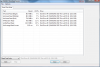
Thin SSD 128GB (Gen 2) uSATA Everest benchies from my E4200. This drive uses a non-standard SATA connector. This is a specialized Samsung product for niche enterprise (read: super thin/expensive) markets. Standard OS config and clean image with 58 processes and no memory or CPU hogs running.
Decidedly Generation II speeds, though some of the HDTune benchies in the E4200 thread note 150ish read speeds.
Earlier G1 reference in this thread here.Attached Files:
-
-
What exactly is a "buffered read"? Thanks for the screeny.
-
Vertex should be shipping from retail later this week, or latest next week:
http://www.ocztechnologyforum.com/forum/showpost.php?p=345850&postcount=30
And, despite the decreased write speeds from the high IO firmware, sequential writes are still pretty f'ing fast: http://www.ocztechnologyforum.com/forum/showpost.php?p=345850&postcount=30 -
Sure. I believe the 'buffered read test' does a benchmark on cached disk data. It goes through various block sizes from 32KB and doubles sample size up to 1MB (this is also the case for the Linear Read benchmark on Everest Ultimate). Traditionally, this test *should* saturate the SATA-II controller while running in a RAID configuration (or so I have heard).
-
Memoright GT 128GB SLC SSD is one that's been out for a while, I recall a few more though..
-
256GB SLC SSDs right here, if you're prepared to pay.

http://www.dvnation.com/SOLIDATA-SSD-Solid-State-Disk-Drive.html -
They state fastest in the world. Do they have a 32gb that beats the X25-E
-
its stupid to pay $5k on that SSD.
-
Yeah, in retrospect there actually seem to be quite a few of these exotic drives. The Memoright actually has really good random write speeds considering it's age. The one CrystalDiskMark set I have claims 30MB/s in 4KB random writes. Sadly, the eBay cost per GB is significantly higher than of the X25-E, which is really a shame considering that it's slower.
Fastest in the world my foot. Intel soundly trounces this thing in small random reads and writes.
EDIT: Even if they are only considering sequential speeds, the Titan is still faster at 230/150.
EDIT2: Also, speeds seem to be inconsistent across benchmarks?
http://forum.ssdworld.ch/viewtopic.php?f=4&t=85&sid=95f11416502e055b9849c551e82c6422
EDIT3: And yes, if I were to spend 5K on an SSD, it'd be the Fusion IO, or 5000/400 X25-E
-
any review on SUPER TALENT MasterDrive OX 256G??
-
Has the single JMicron controller. You're looking for performance so I wouldn't bother with it.
-
from OCZ forum, TOny said they were going to send SSD to all stores, so we can see vertex soon in this week or next week.
-
http://www.ocztechnologyforum.com/forum/showpost.php?p=345850&postcount=30
He claims they should be hitting stores by next week. But knowing how these things go, I'd say two weeks to be safe
-
nope, you'd spend it on a raid-array of x25-e + controller, or mtrons + controller. you'd get much more performance out of your money (and more storage, too).
-
Interesting. The Soliware X1 SLC has good sequential speeds but crap IOPS. And according to the review and the post, it uses the JMicron controller.
Have you noticed how the X25-E with 1/3 the sequential transfer isn't too far away from the much more expensive FusionIO?
Especially interesting:"After installing the new Solidata X1, the device manager shows it as a JMicron H/W RAID0 device."
So the controller is really 99% in determining SSD performance. -
There seems to be a few shakey "facts" in that quote. starting with the fact that Tony said OCZ will still use Jmicron in their mainstream drives. I dont' feel like finding the quote from tony on the OCZ forums but take it for what it's worth, he said it
but if supertalent is using the same indilinx controler that explains the delay on there drive as well -
Too bad there aren't any other SLC drives with 256GB other than Solidata.. while Intel would blow them away with 4x 64GB drives in speed and price, the physical space is too much for any laptop
-
So Soliware doesn't really have its own controller, and "Intel, Soliware, Memoright, Mtron, Samsung, Indilinx, Jmicron, Phision" is just marketing fluff? Is that how I should be interpreting that series of posts? Soliware as a company seems pretty shady already; typing their name into Google puts their homepage (only in chinese, btw) on the top of the second page.
-
In thinking about Intel X25-M vs OCZ Vertex, I made this post at another forum: "The question is to what extent is IOPS performance important? Is it a linear higher=better relationship or does it end up evening out at some point so that really reaching only a certain point is necessary and anything higher irrelevant to real life use? If the latter, what is that point and did Vertex with the new firmware reach it?"
Intel also has higher seq. reads, Vertex has higher seq. writes. We don't know what Intel's solution for their wear leveling algorithm is (we've heard as far back as anandtech's review that they'd release a defragger especially for their SSD) and we don't know about the long term usage effects on the Vertex. Both are pretty close with regards to $/GB... -
If the price per GB is close, I'd say there's no contest. Intel FTW. As of now, I still don't feel that the Indilinx controller offers much better performance than a fancy implementation of JMicron. Subsequently I still wouldn't buy an Indilinx unless the price was similar to (if not a little higher than) that of a JMicron.
-
Hrm, I might end up getting back my X25-M. You're making me lean towards keeping it.
-
I hope you get it back without any problems. I think Intel's still the best practical thing out there. -
Someone a bit back said they had their firefox profile folder on a ramdisk that saved at shutdown so it saves random small files writes. I was wondering though, my firefox profile is 70meg, if small random writes indeed do amplify, i just wonder if it amplifies enough to be MORE than 70meg of writes to the SSD each session? Because if i am correct, the ramdisk will write all of this big 70meg file to disk every time, instead of updating changes (can they do such a thing?). So it will wear my ssd more anyways.
BTW, recieved my samsung SLC yesterday. Battery estimates gives about 2h more on my 8 cell for my x61 tablet at idle. If i do nothing with the comp, it will last 8h30. Pretty good stuff. -
Most people are using ramdisks for the web cache location (at least that I've seen) and most programs I've seen do a complete image not an incremental backup. But frankly if you're just using it for a web cache unless you have a slow connection you're better off to just ditch the image at the end of your session and either use a predetermined image by saving it just once or let it load a blank image each time the computer boots. Otherwise I'd just leave it on the SSD since your SSD isn't one that should have too many problems with random writes. I have my IE/FF/Google Earth caches and page file on mine and just dump it each session on my laptop. On my desktop I let it save each time since it uses a mechanical disk, it's mostly for experimentation and to make use of otherwise wasted ram on the desktop. Makes browsing a little snappier too if you hit the same pages frequently.
-
Don't be so sure. You may wind up with an empty box. When you receive the box, open it at the USPS in front of a postal supervisor/inspector so they can witness the contents of the box.
Normally, all a buyer needs to do is provide proof of delivery of the return (A delivery confirmation slip attached to an empty box would suffice). The big loophole in PayPal's policy is that SOMETHING has to be sent back by the buyer; it doesn't necessarily have to be what you originally sent them. If delivery confirmation shows that something was returned, you lose. Period.
That being said, I had this happen to me, where a Canadian scammer sent me back an empty box, but I opened the box at the USPS in front of the supervisor. They wrote a statement on USPS letterhead attesting to the contents of the box, signed and datestamped it. I submitted that to PayPal as proof that the buyer intentionally was committing fraud. It took several phone calls and levels of supervisors, but I ultimately was made whole.
Good luck! -
Yeah that sucks Ashura... glad i didn't win that drive >.> haha j/k
-
What if it arrives via a postman? It has signature confirmation, so should I refuse to sign it and ask him to hold it at the PO where I can open it in front of a supervisor? Or is the postman allowed to sign to verify for such a thing?
EDIT: Nevermind, I'm just going to make sure my postman takes it to the PO so I can take care of everything there.
Thanks for the advice! It's good to know there's a way around this.
EDIT2: Just called my local PO and told them to hold the package instead of attempting delivery so that I can definitely come by. -
if you get a bad drive back and it isn't the one u sent him and there is nothing you can do about it can you try RMAing that one?
-
I suppose if you boot-up and shutdown a lot it may not be worth saving and restoring the ram disk to SSD. But if you don't then it could very well be worth it. Or, if you have a desktop, you probably also have a mechanical hard disk and you could save the image to there and not worry about the writes.
-
I can try, but I'm less worried about getting a bad drive and more worried about getting an empty box, or a box with like something else completely.
-
NO WAY !!!
my d620 didn't react this way...at the moment I do have some battery problems, but, have not see it lasting much longer than it was on old hdd, maybe 15-20 minutes..and my battery is also 9-cell, it runs on 50% capacity now, but, on full new battery, i think I could not get more than extra 1 hour, but 2 hours is HUGE
which drive do you have ?
which model ?
my is MCCOE64G5MPP-0VA -
The power consumption of his old drive probably makes up a much larger fraction of the total power consumption of his machine. My E6400 pulls about 12W at idle, and my D620 pulls something ridiculous like 20W. Assuming your power consumption is reduced by about 1W due to the SSD switch, you'd cut your power consumption by nearly 10% on the E6400 and just 5% on the D620.
His X61T probably pulls something like 8-9W at idle; power savings from an SSD switch would be more than 10% of total system power.
EDIT: We can put some numbers to it. 9W power consumption on a 90WHr battery gets you 10Hrs. 8W power consumption on a 90WHr battery gets you 11.25Hrs. 18W power consumption on a 90WHr battery gets you 5Hrs. 17W power consumption on a 90WHr battery gets you 5.29Hrs So you can kind of get a feel as to how this works. -
Well it's 2h of doing nothing. My workload is pretty light on the drive too, just reading pdfs or typing word, saving every 30 mins or so, OS partition protected by EWF that bounce to ram, undervolted, nlited. I get an disk access blip every few minutes, so the drive is practically idle all the time. But yeah, my system was already optimized before i put the drive in, so that 2h increase was due to the drive. Then again, it's an estimate at idle, at load it would be less. But i don't load much stuff.
MCCOE64G5MPP-0VA here too. -
hmh, yeah, you got point here, after initial shock caused by reading his post, didn't clearly think of the whole thing
yeah, my d620 also drinks about 20W per hour
-
do you get something like this : http://forum.notebookreview.com/showpost.php?p=4546988&postcount=3402
-
Yeah, kind of ridiculous isn't it? I'm glad I wasn't in the market for one when it came out; you'd be getting like two hours on a full 6-Cell. As another aside, since your battery life is so short in the first place, even a good 10% increase in run time will equate to... 2 minutes.
Also, MCCOE64G5MPP here too. Samsung SLC FTW. -
prices on ebay for the 64gb Intel x25-e (800), samsung 256gb (900) & photofast gmonster 256gb(885) have dropped over the last 10 days.. by about 100...
-
For those experimenting and swapping, what tools are best for migrating to a new SSD? Assume it's partitioned with the right offset with diskpar, and then formatted.
Is there any advantage at all in starting from scratch (new OS install, all the apps, etc.)? -
I think Acronis is still supposed to be the "best" imaging software, on account that everyone always mentions Acronis when mentioning disk imaging. I've been using a "Disk Image XML" with reasonably success for the past couple months; prior to that I was just doing clean installs every time...
The benefits of doing a clean install are the same as the benefits of doing a clean install on a regular HDD. If your disk image has already been on four drives and is getting relatively crapped up, you may want to do a clean install; if your disk image is relative new or of an installation shortly after a clean install, you probably won't gain much from reinstalling.
The irony is that the longer you've had your current disk image, the more troublesome it is to do a clean install, but those are the times that you'd probably want to do the clean install the most...
My policy is generally not to reuse a disk image if it's over a year old. -
I did a clean install every time, Vista installs so fast on a SSD (especially when installed from a USB drive) that I didn't see why not.
The new SSD Thread (Benchmarks, Brands, News and Advice)
Discussion in 'Hardware Components and Aftermarket Upgrades' started by Les, Jan 14, 2008.