Problems? See this thread at archive.org.
1 - If you are willing to crack it open yourself with the proper tools and the free service manual, then it shouldn't be too hard. However, if you are uneasy, then it could be challenging.
2 - You can buy the parts on HP's own Part Store. The part in question is 608379-001.
3 - Can you be more specific? In terms of HP sending you a replacement part for self-install, I am afraid that is not possible. The standard warranty requires you to send the laptop into their repair depot for any repairs. They don't allow for customer self-repair or exchange, if that is what you mean.
-
-
is it possible that a piece is loose and i can fix it myself?
i'm not sure i feel completely comfortable opening it as far as i believe it needs to go.
i guess that makes sense i'd need to ship it in, but that probably takes several weeks, and i've heard people claim they received their laptop back in worse condition from having it sent in for repairs. -
It might, but in order to reposition it, you still need open it up so you can wiggle it back into place from the clips on the top. If you are not easy, then you will have to send it in to do the repairs and the rumors on technician neglect is true. I had my first Envy 15 succumb to damages incurred in their care. This can be a tricky decision for you to make, especially if you are a Radiance holder of the Envy 14.
-
Wait, HP has a parts store? Like, a real parts store.........<Goes misty eyed, as he has only ever tried to get parts out of dell......>
-
Uhhh... Yeah... They do for a long, long, long time.
HP Parts Store - HP Computer Parts - HP Printer Parts - Compaq Parts -
You know, I have yet to see another Envy owner on my campus. Mac owners are a dime a dozen, yet I'm all alone with my beastly Envy. It's a shame really.
-
umm, i disagree. HP did a bad job with showcasing the envy.. main reason all the new pavilions and dv6,7 are so similar in terms of design people will easily compare the High end envy to a cheap 400 dollar pavilion.. the hp light logo on the front is too common, almost all the current hp laptops have the same front design. as for the keyboard most of the current lineup as well have island/chiclet keys only difference is the backlit. Radiance display, most people dont notice this unless they are literally sitting next to you. HP never had a premium label to it and people will not realize that even with the envy.
i wish they did some emphasis with a logo or design on the front that says "envy" -
i use the high performance/ ati card when on battery but the performance is horrible, once i plug in power its going smooth. the display shows ati card running at all times even when on battery.
-
Check the ATI PowerPlay settings... the dedicated GPU clocks down when on battery. Just max the settings and you should be fine.
-
I have to mildly disagree. I wouldn't like the envy if it had a big emblem on the front. I'd like it even better if the hp light wasn't there. I had the beats edition first and i didn't like that it had a big red B on it although it isn't that bad and i learned to live with it. I think you can tell from looking that the envy is a better notebook. I had mine out at work (bartender) on the bar and 2 people asked if it was a mac pro and couldn't believe it was an hp. I let them check it out and they were both impressed with it and said they had no idea a pc like this exists.
-
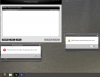
I've got a slight problem, that is really more of an annoyance. I keep getting error windows from hp wireless manager and bluetooth every time I start up my laptop. Am I missing a driver? Has anyone experienced this? check out the picture to see the exact error messages.
Attached Files:
-
-
I'm having a strange issue with my brightness controls. Sometimes after my computer wakes from sleep, the f2/f3 brightness controls no longer work. I can still adjust the brightness through through the control panel, but not with the fn keys. The only ways I've found to restore the keys are restarting or switching my graphics over to Intel and then back again to ATI. Anyone else experience this and have any suggested fixes?
-
I have that problem also but it gets fixed if I put my Envy to sleep and then wake it up again...im looking for a proper solution also
-
Everytime I put my laptop into the Envy14 soft cloth case, and bring it to school, I always get a lot of dust all over the screen and keyboard when I open it.
It doesn't seem to be sealing at all? Anyone have this problem? -
Hello lannmann,
I haven't experienced your exact problem, but I do know that the installation sequence of your WiFi driver, Bluetooth driver, and HP Wireless Assistant can be problematic.
When I first did a clean install on my Envy I had to first install the WiFi driver, then HP Wireless Assistant, and then the Bluetooth driver. Also, every time that I update my WiFi or Bluetooth drivers I have to first uninstall HP Wireless Assistant, then install the driver, then reinstall the HP software, or else there will be errors and things won't work properly.
I'm not sure what exactly you've tried thus far, but I would recommend uninstalling HP Wireless Assistant, updating and/or reinstalling your WiFi/Bluetooth drivers and then reinstalling HP Wireless Assistant. You may have to vary that sequence if one thing or another refuses to install properly, but none of it should cause you too many problems as long as you are familiar with how to uninstall and reinstall drivers.
If needed, the HP Drivers thread is here: http://forum.notebookreview.com/hp-drivers-software-forum/496027-drivers-hp-dm4-dv5-gen-2-g32-cq32-envy-14-intel.html and the HP Software thread is here: http://forum.notebookreview.com/hp-drivers-software-forum/519991-popular-hp-notebook-software-collection.html. Everything you need is downloadable from those threads.
Good luck! -
I haven't had this problem specific to the Envy 14 cloth sleeve, but have certainly noticed that the Envy is just a dust magnet in general. I frequently have to clean the screen and routinely when I open up my Envy I notice that there are actually imprints from the keyboard keys in the dust on the screen. I'm not sure whether it has to do with the static on the screen, or something about the exhaust fans, or whether I just notice it more that I did with my previous laptop because of the Envy's bright and glossy screen. It is a slight annoyance, however.
-
I wholeheartedly agree with all of your statements spencerp.
One of the main reasons that I chose to purchase an Envy over any other laptop including other HP models was because of its no frills clean and classy aesthetics. HP was wise to take a line out of Apple's book in this regard. I too would remove the HP logo on the lid if I could. I would also take out the pattern on the lid and the palm rests and replace them with the smooth aluminum surrounding the keyboard. I'd also remove the light on the power button above the keyboard as well as the mute, caps lock, and WiFi lights.
I understand that HP needs to have its name somewhere on the computer so I understand the HP, Envy14, and Beats logos on the screen and the Beats logo on the left front. But basically what the Envy line offers beyond other PC laptops is its clean and professional look, without unecessary and unwanted frills like media buttons or too many unnecessary lights. What it has beyond Apple notebooks is sheer power, easier hardware customizability, and, yes, Windows, which is still by far the OS of choice for computer enthusiasts not willing to go Linux but who still want access to a lot of niche software and games.
I don't know much about how HP marketed the Envy, but in my opinion a stellar product markets itself. From what I've read the Envy 14 has been flying off of HP's shelves, and I hope that it continues to so that I can get another nice Windows machine when I upgrade in a few years.
Apologies if this sounds like preaching. I assure you that I am no HP or Windows fan boy. In fact I also use and enjoy Apple products. I'm just saying it how I see it. -
AFAIK there is no solution as of now. It seems to be a minor glitch that appears every now and then...
A faster way to fix the brightness is to close and open the lid, cycling power to the monitor. Make sure you have your computer set to do nothing when the lid closes, though. -
Thanks for the info, I'm going to try that now. I had no problems when I initially did my clean install, but then I noticed that the hp wireless assistant was causing constant lag spikes for my cpu, so I disabled it, and since have had this error. maybe ill uninstall it completely and hope it works.
-
Has anyone gotten the original OSD for the volume control working after a clean install? I tried using 3RVX, but it is supremely frustrating that you can't change the volume rapidly. The whole clicking and waiting and clicking again thing just to get the volume to go down wasn't working for me.
Thanks! -
If you click and hold the volume up or down button, it will increase or decrease the volume much faster than using a single click of the button! give that a try because getting the original osd to work again is brutal
-
i already fixed it but thanks, your tip was exactly what i did and it worked!
-
is there a way to turn off the light?
-
Hey persyus,
I'm admittedly a bit confused by your issue. I have been using 3RVX since I did my clean install of Windows months ago and have had no problems with it not being able to rapidly change the volume. Admittedly the OSD itself doesn't have the best reaction times, and sometimes if your sequence of button presses is irregular in just the right way it will fail to display for quite a few seconds. However, whether you actually see the OSD changing has no effect on whether or not your actual volume is going up or down from what I can tell. Each button press on the keyboard will change the volume the designated amount. To test this, check your current volume level by hovering our mouse over the Windows volume icon on the taskbar. Then press one of the volume buttons once and mouse over the icon again to see what percentage the volume has changed by. Then mess around with pressing the button and guaging the volume percentage change in whatever way you'd like and you should see that each button press is being registered no matter how quickly or slowly you make them. For example, my volume changes by 2% with each button press. If I hit the button 10 times, quickly, slowly, varied rate, whatever, it will always change the volume by 20% regardless of whether the 3RVX OSD displays it right away.
I apologize if I misunderstood your issue, but from my experience 3RVX has never actually hindered my ability to change the volume and is far superior to the HP OSD with all of its problems. -
The answer is a few pages back...
-
if you change the button commands to only the designaed buttons, it stops doing that. The ones that say windowsoem+xxxxx replace with the buttons
-
try macgadger, its much smoother and has better skins imo
-
OMG - why did I know about this until now? I had previously tried 3rvx but really didn't like it because the display was soooo slow to respond, but your changes have made it work perfectly.
Tried it - not nearly as smooth on the volume control as 3rvx with the above referenced tweak and I cannot get the brightness display to work with the f2 and f3 keys. -
I second this. I didn't quite understand what persyus was referring to, as the buttons always change the volume itself as rapidly as desired when they are pressed, but if he was referring simply to the OSD's slow response time, I too confirm that configuring it as Impulse87 suggested works perfectly.
Thanks for the heads up! -
You won't regret getting rid of the Wireless Assistant. One thing I noticed when I uninstalled it was that the service was still there in the services list. Once I clean installed, I never installed it again.
-
Apologies if this has been addressed - I did a search but didn't find an answer.
I noticed on my Envy that the HP brightness controls don't do a smooth transition (gradually fade up/down) like my friends Envy. Instead the brightness level steps up/down.
I just got an i5 580 a few weeks ago and he's had his i7 for several months. His laptop also has QuickStart which is no longer available for the newer Envy laptops. Is the brightness transition also something that is part of the hardware or can I fix it somehow so that it does a smooth transition? -
I would be interested to know this also. It does seem like I remember some people saying something about making the brightness control in different increments than the default 10. Does anybody know how to do this?
-
I also have a new i5 580 w/ radiance and when i adjusts the brightness it kind of acts like a strobe light.
-
Genious. +1
-
thanks, it was making me mad and after a while of toying around i figured it out. Glad I helped.

-
This is the second time I have received this message:
![[IMG]](images/storyImages/ATIIssue.png)
Has anyone else seen this? Using the latest driver from the Envy 14 driver page. -
yeah does anyone know if they can make it smoother?
-
do you know if the clickpad can become a left button just like the macbook pro, for instance anywhere i press down it will register as a left click, right now i have to tap in order to use the left button, press down on the clickpad does not do anything except for the two rectangular regions.
-
Hey guys, quick question. How clean will PCdecrapify get an Envy? Does it really need a clean install of Windows 7?
-
It's impossible in windows as of now because the Synaptics drivers don't allow this. However, Ubuntu's default trackpad drivers allow you to click anywhere you want, it's pretty cool.
-
AAAAAAAAAAhhhh...Okay, some things are killing me after the clean install.
1. Anyone know how to get the OSDs besides the volume one back? IE, The beats (when you press fn+b).
2. Changing the screen brightness is smooth before, with a transition from one to the other. After clean install, it pops from one to the other.
3. Also, when using 3RVX, I used the envy theme, but it is different. Is there a skin that actually matches the original envy OSDs? -
AFAIK it is really hard to get the original skins, which is why I don't use 3RVX. I've been poking around in the MediaSmart folder, and through ProcMon it seems that the original OSD is not an image file. Seems like it's hidden in a DLL somewhere.
-
Regarding battery life, is it just me or does Windows 7 wrongly report the amount of time remaining for the battery? For example, I've got 89% (59 min) remaining with the screen on the lowest brightness option, WiFi turned off and the power saving GPU. The 59 min can't be right, can it?
I've never actually bothered to test the battery life but it's lasted up to 2 hours from 100% to 64% remaining previously. -
I think several others including myself have had the same experience. Download batterybar. The link can be found on the very first page of this thread. It should provide you will accurate readings.
-
You guys have the Windows 7 built in battery meter actually telling you how much time you have left on your charge? Lucky, mine only ever displays the percentage. Can't find anything that tells how to get Windows 7 to do that itself. Even if it is inaccurate, it'd still be nice if it did that.
-
Just go my new Envy, and moved over all my stuff from my old HP DV6 series. Love everything about it except how my mouse pad sticks out on the bottom right side...but thats less pressing.
I have an iphone 4 that has tethering, it creates an ad-hoc network that I can use to piggy back off of my 3g service, although the Envy sees it under wireless networks, it cannot connect. Anybody have any suggestions or fixes other than upgrading the driver? I did that and it didn't work.
Thank in advance! -
Maybe update iTunes? Or try bluetooth?
-
hell my windows doesn't even report battery life.
it just gives me a percentage. -
This, ive been looking online and I cant find anything that activates that feature.
Id love to have some sort of estimate. -
Mines shows both, side by side. 50 min (70%)
----
I can't believe how wrong windows is. You'd think if they were going to have the feature they'd at least make it close to correct otherwise why even have it?
*HP ENVY 14 & Envy 14 Beats (1XXX series) Owners Lounge, Part Deux*
Discussion in 'HP' started by 2.0, Jul 22, 2010.