 Problems? See this thread at archive.org.
Benchmark for TrueCrypt (i5 520m) with Hardware-accelerated AES
![[IMG]](images/storyImages/AES%20bench.png)
-
whelp. comm suite DOES make a difference.
nice. -
So... new official video card drivers are out. What's the correct procedure of installing this?
-
So is it recommended that I download these updates?
-
probably uninstalling drivers, rebooting to safe mode, driversweeper cleaning stuff out.
booting back to regular win 7. Praying to God that win7 isn't gonna do what my computer did sometimes and not go into VGA mode. then installing the new drivers.
but eh. just uninstalling them, rebooting, and installing 8.471.3 on top of 8.713 that decided to come back for some reason should work (it isn't "proper" but I mean if you can't get vga mode to show up right like I've had....you won't really have a choice)
edit: btw, when win7 doesn't boot up into vga mode it means you get a black screen on boot. Only way I could fix that was going back to safe mode and system restoring. -
hm...i didn't recall video card drivers being that troublesome
i thought you just install on top of your old drivers
though i do remember uninstalling nvidia drivers and reinstalling new ones
but then again, when i switched to ati, i just slapped that crap on top. it seemed to work. -
meh, sound like way more trouble than its worth.
-
well yeah.
the "screw it, should work fine" method is uninstall the non HP drivers if you are using those, and then install HP drivers. -
so with a new factory-default envy 14, slapping on these new drivers should be fine right?
-
yeah. it won't care.
hell it shouldn't care anyway. But we dunno how it'll play with the normal ati drivers. -
true. it might get an epic rainbow screen of death...or RSOD.
o.0" -
Testing now and have found that the brightness controls break with the ATI card, Intel is fine.
-
egh. the bios breaks ati brightness controls? *puts it off til a new one shows up...or something*
-
Sorry should have made myself clear, the drivers break the brightness controls for the ATI card, change to intel and all works fine. Not got to the BIOS yet and probably will not till tomorrow.
-
well if that's the case *sticks with the old 10.7a standby*
-
Is this a newer version than the 10.7a hotfix?
-
Does anyone know how to get the synaptics driver to do "scroll item under pointer"?
You shouldnt have to click on the window first, but it doesnt work for me even when i have the setting checked under the driver settings.
Wizmouse doesnt work either. Help? -
Back in the day I used a Windows XP Powertool to do that. Otherwise I havent bothered to try since Vista.
-
Im trying to connect my e14 to my tv (which has native resolution of 1366x768) using hdmi, but it only outputs at 1280x720, and I looked through all the options in the ati drivers, but i cant seem to get it to output at 1366x768. has anyone been able to get their e14 to output at this resolution? this is pretty frustrating....
-
Hi Guys,
First i have to thank everyone for all their tips and help for performing a clean install. i was lucky to get a PERFECT Envy 14 which was shipped from the states to Australia by my brother, love this machine. My only minor complaint is the fans do stay on most of the time and are quite noticeable if your in a quiet room. Hopefully a new BIOS will come out which will allow to increase the temp thresholds which activate the fans. Also had a stuck pixel bottom left corner but got it working with DPT and a bit of tapping, phew!!
I'm hoping someone can confirm if this behavior is normal. i installed the Realtek drivers (with no issues) and it definitely works. What I've noticed is that if i unplug the Ethernet cable the device disappears from device manager. its not too much of an issue but i'm hoping this is normal and if there is a way to keep this interface visible even though an Ethernet cable isn't plugged in.
Cheers -
Ok just updated to the newest f 12a bios and it looks like it fixes the issue with the volume adjust kicking you out of full screen mode. I tested watching a video using both vlc and quicktime player in full screen mode and adjusted volume up and down and the full screen mode is not affected!
-
Another BIOS update? Dang, they're cranking those things out pretty quick. That's good, just shows dedication to the machines.
-
I am trying to install the HP mediasmart for the mute light to work but it doesnt install... anyone got this problem?
-
it is the 10.7a hotfix
-
Any ideas anyone?

-
that's normal.
it goes into deep sleep mode to save a bit of battery life or something.
'course if you try a clean install it can be a pain to get the ethernet port to show up long enough for it to realize it has drivers to install.
same thing happens with the bluetooth on a clean install (kinda why minimal installs from the recovery discs are now recommended. Bypasses those issues and there's only a small bit of HP stuff on the computer).
I mean it doesn't always happen. I didn't get the realtek issue on my clean install but did get the bluetooth issue but *shrugs* -
Have you tried "passive cooling mode" in power management section? My fans don't spin very much when on integrated, but I wouldn't recommend it for the dedicated gfx, you need all the fan power you can get when on dedicated gfx.
-
The Targus Universal Charger is going for 29.99 at mwave. search item AA76883
-
Thanks for the info Magus. Any idea how to disable the deep sleep mode on the NIC? i can see this being an issue when i'll need to do wireshark captures.
-
I just downloaded GPU-Z, and I noticed that the GPU Core Clock varies. For some reason I thought it always ran at max, 450, but it seems it jumps from 100 to 450.
Is this normal? My average right now is 230MHz... -
Ok everyone, not sure if anyone has mentioned this, but this may help anyone who has a clean install/deleted HP tools partition having trouble updating BIOS. I just did a test. I removed the Hewlett Packard folder from the HP_TOOLS partition, ran winflash, and when computer rebooted, no BIOS update though it said it had. HP has the Diagnostic utility for download, download and install that to a USB thumb drive, download the BIOS update tool and install that to the same USB thumb drive, have your thumb drive inserted when you start winflash, and the computer will reboot before winflash finishes, after it reboots you are taken to the HP BIOS update utility which runs off the (UEFI) partition and updates BIOS. It worked for me though I do not have a clean install, I believe that this will work for a clean install/those that delete the HP tools partition as I have tried to simulate no HP tools partition without getting rid of it just in case it wouldn't work. I believe this is actually a better alternative to winflash, as the (UEFI) partition has the same access to hardware components as the BIOS does. Hope this helps someone...
Edit: Make sure you format your thumb drive partition to FAT or FAT32, and name it HP_TOOLS to get the program to recognize it. -
Quick question. Is there any reason my switchable graphics don't work sometimes? Occasionally I have to reboot my Envy to be able to switch to integrated. Taking out my power cable doesn't do the trick.
-
Others have said the same... do you sleep/hibernate your computer alot? Their theory is that when you don't shutdown your computer completely for awhile the switchable graphics somehow just stops switching. I looked in the services to see if maybe there was an ATI service that could be restarted, but no such luck... just a bug I guess. Maybe the updated drivers will help.
-
thanks! I was just about to buy one for school.
-
Yeah, I put it to sleep occasionally.
By updated, do you mean new Catalyst drivers? I put one of the first ones that was first posted a month back, so I'll take a guess that my drivers are the older ones. -
HP has some official, HP drivers, though they installed just like other user's in this forum, screen went blank, wait for about 10-15 minutes to make sure installer is finished, and press windows key, right arrow, enter to shutdown when they've had enough time to install. You may want to clean out your drivers if you've followed some of the info in here about updating, I stuck with the stock HP drivers so I don't know if there may be some conflicts with some of the other ones. I also don't know if they actually fixed any of the graphics switching problems as I just installed them tonight. ATI says they don't support the switchable graphics, that's up to HP and the OEM's that offer switchable graphics so hopefully they have ironed out some bugs.
Edit: added some UPDATED drivers, forgot to mention... -
no clue whatsoever.
-
that's powerplay.
it should downclock to 100/150 when the card is not in use and it should go up to 450/799.9(9999999999999999....etc and so forth)
I've noticed that at least on my envy powerplay gets a bit iffy if you don't turn it off and on after going on battery (or reboot) or something and gets stuck at 300/300 which isn't good enough for most things. -
According to the POLL: What is the Quality Condition of your new Envy 14?
Over 18% of people have requested an RMA for their unit. I had to request TWO rma's, but can only vote once.
18% seems terrible. I would think 5% should be the max that anyone should expect.
Are we just a much more picky bunch, or do you think the normal consumer would RMA for things that we are finding? -
You may need to update to BIOS f.12, not sure if disable lan power savings is in BIOS f.06, but once you update, go into BIOS and find the lan power saving setting and set to disabled, you may also need to go into lan driver and turn green lan off, under advanced, and allow computer to turn this device off to save power in advanced power management.
-
A little of both I am the "normal" consumer.
-
I am still not able to update the BIOS. Ive tried it after installing the utility, trying the 7z method, etc. Never updates it. This is on a clean install.
-
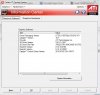
I've got the 10.7a hotfix installed and here is the driver version info, I'm gonna install the new HP and see if anything changes. BTW, my brightness settings work fine.
-
Does anyone know of a free software that allows the webcam to broadcast at 720p+?
-
Gotcha. I wonder if some folks on here find a reason to RMA after reading some posts about issues that normally would not bother them...hmmm
At least I got an additional $50 credit for my troubles. $770 (with BCB, etc) is a pretty dang good price for this unit, if I can just get one that works! -
lol honestly with my family, (we're chinese, if that feeds any stereotypes?) we don't return stuff unless there's a big enough problem.
if the touchpad is not flush, we wouldn't rma
if there was one dead pixel, probably not.
if there is an aesthetic scratch,i doubt we'd notice
unless the HP logo was messed up, screen messed up, or any major flaws, we're don't want the trouble/time to RMA it
i, on the other hand, am the fourth child, but the first of the tech age. so i'm much more picky
i'm guessing i'm like most ppl in this forum: PICKY. -
I've got the CPU whine/noises when you plug in USB, dosen't bother me maybe cause of all the loud music, but i definitely hear it if I put my ear to the keyboard...
-
Hmmm, wonder what catalyst version this is? I'm reluctant to go back from 10.7a because it seems stable and performs well, but if its an official update from HP it might be worth a look.
-
Did you
1. format usb thumb drive to FAT32, name partition HP_TOOLS
2. install HP diagnostic utility to USB thumb drive
3. install HP BIOS update utility to USB thumb drive
4. run winflash BIOS updater
? -
I wonder if new graphics driver will provide a real fix for the black screen while gaming problem.
*HP ENVY 14 & Envy 14 Beats (1XXX series) Owners Lounge, Part Deux*
Discussion in 'HP' started by 2.0, Jul 22, 2010.


