 Problems? See this thread at archive.org.
How hard was the whole process, including installing the drivers?
The only reason I ask is because the drivers have many warnings to "complexity" of manually doing it all :O
-
formatting the drive and installing windows is really a no brainer, just follow the prompts
the drivers? well, aside if having to plug into the internet manually, after i got the wifi driver in i just went to the thread on here, downloaded the rest, and im done now
its really really really easy, albeit a bit tedious having to install all this stuff -
Looks almost identicsl to my scores, so no its not 'fixed', but it really is not an issue, Intel actuallt does not even give a spec for 4K random R/W speeds, they spec 4K 32/s in IOPS and my drives match approx. what intel specs say they should, here is the only test I have that shows IOPS but it's run at 4K 64/3 And I have know idea how the convert the numbers to 4K /32 in IOPS
Bottom line is there is ablsolutley no noticable performance hit from the 'slow' score in crystal disc, besides, other than at bootup when are you transfering ton of 'random' 4K size files?
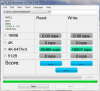
-
I would also like to know this. I would love to see lots more pictures of the 14, with the slice battery, on and off.
-
Cool. It never was an issue to me as I didn't notice anyway. Just wondered.

-
I've decided to go the two standard battery route, but I'd still like some pics with the slice on just to see how big it is.
-
I was also considering that, and only got the slice because of the $430 Bing discount. I just like the slice battery because it is a lot easier than shutting the laptop down to change batteries.
I just wish there was a way to charge the slice battery without it being connected to the laptop. Maybe there will be an aftermarket charger that will attach to the connectors of the battery. -
If i were in the market for longer battery life, I would just go for another standard battery. They arent very big at all, and hibernating and switching only takes a minute
-
I am an audiophile too. I was wondering whether or not to get the beats tour when I noticed the sound card too. I definitely want to get a pair of high-end earbuds but I'm not quite sure which ones yet. IMHO lossless sounds pretty good through the laptop speakers.
-
There's always Apple...

-
I got these for my iphone, and think they will work amazing on the envy with beats. They are definitely the most comfortable and best sounding ear phones I've ever tried. I love Bose products.'
http://www.amazon.com/Bose-316833-0...5?ie=UTF8&s=electronics&qid=1279437606&sr=8-5 -
guys, my samsung ssd is the firmware i should have, but according to crystaldisk TRIM isnt enabled....what gives?
-
edit nvm............
-
Download the intel SSD toolbox and see if you can run TRIM manually, if so then win 7 should be doing it automatically in the backround, there is a way to check that but I just don't know how....
-
Heres my Cinebench scores...
Rendering (1 CPU)- 3587
Rendering (x CPU)- 8098
Multiprocessor speedup- 2.26x
OpenGL- 4964 -
I'd rather carry another battery with me and save $500 then get a crapbook pro
-
damnit, ends up my firmware is VBM19D1Q and a quick search is that this is a dell drive and theres no TRIM for it
at least, the posts from december said no....maybe there's something out now, its almost august... -
Well, you are all
SCARING THE CRAP OUT OF ME
With all your Envy 14 flexes and whines and lifts...
about my Envy 14 coming through the mail on tuesday. Why are you doing this to met.
Hopefully tons of other satisfied Envy 14 owners just aren't posting because they have nothing to complain about. So.
Anyone want to help ease my worry? -
I'll ease your worries mate, because mine is AMAZING! Fantastic build quality, no dents or raised edges, only some keyboard flex which doesn't bother me much. The screen blows me away and makes my 22in viewsonic look like absolute crap! The thing stays perfectly cool, even when gaming. The only real complaints I have are the slight keyboard flex and the usb/HDMI ports are a little tight. Other then that, this thing is solid as a rock and I love it.
-
there's nothing to worry about, this laptop kicks
-
Oh I see... that helps!
-
I'm just scared because I'm from Canada, and it will take a lot of arguing to get my laptop replaced from Canada.
Yelling, swearing, lying, whatever I have to do, if this laptop isn't perfect (as in audible cpu whine, scratches, dents etc) they WILL replace it for me in Canada.
hopefully. -
I HIGHLY recommend the Monster Turbines:
Monster® Turbine™ High Performance In-Ear Speakers™
After using these bad boys. I refuse to use anything else. They are excellent in ear speakers.
This thread may calm your nerves: http://forum.notebookreview.com/hp-...hat-quality-condition-your-new-envy-14-a.html -
come on now, Monster is a scam company
-
Bose blows
-
The Monster Turbine Pros are actually not that bad of an IEM but everything else is crap.
-
guys, having an issue with my clean install. install the drivers listed here, reboot....nothing
go to mouse on the cp and...
![[IMG]](images/storyImages/2zgrt78.png)
and for the record, the touchpad worked fine on the original install -
Yes Monster can be extremely overpriced, but I swear on my new HP Envy 14 that these headphones are the best sub $200 (maybe even sub $300) in ear headphones on the market.
I can swear by these headphones... they are that good. Promise. -
For the track-pad try using the Windows 7 drivers provided.
I believe I heard someone mention they worked well.... -
what win7 drivers provided?
-
Uninstall the track pad drivers you installed....
then let windows use the driver provided by windows update...
I could have sworn thats what someone had said on the board before.
Could be wrong, but worth a shot. -
windows cant find anything, i dont even see it in the device manager...
-
Do you have at least an unidentified device?
-
Agreed 100%. As a sales rep I used to sell them the original 12 guage monster cable speaker wire when they first started out in Oregon. They were paying $ .02 per foot for wire that they sold for $ .75 per foot and it retailed at $1.50 a foot. The only difference between the 'Monster cable' and regular speaker wire was the custom, extra thick, clear jacket they specified over the satndard speaker wire conducters. Have to hand it to Noel Lee though, he is brilliant at Marketing..... BTW, Monster doe not actually manufacter any products themselves, it's all farmed out to 'offshore' sources now.
-
other devices / unknown device...
-
The Win 7 drivers are equal to using the generic MS VGA drivers on your beautiful Radiance display! They offer none of the features that the synaptics software has... They make the touchpad worse than my antique 10 year old dell notebook
-
Okay what about this deal:
Will a bluetooth mouse drain battery faster?
I kind of want this guy:
Logitech V470 Cordless Laser Mouse for Bluetooth - Mouse - Wireless - Bluetooth
Anyone got anything to say about it// blue tooth mooses? -
Thanks.
How come installing a track pad become so difficult for E14?I'm not sure if I want to do clean install now. -
I didnt purchase any warranty with my Envy 14. Does that mean after 21 days I'm screwed? or is there some standard warranty?
-
Just uninstall the synaptics so it reverts to the MS driver and then reinstall the synaptics drivers from the SWsetup folder or D/L the newer versions, may be on first page or dirct from HP... Note make sure you have a mouse that works just in case the touchpad stops working during the install.
-
i did uninstall the synaptics, it reverts to nothing
im getting nothing from the touchpad, before or after installing synaptics
it worked on the original factory hdd, and when i put the ssd in there was a vista install on there and it worked as well. stopped working once i went into the windows 7 install.
theres nothing that can just cause a touchpad to just die, right? -
Only if there was damage to the ribbon cable internally which has happened (rarely) on the E 15.
Just download the driver from here: http://forum.notebookreview.com/hp-drivers-software-forum/496027-drivers-hp-envy-14-intel.html
About halfway down the page.
Also IIRC windows update will actually go online and install the synaptics if it senses no driver. You need to set it to look for hardware driver though.... -
Lith, theres a 1yr warranty on parts, but any physical damage will be assumed to be an accident and won't be covered, CNET did a report about it.
the paid thing is more of a whole support package, so if you had a question on how to setup windows networking you can call and ask. it also extends the hardware warranty, some of them have ADH, protecting from accidents.
a cheaper and in some ways better option is to get insurance from a 3rd party, covering accidents+theft. any upgrades you do can be added to the insurance at any time by adjustment, if you got the plan from HP theft isnt covered and neither are your aftermarket upgrades. -
Bluetooth will drain the battery faster since it has to be left on for it to work, just like wifi.
I went with this mouse instead:
http://reviews.cnet.com/mice/logitech-anywhere-mouse-mx/4505-3148_7-33767206.html
It was on sale at Fry's a few days ago for $50 AR -
thanks e14! Also, does overclocking void that one year warranty?
-
How many people here actually upgraded their insurance, and which did you all get? Im thinking about getting the 2yr Accidental. I figure after two or three years, ill be in the search for another laptop.
-
Highly doubt it. Since overclocking is done by software, it'd be hard to prove or even to find out by the tech that it was the cause of a malfunction thus denying you warranty coverage.
-
Why not take advantage of the bluetooth and save a usb port?
-
I guess bluetooth would be a better alternative for those who need all three USB ports. When I said wireless, I was referring to wifi if that caused any confusion
-
They don't have to *prove* you overclocked, its not a courtroom
If it's a fried chip and they suspect you did overclock then that is enough to void your warranty.
For example ZDNET (not CNET sorry) had a defective lcd screen break, they said sure defective parts are covered send it in to us, when the repair center got it they refused warranty repair since the panel was physically broken and they assumed that he had dropped the laptop. He refused to pay $340 + parts for the repair, so they said he still has to pay a $89 diagnostic fee or they wouldn't return it.
Sitting "Shiva" For My Dead Laptop | ZDNet
Laptop Warranties and Accidental Damage Coverage: What You Need to Know | ZDNet
*HP ENVY 14 (1XXX series) Owners Lounge, Part 1*
Discussion in 'HP' started by 2.0, Jun 21, 2010.


