Problems? See this thread at archive.org.
Just to let everyone know my order has been shipped from amazon. Unfortunately I will be out and will be able to recv it on July 08th.
-
Probably be adjusted with a bios update in the future.
-
further status:
Date Time Location Event Details
July 1, 2010 12:15:43 PM Campbellsville KY US Shipment has left seller facility and is in transit.
anyone else also recvd shipment info from Amazon? -
curious if the left palmrest heat issue has been resolved with bios update?
-
Even with the latest bios... F.07
I still see max CPU & GPU temps at 94*C/201*F
Palm rest still warm, not hot. -
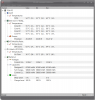
Well I've done all of my upgrading with the 160gb ssd and added the extra 4gb samsung stick and have been rendering all afternoon and this thing smokes anything I have used before for rendering. Anyway, I thought I'd post my CPUID result after heavy rendering but no heavy gaming yet. Tell me how this rates since i dont know if rendering is as CPU intensive as gaming.
Attached Files:
-
-
No. A bios is not going to fix poor internal design with consideration of materials. Luckily the E14 looks to have been designed more sanely, with the hot stuff coming out the top right, where no one virtually ever puts their hands, and there are 2 exhausts, rather than 1. E17 is going to have heat issues though no matter what, just a question of to what degree according to your components and environment, as well as how much you consider tolerable.
-
So I returned my first Envy 17 - not because I'm displeased with it, but because of the HUGE price drop for us first adopters. In it's place, I ordered an i7-840 and left out the SSD drive in favor of installing two 500 GB NAND/SATA hybrid drives (nearly the same performance for 1/10th the cost).
Also, when I called the return my current E17, I was told there was a price guarantee for 21 or 30 days (I can't exactly recall). So I'll be calling back on my i7-840 to get about another $300 knocked off the price.
Overall, I'm quite pleased with the Envy17. I especially like the build quality, the screen quality, the keyboard look and feel, and the performance. The only thing I don't like is feeling jerked around on the price and options since the initial release. Fortunately, it appears HP is making good on their promises.
When it's all done and said, I'll have an i7-840QM with the Ultra Brightview display, 8 GB RAM, and 1 TB SSD/SATA drives. I only wish I bought the Bluray drive considering the savings - but who knows, I'll either put one in myself or not. Bluray seems like a dying format anyway.
Oh, and ordered the new E17 on 6/21 and got it 7/1, even though the est. delivery date was 7/8.
For those interested in the Hybrid drives, Anand has a good review here. And Newegg has the 500GB Momentus XT for $119 with coupon code EMCYVYZ29 through 7/1/10.
Lastly, like others have mentioned, the latest BIOS combined with the 9 cell battery bump means a much cooler laptop. Mine hovers around 53 degrees in normal use and the left palm rest is barely warm to the touch. -
I had my 17 for all of 2 days, upgraded the cpu to an 820qm, the memory to 8GB, a 160gb SSD and 1TB HDD, and added a blu-ray drive. And returned it in 48 hours b/c the left palmrest heat was truly unbearable. GPU/CPU had nothing to do with it, there's no copper pipe for dissipating heat from the HDD bay. Didn't think a bios update would help. Frustrating part was removing all the components and replacing the stock ones.
-
Lucky you. I ran into the same issue -- a huge price drop over what I ordered on release day. The price of mine dropped by about $500 or so, but they would only offer me a $100 refund of the difference. I told the guy at HP that if they're going to do that, it would be cheaper for me to return it and order a new one. He either didn't get it, or didn't care. So, even though my Envy had no issues at all, I sent it back. I liked the laptop, but not at a $500 premium over what they're selling for now. Pretty dumb move on HP's part.
I ordered a Dell Precision M6500 to replace it, couldn't be happier. -
So ya thanks for the heads up on the recent price drop!!! My 17 was supposed to ship yesterday, but is still in production. I phoned into customer service and they said that due to the 4th of July promotion the prices are lower so they credited my card $400!!! How YOU durrin!!!
-
Where and how much did you purchase your 820qm? -
Envy 17 Heat Tests, Idle/Load, Flat Surface/Laptop Cooler Revisited
After Installation of bios F.07 - 05/28/2010
(see my prior post, http://forum.notebookreview.com/hp-...hp-envy-17-owners-lounge-203.html#post6385578)
Summary
Below are temps from a repeat of tests from the post linked above, but following the load of the latest HP bios update.
Multiple posts describe the latest bios update as being targeted to reduce heat. I don't know the source of this conclusion. If the source is described in a prior post, then I missed it.
Of course, the only contribution the bios could make to heat issues is to trigger the fan to run sooner, faster, and/or longer.
My tests show an increase of heat in all measures except the CPU, which remained essentially the same. The exhaust air maxed my thermometer at 70°C/158°F. The final exhaust air temp may have exceeded this. The GPU could more than boil water. The left palm rest achieved hot by even my subjective standard.
Comments
This test required two attempts because I could not get the idle temps down to the those of the original test. Thinking this was owing to the laptop being on for a number of hours, I shutdown and allowed it to cool for three hours on my laptop cooler.
When started, the temps rose quickly, but fluctuated. They did not settle quickly as they did in the tests of my prior post. In particular, the left palm rest temp continued to rise to 39°C/101.3°F despite the hard drive beneath it remaining 35°C/95°F or cooler. Temps did eventually stabilize and the tests below were begun.
Please note that the tests of my original post concluded at 20 minutes because the temp fluctuations actually settled after about 12 minutes. The remaining 8 minutes were included to confirm the max temperatures.
The temps of the following tests continued to rise for 35 minutes. So, the duration for these tests is 35 minutes.
The measures are accurate, but the meaning of the measures might better be gleaned after ten tests instead of one, or even a hundred. Curse you statisticians!
I do not include pictures in this post.
Take the numbers and run, folks.
----------------------------------------------------------
Test with Desk Beneath Laptop
Temperatures After 10 minutes Idle (CPU 1%-4%, mostly 1% & 2%)
CPU`````Value``````Min````````Max
Core #0 57°C/134°F 57°C/134°F 64°C/147°F
Core #1 57°C/134°F 56°C/132°F 63°C/145°F
Core #2 59°C/138°F 58°C/136°F 62°C/143°F
Core #3 58°C/136°F 57°C/134°F 64°C/147°F
````` ````Value``````Min````````Max
GPU Core 70°C/157°F 69°C/156°F 70°C/158°F (yes, 158F--rounding)
Hard Drive ST950042AS (HP's Primary 500Gig Drive)
`````````Value`````Min```````Max
Assembly 35°C/95°F 34°C/93°F 35°C/95°F
Air Flow 35°C/95°F 34°C/93°F 35°C/95°F
External Sensors:
Exhaust Air 45°C/124°F
Palm Rest Contact 39°C/101.3°F
----------------------
Test with Desk Beneath Laptop
Temperatures After 35 minutes Heavy CPU, GPU, and Disk Activity
CPU`````Value``````Min````````Max
Core #0 84°C/183°F 57°C/134°F 86°C/186°F
Core #1 84°C/183°F 56°C/132°F 85°C/185°F
Core #2 85°C/185°F 58°C/136°F 88°C/190°F
Core #3 84°C/183°F 57°C/134°F 85°C/185°F
`````````Value``````Min`````````Max
GPU Core 103°C/217°F 69°C/156°F 105°C/220°F
Hard Drive ST950042AS (HP's Primary 500Gig Drive)
``````````Value``````Min```````Max
Assembly 42°C/107°F 34°C/93°F 42°C/107°F
Air Flow 42°C/107°F 34°C/93°F 42°C/107°F
External Sensors:
Exhaust Air 70°C/158°F (or more; this is the max temp for the thermometer)
Palm Rest Contact 45°C/113.4°F
----------------------------------------------------------
----------------------------------------------------------
Test with Laptop Cooler and Raised "legs" Beneath Laptop
Temperatures After 10 minutes Idle (CPU 1%-4%, mostly 1% & 2%)
CPU`````Value``````Min````````Max
Core #0 46°C/114°F 46°C/114°F 47°C/116°F
Core #1 45°C/113°F 44°C/111°F 45°C/113°F
Core #2 49°C/120°F 48°C/118°F 49°C/120°F
Core #3 46°C/114°F 45°C/113°F 46°C/114°F
`````````Value``````Min````````Max
GPU Core 58°C/135°F 58°C/135°F 58°C/136°F (yes, 136°F--rounding)
Hard Drive ST950042AS (HP's Primary 500Gig Drive)
`````````Value`````Min```````Max
Assembly 32°C/89°F 32°C/89°F 32°C/89°F
Air Flow 32°C/89°F 32°C/89°F 32°C/89°F
External Sensors:
Exhaust Air 42°C/108°F
Palm Rest Contact 37°C/97.9°F
----------------------
Test with Laptop Cooler and Raised "legs" Beneath Laptop
Temperatures After 35 minutes Heavy CPU, GPU, and Disk Activity
CPU`````Value``````Min````````Max
Core #0 59°C/138°F 46°C/114°F 73°C/163°F
Core #1 58°C/136°F 44°C/111°F 71°C/159°F
Core #2 61°C/141°F 48°C/118°F 76°C/168°F
Core #3 60°C/140°F 45°C/113°F 71°C/159°F
`````````Value``````Min````````Max
GPU Core 73°C/162°F 58°C/135°F 88°C/190°F
Hard Drive ST950042AS (HP's Primary 500Gig Drive)
`````````Value``````Min```````Max
Assembly 41°C/105°F 32°C/89°F 41°C/105°F
Air Flow 41°C/105°F 32°C/89°F 41°C/105°F
External Sensors:
Exhaust Air 54°C/129°F
Palm Rest Contact 42°C/108.2°FLast edited by a moderator: May 8, 2015 -
Congrats, you've got a real beast there!
-
So...with the returns/exchanges coming in, how are you guys doing in terms of gap/seam problems?
-
I do not own an Envy yet. But was interested in the same thing.
Not much has been written in this forum about screen reflections.
I suppose that is a good sign that it is not a problem.
I did call HP regarding the Matte screen. They said:
'The envy 17 does come with a matte screen.'
I have heard that there is a lot of reflections when the screen is powered off, but when you turn it on the reflections are not noticeable.
If someone who owns an Envy 17 could confirm this, that would be great. -
My Amazon Order shipped yesterday!

But I JUST arrived in Shanghai.
-
Code:That has been my experience. Wouldn't want to use this outside, tho.
-
What about using this ?
HP ENVY 17 series Anti-Glare Screen Protector Film -
Today I receieved my envy17 that I had cancelled. HP sent a delay notice, I called to cancel, the computer shipped anyhow, it came from China in like 2 days by fedex express. I have it sitting on my desk along with the DV8 I purchased in its place and a DV7 I've been running for several months.
So far, both DVs sit solid on the desk, the envys right front foot is nearly a 16th inch off the desk. Wobbles significantly especially when the screen is opened. There's no firewire port, expansion port, or espress card slot. Keyboard has no num lock key, the home end pg up pg down keys are different from the DVs, up down arrow keys are weirded out.
HP said they could process a return faster if I accepted the package and then called for a return tag. They also said go ahead open it try it out for 21 days.
Should I turn it on and play with it? -
Why not? I had a similar situation with an E15 a few months back and I used it for the full 21 days before returning it, as HP encouraged me to do.
-
If you've already opened it, why not. It's already an open-box item. What's up with the wobbles? Mine doesn't... I hope that my exchange 17 doesn't. It was supposed to ship yesterday but I got an email from HP along with a $25 coupon. New shipping day is today, but also says it can be up to 7 days from original shipping date. I'm in no hurry. HP extended the 21 day return policy for my current 17 until I receive the new one. I was lucky enough that I was able to use the 25% BCB on both orders! Also just got the $400 price drop refunded on the new one so It was quite a good deal. I'll be very disappointed however if it comes wobbly...
-
Flyguyjake - what was the configuration of your HP envy? Why is it they offer some people $400 credit and some not.
-
It was fully loaded with the exception of the ssd+hdd, I opted for just the ssd. It was 2569.98 as I recall with the new pricing.
I'm obviously not HP so I cannot comment as to the crediting of the difference. All I can say is that my 17 hadn't shipped yet. Perhaps that's the difference.
Who didn't get the credit? Was the laptop already in their possession?
Try calling back and speaking to another rep. Perhaps it's at the discretion of the rep? Threaten to return it! If they still don't budge, return it and re-order. Perhaps once they get enough of these POS's back they will fix the heat issue.
I can't imagine a company not paying attention to a high return rate of a specific model. I'm sure it's high on their priority list to get to the bottom of the case and fix the heat issue. -
PhatCat,
Thanks for the confirmation. -
Lifebylife,
Thanks for the tip.
I had thought about looking into screen protectors if the reflections were a problem.
Looks like a decent one. You could have saved me some research time. -
Have not turned on the Envy. Interesting that the AL case is frigid compared to a plastic case.
-
I ordered mine mid june ish and the price changed the day I received mine... I called and got a $300 refund... and i ordered during a BCB 25% so my original price was 2150 down to 1850 and after BC it should be 1390....
the price match should have been more however they could not match the memory because i ordered 1 4GB dimm and i ordered 2x 320GB drives if they matched that to 1 640GB drive i would have gotten an extra $100 but they matched with 2x 500GB drives because that was the lowest 2x drive config -
I think what would be of equal if not more concern to them would be the wobble. I mean heat issues have and probably will plague high-end notebooks for the foreseeable future. How many notebooks have you owned that haven't sat flat on your desk? I've had none, incredible how many people on here have now said theirs has the right-side wobble.
It's so infuriating, and I wasn't prepared to start putting playing cards or what-not under the legs to try and balance things out, that's just ridiculous.
But anyway my 3rd replacement should arrive next week. But to be honest I'm not feeling THAT confident that it's not going to have a wobble! -
Well mine is officially on it's way back to HP for good. Wish you all luck with your machines, I'm moving to the G73JH and hoping for the best.
Last thoughts for anyone interested in the E17:
- Don't bother with the extended battery, it doesn't seat solidly and was (for me at least) a big source of wobble, and the laptop looks a lot cleaner with the base battery
- stick with an SSD and preferably an i5 if you plan on handling the thing, it will still be warm, but should be more manageable than the platter+i7 death combo I received
- The e17 is pretty and powerful, if those are things you must have, you will probably be happy with the machine. For me, usability trumped everything else, but everyone will be using this differently -
Okay,
So I just got off the phone with HP.
My case is somewhat unusual as I ordered one of the last i5 E17 before the i5 option deletion.
My original system was i5-540, 6GB, 500GB, 1080p, blueray. The original invoice was 1,899 + tax. 25% BCB brought the total down to 1,424 + tax.
The idea of a fast clock i5 appeals to me. In all things other than 3D rendering and video transcoding the benchmarks are close enough for me to appreciate less heat and a little more battery life. Besides, the Seagate Momentus XT hybrid I'm going to drop in there will provide all the extra oomph I need.
Where was I? Right, so I called and pointed out that there was a price drop and I'd like to keep my computer if they can work with me on the price. I was put on hold for a bit and when the representative came back on she informed me that they would credit me $300 for the difference between the i5-540 and i7-720. I thought this adjustment was fair for the processor so I decided to go ahead and push for an adjustment on the RAM. I had to upgrade my machine to step up from 4GB to 6GB; however this option is now standard. Now, I didn't remember what that bump up cost but I asked for an additional $100 off. While on hold I pondered whether I should have asked for the extended battery instead (on sale a $75 option). The representative returned shortly and offered $50 to offset the cost of the RAM for a total credit of $350.
Now, I could have probably wrung out another $50 from them but I decided to take their offer.
So my net out of pocket for an i5-540,6GB,500GB (soon to be up for sale BTW if anyone wants, pm me), 1080p, blueray is $1899 - 350 = 1,549 - 25% BCB = $1,161 + tax
What does the board think about this?
I sure hope my copy is defect free. If not, then I'll have to re-order which means I won't be able to get an i5 chip in it and I won't get the 25% BCB. So, I'm looking at $1,619 net of 10% BCB for the same specs save for the i7-720. Right now, and beacause of the BCB and HP pricing structures, I'm at $500 lower with the i5-540. Not bad! -
Shiboe,
Good luck in your search.
I just returned a quiet and ice cold 16.4" Sony Vaio F12 i7-740 because the premium full-HD screen on it was reminiscent of something one might find on a $400 laptop from 2002 rather than a $1,500 machine. -
So I just received another email from HP this time the shipment is delayed until 7/16/10 and they are issuing me a 10% discount. I'll take it!! I'm in no rush. Original shipment date was 7/1/10. This is the second delay. Hopefully it's because their fixing the heat & wobble issues!!!
-
E14 is looking like a beautiful machine (it has two fans with a lower gpu than E17)...idk what HP was thinking with the E17 =/
-
Does anyone know if getting the zalman cooler or any type of laptop cooler make the heat issue for the e17 go away?
-
See my post two pages back and the post it references (with pictures) to compare the temps for Envy 17 on a desk and Envy 17 on a cooler. This is the post two pages back. It will link to the original post with the pictures: http://forum.notebookreview.com/hp-owners-lounge-forum/484905-official-hp-envy-17-owners-lounge-227.html#post6419386
-
You could have picked it up from the factory lol
-
Nice review, it seems to me that using a cooler will help reduce the CPU temperature but the temperature at the palm rest does not change much.
(I'm definitely getting a cooler once my machine arrives. )
I think this might be a design issue like what others have mentioned in the thread. i.e. exhaust air is passed beneath the palm rest area causing it to be hot. -
Geeze whats the deal with this laptop >< wheres the pictures, wheres the videos -____-" no ones been posting pics of defects of pics of their good condition laptops, or vidoes of the wobble. Also I have a question, is the wobble due to the feet of the laptop or is the laptop warped.
-
I guess I am not the typical poster here. So fair I'm happy with my e17. Of course I don't game but I have 6--8 web windows updating throughout the day. I'm on outlook and ms office. The heat seems fine It seems cool enough for me. of course we have had a very cold and rainy Seattle june this eyar.. I gave up looking for a wobble seem. It seems flat to me. I use the zalman cooler which is nice and quiet. I got discounts galore. 25% bcb and price reductioins for change in pricing within 21 days. Of course I have another week to decide whether to keep this or not.
I'm debating what to do since I know I will feel like a jerk for not returning it if others say the upcoming revised version is perfect.
Is this machine perfect - no but what one is. I hope this doesn't fall apart after the 21 days
so far HP has been more than fair with me. what more can I say. -
I just got my e17 today, did a clean install with my 2 corsair ssds. The 2nd hard drive is not showing up. It did at first, i formatted it with a drive letter and it was there until i rebooted and now its gone. Not even showing in any partition software. I installed all the drivers.
Any help appreciated -
Any more info on this "upcoming revised version"?
-
Checkout the first page of the thread and you will see the links to the photos and videos.
-
I'm looking to buy this machine but am looking for a more cost effective and I see the talk about BCB and all that but I really don't know what that is can someone explain it to me?? And how is the quality of all the parts on the machine?? Also will they be havin another limited edition of this machine like the 15 inch??
-
No it's not an issue with the rubber feet. The service centre replaced the bottom enclosure (with the five rubber feet) on my 1st wobbly one to see if that would fix it. But no, so it's clearly a more complex weight distribution/warping problem.
I think it was metril who pointed out earlier that the wobble is worse when the screen is open, and less pronounced when it is closed - curious but not much help when most of us use the notebook with the screen open!
And very sporadic it seems, I had 2 from the same shop wobbly. Quite a handful on here have reported wobbly, but the others say no wobble. I'd say it would be a huge concern for HP. -
Cautionary Tale (one seen by any of the experienced among us; me too):
* Make System Recovery Disks
* Back up data
* Run Restore Points Manually when altering configurations
--these are all the usual warnings and are valid.
I did them all and am presently running disk diagnostics on my Envy 17, now unwilling to boot beyond the Windows Startup Repair and HP Recovery Manager, which, both, failed to repair the failure of eight hours ago.
Restore Points prior to today were . . . er . . . missing.
All three Restore Points (by System overnight, by Backout of the offending Install process, and by myself manually) each failed to recover.
Bios level hard drive short test just passed--oh hey, so did the memory test, just now.
I only wanted to pair to a bluetooth stereo receiver to reduce my cable plugins by one. The Envy 17 speakers are nice, but I like to amplify a bit more.
The driver install went from bad to worse.
There are a few files I would like to recover that are stored outside the ugly MS Windows folder standards. These were new to this install. And I really would prefer not to spend another two days reloading software and data via DVDs from my old laptop.
That said, a recovery disk set/factory re-install may be in my future.
Moral: Of course, keep up with your already superb backup procedures, but don't depend upon Restore Points too much, either. They can fail, too. -
105°C! Ouch.
I thought this might be of interest for you guys as my "recalled" VAIO_F11 also have an i7-720QM CPU & a Seagate ST950042AS 500 GB HDD (also called 7200.4) & 6 GB of DDR3 memory and BluRay Read-only ODD. The only significant differences are: price (mine was $1350), 16.4" 1080p display (which means a slightly smaller form factor), less powerful GT 330M 1 GB GPU and plastic casing.
I used Everest Ultimate v5.50 to monitor the temperatures and fan speed (free trial available) and their Stability test to push the CPU's 8 threads to 100% while running simultaneously FurMark Graphic Card Benchmark & Stability Test to push the GPU to 99%.
Here are the screen captures @ idle & after running the barn burners for 20 minutes. The palm rest never got hot to the touch:
![[IMG]](images/storyImages/Everest_Fan_Speed.jpg)
The overblown "VAIO_recall" label chosen by the U.S. Consumer Product Safety Commission turned out to be a simple run-of-mill BIOS update just like for you guys but it seems that my F was cool before and after the BIOS update when compairing it to other i7's like yours for example. My take on it: VAIO_F Series Recall Bios Update Tests - F11_VPCF.
Good luck!Last edited by a moderator: May 8, 2015 -
Envy 17 and Linux
Some small observations when using Linux Live CDs to recover data:
1) Three flavors of Linux Live CDs failed to recognize the unique Envy touchpad "buttons". The finger slide did move the pointer. The double tap did work as a left button click, EXCEPT in Knoppix 6.2 (2010). Knoppix required an external mouse.
2) The USB 3.0 plug was NOT recognized, but the USB 2.0 plugs worked just fine.Last edited by a moderator: May 8, 2015 -
There is one big element missing in that list: create regularly a full system image to protect your current system software/settings & data in case of drive failure (Win 7 Backup is included & quite simple & efficient) because:
- "Make System Recovery Disks" is for restoring to OEM OS factory state.
- "Back up data" - Is good but will not help you get back your custom current system state that takes hours to achieve.
- "Run Restore Points Manually..." - They will be all lost in case of drive failure & some other problems. -
I called HP today and told them I wanted to adjust the price as my model dropped significantly since ordering a couple weeks ago. They credited me back $250. Unfortunately, they couldn't do anything about the 4GB/6GB base memory difference. I even suggested a coupon for future orders, but they weren't willing to give that. They offered to build me a new one with the 6GB - but I opted out, since I already own another 4GB samsung chip. I was just hoping for an extra $50 credit. Oh well, $250 is better than nothing.
All in all <$1500 for a i7-840 Envy 17 is pretty dang good. Of course I've put out about $350 for my own HDD and memory upgrades. So about $2000 total that beats the pants off about any other laptop on the market today - and it looks good doing it.
If you're going to call to get a price adjustment, do it soon as the Independence Day sales may end and see the prices jump a little. I doubt is since the Envy price drops were before the holiday specials, but you never know.
Good luck.
*HP ENVY 17 & 17 3D (1XXX series) Owners Lounge*
Discussion in 'HP' started by L3vi, May 19, 2010.