Problems? See this thread at archive.org.
I have tried to decrease my resolution, and played again. And then when i encounter the dragon, fps down to 1~5. And people call it a gaming laptop ? :|
-
Can you guy assure me that I will get the gddr5 version of the 6850 with the pc?
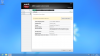
Model ENVY 17t-2100
Part Number LQ620AAR-DQC5
Processor CPU Intel Core i5-2410M 2.30GHz
System Memory 6GB DDR3
Hard Drive 750GB (7200RPM)
Optical Drive SuperMulti DVD burner
Display Size 17.3" (1920x1080)
Display Type Full HD Infinity LED-backlit
Graphic Card ATI Radeon HD6850 with 1GB dedicated video memory
Wireless Card Intel Centrino Advanced-N 6200 AGN
Bluetooth Yes
Network Features 10/100/1000 Gigabit Ethernet
Webcam Yes
Input Devices Full-size backlit keyboard
Audio Speakers Premium Beats audio
Ports And Connectors (3)USB 2.0 - (1)SuperSpeed USB 3.0 - (1) VGA - (1) HDMI - (1)mini-Display Port - (1) Headphone jack - (1)Microphone jack
Media Card Slot Multi-Format Digital Media Card Reader
Battery Type 6-cell Li-ion Battery
Operating System Windows 7 Home Premium 64-bit -
The HP Envy 17 / 173D only comes with GDDR5. I have never heard of an Envy with GDDR3. Mine, and everyone else's Envy have GDDR5. Get that bad boy and enjoy! I only found one for purchase on Ebay...description is incomplete. As long as it is a 6850, then the memory will be GDDR5. Never heard of any 17-2xxx with GDDR3
Happy New Year -
Thank you so much that is what I figured yes it says 1gb 6850 so I assumed since it is an envy it is gddr5 but thank you because I recently bought a customized hp dv7 and they assured me I was getting a 6770 but sent me a 7470 so I sent it back and got this bad boy even cheaper... so happy thank you.
-
Anyone interested in a refurbished envy or any pc laptop. eritechinternatiol has incredible deals on refurbed envy's, no tax and quad i7's w 6850 foraround $700-$800 free shipping as well and warranty available. He also has items on ebay but at the store they are about $50-$100 cheaper. Electronics Store Los Angeles | Computer Parts Los Angeles | Computer Store Los Angeles | eritech International: refub & new notebook computers @ wholesale prices have not received mine yet so can't say anything about quality yet but cannot beat the prices.
-
TESV Acceleration Layer, thread 5 - Bethesda Softworks Forums say cheese

it's a script to accelerate graphics. works like charm -
Hi, i try to find the solution for 3 hours, still no luck
It seem that my powerDVD cannot play side by side (SBS) 3D bluray, it show to separate screen with the same frame, how i can fix this?
try to update powerDVD player, but it seem that i have the latest version PowerDVD 10 Ultra 3D build 3322
My powerDVD show like this:-
![[IMG]](images/storyImages/72313d1320453924-hp-envy-17-17-3d-2xxx-series-owners-lounge-powerdvdcapture.jpg)
How i can change it to this:
![[IMG]](images/storyImages/72309d1320445302-hp-envy-17-17-3d-2xxx-series-owners-lounge-3d.jpg)
Please help this poor soul
-
There are so many things that effect game play I can only offer some suggestions, BUT I have the Envy 17-2070NR and have been playing Skyrim and DA2 since they were released with minimal issues! I would check the following:
1. Defrag your hard drive
2. Defrag your Registry
3. Run a clean up program, like Tuneup Utilities 2012, to tie off all of those lose ends
4. Ensure your drivers are the current releases
5. Ensure your AMD settings are allowing the "Programs" to control the settings.
6. Ensure your games are using the latest patches
7. Ensure your monitor is set to give your game either the best performance or appearance
8. Ensure NO other programs are running when your gaming
>>>>>> <<<<<< I hope this reply was helpful.. >>>>>> <<<<<< -
Thank you for your time. But my problem still remains. And i have just figured out that after I updated BIOS, vga driver.., other games that was played smooth before become slow and lag. Ex: shogun 2 down to 1x fps in close scene, MW3 is not smooth anymore. What happened with my graphic card, can somebody help me .
//Sorry for my bad presentation, and my English
-
Hey guys, I am thinking about purchasing a Envy17 from Best Buy that is going to be used primarily for Gaming, surfing the web and movie watching. Can someone tell me if the GPU/CPU is easily switchable or are they soldered on to the motherboard?
Also, does anyone know if the ATI 6850 with 1gb of DDR5 is better than the Nvidia GTX 70 with 2gb of DDR5? -
GPU is soldered to the motherboard...won't be replacing.
Nvidia doesn't make a GTX 70. Perhaps you need to go back and get the model again. Right now, the Nvidia cards in laptops are the GTX460m and GTX 560m. What other model are you looking at? The 6850 will go toe to toe with the 460m...about 10-15% less than 560m -
Just got both laptops today my envy and dv7t envy is sooo sick I am getting graphics score of 7.1 and it's a 6850 how can I tell if its gddr5? Oh and my hp dv7t wont boot lol what a joke I bought a refurbed envy 17 no tax with a way better graphics card for $50 less lol and its mint.
Nevermind answered my own question what a beast... I only got 5.9 for hard disk I have 7200rpm 750gb HDD is that normal? -
Go to HWiNFO, HWiNFO32 & HWiNFO64 - Hardware Information and Analysis Tools Download either hwinfo32 or hwinfo64, really doesn't matter. Then open it up. Notice where mine says ATI logo and CPU1. When you first open...it defaults to the GPU on your CPU, so it will say Intel. Click on the dropdown box and choose the ATI. The rest of the info will be right in front of you...Don't mind that the memory and gpu speeds look low...remember that this snapshot was taken in 2D mode. When you fire up a game or 3D app...the card will go to 575 Mhz core and 1.8 GHZ for memory
Attached Files:
-
-
I meant to say GTX 570....How can the 6850 only compete with the older 460? Doesn't the 6 series ATI card compete with the 5 series Nvidia cards?
-
The 6850M will be a better option than the Dell GTX550 or GTX555. The GTX560 is slightly faster. I expect that the GTX570 is going to be that much faster...probably about 25+%.
Look here:
NVIDIA GeForce GTX 570M - Notebookcheck.net Tech
Notebookcheck.com says that the 570M is only 19% faster than the 460M...so if you correlate that info...the 6850 is about the same or slightly faster than the 460M -
Any other useful apps you recommend for this pc its for gaming, anything to increase performance or cooling, anything at all would help, this is my first experience with higher end laptops.
-
If you want to overclock the card (others have successfully), use MSI Afterburner
MSI Afterburner
Follow the instructions in this thread and you will be able to enable it with your mobility card
HOW TO: Enable UNOFFICIAL overclocking mode in MSI AfterBurner - Guru3D.com Forums
Let us know how you do... -
I dont know what people are talking about this 2nd gen envy 17 w the 6850 is beastin for me even with only an i5.
-
The 2nd Gen Envy 17 3D is a total package. I love mine. Gunny will chime in at some point...but I have never had a game or challenge that the machine cannot hande. The 6850M is a very nice card....and I have Nvidia in all my other machines. I am impressed with the IQ and speed of it...
-
Why, what are people saying?
-
I prefer the Sapphire Trixx utility. No messing around with the EULA stuff and it also has a useful desktop gadget.
-
yeah I'm gonna oc my 6850 and tweak it a little I'll let you know how everything goes, thanks for all the help guys.
-
Guys the Envy 17 or 17 3D 2nd Gen is just an absolute beast and gorgeous to boot! I use mine for everything and I am on it at least 4-6 hours a day gaming. I play Dragon Age, Mass Effect, Skyrim, just to name a few. I ensure all of the ventilation is open and nothing interferes with that aspect, so my temps are running between 74-84 C during game play, which is pretty darn good! Regarding the 2nd Gen and the 3rd Gen, I prefer the 2nd Gens. I think our 6850 GPU is a better and our Envy just breathes class! The people that are complaining are almost always referring to the 1st Gen units, which had heat and throttling issues, but with our F18 BIOS the 2nd Gens are just pretty close to perfect!
I am so impressed with the line that I will be buying a 2nd Envy Laptop in March/April time frame. Right now it is a toss up between the Envy 17 3D and the Envy 14-2160se. Since it will be used as a backup unit, my decision will mainly come down to which one I can get for the best price, but the fact that I'm getting a SECOND Envy, is a statement all on its own!
Enjoy your Envy's and welcome to the forum guys!!! -
yes the Envy is a beast....and also there were no throttling issues with the first gen. That issue was with second gen. Which is what u have...i have first gen 17 3d...yes it may get a little warmer, but never has it overheated...have had it since dec.2010...runs like a beast....also would like to thank bob mitch for his input and advice on my considering to buy the new Envy 3D--i am not able to justify needing it when my first gen Envy 17 3d still performs like it has since day 1....
-
Always welcome! As far as both the 1st gen and 2nd gen...they are going to stay pretty current for quite awhile. I don't see any significant changes in architecture until "possibly" Ivy Bridge. Til then...we are all pretty solid. One thing you might consider if you want to kick that machine into a new stratosphere...get an SSD. Mine came with the Intel 320 series and even though SATA II...it screams! The SATA III generation is even faster...what a serious difference it makes
-
Kind of have a dumb question: I love everything about my laptop but the time it takes to wake up from sleep mode. It seems like it goes into a deeper sleep after a longer period of time. Will getting an SSD decrease the wake time significantly? Those of you who went from a HDD to SSD, can you tell me how much faster it is?
-
With SSD no need for hibernation. Sleep is much the same for HDD or SSD for me. System boots in under 20 seconds. About 2-3 seconds out of sleep.
-
Does anyone know how to troubleshoot the 3D glasses that came with the 3d 17 laptop? I have only had the machine for a few weeks and the glasses have suddenly stopped working. Any ideas would be much appreciated.
Many thanks -
Strong possibility...I had the same issue...when they put the battery in the glasses...they usually put a plastic tab in there to keep the battery from making contact. I took the plastic tab out...but it was obvious that it was never put in the slot, properly...and who knows how long these things sit in storage before they are packed with a machine. My battery was pretty bad when I got my machine. Replaced the battery, before calling Concierge...and everything was good again. Try a new battery...they cost about $1.75 each...CR-2032
-
I wish the envy came with graphics card sticker... I went on ebay and bought an ati radeon premium graphics sticker to throw on this biiatch
-
Actually, the experts say that with an SSD, there is no need for sleep and that a machine should go straight into hibernation since the access times and speed are so fast that, to the casual user, you won't notice the difference between waking from sleep and waking from hibernation. However, you get all of the energy savings from hibernation that sleep doesn't give you. Basically, which would you choose? 3 seconds to recover from sleep or 6 seconds to recover from hibernation and an extra hour of battery time? I personally go with sleep myself but my laptop is almost always powered by my brick. Mobile users though would probably prefer the additional battery time.
That being said, yes, a SSD will vastly improve either hibernation or sleep recovery periods as well as boot time and application load times. An SSD is currently the best investment for your pc to increase its perceived speed, assuming you have enough RAM/CPU resources to run your OS and programs with very little swapping. -
Personally, I always remove ALL of the stickers on the laptops and keep them on the desktops. I just don't like the palm rest area to be cluttered, so I was happy HP didn't put anything on the Envy's. Plus I think with the laser etching on the 2nd gens, the sticker may have become troublesome anyway.. Just my 2 cents..
-
+1.. I pretty much do the exact same thing.. -
Yeah I do like the sleekness of the laptop but for some reason they included a windows 7 sticker if they're gonna do that they might as well throw a graphics and intel sticker on there or include them.. unless it was done after this was refurb'd
-
Mine never came with any stickers. Only thing on it is on the bottom...my DVD Key for Windows...that's it. The whole idea behind the Envy was minimal bloatware and NO stickers...
-
Interesting take. I am definitely in the market to upgrade one of my 500TB HDD with a SSD. Pretty sure I'm going to get a 128 Sata III at the least. Let the researching begin!
-
Hi everyone. I have a big problem here
. After installing a wrong graphic drivers that i found in this topic
http://forum.notebookreview.com/hp-...-6xxx-envy-14-2xxx-envy-17-2xxx-intel-18.html, my screen turns black. Then i boot in safe mode and disable my 6850, then restart and reinstall graphic driver. Everything seems to be ok, but when i play games such as MW3, Skyrim, in the beginning the fps is quite good and i can play smoothly, but very fast it fall down to 1-5 fps and the game is so lag, i can not play anymore. I have no problem playing these games before. This occurs just after when i install a wrong driver. I try to recovery my laptop but it's doesn't change and I still cannot play games. Anyone can help me
?
-
First...boot into safemode and uninstall the AMD drivers using driver sweeper, which can be found here:
Phyxion.net - Driver Sweeper
Then reboot to Windows and download the last HP interation of the driver for the 17/17 3D here:
AMD High-Definition Graphics Driver HP ENVY 17t-2100 CTO 3D Edition Notebook PC - HP Customer Care (United States - English)
Having done that...everything should work normally now. If you still want to update just the AMD drivers...I can show you how to do that, but let's make sure you can get everything back to normal first. I had the same issue as did Gunny...those drivers, for some reason, don't work...even though they are listed to... -
+1 EXACTLY... Matter a fact, if you look at your link on page 18 & 19 respectively, you will see entries on there from Bob and I about the driver issue... You really need to watch what your doing with the GPU drivers, since it is a "SWITCHABLE" device. That is what makes all of the difference and why we cannot use them straight off of the AMD web site!
>>>>>> <<<<<< I hope this reply was helpful.. >>>>>> <<<<<< -
Anyone tried the 2 SSDs in RAID 0 idea yet?
-
If someone wants to donate 2x256GB Vertex 3 drives I'll gladly be the guinea pig
-
I just upgraded to the latest powerDVD and it worked for me, sorry.
-
Thanks Bobmitch and gunny, I do appreciate your help . My problem's solved. Can you show me how to update AMD drivers
-
There is the trick to it all...you don't uninstall drivers to update the AMD drivers. You install on top of the HP drivers so as to keep the Intel drivers there. Get the Catalyst 12.1 preview drivers here:
AMD Releases Catalyst 12.1 Preview - Download & Discussion - Guru3D.com Forums
These are a bit older than the newest previews, but on my Envy they are the fastest drivers I have used to date. My 3DMark11 score with these particular build is 2005, which for laptop without overclocking is pretty impressive.
Now...there is a trick to keeping your switchable graphics fully functional. Once the HP drivers are installed and working properly, install the preview drivers...during installation choose CUSTOM and follow the prompt. When you get to make choices, choose everything EXCEPT Catalyst Control Center. Your AMD drivers will update to the newer release, but CCC is from the HP drivers and maintains the switching between cards when power or battery is used.
Give this a try... I am now runnin the 12.1 preview with no issues...AND...when plugged in...AMD 6850M, when on battery...Intel HD3000.
There you go... -
+1.. Bob explained this trick to me back when I first got my Envy.. Has worked like a charm, however beware that if you do update above the HP drivers, you "MAY" lose your brightness function keys (meaning they won't work). However, you can still change your display brightness via Windows Mobility Center or the Power Icon in the lower Right Status bar area, to name just a few... I find that I rarely if ever changed my screen brightness anyway, so it was no big deal for me.. Just a heads up...
-
I have followed your .steps and installed the amd driver successully. But when opening CCC i got this message " could not load file or assembly 'CLI.Implementation' ... " and CCC does not start
-
One problem I always get is from my antivirus not letting CCC write to the registry. Try installing 12.1 preview again and this time...include CCC
-
What happens if you right click on your desktop? Is the switchable graphics still available? Here is what I get with the HP drivers and 12.1 preview installed on top, using the HP CCC
Attached Files:
-
-
Hi, just was wondering if someone has an opinion on this,,,,,,,,,,,,
I'm the owner of an HP HDX 18-1374ca that HP in Huston TX FU, probably beyond repair (new mobo's aren't available).
HP.ca is offering me an Envy 3D 17-2195ca as a replacement.
I loose 16.3 square inches off the screen, most of the time I have 2 Windows open, smaller size will make my eyes hurt.
(18.4" diagonal translates to 16"W x 9"H,,,,yes it's actually 16x9)
I loose the fingerprint reader, as I'm in a USER account and not an ADMINISTRATOR account, doing passwords all the time pain in the a$$.
CPU's and GPU's set aside for the moment, I do have BF3, COD MW3, Duke Nukem Forever, Condemned - Criminal Origins and HAWX in this notebook.
They all play fine, no lag, no heating issues, I'm not a big gamer though.
My graphics and CAD program run without a problem.
4 GB of Ram seems to be enough, at most, I have never used more than 3.2, I have SysinternalsSuite with Process Explorer installed, I HAD no memory leaks or other issues before this was REQUESTED by HP to be sent in for a free servicing.
Unfortunately I accepted their offer for free servicing, my FAIL.
Is there any reason I should take them up on their offer and actually downgrade my screen real estate and the convenience of a FP reader?
If you were me, would you make them repair this HDX back to factory speks?
Is the Envy 3D 17-2195ca a crappy build/assembly of outdated parts?
How about the touch pad, has a patch been figured out for that?
N wireless, still not working?
Has any Envy owner gone from an 18.4" notebook to the current 17.3"?
How did you find the transition to a smaller screen size?
Opinions and critiques welcome...............
Michael T -
I think that your first recourse is to try to have them fix YOUR machine to spec. Seems to me that your screen and fingerprint reader are two very important features for your current machine. Now on to some of your questions...
Is the Envy 3D 17-2195ca a crappy build/assembly of outdated parts?
No! The 2195ca assures you of the HM67 chipset (highest in a laptop until Ivy Bridge) and quad core processor. At present, you can expect at least the 2630M processor at 2 GHZ or maybe even the 2670M at 2.2 GHZ. The parts are NOT outdated...as a matter of fact...the 2nd Gen Envy 17 has a better motherboard than the 3rd Gen. The new 3rd Gen have HM65 and 3 USB 3.0 vs One on the version you are talking about. HP swapped the ability to do RAID for more USB 3.0. Also, note that you are not really downgrading. The screen real estate on the Envy 17 3D is slightly less...but also 120 HZ screen with 1920 x 1080. It is really easy on the eyes...and the AMD 6850M is a video card that should easily handle your games, with 1 GB of GDDR5 memory...and good part...you gain 3D. It really is a kick to put on the glasses and watch DVD's in 3D (Cyberlink will convert DVD to 3D)...for Blu Ray...you have to have 3D Blu Ray titles...Also...games in 3D take on another dimension...one caviat there is that when running games in 3D...the card does create a double image, which makes it work a bit hard...but all in all...only Crysis gave me issues with framerates...and only during explosions. I currently run Assassin's Creed Brotherhood, BF3, DeadSpace 2 and Splinter Cell Conviction with no issues...Gaming without the glasses will net you better framerate...all good!
In addition, because the Envy 17 3D has an HD Webcam...you get Cyberlink YouCam. I upgraded to v5, when I upgraded PowerDVD to PowerDVD 11 Ultra. YouCam5 does facial recognition for the machine AND websites. So kind of a trade off...you can still get the security and no pains for typing in passwords. If fingerprint reader is a biggie...then you can pick up an aftermarket one...
http://www.amazon.com/s/ref=nb_sb_s...print+reader&sprefix=Fingerprint+read,aps,210
How about the touch pad, has a patch been figured out for that?
As far as touchpad is concerned...never been an issue for me. I downloaded drivers from Synaptics and have a fully functional touchpad that zooms in and out, as well as scrolls in various directions. The touchpad software from HP is newer, but has less functions...no issues in that arena for me.
N wireless, still not working?
It is not an issue of N not working. The 6200N card has some issues with certain Router brands. I have a D-Link DIR-655 router and my 6200N has performed flawlessly since day one. The 6200 seems to like Atheros chipset. Mind you that you will connect around 100-130mbps. To achieve the 300 mbps, you will need a dual band router. Many have had issues and resolved them using a backdated driver direct from Intel. Current driver is 14.2, and old driver is something like 13.5
Pound for pound...the Envy 17 3D will do any software that your HDX did. Quad core processor, high end MB and If I recall...minimum offering for memory for the Envy 17 3D was 6 GB DDR3 1333.
Either way...you can have it "Your Way" with either machine. If you are really intent on the HDX...make em fix it. The Envy is quite a delight to work on. I spend 6-8 hours a day going back and forth from my desktop to the Envy 17 3D 17-2100 CTO.
I hope this info is helpful
*HP ENVY 17 & 17 3D (2XXX series) Owners Lounge*
Discussion in 'HP' started by 2.0, Mar 14, 2011.