Problems? See this thread at archive.org.
Hey, I got my laptop back from the service, and it seems it's rocking good!
It was worth 2 months of waiting, something was up with the warehouses as the components they changed weren't available in Greece. They changed my processor, the motherboard and the fans. It doesn't overheat anymore...
What should I do to prevent overheating? (I still got the cooling pad under the Laptop)
-
-
Glad you are back up and running. What specific changes did they make?
-
Hello everyone, I'm new here. I just got my Envy last week and really liking it so far. I just have one issue that I am not able to resolve, and I was wondering if anyone here has experienced the same problem.
I cannot get gpu scaling to work so that the aspect ratio displays correctly for games that are not in widescreen format. I can select the option for "Preserve aspect ratio" in the ccc, but it will not remain selected after I click apply - it just changes back to full screen, and games that can only display in resolutions for 4:3 (like Sacred, which is stuck at 1024x768) appear stretched out and distorted because it won't scale properly. I have installed the latest AMD driver linked from the drivers forum on this site. I have read about this on other forums but there hasn't been any fix that I was able to determine, other than it is a known issue that has never been addressed by AMD. No one seems to have brought it up here either, meaning that it might be limited to my computer. So I was wondering if I have maybe missed something or done something wrong with the updated driver installation.
Any help would be appreciated. Thanks in advance! -
Congrats and welcome to the lounge (even though it's almost dead, lol). Anyway, what you can do is play the game in Windowed mode. It may look small on your 1920x1080 screen (that's what you have, right?) but it will at least keep the 4:3 AR. If the game doesn't have Windowed mode option, then there might be some file you can edit to enable the option or better yet google something like "how to play Sacred windowed". Now I did that for you and found this for Sacred Gold.
Any way to play Sacred Gold in windowed mode? - Steam Users' Forums -
Almost dead? I quietly follow it and appreciate the posts about software and firmware updates. I, luckily, never experienced the WIFI freeze problems but have learned lots about SSD updates and other Envy 17 quirks.
-
Of course it's been a very beneficial thread, no doubts about it. However, it's not as active as before since this lounge got unstickied and the 3rd Gen Envy lounge started.
-
Aah! But many of us who started the thread just about a year ago...are still here, helping here and with new owners of the 3rd Gen Envy. This baby still rocks!
-
Does the customized envy 17 have the 7690m while the quick ship model has the 7690m XT? Why are they different and what is the difference?
I got the customized model, but when I found out the quickship model has the XT I was kinda regretting my purchase.. do you guys think this is just a typo? -
The second generation ENVY 17 laptops have the 6850M, you should ask that on the 3rd gen ENVY 17 lounge.

-
hey guys can someone suggest me an effective way to get red rid of the throttling issue?
-
thought this was the third gen oops
-
Hah, it's ok...
I still don't know which is better: the 6850M or the 7690M ? :/ -
The 6850M has more pipelines. The 7690 is clocked higher. Overall...the 6850 is about 15% faster. This issue was raised when the third generation first shipped. Second generation Envy has stronger GPU
-
Yes, it is a typo. Both Envy 17 & 17 3D 3rd Gen have the 7690m XT, the 15 inch model has the 7690m. And BTW you should be here http://forum.notebookreview.com/hp-envy-hdx/633055-hp-envy-17-17-3d-3xxx-series-owners-lounge.html so people with same laptop you're gonna get see your posts. Good luck with your purchase.
Did you flash your BIOS to the latest? Throttling issue was solved long ago with a BIOS update. If you have latest BIOS (it is F.1A BTW) and still facing throttling then that means your notebook is overheating (probably one or more of your cpu cores hit 90 C), a workaround is to try disabling Intel turbo boost (doesn't do much in gaming anyway). You can do so with ThrottleStop Downloads | Tech|Inferno or you can do what I do by creating a new power plan in Power Options and changing the advanced power settings, go to processor power management and change the maximum processor state for plugged in to 99% instead of 100%. Tell us if any of this solves your problem. Good luck. -
Which means it makes them more suitable for gaming, well that's fantastic. That's the main reason I got this laptop.
And seeing it in general, it has a pretty good performance on high settings in most games. Really worth it. -
Thanks for your quick reply. I can run Sacred in windowed mode at 1024x768just fine, but the window is much too small and makes the game difficult to play since it's hard to see. I would prefer to have games scale correctly so that they fully display on the screen instead of a small window. This is a pretty basic feature of CCC which works correctly on other laptops I've had. Any other ideas?
-
Anyone having issues installing the latest catalyst drivers? 12.3? Seems to give me a black screen.
-
Had the same problem...had to revert back to 12.1
12.4's were even worse -
Yeah and the strange thing is that I couldn't just remove the drivers and install old ones. Had to do a system restore to 12.1. Tried driver sweep etc.
Lets hope that AMD somehow recognises this issue. -
Apologies if I am not pasting this in the correct place, but need some help.
My machine is:
HP Envy 17 notebook 2101ea with the following specs:
Windows 7 64-bit S.Pack 1
Intel Core i7-2630QM CPU @ 2.00GHz (8 CPUs)
6144MB RAM
HD6850M 1GB
Driver: 8.911.1.0
I am afraid trying to play Battlefield 3, and not getting good FPS at all.
(I know it is a laptop!! - as I have been told elsewhere).
I am only getting an average of 30fps on low settings and low resolution.
I am sure I should be getting better than this.
When via the console I check the graph showing live CPU/GPU usage, and the CPU seems to constantly rising/peeking in the graph. Is it likely the CPU is the problem, not the GPU?.
Am a tech noob, so not sure how to check temps etc...please help - as really friustrating - has been going on for ages.
Not sure if I have to look at my graphics drivers, bios or give up !!!.
Thanks in advance. -
You are in the correct place, welcome. And yes, the game should play better than what you're getting. Battlefield 3 plays fine in my Envy at 1080p High settings at about 25fps without even overclocking. Try first flashing your BIOS to the latest, maybe you are experiencing the throttling issue.
HP Notebook System BIOS Update (Intel Processors) HP ENVY 17t-2100 CTO 3D Edition Notebook PC - HP Customer Care (United States - English)
Also run 3DMark 11 benchmark and tell us your score (you should get above P1900 3DMarks).
http://www.3dmark.com/3dmark11/
One more thing, are you sure you're using the AMD graphics and not Intel's. Sometimes you switch to Intel's graphics and you forget to switch back to AMD's. Good luck. -
About temperatures and stuff. Whenever I play any game I launch 4 programs.
1. FRAPS to monitor framerates.
2. MSI Afterburner to overclock and monitor GPU core/memory clocks, GPU temp, GPU usage, and even local time.
3. RealTemp to make an alarming sound when either CPU or GPU temp hit 90 C (you specify the number you want).
4. CPUID HWMonitor so I can tell what was my max temp for both CPU and GPU when I close the game, not very important I know RealTemp is good enough. -
Then make a custom resolution of 1366x768 and play in 1024x768 windowed. Wait! you can't make custom resolution with CCC like I use to in nVidia control panel. However, I found this Custom Resolutions on ATI / AMD Video Cards (Non-EDID Method) - [H]ard|Forum if you scroll down you'll see a tool to do that I didn't try any of this though. If you are not comfortable to do that then just try 1280x768 resolution and play in 1024x768 windowed, it'll be stretched a little though.
-
Fabulous replies, thanks for taking the time. I will check all these items and post later. Thanks again.
phil -
Not good - have updated BIOS without any scares - all seems normal.
Have run 3DMark 11 - 1280 x 1080 - Benchmark tests only.
And achieved score of P1046 ! - can assume if you got P1900 that this is not good.
Have checked switchable graphics again and deff showing main graphics card. Error message did come up in 3DMark ref - "Graphics driver is not approved".
Any ideas, maybe change graphics drivers now ??. HELP ! -
Run 3D Mark 11 in 1280 x 720 mode. That is how to benchmark. With the 2nd Gen Envy with 6850, you should be in the 1850-1975 range.
-
Sorry - was being dumb.
I test it in 1280 x 720 (not 1080), result was 1046... ! -
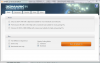
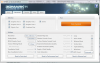
Something seems off in your settings. The good news is that the AMD Radeon is working, or the test would not. The built in Intel graphics accelerator is only DX10, so the test will fail if you try to run on it. Here are the two main setup screens. See if you are set up properly in them and run again...Attached Files:
-
-
Bob - I have just removed HP and ATI drivers, and re-installed HP 8.820.5.1000 (3/6/11). 3D Mark now 1856. Is that much more like it ?.
No idea what issue was, have not yet re-installed (over HP as per your suggestion) Catalyst 12.1 preview drivers. Do you think I still should ?.
Thanks -
You got it! That score is almost exactly the same as the one I achieve using the same drivers. My latest score was 1993. Mind you, I have an SSD as my OS drive and I installed catalyst 12.1 over the HP drivers. Basically, if you want to try that, you can do so by downloading here:
AMD Mobility Catalyst Display Driver 12.1 for Windows Vista/7 64-bit - TechSpot Drivers
Couple of things to note. Before installing...disable you antivirus program. I have Kaspersky and it doesn't allow the installer to write to my registry and the CCC always fails.
Now...with that said...do NOT remove the old drivers. Install 12.1 over the top of the existing drivers. After reboot...you should retain switchable graphics and have more up to date drivers
I do NOT recomment 12.2 or 12.3, especially 12.3...they really muck up the system and never install correctly. As with me, others have complained about black screen and having to remove in safe mode. 12.1's seem solid and perform well.... -
Thanks Bob, your feedback looking through-out the hundreds of pages I have on this and other subjects always seems excellent - and I am sure has helped many out of deep holes.
I think for the time being knowing the hassle I have had over the last 4 months I will stick with the HP drivers for now.
I really wanted to improve the drivers for playing BF3 (when the wife lets me that is!), and have briefly checked and the there seems to be a very good FPS increase. I think previously you have mentioned you have played this, if so what kind of FPS to you get - and what settings do you use ?.
Thanks again. -
In all honesty...I have never benchmarked BF3. I can say this...I have it opened up pretty much all HIGH settings and no stutter, nada...
-
Hi all
Well !!
Tonight with first decent gaming session, all went bad. That is after playing for 10 minutes the laptop shut down into hibernation mode. It works again after a while, but then does it again. It is very hot, and fun is working like crazy.
So I know there has been feedback about cleaning fan / vents with compressed air, will do that tomorrow. Do I just spray it on the Left side vent or do I have to take the base off. If so how does it come off ?.
I am wondering if I should add the ATI 12.1 as recommend in some areas or do anything else.
Was running BF3 on low settings, so not sure what to do now.
Any help would be appreciated.
Phil -
Whatever you do...DO NOT try spraying the intake / outtake while the machine is HOT or even warm. In the AM, before you even boot up...clean the vents. Also...set Coolsense to "Coolest" mode and it will disable Turbo boost for you. Games don't even use that mode anyway. 12.1 would run a bit hotter...but not sure why you are shutting down. Try the coolsense setting and see what happens
-
Hi Bob - thanks for the reply again...
Coolsense seems to have either on or off mode, how do I get to a 'Coolest' mode?.
Will clean vents tomorrow, do I just spray in both - or do I need to get the base off (seems trickly).
Thanks. -
I forgot...I got rid of Coolsense 2.0 and went back to 1.1. Comes with an earlier version of HP Software framework, which can be found here:
HP Software Framework HP ENVY 17t-2000 CTO 3D Edition Notebook PC - HP Customer Care (United States - English)
My sense is that with the newer version...just make sure it is ON. As far as spraying the vent. First clear the intake. Under the TAB key on the bottom. Then spray the exhaust vent...Left side just above the VGA port. I can't imagine that they are clogged...but guess we'll see. Let us know of your progress... -
So what did HP do? Still peeved I had to wait nearly 6 months for this BIOS update to stop my 2280NR locking up. Was there a trade off? Perhaps we'll never know.
-
That link for the Catalyst 12.1 drivers takes me to a page where I can download the compatibility app which tells me that I can't download the Catalyst drivers...
-
Here is the official AMD link to download the Catalyst 12.1 Mobility driver (Windows 7/Vista 64bit).
-
Thanks Bob, as per advise earlier (Gunny also pm'd me) have installed Core Temp - and have started doing some tests on temps.
Not sure how to post an screenshot of current Core Temp screen (do I have to past link to image sharing programme?).
At present with just web browser and Core Temp running and temps read:
Core 0 Min 46c Max 57c
Core 1 Min 46c Max 56c
Core 2 Min 46c Max 55c
Core 3 Min 46c Max 56c
Just did some gaming and it was for around 5 mins and all Cores were running at around 81c, so far so good - will see what happens later. Anything I should be looking out for ?.
Today add to that I did use some compressed air, did not see much dust come out as I think to be fair you suggested. Also purchased a colling stand with 2 fans in - not sure if this will make too much difference.
Will post an update after running for a more realistic period of time.
tks -
Thanks - much appreciated!
Is there any way to similarly update the Intel 3000 drivers? -
Would be interested in seeing how you get on with 12.1's. Not sure if you
have switchable graphics - I do and am going through process of working
towards installing these over HP drivers (as per advise from Bob/Gunny). -
I still have switchable graphics after installing the Catalyst 12.1 drivers. I run on the integrated Intel graphics most of the time to keep things cool. Only if I am doing any gaming do I kick it up to the Radeon 6850.
-
Whatever works for you. 12.1 are really decent drivers. BEWARE! Do not try to upgrade to v.12.2 or 12.3 As noted in other sections of this board...they cause a lot of funky issues with the backlight of the LCD screens and are hard to recover from. Can't really say that I am shocked with ATI / AMD background with drivers. Let's hope they rectify that issue soon.
-
Did you get much improvement in any area after you added. 12.1 drivers?
Tks -
Thanks Bob.
After a few hours of gaming Core temperture from whay i could see maxed out at 84c. Due you think this is normal? Or within limits. -
yes, this is within range. lower/upper 80's is absolutely fine. how's your framerates though?
-
My core temps run a bit higher...but I live in the SW, where temps are higher. "Supposedly" the 6800 series can run as hot as 100C and it would be normal. Not that I would like it to do that all the time...
As far as improvements with 12.1's. Only thing I can say...my 3D mark 11 score went from 1855 with HP drivers to 1993 with 12.1. Good improvement there. Expect 5-10% improvement on fps. -
FPS is ok, BF3 (sorry oly point of reference) on 1280 x 720 seems to be averaging around late 40's with low detal. Nees to run full FRAPs test really.
Think i mentioned earlier 3dmark 11 score about 1860.
Tks -
Thanks Bob, will think about 12.1 then, think if i am being realistic i need at some point to get a Desktop for the gaming thing. Just want to get out of laptop what i can while it is my only machine..
Temps i mentioned by the way were with Coolsense ON.
*HP ENVY 17 & 17 3D (2XXX series) Owners Lounge*
Discussion in 'HP' started by 2.0, Mar 14, 2011.