Problems? See this thread at archive.org.
Hey everybody. I recommend you go here Home ← leshcatlabs.net to get your windows 8 switchable graphics working properly. They have the newest beta 5 amd driver with intel driver also. They have also rectified the no control of brightness issue I was having when using the amd card. Also some other modifications that can be done with regard to battlefield 3 performance.
-
Hi Giga .. good effort on your behalf but even if I am not the biggest fan of turning off driver signature Leshcats seem like the best option.
I was trying to get Windows 8 to Go working but will need a larger usb drive with 3.0 to see if I can fiddle with it a bit. Leshcat does seem like the best option but I wonder if this guy is onto something:
Solved Win 8 AMD Switchable Graphics FAQ - Page 44
I have heard before that the HP support framework plays some form of role on drivers. (I have no idea what it is and what it does) Having read on the HP forums that a guy managed to get drivers working with the support framework it kind of made me think. -
You can find older bios files here: http://forum.notebookreview.com/hp-...dv7-6xxx-envy-14-2xxx-envy-17-2xxx-intel.html
I doubt flashing your dvd will help unless flashing it is what broke it. You didn't say when or how this started.
I'd try removing and replacing the drive before flashing it. -
Hello, sorry my bad english...
The question is... What is de panel LCD original in the HP ENVY 17 2280nr (1920x1080 60Hz)??? is an TN panel??? Y do not found in internet or forum...
Thank you... -
Hey guys, for those of you interesting to add a second hard drive in your Envy 17, I am selling a drive caddy.
I bought one last fall but once HP announce that the Envy 17 2000 will not get official support for Windows 8, I immediately replaced the laptop.
For those interested please check out this ebay listing. -
Too bad they won't support the 17-2xxx, because everything works in Win 8, except the video drivers. If I could run just the 6850M I would go back to Windows 8 in a minute...HP has lost all good business sense. Now they intend to scale back on PC and build more tablets. Isn't that why they replaced the CEO with the current one...they decided last year to dump tablets and focus on laptops...they need to find one direction and stick to it...however, that shouldn't mean shafting existing customers...believe me...I wouldn't buy another HP (the Envy 17-2xxx is an excellent piece of hardware), because of their shoddy support...even if they were the ONLY company building PC's.
-
I have 2011 Envy 17 2101ea HD6850M, which I have more or less given up hope on in terms of gaming due to the temperatures
getting so extreme - with thermal shut-downs.
I want to look at this again, after giving up last time over a year ago or so.
Can anyone suggest any changes I can make to stop my machine from getting so very hot that it shuts down.
I am using HP switchable drivers - Driver Version: 8.820.5.1000. Driver Date: 3/31/2011.
I suspect there must be better drivers, but recall challenges installing them - also maybe a biox update.
I have a laptop cooler which does nothing, and have cleaned out my ducts with air.
Any help would be much appreciated.
I can of course post further information if needed.
Thanks -
Hi Bob - you helped some time ago, as you will see I have reposted to try to get gaming again with massive heat issues.
I also note this thread regarding the BIOS, is the following link ok for my machine (as under the HP site it does not sugest this one - f.18).
I have ENVY 17 Notebook 2101ea, BIOS: InsydeH2O Version 03.61.01F.1A.
Thanks as ever. -
The only suggestion I have is to turn off HP Cool Sense (icon lower right corner that looks like a snow flake).
-
Hi - in personal experience not sure Cool Sense makes any difference for me.
My version has no specific settings, just ON or OFF.
My machine gets load (fan) when just watching YT videos with AMD switched on.
I will blow the vents our again tomorrow when it is cold.
Not meaning to sound gamey - but played Sim City last night on low settings, and machine crashed (overheated) in 10 mins.
Lower vent was clear - and I was using a lap top cooler.
Looks like I have to face it - and realise I cannot use it for gaming. -
Since the overheat issue seems recent, I am willing to wager that the vents are not as clear as they should be. YES, when cold...blow canned air into the bottom vent and also the side vent by the tab / esc keys. There could be a buildup that may, even, partially clog the vent and not let air out the way it should.
-
I concur with Bob.. I would also suggest you contact HP CS and have them replace the HeatSink paste.. Heck when it is in for repairs, they may find something even more serious wrong with your system.. I am able to play games on this system and have never had it crash due to heat.. Granted I now use my Envy 17-3290 as my main system, but my Envy 17-2070 was able to play games with temps getting in the high 70's to mid 80's, usually never higher than that.. I played Skyrim, Dragon Age and Crysis and others similar to those without issue.. So if your sustem is still under warranty, send it in and have them fix it to your satisfaction!!!
That is what I would do in your shoes.... -
hello everyone, got room for a new envy 17 owner ?
 i just bought an envy 17 2070nr yesterday, really happy with it so far i just finished installing a fresh copy of win 7 without all that hp stuff ... did a 3dmark 11 got P1969
-
Congrats and welcome to the forums!! Make sure you keep some of the HP programs, such as HP Coolsense, HP Proximity Sensor and HP Support Assistant to name a few.. There are also some Intel software you need to keep.. Make sure you check out HP's Support section to ensure you have all of the needed drivers.. Also you may want to check out this link, which was designed for new owners of the Envy 2nd gens.. http://forum.notebookreview.com/hp-envy-hdx/638263-new-envy-owner-guide-initial-setup.html
Good Luck and keep us posted! -
thanks for the tips i installed coolsense, proximity and support assistant, also installed all the updated drivers from the thread here on the forum and the latest bios upgrade, i ran a few games and i'm really pleased with the performance i get 35-45 fps in battlefield 3 all settings on medium and 1600x900 resolution. the max gpu temp after 1 hour of bf3 was 89 degrees, the cpu was 97 degrees ... don't know if that's ok or not but no shutdown or restart problems so far ... should i change the thermal compound on the cpu and gpu or should i leave it alone for now ?
-
In light of my recent actions two important facts became quite clear.
1- ENVY is a very powerful desktop computer which the egg-heads at HP managed to squeeze in to a laptop frame with some clever engineering and tailor-made management software.
2- Any attempt to mess with that fragile equilibrium will have the severest of consequences to Envy's performance and useability which could make you regret the day you were born.
3- I am not NOT as clever as I thought I was.
4- MY Envy17 is now totally FUBAR
How I came to realize those above:
When I first saw all the " bloatware" my brand new Envy was loading at start-up, I immediately decided to format the whole system and do a clean install (like I was doing with my desktop) with my own ( slipstreamed ) copy of Win7. ....as it turns out, it was a BAD IDEA, and since "I knew what I was doing", I did not bother to create a Restore / Backup Disc either ... BAD IDEA No. 2 ... Furthermore, I also Fdisk the *BEEP* out of the HDD partition which HP Restore was wasting! space with that "bloated" copy of W7 ... Thus, BAD IDEA No. 3
Now, I wish to restore the original system, but since with my infinite wisdom I made sure that I never could, I had to call HP to ask for a recovery disk. This was their response: No you can not download it online, mail order only, and since it was a user error it is not covered by the warranty either so if you want the disk it will cost you 83TL (Turkish Lira - about $50 US)
Frak that! I figured it would cost me less to upgrade to win 8, then they will have to send me the disk or let me download the dam thing online. No Dice ... at their site it says; Envy is not tested with Win8 and HP would not guarantee proper functionality, upgrade at your own peril.
I am trapped .... there is no way I will pay $50 for a disk while my Envy still under warranty and despite of all my google-fu I could not find a recovery disk that I can download.
But ... I found this place
For the love of FSM ... help me!
Is there a guide for a situation like this?
Is there a way to have HP send me the disk for free?
Do you know a site where I can download the recovery disk?
If you have the same model, revision, etc .. would you send me a copy of your recovery disk?
HP Envy 17 3D (BeatsAudio)
17-2110en
Rev: 159B - 210
Full HWiNFO Report -- I registered to a free hosting site to post the report -- it's clean.
If you need more information I can setup a remote desktop with the app of your choice.
So say we all. -
Toshun...
Unfortunately it is NOT possible to give you a recovery set. The recovery is tied to the serial number and model number written into your bios. The only thing you can do is install Windows 7 as you did before and get ALL the drivers you need here:
Software & Driver Downloads HP ENVY 17t-2000 CTO 3D Edition Notebook PC | HP® Support
If any of us were to send you our recovery disk images and you tried to use, you would get a message that the recovery set does not match the machine you are trying to recover. The $50 is not a bad idea...honestly. They will ask you for your serial and some other id factors...input into their system and send you custom discs for YOUR machine only...or you can simply try the Win 7 disk and all the downloads. Should be able to do that as well...
Keep us posted... -
Did you recommend me those ENVY 17t-2000 CTO 3D Edition drivers for my 17-2110en on purpose? or simply just a mix-up ?
-
Believe it or not! They are all the same...
Software & Driver Downloads HP ENVY 17t-2100 CTO 3D Edition Notebook PC | HP® Support
Mine is an Envy 173D and they pretty much all use the same exact drivers...3D or no... -
Hello ToshunPasha,
I totally concur will Bobmitch, the recovery disks are your best bet.. I know this is a little late at this point, but you may want to check out this guide "http://forum.notebookreview.com/hp-envy-hdx/638263-new-envy-owner-guide-initial-setup.html".. Of course if you absolutely refuse to buy the recovery software, Bobmitch has explained your only other real option at this juncture.. The good news is you can get your machine back to out of the box experience with the recovery disks or close to it the other way..
Good Luck and keep us posted! -
Hello Doggydogg,
Sounds like you are on the right track.. Questions, have you read the guide I sent you in my last posting to you? If you have great, if not you may want to, the time to read it is short, but very important... You may also want to install the temp monitoring software which is linked in my guide as well.. Your temps are on the high side, but as long as they stay UNDER 100c you are OK, just make sure your vents are never blocked, meaning always good ventilation.. You may also want to power air blow your vents at least once a month, I do mine every 2 weeks like clock work.. I also tend to use a vacuum instead of canned air, that way the trash is coming out instead of blowing in and out.. If you have the 9 volt battery you may want to install it and use it as your primary battery.. The battery is not only physically larger, which brings some height to the back end so you have an even better venting experience, but it also has a battery charge indicator lights like the Apple MacBooks have.. Of course you also getting a longer battery operation with the larger battery.. I use this battery as my primary and my 6 volt flush sitting battery as my back up..
Good Luck and keep us posted.. If you ever have a question you can always post here or PM me and I will get a notification in my email (something I monitor constantly), which will have a faster turn around reply, if the need be there.. This is a really great forum with some very dedicated people who have already been through everything you are about to go through, so don't ever worry about the stupid question as it simply doesn't exist here.. -
thanks for the tips, i read your guide, but i ended up installing hwmonitor for monitoring my temps because it shows real time and min and max temp and also power consumption and stuff, i have the 9v battery so it's a little lifted i only have 2 little things i need to figure out ... number 1 : my brightness buttons don't seem to work ... everything else from the fn keys work except the brightness and number 2 : cool sense ... when i set it to on in games every 10 minutes or so my fps drop to about 2-3 fps for 1 minute or so then back up again ... with it set to off i have absolutely no problems at all ... weird ...
-
The only reason your brightness buttons may not be working is because when you clean installed you didn't place the drivers back in, or it could also be due to the GPU driver.. I would suggest reinstalling the HP GPU driver and see if hat fixes the problem, it should.. Regarding CoolSense, the one you are using probably only has an "On & Off" setting, wherein the Coolsense that was used when I wrote the guide had 3 settings.. So the once called "Performance setting" is now the "Off" setting.. Even though you select the "Off" setting, Coolsense is still working in the background, but in the "Performance Mode".. Make sense? HWINFO is a good program, but CoreTemp is a little better and runs in real time as well.. You can setup CoreTemp to use a real time Gadget on your desk top or you can have it run for the Systems Taskbar or both..
Good Luck and keep us posted!Attached Files:
-
-
I will try one last thing:
I will take my ENVY back to the store where I made the purchase and request repair service for her. I will do my best to explain the problem(s) the most cryptic way I can manage without incriminating myself. Let them decipher then relay it to HP and answer the questions on my behalf :\ ...
If my little scamming attempt doesn't work, .... well then .... I will pay that fraking $50 !! ... for software SOFTWARE!!!!! which I'd already paid for!!!!!!!!!!!!!!!!!!!!!!!!! RAGEEE -
Why do you need to restore it anyway? The only reason I would see if the TriDef certificate which you could get from support.
All HP computers running Windows 7 share the same certificate and a key identifying the SKU (Ultimate, home premium etc).
Extract the key and certificate .. or download them from somewhere and reactive your Windows 7 install. -
I've been running my 2280NR since Dec 2011 without any major issues on Win 7 that it came with. The only way I have been able to keep this harmonious relationship is to rarely use the AMD graphics (except for some occasional GIS/CAD work. I don't game) and run the Intel all the time, otherwise the fan and overheating go ballistic. That and removing all the HP bloatware, whilst occasionally referring to this useful forum for drive updates has kept me sane.
I think it will be another brand name next time.Samsung perhaps? -
I agree on another brand. My son has had two Pavillions, I have had ONE HP, the Envy...and with the way HP has treated the software updates for this machine, or lack thereof, this is my last. Samsung looks great and frankly they are leading the way with hardware right now...phones, laptops, monitors, you name it...
-
Thanks Gunny - and while I am at it thanks for the help in the past.
I use this machine for work also, and am at the frustration level now where I might count my losses and try to get another machine via I.T.
If I calm down, I will make contact with HP.
Any game I now play - even with low settings at 1920 x 1080 - it will shut down after a few minutes.
This is with Cool sense off or on. Have also tried blowing ari through vent, no difference.
Thanks guys. -
well it's been over 2 weeks since i got my envy and to be honest i'm loving it, absolutely no problems with it formatted and installed fresh windows 7 copy with no hp stuff and everything is working great, played assassin's creed 3, bioshock infinite, mass effect 3 all on 1920x1080 with high settings max temps were 84-86 degrees only on bf3 i got 90+ degrees but it's not a huge problem i plan on buying a laptop cooler and that should fix things
-
![[IMG]](images/storyImages/4e5466b7dc69f1314154167_blog.jpg)
Leshcat just bought certificates for his driver packages through kind donations!
DSE, Polls and Future ← leshcatlabs.net
In plain english: We can install new drivers for 6850m + Intel 3000 in one package, possibly even for Windows 8 without having to disable driver signature checks!
I haven't tried this yet since I have become comfortably numb to this whole topic but some of you might want to give this a shot!Attached Files:
-
-
thanks for the info, i just installed the 13.5 beta 2 from there and everything is running great ... drivers installed perfectly no problems and i got 1991 points in 3dm 11 compared to 1961 with the hp and 12.1 driver over it
View attachment 95508
-
Awesome! Thank you for testing it and coming back to us! This used to be a hot issue among us 2xxx folk and a lot of people have been waiting for a driver like this.
Does gfx switching work alright? Also try to check the buttons that increase/decrease screen brightness.
If there are any bugs I could try creating a dedicated 6850m thread on the Leshcat forums when they go up.
We just need someone to try this driver with Windows 8 )) -
Still not working for me (Windows 7 64bit, 6850m +HD3000). I get the usual black screen after rebooting after the installation (clean install). How did you install ist?
-
there is a manual there on the site, UnifL Manual do a step by step uninstall exactly like there with driver fusion and all that stuff and it should work ... do not skip a single step from that ... including doing a second run of driver fusion in safemode to make sure it uninstalls everything, that's how i did it, the brightness buttons don't seem to work there is a fix included but it has 9 options i think and you have to try each one until you find the one that works for you and i'm not that patient
so i just ignored that part everything else seems to work great no blackscreens no bluescreens no graphic driver fail and all that ... played games did benchmarks everything ok, right now i'm playing assassins creed 3 with max details
-
I did it exactly like in the manual. Tried both the 13.3 and 13.5 . No luck, Windows is booting, but the screen stays black.
-
future...I get the same...you are not alone! Something very odd with any drivers after 12.4 for me. Still have 12.4 installed.
-
maybe it's because you guys have the original windows 7 installation ? i have a clean windows 7 home premium installed by me and no hp stuff .... just tested switchable graphics and it works also
-
I think I know what the problem is.
HP Support Framework does something to the drivers or the way they install.
Someone on the HP site claimed that you have to install the Support Framework first or something alike.
Try removing the Support Framework .. driversweep in safe mode etc .. don't be connected to the internet if it helps.
If that doesn't work then try to update the Support Framework maybe that will yield results.
Am pretty sure this is the culprit but don't have the time to install these pups yet! -
Still nothing after trying both uninstall and updating the software framework.
-
I have original HP windows 7 64-bit setup and have same issue with newer drivers. 12.4 is latest working one. If i try to install another driver i get black screen after reboot. I use cleaning methods by leschcats manual but nothing helps. Now i ask from people who has installed this newer driver, did you get it work with original HP setup or have you clean windows 7 64-bit installation?
-
Shame dude! :/
It was worth a shot I take it. I wonder what the issue is. My battery died 2 years after original use on the day ... conspiracy. So I haven't had the time to test this yet.
Doggy Dog had a fresh non HP install of Windows but I don't really see how it could affect the drivers much.
Maybe HP revised the motherboard?
HP assistant tells me I got version: 159B 91.37
Maybe the hardware design changed? ... this is going into fringe territory. There needs to be a simpler explanation.
Another user who has black screen issue
There is another user on the Leshcat pages that had an issue with the Black Screen on version 13.1 2.1
http://leshcatlabs.net/index.php/20...or-amdintel-laptops/comment-page-22/#comments
The mystery continues...
My current drivers are the 12.1 and at times I get a full Black screen during bootup if I put the laptop into standby from Intel side without power cord or a similar setup. (Or something alike) I usually have to resort to a hard reset. -
Now it gets really weird! I just tried the 13.4 drivers again...same problem: installation went fine, but black screen after reboot. The thing is: it is not a black screen! For some reason, the driver doesn't turn on the screen backlight. If I hold a flashlight right at the screen, I can see my desktop, barely, but I can see it. I won't have the time, to check all the other drivers that did not work, but I suspect its the same thing. So maybe it is a hardware problem that is connected with the new drivers and the screen backlight. It just puzzles me...
-
That is good info. So the driver works but not fully.... sounds like it could easily be fixed by Leshcat .. try reporting it on the pages.
I will try the 13.1 v2.1 today or tmrw. I hear people have been getting good results with that. -
well i have the non hp clean install of win 7 home premium 64 bit and everything worked fine for me maybe on the hp setup they made some modifications and it doesn't work so well who knows ? ... my motherboard is also 159B so it's not different than yours...
on another note ... it's summer so it gets really hot and yesterday i bought hitman absolution ... i started playing 1920x1080p everything on high except shadows and antialiasing, working great 30+ fps but after about 35 minutes my laptop crashed because it reached 100+ temp ... so today i took it apart, opened the fan and cleaned the exhaust holes really good because they were clogged up and changed the thermal compound on the cpu and gpu ... now after an hour of playing hitman my max temp was 79 degrees so i'm happy now
-
Did the same thing a few weeks ago, Worked like a charm. Now I can finally play Battlefield 3 longer than 10 minutues.
On another note: tried the 13.1 V2 drivers, still no screen backlight. I asked leshcat, and he said its a problem with the 6850m card. But doggydogg got it to work, so I think it is a software problem. Maybe I try a clean W7 Home Premium install while upgrading to a SSD. -
Thx for the info Doggydogg and future843. I hope it has something to do with HP software and not the hardware.
I tried the 13.4 v2 and 13.5 beta 2... I didn't even make it to the 13.1s. The official 13.5 beta 3 also gave me a black screen. I will try removing some HP software and running CCleaner to remove those reg entries.
Future didn't you say that you were already on a clean non HP Windows 7 copy? -
No, I am still using the original HP Windows 7.
-
What is interesting is that for one person on the Leshcat forums 12.11 beta xx (11?) was the last driver that worked on the 6850m - unsigned, test mode.
For me 12.1 was the official last driver I managed to write over the original HP driver.
For someone else it is 12.4 ...
Maybe it is just sheer luck .. or something else messes with the install. Will look into HP Power Manager.
Quick Update
I have managed to install the latest "HP" driver with the latest CCC by Leshcat ... and no backlight.
This possibly means that the driver works fine but something else doesn't want to play nice with CCC.
It probably all boils down to a single registry entry or something ....
Edit: Now I can't even get the original HP drivers to work ._. -
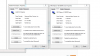
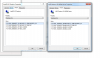
Doggydogg could I ask you which version numbers you have for the 6850m and the Intel HD 3000 in your device settings? .. it would help nail down this problem I hope.
-
hope this helps ...
*HP ENVY 17 & 17 3D (2XXX series) Owners Lounge*
Discussion in 'HP' started by 2.0, Mar 14, 2011.