 Problems? See this thread at archive.org.
Thank you very much! You are our last hope Doggydogg ;D.
I will run these by Leshcat and see what he says. Hopefully he can figure out what is going on. I tried all possible drivers today.
Reverted back to the Version:8.820.5.1000 HP drivers .. went up to 12.4 which didn't allow switching and now trying to go to 12.1.
These drivers are a piece of work.
Either way if Leshcat asks me to find out about some reg keys or something I will come back to you!
-
no problem, happy to help

-
I guess a quick update is in order.
Leshcat:
Hm, it as installed as you said under Win7. Usually, UnifL has no problems working with 6800, but issues with Win8.
In general, all this black screen on startup are the result of improper cleaning/updating, bugged AMD driver.
Of course, in some cases it is real issue.
"The problem, as it has been for many people, is a Microsoft "improvement" to Windows 7's graphics to make it more Windows-8-like and support IE10 - but it also breaks ATI's display drivers. This is the culprit: update KB2670838. I have an ATI Radeon HD2600XT and this has been vexing me for months. It has also been making Windows Calculator unusable - which is where I found the solution (Windows - Microsoft Community...). Shame on Microsoft for releasing a 'patch' which breaks so many people's display drivers" -------Random post I found on the internet when searching for a fix for a non starting CCC .. thought it might also have something to do with the dim screen.
In short .removed KB patch. removed CCC .. removed traces of only CCC in files / windows assembly / registry, reinstalled only CCC. started working again for 12.1
I am just thinking .. what if the combination of "left over files" that AMD/ATI created + this "Windows 8" type feature combined cause the dim screen. Please note that this patch was introduced only recently. (This might also explain why the Leshcat driver won't work on Windows 8 with the 6850m)
What if Doggydogg found a sweet spot. Clean system without that specific update.
I have noticed after all of this that Drive Sweeper does a really bad job!!! Maybe our HP laptops are so full of ancient reg entries that the new driver simply chockes. Besides the base driver in the SwSetup folder etc. There are files in:
(Program Files (X86) folder )/ATI Technologies/ or AMD
(Windows folder)/Assembly folder to see if there's any files with Public Key Token of "90ba9c70f846762e"
(Document and Settings)/(User)/AppData/Local/ATI/
the extract locations etc.
and then the registry is still full of entries:
HKCU/Software/ATI/
HKLM/Software/ATI/
The paths that CCleaner and Driver Sweeper mention etc..
I guess next time I try this I will do it in a more manual / brutal way.
Would be good hearing from you future842 if you decide to upgrade to that SSD.
What is also interesting is that I get the Black Screen on this "latest HP driver for the 6850m" that can be found on the Drivers page on this forum: http://forum.notebookreview.com/hp-...dv7-6xxx-envy-14-2xxx-envy-17-2xxx-intel.html
8.882.2.2000 (AMD)
8.15.10.2476 (Intel SG)
7.12.0.7702 (HDMI Audio)
20 Dec 2011
Has anyone gotten these to work?
I hope this will somehow help somebody form a solution to this issue. -
try a driver cleanup with driver fusion from safe mode and then install ... as for the update ... i always install all the updates my windows is configured to install them automatically but i don't know if that specific update installed before or after unifl
-
I not yet upgraded to a SSD, but maybe will in the next weeks. I just checked, I don't have this KB2670838 Update installed, so thats not the problem, for me anyway.
-
Yeah I will retry once more when I find the energy ;D. This KB update messed with the restoration to previous drivers for me.
I think it only comes with IE10 and starts wreaking havoc for some ;D.
This driver stuff burned me out. I have linked Leshcat a 6850m driver for Windows 8 from Acer seeing as how he can't get it to work on Win 8 right now. Hopefully it has a triple effect onto Windows 7 or something. -
Hi Guys,
Quick update.
Acer has newer drivers out for its Aspire 7750G with some configs using a 6850m.
This driver is for Windows 8 but Catalyst install recognizes it under 7 even if I haven't tried going through the install.
VGA_AMD_9.001.0.0000_W8x64U_A
AMD drivers seem to be Catalyst 12.1/ 8.930.0.0000
Intel drivers are 9.17.10.2817 (newer than the latest HP release)
The official link is very slow:
http://global-download.acer.com/GDFiles/Driver/VGA/VGA_AMD_9.001.0.0000_W8x64U_A.zip?acerid=634943354238990441&Step1=NOTEBOOK
so I have put it on mega too:
https://mega.co.nz/#!EQoGFSxD!NcgomV5-ZYRWhQdcKw7X3X8kIi19NhitClY7lCilNbw
I have passed these onto the helpful Leshcat in hope that he will be able to figure out why the 6850m does the dim screen routine etc but someone with 6850m and Windows 8 might want to check these out. Or even with 7 in case you want to update your Intel drivers. -
can someone help me with a little bit of info ? ... i've seen some websites that say the envy 17 2xxx supports max 16 gb of ram ( 2 x 8 gb modules ) and some that say it only supports 8 gb ( 2 x 4 gb modules ) ... which one is true ?
i don't want to buy 8 gb modules and find out that they don't work
-
http://forum.notebookreview.com/hp-...xxx-series-owners-lounge-645.html#post7969884
Looks like you can according to this user. I doubt many people have a 16 GB setup so you might not get a new answer :/ -
thanks for the info i guess i'll just have to go to the store with my envy and try the 8 gb modules there before i buy them
that's the only way i can be sure
-
Here is another guy that mentions official 16GB models sold by HP in asia.
http://forum.notebookreview.com/hp-envy-hdx/583222-sandy-bridge-envy-17s-support-16gb-ram.html -
I've been running my Envy 17 2050 with 16GB for a year and a half - no problems at all.
Got 2x 8GB Corsair. -
that's great, the exact modules i found here with 79$ / a piece, i will go next week to the store with the laptop anyway have them install the modules just to be extra sure
-
They are fairly simple to pop in yourself! Don't let them charge you for it
-
i'm friends with them so they won't charge me i'm only going to make sure they are compatible before i buy them i know they're easy to install but i just want to be extra sure
-
Hi guys,
I have a problem with my HP ENVY 17 (it's not the only problem it has and I'm sure it will be the last HP product I will buy): If I disconnect it from the AC adapter and let the battery get to a low level, when I reconnect the adapter and turn off the pc, after a few hours the charge led turns off and the pc doesn't turn on anymore. To make it turn on again I have to disconnect the adapter, remove the battery, put the battery in again and reconnect the adapter (hard reset).
Do you have any idea of how to solve the problem? Could it be a battery-related problem or is it something else? The pc is not under warranty anymore.
Thanks -
CMOS battery comes to mind but I wouldn't be certain. (They are fairly easy to replace)
How long does you normal battery last? Do you see any warnings that your battery should be replaced? -
I don't get any error related to the CMOS battery and the date and time of the system are always right.
The duration of the battery is normal, I also run the HP Support Assistant's battery test and it says that everything is fine. -
Have you tried recalibrating the battery through the Support Assistant?
It sounds like the battery runs out of charge and maybe blocks the PC from somehow turning on. Check how many cycles your battery has been through. My one died after 2 year use on the day and I haven't had the time to replace it. So at times it will hold a charge .. and times it won't.
I guess the laptop works fine with shut off and startup with the battery out? If that doesn't produce the same situation I would blame it on the battery. -
just updated to leshcat's new 13.6 beta unifl ... got 2000 points in 3dmark 11

-
You lucky sob! Congrats !!!
The day will come when we figure out what it causing the black screen .. or end up trashing these laptops lol
-
the funny thing is when i updated the driver after the installation my screen went black also .... no backlight but the image was there i checked with a flashlight ... so powered off the laptop and when i powered on everything worked perfectly
-
You are tempting me to try it and spend another day removing and putting on drivers!
-
worst thing that could happen is you waste 30 minutes of your time
) still i believe having a clean non hp windows instalation has something to do with the fact that it worked for me
edit : just tested switchable graphics ... apparently brightness buttons also work this time but only when i am on the intel graphics card ... on the ati they still won't work for now
-
Yeah it is the same on my 12.1 right now. The FeatureTestControl value is 0xf940 for AMD and Intel in my registry right now. Intel works fine but AMD card only brings up the brightness "icon" and doesn't change anything.
The only way to fix that is to find the values from the original HP driver .. and apply them to your new driver through leshcat brightness resolver.
I doubt anyone has the original HP driver that can get the values. I will try this 13.6 driver at some point. I don't think I will bother with removing old drivers this time around.
I will disable all stardock and HP stuff in msconfig for start up and try to overwrite the driver. Who knows .. might work. -
Good News!
I got it to work!
So I removed all HP stuff from msconfig but I don't think this was needed.
I started install of the new driver (didn't bother cleaning anything), over the 12.1 (which was in turn installed over the HP driver).
Pick modern Intel driver in the leshcat package. Let it extract.
I started the install procedure and went with the "upgrade" drivers option because I am lazy today.
Surely enough the screen went black .. I waited for 10 mins to make sure the install finished. Grabbed a flashlight .. looked at the install log. Restarted the laptop. Screen was still black at this point. Switched to Intel card by moving mouse bottom right now picking config switchable gfx. (this is the hard step since everything is hard to see)
Once my backlight was back on I fired up leshcats driver package. Picked brightness resolver it warned me that hell has frozen over and that I only have 2 values for FeatureTestControl (this controls the backlight it seems).
I let it restore the values to 0xf940 (it is 4 values in total). Afterwards switched back to ATI and voila!
CurControlSet:Current "FeatureTestControl" for "AMD (0001)": 0xf940
ControlSet001:Current "FeatureTestControl" for "AMD (0001)": 0xf940
ControlSet002:Current "FeatureTestControl" for "AMD (0000)": 0xf940
CurControlSet:Current "FeatureTestControl" for "Intel": 0xf940
ControlSet001:Current "FeatureTestControl" for "Intel": 0xf940
ControlSet002:Current "FeatureTestControl" for "Intel": 0xf940
Now... this also controls the brightness buttons. Intel brightness control seems to work fine with f940 but AMD/ATI doesn't. If someone on the original HP drivers can check out which value this is for AMD with the leshcat driver package and post it here, I would be able to pass this onto leshcat and he would be able to maybe fix the Windows 8 drivers.
The laptop is running cooler btw. -
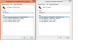
how you do that? i currently clean install the driver, now it going black, but i can see it under flashlight, this is hard, about 20 minute to move the mouse only, lol so i grab the hardware_id
-
Okay hehe. The easiest way of doing this is grabbing a flashlight and shining it in the bottom right corner of the screen or near it.
Move your mouse there (naturally like you would expect to move into the very bottom right corner).
Try to slowly go left and hit the arrow button. Go up now and look for the ATI logo. Right click up .. go to Configure switchable graphics.
This will put you in the usual screen of changing between ATI and Intel. (make sure you are not using IE else it wont switch)
You have to move your mouse to Intel card (power saver) and then hit apply.
The rest is easy. Once you switched to the Intel card you will be able to see everything.
Leshcat driver package > Brightness Issue Resolver > let it fix it onto f940. Afterwards you can just switch back to ATI.
Hope this helps. I will try to talk to Leshcat again to find out why it isn't working automatically when the forum goes up. -
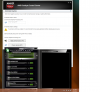
i got the trick to disable and enable graphic card, tick "automatically select power-saving GPU when on battery", restart laptop, and you get the intel graphic card, start laptop with plugin will enable the graphic card, hope this help others
-
Just made sure you fix the brightness control keys.
The value that works for Intel is f940.
I think to make brightness control work properly for both it is either F842 or F840 according to the ini file in the original HP drivers. -
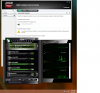
yeah, just fix it, choose f940 too, if not the screen would not on at all, prove while charging i get dedicated graphic function
-
There is an issue.
After restart it was black for me again.
It has something to do with the fact that brightness controls are turned all the way down (or the reg entry doesn't exist). I am trying to figure out if F840 will work. F842 only worked on Intel.
Still a black screen at bootup and I cannot change brightness on ATI at all.
We need someone who is still on the original drivers : / -
You shall clean install the driver, my laptop can reboot without problem, just cannot let it go to sleep mode after boot, it will turn black again
-
happy to see it worked
hope you succeed in finding out about those brightness buttons on ati
-
I am back to square 1 so to say.
I thought that doing a complete driver wipe and re installing would work out but the ATI is permanently black now and I am trying to figure things out .... this is driving me nuts since I dont want to format.
The original HP driver FeatureTestControl values are F840 for ATI and Intel. I tried it without luck. (Something else must be messing with the black screen) Intel card brightness switching always work.
Maybe you can try that value DoggyDogg. It might work for you since you are running without issues.
Am ready to give up tbh.
Edit:
DoggyDogg... would you be comfortable extracting your registry entries if I gave you all the locations for AMD / Intel?
There just seems to be something off / not working properly in some weird combo. -
sure i can do that ... but teach me how and where
-
Very easy to be honest!
Start > regedit (open as Admin)
and then browse to these locations:
[HKEY_LOCAL_MACHINE\SYSTEM\ControlSet001\Control\Class\{4d36e968-e325-11ce-bfc1-08002be10318}]
[HKEY_LOCAL_MACHINE\SYSTEM\ControlSet002\Control\Class\{4d36e968-e325-11ce-bfc1-08002be10318}]
[HKEY_LOCAL_MACHINE\SYSTEM\CurrentControlSet\Control\Class\{4d36e968-e325-11ce-bfc1-08002be10318}]
[HKEY_LOCAL_MACHINE\SYSTEM\ControlSet001\services\intelkmd]
[HKEY_LOCAL_MACHINE\SYSTEM\ControlSet002\services\intelkmd]
[HKEY_LOCAL_MACHINE\SYSTEM\CurrentControlSet\services\intelkmd]
When you reach each location .. lets say "xxxx\intelkmd" Right click on the folder. Export and save. This has to be done for all 6 since they all contain config data.
You can zip them up and upload them to mega which doesnt require signup.
These locations also have the FeatureTestControl values which store the brightness level 0xFxxxx and a lot of other userfull info. Maybe it configures differently on non HP Windows 7... which would make our lifes easier in getting it to run without formatting .. if my theory holds. -
i hope this helps https://mega.co.nz/#!KQdHnYwZ!Ks5YDgcdF1_5-SkQ4pxo_zi2M0Zq7vYDwf3sAf-LdoU
by the way how long does your 9 cell battery hold using intel graphics ? ... i never used mine since i bought the laptop i only used it without the battery with the ac adapter ... and i used the battery last night the first time it holds for 5+ hours listening to music and watching some photos ... and about 3 and a half hours if i watch a 1080p bluray ... i'm amazed i never had a 17" laptop with a battery life that good
-
Thank you very much! I will go through this line by line with my current 13.6 drivers to see what the differences could be.
Am currently trying to find out which dlls/exes make calls to the FeatureTestControl strings. Maybe I will find a better way of getting correct values than manually trying. -
I'm glad I'm not the only one. Every morning I've woke up and try to wake my laptop, black screen. Guess I'll be keeping an eye out for you intelligent people to find a solution to this issue!
EDIT: Actually, I am having a slight variant on the issue you guys are all having. When it goes to sleep, and I try to wake it, the display is completely off. I checked with a flashlight, there is nothing being shown. I have to power down and restart, and it works fine. Any ideas? -
Hehe! Yes it does last very long. I had a dying battery which somehow fixed itself it seems. (it was asking to be replaced) The leshcat drivers which had updated intel drivers made me run for 2 hours on this battery that the laptop ... I think my dying battery had something to do with my previous drivers messing with the power.
I have a few results from looking at the reg. You have a much cleaner install and I don't know why. Cleaner in the sense that I get 0000,0001,0002 in [HKEY_LOCAL_MACHINE\SYSTEM\ControlSet001\Control\Class\{4d36e968-e325-11ce-bfc1-08002be10318}]
and you just have 0000 and 0001 (which is correct). Also my Intel is 0000 and my AMD 0001 which is strange because yours is the opposite from mine.
I know of this issue. I used to have it when running HP drivers + 12.1 ontop. I could only get it to wake if I pull the cable out + Intel mode if I go into standby. Then it would start up with a working screen. (am pretty sure that was how I did it.. it pretty much became muscle memory at that point ;D ).
I "think" it has something to do with the FeatureTestControl string. I assume you are running leshcat + fresh windows copy (correct me if I am wrong). What you should try doing is changing your strings to F840 (original HP value for Intel + AMD) through the leshcat tools and report here. Right now you should be on 940. If you are currently suffering from the brightness control only working on Intel and the lowest bar turning off your brightness then this will definitely work for the Intel card at the very least!
Good luck let us know! -
That did not work, unfortunately. Though to answer your question, yep, I did do a clean install of Windows.
-
Shame! Well either way .. there are new drivers out Beta 2!
This problem is wildly spread. .. laptops from different OEMs.
Is anyone here running Windows 8 and wants to try some 6850m + Intel drivers? -
I was running windows 8 but didn't like it. In fact I just did a clean install of windows 7, though I can't get my USB 3 working. Anyone know if there is a specific driver that's needed to get USB 3 recognised?
And just for anyone's information, I bought an external case for the original HDD that came with my ENVY 17t-2000, a 1TB toshiba drive, and its too thick for many of the external cases around. Apparently these were an earlier edition and they have an extra plate... so bought a dock instead. -
That is a shame! I guess we will wait for Windows Blue. Hard Drive sounds like a 3D anti shock protection drive or whatever HP calls them.
You are looking for Renesas Electronics USB 3.0 Host Controller
http://forum.notebookreview.com/hp-...dv7-6xxx-envy-14-2xxx-envy-17-2xxx-intel.html
There are even newer drivers on their website. Hope this helps!
Which driver have you got installed Kayman? 13.6 ? -
Thanks VonCrisp, the driver you linked enabled the USB 3. I'm not sure which component to check for the version of the driver. I assume somewhere under U.S.B. Controllers in Device Manager?
I also couldn't find the right download on the Renesas Electronics site but it's working now anyway... thanks! -
Glad it worked! Yup USB Controllers should have Renesas Electronics USB 3.0 Root and Host!
One last question. If you are running Leshcats drivers 13.6 .. which Intel driver did you pick with it? Modern (2 options) or Legacy.
Also finally I think that the "3D" screen might be an issue in all of this so I am wondering if you have the 2D or 3D model. -
I've been following the leshcat driver related posts with a lot of curiosity... I understand there are still some issues with the latest releases and our 2nd gen's, but are there any leshcat updated drivers people here have tried that can be installed with working backlight and backlight hotkeys (on AMD & intel)? I tried searching through the comments on their site but the results appear inconsistent. I'm willing to experiment but was hoping someone had a tried and tested version number first.
-
If you do not have a 3D set up you might get lucky
From my research the latest drivers could work for you 13.6.)leshcat) For some people it stopped working at 12.10 (leshcat).
I don't think anyone will be able to give you a proper version number since no one really knows why it works for some or why it doesn't for others. My theory is the 60Hz vs 120Hz panel.
For me it was HP drivers + 12.1 catalysts mobility ontop that work fine. 12.3s worked but not too well for me.
I managed to get 13.6 installed on 3D but with a lot of trouble and issues (black screens .. switching fixed it until restart). -
When will we see 4th generate haswell processors in Envy 15 and 17?
*HP ENVY 17 & 17 3D (2XXX series) Owners Lounge*
Discussion in 'HP' started by 2.0, Mar 14, 2011.


