 Problems? See this thread at archive.org.
Wow...a 45 minute install of Windows 7 service pack 1 just took 12 minutes on the Envy...
-
Twas not me that made that error my friend, it was Spartan, although he gave me quite a start, I thought I had properly investigated the difference before ordering. I was about to cancel my order......
-
Not on the Envy. On your SSD
 Envy with 5400 rpm HDD takes about 30 minutes. This is where the SSDs really shine.
-
Can a few people try this please, it will only take 30 seconds!! Just want to see if this happens to all/most Envys, then I won't worry about. THANK YOU
Just got my Envy 3D tonight and I am really liking it so far. One question for owners: as you open and close your screen, do you get some distortion near the center of the screen (typical LCD distortion)? Just wondering if this is normal for the Envy 17 3D and if it could potentially pose a threat to the screen in the long run?
EDIT: The easiest way for me to see it is to open the Cyberlink PowerDVD 10 and leave it on the gray blank screen (make sure it's full screen) then move the hinge. It's hard to see on white and dark screens. -
Maybe its just blowing you a kiss! Sorry I won't have mine till May...
-
After opening the lid from sleep mode I didn't get any kind of distortion. I can't check PowerDVD because I uninstalled it.
-
Usually happens to me when I move the screen around after its already open, if its an Envy trait should be clearly visible on a gray screen, or it could just be mine
And even with light pressue to the back of the lid, I get some distortion in the same spot. So it's probably just the pressure put on the lid when moving it. Anyone else see this? -
Well I did another install from the recovery disks and all is good! Now past Sp1....Im rocking!
HP - why, why, why would you ship a 160gb ssd and 640gb hdd in Raid 0!!
its taken me 2 days, alot of blood sweat and tears...even thinking im going to have to ship back...to just have my drives as 160gb ssd and 640gb hdd. -
So I had ordered an Intel 6300 WiFi card the other day in a fit of anger. I ordered it from an Amazon third party seller and paid for no special handling. Imagine my surprise when FedEx knocked on my door today and handed me a new goodie. That vendor will be getting a love letter from me...
Verdict:
I installed the 6300 and the envy booted right up, this passes the BIOS whitelist.
The 6200 and the 6300 share a common driver. The existing 13.0.0.107 driver I had installed worked without any intervention from me. I pulled a sustained 2GB file transfer from my local NAS and held steady at 6.2 MB/sec - the best I've ever gotten on any of my wireless devices (with my 2 channel 610n router). No crashes. Good news!
I installed the 13.5.0.6 wifi driver from Intel. This driver crashed my Envy with the 6200 constantly. Pulled down another 2GB from my local NAS. 5.8 MB/sec sustained, no crash!
While the newer driver is a tad slower, I'm going to keep running it for the simple fact I've read about a bunch of stuff that got fixed in the past year with these drivers, I'll sacrifice a tiny amount of speed for some potential stability or feature completeness. Also even though my throughput is slower, I get better signal strength readings.
What this means for you if your Wifi is broken is that you have THREE options:
1. Install 6300 card. ~$35, four screws (well 6 if you count the drive bay lol), a panel, and two wires. This is a 3x3 card and if you want to get fancy you can try to fish a third antenna. I may do this when I get bored, or I might just live a happy life who knows.
2. Run the 13.0.0.107 driver on your 6200 which as a group we have shown works very well. (free!)
3. Buy a router that is known good and working with the as shipped Envy (cost varies).
If your Envy has broken WiFi there is hope! Pick your poison and enjoy! -
Looks like the SSD is working!!! Great!
Bobmitch, did you install the Intel SSD Tool inorder to prime the SSD, or it just performed well without the toolbox. From what I figure, the toolbox which you suggested to run once a week only cleans the SSD cells but does not necessarily make the SSD any faster, right?
KJ
-
Thanks for the testing and info fiver5. Good to hear that it sounds like it's a hardware fault in our 6200 cards then and not somewhere on the motherboard. I'm gonna order the 6300 right away, just because I don't trust my 6200 at all anylonger. I'm happy for both of us that we can now enjoy our Envys in peace.
By the way, did you just connect wire 1 and 2 to the numbered ports 1 and 2 on the card, and left 3 open? -
Yep. Number to number.
It's almost like they planned that, because 3 is the middle plug on the 6300. -
I am installing some software to get the machine up to speed. Once I do that...I am going to benchmark the drive
-
Does this look like the antenna? If it is, you can't really beat that price.
http://mcccomputers.com/shop/network-modem-cards/4367-hp-nc6200-nc6300-wireless-antenna-cable-.html -
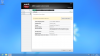
Live from my Envy. Here is HD Tach benchmark of SSD. Now the app is pretty old and may not fully understand...but all in all...the drive is NOT top performance in it's class...but it does a 7.1 vs 5.9 for regular HDD in Windows perfomance score
Attached Files:
-
-
Has anyone who ordered late march heard anything yet about shipping?
-
I see most people are burning recovery discs here - wouldn't it have the same effect to just create an image of the original state the machine comes in? Would be much quicker and you could keep it on external storage.
-
Yes, the antennas are dirt cheap the only trick is fishing them and placing them.
If you don't connect to an AP that supports three spatial streams my assumption is that the third antenna offers little marginal benefit. -
I'm due tomorrow (ordered 3-28, build date 4-15) but I have a feeling they are still behind or maybe a new delay has developed.
-
then how would you install it?...say the hdd fries, and you buy a new one?
cause with cds, you should be able to just pop em in and go -
So you guys remember that I had a little bend in my keyboard. Here is the photo again:
![[IMG]](images/storyImages/20110413001.jpg)
It was annoying so much, that I could not even turn the notebook on when I got home tonight. Had to address this first.
So, turn the envy on it's back and open the caddy (HDD) and memory cover. The HDD cover sits really tight and I used a rewards card that was on my desk for some reason to pry it open.
![[IMG]](images/storyImages/openhddcover.jpg)
The four (4) screws you have to unscrew are clearly marked keyboard with a little symbol.
![[IMG]](images/storyImages/keboardscrewlocation.jpg)
Turn the envy back around and start lifting the keyboard out from the back. Here comes the rewards card into play again, since you really have to pry on it to get it open. There are multiple clips on the top, I started at the main one that is just above the 'home' key.
![[IMG]](images/storyImages/openkeyboard1.jpg)
![[IMG]](images/storyImages/openkeyboard2.jpg)
Lift the keyboard up to 45 degree in the back and pull it towards the screen.
Now you have to be carefull with the keyboard connector cable.
![[IMG]](images/storyImages/keyboardcable.jpg)
Pull off the tape (or just a bit up) and pull the clamp up. There are actually two cables. So be careful.
![[IMG]](images/storyImages/tapeoncabelcover.jpg)
Once pulled out you one can clearly see why the keyboard was buckling upwards. The keyboard metal carrier pan is bend.
![[IMG]](images/storyImages/keyboardbend.jpg)
And here the probable cause for it
![[IMG]](images/storyImages/cause.jpg)
So I took a steel ruler and straightened the keyboard carrier as good as I could.
![[IMG]](images/storyImages/keyboardstraight.jpg)
Done, now everything back together and voilà, the result:
![[IMG]](images/storyImages/keyboardafterfix.jpg)
Now I can get back to the system install. Cosmetics are fine now.
The difference is actually much more obvious than it seems to be in the photos. -
fiver5, if you could just clarify for me..... so the bottom line is, its not necessary for us to buy the 6300....if we use the older driver the 6200 works fine then? Is there an noticable increase in speed with the 6300 vs the 6200?
KJ
-
With imaging software that you can boot from a CD/DVD.
-
anybody timed there boot times on their 5400 rpm drives? i'm getting ~1 min, 15 secs +/- 3 secs
-
I tried to tell by your pictures, but do you have a slight waviness in the metal at the very back of the bottom portion of the computer right in front of the screen. It's the portion above the keyboard where the flat part meets the vertical border, right in between the hinges. It's hard to tell, but if you look at an angle on mine, there is a slight waviness in the flat part of the metal where it meets the vertical frame. I can feel it if I run my finger across it too.
Sorry for the explanation, here's a picture of the area I'm talking about:
http://img196.imageshack.us/i/hpenvy17.png/ -
I'm convinced this problem has to do with the combination of Envy SB + Your AP's implementation of draft or final N + 6200. My 6200 worked fine when I forced both the card and the AP to 2.4 G only. One or the other set to auto was a disaster.
The 6300 with the old driver is the fastest wireless device I have ever tested against my 610n router, but mind you this is a tiny sample set of cards. The 6300 with the latest driver while a bit slower still beats anything I have laying around the house, but we are talking 10's of percents here not multiples or orders of magnitude.
If your WiFi is working fine, I would forget about it entirely.
If your WiFi is broken, I'd run the old driver for awhile and see how it goes. The only reason I impulse bought the 6300 is because I'm a very angry person. I don't see an overwhelming benefit to the 6300 with 2 spacial streams vs the 6200 with 2 spacial streams but time and experience will prove it. With my router I do get to run the latest and greatest drivers on the 6300 though, lots of bugs were fixed in the past year I honestly didn't read the release notes closely enough to know if those fixes mean a hill of beans for my implementation but now I have them.
If you have a router that can do three spacial streams, and you can find a way to fish and mount the third antenna, and your usage habits will benefit from the "on paper" 33% speed increase, then the 6300 is a no brainier. How hard are you pushing traffic on your LAN though, and how often? -
I appreciate the reply. So hopefully my stock 6200 will not crash and burn, I should be happy with it. If it does give me hiccups, then I suppose the 6300 will be coming my way.
As to my traffic? Naw, I'm not a heavy user pushing lots of traffic. Light browsing, sometimes a print job to the wireless printer, etc.
KJ
-
Yes, it is there. You can't see it but feel it.
-
So I finally updated everything and started installing software. Wanted to try out the 3D....and....it's not working at all. So either my glasses are broken, the battery is empty out of the box (should not be) or the IR emitter is broken. Anybody had problems with this?
-
Did you double check the battery compartment. It has a thin clear plastic insert (which is supposed to have a tab you can pull out but mine apparently ripped off during shipping) that stops the battery from making contact. I don't know you probably opened up the battery compartment already but if you didn't give it a look.
-
1st thing I checked . No plastic what so ever. Actually tested the battery, it is good. Just got off the phone with tech support and sales afterwards.
They are asking me to send back the entire notebook!!! They are saying I can return it for a full refund, oh yes, and they won't be able to honor my previous coupon anymore!!!
This is beyond me. Worst service ever. Guess this is my first and last HP.
Luckily I had ordered the Dell XPS already, so I guess the envy is going back for a full refund --->>>due to defective glasses that they can't replace!!!
I can't believe it. -
What about Customer service. Returning an entire system because of defective glasses!!! BTW...read the Dell forum on XPS...they were short glasses last week and were shipping systems without them. Just double check. Which video card did you get in the XPS??? the 550 or 555? About 10-15% slower than the 6850, but very overclockable.
-
slotti, this sounds simply outragious! WHAT#$#$??@# One sec, you did say you spoke with tech then sales....uhm....I would take one more shot here and try to speak with
RESOLUTIONS dept. We've all heard stories of some HP goofs, and later HP reps. have called Envy owners to apologies for getting wrong information, and those reps. who gave out wrong/silly info got
reprimanded.
HP should send you a new pair of 3D glasses. No way are you sending this back. slotti, for all your troubles I think the least they can do for you. Please let us know if RESOLUTIONS are showing a little more common sense.
P.S. I recall not more than a day or two ago, a member mentioned how they bought an extra pair of 3D glasses with their order because the wife also wanted to watch 3D movies. Unless the HP rep. thought you were trying to scam a free pair of 3D glasses, there is no reason why they cannot send you a free pair. Seriously, he was goof rep. They can send you an extra pair. I'm sitting here actually getting all worked up over this.... I think mainly because I'm here seeing all you guys trying to make this work, solving issues HP has no clue about....and its like an uphill struggle when it should not be. Just keep your cool and get this resolved. Don't forget,
Apoxxx almost gave up on his beautiful Envy, be it for different reasons...but glad that worked out.
KJ
-
@bobmitch
I ordered the 555 GPU on the Dell, since it was the only option to get 4 memory slots. I actually don't even care about the dumb 3D glasses, but why should I pay for something that is not working.
@KJ
ok, I guess it can't hurt to call resolutions tomorrow. I just tried the number but got redirected to hp general phone system (guess they must be closed).
the tech guy was worse than sales. he actually told me to send my system (computer and glasses) in for repair. would only take about 4 weeks.
sales told me I can't only replace a partial system. It would be same as trying to replace a HDD.......
I'll keep you guys posted. I am on east coast time, so it will be a bit later tomorrow for you guys. what are you guys still up anyhow
I am going to take my frustration to bed now.
why did I open it up and fix the keyboard if I have to send it back due to broken glasses???
I told him I would send my glasses in before they ship me new ones. So that should not have been an issue. I'll try resolutions tomorrow.
btw. did I mention the tech rep first told me to deinstall are GPU drivers and reinstall them!!! I recall people having problems on a clean install to even get the drivers. -
lol slotti, return the entire thing just for the glasses? HP are so stupid sometimes.
-
Funny that you mentioned the HDD replacement. That is 100% correct. HP has sent owners new replacement HDDs if theirs was deemed defective without having the owners send the laptop back!!! If I fell in love with this laptop, which I did even the ones I sent back, I would call the highest HP authority about this 3D glasses issue before getting the final NO... Ok some sleep now...ugh.
KJ
-
FYI, Sales has hours from like 10-10 or something, but I called Resolutions in the middle of the night (2-3am) a couple times and they always answered.
-
Hey guys!
I have found a minor bug that makes the i7 turbo boost for no reason!!!!
I am using Intels monitoring gadget.
The problem lies within HPs own hpdocstart.exe process which only takes up 992K of memory and uses 13% of the CPU ... lol!!!! (Check your Task Manager)
I updated the machine using HPs update tool! Maybe this new version is the cause.. maybe not!
Would somebody be so kind to double check!!!
Once the task is killed everything behaves like it should.
Did anyone run the Tune HD harddisk check utility?? I found a lot of issues with the drive. -
Before you return glasses I would check the it transmitter.
Use a phone digital camera or similar to watch the transmitter and the camera should see the light come on or flash.
Someone else with working 3d can test to confirm this. If the it light is fine then glasses are poked.
Also try the phone camera on TV remotes to see what you should be seeing
Good luck
Michael -
fiver5 -
Might want to check if there is a WWAN antenna that you can use - HP doesn't have it listed in their available config options (a la Intel 6250) - but I thought I hallucinated a config option with it a while back. If there is a WWAN antenna, I believe it's the same electrically, and has the same connector for the 6300.
BTW, my E173D just shipped! 5ish days from now woohoo! My config is the 2630/6GB/750GB version - with the 25% coupon. Ordered Costco 2-day accidential & lojack, 1x4GB Newegg Ram, and Newmodeus drive bay to add in my 160GB Vertex 2. -
@ VonCrisp:
Did you order your ENVY in Europe? -
Great news!! I ordered my envy on April 8 and got a April 26 ship date. I couldn't believe it when I received notice that it shipped TODAY!!! 11 days early. Hopefully I am not getting one of the ones everyone has been sending back.
What is even more amazing is I also received notice that my dv7tqe that I ordered March 23 is delayed AGAIN. I think I am going to just cancel that one and stick with the envy. I really wanted to set them both side by side and compare them but now I am not sure. If the envy can muster 3.5-4 hours battery life on the 6 cell at the lowest setting I will not even bother looking at the dv7tqe. -
Maybe I missed something, but why a free pair? They sell regularly for $99 each.
-
Not sure if this will help anyone but when I was trying to make my decision on what notebook to buy I did a little comparison to help me. See attachment.
After trying multiple times to get the $300-$400 off on the envy by calling 3-4 times I gave up and ended up buying the dv7tqe on March 23 due to the price difference between the two. Fast forward to April 8 and now the envy has a 25% off coupon and as you can see in my comparison it made it almost a no brainier to order the envy. The only thing I was hung up about on the envy was the lack of the i7-2720QM and battery life. I would be putting an SSD whatever one I got and the fingerprint reader was not important to me. Well, I ended up deciding to splurge and get them both coming and decide when I got them. Now that I have the option to cancel the dv7tqe I might just do that. Decisions, decisions....Attached Files:
-
-
Email sent to Leo Apottheker - CEO HP
Dear Leo,
Whilst impressed that I am able to contact you directly, it is important to understand and be close to your Customers.
I buy a new computer every year and that has been a Vaio for the last 10 years. The new Envy 17 3d impressed me so much that I cancelled my order for the new Vaio F 3d to purchase your machine.
A great achievement to your company I am sure you will agree.
Packaging was fantastic, very professional and the computer itself well designed with nice additions like the instruction manual on the memory stick. Slight scratching on the lid, HP logo on the lid, on the aluminium case by the power socket (small chip) and along the CD mouth took a bit of shine off my purchase.
I ordered thed full fat version with 160gb SSD and 640gb HDD - to my astonishment it came formatted in Raid 0 - firstly I thought Id been sent the wrong configuration as the HDD showed as 250gb - then found this to be because of the Raid set up - 550gb not usable out of the box!
I followed instructions in the Envy manual to disable the raid and separate the drives, including burning restore disks. Then performed the reinstall - at the end of the 5 disks I was left with a blank screen saying "please insert boot disk". I performed the restore again only to see the same problem. Going onto the notebook review forum there are other Customers who have found the same thing - cited as a glitch when disabling Raid 0 on this PC. From the forum I found a way to get it to progress the windows set up.
Then I went through windows update. I kept getting freezes which I had to switch off and switch on, then the updates wouldnt update. My windows install wasnt stable.
On the forum again, there are quite a few Customers with various issues like this - there are over 230 pages of posts around this and counting fast and this is on one forum that I know of.
I had a hunch that as the glitch was caused by the move over from Raid to normal and that if I reinstalled it would then sort itself out - which luckily it did.
It is a magnificent pc - BUT, spending 4 days and hours trying to just get to what should have been 15 minutes out the box and running is really not acceptable. I fully expect HP to be on a level with Sony, if not better. This is also a premium product.
1) I think in the customisation options there needs to be a sub option for Raid configuration - Y/N. Though I struggle to understand why Raid 0 would be applied to a 160gb ssd/640gb hdd combo - it doesnt make sense.
2) System Restore Disks supplied OR a hidden partition that cant be deleted. Sony do this. On the Envy I can only burn the recovery disk once - yet it is specific to my pc. Without the disks I cannot reinstall and no system partition. Its a real area of concern for me.
3) Build quality is good - but quality checks need to be more rigourous. In my case it is minor though Im not happy about it - others on the forum have had things like bumps in the keyboard.
4) Software glitches need to be ironed out before shipping. Unless I had taken advice from techno geeks on the net, my pc would have been returned. The help desk does not seem to be helping - Notebook forums support this and there is alot of frustration with what are early adoptors. One member was asked to pay for system restore disks - yet like me followed the Envy instruction booklet. Another has been asked to send back their pc but its the glasses that are faulty.
My pc seems to be running well now and Im very happy with its performance and converting Customers from other brands is commendable. However to have such problems out of the box needs senior leadership focus.
I look forward to hearing from you.
Kind regards,
Jon -
OMG Virtua.....if you get a direct response (I'm not holding my breath) I wanna seeee it!
-
thanks for getting my hopes up (ordered same day 8:00 am pst) but no email and nothing on my order yet
ive been quiet on this forum since ordering it watching and hoping mine wont be effed up when it arrives. glad to know that its mostly the wifi for now has anyone contacted hp and told them the wifi is junk causing problems? -
I also ordered on the 8th and received my confirmation email at 7am today!!! Can't wait for it to get here and i hope everything is good.
-
Michael,
can you explain this a bit more in detail? Are you sayinf to hold some other device to the tranmitter on the screen? how is it supposed to react if it does not get a 'designed' signal. I don't believe the IR is deigned for data transfer, is it? -
Its great to wake up in the morning to find out that your envy is on the way. I placed my order April 7th and got the tracking number this morning with an estimated delivery date of April 20th.
Lets see if they can get it to Texas a little faster.
*HP ENVY 17 & 17 3D (2XXX series) Owners Lounge*
Discussion in 'HP' started by 2.0, Mar 14, 2011.




![[IMG]](http://img69.imageshack.us/i/20110413001.jpg/)
![[IMG]](http://img96.imageshack.us/i/openhddcover.jpg/)
![[IMG]](http://img850.imageshack.us/i/keboardscrewlocation.jpg/)
![[IMG]](http://img151.imageshack.us/i/openkeyboard1.jpg/)
![[IMG]](http://img710.imageshack.us/i/openkeyboard2.jpg/)
![[IMG]](http://img834.imageshack.us/i/keyboardcable.jpg/)
![[IMG]](http://img863.imageshack.us/i/tapeoncabelcover.jpg/)
![[IMG]](http://img130.imageshack.us/i/keyboardbend.jpg/)
![[IMG]](http://img825.imageshack.us/i/cause.jpg/)
![[IMG]](http://img607.imageshack.us/i/keyboardstraight.jpg/)
![[IMG]](http://img713.imageshack.us/i/keyboardafterfix.jpg/)


