Problems? See this thread at archive.org.
-
Hey guys, litle problem here. Everytime I turn on my laptop it says:
Configuring windows updates
0% complete
Do not turn off your computer
And it sit there for 5-10 minutes. The zero never changes, and all of a sudden it takes me to the windows login. Anybody know why its doing this? It happens everytime I boot it up. -
-
Very likely, you downloaded and installed the latest MS updates from Windows update. I keep my settings on "Let Me decide which updates to download and install". Yours is probably on automatic...and the updates installed today. If this keeps happening over and over...go to Control Panel...Programs and Features and click on the list of installed updates on the left hand side of the panel. Check and see if any failed!
-
-
If you make any changes to your partition table, then likely you will need to run the fix. Once your partition table is set, then subsequent restores that DON'T change the partition layout should not need the fix.
Edit: A fresh install of Windows 7 should not need the fix. The windows installation is smart enough to handle partitioning a disk, configuring the MBR and loading the BootSector, and laying down a filesystem without needing manual intervention. -
Hi,
Is there a remote control that can be used with the Envy 17 3D? My desktop (HP) came with a remote control for use with Media Center. Would I be able to use something like that without having to plug in a separate USB infrared receiver? -
Just an FYI for everyone, I went to RMA my first envy today (i ordered one 2 days before the 25% coupon came out, so ended up ordering a second one and that's the one I'm keeping). Anyways, right off the bat the lady on chat offered me $80 to keep the laptop. I didn't even complain about anything being wrong, just that I wanted to return it. So, if anyone is on the fence, give em a holler and see what they'll do for you.

-
And now I'm confused again...if its a brand new ssd that has never had anything done to it and I'm installing Windows 7 on it do I need to do anything special because of this whole RAID issue on the motherboard of the laptop?
-
NO! As long as you are using your own Windows 7 disk...you will NOT need to do anything special. If you are using your recovery disks...possibly! From what you have said...you have your own Win 7 disk...so nothing special need be done. Let Windows partition the SSD...install and you are good to go
-
Alrighty then....
-
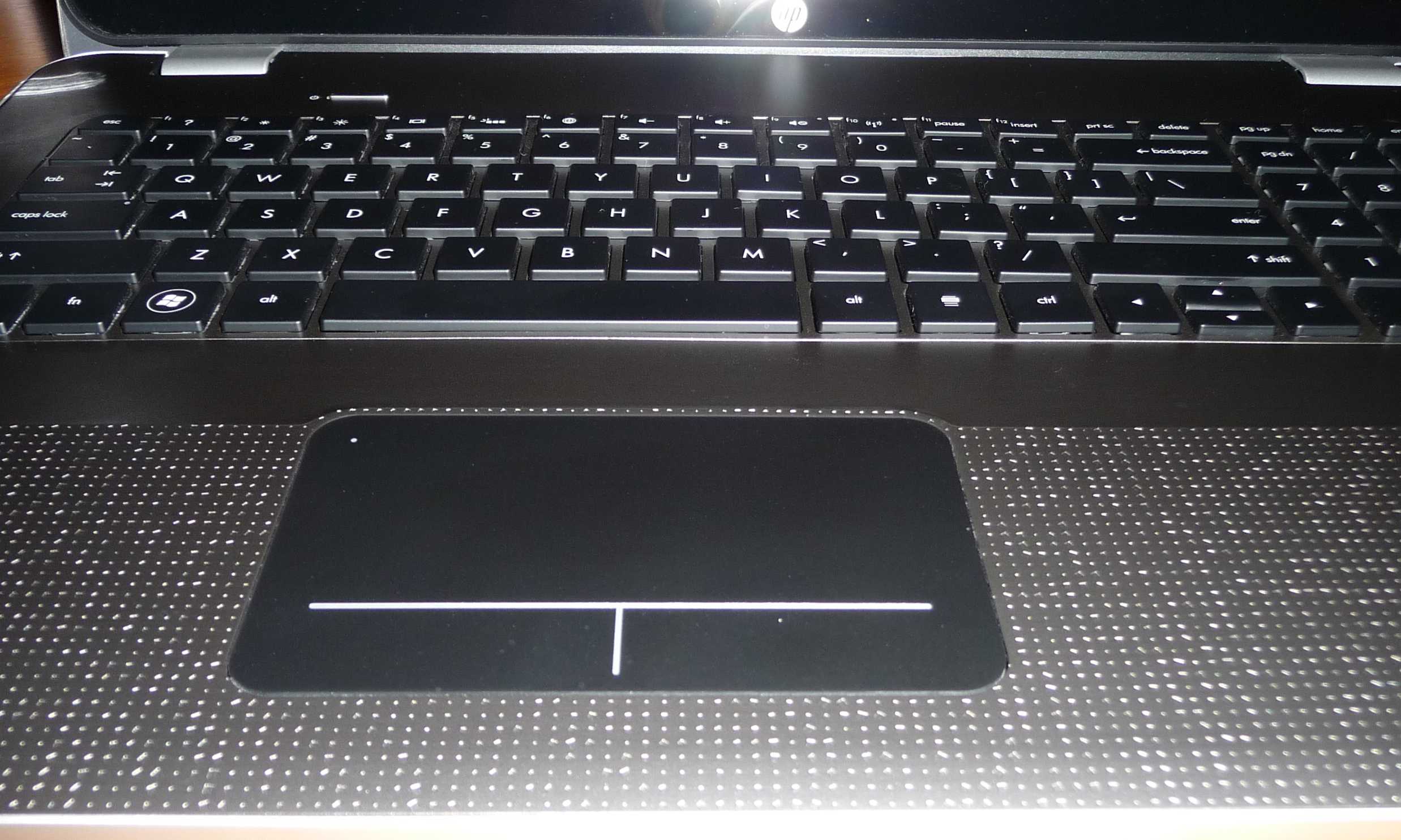
Question about my keyboard. I noticed it on day one...here is a photo...it is slightly raised by the space key. Other than that...my machine seems perfect. Do you think this normal?
Thanks
BobAttached Files:
-
-
I see. You know, my previous Envy that was returned for the supposed bad MOBO, had the whole left side pop out a few mm on the left, I suppose during shipping. I pressed on it and popped right down. I take it you tried pressing it down with your finger and it did not go down, or if it did, not stay down? Again, that is so slight. Not sure how I would have acted on this...my gapping was a bit more obvious...but I have come to realize we each are individuals with our own views and acceptable standards.
By the way, the click pad looks amazing. Very flush.
KJ
-
Like I said...the machine is almost perfect. The keyboard is raised ever so slightly...works perfectly...touchpad is great..and seams on the machine are also very good. I am loving watching movies in 3D. Guess I will give it time...worse case scenario is that I will have tech come to the house and re-seat it...but I don't think it is gonna get any worse than it is...and only there.
BTW...trying to push it down...comes back up, like there is a cushion underneath -
Oh...now I recall one of our members here posted pics of the same issue, but theirs was worse off. That person did open it up and re-seating it...so, yeah, I would hope that person chimes in. Sounds like you have an excellent unit....just needs to be sitting in right, and that so there is a fix.
KJ
-
I just don't want to take the unit apart....Tech support stated that it is probably a bit extra thermal pad on the processor...keeps my machine so cool that I won't complain...
-
I guess I will be returning mine for the wireless thing. I suppose installing the old driver works, but it should work with the new drivers. I'll be returning it monday unless any of you guys think you want to buy it and mess with it. 1700 including shipping, anywhere to US. Here are the specs in case you want it.
Envy 17 3D
• Genuine Windows 7 Home Premium 64-bit
• No Additional Office Software
• 2nd generation Intel(R) Core(TM) i7-2820QM (2.3 GHz, 8MB L3 Cache) with Turbo Boost up to 3.4 GHz
• 1GB GDDR5 Radeon(TM) HD 6850M Graphics [HDMI]
• 8GB DDR3 System Memory (2 Dimm)
• 750GB 5400RPM Hard Drive with HP ProtectSmart Hard Drive Protection
• 6-Cell Lithium Ion Battery
• 17.3" diagonal Full HD HP 3D Ultra BrightView Infinity LED Display (1920x1080)
• Blu-ray player & SuperMulti DVD burner
• HP TrueVision HD Webcam
• Intel 802.11a/b/g/n WLAN and Bluetooth(R)
• Backlit Keyboard
• Adobe(R) Photoshop(R) Elements 9 & Adobe Premiere(R) Elements 9
• HP 3D Active Shutter Glasses
• HP Home & Home Office Store in-box envelope
I will make sure the in-box envelope is in there
Let me know -
I wish!! My old DV8 had it and I was expecting one on the Envy...
But there is no receiver built into the Envy. I had to plug in an external unit (HP TV tuner) -
Seriously@?!@?#?@
That alone is worth a couple grand!
Need a good laugh to start the weekend off right.
P.S. Just got a new Mt. Bike from Costco...the Northrock XC6 24-Speed. Planning to build it and ride this weekend. Hope the weather holds out.
KJ
-
Seems a waste considering this isn't even HP's fault. Intel makes the drivers for their cards and maybe eventually an updated driver which fixes the problem will emerge. Mine has never had a problem on my home wireless (FIOS) or my work network. I myself would have no qualms about using an older driver if it delivered a stable and functional experience. Plus if you want the best, just buy a 6300 from Ebay for $40.
-
Cam...
He bought a 6300 from Newegg and it didn't work. I think it was defective. I had him put the original card back in and it works. I agree with the 13.5 drivers for some. I have the v14 drivers and use with a D-Link DIR-655 and have never had Network issues. NVS8NT...you have 21 days to return the unit. Have you comtemplated the drivers from the Intel website. Seems sad to return a good unit with a working Network card, because of slowdowns and freezes. Get the other driver and see if that cures your problem. Like Cam said...there will be more driver updates as time goes on. You are talking about compatibility issues with certain Router / Wireless chipsets... -
does anyone else feel like the colors with the Radeon 6850M just seem washed out? and when i'm watching divx/avi the colors are just off and video doesn't flow smoothly.
so i tried switching to the intel video driver and voila the colors are nice and the video is nice and smooth too. so i think there is something up with the ATI driver. how do we go about updating it and not screwing up the switchable graphics program? can i just go to ATI and get the updated driver for it? -
The way it worked for me. Download Catalyst Mobility 11.4...I posted a url in another post. Then...do the install...BUT...do a custom. During the install...the custom screen pops up. Choose everything, EXCEPT...Catalyst Control Center. The drivers will install and everything will update to 11.4 and NOT touch the Intel drivers that are already there. In addition, you will still have switchable graphics. Only caviat...when you switch back and forth...you will have to reset the refresh on the ATI card back to 120...doesn't automatically do that...
-
Bobmitch i just read your post on that a couple pages back. i don't want to lose the functionality of the screen brightness buttons and stuff. so i guess i will just wait till HP updates their drivers. and in the mean time just use the intel graphics card to watch videos.
-
Bobmitch, it was me who took it apart to fix my keyboard. I am not home, so I am on my phone, otherwise I would look for my old post. Just search my posts. I took tons of pictures and wrote a guide of how to get the keyboard out. HP doesn't seem to have any idea (what a surprise), there is no thermal pad under the keyboard. You don't even need to touch much else but the back HDD cover and the keyboard. It is very simple. Go for it. took my only about 10 minutes.
Just found the post. Here you go:
Raised keyboard fix tutorial -
So I put the wireless driver back to the old one. and set the settings to Auto instead of 20 Mhz, I'll give it till monday. If it doesn't freeze I'll keep it, but otherwise, I'll switch to a dell xps 3d probably.
-
Nonsense. You don't need to change anything in the registry - unless you want to use the MS AHCI driver, but why would you? The Intel Rapid Storage driver is just fine (and newer than MS'), especially since it's for an Intel controller.
-
Any of you are still welcome to buy if you want.
-
slotti, very cool. Thanks for reposting. I +1 rep'd you.
KJ
-
+1 rep on that. My keyboard doesn't look anything like that. Just an uneven surface with no space by the space bar. I am gonna keep your guide handy should I need it...
Mine actually resembles your finished job... -
Has anyone downloaded the most up to date Synaptics touchpad drivers 15.2.7.0??? These drivers install Scrybe...which gives you scroll ability with the touchpad...up...down...side to side and now two finger shrink and expand in every direction. The touchpad becomes a magic pad...wow
Drivers | Synaptics -
I tried the updated Synaptics drivers in your post from Wednesday, it worked fine but I no longer had the ability to deactivate the trackpad so I uninstalled it.
-
I think the problem is not 6200 card, after you update the driver for that card, you shouldn't have any issue. For me, upgrading to 6300 is a waste of time and money since I dont see any use of it, with 6200 I get 130 mbps on N mode, while I'm using 12 Mbps connection. Which is just fine.
I do not use wireless on my current setup, but when I do, I didnt have any freezing. Using Linksys/Cisco router. -
So if we just update the 6200 card there is no reason to buy a 6300 card? That is great news.
KJ
-
I applied the change and the read speed for my SSD went up by about 15%, whereas the write speed remained the same . The windows experience index went also slightly up, from 7.7 to 7.8.
Granted, not a big change, but I'll take any performance improvement I can get.
If there is a drawback to this, or a danger, I would like to know in more detail.
Thanks. -
So where are you in your evaluation of your brand new Envy 17 3D? Does it pass inspection so far?
Any noteworthy issues? I'll be honest I'm gonna weight your opinion (and dllenos) just cuz you two have been around the longest. -
Yeah if your 6200 is working as intended, then there's no use in upgrading to 6300. I only did it because my wireless were freezing every 5 minutes, and the 6300 was basically the same price as a new 6200 (give or take a couple of $), so I just got it instead. Works flawlessly now.
-
Well, cool. I've decided then to send back a perfectly good laptop. The wifi was the only issue... The i7 and the graphics work flawlessly. Am still selling if anybody is interested. 1700 including shipping
-
guys anyone benchmarked the 6850m in this machine with Crysis/Crysis WH on ultra settings?
-
Please understand. It's not the 6200 card per se. It is an intermix problem with the 6200 and certain chipsets. Example, I have a D-Link DIR-655 which has the Atheros chipset in it. I have tried the Asus G73, which has the Atheros wireless N chip in it and the connection issues were incredible. I would get half G speeds connecting...and they were the same chipset. My old Dell Inspiron had a draft N chip in it that connected fine with the DIR-655, but had issues with a Netgear router I tried. Again...the drivers will allow the chip to adjust to things accordingly. With my DIR-655, the Asus connected at 30mbps. The Dell Inspiron would connect at 90mbps and the Envy with the 6200 connects to it at 130mbps. I get no lockups, or any wireless issues with my mixture. Different drivers will either allow flexibility or not. You have to judge what you have and how the connection works for you. Some have NO issues with the 6200 card at all (Including me)...and some have nothing but headaches. New driver updates are sometimes designed to squeeze ever last drop of performance out of the chip...but at what cost...most times...compatibility. We are no longer in the draft N world. N was ratified long ago. Have you updated your routers? Every piece plays a part in this issue. Not just the 6200 card
With that said...some find success with older drivers. Perhaps the older drivers allow more headroom with the 6200 and the router. It that is the case...then you find success. Most software drivers are trial and error. Why does Nvidia and ATI constantly write new drivers...for increased compatibility and speed!!! It's all about speed these days. Reilability sometimes cost a bit of speed, BUT!!! -
Actually yes, I have. I played Crysis WH, as well as Crysis 2. It runs beautifully for both of them on maxed settings. No glitching or anything. I did notice that it had about 1/16th second lag when using the keys to move around.
-
then why would you send it back??? If the machine is fully functional and using a different wireless driver works for you...you get a great machine. Are you that unhappy with the Envy??? You seem to want to either send it back or sell it. What would make you want to keep it for yourself???
-
Well, I love the looks, love how fast it is, but I have just got to have something reliable, and this isn't it. Every once in a while it hangs up on the graphics switching so that I have to do a hard re-boot. (As I was typing this last sentence it froze for about a minute and a half!) I bought a First Generation Envy from HP, and it is still a top of the line machine, but I gave it to my sister. I will probably buy an Ivy bridge model of the envy when it comes out, or the next refresh of this one. But this current issue just doesn't have what it takes to be considered a worthwhile investment. But don't worry HP, I'll be back. (As long as there are more coupons )
EDIT: I found the problem with the graphics. Windows update issued a "new" driver for the 6850, which I mistakenly downloaded. It really messed things up. But I restored the laptop to the previous settings and the graphics once again work just like they should. But, nevertheless I am quite through with this model. I'll be back for the next refresh. -
If there's a benchmark tool ingame I'd be happy to do it for you, but just from looking at it, I'd say the average fps is around 20-30 on max setting.
edit: sorry, thought you meant Crysis2. Crysis and Warhead runs a bit worse, but it's still perfectly playable. -
great thanks!
can you explain more on your max settings? what is the resolution and is AA enabled?
got any FPS logged for those sessions?
Well, the benchmark here http://www.notebookcheck.net/AMD-Radeon-HD-6850M.43079.0.html says it is playable on HIGH but definitely not ULTRA, so i dont think you can max it (even without AA) using the 6850M.
I am just wondering if somebody was able to max it on ULTRA but using a lower resolution like HD or 1280x720. -
That benchmark is with GDDR3 ram, which is endlessly much slower. The Envy 17 GPU is more in line with this one( AMD Radeon HD 6870M - Notebookcheck.net Tech ) only with 100Mhz lower core. Too bad it doesn't have any benchmarks, but you can compare it to nVidia GTX460M
-
Has anyone tried overclocking the 6850M on this Envy 17 3D SB? I've tried running AMD OverDrive but it fails to start. Any suggestions?
-
Try Sapphire Trixx. It is currently the best Mobile ATI OC Tool.
Sapphire Technology - TriXX Tweak Utility
AMD Clock Tool has not been updated for a while and MSI Afterburner isn't very friendly with HP-Sourced GPU's on the Envy lineup. -
I was looking to test this out for you but I don't see the option for Ultra in Crysis? I have Low, Medium, High, and Very High.
*HP ENVY 17 & 17 3D (2XXX series) Owners Lounge*
Discussion in 'HP' started by 2.0, Mar 14, 2011.