Problems? See this thread at archive.org.
What did you get...and what did you pay? (If you don't mind telling...)
Outside of mitigating factors (HP screw-ups and such)...I'd say a 2070NR and a 3 year full care pack (while using a dealigg30 coupon and EPP discount) is a pretty good deal....if you can do without 3D and 120hz refresh, along with "smaller", dual 500GB 7200 rpm HDD's (which I think is a bonus because you get another caddy).
$1,503.18 plus tax.
Actually...a better way to put it....
With an EPP...the 2070NR is priced correctly...especially when compared to the crazy pricing of a custom Envy 17 (non 3D). I don't know why HP charges so much....
-
-
Not so fast there buddy!
I went from an Envy 17 i7-720QM 6GB RAm, Non 3D to having an Envy 17 3D i7-2820QM+6gb ddr3+3D screen+2 years accidental protection warranty, albeit it certainly wasn't worth it and if had I known I would have such a hassle I wouldn't of bought an Envy 17.
I paid $1344 for the i7-720QM Envy 17, which once the SB models came out was dropped in value, massively. So albeit it wasn't a $1,000 discount but still. -
Which brings up a question I kept forgetting to ask you guys:
Seeing how my Envy 2070NR comes with two 500gb HDD's, can I simply physically remove one of them, and use it as an external drive ? I don't need the extra hard drive space on my Envy, and anything to make it lighter would be great.
I assume that it has to be a specific one that I can and can't remove, obviously due to where the OS is sitting.
Correct ? -
Edit: Yes, I have the SSD/HDD combo.
No, I didn't feel right getting the Care Pack since I am careful with my laptop, but I realize there are some things/issues that can happen even to the most careful of us. Bobmitch used it just recently to get a new spanking keyboard installed at his home, so that was great. I just have to hope for the best now, or decide to add it soon/later.
Anyway, aays06, I saw your deal, and again, you did a nice "steal" from HP, so be proud and walk tall, lol. Hope you get many, many good years out of your Envy.
KJ
-
Correct, there has to be a HDD or SDD in the primary bay for the computer to boot. However, since most likely your system will come pre-configured with a RAID0 (stripe) array across both disks, you will probably have to perform a system recovery after you remove the second disk. Make sure you burn your recovery media first because you won't be able to use the recovery partition to perform this restore once the raid array is disassembled.
P.S. Just my $0.02, but the weight of a HDD is negligible compared to the rest of the system. Besides, your striped array will be much faster than a single disk system. -
Another weird thing about my headphone jack, today or just now I tried to turn them up to 100 in sound, of course without any music etc on, and then I get the weirdest sound in them, almost like there's a freaking space ship above my head haha, that was NOT there yesterday.. what the hell is that suppose to be?
EDIT: Apparently I get that sound even WITHOUT the headphones plugged in, and as I say, that was not there before, not with or without them plugged in "/ -
MiRRed89....ugh... I know I was going to suggest calling Envy special tech support, but maybe like last time they will tell you to send it in. I would still suggest to call Envy tech, and see if they can run through all the diagnostics for sound issues, regarding drivers/and other conflicts. I don't know what is the % that it is actually a hardware malfunction. Yeah, try at all costs to keep your Envy at home.
Also, not sure if you have the Care Pack, but Bobmitch suggested to try and call HP and see if they will send a tech to your house anyway, worth a try. Let us know what happens.
-
Okay that's not right. It should only produce sounds using headphones, but the speakers should be perfectly fine. I really recommend you send the laptop in for repair or replacement.
-
Ohhhh
You know, I missed that part where
MiRRed89 mentioned the sound even when no headphones are plugged...that is odd, and a bit worrisome. Perhaps call Envy tech one more time, explain the story, and see if you do need a replacement since you are under 21 days!!! Also, see for compensation if they will upgrade any of your components...more ram, bigger HDD..etc... wishing you well.
KJ
-
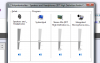
I found the problem, I gotta attach a picture to describe, that thing that's in the volume panel makes that weird sound and probably isn't suppose to be there either, the thing that is turned down that looks like a chip or something, it must have gotten there when I deactivated the microphone things before and oooh wait I think I know what it is OMG... some times I feel so damn stupid.. "/ I had somehow, Urgh I don't even wanna tell I'm so stupid..well never mind it's solved
I had put the "listen trough this" on THAT thing, so wrong.. anyways I was trying to get the noise away from my headphones and somehow it's less so that's not a problem anymore but well yea, this was all my mistake xD
But thanks for the replies <3
Edit, can still show the pic of course
Attached Files:
-
-
LOL! Its all good. We are all learning and helping eachother out. Yes, we all make some goofs too, its all part of it, and fun. <3
KJ
-
Haha yea of course but this was really stupid I think haha And I got all worried about it and even talked about space ships haha omg, great evening laugh
(8:46pm in Sweden)
-
Mine were Seagate 7200.4 drives, not sure on the cache off the top of my head. I was thinking of maybe keeping one for the 2nd bay and just selling the 2nd.
-
So do you think the premium price tag the envy 17 sb carries is too much?
Do you think some of us thinking about or just recently ordered should think about alternatives?
What do you think is comparable to e17 with similar price points, and doesn't carry the same problems?
What is your biggest gripe with the e17?
If you had a choice what would you order now? -
Thanks ~
-
Wow okay let's see.
1. It doesn't really carry a premium price, the previous generation (nehalem) was of similar pricing for similar parts. Actually Sandy bridge brought quad cores to cheaper prices compared to Clarksfield. And in comparison to other manufacturers they are pretty well priced.
2. I like the HP Envy 17, I really don't like HP's support however. It's... lacking in just about all departments. So it depends, if support is a big part of your purchase then yeah definitely look elsewhere. If you don't mind the wait, and subpar support (I mean they eventually get your laptop fixed..) then go for it.
3. Sorry I stopped giving exact recommendations a while back, I find most people just straight out don't listen. I've seen plenty of insanely good recommendations by other people, and they go ignored because they want a shiny or sun-defiant laptop (sun-defiant= Lights all over). I will leave it as the HP Envy isn't the best, but it sure isn't the worst either.
4. Support... It took approximately 3 months and about 4 different laptops to finally get a working laptop. And even then I had to fregging fix the throttling issue. Seriously, coming from Dell's Business class support HP's support is a complete and utter joke.
HP's consumer/premium Envy support hands down have the worst support of any company I've dealt with (which I've dealt with all but Sager directly, just sager retailer once).
I used to think Dell's consumer support was bad back in pre 2008 but man HP really blew right past them.
5. Dell Precision M6600, it would come out approximately to $1800-$2200 for the configuration I would choose but I would happily that premium. (price depends on if I can get some further discounts).
I need peace of mind, knowing if my laptop fails I don't have to waste days or weeks of time (I've spent easily 30+ hours of time on this HP Hell experience on the phone/diagnosing my self) trying to figure out what happened because HP wants me to try a bunch of basic crap or because their repair center is incompetent and I need to outline exactly what they need to do screw by screw.
I want to be able to call, say the LCD is bad after my diagnostics and the very next day have a tech at my house or business repairing it. Or simply get the part the next day and repair it my self. (This was my previous Dell Precision M6500's support, in case you think it's not possible) -
Joe...I believe you have 30 days from delivery to decide....I would doublecheck that...
-
Boot to windows 7 disk and no drive found to install to. I have confirmed that the BIOS does NOT see any drives plugged in. I am wondering if it has something to do with the intel 320 being 25nm or the drive encryption feature. Has anyone installed an intel 320 drive??
-
Crimsoned...not disputing anything you said in this post. I expected a lot more from HP and had to push from the top to get what I was due! One tech said to me that At Home repair didn't mean that...it meant sending me the parts...Right! At home, does mean that any part like screen or others that cannot be repaired by the owner...will be repaired by a tech...with possible exception of Motherboard, where there may be required "clean room" to do the work...not even sure about that.
Reason I am posting...I also read the Asus G73 threads and there are some real horror stories over there. Sending in a machine with a bad motherboard...the depot not carrying on site parts and only ordering whatever they need every week or two...depending. So some people have sent in their Asus machines and have waited for four to six weeks for the return. THEN...in some cases, Asus switched out a part for the wrong part. There is a guy on the board who sent in a machine with an i7 740 and received an i7 720 back. Seems that Asus isn't high on the list, either. My issues with Dell aren't so much support as what you discuss during the sale and what you get afterward. Dell was selling machines with 8 gb of ram, upgradable to 16...because their motherboards "supposedly" have four ram slot on them. Then the machines arrive and viola'...two ram slots. Seems that during the shortage of parts that effected everyone and made delivery times so late...Dell used "cheaper" motherboards on the XPS series and didn't mind short ending the buyer who sat there with extra ram chips to install...only to find no extra ram slots.
I think that most of the companies have issues. My best tech support was Dell during the 90's and early 2000's...Toshiba I would give a B. Today...Dell is a C, HP is a C at best, Toshiba I haven't dealt with in years and Asus by some of the posts is a D to C. -
Yeah, thanks again. I decided that I'll wait till I had a chance to inspect the new Envy. If its 100% (or close to it) perfect in cosmetics and functionality, then most likely I will not get the Care Pack....but, if it has any real significant defects, I'll highly consider getting that plan....
KJ
-
You might want to PM Fiver5 and ask about the install. I believe he has a SATA III drive and had no issues. Did a clean install of Win7 and all...
Thought...do you have an external SATA enclosure to put the Intel drive in. Would be really interested in knowing if the machine would recognize the drive if you attached via USB 2.0. -
If that works, then create a single NTFS partition on the device and try booting the win7 install dvd. Choose the advanced partitioning option and then remove the partition you just created. Have Win7 then partition the blank disk the way it wants.
Something else you can try is to download the Intel raid drivers and F6 them into the win7 install process using a USB stick.
I've heard that certain unknown or weird disk formats can make the device appear unseen to the windows install, but in reality it probably sees the device but can't understand the partition table so it removes it from the list of available targets. For example, I recently tried to format a USB stick in windows that had a VMware VMFS filesystem on it... yeah, didn't work. -
I have never had such excellent support as I have from HP. Granted I never bought any other companies laptops. But how many people have been given a new $2,300 computer for a year old $1,000 one? I have the best deal on the new Envy. My old DV8 was only worth $100 according to the insurance HP attached to it's shipment.
So, for approximately $100 here is my new Envy. Sorry guys, but I'm taking the low price crown!!!!
Envy 17
2630QM
6GB Samsung RAM
SSD+7200RPM HDD
6 cell + 9 cell Battery
1920x1080p LCD -
Cam...the F6 is a total oversight on my part...YOU ARE SO RIGHT! Remember...that the SATA controller on the Envy is really an Intel RAID controller that is either ON or OFF. Regardless...my bet is that if you load the Intel RAID storage control drivers...your drive will be found. I always have the same issue on my desktop, where I RAID two WD Velociraptors. If I don't have the F5 drivers...there is no drives...Try that first! You can load the drivers on a USB flash drive
-
Uhm HP for some reason only insures $100 when you send something back to them. Same thing happened when I sent my previous Envy's back.
Good deal though! -
Correct. Every Envy 17 3D I've sent back, HP insures for $100. Could be that they don't want someone to think its worth so much more so they don't steal it. Ha.
KJ
-
I can't speak for Crimsoned...but I do think the Envy is overpriced.
No...I take that back....I think the Pavilion series has a great price point (with coupons), but there is a big gap between the DV7QM and the Envy 17 from a price standpoint....mostly because of the screen and backlit keyboard.
If I want something as simple as a backlit keyboard....and am forced to pay premium pricing to get it because I have to jump up to a premium laptop...I'm going to expect premium service and quality.
Since I don't expect good customer service from HP to begin with, I don't want to pay Envy pricing for G7 quality and service.
Reading some of the comments in this Envy thread (like someone being told that unless the computer comes from the factory with an SSD pre-installed, one can't be added later)....I'm guessing that no matter what computer I get, the support will be bad. -
Big kudos to you for finally finding something that will at least act like a band-aid for this throttling issue until HP hopefully puts out a fix for it. Hopefully this fully indicates a software issue rather than a hardware issue.
a) I didn't think twice about it. You are going to pay more for a fully loaded laptop like this. And look at the thing - it.is.sexy!
b) Mmmm...didn't really shop around much (Dell, Asus) - really liked all the Envy had to offer.
c) My biggest gripe so far was the calibration needed for the screen. I had a bluish tint to mine that I couldn't simply fix by adjusting it in the display settings. I had to buy a Spyder3 calibration kit to fix it - worked like a champ. The screen is now incredible...seriously...it is awesome! Mine did come with a hardware issue, but I'll address that in a second. Don't let the tech support issues people are talking about get you down. I honestly don't think *any* company has great tech support anymore. Dell was the best in my past years of professional experience - and as long ago as 18-24 months their premier business class support was going in the tank and getting shipped over to India (not that I have anything against India, it is just inherently more difficult in my experience to get things done this way). It does make me sad, because when I started in the industry in the early 90s, companies really knew how to do customer support and service. We have all lost our way with that IMO.
d) Hands down, I'd order and Envy - but one with 7200 drives rather than 5400.
I finally got around to calling HP tech support to fix the right sided USB ports and mem card reader that weren't working on my machine out of box. The support was no better or worse than I would have expected it to be. The tech was pleasant and compliant when I pulled the jedi mind trick on him that I, in fact, did not need to perform a BIOS upgrade for him to set up a repair ticket for onsite service for this unit, as that would not fix my issue. He confirmed what I thought originally, that all of these ports exist on the same card. I am curious if I opened this baby up and reseated that card if it would fix my problem (since I'm not even getting power to them) - but alas, I'm not going to do that, I'll let the tech who is coming on Monday do it. It didn't take too long to get through the call and there wasn't a bunch of mumbo jumbo with him trying to muck about with settings on my system, so this was good.
He did mention to me that if it would have been a full motherboard replacement they would have probably required that I sent the machine in, which I told him wasn't going to happen - I didn't pay $$ for a 4 year onsite plan to have to ship this puppy in. Luckily, we didn't have to go fist to cuffs over that one in the end
I recalibrated my screen with the Spyder3 and it is brilliant - makes me even more in love with this machine!! I have to say that after having it for several weeks, and even with having to *already* have warranty repair in home done on it, I'm am still very happy with my purchase. It's super fast and runs like a dream, the screen is incredible and now I have an idea of how to tackle support without much issue.
Shew...sorry, that ended up being a book! I type too fast Wanted to thank everyone who answered questions for me in the beginning before I ordered - you guys were (and are) great!! Everyone is super lucky to have you contributing to this thread
-
I had an oddball experience so I really won't let that taint my next statement. Only base what you believe on what you experience. There are stories...but each case is individual and one shouldn't generalize. I am as bad as the next one. I have had some great experiences with HP and some not so good. All in all, I am quite satisfied and my Envy is what it's all about. I think that there is good and bad in all. Remember that when you frequent these boards, you are sampling a small percent of the entire population that purchases these machines. Many of us are not ordinary users...I deem that we are more knowledgeable than most and demand more out of someone because of that. If my keyboard replacement is an example of how good it can be...I am perfectly satisfied. The tech was knowledgable, took good care not to even so much as smudge my new machine....and did the replacement post haste. That experience was an A. So rather than send my perfect machine back because of a wharp in my keyboard...I opted to have the keyboard replaced in my home, as per the conditions of my warranty. Perfect screen...runs almost perfecty (throttle issue that all brands are suffering from...and I still blame Intel)...sound is very nice and the machine is beautiful. I have tried Asus and Toshiba Qosmio...they can't hold a candle to this machine.
You made reference to the Envy being overpriced. I purchased my Envy, paid what I paid. Then I called Dell and Configured the XPS 17 3D model part by part with my Envy. Lest to say...Dell came in almost $800 more and I didn't purchase the four year North American tech support plan...only the standard 4 year with accidental. When I told the Dell rep what I paid...he wanted proof...so I emailed him a copy of my invoice...he called me back a half an hour later, laughed and asked why I even bothered calling him with a deal like the one I received. I told him that as a previous Dell owner...I wanted to give them a chance. He then told me to enjoy my Envy 17 3D and hung up... -
Apologies but how is the Envy overpriced?
Try finding me a 17" laptop with these specs:
Price: $1499.00
i7-2630QM
6GB DDR3
HD 6850m Comparable GPU
2x500GB 7200 RPM hard drives
Bluray + DVD multi -
Sorry, almost missed this. My Laptop came with Samsung all around, RAM and HDD. As for specs feel free to look them up HM640JJ.
-
I knew that...
But I'm sure it wasn't worth much more than that anyhow.
-
There is no doubt in my mind...The HP Envy 17 3D is one of the best values for the price. For the same exact price...you can Get an Asus G73SW-XT1
2630M
8 GB of SDRAM
1-500 GB HDD
Atheros Wireless
1900 x 1080 Screen
Nvidia GTX 460M
BR playback DVD burner...
Three USB 2.0
One USB 3.0
2.0 Megapixel Webcam
Pretty much it. For what we pay...3D Glasses, Much better HD 3D capable screen, Hardware backlit keyboard, where the Asus has software driven backlight...and half the time doesn't work...HD Webcam, Intel Wireless (in spite of issues that people are having 6200 N card is superior by leaps and bounds...it just has some issues with certain routers and older drivers fix that)...Far superior sound...Asus uses Creative X-fi software, HP has Dr. Dre BEATS...I found the sound range on the Envy is good. Only Toshiba Qosmio has better sound than any of them.
Addendum: Forgot one thing...Asus is thick plastic / fiberglass. Toshiba the same. Envy is magnesium.
If you are purchasing with the best value in mind...Envy wins every time... -
My Envy has the Intel X-25 SSD and a Toshiba 640 GB 7200 rpm HDD. My memory is Hynix (made by Hyundai). If I recall...all 640 GB 7200 rpm drives have 16mb cache...Samsung is very good, indeed.
-
I had posted about the amzaing pricing of the Quick Ship Envy's a day or so ago...which are FAR better deals than the custom versions...especially with the EPP discounts. (I don't think a lot of people have caught on the the Quick ship pricing as of yet). Even today...I was working out the best deal on a 2070NR with a 3 year care pack.
But with that said...I had stated in comparsion to the DV7 price point...mostly because there are always multiple coupons available.
A DV7QM with:
i7-2630QM
6GB DDR3
HD 6770m Comparable GPU
1x640GB 7200 RPM hard drive
Bluray + DVD multi
It comes out to $1,224.99 before any coupon codes are added (which are rare for the Envy).
I know there are other features on the Envy....but my point is that from custom to custom (especially for the custom Envy 17 non 3D), there seems to be a big gap to add a couple of features between the DV7 and Envy.
Honestly....I'm just pissed that a $25 backlit keyboard isn't offered on the DV6/7. -
Only 1 hard drive, no 1080p screen?
The 6770m is not a competitor to the HD 6850m at all.
The reason why the benchmarks on the 6770m/6850m are so different are for two reasons:
1. the 6770m ran the games in mid settings, and more then plausible lower resolution.
2. The 6850m has not been used too much in laptops so far. The settings ran were in ultra settings and plausibly higher resolution.
The 6850 has 800 pipelines while the 6770 has only 480.
This should clear it up:
The core clock of the HD 6850M is 575 mhz.
The memory of the HD 6770m is erroneous 1600 mhz memory on a GDDR5 is unheard of. GDDR5 speeds typically range from 800 mhz-1000 mhz.
Hope that clears it up. -
I think we are looking at this from two different POV's.
I understand how much better the 6850...but some may not need it.
Same with the dual HDD's and 3D.
I would like the better screen...but some don't care.
Myself (any many others) just want a backlit keyboard...and the option of a nicer screen.
The current Envy 17 uses the same "body" as the last gen DV7...and the only way to get a backlit keyboard is the "jump up" to an Envy. That is the price gap I'm talking about.
$1503 + tax (with EPP discount and Dealigg30 coupon) is a pretty good price. I had actually posted that amount/offer in the DV7 modding thread earlier today...becuase there are a ton of DV7 owners trying to figure out how to get an Envy backlit keyboard on the new DV7.
I've followed this thread from post #1, and up until the last 36 hours...the number of posts regarding the quick ship price was next to nothing....but there were plenty of posts questioning the pricing of the custom Envy non-3D version. Especially since the stock Envy 17 non-screen is the same 1600x900 for the DV7 (plus Infinity display).
As people read these threads...I would expect more and more "new buyers" to start taking advantage of the quick ship pricing since it seems to be serveral hundred dollars cheaper than the custom non 3D version.
I'd put it like this.
I would leave the Envy to the high end users (whom I think it is aimed at) and not care about the price (as an average user)...except the Envy is the only HP option with some very common and popular features.
I'm actually really excited about the quick ship pricing on the 2070NR because that is about as close to a "price bridge" as I can find...especially with an EPP discount. -
A lot of people don't care about screen, processor, etc but the point here is the Envy not being overpriced. It is actually very well priced. The better GPU, LCD, Backlit keyboard, dual hard drives, 3D screens are all where this extra cost is coming into play vs HP's lower end models. It competes with the rest of the big name players in pricing as well.
Overpriced is something like an Apple Macbook Pro, or certain Alienware laptops. In the end, with those laptops your paying extra for the "look".
To be honest most people only need $380~ laptops. You should perhaps give a lower end machine it shot, doesn't seem you need anything too powerful anyways. -
I actually agree with a lot of what you are saying in terms of what most people need...(cheap computers to check hotmail, facebook, do TurboTax, save pictures/musics, and play Farmville or something)....and how Macbooks are WAY overpriced. However....I still stand by the custom Envy 17 as overpriced (compared to the DV7, quickship 2070, and Envy17 3D).
And I have stated that an Envy 17 is probably more computer than I need. But once again....I'm back to the whole "back-lit keyboard" issue. I have/had a mid-level computer with a back-lit keyboard...but it has a bad chipset, and now if you want an HP with a backlit keyboard your only option is an Envy. HP removed the $25 backlit keyboard option from the DV6....and replaced it with a standard "lit ring around the mouse pad" on the new DV6/7. Why?....I have no clue. But I guess that HP is indeed "doing their job" and forcing people "upmarket".
But I do think think the 2070NR model is great "value" for what you get. It is just more than I need, at a higher price point than I really wanted to pay...and I have no other option (outside of another brand, but my $500 coupon is only good with HP) but to get an Envy.
I'm not really angry about the cost of the 2070 since it is good value and the actual cost isn't really a concern.....I'm just miffed at HP not putting (and actually removing) such a simple option from their mid-level computers. It is like Honda only putting power windows on their Acura line or something.
Anyway...I tried to call and order a 2070NR today at work...and that didn't go so well with customer service. I may hunt down the resolutions number and try again tomorrow. -
Doesn't seem to go through your head about Envy pricing but whatever.
I understand you are upset about the backlit keyboard issue however HP is definitely not trying to push people to buy more expensive machines. In fact it is contrary to the trends of consumers whom want cheaper products. As soon as that happens HP would hit a land slide since there are many other competitors wanting to take over HP's market share. -
OK it is offical. The envy 17 SB does NOT support the new intel 320 drives. After days and days of trying I could not get the BIOS to reconize my brand new intel 320 120GB drive I finally took my x25-m out of my desktop and it works! I am thinking the envy 17 bios has a problem with the 320 FDE (full disk encryption). Just a heads up to everyone, do not buy the intel 320 series for your envy. On a side note, I will be selling a brand new intel 120gb 320 drive....hehe
Edit - This was the second intel 320 drive I tried just to rule out a bad drive as the problem -
Oh man that sucks. Hopefully a bios update in the future will fix it?
On a related note, the envy 17 sb DOES support OCZ Vertex II 120GB. -
Is the 3D screen + 120hz refresh rate worth it? Should I just go with the 2070NR?
Also, if I replaced a HDD with a SSD to have a HDD/SSD combo, would I get the capacity of a HDD and the speed of a SSD? -
Crucial C300 is also supported (you have tu update the chip driver from intel, but only after it is installed, it can be installed without, just won't get 100% performance if you do not update the driver).
-
Certain full disk encryption techniques absolutely require BIOS support.
I've never ran a 320 before and a quick google search doesn't answer my next question - I'll pose it to you since it's your drive and I don't feel like reading data sheets ATM. Can you disable the encryption on the drive somehow entirely? I bet it would work then if it's even possible in the first place. Like hit it with some Intel firmware tool in another machine, kill the encryption, and then do a secure erase. Might even be worth opening a ticket to Intel if you can't find out.
Also, did you set a BIOS boot password on your Envy I believe that may be a requirement for this drive, don't hold me to that if I'm wrong though. -
Hi Slotti,
I have the C300 128 Gb (firmware 0006) and I have freeze problems with it (in the Event log I get "The device, \Device\Ide\iaStor0, did not respond within the timeout period." error.)
I have read on the Crucial forum, and other people have the same issue: Freeze Issues increase after update to 0007 - Crucial Community
and Freezing C300 and firmware update on HP Notebook - Crucial Community.
Could you tell me if you have done the firmware update to 0007 and used some other specific drivers or tools? Did you have freeze problems with your's C300 SSD?
My current chipset driver:
9.2.0.1015 and Intel says "This version is valid. "
-
I went looking for answers too and didn't come up with much. Checking the Intel RAID bios is also important on these laptops since the main bios does not directly control the SATA interface. I would recommend enabling the RAID BIOS prompt and then checking inside the RAID bios to see if the SSD is recognized.
P.S. The Intel docs seem to indicate no special requirements but I may have missed the fine print. -
A lot of us here have a SSD and HDD combo setup. Some purchased this configuration straight from HP, others did it themselves. Normally you install your OS and most used programs on the SSD. You place your data and lesser used or larger programs on the HDD. Boot times are considerably faster with the SSD. Programs loading from the HDD will obviously be slower than those loading from the SSD.
P.S. If you purchased a single drive system from HP, you will need to purchase a drive caddy for the second bay. HP sells them direct for ~$99, but they can be bought elsewhere for ~$40. -
Do you need to do anything after putting the SSD in? like a reformat?
-
HP puts X25M on this new SB envy 17 3D?wow...I got that same drive on my E14 about a year or so ago. I thought they would use something newer like 510 series.
*HP ENVY 17 & 17 3D (2XXX series) Owners Lounge*
Discussion in 'HP' started by 2.0, Mar 14, 2011.