Problems? See this thread at archive.org.
That doesn't sound right for the US market. I think similar cases of mods of cars, computers and other products have been tried in court multiple times and the rule is that if the consumer's mod did not cause the malfunction in question then the manufacturer still has to honor the warranty.
But I'm not an expert on US law.
-
New Envy 15 Owner here. I've gone through a bit of trouble with HP, and would like your opinions on this computer. I'll admit I have a few reservations. Here's my situation:
- In December I ordered a dv6t Quad edition (customized). It arrived and worked fine...except...the 12-cell battery I ordered made it way too thick and...they forgot to install the Blue-tooth module I ordered. I tried to exchange it for the same model, but they had supply problems with the Blu-Ray drive...and couldn't just ship out a Bluetooth module to install. Therefore, back went the laptop.
-While I was looking for a suitable replacement...I need a good laptop for school and definitely wanted the i7 for a little "future-proofing". I don't play games but do enjoy speed and multimedia capability. I also wanted something light and portable, with decent battery life as well, although this laptop will be plugged in more than not. The USB 3.0 sealed it for me. Therefore I went for the Envy 15...better video card than Dell Studio XPS and thinner, and lighter. I also didn't mind losing the BD-Rom as this one is external and as prices go down I can get one then, and not lug around an obsolete internal (or at least slower) DVD-RW. I received the laptop and my impressions leave me with some reservations.
1. I had to call HP because the bezel surrounding the screen had a few small scratches...they refunded me $75 which was fine.
2. I ordered the slice battery, which is TOO heavy and thick. What is the average battery life people are getting off the 6-cell? I'm tempted to return the 9-cell and just get a second 6-cell. Does anyone know the difference in battery life between the Envy 15 and dv6t quad edition (I read on here that there is thought that the 6-cell dv6t battery lasts longer? What about the Dell XPS 16 with i7? I'm running off of battery power right now, and can see it going down at a decent rate. I haven't noticed a huge performance hit (running off of the HP Recommended power setting) but would like honest opinions. I'm also not quite sure I understand the concern of the drop to 931 MHz on battery mode. In the long run, does that mean that a Core i5 will outperform this machine on battery power? Do other i7 laptops drop their processor speed automatically as well (i.e. dv6t)?
- I know the i7 runs hot, but my temps make me a bit concerned. My desktop has an O'clocked Q9450 (@3.4GHz) and idles at 38C, and even under full load (Prime 95) only hits just over 60C. The dv6t quad edition idled at a little under 50, and didn't go up a whole lot from that under normal use. This Envy 15 is idling at 55C/core in high performance mode and I saw it hit 70C just installing a program. Are these processors made to withstand that kind of heat...and have an appreciable lifetime?
-Are there any wireless tweaks? I thought the wireless card on this computer was better, or at least the same as the dv6t? When I had the other laptop my wireless was hitting almost 17Mbps on a 20Mbps connection. On this computer I'm barely getting 10 Mbps (usually around 8 - 9). Has anyone else noticed anything similar?
Those are my questions after less than a day of use. I'm just curious if this laptop will serve a long time, and if other owners are glad they purchased it, or if I should try a dv6t quad edition again, or a Dell XPS16. I've also looked at some Asus offerings (which have received great reviews), but I had a bad experience with two of their motherboards, and their technical support was impossible to get a hold of. I'd love to hear what you all have to say. -
I use a nice little application called "Everest" by Lavalys to check all sorts of specs like that.
-
The matte lcd is manufactured by LG.
-
Get a stopwatch, start it and try to remember something. As soon as you can remember something you should stop the stopwatch.......

Or, download cpu-z (by CPUID, do a google search). There is a tab called "memory" which I believe has the frequency on it. -
Thanks!!! Downloading it now.
-
Seems like my envy came with 1066 modules.
-
tl;dr Cliffs pls!
-
cpu-z was not showing whether it was 1066 or 1333
btw I am having some tough time working with the new kb layout -
This is all I see, I posted a screen cap so you can tell if I'm doing something wrong
![[IMG]](images/storyImages/ScreenCapforMonitorManufacturer.png) Last edited by a moderator: Feb 6, 2015
Last edited by a moderator: Feb 6, 2015 -
how much were the ssds?
Oh, and ya, this keyboard is getting to me a bit. I have pressed caps lock instead of shif a number of times.
How do you turn off the touchpad? I know there is that light there, but hwo do you actually turn it off? -
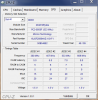
can we get a screen shot of the spd tab in cpu-z ?
also did you get i7 or i5? -
To turn off the touchpad, double tap the light in the upper left corner.
Took me a but to figure it out
-
Mine is i7, my ram is 1066
-
A single 160GB plus a 250 GB 5400rpm were $320 over the 320 GB 7200rpm drive. Dual SSD was $550. The X25G2s are around 400-450 retail I believe.
-
First of all, finding an X18-m G2 is harder than finding lost treasure in the ocean.
Secondly, each 160GB retails for like $600 (X18-m). -
Ooops yes, I was looking at 2.5"s. Even worse then!
Seriously considering asking HP if they can change the order I placed yesterday to include a single SSD... -
wow, thats not a bad price at all. With that $350 off coupon, it would have been for me:
$1075+325-50= 1350. Not cheap, but certainly not expensive either. I feel bad that I payed an extra $25 for the glossy display, when in reality I would have preferred matte.
Anyway, damn this thing is beatiful. I watched some 1080p on there and it was just amazing. the laptop itself just looks and feels so great as well. I am pretty conflicted now. I hope people here can help me fix the minor issues because I really want to keep it now. -
Here's a little update on my experience with HP today: I called up their line the guy was nice asked me what dept I wanted he sent me to the tech dept (not the one I wanted) but the lady was super nice and informative and sent me to the correct dept where those two guys were really nice and informative too. I'd be more detailed on I'm on my phone. In any event it was a complete 180 from what I experienced last time and I was even given a probability of the shipment redirect working which was more info than necessary but a nice touch.
I hope my package makes it to the local fedex kinkos tonight, they have Saturday pick up
-
I agree.
MUCH better system than the 1645.
I might keep mine as well, throttling be damned! lol -
blue screen o' death anyone?
WHAT THE F. -
I can not emphasise this enough, please, if you expect people to respond, use paragraphs and formatting to break up posts so that they can actually be read.
Battery life: This is going to have to wait for some people to test under different circumstances.
CPU LFM: Both the i5 and the i7 versions do drop down to LFM (low frequency mode) on battery power. This does not mean the i5 will be faster. If you are running something that utilises more than two cores fully, then the i7 should still be faster. In terms of people showing concern over the CPU running at 933MHz, well if you are only browsing a few web pages or typing a word document you'll be fine. Anything above moderately intensive will seem slow.
CPU temperatures: Yes, your CPU has no problem running at this temperature. The i7-720QM has a thermal specification of 100 degrees Celsius, so 55-70 is not a problem. Heating the CPU to this level should not yield significant degradation to the lifetime; you are much more likely to be buying a new processor before it causes any problems. Of course, as it gets closer to 100, you may start having problems; but you've a way to go before it gets there, and your machine will shut down before anything major happens.
The wireless thing does sound a little peculiar - i'd hold fire for some people to have a chance to play with their notebooks. -
1.2ghz dual core is actually quite capable. I prefer it to 900mhz quad core for sure. I want to see how well it handles multimedia in this state though.
It is so annoying to think though that if they had just implemented switchable graphics properly, we wouldn't have the throttling issue in the first place. -
What were you doing?
-
Only BSOD i got was when i turned the Jumbo packets too high in the advanced network adapter properties... backed it off and havent had a single hiccup
-
CPU-z might not say 1066 or 1333, but it will show a DRAM frequency - multiply it by 2. It'll say either 533 or 667 (or numbers that are within 1MHz of this). If it's 533 then it's 1066MHz, if it's 667 then it's 1333MHz.
-
i'm downloading Mass Effect 2 through Steam.
Winamp is playing..
nothing else.
and it was an interesting BSOD like i've never seen before...it was pixelated in a bunch of different colors, but I was able to make out that it was dumping memory. -
Check windows eventlog.
-
Winamp is a piece I bet that caused it
-
is anyone having issues with their FN keys?
I haven't uninstalled any of the HP utilities yet, so i'm boggled. -
I think I first used it in 1996. It was amazing.
-
They're backwards so you're supposed to press fn+f5 to refresh a webpage etc
-
You can switch the FN mode in Bios setup
-
I used up until aol bought them then it magicaly got bloated and less free so I switched to vlc and various variants on linux
-
wrd to that.
LOL. wow. I was getting seriously pissed at this. -
Use CPUID. Mine is at 1066MHz. I'm surprised these don't come with 1333.
-
I got the i7
Screenshot attached.Attached Files:
-
-
I apologize. Was writing fast. Thanks for your response. Hopefully someone will shed some light on the wireless issue....and battery question.
-
You probably want a screenshot of the previous tab (Memory). Are these supposed to come as 1333 MHz (like Dell and some others)?
-
Hm, they must have changed that; with the older ones you touch and hold that upper corner for a few seconds.
-
finally got the pad to turn off/on, was being fussy. As to the memory I'm a tad disappointed as I got the I7 820 and the memory on mine says 1066
Envy 15's ATI CCC says DDR memory but if I run GPU-z it identifies the memory as GDDR so not sure who's right/wrong. I know on my desktop 5970 card CCC identifies my card as GDDR so I know CCC can tell the difference.
I do seem to notice a rather constant tss tss tss sound, almost like a faint cybol sound but not sure if its the HD or maybe the cooling fan making the sound.
On my system though going to have to mess with colors a bit, at default Red is kind of muted with the Matte Screen.
Ran Vantage and heres the score I got without any tweaking:
3DMark P4675
GPU 3911
CPU 11285 -
4k GPU scores aren't bad at all.
Should run most games pretty well, as long as you don't crank up the settings too much. -
I have a gen1, and I couldn't use the button to turn off the touchpad with that corner...I just went in to the touchpad settings and was able to change it to touch on/off. A pretty cool thing that I have now is another thing in the touchpad settings...put three fingers on the pad and hold them there for about 2 seconds, and it will open a program...I set the program to notepad2 for programming =) -
Are there any clock gen type utilities that will run under windows 7 64-bit and allow for tweaks to the clock speed, multipliers on the Envy 15?
-
OK lots to reply too...
the following is on the new envy15t matte i7-720
LCD panel is (monitorID) LGD0259
(manufacturer) LP156WF1-TLf3
(date)2009
Memory is micron 1066 Cas7 CR is 2T
crystal mark speeds
read write
418.2 213.9 seq
251.3 181.1 random 512k
9.8 53.17 random 4k -
So i got my exchange today from a 1st gen i7 to the updated i7, my only issue is i can press down a little on the keyboard to the right of the touch-pad and under the ctrl and arrow keys. Seems to be an area with space so nothing seems to be supporting that area, anyone else notice this?
-
Can anyone exchange? I received my gen1 Envy on 1/7/10, and then a few days later the gen2 was released...did urs have a defect?
-
There's one in dell forum can set multipliers I think.
-
You could have exchanged it yesterday...
You have 21 days from date of receipt. Might want to call them and see if it can get done anyway.
You probably don't really want to though because hte prices right now are terrible. -
is anyone having any problems hooking the envy up to an external monitor?
I'm using an Acer H223BHMID, and it won't fill the montior in 1080p. It seems to leave a small black border all around. I can also notice that the resolution seems compressed in the space it fills.
I tried using the manual setting on the monitor, but it for some reason, it's not giving me the option to change any of the positioning or width/height.
*HP Envy 15 Owners Lounge! PART 1*
Discussion in 'HP' started by Serg, Oct 21, 2009.


![[IMG]](http://s921.photobucket.com/albums/ad53/Genryu/?action=view¤t=ScreenCapforMonitorManufacturer.png)