Problems? See this thread at archive.org.
Finally got this HDX running like it should. So to help out any further people with a pain in the HDX9010NR this is what i did.
Slipstreaming never worked for me, I used Nlite only to burn what i put into the xp cd on my hard disk. I did not use the program for slip streaming, only to burn the folder as a bootable disk. If i burnt the folder as is, its not bootable.
First step:
download the sata drivers.
Everyone will point you to MERCS.US and they will tell u all the files are in the thing.
This is wrong. The extraction utility is there, but no drivers. Furthermore, if you JUST want the files to play with not on a floppy lets say your hard disk go to this link. theres a extractor and a folder with the files you need. i copied and pasted them no use to use the extractor to put on a floppy
http://h20000.www2.hp.com/bizsuppor...cc=us&swItem=ob-54270-1&jumpid=reg_R1002_USEN
Intel SATA AHCI Controller Driver
ok after u get these files, use Nlite to extract the files from your xp cd so u can play with them. I put mine on my desktop in a folder just called new folder by default.
ok, now that you have your xp files, go into them and create a new folder called $OEM$ in the I386 folder.
now open up a text file.
Paste the following into it:
@echo off
IF EXIST D:\$OEM$ set CDROM=D:
IF EXIST E:\$OEM$ set CDROM=E:
IF EXIST F:\$OEM$ set CDROM=F:
IF EXIST G:\$OEM$ set CDROM=G:
IF EXIST H:\$OEM$ set CDROM=H:
IF EXIST I:\$OEM$ set CDROM=I:
IF EXIST J:\$OEM$ set CDROM=J:
XCOPY /E /Q %CDROM%\$OEM$\$1 %SYSTEMDRIVE%
XCOPY /E /Q %CDROM%\$OEM$\$$ %SYSTEMROOT%
XCOPY /E /Q %CDROM%\$OEM$\$Docs "%SYSTEMDRIVE%\Documents and Settings"
XCOPY /E /Q %CDROM%\$OEM$\$Progs "%PROGRAMFILES%"
EXIT
After u do this, save it to the $OEM$ folder as OEMPREINSTALL.CMD
Make sure you dont save it as OEMPREINSTALL.CMD.txt or something. your turning a text file into a CMD file just by changing the extension on the end.
After u do this in this same folder create CMDLINES.TXT and put this text into it.
[COMMANDS]
"OemPreinstall.cmd"
Ok. After this create a folder called Textmode within the $OEM$ folder. This is where your going to put your SATA drivers from the HP link i gave u. forget the extractor. just copy and paste the funny lookin files in this folder.
After all this go thru Nlite, load the folder, dont install any more drivers or anything your just using it to make the disc bootable. Burn it using Nlite. Your done.
Ya this is a total pain in the but it isnt as much of a pain in the as the 5 days it took me to find all this info in various places. So I put it all in one place for you.
Peace im out. Laptops suck . Theyre assembled cheaply, you cant really upgrade them, cant really do anything with them. them. Im done with this laptop im giving it back to my boss and im going back to my P4 desktop. laptops. All of them. Im out.
-
o ya and heres the intel site i got this off of for cross reference.
http://www.intel.com/support/chipsets/imst/sb/cs-020825.htm -
Yeah, Caohime, the person who set up Merc.us site, should have listed F6FLPY32.ZIP instead of F6FLPY32.exe. All one would have to do is to unzip F6FLPY32.zip into a folder and use Nlite to slipstream it in.
One can find the file "F6FLPY32.zip" here: http://downloadmirror.intel.com/16013/eng/f6flpy32.zip
I never bothered to write up a WIN XP on HDX tutorial since I when I needed XP at the time for the sake of one program, I used VMware 6. A more elegant solution IMO.
In any event...
Sorry that the frustrating experience of try to get an unsupported OS onto the HDX has turned you sour against Notebooks. Notebooks, SFF(small form factor PC and AIO(All-in-one) PC computers are the future. Desktops will be relegated to enthusiasts in the coming years. The economics of a major desktop upgrade doesn't pan out like it used to. What's more, desktops aren't "green." And for the grand majority of users, there's nothing a desktop can do that a notebook can't. The performance gap is steadily narrowing especially as die size in nanometers shrinks.
Just some food for thought. -
I had XP as a dual boot using 2.0s USB method so that I could record the movies I record off my Comcast Motorola 3416 DVR via Firewire (which doesn't work via a Virtual PC set up) using firestb and DVHSCap, but XP on the HDX kinda just sucks.. I got everything working driver wise but it would lag, doesnt use the full 8GBs of ram I have, I'd get Bluescreens once in a while, software programs would crash, and the video recording I set it up for couldnt use the video software features to cut out commercials (MCEBuddy) because its meant for Vista. Also the video recording quality sucked for some reason as to how it rendered and interacted with Haali..so it was a dissapointing experience. Now what I'm trying to do is install a Vista Ultimate 32 bit to the second hard drive (which I just finished doing (formatting and deleting XP) so I can use all the benefits of the software for video recording via Firewire without the instability of XP on the HDX.
-
Ya I had to do this for someone else. Not mine XD I got win2k pro, i still use it on my machine, and all of my programs so far still work with it
-
That's the one I have installed. I'm on my third eSATA external drive now and I'm still having problems. Could it be that my cheap cable is duff? Should I invest in a more expensive one, and if so which make?
TIA
CJ -
Wow 2000? You just have it as a regular installed OS or virtual? I still have a copy of Widows 2000 around here somewhere. You just talking about Windows XP on another persons notebook or have you also used Firestb and DVHSCap?
-
No, you know what it might be? The chipset of the enclosure. Not all of them work with the silicon image chipset in teh HDX. Or they don't work with certain harddrives installed in the enclosure.
Try this: Control panel/storage controllers/Silicon Image Sata controller. Click properties, then hit the device tab. If there's no populated info there when the eSATA drive is connected then either the Sata chipset in the enclosure is incompatible or the drive* in the enclosure is incompatible.
*Some Older eSATA chipsets only work with 5400RPM drives (SATA I) and not newer 7200RPM (SATA II) drives. Not that 5400 always equal SATA I or 7200RPM always equal SATA II. But generally speaking.
What's the manufacturer and model of the enclosure? -
My X9000 just arrived today. I will be installing it later wit lots-o-pics.
![[IMG]](images/storyImages/DSC00218.jpg) Last edited by a moderator: Feb 6, 2015
Last edited by a moderator: Feb 6, 2015 -
Just a quick note to say that I still love my HDX.
I'm attending a conference with my gf this week. I brought along my HDX and my essential office documents in the HP HDX roller case. I've been working in my hotel room and the local public library. The HDX is excellent for working on the road.
On another note, I can't believe all the trouble you guys seem to be having with drivers and such in Windows. I'm running Fedora 10 on my HDX and its excellent. No problems at all. -
What trouble? Mine works fine in Windows. If I recall, most of the drivers "issues" are with people trying to get better audio drivers...the stock drivers seem fine.
So, in Fedora, your subwoofer works? The fingerprint reader works? The Quickplay/touch buttons all work? Microsoft's ZUNE software works with my Zune player?
-
Another trouble free Vista X64 user here also. Bluescreen-less bliss. Not even a "device stopped working message."
Trouble comes from folks trying out various drivers not meant for the HDX or trying to install non-supported OSs. But that's the price of experimenting and tweaking. Their "troubles" are often beneficial to themselves and others. -
I didn't mean to start a flame war, only note that Fedora 10 seems to work seemlessly on these machines.
The most recent kernels have drivers in for the fingerprint reader and I think KDE supports it. Truthfully I haven't looked into it.
The quickplay buttons can be made to work for their intended purpose or any other purpose quite easily.
I can do a lot of things in Linux, for Free, that you can't do in Windows. Linux is a much richer environment. -
PUBLIC SERVICE ANNOUNCEMENT:
That Pen and free website that kindheart has been linking to (about turning your HDX into a "tablet") turns out to be a malicious website according to google.
So if you visited the site, be sure to virus scan your computer and give Window's Defender a spin. -
Looks like HP has caught on and blocked access to this page unless you have a logon. I was looking forward to using the videos along with the Service manual. I knew I should have saved the videos while I could! I am technically and HP employee though. I am employed by EDS which was bought by HP a few months ago. I will have to see if I can get access. I have the HP EPP and other intranet access.
Well back to installing my X9000. I will post when finished
-
You still have these? Sorry couldn't PM, guess I don't have enough posts. If so let me know and I'll take them off your hands and if not can you get some more or put me in touch with someone who can. Thanks.
-
It's statements such as yours about Linux (and the supposed problems with Windows) that have the (un)intended result of people defending their choice of OS. Same with people that run Mac OSX and make statements that assert their OS is somehow superior to others, it does start "pissing matches" and I'm sure you know that.
Most of us have no desire to learn a whole new OS, nor do some of our critical apps run under Linux (or Mac OSX). I know for a fact that Windows Vista and the upcoming Windows 7 (both x64) run GREAT on my DRAGON. So your assertion that everyone has driver problems is untrue. As an MSDN and Technet member, all my OS's and apps are FREE, too.
It's great your happy with Fedora, but anyone that believes any Linux is the OS for the average guy is smokin' something. Like my Mother taught me, "ain't no such thing as a free lunch". -
Hi all
I have what's probably a dumb question; Vista doesn't run 16-app programs. Are there certain DLL's that I could copy from my old XP system and put them in my Dragon so it could run these? From what I understand when Microsoft comes out with a new OS some things are left out making it not very backwards compatable. Thanks! -
I noticed that too, but part of it is open to the public - in fact, the whole SML is supposed to be open to the public according to this article at GottaBeMobile:
HP Services Media Library Open To Customers
Here is the original HP Newsletter Release, dtd 10/08:
Services Media Library Now Available to Customers
The SML link that currently works:
HP Services Media Library
Problem is only about half of what we saw on the original link is there, and no Pavilion links. The sitemap clearly shows the released files and systems so far, and no Pavilions are on the list. So either what we saw is still under evaluation and wasn't supposed to be released, theres' a site problem, or what's there is for field techs only right now. Since the content is intended for public release and the Pavilion line is one of HP's largest, I'd find it difficult to believe that we won't see it again at some point. Those of you like me with your own HP contacts might want to ask around and see if you can get some insight into what's going on.
Post Edit Note: Doing some more checking, I found a spot that had a notice where HP is moving their platform that evidently houses some of the HP Partner content, which evidently includes the SML. The notice reads:
"Effective March 25 through April 12, 2009, there is a scheduled freeze on partner data processing. This freeze supports a move to a new platform."
So it's entirely possible that the reason we can't access the Pavilion content is that it's on the h20181 server, and the accessible SML content is h20464 server. -
You're right about your original assumption - we'll leave it at that.
Vista has a program compatibility mode somewhat like XP that you can tie a program to:
1. On your desktop, right click on the program you want to run on a legacy OS.
2. Click on Properties.
3. Click on the Compatibility tab, then check the Compatibility box and select XP SP2 or whatever you want to run the program under.
You can view the info about Compatibility Mode at this link:
Make older programs run in this version of Windows -
The only people who have driver issues are the ones who are constantly looking for a driver update that isn't certified for their system, but only because it's an updated driver. If you're like some of us and know how to experiment, that's one thing, but most users don't have a clue and get into trouble right off the bat, then they decide for whatever unholy reason that they need to reformat and reinstall. They might has well just have hit themselves over the head with their notebook.
-
That sounds exactly like what most of then should do.
-
Finished my X9000 install! Actually I finished it yesterday and got carried away with running test, burn ins, benchmarks, and then playing games that were to choppy before.
The most notable was playing Need for Speed Underground with my T8100 anytime the car would get too fast or the physics calculation more intense everything would get choppy and many of my gamepad inputs would be ignored. Similar issues would happen on a few other games as well.
I used resource monitor and a few other tools to pinpoint my CPU as the bottle neck.
Ok here are the important pics. I took 60+ pics because I figured I would not be completely disassembling the HDX again anytime in the new future. I got Macro shots of every Chip on the board.
X9000 in all its glory
![[IMG]](images/storyImages/DSC00218-1.jpg)
Keyboard being removed:
![[IMG]](images/storyImages/DSC00220.jpg)
Topless, A good look at how all the wires need to be put back:
![[IMG]](images/storyImages/DSC00223.jpg)
Proof the fans need to be cleaned Occasionally. this is after 7 months in a clean environment:
![[IMG]](images/storyImages/DSC00233.jpg)
Back of Motherboard over Video Card:
![[IMG]](images/storyImages/DSC00237.jpg)
Back of Motherboard over Processor:
![[IMG]](images/storyImages/DSC00238.jpg)
CPU Heat sink:
![[IMG]](images/storyImages/DSC00241.jpg)
T8100 still on MB:
![[IMG]](images/storyImages/DSC00243.jpg)
Items used to reapply the Heat sink to the CPU. I also did the GPU while I had everything apart. From the research I have done I chose OCZ Freeze for thermal paste. It definitely makes a difference. Both my GPU and CPU run cooler under the same set of test I ran before. About 2-4 degrees. Nothing major but in the long run it adds up. Something else to keep in mind, at first it was running hotter till I did several burn-in test to let the Thermal paste setup:
![[IMG]](images/storyImages/DSC00245.jpg)
All the screws removed and organized:
![[IMG]](images/storyImages/DSC00246.jpg)
GPU:
![[IMG]](images/storyImages/DSC00247.jpg)
GPU Heat sink:
![[IMG]](images/storyImages/DSC00248.jpg)
I was going to get pics of the X9000 installed and the reassembly but at this point I was too excited and wanted to be finished. I hope this helps anyone thinking of doing the same. It is an extensive undertaking, nothing like working on a desktop which I am very use to. But as long as you feel comfortable in your knowledge level, maintain proper grounding, and don't rush it can be done. Also the HDX Service Manual is a big plus. There are a few connections that the manual does not mention, keep an eye out when you go to remove the motherboard.
-
I love the paper and tape screw listing! I did the same thing.
Congrats! -
Thanks for the reply 2.0. Sorry about the delay in replying. Busy weekend.
The controller properties show the drive contents fine and the properties look fine........
![[IMG]](images/storyImages/eSATA.jpg)
The latest eSATA drive/enclosure is the ALDI/Medion one, but I'd previously tried a Seagate and an Iomega.
The Dragon tends to freeze up shortly after starting a data transfer and I have to hard reset. The drive is not receiving the data and the PC is unresponsive.
I have bought a better (Sandberg) eSATA cable from Amazon to see if that helps.
CJ -
I have only one comment:
DAMM AM I GLAD I GOT MY HDX WITH THE X9000 ALREADY INSTALLED!!!!
Nice work dude. The paper tape thing works great - until you accidentally knock it off of whatever it's sitting on and the stuff goes everywhere when it hits the floor since the scotch isn't that strong.. And it usually isn't you - it'll be your kid, your dog, your wife, girlfriend, your wife's girlfriend or boyfriend, or your girlfriend's boyfriend's wife, etc. You get it.
I've used the muffin pan deal, but the parts are a pain to get out once you want to reinstall. Wide Blue masking tape works best - fold over one end to write a label on it, then stick the small parts to the tape. Blue is quick release so it doesn't leave any residue, and holds better than Scotch.
For you and others who want to cut down on dust getting into the system, if you're not worried about what it looks like, get some black or green scrub pads, cut them to fit over the intake vents and attach with velcro. We used to use cut down greenie pads in the Navy as external filters on our electronics intake vents because they were a lot easier to take off and clean than removing the metal filters from the inside.
Good job - welcome to the X9000 club.... -
Hi, please can you tell me is that memory ok for HDX 20", 230USD for one, I do not know fhat brand is it, thanks.
4GB 200pin DDR2 SODIMM 256Mx64 non ECC gold leads unbuffered 1.8 volts PC2-5300 DDR2-667 spec 667Mhz with SPD CAS 5 latency CL5 max 1.25 inches tall Dual Die 2x256x8
Module Form Factor: Notebook
Connection: 200 pin SODIMM
Product Type: PC2-5300
Speed Rating: DDR2-667 (667Mhz)
Units included in price: one
Total Capacity: 4GB
MFG Code: MT16HTS51264HY-667A1
ALT SKU:
SKU: CJN
OEMPCWorld part number: 4.0G-PC2-SO5300 -
Strange since all of those enclosures are compatible with the HDX's eSATA controller.
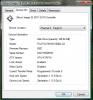
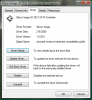
One thing I noticed is that there is a subtle difference with the driver you are using v. the driver I'm using. (see attached pics.)
Might have to do with the Intel driver you are using.
Go to control panel/device manager. Under IDE ATA/ATAPI controllers, you should see:
Intel ICHM8 SATA ACHI controller -2829
Inntel ICH8M Ultra ATA storage controller - 2850
If you don't see this, you probably will see:
82801 HEM/HBM SATA AHCI contoller.
If so, right click it select uninstall & check delete box. Reboot.
If those two devices do not show up upon reboot, reinstall Intel chipset driver sp36881.
Attached pics:Attached Files:
-
-
Yes, that's all good. Where's you find it?
-
Thanks 2.0 This forum is a great help, thanks again to all peoples who shearing here their knowledge and time.
4GB memory here, hope it helps:
http://www.oempcworld.com/OEMPCworld-com/4-0G-PC2-SO5300.html
http://cgi.ebay.ie/4GB-PC2-5300-667...14&_trkparms=72:1301|66:2|65:12|39:1|240:1318 -
I just wanted to thank CyberVisions for you detailed and knowledgeable response to my Blu-Ray problem a few pages back.
Just prior to this most recent "assistance" from HP I had Quickplay 3.7(6112). Now because of the softpacs I was told to download and install from the Hp site I have some 3.6 (4xxx) version, which I think is negative progress.
It is a little difficult for me to do the constant update function since I work in Iraq and do not currently have access to internet on my personal PC. But, even in February when I was home on vacation, with internet and performing the update somewhere near 10 times in a row, I was not able to get it to work.
The drive will not even recognize that there is a disc in it if it is Blu Ray. Dvd's, games and CD's work perfectly. But if I put in a Blu-Ray it will spin for maybe 3 seconds and then nothing happens. If I click the drive in "my computer" it says to enter disc and ejects the drive. If I go into Quickplay the only message that gives is "No dvd in drive" or something very similar.
I think it is time to throw in the towel and purchase another software that is Blu-Ray capable. I mean even the lady at HP that I talked to yesterday told me that after trying her TWO solutions (update quickplay and/or remove upper lower filters in regedit) that they are out of ideas and I am out of luck. She didn't even suggest sending in the PC or the Drive or anything. She was just completely unable and unwilling to help any further once she found out (30 minutes into conversation) that my laptop was part of the "discontinued" legacy series. What the heck is that, you discontinue something and immediately forget about it? I feel like a 45 year old woman who was left for a new younger 21 year old.
Anyway, any suggestions on which software to get?
Thanks in advance.
James -
This is a hardware problem.
BD-CMB UJ-120 ATA drive it?
Let it be, if possible, send a new one!
If this is not possible, you must complete the Dragon to send repair.
Had similar problem.
My BD-CMB UJ-120 ATA played in Blu Ray, CDs and even burned CDs. DVD's of any kind, however, were not detected.
My current drive has, unfortunately, other problems.
My previously used blank DVDs will no longer be described.
Demolition of the burning process, including then burned DVD-R.
Experiments with different disc types showed relatively poor results. Sometimes they were DVD's after a successful burning process then unreadable. Not even on other computers. These problems I had before the exchange does not drive.
A software problem, I can exclude.
Effects after many test's now appropriate blanks for all formats found.
These drives are apparently not mature. -
@ CompTrekkie
Thank you for your great pictures and lots of fun with the new processor! -
Has anyone tried the UJ-210 or UJ-220 Blu-ray burner on the dragon yet? I am told they are compatible.
-
Once again, thanks for the advice 2.0.
I checked and found the 82801 HEM/HBM SATA AHCI contoller, uninstalled it and re-booted.
On re-boot I only found the Intel ICHM8 SATA ACHI controller -2829 but not the 2850 entry, so I re-installed the Intel chipset driver sp36881 and re-booted again.
Unfortunately, my problem remains the same. If i try and transfer a file of arounf 1GB it starts transferring at around 50MB/s but after a few second the transfer freezes and more often than not the laptop does too.
I'm hoping the new cable that's coming will help. I will report back once tried.
Thanks again,
CJ -
You have any links?
-
When I googled blu-ray burner and hdx dragon, it returned an ebay link. I contacted the seller and they claim it is compatible with the HDX Dragon. The UJ-220 is the same just faster (2X instead of 1X) blu-ray burning speeds.
http://cgi.ebay.com/New-Matsua-UJ-2...temQQimsxZ20090319?IMSfp=TL090319123008r31265 -
It will not work with QP version 3.6xx - Period. Any HP tech stupid enough to tell you to install that should be fired. Not that they should've been hired anyway...
Several questions:
1. It doesn't make any sense that it will read DVD's and CD's without a problem, yet it won't recognize a BD. Are you ABSOLUTELY POSITIVE you have a BD-ROM and not a regular DVD-ROM installed? It's always possible they screwed up the configuration and gave you an old HD-DVD instead of a BD-ROM drive. Check your drive model # in your Device Manager and let us know what it says.
2. Is it still under the 1 year warranty? If it is, then they owe you a drive regardless of what one idiot thinks.
3. What's the Product # on your label under the system (usually on the left side), and which version of Vista are you using?
4. Have you installed all of the Vista updates for your system, as well as the updated HP updates for your system? DO NOT UNDER ANY CIRCUMSTANCES UPDATE YOUR BIOS TO VERSION F.40x - YOUR SYSTEM WILL BECOME UNUSABLE AND NEED TO BE REPLACED.
5. You didn't by chance flash the firmware in the BD-ROM drive did you?
Purchasing another BD program won't do you any good - the BD-ROM firmware driver is designed to work with QuickPlay, just like other 3rd party vendor systems. Everyone I have seen try to install and use another program has failed and wound up having to go back to QuickPlay. Before HP switched to QP (which is a modified version of Cyberlink's PowerDVD) they used WinDVD and had a lot of problems with it. People who have tried to install and use it still have problems. Before HP finally released the QP Support update last year, I used to post a lot on Blu-Ray.com's forums helping HP users who have the same kind of problem you're having, and many of them tried using a different program on the advice of some numbnut clueless idiot poster there, and wound up with the same problem and less money. But, knock yourself out if you want to - who knows, maybe you'll get lucky.
Not.
Unlike regular DVD player software, which has been around for awhile, BD player software is still having the bugs worked out as BD players have only been installed in notebooks for barely a year or so. As such, it'll take some time before BD's are where other disks are usability wise on everything.
It's more likely that the drive is bad to begin with as far as reading BD's. Check your Event logs to see what the messages are when you're trying to read a BD:
1. Start, type Event, then click on Event Viewer.
2. Check the following logs:
Custom - Administrative
Windows - System, Application
Application and Services - Hardware
Microsoft/Windows - Parental Controls
In your Device Manager, right click on the BD-ROM drive, then click on Properties. Click on the Details tab, the navigate to the Problem Code button - check the value. While you're there, click on the Drivers tab, and then on Update Driver if you haven't already done so to make sure you've got the latest version.
Do a Hard Reset on your system to clear everything out of RAM just to be sure. Unplug your adapter, take out the battery, then hold the power button down for 30 seconds (keep it pressed down). Plug the battery in, then the adapter and restart your system and check it.
What it boils down to is one of several things:
1. Your drive is either bad or you have the wrong drive.
2. Your BD-ROM drivers are either outdated or corrupted.
3. Something is wrong with QuickPlay.
4. A desert biting insect with serious chompers has crawled into one of the exhaust vents and bitten through a connection.
5. You are God's "Who shall I screw with?" pick for this month.
Putting any faith in HP Customer Support is generally a useless venture these days, as most of them (or about 99% of them) who do online and phone support don't have any real tech troubleshooting experience; they're simply going through a flowchart and using the existing Support Database to find problems that others have already experienced and that HP has acknowledged. I'm proud of the fact that I used to run an HP Support Center in the days when we didn't have that kind of crap - you had to be a real tech, trained and certified on the systems you were doing remote phone support on to deal with phone-in customers. The idiots today make me sick. The other guys here already know my acronym for them: BDt's, or Book and Database techs. I use a lower-case "t" for tech because they don't rate being called a tech to begin with. A monkey can read a flowchart and talk on the phone. Maybe I should modify it to "BDtM" - Book & Database technical Monkey.
If you can't get anything out the suggestions above, if you want I can remote connect to your system to take a look myself. I use Webex for Remote Client Tech Support, which is what most of the larger companies use. Just a thought, but it's an option if you wish. No I don't charge HDX owners. -
Anyone else find anything to support this?
-
Hello all,
I'd like to clean my fans, but not with some air in a bottle. I'd like to open up my hp hdx and clean the fans from the inside.
Too bad the videos aren't available anymore on the site, but can someone tell me what I have to remove to get to the fans without any risk of bricking something.
I've also been in touch with HP Customer Service because I don't want to loose my 4 year warranty. They told me I will not loose my warranty if everything goes will. But if I brick something, warranty will be voided.
Greetings, Maarten -
Cybervision, again thank you for you extremely detailed and rather amusing response. I actually printed it out and once I get off work tonight (or lunch this afternoon) I will run through all of your suggestions. AND if I can't get it to work I might take you up on your offer for the remote connection. Bear with me on this as I have a very full schedule here (84 hour work week) and limited "commercial" internet access. If it comes down to the remote connection I will try to find the most convenient time for you since you are helping me out.
I started noticing you around ALL of the multiple forums that "deal" with this problem. You really get around huh? That is very admirable that you take the time to help all of us out with these issues.
Also, what do you know about the upper/lower filter removal "fix" that Hp suggests?
And I totally agree that the 'un'-technical monkeys are just above worthless. Sounded like I was talking to some female high school student from Wisconsin or Minnesota (accent) who like you said was just reading from a flow chart.
Oh, and as an update to anyone who shops at Newegg.com. The site is great, the deals are usually awesome, but be wary as they have no, zero, zip, zilch over the phone tech support. You can't even order over the phone.
I will update this once I attempt everything.
Thanks again.
James -
The new Sandberg eSATA cable arrived this morning and seems to have solved the problem (binned the crappy eBay cable). However, the maximum transfer speed I'm seeing is 55MB/s and avergaing around 35MB/s which isn't a whole lot faster than USB 2.0.
Does anyone have any tips in getting my transfer speeds up?
TIA
CJ -
I have a problem with my laptops monitor.
After two months of use I noticed that there is a vertical line of pixels wrongly shining. It runs through the whole monitor.
It is not visible all the time. Only when it displays a clear blue background.
I tried different applications which test bad pixels but the line is not visible on any background.
It can be see for example by moving the picture (with blue background) across the screen. Then the line of wrongly pixels appears and disappears.
Furthermore, when I tested the lcd with the various testing programs I found only one burned subpixel which is exactly in the place where this unfortunate line is.
It is a dark dot on a blue background.
Have you ever seen something like this?
Could it be exchanged under warranty?
![[IMG]](images/storyImages/664da05ed4db0555med.jpg)
![[IMG]](images/storyImages/10eceb927736e298med.jpg)
![[IMG]](images/storyImages/6e43484ffc9324c3med.jpg)
-
Control panel/ device manager. Under each drive's properties, especially the eSATA connected one, click policy tab. Enable write cache and advanced performance.
Glad that new cable is working out for you. -
That doesn't look fixable any other way except to have it replaced. Certainly more than a dead pixel issue and should be covered under warranty. If you send it in, make sure you back up all your settings and info. If you have Acronis or some other drive imaging software, be sure to use it. HP is known to wipe HDD's and restore back to factory setting on repair jobs.
-
Hi All
Can anyone tell me if SATA II drives will work in my Dragon please? I'm looking to upgrage the hard drives to 2 X 320 but the ones I have seen are SATA II. Does this have any bearing whatsoever? -
Yes SATA II works. Chipset inside the HDX is SATA II backward compatible to SATA I.
Looking at the Seagate, Western Digital or the Hitachi?
I have the Seagate 320 7200 RPMs. Sweet upgrade from the stock Fujitsus 160GB 7200. -
Get a copy of the User service manual. Link on page 100.
You only need to remove the rear cover panel to get at the fans.
See my post for a pic of what it looks like with cover removed: http://forum.notebookreview.com/showpost.php?p=4527949&postcount=5201 -
Hi there
I've been using my HDX 9050 ES , for the past 6 o happen. months. EVerything was great , but a week ago strange things started to happen: I've been experiencing massive slowdowns , whatever application I'm using. I have Vista Home Premium 32 bit. I reinstalled windows and all the drivers from HP , but still the same problem . Strange thing is that it doesn't happen all the time. I can work on it 3 or 4 hours without any problems and then suddenly it reappears again. I was thinking my fans are dirty and would need a clean-up , but if there is any solution besides disassembling the whole thing , I would try that first. It could also be the video card driver , cause I haven't found any other drivers besides the ones on the HP website. Please if anyone knows a solution and can help me i'd appreciate it , it's driving me nuts.
Thank you -
Quote: "Any suggestions would be greatly appreciated" ???
This, unfortunately, I could not be ascertained!
You have little time?
Does not look!
Did you read my post? (Sorry for bad English)
I do not want to keep Smalltalk.
You have your problem well described.
(apart from the drive labeling)
Would you like more time to waste?
No..
Then replace the drive!
This is not a software problem!
This is not a Windows problem!
This is not a driver problem!
This is a hardware problem!
Otherwise, a lot of fun on the long search!
The results of this search is already in my posts.
*HP HDX DRAGON Owners Lounge, Part 1*
Discussion in 'HP' started by J-Bytes, Sep 14, 2007.


![[IMG]](http://s134.photobucket.com/albums/q86/comptrekkie/?action=view¤t=DSC00218.jpg)