 Problems? See this thread at archive.org.
So basically it's quicker and has higher quality burns? Im going to try it. If I want the entire dvd with coming attractions I do the second option right?
-
-
I would assume your confidence factor is above 7-8 out of 10 since you went ahead with the purchase. I suppose the silver lining is you have 2 HDX's. But I imagine that even if it doesn't work, there would not be much issue in reverting back to stock. Doesn't seem like the process is going to fry anything...it will just work or not. Good luck to ya bud.

-
LOl, I was just going to post that R&J Technology replied to my E-mail that they do sell the 280M for $490. I sent an E-mail back asking what the shipping would be.
Since 2.0 ordered it already I will wait and see the result before I order.
Good luck @ 2.0!!! -
yes exactly. you will see.
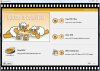
when you first start the program the main window 1st option is just copying the main movie with no menus, no frills, second is with menus and further options
pic 1
=======================================
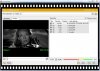
pic2 is the next screen, as you can see. as a default, everything is checked. you have options like selecting dvd9 (if you are burning to a dual layer disc), and you can cut parts of the movie if you want, but....anyway. on the upper left hand corner of the pic the little square button under the "?" is what you actually have to click on to point it to a file, or in this case, since the dvd is in the drive, when you click it, it will automatically highlight the video folder on the dvd...just click ok to continue (not pictured)
=======================================
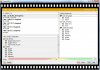
pic 3 is next screen..you will notice the quality meter and percentage of compression in order to fit to 4.7GB dvd (this varies with the dvd of course) english audio only is selected as default, you usually just leave this screen alone. unchecking other language subtitles does not even change it 1%, so it's unnecessary to uncheck these)
=======================================
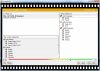
pic 3a same screen except with only main movie checked from the screen before(you still have the dvd menus at the beginning, like play and scene selection..this is automatically included since you chose option 2 from pic 1....benefit to remove trailers, etc. is that you will notice it's less compression to fit the dvd and better quality. look at it jump up 20%, and no annoying things (although you can set this to skip with anydvd).
=======================================
pic 4 is next screen after that
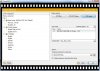
=======================================
pic 5 last stage...you get the picture....if you click on the popcorn eating lamb animation guy you get a different animation if you will, and once again, you get the transcoding details, and so on, in that little subwindow.
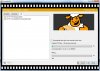
HOPE THIS HELPS.Last edited by a moderator: May 8, 2015 -
ya, same here. i'm wondering seriously, if it is successful, etc. if they would offer a discount for a group buy or whatever you call it. if we told them that they would get 10 or 20 or whatever customers. it seriously couldn't hurt to ask. even if just $50 off.
-
@ 2.0
My biggest concerns beside no POST and BSOD!! are:
1. Will all the input outputs work. (HDMI, SVideo, and VGA)
2. Will BlueRay still play.
3. Will QuickPlay still work.
One good thing though is drivers. the NIVIDA Mobil drives that we are already using should be good.
That is the major issue I saw with the Quadro line-up. Driver support is not all there.
Can hardly what to see the answer to all these questions!

-
question to whomever...how long are boot times on your HDX. my STOCK HDX after months and months of doing no defragging, cleaning, etc. is booting up to the welcome screen in about 45 seconds, and finished fully loading the desktop at around 60 seconds.
this seems quick to me. how much faster would ssd be? -
I don't see any reason that it won't be working. Quickplay is just a software, Blueray support is in every new video card from nVidia, HDMI and VGA has to be there maybe SVideo is not supported but we will see
-
Eagerly awaiting your determination! I will make the jump if your results are positive.
-
I've made a compare of our laterst official sound driver (6.10.5607 B) with latest for HDX18 (6.10.6047.5 A) and also with latest IDT available on laptopvideo2go (6.10.6209.0). To summarize I can tell you that 6047 is very similar to the 6209 but 5607 is much more different. First of all it only contains info for card variants available in our HDX, 6047 does contain a lot more and 6209 has probably all of them as it is general IDT driver. 6047 contains SRS but 6209 has SRS realized in the different way (6047 has additional SRS dll files which 6209 does not). The most important are WRT_Mx-x.INI files. They contain configuration for each card. My card is VEN_8384&DEV_7627&SUBSYS_30D4103C and WRT_M8-1.INI is a file with config for it.
The difference is exactly in that INI file. I think that they are specific settings which are giving us best overall sound with 5607 driver. If someone would like to try I propose getting 6047 driver and replacing INI file for his card with file from 5607 set. -
I was also a Ripit4me / dvdshrink user, now I am using DVDFAB 6. It is comletely self contained with Blu-ray support. It is the most user friendly ripping/burning software I have used. Very similar to Anydvd though. They also have a free trial on their website.
-
The issue will be if the MXM port is not truly 100% compatible. The pins that feed each of these input output connections must be the same on the card and the way they communicate must be the same.
I have seen more than once that if the hardware and drivers do not play nice you will loose Blueray and QuickPlay will lockup and not respond, say that the hardware is not supported, or various other errors.
But I truly hope that all goes well, I will definitely be getting one if so. Heck I was going to order today if I did not see that 2.0 already did.
-
I've used it as a backup before, pretty good software. I dunno I'm not used to CloneDVD, and can't really see a difference in terms of quality. The speed seems faster with DVDShrink and Nero.
-
how long is it taking you for a particular movie? as far as the interface, it really doesn't get any easier than cloney...and lots of options if you want.
quality...are you watching on a large screen 46"> ??
you can see blocking/artifacting/whatever if it presents itself moreso than on a 32" screen. if you are 'testing' for this, this is what you need to do, otherwise it's like taking a photo and watching it on a netbook instead of your hdx, and saying i don't see a quality difference.
well, really....maybe cuz you are watching it on a 7" screen and any crappy photo would look good.
just sayin. to each his own. -
Great - I added it to page 100!
-
For the fingerprint reader you cannot use the Windows update driver, as the persona software does not recognise the reader even though windows does. Install the HP version from SP37920, then go to the reader in device mgr, and update the drivers manually and select "choose from list" it will show two drivers the top one that is slightly grey is the HP version you just installed, select it and it should work fine.
also can you list from above the SP#s for each of the packages you list above. -
Get this man a cape!
-
I have already done this and so much more. I have gone line by line in about a dozen different sets of drivers and sub'd 5607 lines for (insert driver here ) starting at basic HKR settings and moving on to more complex strings.
If you look at STWRT files, they reference driver version, source disc files and WRT_M*-* are included. Stwrt references which WRT to use with any certain device. I have the same one as you by the way. I have installed all and also removed all that don't apply.
If you swap the WRT_M8-1, you have to be sure to change the driver version and date in the STWRT. You also have to include the source app files into the WRT that are included in the driver folder, if you want those files installed. (idtmini1 is an example). I can get all of these things to install correctly, I just haven't nailed down what to modify to get speakers working and identified correctly.
The best I have got so far is to have speakers working and no sub, but icons were screwy.
I keep messing with it and am getiing some mod advice from Pieter over at LV2Go, but he only has a Dell lappie, and his .inf mods don't correspond to ours. He is looking at 5607 and 6209 right now to try and give me some insight. Hope you can figure something out as well. -
Cool glad it can be of use.
To anyone interested I actually have offline copies of all the videos for the HDX from the HP Services Media Library site. ( http://vsslfpro.zcce.compaq.com/plmcontent/NACSC/SML/default.htm) If anyone wants copies let me know. I saved them just incase the site were to ever move or be taken offline like it looked like happened a while back. -
Windows 7 RC1 CLEAN INSTALL Load Sequence with added SPxxxxx information.
1. Win 7 RC1 - 64 bit Ultimate
2. Windows Update
3. AVG Software
4. Remote Control (SP3925)
5. TV Tuner (Run from my SWSETUP directory from my Vista X64 Ultimate build. SWSETUP/DRIVERS/TVTnr/AVerMedia) I right click on AVerMedia, choose Troubleshoot Compatibility, pick Troubleshoot Program, check the top box The program worked in earlier versions of Windows ., then pick Vista SP1.
6. Stop compression of the C: drive, Computer, rt click, properties, don't compress or index (This is for my SSD.)
7. Load favorites into IE
8. Set IE default
9. Set Windows default for Documents, Music, and Pictures. I do this so before I go into Windows Media Center, MY defaults locations are already pointing to my DATA drive (the non SSD)
10. Load Chipset in Setup, Chipset REBOOT (Run from my SWSETUP directory from my Vista X64 Ultimate build. SWSETUP/DRIVERS/CHIPSET/Setup)
11. Load QLB Use Compatibility Vista SP1 (Run from my SWSETUP directory from my Vista X64 Ultimate build. SWSETUP/DRIVERS/QLB/DISK1/Setup)
12. Load QPW 3.6, (Run from my SWSETUP directory from my Vista X64 Ultimate build. SWSETUP/DRIVERS/QPW/Setup) then upgrade to 3.7
13. Load PowerDVD9 (Purchased software) This brings my blu-ray viewing to life via the Media Center pathway. I use the remote control, not the Quickplay buttons. My wireless, mute, and volume buttons work.
Since I have been successful upgrading from the Vista HDX image to Win 7 RC1 (everything works as expected on upgrades, but I want a clean build as I'm somewhat nuts), I use the original HP HDX drivers for my CLEAN install builds. If newer drivers are available, then I upgrade from the HP site, but generally only when I have a problem. For example, if you upgrade the Quicktouch security driver sp40216 from HP, you break the eject button, so I don't run that update. And the F40 BIOS we know can kill the box.
Did you get your fingerprint reader to work, especially from hibernation, from a clean install of Win 7 RC? -
Jumping on this bandwagon - eager to see results! Will certainly be picking one of these up should no major issues present
Best of luck to you!
For those following the subject, enjoy some quick and easy links to the GPU specs to compare the potential gains:
http://www.notebookcheck.net/NVIDIA-GeForce-8800M-GTS.6934.0.html
http://www.notebookcheck.net/NVIDIA-GeForce-GTX-280M.14558.0.html -
Yes the fingerprint reader is working fine using the SP37920 driver, let me test hibernate and get back to ya
update: Just tested it and yes it works out of hibernation no problem. -
The software dosn't seem to work with the driver for me - at least, trying to set up my Win7 user account with biometrics data dosn't work, the window just crashes.
It's a pretty cosmetic feature so I havn't been particularly bothered by it, but it would be nice to be able to swipe into windows again rather than type
-
I didnt notice your last point about the F40 bios killing the box, I actually did that firmware update and had no problems during or after the update.
-
Make sure the driver in use is the
8/28/07
7.9.0.4
not
3/10/09
8.0.10.9064
Otherwise I think you will have to find an updated version of the fingerprint software
Everything I do with the reader appears to work fine, web page logins, program logins, and all windows security features using it are working. -
I have everything working on a clean win7 64bit install but the TV quick launch button will not launch at all, only from remote or within quickplay directly.
Also I read some signatures that some people have 8gb in thier rigs? I thought these only supported 4GB (chipset limitation) -
Yes, I also want to ask the same question...
I see some people having a 8GB of ram in their system.
Can the HDX 9494NR do the same too or just with the core 2 extreme?
thanks in advance,
soda -
Nope. All HDX Dragons support 8GB of RAM. A while back, you could buy the G.SKILL 8GB KIT for around $300 and it worked very nicely!
-
What is your entire load sequence and what are your driver sources/sp's? With this info, I'll reload Win 7 and see if I can get everything to work.
The BIOS F40 killing HDX's is well documented in this lounge. If you are new and are thinking of updating to F40, you might want to do a search within the lounge. -
i have recently updated mine to F40. i remember 2.0 saying that if you have updated to it already then there's no worries after that.....
my bezel seems to have a crack on the upper portion near the webcam. where can i find a faceplate bezel? -
That is a very common problem with the heavy screen. On page 544 2.0 has the links where to get the bezel and on page 549 Comptrekkie shows it being replaced. Hope this helps.
-
I also have one unknown device that will not install and the Tv tuner will not install, but that is okay since I do not watch TV. You can watch HD video on vimeo but I think windows 7 and Adobe Flash 10 have some bugs to iron out, try the site..the videos are choppy.
-
Hey Mike T. thanks for the load sequence for windows 7. I installed the 32 bit edition of 7 but may have to clean install the 64 bit edition...Just assumed I'd have less compatibility issues.
-
hey everyone, I just wanted to say thanks for a fun ride. I enjoyed posting with everyone and learning a lot from everyone. We have decided to sell the FRANKENHDX and resorting to some spare slim line HP units that I have.
I will miss her, especially since she is loaded to the hills.
Keep an eye on the for sale threads for Frankenhdx
-
That's heart breaking. Wish you the very best in your endeavors going forward.
Thanks for all your contributions. -
So...
It comes tomorrow. RJ Tech emailed the UPS overnight tracking number.
Stay tuned later tomorrow for a summary report (thumbs up - jump up / thumbs down - fall down) and time permitting a full write up. -
ok for this, I will keep coming back to see updates.
-
It will be thumbs up, I've just hired 2000 monks to pray for you!
-
It was never "offline" - HP moved the HP SML to a different server and it took several days for the process. HP issued a statement about it, but you had to know where to look. Still, not a bad idea to have your own copies.
-
I already flashed the bios to F40 without any issues, thats why I was asking, thats what I am running at the moment
-
Installed Win 7 64BIT
Shut off Wifi
Installed the following in order.
Chipset software - (SP36881)
MAtrix Storage - (SP38088)
Audio - (SP40438)
TV TUNER - (SP38987)
Fingerprint reader - (SP37920)
Digital persona - (SP40216) (if the correct driver above is used should ask to run setup for enrollment)
Bluetooth - (SP38167) (if you dont you dont get BT Stereo support)
IR control - (SP37925)
Graphics (Nvidia) - (SP38393) (note nvidia has updated drivers on their site)
Ricoh Card reader (windows update ones work as well) SP36423
Synaptics Touch pad (windows update ones work as well) SP37065
HP Quickplay (SP38361) (after you connect to the internet launch QP and download latest update from there)
Quick Launch update (SP38171)
Quick Touch SP37799 (installed but is quirky but works)
Cyberlink quick cam software (SP37849)
After all the reboots etc from the above I turned on the wifi (or connect via lan) to the internet
and ran windows update, make sure to manually sellect the updates and do not take the
Fingerprint drivers. I did not see any quick touch update so.
Only thing not working like I said is the tv button above the keyboard, but all the other
stuff including fingerprint reader, and enrollments are working. The tv tuner does however
launch via the remote which is funny, but I think there is a quick launch app that allows
you to map the buttons so it may be easy to fix. -
The only thing I dont get is why they support it, cause the PM965 according to the intel white papers says its only 4GB but it does not clarify if thats total, or per channel.
-
Hey what's up man. You see this HDX madness? -
Holy moley. Definitely going to keep an eye out. I can't remember how long it takes to disassemble the HDX. You going to be able to test it if it works while partially disassembled? Or would you have to put it fully back together again to test, then disassemble again to get to the card or anything else you may need to in there? -
That sucks dood. We'll HP will be glad to know you stuck with them. Hope you get a good return for it. -
Would be nice to have the best most updated and optimized audio drivers..preferably ones that don't pop and crack when you do other things.
-
It's weird that I've never had issues with 5607. I even have ASIO4All running decently on my rig now.
-
I have like 80-100+ tabs in Firefox besides other programs.. Maybe that explains somethings THOUGH other people I think have mentioned the popping/crackling. Whats ASIO4All?
-
it's a universal ASIO (Audio Stream Input Output) driver for WDM audio.
-
Has anyone succesfully performed this upgrade? I have the ATI card, looking at getting that board and card, even though it's gonna cost more than $600. Any advice on performing this myself would be greatly appreciated.
-Tchamber
*HP HDX DRAGON Owners Lounge, Part 1*
Discussion in 'HP' started by J-Bytes, Sep 14, 2007.


