 Problems? See this thread at archive.org.
Ah. I checked the Rocketfish website and didn't see that before. Ah, RF-AHD25D: Rocketfish USB 2.0/eSATA Hard Drive Enclosure Kit for 2.5" SATA Hard Drives : Rocketfish
Perfect. I just bought two on Ebay. Thanks again.
[L]
-
NP, I am glad I decided to save those they have proved to be very useful.
-

If you upgrade your cpu as well (and maybe your ram), you'll feel like the "ON" button really means " ON!!"
-
That's exactly what I wanted from the beginning, but with Blu Ray.. Nice specs man.
-
I'm glad Satan is winning out....
Regarding the SSD, you can try the link which I provided previously. Its only 60BG though. Regardless, I've got almost my apps installed on the SSD and still have about 20GB left and using tips from 2.0 will only help.
For me, I kept things very simple. Installed the SSD as the primary and installed Windows 7 Ultimate. Truth be told, I've done zero tweaking. It's been such a monumental change from the stock drive that I'm not even so sure tweaking will change too much more for me-at least for my needs. I don't really play games anyway. My apps load up instantly and most important, for my investment work, my workspaces open up instantly and when there is news coming out, the Dragon handles the rapid incoming data smoothly and efficiently and that was actually one of the most important reasons why I got the SSD in the first place (as well as the near-instant boot-up times as well).
Different people have different needs so I can understand the need to make other changes. Right now, probably the only I really would need is to upgrade the RAM from 4GB to 8GB...maybe by the winter holidays I'll be upgrading the CPU-but I'm not so sure about that.
The beauty of changing to an SSD is that its easy, efficient and relatively inexpensive (especially if one has a secondary drive installed already). Almost (but on quite) a novice can do it and the performance changes are simply incredible.
After using the SSD for week, all I'm going to say is "I aint' ever goin' back".....hahaha.....
-
Long time forum browser, first time poster.
Had my hdx9494nr for at least 2 years now, love it, everything works of course. Just a few questions:
My AUDIO/IR BOARD was busted over a year ago when i stepped on my headphone cord on the floor while plugged in to the front audio jack and I think it bent one of the transistors to the circuit board, so since then the only way I can listen to music is through headphones or by plugging it to external speakers, which has been fine by me but needless to say it's time I fix it. Now doing some research I think I found the part but I wanted to make sure if this is the right one, model# 480477-001
The link is here btw Loading....
Secondly, I plan on doing some major upgrades because of my Architecture demands, so I plan on upgrading to the x9000 and eventually overclock it so my renders don't take 3 days like I've been doing them now. In terms of thermal paste, I have some leftover Plastique, iono if that will suffice or do you guys recommend something better?
Hard drive; since some of my projects take hundreds of gigs of space and I use dozens of programs, I'm trying to find a good SSD drive. Since this is where it's going to dent my wallet, I'm probably looking at getting 2 Intel X25-M 160GB drives, since my programs alone take up 200 gigs of space by themselves, and read/write performance is a must for me in terms of maximizing time. If there's a better drive out there, lemme know. At first I was initially going to get a SSD on one controller and a regular 600GB S-ATA on the other but since I already have an external 2TB drive I decided that I have the needed space anyways.
And lastly ram, probably going with the G.Skill 2x4GB pc5300's, since I haven't seen a pair of 2x8GB's running around and I know a fella who's offering me a good deal. so can't pass that up.
Also, just a few other things which been annoying over the years.
I watch a lot of cable tv through my dragon and I'm constantly plagued with choppines and audio/video going out of sync. I'm blaming the drivers on this one because they're over 3 years old and I've updated every single windows media center patch there is to rule out any software issues on my end *windows 7x64* btw. Now, is there a more recent driver running around which I don't know about because I've been looking without any luck, or is there something else going on?
I'm sure there is some other tidbits I haven't mentioned yet, but I'm tired and haven't slept in in 36 hours due to this current project, so I'll try and follow-up in the morning. Anyways thanx fellas... -
Does anyone know if the Quickplay software has the ability to launch and close programs (ie emulators)?
I'm using mine as an HTPC and I'm trying to decide whether to use quickplay or media portal. -
No, the best that can be done is to reassign the quickplay button to launch another app.
It's in the registry at this location:
HKEY_LOCAL_MACHINE\SOFTWARE\Wow6432Node\Hewlett-Packard\HP Quick Launch Buttons
Change path of Qaction to the program you want to launch. But this only works for the top panel button and not the remote. -
Welcome.
Not sure where you got that part number from, but the official part number is: 452316-001
You can find that in the service manual: http://h10032.www1.hp.com/ctg/Manual/c01279508.pdf
Plastique should be good enough. Ceramique or Arctic Silver 5 might be better alternatives. But then again, HP uses standard grey goop (Shin-Etsu MicroSi).
Price per GB for the Intel drives is hard to beat since space is your requirement.
8 GB is your max. The chipset being Santa Rosa won't be able to address beyond that.
There are no other drivers available. You shoudl check the signal strength of the cable. Too little or too much dB gain will also cause that. -
I already upgraded to 8 GB of RAM last year. An X9000 CPU is on my list, but the upgrade process sounds arduous...
[L] -
I do two main things with my Dragon (aside from the typical browsing/email/etc):
1) Software development in a Virtual Machine using VMWare workstation.
2) Photography editing using Adobe Lightroom.
For the software stuff the Dragon works well enough. But for my photo work, there have been times when I've been tempted to switch to a quad-core desktop. (I haven't because it's much simpler to use a portable machine as my main machine.) When you come back from a shoot (e.g. a wedding) with 3000 images to organize, cull, and edit, even shaving a couple of seconds from your workflow multiplied by each image makes a huge impact in your productivity and profitability. That's why I don't mind spending money on an SSD and eventually an X9000 CPU.
I'm really looking forward to seeing the impact that both upgrades make to my workflow efficiency.
[L] -
Thanks 2.0,
Didn't realize it but I did mean Ceramique, don't ask me how I came up with Plastique on that one, just lack of sleep i guess.
Now in terms of signal strength, is there a software tool I can use to test the db level? Also, could it be related that I'm using a 2Ghz 2-way splitter to separate the internet/tv signal? I'll give it a test initially to see if that is what is going on.
Again, thanks in advance. -
Hey no worries. It didn't occur to me that it was a legitimate product.
Yeah, splitters drop 3.5 db nominal. I always use an amp to split digital. And I still have the occasion hiccup with digital cable. Also, I would recommend RG-6 cabling instead of RG 58 or 59.
For this particular video card, I don't think there is a program that will read the signal strength of the input. I use my cable box to do that. It has a special key combo that brings up service tech info. If you have a Scientific Atlanta box, the key combo is to hold down select on the unit itself until the mail icon comes up, then hit the info button. -
Just in case any of you were thinking of going down to an 18.4" lappie due to the few new bells and whistles, you'll lose about 30% actual screen area!!
Simple math: comparing the hdx18 with the hdx9xxx gives 917.7 cm^2 vs. 1193.27 cm^2, respectfully. Those calling the new 18.4 inchers a beast don't know what they're talking about----except for having SLI and 3 HDDs, but these are more extra baggage than anything.
And no, I don't say "Goodnight" to my Dragon -
20.1" @ 1680x1050 pushed by a 8800M gts is still a recipe for happiness and excellent native resolution gaming for some time to come.
Throw in this Throttlestop love (You da man UncleWebb!) for the X9000 (I posit that UncleWebb is solely responsible for practically ALL the X9000's drying up on eBay) across many systems and that's the icing on the cake.
-
I HATE the idea of moving away from the Dragon to less screen real estate, but some of the power backing some of the newer laptops are pretty impressive, such as with regard to the Asus NX90 and the D900 from clevo, which from eurocom has 4 hard drives I believe, a virtual mobile server. But again, while the sound would be incredible from the Asus, the capacity and power from both would be amazing, I HATE the idea of going from a 20.1 inch screen to anything less be it 18 inches, 17, or less.
-
Hear hear!
[L] -
I have a complaint that hopefully our resident NBR Sanitation Engineer can handle or at least look into: The HP forums (re-)shuffling. I feel strongly that our HDX Dragon should have it's own section, or at least with the other wanna-be HDX's. Certainly not with the Envy...that's lame (was gonna use another word, but probably would have offended someone). Anyway, technically, we were originally (still are?) under the Pavillion line-up. So many choices for mod's to decide, but only one clear conclusion would be correct.
What say you 2.0 ?
-
Hello,
a question from a newbie.
I try to update my HDX 9350 with a intel 5300 agn WLAN adapter.
I got a BIOS Message "104 Unsupported bla bla"
My actual BIOS is a older 3.2 Version. I tried a newer Bios-Version, but a fan inside the notebook speed up, to high speed and doesn't speed down.
Does a newer bios version support this Intel 5300 WLAN adapter or do i have to hack my adapter bios?
Any Ideas?
thanks
Michael -
There are two WLAN adapter slots in the HDX. I believe you can't put the 5300 in the original slot, you have to put it in the adjacent, second slot. That is where I put my Intel 6300...works great.
As for the BIOS F.39 is the recommended safe way to go. You can get it here: http://h10025.www1.hp.com/ewfrf/wc/...dlc=en&cc=ca&os=2100&product=3547191&sw_lang=
There is a F.40 BIOS, but it has bricked some folks HDX's...try at your own risk. -
This whole reshuffling/reorganizing thing was my idea (due to a few poster complaints of layout and owner's threads). I originally proposed a separate section for the HDX and others but other mods including boss mod thought it was too many sections. It was, considering, so the compromise was to group by business, general, performance, and budget with drivers section.
Also thread migrating policy is last post had to be June 1 2010 or later, with the exception of owner's lounges. Still working on owner thread sticky policy but it looks like it will be to sticky current models and unsticky when new models come out - max 5 sticky threads.
Us HDX owner's are like fossils...
-
It's a harsh reality for today's technological constructs. You need to build an Egyptian pyramid to keep your tech from dissolving too quickly.
True to their word, imminent fossilization, albeit disintegration, for everything:
About TechTarget
TechTarget, a leading online Information Technology (IT) media company, provides IT companies with ROI-focused marketing programs to generate leads, shorten sales cycles, and grow revenues. With its network of 41 technology-specific web sites and over 5 million active registered members, TechTarget is a primary Web destination for IT professionals researching which products to purchase. The company is also a leading provider of independent, peer and vendor content, a leading distributor of white papers, and a leading producer of vendor-sponsored Webcasts and Podcasts for the IT market. Its Web sites are complemented by numerous invitation-only events and three magazines. TechTarget provides proven branding and lead generation programs to over 1,000 advertisers including Cisco, Dell, EMC, HP, IBM, Intel, Microsoft, SAP and Symantec.
I don't not appreciate the value of notebookreview.com, of course, as I'm sure of us all.
-
Ok, did you remove the old WLAN adapter and replace it with newer one?? If you did, that would explain your issue. You cannot replace the old card with a newer one in the old one's slot. The BIOS is locked against that. What you can do is add the new card by installing it in the slot next to the old card and then removing the old card. It will work that way. Also, be sure to take all 3 antenna wires from the old card and attach them to the new one.
-
Yeah we are like fossils. But I still have the best laptop among all of my friends lol. So I'll take being a fossil
-
I hear you, but certain "fossils" are memorialized as well...i.e. worthy, at least, of sticky-ness in this case, IMO. Over 11K posts and almost 900k views is frickin amazing... this "fossil" has brought a lot of traffic to this website and that alone should be worth somethin, just sayin.
Thanks for the reply though...actually thought justin was the culprit since his name was on the announcement post (nothing against him though). -
Justin is a big part of the plan (as well as Johnny T, Midnight Sun, BatBoy, ATG and Chaz). Justin thought it wise to give everyone a heads up with an announcement.
Anyway, OK. I'll bump the Envy 13 and sticky the Dragon. It will remain a sticky for as long as it can. And hopefully the other HDX owner's (especially the 18) won't want the same treatment. -
They would just need a persuasive advocate
Thanks, it may not stay, but it's the thought that counts. As always...you da man!! (p.s. I owe you a rep, seems like I don't spread the wealth enough) -
Hey 2.0,
Finally got around to testing that external video, it was a nogo on both counts, but i can hear the system get all the way to the logon screen. I am leaning towards Video card but was not sure if the HDMI and dsub were part of the video card or motherboard components. If it is the Video card where do i get a new one?
TIA,
Wyrmus -
Yep, video outputs are a function of the graphics card.
As far as where to get one, HP parts is probably the best bet.
Part number: 454311-001
HP Parts Store - HP Computer Parts - HP Printer Parts - Compaq Parts
Costs about $300 delivered.
You'll need thermal compound as I don't think it comes with it.
HP service manual: http://h10032.www1.hp.com/ctg/Manual/c01279508.pdf
Videos: HDX Vidoes pictures by comptrekkie - Photobucket -
Thanks 2.0,
I guess i will have to wait a few days to get the board, any suggested upgrades while its torn down? -
Probably not. If you have a T8100, you'd benefit from a CPU upgrade to T9300, T9500 or X9000. X9000 can now be overclocked thanks to uncleweb's program.
Other than that, everything else can be updated without breaking the HDX down.
While you have it open, clean your fans. This is THE best time to do it. -
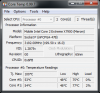
FYI: I'm running ThrottleStop on my X7900 at 199.5 x 16.0 = 3191.95MHz. Had to put "Extreme=1" in the ini configuration file. Thank you Unclewebb.
-
Impressive. What are your temps? Idle. Normal work. Under load.
For under load, you can run wPrime.
I ask because the x7900 is somewhat easier to find these days. -
Thank you for your help.
I add the new Intel 5300 into the second slot and now the Notebook accept the card. Now i will remove the old card.
Oti -
wPrime results for the 1024M - 955.194 sec (3191.9 MHz Merom G0):
Core #0 = 75C,
Core #1 = 77C
At Idle, 48-50C with a room temp of 79F.
Normal work low 50-55C. -
Very nice. Thanks for that.
How are your fans(level) at idle and normal work? Thinking I might go grab a X7900 if I can't find an X9000.
Also, what BIOS are you using? -
Fan level at idle or light work is very low. I can hear them, but they don't bother me. They are never off at idle like F.36. I've been on the F.40 E BIOS for a long time, so I don't pay any attention to them anymore. If you get the CPU above 30%, you'll know it by listening to the fan speed. If you do something that creates sine wave CPU demand, then you will hear the fan frequency yo yo. When the OS or Anti-Virus starts to do something in the background, the fan speed will tell you right away. The CPU cools down to normal very quickly after running at high levels, which cuts the fans quickly. I can't imagine this is very different from any other HDX.
-
would this work? ebay auction link:
Intel Core 2 Extreme X9100 Mobile Processor SLB48 - eBay (item 140428186575 end time Jul-22-10 13:41:41 PDT)
more than 10 available and new supposedly. seller has good rating. -
Nope. Requires a higher bus speed that works in the Montevina chipset.
Nice to see you again BTW.
-
Thanks for that information. Very helpful.
-
Glad I could participate in the two way street. You have shown me so much the past 2 years, I thank you.
-
For those looking for an X9000 (OEM and brand new):
Intel X900 Core 2 Duo 2.80GHz Extreme CPU - eBay (item 270606858027 end time Jul-19-10 14:39:03 PDT)
I don't know where it is going to end up, but you never know. -
A 280M GTX (special hdx mod kit) would be great! :laugh:
-
Ah, but this one is so much cheaper! lol
Intel® Core?2 Extreme Mobile Processor X9000 TOP - eBay (item 180533441406 end time Aug-14-10 01:00:37 PDT) -
I'd like to borrow one from MXM to double up on the previous test, but it just doesn't make sense if I don't have a heatsink prepared. Maybe in several months
Anyone notice that the WXGA uses 7 Watts and the WUXGA uses 6? Kinda nice, and will help temps a bit if the 280m goes in 'solid' -
Will one of Seagate's hybrid drives fit in a Dragon? Seagate 500GB Momentus XT 7200.1 SATA 2.5in Hybrid Drive w/ 32MB Cache at Memory Express Computers
Any opinions on those drives?
[L] -
Shoot. The seller won't ship to Canada.
[L] -
Has anyone been keeping an eye on how much these have been going for lately? It this ridiculous or is that what they're worth these days?
[L] -
I just received the two that I bought off of Ebay. Those are real nice enclosures. Much nicer than the cheapo notebook drive enclosures that I've used before. Thanks for pointing that out.
[L] -
Their actual worth in comparison to purchasing a new laptop with similar capability is less than $200.
*HP HDX DRAGON Owners Lounge, Part 1*
Discussion in 'HP' started by J-Bytes, Sep 14, 2007.


