Problems? See this thread at archive.org.
That's not true. I just registered mine.
-
Ahh, south africa clients can only register for win7 upgrade on 1 Aug
-
I emailed him and asked him to change it. When I called HP to get my unit serviced, I also gave my information to the person on the line. I told them that the unit was given to me by a family friend for my birthday. Seems to work OK at the moment.
-
Hi guys, I recently purchased the HDX 18 and received it yesterday. I played around with it yesterday and installed/updated everything I needed. The one problem I can't seem to figure out is the webcam. It doesn't seem to show up in the device manager list, and I downloaded the updated drivers from the hp support website. Google hasn't helped me, but it did lead me here, so I'm hoping someone can point me in the right direction. Much appreciated, thank you!
-
Does anyone else think the mouse buttons are really soft almost too soft?
-
Can someone post closeup pic of the mouse pad. The light on mine is missing pain around it. I am wondering if it is refurbished and has been taken apart before. Can someone please post a pic for me? Thanks!
-
Very strange. There is no paint missing ANYWHERE on mine.
Can you post a pic of yours? I think it's more likely that yours is different than everyone else's rather than the other way around.
I'll try to post a pic if you can't do so. -
I tell ya, when I first got my HDX18, I went through it all and wrote THIS REVIEW and if there was one thing that HP could have done a better done on, it would be the Mouse/TrackPad IMO.
Not that I don't like it, but first of all, it should have been bigger, or at least wider IMO.
Second of all, the Left Mouse Button is badly positioned IMO. When I click on it, I generally use my right thumb, and I have a tendency to click near the middle of the Left and Right buttons, causing the Left mouse button to feel angled down to the Right when it is pressed.
It doesn't feel nature coming from the homekeys to the trackpad. That's all.
I'm still very pleased w/ mine, but that is something HP could have designed better.
As far as the trackpad being soft, not sure what you mean. Do you mean the Buttons, or the middle trackpad part? -
Can anyone post a link as to where I can check the status of the service plan I bought with the HP? I have the receipt, I sent in the card, but I can't find any place to check it online. TIA...
-
rageman...Yes I mean the buttons on the track pad. Mine are really soft feels like a kids toy. All the other HPs I looked had a nice firm button click. My laptop works perfectly. I love it, love the screen and the high resalution. Bluray looks terrible though. But atleast I have it so I can use it on another display if I ever need to. I guess the only cosmetic issue is the little led above the tracpad has a larger hole than the actual led is looks a little cheap, however you cant notice unless you stick your face right up to it. I have owned alot of laptops(long story) and everyone had some sort of cosmetic issue. As long as the pc works as it should you should be happy lol. Do I need to register this thing for warranty purposes?
-
I've had mine for a month and bought it as a refurb. It is wonderful. The screed looks really great with blu-ray except for maybe for the blacks. But that is not much of an issue. It does look great. I may have trimmed up the video settings in the PowerDVD settings and the Video Properties (right click desktop) using a $25 Spears & Munsil HD Benchmark disc from www.spearsandmunsil.com which does surprising things with the contrast and brightness, picture settings, etc. But my Sharp 65" does look better, but hey, the HP is my main player. Don't even have a Blu-Ray player, maybe someday the Sansung BD-3600 or some such. But I am really delighted. Also, my unit is not missing any paint around any lights, not even the mouse pad switch light indicator.
There is one thing else I can say. Many discussions on the list about the second hard drive. I just bought all the stuff mine needed except the 500gb drive from newmodeus.com. The drives came from ebay for $89. Everything works great. The stuff was cheap to do. Replaced both of my drives.
My experience with the HP update service has been iffy so far, I don't use it yet. It comes up at bad time like when I'm recording a BD or DVD, it will say some like ok to update now, or maybe even Reboot now? Boy that would be a bummer. I would like to just shut that off if anyone know the easy way to do that, I would like to discontinue the updates except when I want to do them.
Thanks! -
What do you think of this laptop compared to the XPS 1730?
-
Come September it would be two years since the release of the HDX18T. Is there any rumor of a big refresh coming up?
For instance:
1. Will quad core chip prices come down as faster ones appear?
2. Will more SSD options appear which are cheaper? Hybrid drives?
3. Wimax? Wireless USB option? or Wi Bro?
4. Face recognition software?
5. More color and design choices perhaps?
I have put off my purchase till Labor day hoping atleast few of these would showup + a large 30-40% discount coupon
-
You are so right, I was nodding my head while reading this. However, I don't know if I can wait another full month until September. Then again, I heard HP does this thing that if a price of the laptop changes in the next month it was bought in, they will pay you back the price?
-
thanks for your reply jkxs. I was actually not just referring to a price reduction but hopefully introduction of some new features which I have mentioned above. aka a better price-value ratio hopefully.
Dont know if anyone has a HDX18 roadmap to share? -
I read somewhere rumors of a 3D screen.
-
Lets hope it doesn't cost $3300 or suck as much as the Sharp one
-
Personally, I just can't wait for one of those good coupons to come out so I can get one. I'm sitting here ready and waiting!
-
I have the backlit keyboard...can you remove the keys individually to clean under them?
-
Overkill, unless it's supported by Blizzard
-
Is anyone else having an issue with Quick Launch Buttons. After updating my bios to F24A the volume display is wigging out again. I went back to F23A and it still appears, even though it had been working good under that release. I uninstalled the drivers and everything is fine now, but I'm loosing functionality of my buttons now without it.
HP does have the Windows 7 upgrade website working now for the NK148AV, I just used it to submit my upgrade request. -
2 Years? I coulda sworn it came out last year?
-
Has any of the original HDX owners tried upgrading to the backlit keyboard? I was wondering if it would be plug and play with the ribbon connector, or modifications would be necessary because of additional power requirements.
-
Im sorry I stand corrected. It was released September 2008 and yet im still hoping that there would be some major refresh this coming Fall.
-
Yes. This has been done.
LINK -
They need to refresh the damn video cards.
-
Agreed....
Although could that be the reason that they run so hot?
I mean wouldn't a better video card/graphics card make it even HOTTER?
All I know is though is that my Windows 7 Experience Index is a 4.7 because of the "graphics" while everything else is above 6.0 -
Okay, this comment about the Blueray has me very curious. It looks terrible? I have yet to play a Blueray on mine, but I can't see it looking anything but fantastic. Also, I've read nothing but great things about the Blueray Picture Quality on the HDX18.
Anyway you could upload us a Screen Shot of your Blueray playback??
As far as the Warranty, I would register it if you can.
My last HP Laptop I had, I never registered it. When you call HP w/ issues under Warranty, they go buy the Product and Serial #'s to verify date of purchase (1 year standard warranty). I believe the first time I called on that laptop, they then registered my info over the phone.
----------------
Now playing: Stabbing Westward - Save Yourself
via FoxyTunes -
I will soon (this week) become the owner of a HDX X18 1108ca. I was wondering if anyone else has one and their experience with it. It will be a upgrade from my last laptop.
-
Has anybody else had issues with eSATA? Works sporadically if at all. One of my USB ports has also been flakey for awhile. Again, works sporadically - but I don't believe it's a physical issue as it is still detected, device however fails.
HDX 18t
4GB DDR2 RAM
512MB Video
T9600
Vista Ultimate x64 (although hoping with upgrade to Win7 in a couple weeks that maybe these and other issues resolve). -
I've had mine since Feb. Things I really don't like:
1. I belatedly discovered that with the lid closed, parts of the keyboard touch the screen. I therefore now have scratches on various parts of the screen. Will be ordering a screen protector which will also help deal with the next point, but this alone makes me feel like the entire thing is fragile which is problematic when it's a laptop that needs to be portable.
2. The screen is much too glossy. Unusable in direct light (light that is fine with other screens).
3. Distortion from the speakers at even medium sound. Max sound inadequate levels.
4. Touch controls are a waste of time as they sporadically don't work or are flaky. And I often inadvertently touch them.
5. Maybe it's just me, but the home/end/pg up/pg dn keys make the fn versions more prominent. I'm a touch typist but these ones always make me look twice: once because of their actual placement and a second time, because I can't find them on first glance because the fn versions are all that I see.
6. I have one flaky USB port that more than half the time reports whatever device is plugged in to it as having an error. Hoping a Win7 repave deals with this one.
7. Power brick seems almost as big as my entire netbook. Exaggerating, but it's unnecessarily large.
I do like:
1. The ability to put in another drive (although HP not including the tray and proprietary cable is cheap - bought it off of newmodeus.com).
2. Having the T9600, as even now at five months old, it's still more rare to get laptop at less than $2k with this chip. This is disregarding the fact that you can easily get a quad now.
3. The ability to put in 8gb RAM eventually.
All in all, I probably wouldn't purchase again, except that the alternatives are even less appealing. Would probably look at the Dell XPS 16. -
Luckily I am not paying for this laptop and it is a replacement from HP for my current laptop which failed. If things go wrong with this laptop they will just do the repairs and if that doesn't work then replace it as well.
-
I need some advice here. My laptop I got off Ebay has had a few cosmetic issues. It has also been dropping my wireless connection. Now after cleaning the screen I notice a stuck pixel. Do you think I should just say screw it and file a claim with paypal and just get my money back from seller?
-
Does anyone know what the sound card for the HDX18T is? I asked customer support but they said HP doesn't tell that information. I wanted to maybe get a better sound card to get that "true Blu-Ray experience?"
-
ovalsquare im a bit shocked to hear what you have written especially the bit about the speakers and the screen scratches...
have any others had that experience?
I have been admiring the HDX18 (and hoping to buy it over my usual Thinkpad) because:
1. its the only game in town which gives BOTH a Quad core and a 8GB ddr 3 RAM (THinkpads have these options but at exorbitant prices. Dell, Toshiba and Sony donot offer them at all).
2. The 1080p screen. (no one else offers it afaik).
3. the glossy finish to the machine.
dont these make it worthwhile? -
I have read a lot of people saying they are getting scratches on the screen. Just use the screen protector that comes w/ it.
-
I would ask him for a refund or that 1 year warranty after buying thing.
-
i lay 2 sheets of paper, overlapped, on the keyboard before closing.
although not as ideal as a protector, it will prevent keys from touching the screen (god forbid) and i would recommend while you are waiting for your cover. -
I've been using the "protector" that came with the machine, and it's kept my screen nice. Before I started using the protector, I saw that the keyboard was putting smudges on the screen (I guess from finger oil).
-
Yes, they do - plus more. The HDX18 is a usable max spec machine at a great price. This is the machine for the spec-seeker.
Big screen, high-res, 8gb RAM capable, available quad-core, 2 hard drives, eSata port, Blu-reader/writer.
Usable because it does not run anywhere near as heavy, hot and loud as a specialty hardcore gaming laptop with desktop parts.
It is inexpensive, which means the build quality and quality control are not high-end. Personally, I always buy the high-spec lower-price machine because I'm not expecting to use it for 5 years - anything will be obsolete in two.
Lower QC means most people get a great system and a few don't. The best way to handle this is to check out everything you care about before you start seriously loading and personalizing the system and send it it back for a full refund not an exchange if you get a lemon. HP like many companies has good support except that when they do stumble, they have trouble recovering and so bad can get worse.
I love my HDX18t - 2 7200 500gb drives, 8 gbs's RAM, eSata port, fast burner, fantastic screen at any resolution you set, quad-cores.
And lastly, lots of experience and support available right here - a good user community beats manufacturer support always, in my opinion. -
I could not possibly agree more with this statement.
-
can the warranty only be used by the origonal buyer? I called to talk to customer service and they told me it was in there system under the buyers name. So I have no warranty basically?
-
I remember someone back in this thread said they got it off from a birthday present. You can try to switch the name under the warranty by talking to the seller though.
-
I was the one who told HP customer support that it was given to me for my birthday present. Ask the seller nicely to change it for you. Then call HP and ask tell them that it was given to you. Don't let them know you got it from eBay. For some reason, eBay has a negative effect on their ability to provide support!
-
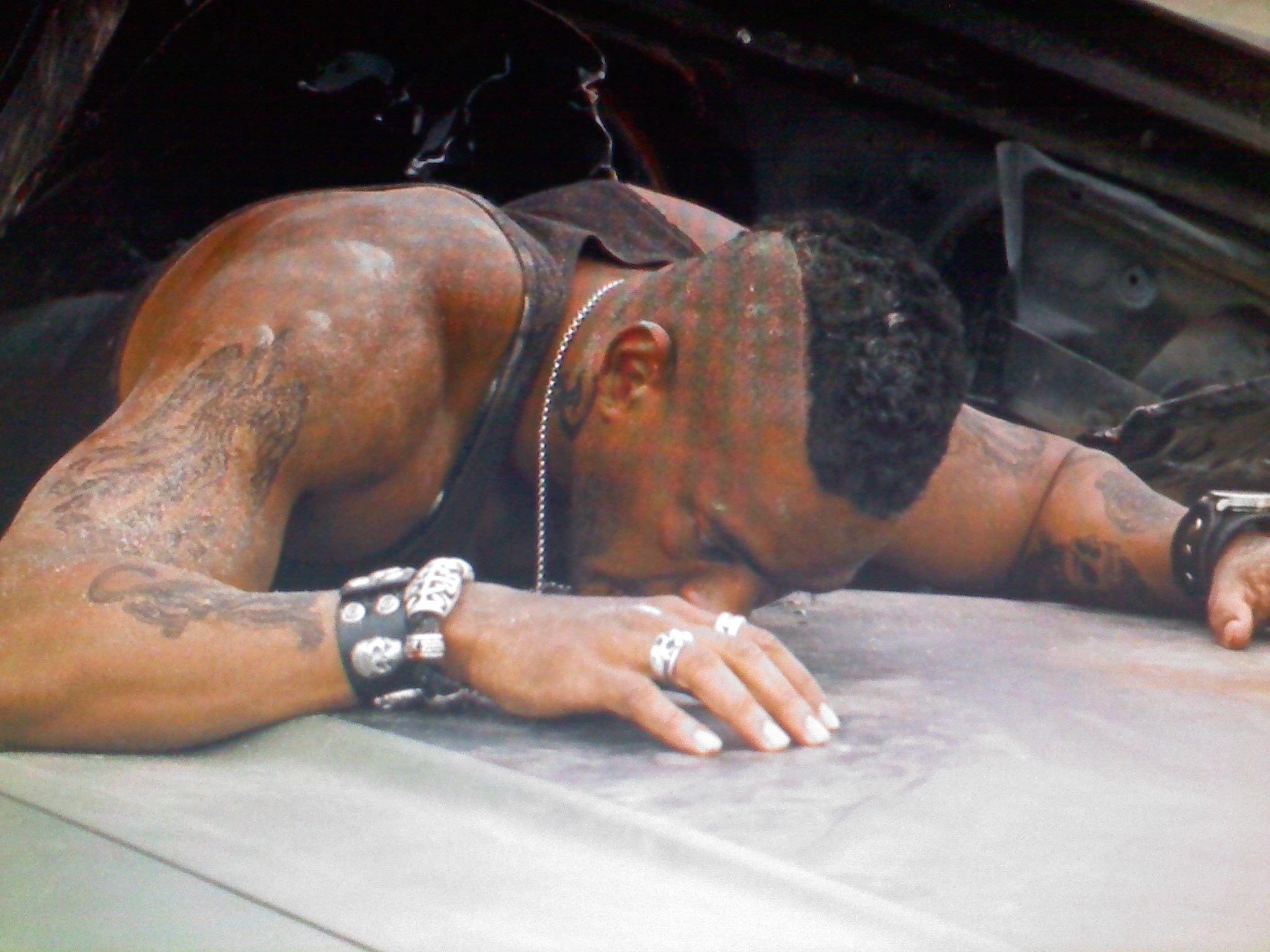
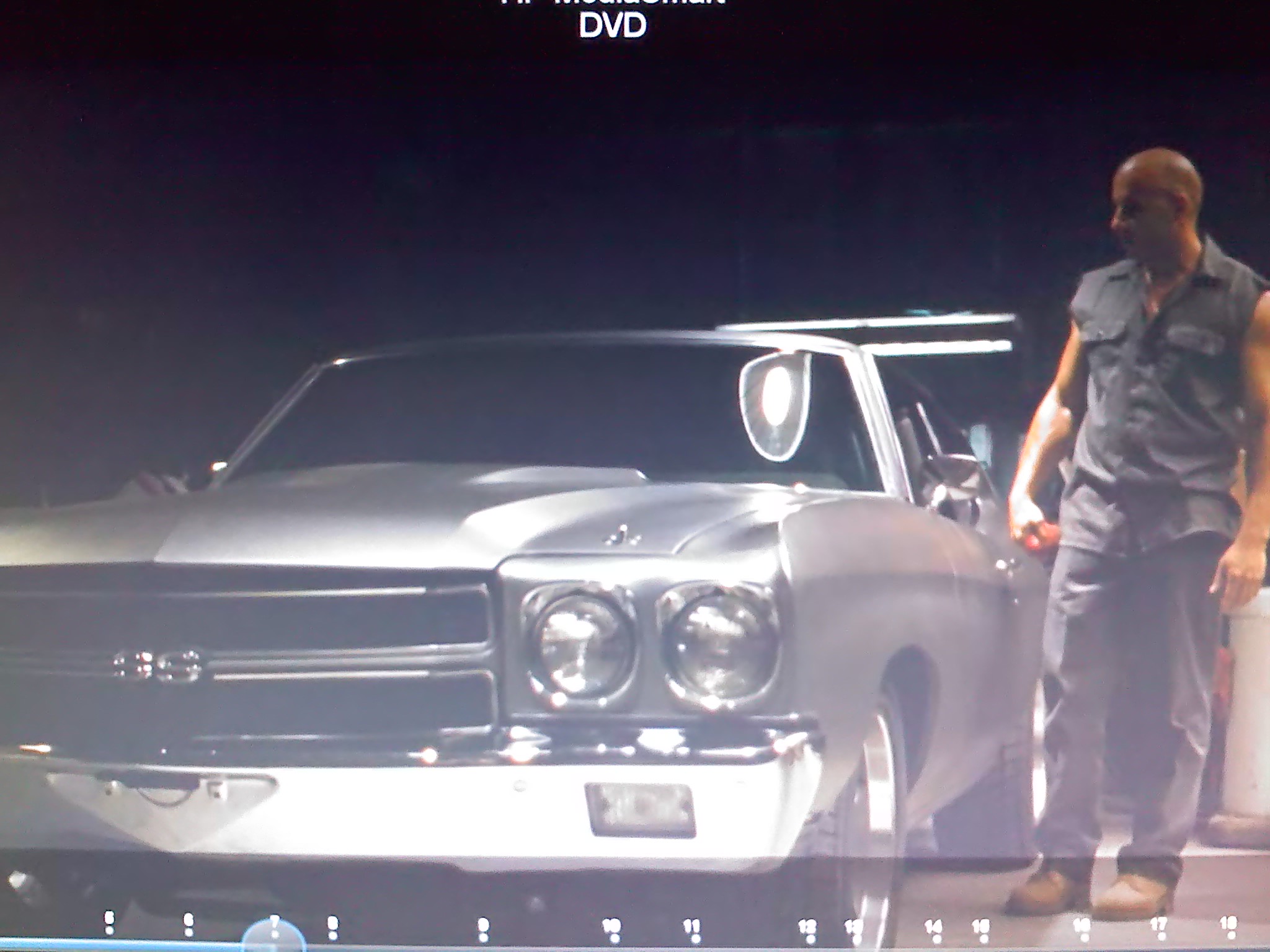
Ok this are taken with my new LG Touch so the pic may not do the actual pic justice. I used the Blu Ray part of the drive for the first time in taking these pic so I was interested in seeing what the deal was as well. It is a great looking and sounding pic, will have to try it on the PS3 hooked up to the tv to see if it get much better. I did however have to replace the orig Blu Ray drive after only using it a few time. The laptop would not see it. I played a enhanced cd disc with vid on it and then came back later to burn a disc and no good. HP after troubleshoot it a few times finally said drive and sent me a new one, quick easy change. Anyway I am going to post a few pics for you. You will get some idea of it but there are pattern that are showing up in the post which is coming from the reflection on the screen and the phone I took them with. But in the one pic you can see a lot of detail on the guy laying on the hood of the car. Hope this helps.
Attached Files:
-
-
Bluray looks washed out. Blacks are really washed out. Regular dvds looks better. its wierd.
-
Not sure if the $502 QX9300 from HP parts has been posted here yet but heres the link: http://h20141.www2.hp.com/hpparts/P...C759EDA412E0351F6FB&SearchCriteria=507946-001
gotta get me one of them...
That didn't last long... price now is $1529--wish I would have taken a screenshot of the $502 deal. -
What display drivers are you using? Also there are settings for video playback in Nvidia control panel that you can tinker with.
-
Thank you for the Response Assistchief52. I'll be giving you some Rep as soon as NBR will let me Rep again.
I guess I should have thought better than to ask for Images since they will not look the same on my screen as they due on yours due to our own personal settings.
I did happen to get my hand on a copy of the new movie Powder Blue in 720p, and have other new movies in lesser formats. I could see a pretty signifigant improvement in the jump up to 720p.
Seems I have 2 people saying the Blueray pic looks like crap now. This is the first I've seen of this. I even watched this thread for months before ordering my own HDX18. I guess I am still surprised by this. -
VERY good point, sgilmore62.
I did change some settings early on by using the Nvidia Control Panel. Good thing is that you are able to adjust settings live; that is you can pause your movie w/ the Nvidia control panel open and adjust settings and see what looks best.
A setting I would look at is Digital Vibrance. It's under Display>Adjust Desktop Color Settings. I have mine @ 40%.
Other settings you may look at to improve the quality would be anything under the Video and Television. I did mess w/ those, though I forget which setting I adjusted to correct the Black.
Another option some may consider is to Calibrate their Screen using a Calibration DVD such as Digital Video Essentials. I've heard great things about this.
You can buy them on Amazon. Here is a link. I am sure they are other places too.
----------------------------------------------------------------------------------------------------------------------------------------------------------------------------------
On a side note, if anybody has adjusted their Nividia Control Panel settings to improve Picture and Video quality, could you please share your settings w/ us?
.
*HP HDX18 Owners Lounge*
Discussion in 'HP' started by HDX18, Sep 16, 2008.