Problems? See this thread at archive.org.
The touchpad comes with a clear protective cover on it, with diagrams showing the multi-touch moves. I left the plastic on and the touchpad works fine! In addition, fingerprints don't show.
However, I must point out that I use a bluetooth mouse, so I rarely use the touchpad.
-
My dm3t is on the way. Not quite at the specs I wanted, but the price was way too right to pass up. $692 after tax:
Genuine Windows 7 Home Premium 64-bit
• Intel(R) Core(TM)2 Duo Processor SU7300(1.3GHz,3M Cache)w/Intel(R) Graphics Media Accelerator4500MHD
• 3GB DDR3 System Memory (2 Dimm)
• 320GB 7200RPM SATA Hard Drive with HP ProtectSmart Hard Drive Protection
• 13.3" diagonal High-Definition LED HP BrightView Widescreen Display (1366 x 768)
• External Tray LightScribe Super Multi 8X DVD+/-RW w/Double Layer
• Wireless 802.11b/g/n Card
• 6 Cell Polymer Battery -
I'm not sure if I should say this but i think you can still cancel it: For about $519 (last time I checked) you can find the DM3 1044nr on Ebay.
It has one MB less cache but 1GB more memory. -
Well that made my morning a bit worse...I guess I'm a bit paranoid about purchasing a laptop on ebay?
-
HP usually has good cancelation and return policies.
Sellers on Ebay usually get much better feedback than manufacturers or stores. -
Checked around today, don't really see anything that is going to save me much. Oh well, I'm still pretty happy with the price.
-
Anybody try the new BIOS for dm3t?
http://h10025.www1.hp.com/ewfrf/wc/...&dlc=en&cc=us&lang=en&os=4062&product=4011362 -
Are there any notebooks like the DM3 but with a matte screen?
-
The closest is the HP probook 5310m but you lose a few things like discreet graphics, HDMI port etc. But it's a great looking machine and very thin and light. If HP had not added the switchable graphics for the intel dm3 I may have gone with that.
-
No but you can buy a filter for them. That is what I did and it is working out pretty good.
-
Yes, I did.
One thing I noticed is that the brightness up/down buttons are working again when using the G105M. They stopped working when I installed F13. -
Okay so my laptop died this morning. Last week, I had a problem powering it on where the fans would turn on for about 3 seconds, but nothing would happen. I managed to get it working again, but as of yesterday, I can't get any response from the laptop whatsoever. Completely dead. I'm extremely disappointed since I like this laptop, but I'm not sure I want to get a replacement, especially since I can get a full refund right now.
Has anyone else had bad experiences with the laptop? I'm not sure what I should do... -
What model/specs?
If you really like the laptop, you should get a replacement. It seems like an isolated incident. -
Agreed, seems like an isolated incident.
-
I have the 1044nr, which has the SU4100, 320GB 7200RPM HD, 4GB RAM.
Well, there are a couple things about it that I did not like. Touchpad buttons were a bit stiff, battery doesn't fit snugly into the machine, no optical drive (not a HUGE deal, but it's nice to have), and how the function keys are by default (although I read I can change that via BIOS). But overall it seemed like a good machine.
Well I just got a hold of customer service and they can either refund me the full amount, or exchange it for a new one. I do wish I could have a laptop with a WXGA+ screen, since I like having more real estate. Aghh, decisions decisions
-
I have the DM3 1044nr also, it's one of the best laptops I've owned. Build quality, keyboard and stiffness are all top notch.
I do notice some battery wiggle, but a piece of tape will take care of that. -
I have finished running the battery tests for the dm3t-1100 with the C2D SP9300 and G105M+Intel GMA 4500MHD graphics.
Results are posted here:
http://forum.notebookreview.com/showthread.php?t=455625
This is a great laptop from HP, but it definitely has some flaws. Feel free to discuss in the post where I put up my review. -
The HP website doesn't say what this BIOS update actually does... Anyone know why I should install it?
-
Hey, I own the DM3Z and I love it minus some issues.
1. The wireless card is very weak. I had three friends over, we went in my basement, and all of their laptops received good coverage but mine had none. I updated the drivers but this didn't do any good.
2. I set a 1366X768 picture as my background but there is this annoying white bar on the left of my screen that I can't get to go away. How do I fix this?
Thankyou! -
Actually, yes. I'm having similar "problems." On my dm3-1044, the battery is stuck at 100% for a while, then plunges to 80%. Letting the unit sit on power saver, at minimum brightness, reloading a web site I cannot get more than 5:30-6:00 out of it. Pretty pathetic compared to the manufacturer's original claim of 10:00 and stats revealed by tech blog reviewers at ~9:00. I'm debating whether I should exchange this unit.
-
Hey I'm new to the forums here and I've got a DM3z with the L625 AMD Turion Neo X2 processor with the ATI Radeon 4330 graphics and 3 GB of RAM.
I've got one particular issue with this machine, and that is that while it is switched to the 4330 graphics while plugged in, it reboots occassionally after random periods of time while showing video, be it Flash or using WMP.
The screen turns black and the sound skips and then the machine just reboots.
I've tried updating the video drivers but the problem was still there.
I thought it might have been a cooling issue so I bought a cooling pad, and it seems to have made the reboots happen less frequently. I wonder however if the video memory on the 4330 is bad. Any suggestions? -
When I updated the BIOS to F22 the machine would not start if there were any USB devices plugged in. Also, I had trouble running HWMonitor and CPU-Z with the new BIOS.
I reverted to the older one; the new BIOS seems really unstable for my dm3z. -
If anyone in Europe wants a DM3-1044nr, I've got one for sale. Check my signature for details.
-
I have the same problems. F.22 BIOS. Came with it from the factory, I think.
The laptop doesn't fully boot when the USB transceiver for my wireless mouse is plugged in.
It just gets stuck at the OEM splash page, or a blank page after that.
And I can't get HWMonitor to run. Nothing happens when I click on the app. Tried both .zip version and install versions. -
what kind of battery life are you dm3t owners getting with the 2.26 ghz processor and nvidia graphics card?
-
I tried using Photoshop CS2 on my 1044nr and it won't work! The program opens, and I can open photos, but I can't do any work on them. None of the tools (crop, text, etc) will work. I can't even get the pointer tool. The only thing that appears is the small hand cursor, and it does absolutely nothing!
When this happens on my desktop, it means that I have too many other programs open and I have to reboot the computer and just use photoshop. Then everything runs fine.
But my desktop has only 3 GB of ddr2 ram, and a Pentium D processor (although I do have a 512MB video card). My laptop should easily be able to run Photoshop!
Has anybody else been able to run Photoshop on their dm3 1044nr?
-
See the review in the HP forum. Average is probably going to be between 5-7 hours. Depends on use of course.
Might be the processor. I didn't have much trouble running CS3 on my desktop with a P4 2.4 with 512 MB of RAM and a 64MB nvida card. It was slow at times but it worked perfectly fine. I never had any of the issues you are describing. -
Exactly. I ran CS2 on my old Gateway MT3707 laptop with a Pentium processor and 2 GB of ram and it worked fine. I can't understand why CS2 won't work on my 1044nr.
If anybody gets Pshop to work on their machine, please let me know. Thanks. -
Any other owner of 1044nr have done battery test? The most I got is about 4 1/2 ~ 5 hr with 40% brightness, surf internet with Power Saver setting.
-
I have the SSD option and was initially seeing close to 6hrs of web browsing and MS Office usage with a Power Saver profile that was moderately tweaked to dim the screen faster, etc. Now after two months I am showing 6% battery wear (via Battery Bar v3.3.2) and getting closer to 4:30 of battery life. Admittedly, some of the reduction in battery life could be attributed to Dropbox and MS Live Mesh running the background trying to keep files in sync. I have recently started using RMClock to step my voltage down to 0.925v at 6x and 1.0v at 8x. We'll see if that helps regain a little battery life.
-
I get about 5 hours with quite intense work. Make sure your WD3200BEKT is powering down correctly.
-
I'm sorry, how do I make sure my WD3200BEKT power down correctly
-
Someone posted it here in this thread, I don't know how to do it. I'm not sure it makes a difference but it might.
Is there any one with a SU4100 and a 5400rpm drive? If so, how much battery life are you getting?
I wonder how much battery life the 7200rpm drive is costing. -
It works fine on my machine with multiple applications running. Not sure what is up on yours. CPU usage is under 20% and memory appears to be fine. I am running CS4 though.
-
Been reading online about Photoshop optimization. It seems -- for Photoshop CS2 at least -- that you have to set your preferences up differently for a 64 bit system. I'll have to try some adjustments tonight.
Also, from what I've heard, CS2 is more processor-intensive, whereas CS4 is more GPU intensive.
But thanks for letting me know there is hope!
-
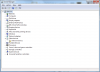
I did a clean install on my DM3 1044nr. I have one unrecognized device left. Any idea what it is?
Attached Files:
-
-
It was posted a few pages back Phil, can't remember what it was though.
-
Ah found it. Is that like a g-shock sensor?
-
What do you guys think of adding more RAM to this machine?
Would I see dramatic improvement upping my 4gb to 8gb?
I play some L4D2 and looking to play Star Wars Old Republic ...
some video editing and photo processing. Nothing too hardcore. -
No point at all.
-
Yeah I guess it parks the heads if it detects the laptop falling.
You'd have to do some heavy photoshopping to see much of a difference.
I'd not upgrade unless you got a spectacular deal on 4gb sticks. -
OK, I opened up Photoshop and tweaked some settings, and now it works perfectly! I am so psyched. Next I have to try Adobe Premiere Pro.
.
. -
Does anyone have a problem when they type where the palm touches the touchpad and causes the cursor to move? It's really been driving me crazy, and I never noticed it until now because I usually use a mouse and turn the touchpad off.
I'm also still looking for a solution to have the on-screen display for brightness/volume show up after doing a fresh install. Thanks
-
Does the on-screen display normally come on (by default, without a fresh install)? Because I've never seen it on my laptop. It's kind of a pain not to know what setting your brightness or volume is. Is there a way I can turn that on?
-
I think it comes on if you have Windows x86, but not for x64. Must be a driver issue.
Okay, so I've decided that if I don't find a better laptop deal by Friday, I'll just be exchanging my DM3 instead of getting a refund. If the second one fries on me too, I will never come back to HP again. -
I hope all goes well for you. I'm interested in how the replacement works out. Hopefully you just got a lemon. That seems to be the case because I believe yours is the first I've read about dying.
I'd not go back if it occurs a second time either.
The main reason I went with dell for my inspiron without looking much elsewhere was the fact that the 6 year old dell desktop it replaced still works to this day, though it's in the "care" of my nephew now.
Good luck! -
Thanks. I hope I got a lemon too. I did read on another forum (SD) about another person who's DM3 bricked as well. But it seems 90% of the people on this thread are satisfied with theirs, which is good. Plus I just realized that I can get an extra year of warranty for free with my Visa signature card, so that takes a load off my mind as well.
I thought about going the Dell route too (especially the Adamo for $750 right now), but I really want an HDMI port on my laptop. I also own a Dell desktop (Inspiron 530 w/ Core2Quad Q6600 from 2007) and it still runs like a champ. My second choice is the Asus UL30, but man I can't believe they stuck a crappy 0.3 MP camera on there. I REALLY wish I could go into a store and try one out, but I don't know of any that carry them. -
Probably the HP Protectsmart sensor. You can download HP Protectsmart here :
http://h10025.www1.hp.com/ewfrf/wc/...&dlc=en&cc=us&product=4064863&os=4063&lang=en -
One lemon in a 200 pages owner thread. That may be the best ever.
Thanks, I was just looking for that driver. -
Fixes an intermittent issue where the battery cannot be charged if the battery capacity is reduced to 0%.
*HP dm3 (1XXX series) Owners Lounge*
Discussion in 'HP' started by ubercool, Oct 22, 2009.