Problems? See this thread at archive.org.
Yeah, I learned about those "ES" versions... "engineering samples." Sounds dodgy to me. I'm thinking that when docked/plugged in, running Throttlestop with an updated processor would be a nice jump in performance (on battery it would probably drain quite a bit faster). Under normal long-term moderate use, my CPU rarely gets above 55C. Incidentally, I recommend using Speedfan for monitoring internal component temperatures. For hard drives, I like to use HD Sentinel. It provides a wealth of HD info, plus a convenient HD temperature indicator on the taskbar tray. When the CPU is cooking up a storm, you don't want your HD to get much of that ambient heat.
That's terrific to know. Unlocking/unhiding code sounds quite safe. I'll have to give it a go. Thanks!
-
OK, I'm a bit perplexed...
I just installed a Seagate Momentus XT 500Gb SSD+HD drive in my dv5t. It is housed in the main drive bay. I set it up with a fresh install of Vista Ultimate, and it's working so sweet... cold boot up time is slightly over 1 minute, whereas my previous boot times were around 5 minutes. I didn't go full SSD because I wanted a 500Gb drive and didn't care for paying over $400 for it (my new drive was just $60 with a mail in rebate).
So, I dock my old Hitachi drive in the optical drive bay, using the caddy. I had installed a drive in this bay before and was baffled how my dv5 wanted to boot from it, even with booting from CD disabled. You have to go into F9 and explicitly select the drive you want to boot from. I had previously been able to select "notebook internal drive" before and booted up fine.
THIS time, when I booted up, I selected the internal drive from the F9 boot menu, yet... I ended up booted off of my old drive in the optical bay! I don't understand. I don't have booting off of the CD drive disabled, but I should be able to select which device I wish to boot from. Why is the optical bay taking precedence over my selection?
-
Well, I'm puzzled...
I booted up again, selected "Notebook hard drive" from the F9 boot menu, and THIS time I booted off of my internal hard drive, not the hard drive docked in the optical bay. So, it worked this time. I don't know if it will continue to do so.
Assuming it does, is there any way to control the power management of the docked drive? I don't want it spinning all the time, only when I need to access it. I opened Windows Explorer and checked the drive light with each step, and it didn't show any life until I explicitly clicked on the drive, so that's a good sign.
Going forward...
I've noticed I can't access any user folders on my docked hard drive. I expect this is an inconvenient side effect of Vista's stringent security. What's the best way to disable this without affecting security on my primary hard drive? -
Hey guys, I wanted to ask for some tips...
I'm about to get a new laptop, but I still love my Dv5t. I think I'm going to hand it over to my parents to have an extra computer to have lying around. I wanted to upgrade to a 128 gb SSD to make it faster.
I was wondering, can I install the operating system from the recovery disks I had made when I first got the laptop? or do I need a dedicated Windows installation CD?
Thank you in advance for your help! -
Hello! I know the cooling system (and I use that term loosely
) in dv5 uses thermal pads. Can anyone tell me what thickness they are? Or what would fit: 0,5; 1 or 1,5mm. My model is dv5-1040ew, Intel Core2Duo P7350, GeForce 9600M GT. Thanks.
-
You can install from recovery media.
-
I never noticed any cooling pads. I'm using thermal compound for both CPU and GPU. Shin Etsu. You can use AS5 or any other good thermal compound. Raising the back up 1 CM also helps.
-
All this might have something to do with the hybrid drive you are using and the OS. I'm on win7 64Bit and am using a 60GB SSD main and 750GB HDD in optical bay and everything works fine. I also have UAC disabled.
-
Wow, you seem to have a ton of knowledge about the DV5 notebook. I recently came across one and am replacing the hinges. The problem I've ran into is the weird never before seen LIF connectors.. They don't have the brown ends to push up or the unlocking mechanism. I don't want to break them and was wondering if you could help me by explaining how to open them?
-
Which connectors are you referring to? The one on the left side, a thickish cable that connects to the monitor? If so, just wiggle it up and it will "pop" off. You won't damage it. It's designed to be "popped" up. If you're referring to the cables on the right side, they need to be slid out. The one with the white connector you should start sliding out with a small flathead screwdriver before attempting to wiggle it out so as not to damage the pins.
BTW, do you have the service manual? If not you can find it here: http://h10032.www1.hp.com/ctg/Manual/c01550108.pdf
It has some good illustrations and tips for disassembly. See pages 75-79 or so to see what I'm talking about.
The experience I gained with the unit is from owning 2 of them that I modified to the hilt. I still use them both daily even though I have better systems. They were fairly well made and I haven't had any issues with them. Both running win7 64 and have 8GB RAM, T9800 CPUs (o/c to 3ghz) and dual drives (2nd drive in optical bay).
Any other questions, feel free to ask. I don't check this thread regularly so feel free to PM me to get my attention.
-
Ok, maybe this will help someone in the future, as I couldn't find anything anywhere on the subject. I dismantled the thing - dv5-1040ew. (BTW: The service guide for dv5 from hp website, at least when it comes to dismantling the screen and the heat sinks? Not for this model I used this guide:
How to take apart HP Pavilion dv5 laptop >> Inside my laptop.
There were thermal pads on the GPU (severely damaged), Northbridge and other two elements I don't know the names of. CPU had thermal paste, old and dried out. The link above shows the exact placement of everything and my actual heatsink. Because the thing shown in the manual is not it.
First, I put thermal paste on the CPU and GPU. Effect: GPU hot; idle in the 60s Celsius. CPUs went down into the 30s.
Second: 1mm thermal pad on the GPU, paste on the CPU -> GPU overheating. (while watching a movie the temperature went into 90s and the video started breaking apart.).
Third: Thermal pad+paste on the GPU; paste on the CPU. Slightly better. GPU starts in 60s (idle) and climbs into 80s while movie watching and steadily higher after that. CPUs stable in the 30s.
And, a mistake I made, maybe someone will benefit from it: used the wrong – too long - screw to secure gpu-motherboard-front cover together. Effect: Short circuiting touchpad and severely overheating gpu – this I can only imagine, because it wouldn't go past windows logo – no logo was actually seen, btw.
Fourth attempt: back to thermal paste on both GPU and CPU. GPU starts 44C and steadily climbs up to 60s (idle). Ca. 78C while gaming, but at least it's stable, so I can live with that for now. Fan is kicking in sporadically. Unfortunately, I think I have added too much paste on the CPU. The temps are now in the 40-50C.( I will wait with correcting it, because I've had enough – right now I could probably assemble this dv5 in my sleep.
To summarize, I'm back to square one. Slightly more knowledgeable about what to do and highly trained in disassembly. And the laptop is still hot. :]
ETA: I decided to switch back on the fan-always-on option in BIOS. Temps are nicely down ca.10 degrees and stay there while idle. I decided I can live with that. Or rather my dad will have to.
-
Well since I just found out there is a thread dedicated to the HPDV5 on here I will go ahead and shoot my question and maybe one of you guys can give me a hand. I have an HP DV5T-1200CTO notebook. The hinges snapped along with the plastic piece that covers the inverter, that snaps in. All the snaps broke off of the screw that hold it in. So after getting a new hinge and makeing a new plastic piece (to order one they wanted $120.00 for a new one, ya right like I was paying that for a small piece of plastic) I very carefully removed the battery, held down the power button for almost a minture to drain all the power from the system, took out the hard drive, ram, and CMOS battery.
I've repaired hundreds of laptops and when working deep into any laptop always take out the cmos and drain the power to prevent any shock to stuff. So after taking out all the screws, popped the plastic pieces edges, gentrly unplugged all the connectors as usual (it had those weird no clamp, you just pull or push ribbon connectors for the power button and 1 other connector had that weird just push or pull zip connector, the rest weire normal flip the latch ribbons connectors. Anyways, after I got the LCD apart, I swapped out the old hinge for the new one and gently put everything back in its place along with my new plastic inverter cover piece. When I was completely done and put the cmos in and everything else was together, I plugged in the HPDV5T-1200CTO and the charger port / plug lit right up. But when I push the power button nothing happens! NOthing! So i took out the battery and tried it a bunch of different ways but nothing happens. The battery light comes on and stays blue for about 30 seconds to a minute and then goes outl.
What in the world could have happened? It's like pressing the power button doens't power it on. The power input ring lights up and stays lit no problem and the charger light comes on and stays on for 30 seconds or a minute then goes off. I know I didn't miss or break anything. Every screw and connection went right back into the same spot it was before the hinge replacement and all I took out were the screws to get to the hinges and carefully using nylon covered tweezers undid the zif connectors to remove the power button board and keyboard. I'm baffled because it powered up and worked fine even with the screen floppping because the hinges were snapped. If anyone has any idea of what it could be, please let me know. This is a really nice notebook with very low hours. I even have a 240GB solid state hard drive for it, so I don't want to junk the notebook. It's from 2010 but I've replaced way harder things on tons of other laptops and they fire up after the repairs. Thsi is the first time I've dealt with those stupid "No clip" ZiF connections on any laptop though. Could the power button be bad? The way it acts, is as if the pwer button is broke. Hopefully someone has some ideas.
Thanks! -
That's a tough one to diagnose. Double check all connectors. And you know that one cable that connects to the mobo and has a screw underneath that releases the mobo from the bottom frame? Check to see it you inserted that properly.
-
Thats an idea, I'll check that one out again. I don't think I unhooked it though. I'm not sure which cable your talking about. There is the one main zip cable that goes from the power button but read what you wrote above and try to be a little more specific. I went through the zip connectors that I took apart, the only ones I can't tell are for surely connected are the stupid push ones that don't have any clips. They just push in, those are the worst connectors I've ever seen used.
-
Hi everyone! My dv5t just turned 4 and is still alive and well
(knock on wood...)
Just one issue... The battery meter is stuck on 99%, so it's constantly in a state of charging. How do I fix it? Has anyone had this problem? Can it do harm to my computer? Please help!
Thanks!! -
Did you also try the power drain method after assembling it? It seems to be a common fix for dv5 not booting.
Are Numlock and Caplock lights also on? If yes, it could be that the memory chips are badly seated.
Did you also check the connectors on the side of speaker's cover? They're the same no-clip ones. (At least in my dv5).
Try replacing the power button ribbon. I don't remember if any other ribbon is the same width, but maybe audio card's? -
Yeah I always try the power drain. Actually whenever I work on a laptop, after I take out the battery and it's unplugged, I always hold the power button down and time it for 30 seconds to discharge it. Have read some horror stories about problems with static build up and ruining motherboards! Replacing the power button ribbon / connection is something I think I will try before just ordering another motherboard. No, I haven't tried re-seating the audio ribbon, but I can give that a try, thanks for the input.
No the caps lock and numbers lock lights do not light up at all. That's whats weird. It'literallyly like pressing the power button isn't doing anything. I know I put everything back together the same way. When I take any notebook apart I go very slow and methodically take pictures of connections and I go a step further. I take a picture of the bottom or part I'm working on, blow it up so it's full page size, and then print it in black and white. I then use cheap carpet two sided tape and put squares where all the screw holes are so each screw goes into the same exact spot.
One thing I was thinking about was maybe something happened because I removed the CMOS battery? After discharging a notebook I always remove the CMOS battery if I can get at it. Just in case ya know. Why even chance having any electricity in the motherboard when messing around with the connections if you can easily pop the CMOS out? I tested the CMOS and it's sitting at 3.3 volts. I was thinking maybe when I removed the CMOS it could have done something? Anyone have a suggestion on that one? Other than that, the power button ribbon or power button assembly itself is the only thing left I can think of.
I'm going to take it apart later and see if I can press the power button with a spudspudge. If I remember right, there is actually a small button that presses under the power button on the DV5? I could be thinking of a different model I was working on. But yeah none of those lights come on next to the power button (sorry, haven't had much time to play around with this model yet), I think there was possibly lights to turn on the wifi etc? They were blue I remember.
Thanks for any and all input and if and when I figure this out, I'll be back to let ya know. If some of the simple things I've spoken of don't work, I'm going to try the cheaper power button ribbon fix before ordering a new mobo. -
Well thank you for your suggenstion, rather than buy a new motherboard or power ribbon, I took apart my work including the keyboard, cover above keyboard and realized that I made a mistake. Yes I will admit I made a foolish mistake. When I took the power button cover the first time, I unhooked the ribbon from underneith by the actual power button instead of underneith the keyboard. Having taken apart 30-40 HP DV model laptops I figured, I don't need to look at the service manual. So I unhooked it from the wrong end like an idiot. When I put it back together, I plugged the power button ribbon under the power on button UPSIDE DOWN like a fool! LOL! So, thanks to you guys double guessing my connections, I went back and slowly and mythodically looked over everything (first time I was in a massive hurry, another mistake) and caught the cable. Now, when you press the power button, THE LAPTOP TURNS ON AND Damnnnnnn, the screen came on and is scrambled / blurry / messed up. I pressed on the buttons and I could kind of see a message saying "HARD DRIVE NOT DETECTED". I didn't have a hard drive in it at the time, thinking it would post to the bios like they should, so I put a hard drive in it. The screens still scrambled but now I can see it going to the Windows repair menu kind of after I press a few buttons. After it gets to the Windows repair screen it looks like the picture I've attached and included. Do you guys think maybe I messed up the inverter?? Let me know what you think...

-
Could be the video cable? In mine the symptoms were: bottom part of the screen white, depending on the angle; after that the entire screen solid white, with slightly blueish barely there vertical lines (after it got to logon screen). Everything was fine on the external monitor.
The lcd cable is sitting on the hinge, so it's easily damaged. -
I really hope I didn't fry the screen. Because it worked perfect before I took it apart to replace the hinges (both totally snapped off) and the inverter cover was broken off. I had to use JB weld using a toothpick to rebuilt where they snapped off, then sand the JB weld smooth. It was either fix the piece or buy a new one, guess how much the cheapest one I could find was that was the wrong color? $63.00! For a 2 inch by 9 inch piece of plastic with 4 tabs w screw holes! So besides my original dumb a## mistake of having that power cable flipped, idk what else it could have been. I was so carefull with the video cable Kate because I did see how it rubs underneith the hinge, what a bad design flaw... I guess I can try a video cable.. But check this out. So when I figured out the zif cable was upside down and fixed it, I turned on the laptop and all you could see was some faint vertical lines but the screen was on. I didn't have the hard drive in or ram at this point either. After pressing some buttons and pressing on the plastic hoping to find a short in the video cable some the screen scrambled and came together a little and said, "No Hard disk detected". I found that weird, every laptop I've ever worked on posts to the BIOS first ya know. So I put the hard drive and ram inside it, turned it on and could faintly see the Windows repair bar working on the bottom and now it shows that half a screen. Also, nothing happens when I plug the external monitor to the vga output. I'm not worried the GPU is fried because I've read that you have to press a certain button combination while in windows to get the external monitor to come on with a DV5T. If you have an external plugged in when you power your DV5 on does it show instantly? Looks like I gotta take it all back apart and wiggle the video cable and see if theres a short. Hopefully its just the video cable. Please just be that or the inverter. I hope the mobo isn't messed up.. Should have never taken out that CMOS battery either....Thanks for the input!
-
Did you say that when yours gave you those symptoms you described it was the video cable?
-
Yes, in my case, it was the LCD cable. The one connecting the screen to the motherboard. It's always the first thing that goes wrong in all my laptops.
If, depending on the pressure or cover angle, the screen behaves differently, then it's almost surely the video cable.
As for external monitor, it will only work in Windows. I mean, you have to at least get to the logon screen. ( -
I sure hope thats all it is! When the hinges were broke, the video cable was getting tugged a bunch before it even got to me cause thats all that was holding the screen to the laptop! LOL! Then I went and put the screen back together after re clearing the top lid so it looked like glass and new again. I bet I ran that video cable to tight somewhere or under that hinge instead of over. I sure hope its just an easy cheesy cheap video cable and I'm going to order an inverter just for the heck of it just in case ya know. I have like 10 new inverters from different pavilions, HP's and a few other brands. Maybe one of these will work for it. I'll let you know what happens when I take it apart and mush the video cable around to see if it has a short in it or what happens when I hook a new video cable up. There are some really bad build design flaws with the DV5T. Like the way that video cable plugs into the mobo is bad and the way it runs so tight under that hinge. You think they would catch on and give you a little bit of slack on the cables and zif connectors. LOL
-
So uhhhh yeah, I just now noticed that this DV5T-1200CTO custom all white model laptop that I've kind of fallen into for nothing is pretty cool. So besides my screen problem self caused, what do you guys know about this Intel Turbo Memory card stuff?? I had no idea that there is a slot for another 2GB of flash memory? So is this considered ram to the mobo? Can it be configured to the graphics? Didn't have a clue how there are so many options with this notebook. I think I might just end up keeping it since I have an extra T9600 CPU here that I think will fit in it. I also have a custom made copper shim / plane that fits onto the cooling system expanding it's surface area by 200%. I was told this dramatically lowers the temp, I'll take a picture of it and get some feedback before I put it in. I pretty much got the T9600 and notebook for free from some bone head who said it was broke and wouldn't turn on. I messed around with the AC/DC charging port and after putting a new charging port on it, it fires right up no problem. I took apart the screen (hinges were snapped and wires were only thing holding it together) and I was out of it 4 am putting it back together plugged the power button ribbon upside down and tried to power it on like that about 30 times wondering what was wrong. I have a new Video cable on the way thanks to another friend in here;s advice. I am very curious though about the turbo memory because besides the processor, I also have a 64GB Kinkston SSHD I'm going to set up as my OS hard drive, an optical drive caddy to slide the 5400rpm hard drive over into and a $9 optical drive caddy to put my optical drive in so I can still use and burn DVD's when those few times a month are needed. The last thing I have for it is just a 54mm PCEI dual USB 3.0 port card for the card slot. I think it's going to be pretty cool when it's done. I'm just wondering if that turbo ram is worth buying or not... Thanks as always peeps!!
-
^ Nice score there, Jason. I picked up an old DV7 for a really good price, not able to boot up. Lights come on momentarily, you can hear the fans start and the hard drive begin to spin, but in roughly a second the system powers off. Power supply is fine. I've read up on numerous Pavilion issues and this seems to be a problem with a chip on the motherboard... which is going down a very different kind of rabbit hole than I'm used to. Shelved for the time being.
I'm still using my DV5t, but sure wish I could get more battery life on it. I bought a brand new battery (aftermarket), and paid a little more than the cheaper ones in hopes of getting a boost. Still can't get more than 2 hours. I guess I'd have to go with the big 12 cell one, which adds a thick deck on the back and adds pounds.
There's another thing I've found annoying about this laptop, is the keyboard's poor resistance to moisture. I have on occasion accidentally spilled a few drops of tea on it. Most of the time it's no problem. If there's one saving grace is that there's a huge plastic barrier on the back side so that a light amount of liquid won't drip into the chassis and short out motherboard components. Anyway, somehow my letter "D" on the keyboard stopped working. All other keys are fine, even the ones directly adjacent to that key. I pulled it and ran compressed air through it--made no difference, so it doesn't appear to be a debris issue. Thankfully I had a spare keyboard handy. This is my second keyboard failure in 4 years (after the 1st, I bought two replacement keyboards). If there's one thing I like about this laptop it's the abundance of used working parts available on eBay. -

 I actually got one of those 12 cell batteries for this DV5T-1200se and with the power settings set on "Power saver" mode I can get 5 hours of time easily out of mine. I probably could get 6 if I dimmed the screen even more than I have it. That makes one massive difference is dimming the screen and also adjusting a lot of the optiions in the advanced power section makes a big difference. Especially when your not using 80% of the stuff yet your battery is using it. Also, there are a ton of resource hog / power hog / memory hog options that run in Windows 7 that most people don't know about. I turn all that stuff off. Send em a message and I'll email you the list of things I turn off. Especially Windows search, indexing option, and a whole bunch more that you never use are running and using memory and power.
Yeah there are a lot of spare parts on eBay. Right now though I'm having a screen issue with the DV5T-1200 I have and just got the new video cable in a few days ago. The screen worked fine, the hinges were snapped, fixed the hinges and after I figured out that I had the power button ribbon upside down it turned on but the screen comes in all fuzzy and weird like now. I am praying that its a problem with the video cable or inverter because I have a compaq F700 that is doing some the same thing and on the Compaq I've replaced the video cable, the inverter, EVEN THE SCREEN! I took a screen that was identical out of a DV6000 (screen worked, seen it on) and after I replaced the screen in the compaq it does the same thing still! Same thing when inverter was changed and when power cable was changed. I have no clue whats causing this but I hope to god the DV5T comes back to life after I swap the video cable because I fell into two 4GB DDR2 sticks of ram yesterday for $20 and I want to see if the DV5T will run with the 8GB of ram and the 60GB SSHD I have for the OS. Hard drive caddy in the optical drive holding the OEM 320GB 7200rpm HDD it came with and this notebook should be pretty quick.... I posted some pics showing what the screen looks like on the Compaq / DV5T when its powered on, you can see when connected to the external display that it comes in perfect...
-
Thanks for the tip on the 12 cell battery. I may just splurge for one if I'm going to get that kind of run time out of it (more than double the 6 cell). As for the added memory, I've been told by several trusted sources that 8Gb of RAM won't introduce much of a difference compared to 4Gb of RAM. The best improvement of all is going SSD from standard HDD.
Btw, do you any idea of what causes keys on the keyboard to die and if there's any way to fix them? I've had two of them end up with just 1 dead key (one of them the "D" key and the other being the "Windows" key). All of the other keys are fully functional. If I could transplant a replacement from one keyboard to the other, I'd do it. But then, new replacement keyboards are coming up as cheap as $12 shipped, so there's a real hard stop on the repair effort if it goes beyond an hour. -
Sorces are very right. It must be the ability of the older processor or the age of the motherboard because going from 4GB to 8GB when using DDR2 is nothing like when you go from 4GB to 8GB DDR3. I noticed a huge difference with the DDR3. I put the two 4GB DDR2 sticks in an HP Pavilion DV9308 originally listed on HP.com as only being able to handle two 1GB sticks! Well running Win Pro 64 bit its listing all 8GB which is very cool, but it didn't make much more of a difference. However it's hard to say because I already had a SSHD in the main HDD slot running Windows and that alone made a MONSTER difference. Honestly I don't see much change from two 512mb sticks of ram compared to the two 4GB sticks and that's totally honest. The SSHD made that big of a difference making everything an instant click click right through whatever your doing. Even making it boot it 14 seconds! That's crazy speed for a 2008 Pavilion that is almost 5 years old! I put new Windows 7 badges on it along with new AMD badges and a new LCD lid and everyone I've shown it to thinks without me saying anything that it is a brand new Pavilion! So yes, I would immediately get a SSHD and depending on how often you use your optical drive think about what I said before about buying a small SSHD and a HHD caddy to slide into the optical drive slot. I ordered an optical drive HDD caddy to put the OEM 320 GB 7200rpm HDD that came with the DV5T-1200 for $8.00 ( best offered down $.50 cents. LOL ) New SATA 2nd HDD Hard Drive Caddy for 12 7mm Universal CD DVD ROM Adapter DV25 | eBay and then I ordered an external optical drive caddy becuase honestly who uses there DVD drive a lot anymore, for $14.00 USB 2 0 External Slim Caddy Case for Laptop DVDRW DVD w Combo 12 7mm SATA Drive | eBay So what I've ended up with for my HP DV5T-1200 is this 60GB SATA III SSHD in my original HDD bay that I bought for $63.00 Kingston SSDNow V300 2 5" 60GB SATA3 Solid State Drive SV300S37A 60g 740617212617 | eBay while keeping my large 320gb 7200rpm Samsung HDD for basic saving of everything else and when ever I do want to use my DVDRW optical drive 2.0, I just plug them into two of my THREE USB 3.0 PORTS I forgot to tell you that I added to in my PCMIA 54mm slot I bought for $20.00 54mm Express Card ExpressCard to 3 Ports 3 Port USB 3 0 Hub Adapter Card Win7 | eBay. So now with the DV5T I will be running dual HDD's, one being a SSHD, I kept all my saving space but now the DV5T is crazy lightning fast and I have added three USB 3.0 ports.. Besides the Windows 8 upgrade you'll understand why I am not having any problems selling these Pavilions for $400 upgraded with the $102.00 of add ons. After upgrading the Windows from Vista to 7 or 8 64 bit and loading them up with Office 2010, Adobe Photoshop CS6, Adobe Dreamweaver, Adobe Fireworks, and the other 25 programs that everyone uses people have been buying them right up. Especially when that 60GB Kingston SSHD boots up the laptop in 11-15 seconds compared to any normal 45-70 seconds even with a brand new laptop people love that!! Just something to think about doing with your DV5 so you can sell it, take that $400 and go buy an i7 16GB HP Probook like my main laptop I use for everything. I got this for $400 off eBay only having 4GB of ram in it but it sure was worth $400 especially because it has a three year care pack through HP.com!!! Around Xmas you can find the best deals in the world on eBay!! After a while I upgraded it to 16GB ram, 60GB Kingston SSHD for OS, slid the oem 500GB 7200rpm over to the optical drive and have 6 USB 3.0 PORTS!!! Three of which are legit that came with, three added through PCMIA slot!! Besided the fingerprint reader, Macbook chiclet keyboard, and full body Aluminum finish you can see why I am happy having flipped laptops starting with a Dell Inspiron 6000 and now running this!! LOL!!!
And your keyboard issue, I have never had anything like that happen with any of the 100 Pavilions I've worked on / owned / flipped seriously so I have no experience with that. I have also never even heard of that!! LOL!! And I work on a lot of different brands and models of laptops. That sounds like some kind of issue with a certain model of keyboard. When you order a new keyboard you know how sometimes the labels on the backs of the new ones have the same wording but the letters are bigger making the whole label bigger? Well this keyboard came from the same manufacter as the one you have that is giving you problems. Next time look around for a different one even if it is three dollars more. For instance my DV5T is the all white model and the keyboard is even white. I don't know what color your's is but maybe next time order the white keyboard! It will make your Pavilion stand out and possibly look cooler and it also be a diferent maker getting rid of that shady keyboard problem. Maybe it's the way you type or something to? I've honestly never heard of that before, just one key every other day burning out. The way it was explained to me on a keyboard, that ribbon cable. each one of those wires in the ribbon handles a block of keys on the keyboard. I've seen HP keyboards on many occasions and Dell and Toshiba's where a block of letters won't work but never single letters going out like your talking about. Look at the manufacture on the back on the keyboard, track there headquarters down and write them a nasty email. I bet they get back to you with a brand new keyboard!
-
Well, all was fine and smooth sailing with my DV5t until... *SPLASH*!
Wetness. All over. A juice drink beverage spilled over the face of my laptop. I immediately turned it upside down, to let all of the liquid drain out, and simultaneously shut it down. After cleaning it up, I restarted the laptop and all was fine. I figured I'd gotten all of the fluid out, but apparently not. After about an hour of use, the laptop suddenly shut down as if the battery had been pulled while off AC power.
The power button of the laptop would not respond... no lights, no action. I disassembled the laptop (I've done this several times before, to replace broken touch pads--they wear out prematurely; now mostly use external mouse) and discovered traces of dried juice on a couple of small areas of the motherboard. Using rubbing alcohol and swabs, I carefully cleaned up all of the mess, let it dry overnight, then reassembled. Unfortunately, this was unsuccessful.
So, I have to assume that a motherboard component was shorted out and is now non-functional, preventing the laptop from working. Frustrating to think it may be one or more shorted transistors that's the culprit, and I don't have the skills to troubleshoot it. Thus, a new motherboard is the only hope. While I've replaced CPU's before and know how to apply thermal compound, I'm a bit mystified with how to deal with the GPU.
There were many slight variations with the DV5 Pavillion series laptops. While many parts are compatible, I'm unsure about the motherboard once the proper processor is selected (AMD vs Intel). Does it need to be a very precise model? There are many DV5 motherboard replacement parts available through various sources, but I'm unsure as to how restricted these are, once the CPU is matched. I have a feeling that some may be designed for specific GPU's. Mine has an nVidia 512Mb. But I'm not even sure if it's possible to remove it and install on the new board... Do they all come with a GPU pre-installed?
No way am I going to buy a motherboard directly from HP, as they charge way too much. There are numerous sources out there, but I'm unsure as to how to figure out if a given MB is compatible with my CPU/GPU, assuming of course that the GPU can be removed. Unfortunately there is no mention of what GPU is included with replacement MB's, so... not sure if that means I'd have to obtain a replacement and then solder it in place.
Any suggestions? -
You basically have to go with the same exact motherboard if your going to replace it yourself. Or plan on spending hours upon hours when problems arise researching how to fix them. I've tried putting AMD boards in Intel shells with HP DV5T-1200cto's and it doesn't work so I'm sure you'll have problems.
What I can offer you is some advice. I basically have a shop but send all my repair work to a guy in California. He can fix your actual motherboard and it will probably actually be cheaper than you replacing it. He takes apart the laptop and does all the repair work himself and has awesome BGA reballing machine. I've sent him 40 to 50 laptops to repair and have sent tons of people his way. Tell him Jason from Bay City Michigan sent you as a referall and he'll take care of ya. His name is Gary and a link to his eBay site is
HP DV2000 462535 001 Motherboard Repair | eBay
If your going to replace the motherboard yourself with a new one, I would just watch eBay for a BRAND NEW (might as well, if your gonna spend that kind of money, your going to want the laptop to last another 7 years right?) motherboard for the cheapest price out of ASIA. Usually best place you can get them still in the anti static bags the way HP gets them. Hope this helps!! -
^ Thanks for the advice, Jason.
I have already bought the motherboard and it's on the way. A new one, of course (used is a major crap shoot). I referenced the service manual and figured out exactly which part I need and upon removing the RAM found the part # sticker on the mobo that matched it. $80 shipped. If I waited, maybe I could've gotten it down to $50~$60, but didn't want to wait long.
I can appreciate why you send out your repair work. Replacing motherboards is a real pain, as I've come to discover after reading a bit and watching some YouTube videos on thermal paste.
Here's the upshot with the HP Pavilions: HP uses thermal pads everywhere, and not just on the CPU and GPU, but other components in the path of the heat sink arms. From what I gather they cannot be re-used once removed because they pull apart. Maybe some thermal putty might work as a substitute. Anyway... there's no simple info available anywhere that says how thick they have to be, and I've come to find that there are a variety of thicknesses. Someone suggested using a tack putty of some kind (easy to apply and remove) and use it to gauge how much the heat sink presses down. Bottom line, thermal pads are weak substitutes for thermal paste where the CPU and GPU is concerned. HP does this to save assembly costs, but this is why they are notorious for running very warm and even hot.
I've got Arctic MX-4 thermal paste on the way, as well as a copper shim for the GPU, but now have to order thermal pads for the rest.
Another thought... why go through all of this? Between the $80 part and about $100+ equivalent of manual labor time spent, I could buy a used laptop with faster CPU/GPU for around $300. And yet... despite the dv5t being a power hog, it's a great machine. One thing commonly overlooked is screen resolution. Yes, a 512Mb GPU can't compete for gaming (you need 2Gb minimum now for intensive graphics), but for watching movies and Internet browsing, the resolution is more important than memory. 1680x1050 (WSXGA+) is nothing to sneeze at, with many 15.6" thin-books appearing on the scene today with paltry 1366x768 resolution. Not only that, if you shop around for replacement screens, they're NOT cheap. Everything else about the laptop is A-OK, so... for me the $80+labor is a worthwhile investment, despite the risks of this being my first time doing a heat sink replacement. :GEEK: -
Yeah no problem on the advice and when your board gets there please let me give you some pointers on some things to do to make it run 30 degrees cooler, easy things to do anyone could do. Proud of you for getting the new board. Yeah I send mine out to that dude but usually I send like 5 entire laptops at a time and he only charged me $50 to disassemble, replace GPU, re-assemble, make sure BIOS and windows works. That's pretty cheap compared to buying the board and doing all that work myself ya know and he has all the diagnostic equipment right there at his shop which saved him time. When I replace a motherboard I can spend multiple days on it because with each step and screw layer I draw diagrams or take photos, place 2 sided tape on the photos where the screw came out of and so on. That way they all go back in the same screw hole and when re-assembling you don't run into any problems.
$50 for a new motherboard for an HP DV5?? I don't know where your shopping but please send me that link!!! The cheapest I've ever priced any motherboard for any dual core laptop brand new is at least $80 plus shipping so you got a good deal if you only paid $80 altogether. Plus if you bought a new board you should have gotten a warranty on it right? At least a year on a brand new board.
I am also very happy to read that you order the same exact thermal paste I use religiously on all my personal gear. I am a little worried though to hear you've never taken this laptop apart and have only watched youtube video's and looked at manuals. Please let me tell you I thought the same thing and it took about 5 complete tear downs and reassembles before I gained enough confidence to charge people to do this. Do not believe any hype about the thermal pads. What you should do is order some .50 thick 4 inch X 7 inch thermal pad piece. That way if you need thicker you can just stack it to whatever. You can even take two .50 perfectly cut sized thermal pads, stack them = 1mm then take the coating off stack them, take a heavy block of metal or wood that's perfectly square and hard and simply press down until the two become one .85 thick perfectly sized thermal pad.
I can help you and walk you through exactly how to gauge what size of what you need, how to do the heatsink perfectly, AND PLEASE WHATEVER YOU DO do not put that copper shim on the motherboard until we've gone through a few things. Trust me, So many people make the error of just buying any old or making a copper shim out of 1.25mm thick copper from home depot that's only really %60 pure copper. You want that heatsink to go back on and have the same difference in gap that it originally had. If you re-use an old thermal pad that's now old and is .40 mm and put a 1.25 mm coper shim on the GPU how level do you think the heatsink is gonna sit on the CPU or GPU depending. It will be sitting on an angle, you'll tighten the screws and then you might end up with 40% contact isntead of 100%. The DV5T is a great laptop and sure you can go buy a new laptop for $300 but its going to need $500 worth of stuff to make it run good and where are you buying a new laptop with a 512 video card for $300? I gotta find out where your shopping!! LMAO!! You can't find one with a 512 video card under $600 and that one will still need stuff. That's one reason why my refurbs sell so good. When I sell you a laptop for $300 your getting a notebook with a 60GB SSHD running LEGITIMATE Win 7 or 8 your choice, usually a 250GB in optical drive caddy for saving backing up etc, optical drive caddy in case you need to use the DVD rom, 4GB ram, LEGIT Software including Office 2010 Pro, Photoshop CS6 2013 with all the security and updates out for that operating system, Virus, spam, adware security program. The $300 laptops from Staples or Best Buy are Pentium dual cores or AMD dual cores, 250-320GB 5400 rpm HDD, Windows 8 FOR SURE because they don't sell them with 7 anymore because Win 8's product key is directly in the BIOS now and any software you get is going to be worthless in 90 days.
You made the right choice by far and I don't know if your HP DV5T has been taken apart but there are some pretty cool things about the motherboard you might have like I do. Let me know if you want and using "Dragon" I can easily make you a guide. I can't stress how massively important the thickness of the copper shim, thermal pads, thermal paste etc installation methods, even the way you handle the new motherboard when it comes. So many people think if they watch a youtube video it's going to be simple. The people in those videos are usually at a shop where they have the stuff to fix or replace mistakes unlike everyday people plus they've done it so many times AND THEY are usually repairing other peoples systems so they can be rough because they don't give a rip if they mark up the case. LOL
If you'd like to leave me an email I can send you and help via email and or also give you my phone number so you have someone experience to turn to with questions because I fix laptops all the time where people were in your same exact position got into the teardown, got stuck, then brought it all to me and I have to finish it. LOL!! Also the manuals won't include lots of stuff you might need to know. I've ran into that with HP manuals a lot. -
^ Hey Jason,
Just a quick clarification--the $50~$60 I mentioned was for refurbished ones in grade A condition. I had seen some listed in the past. But $80 for brand new (shipped) seemed like a more trustworthy way to go. I didn't think about a warranty... I'll have to double-check. The guy included a special cleaning pad plus some thermal grease by shin-etsu, but the MX-4 arrived already so I'm going to use that instead.
Also, I have taken this dv5t apart 3 times already. Twice for the stupid touch pad, due to faulty left button, and once for attempting to clean it up the motherboard after the spill accident. So, I'm pretty confident on taking it apart and putting back together. The only thing I've not done before is applying thermal paste. Seems like there's several schools of thought about how to do it right.
I did watch about 10 different videos about applying thermal paste. Made my head spin, because everybody is a little different. One guy smears it on with his finger!! He says he sterilizes it first, so there's "no problem". He also spreads it out, instead of a blob in the middle. I'd never do that. The blob-and-press method seems to be the most reliable that minimizes air bubbles.
Seems to me like the most important thing is to apply the right amount (not too little or too much). And when the CPU heats up, it will continue to spread to cover most of the thermal transfer layer that makes contact with the heat sink.
So yeah, about the copper shim, I bought a pack that contains several sizes (probably need another week for it to arrive). Frankly, I didn't have any video issues on that dv5t, so perhaps your suggestion of using a thermal pad is the way to go. I did order some of that too. I will try the copper shim on a used DV7 I got that is prone to overheating.
About using the copper shims, I do realize that you need to be careful with the thickness so that sufficient thermal contact is made, with thermal grease applied to both sides. But when you mentioned the copper composition, I kind of winced... because that's not something I checked. Since the auction I bought them from had them cut for GPU usage, I figured they would be the right material.
Anyway, I appreciate your offer to help and offer advice. I'll send you a PM.
-
Just remember the concept that I wrote in the past reply above. When you set the heat sink back onto the CPU and GPU it needs to be level like it was originally intended to be. Even if you get copper shims that are super thick and you need ones that are half as thick you can use a grinding wheel, grind a third of the material off and then lap the hell out of it to make sure its flat. Use a pair of calipers and check each side to make use its the same thickness all the way around or really close and then lap it. If you have any question ask and maybe I can help! Let me know who the seller of that motherboard is to because that is CHEAP!! You got one hell of a deal!! For that price you could have upgrade to a bad a** CPU and after adding a solid state hard drive that HP DV5T would be crazy fast!
-
I just finished watching a few videos on lapping, where one guy took a matte finish CPU and turned it into a copper mirror. Looked great (started with 400, then 600, 800, 1000, and 2000 grits). I guess there's no shortcut (like using just 3 grits) if you want to get a real mirror finish. But yeah, I see what you mean about the thickness being key. Probably best to get an accurate measurement of the real gap and then work off of that.
I ran a query and didn't see any of those refurbished boards up for sale right now. But honestly, where motherboards are concerned I think "new" is best because then you're guaranteed to know how much use it has seen (none, assuming the seller is trustworthy).
I've been running an SSD hybrid in my dv5t that has been a noticeable improvement over the original HDD. Not blazing fast start-ups like a pure SSD, but for the cheap price I got the SSD+HDD it was a reasonable trade-off. In about 6-9 months I'm planning to step up to SSD, maybe the Samsung 840 (the 830 is near legendary and the 840 improves upon it). -
hi guys, i have 4 year old dv5 1125tx, and after some research i know that it have p socket, but can the processor upgradeable to t9900? or maybe qx9300?
-
Anything is possible but you have to research to find out if the BIOS will support those particular CPU's. That's just something you have to do with any CPU upgrade especially when it comes to a mobile CPU motherboard. Plus you have to figure a lot of other things. Such as the voltage the CPU needs or pulls, the amount of extra heat this will create meaning you might need to upgrade or modify your heat sink to handle this. I have a DV9308 that originally had a 1.9GHZ AMD CPU which I upgraded to a 2.6GHZ AMD CPU (only was possible because I was able to get into the BIOS UNLOCKED to make changes) and when I did this CPU change I took the entire heat sink and covered ever bit of surface area with .50mm copper sheeting. Once I had the pieces cut to fit I would just drill small holes and fill them with solder. Kind of like a plug weld compared to welding. The reason I did this was because if you just use double sided tape and cover the whole heat sink with two sided tape, it could melt, and it becomes and insulator between the copper sheeting and the metal on the heat sink. I was able to upgrade from the 1.9 to 2.6 with only an increase of 7"F. Before I modified the heat sink it was running an idle temperature of 176'F. After it runs an idle temperature of 121'F and a maxed out temp of 140'F. I also took a two 12 volt 2' x 2' f desktop computer case fans and recessed them into the bottom of the casing with one directly blowing on the GPU. I wired them so the wires run down the charging plug and the fans can be unclipped so the laptop can be charged and used without the plug. I added the two fans so when gaming with the charger plugged in I could jack the frame rate up as high as possible without worrying about heat.
-
wow, honestly i didn't think to far about the heatsink,
well it's true the dv5 easily get hot and for that i just periodically clean the fan and change the thermal grease, and when gaming i use laptop cooler for additional though, how about it is it enough?
about the BIOS isn't the first post of this thread useable? because i think it have the same f21 version.
and another thing is the voltage, is the different between old and new cpu voltage have effect? i mean are we have to change laptop ac adapter or something... -
That's good that you clean your fan and change thermal grease and use a laptop cooler. If that's worked for you so far I would just stick with that. The more you open up your laptop the looser it becomes. They are not made to be opened all the time. Since your a gamer and use your model for gaming, what I would do in your situation is purchase another HP DV5 bottom plastic base that the motherboard sits in. You can probably get one for $10 on eBay. The reason I say this is once you get it you can spend time modifying it without worrying about ruining your laptop! The modification I would suggest is using a hot knife of some kind that cuts plastic or what I use, a high speed dremel and cut out custom areas so you can recess a small 5 volt fan. You could also put a small hinge using plastic weld over where the cooling fan sucks in air so you can simply pop it open and use a q tip to clean it. Another thing I've done is purchased a very small very high quality furnace filter. Then you can buy a three inch by three inch fan cover off eBay for $3.00, drill some pilot holes for the cover, put the filter under the fan cover and then install the fan cover to hold it in place. No instead of having to take apart your laptop to clean it, all you have to do is unscrew 4 little screws and replace or clean the air filter. A bunch of people who play World of Warcraft have had me do these simple mods on their laptops and desktops. Another reason they have me do these mods on their desktops is because their tower cases have a bunch of LED lights and large Window panels so you can see inside. The filter keeps the insides looking new and clean having never had to open them up to clean. Thermal paste like MX4 the brand I use should last two years.
-
I have a T9800 running @ 3.06GHz, FID mutliplier of 11.5x with VID of 1.05v (achieved with Dual IDA setting using Throttlestop and a modified BIOS that enables IDA bit - link on page 1 ). I did make a heatsink mod for it. Some extra copper slabs running along the heat pipe and foil HVAC tape on the upper part of the radiators to make sure there's a nice gapless air pathway. Max temps I've seen was about 90 DegC on 100% CPU utilization when encoding an MKV file or running Acronis backup. I don't game on it though. Used for movies, music, internet, Office and other miscellaneous things.
A T9900 is possible. In fact, there was a guy who put a X9100 in there. I read about it two years ago or so on laptopvideo2go forum.
But I like Jason's idea about buying a base and making a mod to add a secondary 5v mini fan. I know someone who did this for a TX1000. He also lapped the heatsink (a process that polishes smooth the copper surface of the heatsink where the CPU's heatspreader mates with the heatsink). That thing ran much cooler. It had an older AMD chipset that ran hot otherwise and was the leading cause of this system's failure. They had pics of their mod work on our sister site, tabletpcreview.com. I'll see if I can find it and link it here:
EDIT: here's the link: http://forum.tabletpcreview.com/hew...-tx1000-part-1-changing-thermal-compound.html
A little further down on that page you can see the USB powered mini fan he installed. -
BTW, I included a link to the service manual for the DV5 on the first post of thread. Makes life a whole heck of a lot easier when disassmebling. Plus it has all part numbers for every part. Googling those part numbers is the easiest way to find whatever you're looking for and who sells them. As Jason said, most can be found on eBay.
-
Hey everyone how are you?
So i´ve searched alot lately about cpu upgrade but i haven´t found any decent amount of information about this topic.
I got a hp dv5-1190ep with a PM45 socket P (478) and after alot of research i know that to upgrade the original cpu T9400 the 2 best cpu´s for this board are the core 2 duo T9900 or the quad QX9300.
With the T9900 i wont have a problem because it has the same voltage 35W then the original but the upgrade wont be that big.
I wanted to know, and since these are pretty old cpu and the dv5 model is pretty well known if it is possible to go to the QX9300!
My doubts are..the only people i´ve found in different forums all around the web that successfully upgrade and shared it online, upgraded from a core 2 duo to the QX9300 are owners of M4400. Does this have to do with the voltage of the connector? The QX9300 is a 45W cpu, does this mean that it will only generate more heat or will it also consume more energy?
I´m not worried about the heat generation because i´ve moded the case to lower the temperature (inspired in this video: http://www.youtube.com/watch?v=KuFsO5tKtF4 ) and added a cooling base.
My current connector has a 90W max output is it enough to ensure the work of the QX?
According to the msinfo32 my bios version/date is Hewlett-Packard F.22, 16-11-2010, does it support the QX9300? Can´t seem to find any info about this.. and the weird thing is i can only find the F21 version of bios online..
Do you know anyone or heard anyone upgrading the dv5 to a qx9300? Since this are old models and these upgrades were pretty hot in 2010 you may know more info that i do not.
Thank you very much for all the input, information that you may post.
Regards!! -
I've done modifications to quite a few different HP laptop including an HP DV5T-1200cto and first of all I would like to say that it is very very tough to do a mod and have it turn out to look OEM. For example, even the one in that video could have looked so much better when it was finished. I would have went with a speaker grille with much smaller holes or some kind of vent cover that holds a filter. Because now that laptop is going to suck tons of dust and dirt right up into it all over that motherboard.
Not to say it's not nice and I give it a 9.8 out of 10, just some small constructive critiques. But as far as your question goes, I was never able to find that F22 BIOS either and I looked for a while. The best I was able to come up with was the UNLOCKED version of F21 and it came from a different forum called My Digital Life. If you go to that forum and ask or search for the unlocked F21 you'll see my screen name asking for it and then someone down from me links it. Personally, unless you got that QX9300 from someone for next to nothing I wouldn't waste the money. Your not really going to see that big of an increase in my opinion but hey whatever floats your boat! LOL!
I just sold that DV5T the other day that I did that mod on for $350 and the dude plays World of Warcraft on it all day long. He bought three 12 cell batteries for $60 he said and with the all the mods I did to the one he bought, all the rotating of the charging batteries on his original HP DV5 1250US, and a wireless connection, he told me he can play his online games at awesome frame rates comparable to a desktop. With less than $600 invested into that setup I guess like I said to eats his own. Whatever makes you happy in the long run.
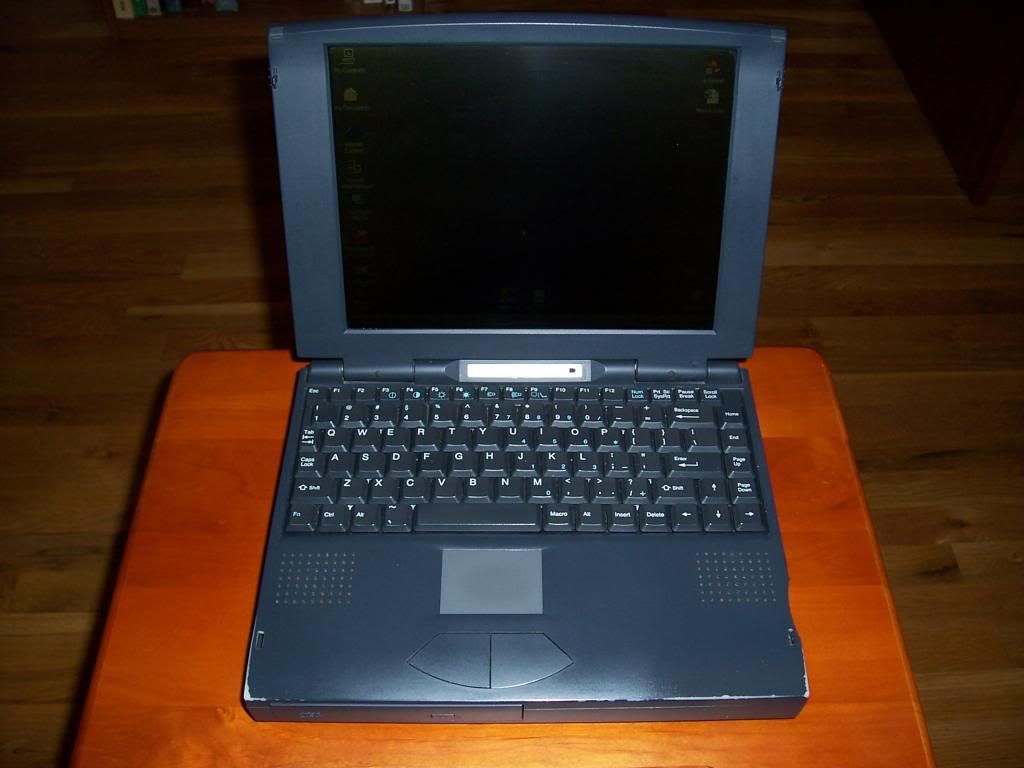
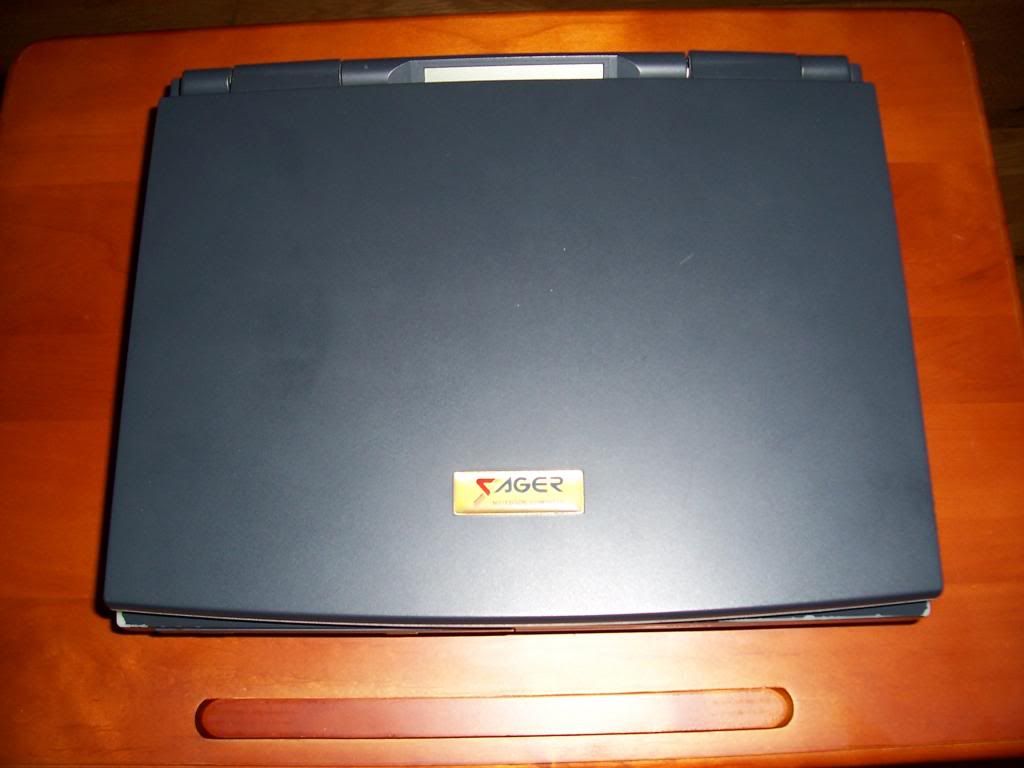
I would just go ahead and save your money and look into purchasing a notebook with the brand name Sager. The guys who used to build the awesome alienware laptops before Dell took over making junk. They started a new business called Sagerhttp://www.sagernotebook.com/ and I was looking over the laptops and couldn't believe what I was seeing. The prices were crazy cheap compared to what I am used to seeing and you can specify details on your custom laptop right down to what brand of THERMAL PASTE you wan put on the GPU / CPU!! LOL!! I know that I'm going to start saving my money for one of those.. Check it out.. -
Thank you very much for all the time you spent to give me such a nice answer!!
Regards mate! -
No problem. I use a type while talk program so even though it looks like I typed a bunch, all I really did was speak to my laptop for a few minutes. LOL Let me know if you need any other help buddy. PEACE
-
-
Wow I had no idea they have been around that long. I actually read on an alienware site when I was replacing the motherboard in an MX18 area 51 model and there was a bunch of people saying things like "Alienware sucks now that all those guys went and started Sager computers".. Maybe they had said all those guys went to work for Sager or something. Anyways, those Sager laptops are the bomb! For what a "good" laptop from HP, Dell, or even Apple for that matter cost you can get all the same tech specs plus way more from Sager. I'm going to order my next laptop from them, even the ones on eBay that are used still sell for a nice chunk of change if they aren't beat up.
-
But these were the days when every crappy Taiwanese (and obviously these days we don't often use "Taiwanese" and "Crappy"anymore) OEM used to hawk machines for sale by own-badgers because they didn't have the network or the quality to stand on their own.
In fact, when I owned a systems integrator we used to re-badge Taiwanese OEM machines for sale. They were the easily among the best that were offered by the makers who didn't have the confidence to badge their own stuff, were cheaper than the 'Tier 1' guys and were well-specced on paper but horrible compared to anything decent. We used to sell them to banks who didn't know better with a giant profit margin.
Hey, I could have been a Sager too
-
That's wild. I had no idea. I wonder why those dudes were saying that in the article I was reading then.. Anyways, yesterday I seen a Sager notebook that I told a friend about and he ordered. It was one of the coolest laptops I've ever seen. It was much nicer than either of my laptops. My main being an HP 4530S Probook w/ Intel i7 2670 CPU 16GB DDR3 1333mhz ram, 1GB NVidia dedicted GPU for gaming with intergrated HP 4000 graphics for non gaming, 120GB Kingston SSHD's in HDD bay 1 or the OEM HDD spot / #2 1TB 7200rpm WD HDDin notebook caddy. My second notebook is a Late model 2010 MacBook Pro i5 CPU, NVidia 1GB GPU, 8GB DDR3, 480GB Intel SSHD. Both of which are very nice in my opinion and pretty much cover anything I would need a computer for. When I got on the Sager I noticed the frame rate on World of Warcraft had absolutely no lag. That's because it has or came equipped with 32GB ram and believe it or not DUAL / TWIN NVIDIA 2GB DDR5 dedicated GPU"s running in SLI mode, in a laptop, yes a laptop!!! The i7 quad core 4th gen (I think it was a 4th gen, not sure on that) matched with the newest Intel 240GB SSHD seemed to be much quicker and better than a PS3 graphics machine. I was blown away with the set up because not only did it have room for a 2nd hard drive (btw you can boot from either, also never seen that in a laptop before),or the twin GPU's set up in SLI mode with 4GB of DDR5 ram, it even still had a dual layer blue ray / optical drive DVDRW, and it was not much heavier than my MacBook!! This really impressed me! My probook, feels like a cinder block compared to my MacBook which wasn't much lighter than the Sager. My friend told me the set up cost him altogether with IC7 thermal paste $1900. The price included a 3 year warranty on the laptop and a 5 year warranty on the hard drive and something else I can't remember. But it came with that warranty, unlike me having to buy the $400 Apple care warranty and the $360 HP CAREPACK warranty.
-
My dv5tse wont quit! Still running like the day I bought it in Feb. 2009. same HDD RAM and Battery! Since the prices are low now I put a T9900 in it. The original P7450 will be kept as a spare.
As the HDD is quite old I will probably put a SSD in it's place before too long...
*HP dv5t (1XXX series) Owners Lounge*
Discussion in 'HP' started by Badious, Jul 22, 2008.