Problems? See this thread at archive.org.
When i bought it dident say anything about a microphone, i think it comes standard with the camera.
-
-
Hey guys, I got my laptop on Thursday the 20th and I was hoping to return it. I want to switch around my specs (processor is t9400, doubt i need that, also got WXSG but its too big so i want WSXGA+). What processor should I get if i do reorder? P8600 (2.4GHz) or P8400 (2.26 GHz)? I use it for gaming and for schoolwork, not graphic intense games and work i don't open too many things at once, at most i'll have is a couple of tabs open on mozilla, maybe a powerpoint, word, etc. Lastly, I ordered a printer with the laptop and it was a 70$ rebate (essentially free) with the laptop. If i return the laptop, does this rebate cancel if its already mailed (or in my case, sent online)?
Should I go ahead and return it? I bought it with the 400$ off coupon, now it's the 30% coupon, so i will save 300$+, but probably won't reach my original 400$ coupon price.
Also, does anyone know why my screen resolution keeps changing by itself sometimes when i restart the computer, i have a WXGA, run at 1280x800, then sometimes when i restart it, it goes to different settings, just today it was 800x600 but it varies.
What should i do to the laptop before i return it? System restore or what? -
Really? No one else has thought that this plug sticks out way way too much? Mmm...
-
Hello!
Just purchased an HP dv5-1017nr at Best Buy today. I can't get the internet to work. It sees networks, excellent strengths, and even connects to them, but will not go to the internet. I tried two different houses. It shows that it connects to the network but stays stuck on "Identifying."
Exchanged for a new one being a noob, and this one does the same thing. I have a desktop and another notebook with Vista that works with my router, so any ideas why this isn't working?! I really need the internet for school that started on Monday (I'm a college student.) Here are some settings someone else asked for:
![[IMG]](images/storyImages/settingsti4.jpg)
If you click here you can see how it says "Identifying." http://img53.imageshack.us/img53/6023/connectionnc5.jpg
Thank you kindly!
Shane -
i think the plug is odd too. why not copy apple and use a magnetic plug? very novel idea. saves wear and tear on the jack. i guess it's not a real concern with them, since most of the problems crop up after the warranty is expired.
HP support is pretty dumb about the mute light issue. they told me to send it in for repair. if that's the only problem, i want it documented, not shipped to god knows where. now if something else breaks, then i'll send it in.
as for not having a latch for the lid, it's just something else to break, that's all. it's cheaper without it.
you can get a transformer/power brick with a 90deg plug, it won't be HP though. you can find universal replacements at any big box store.
for a min there my wireless card was having issues with dropping connection even though the router was right beside me. i'm glad it cleared itself up though. -
Unfortunately, my dv5t is crazy fast connecting to my router(both my T41p and T60p take at least 7-8 seconds to connect)
If you are up to it, these weird problems can usually be solved by uninstallingthe wireless card in devices then rebooting and the re-installing the drivers.
Got to make sure first you've got the drivers(I guess you can hook up an ethernet cable in the meantime) -
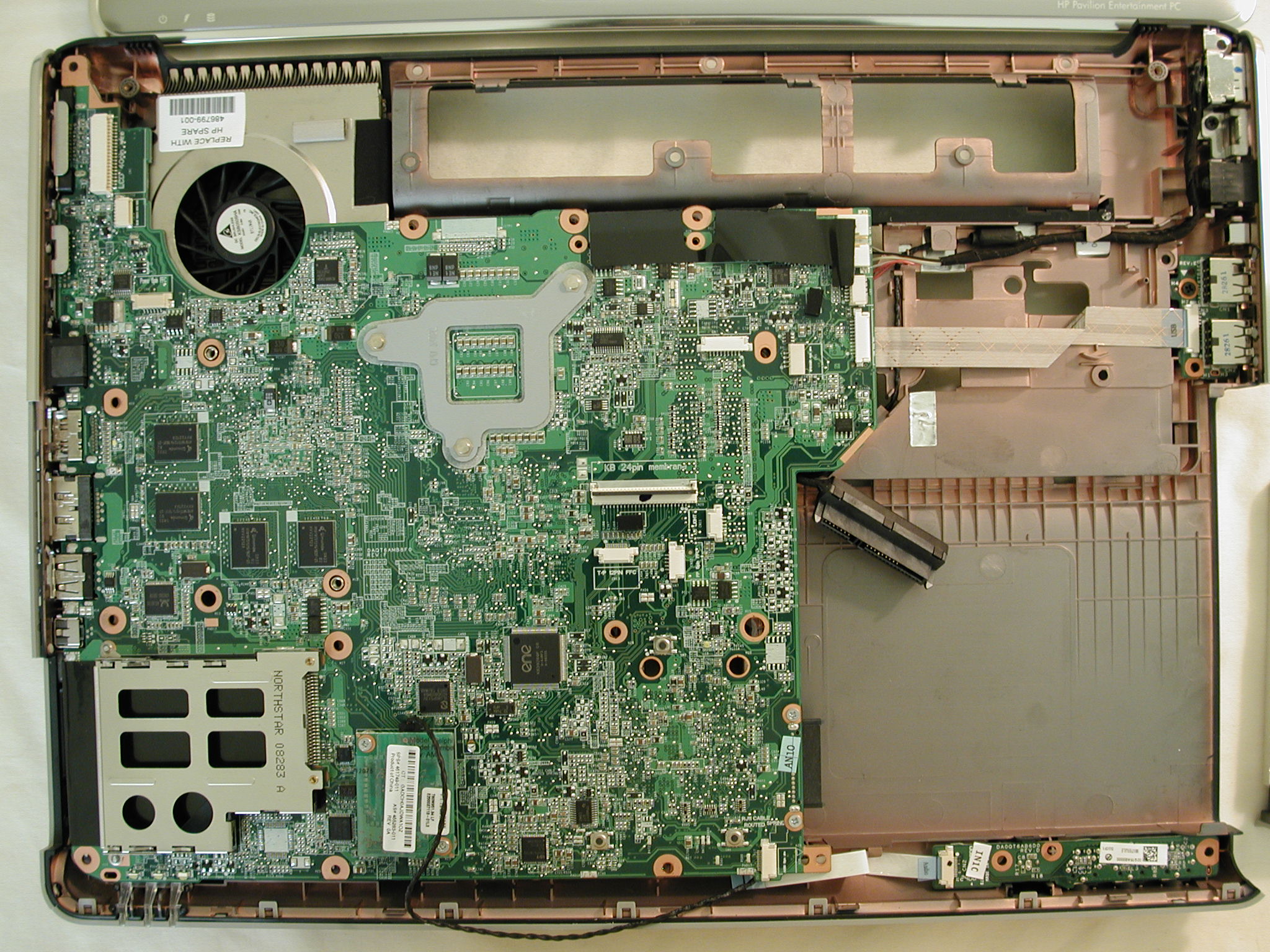
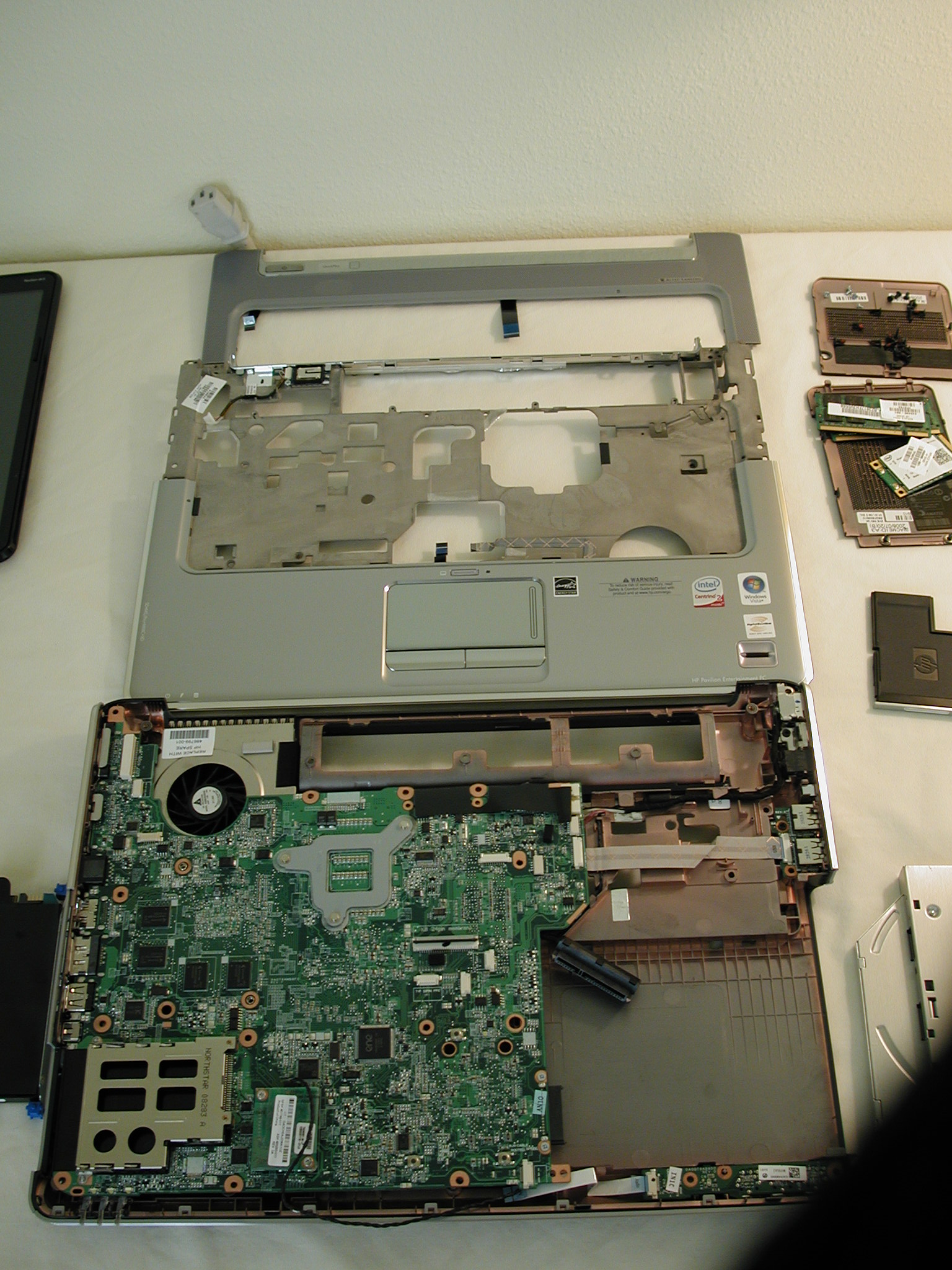
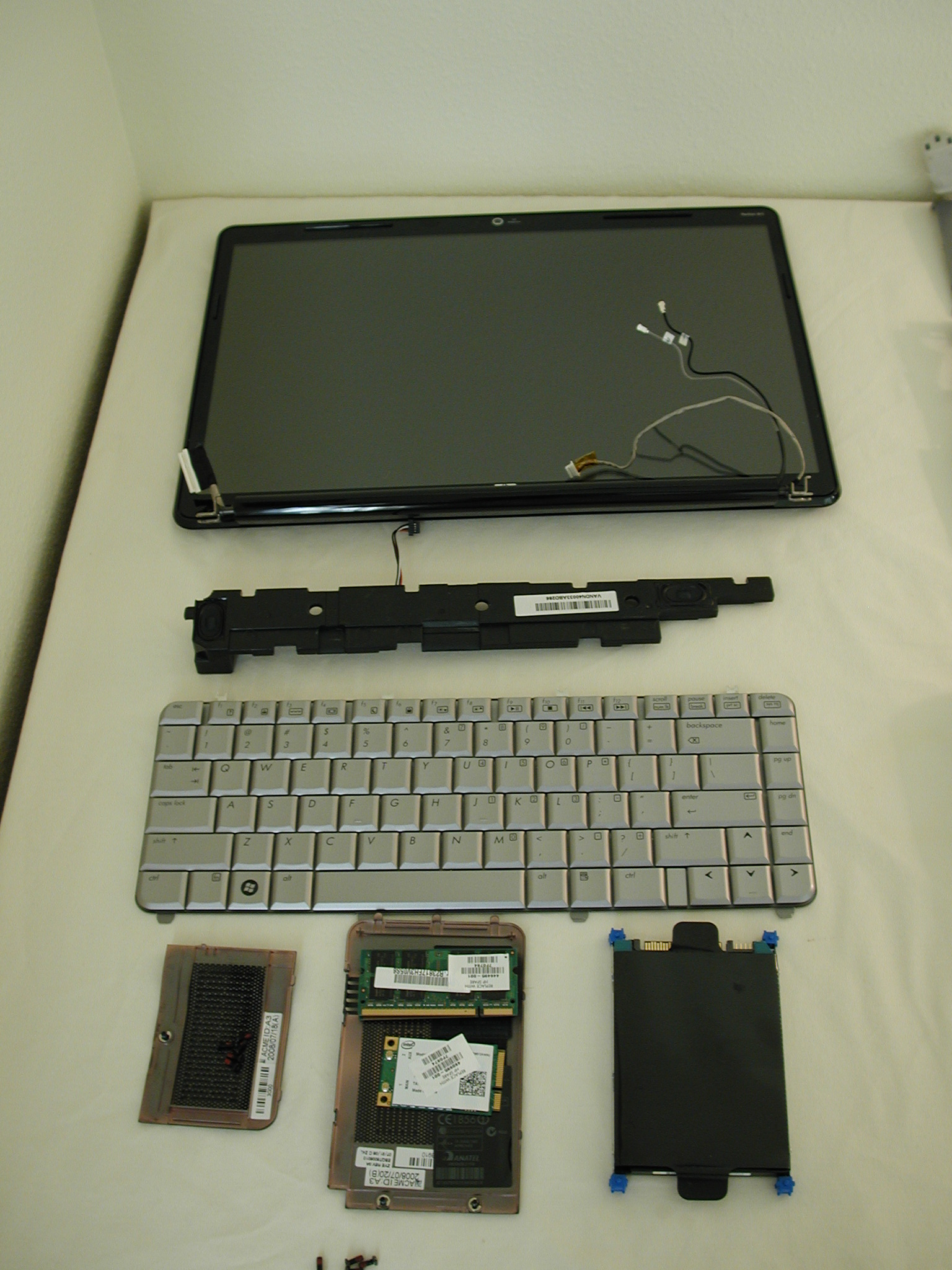
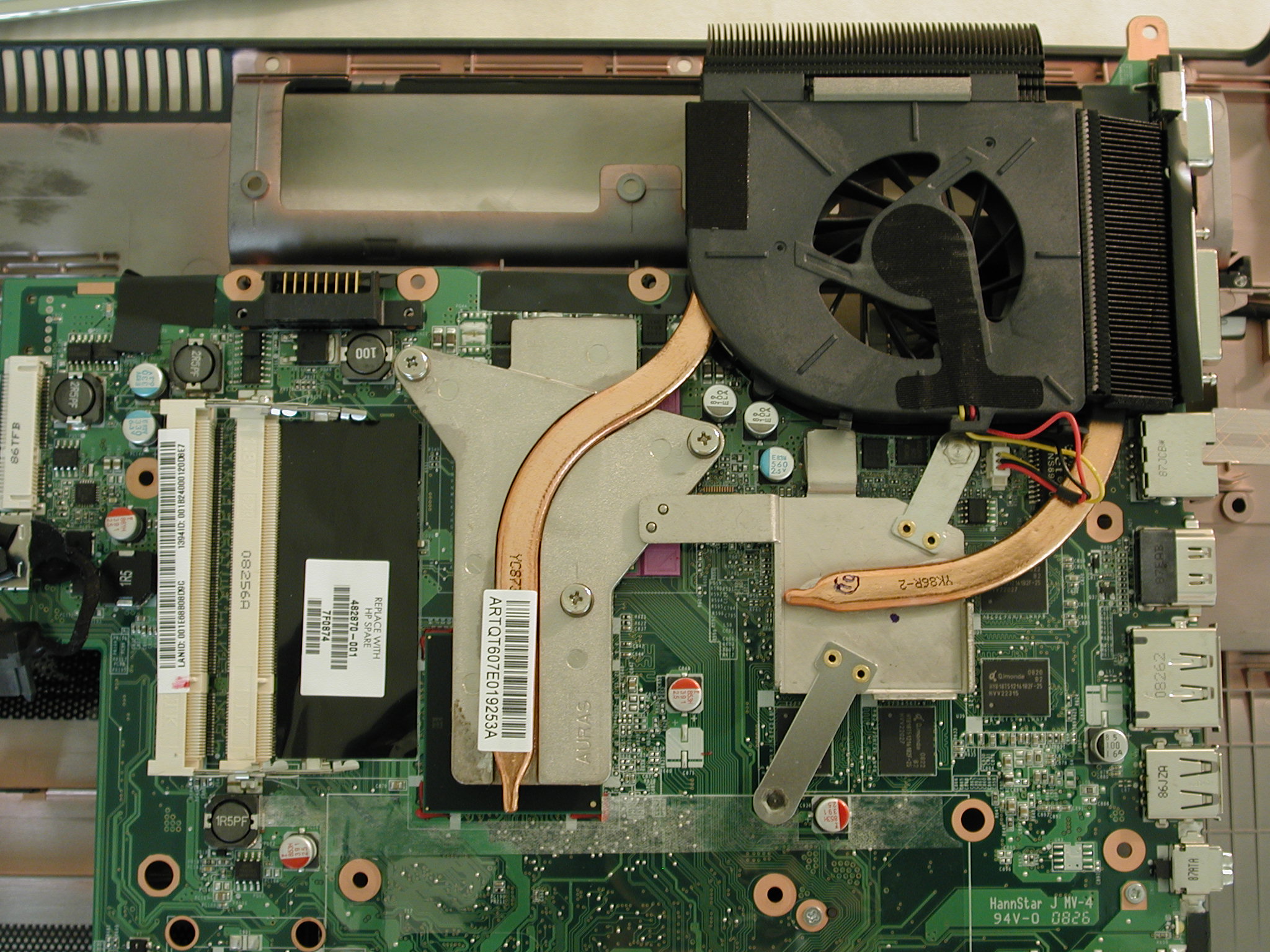
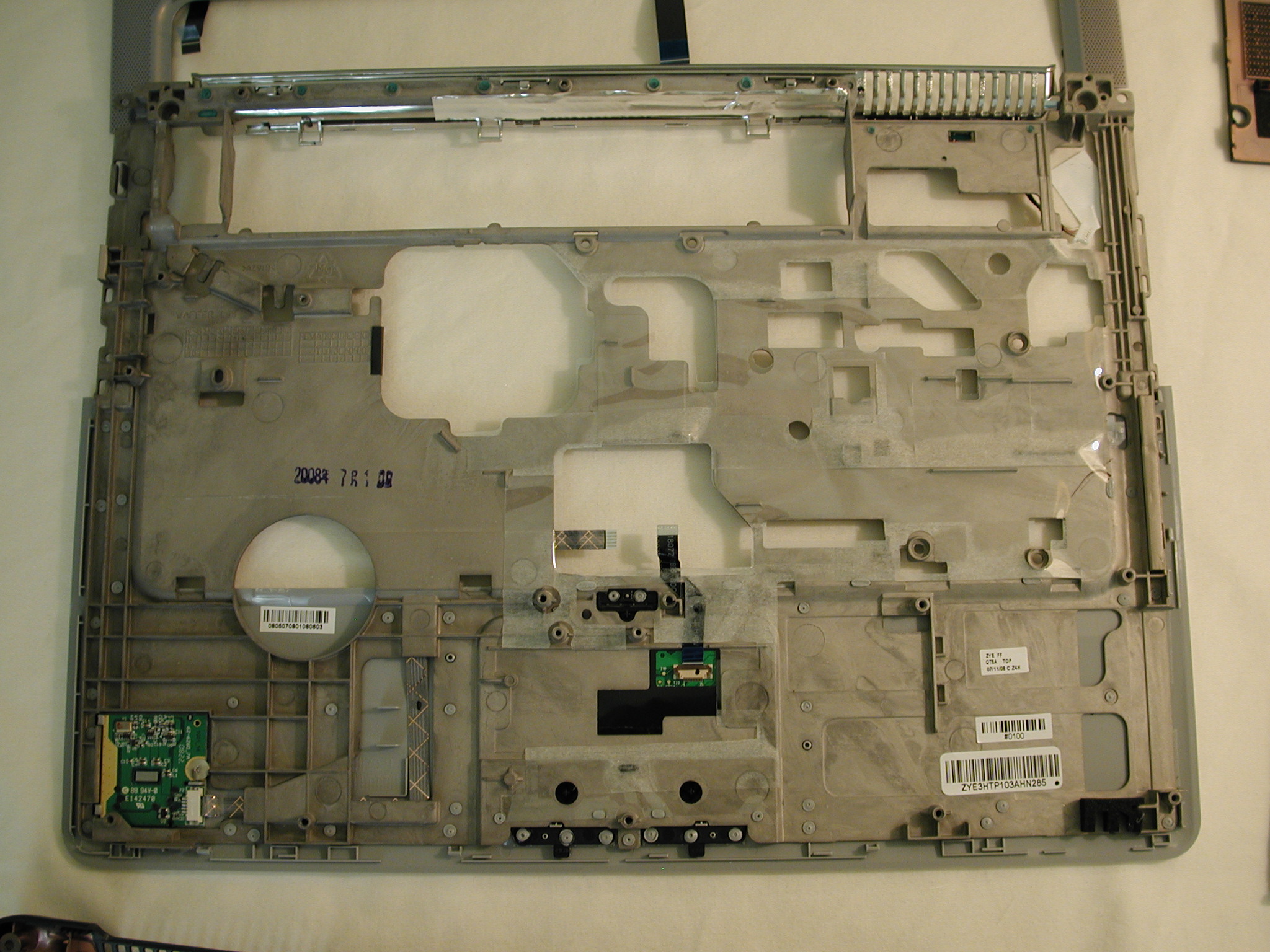
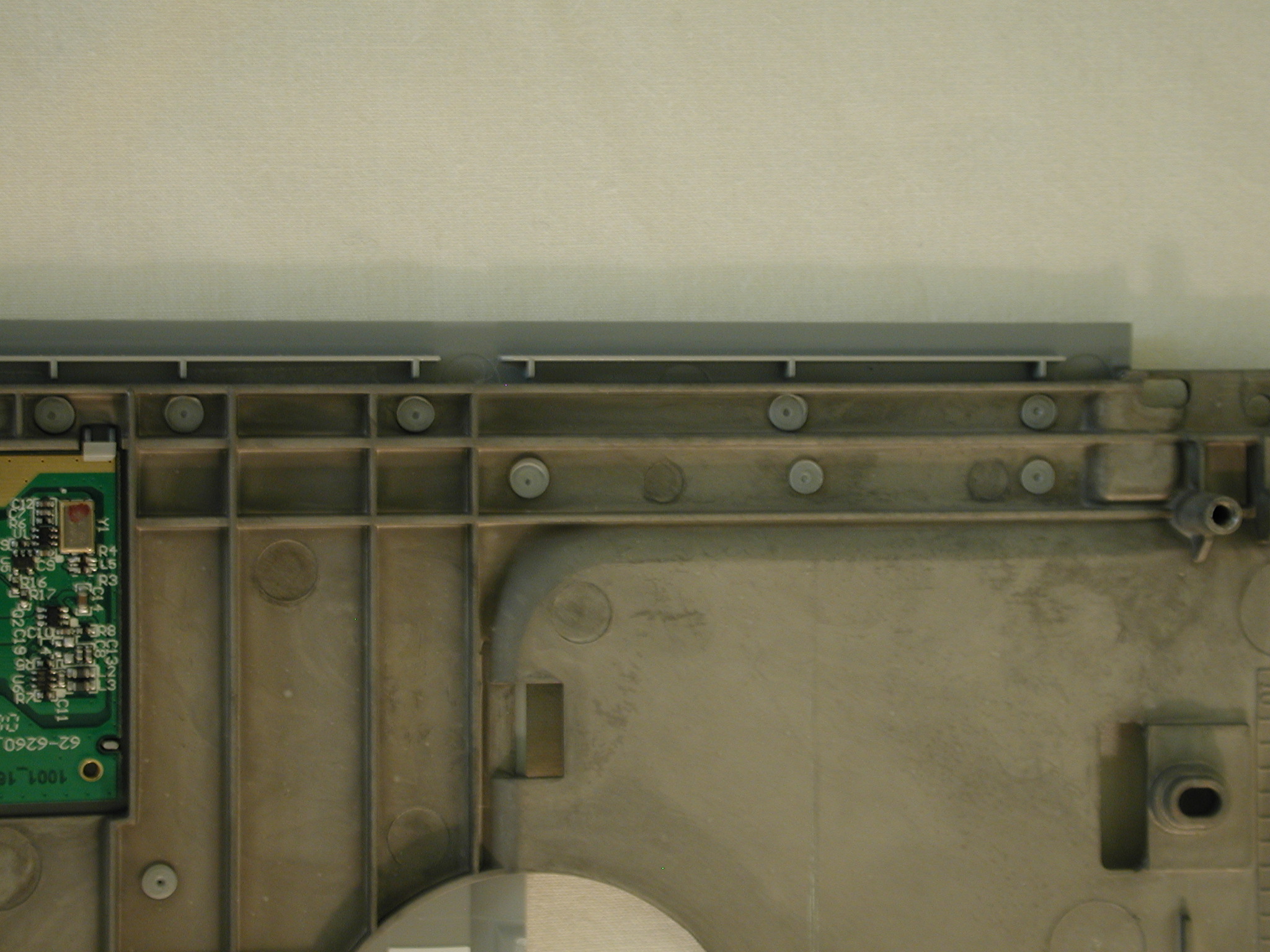
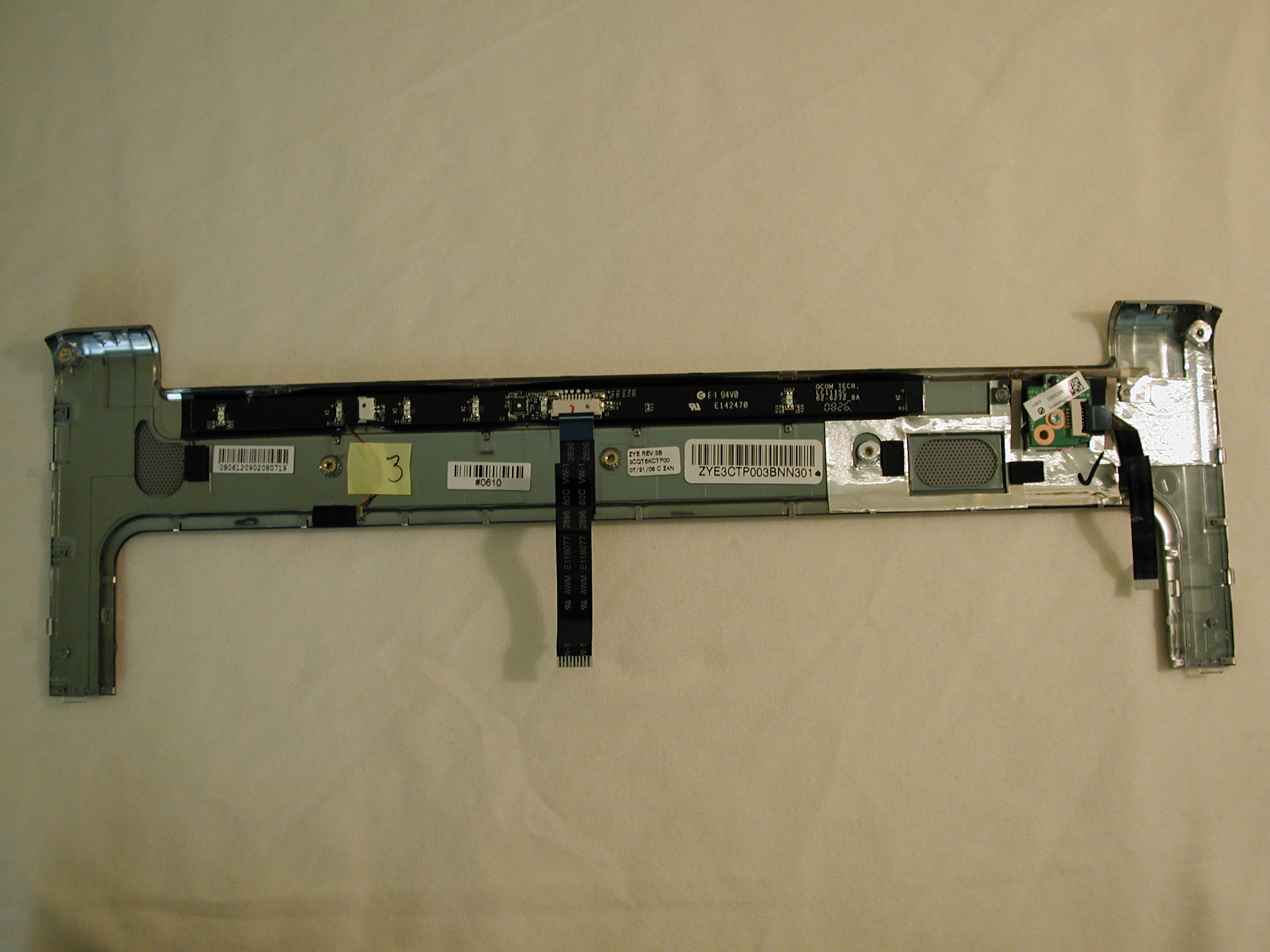
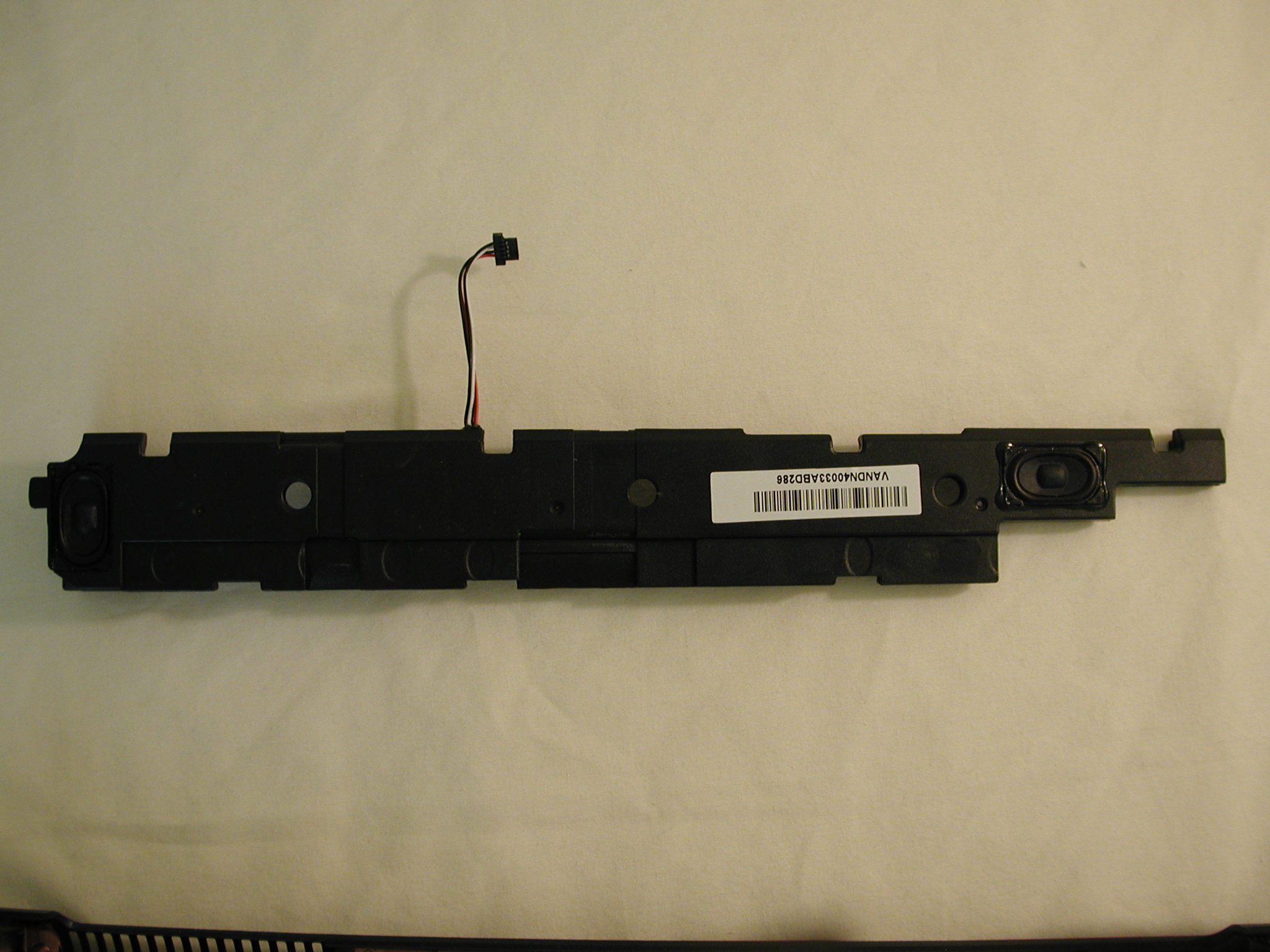
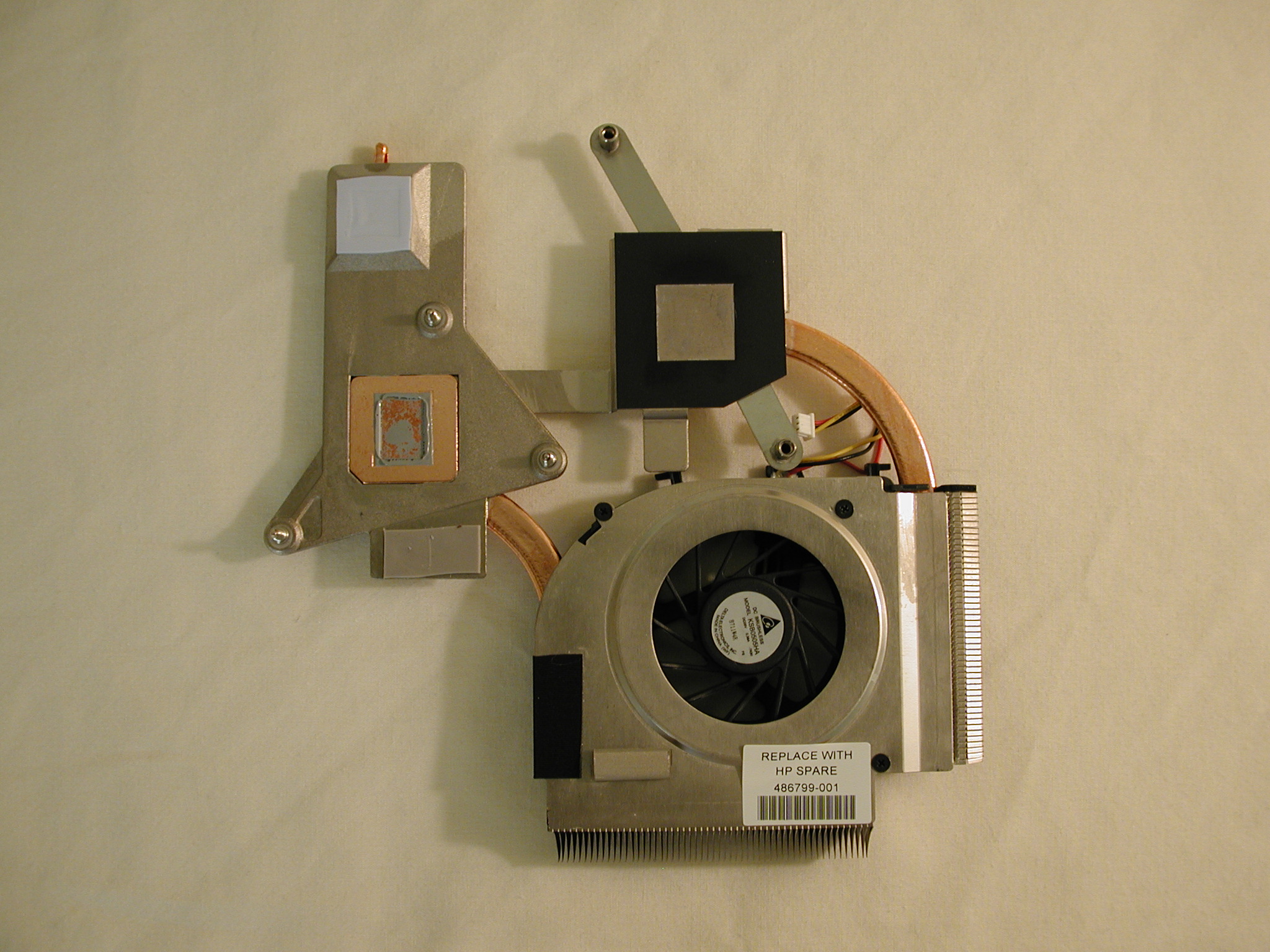
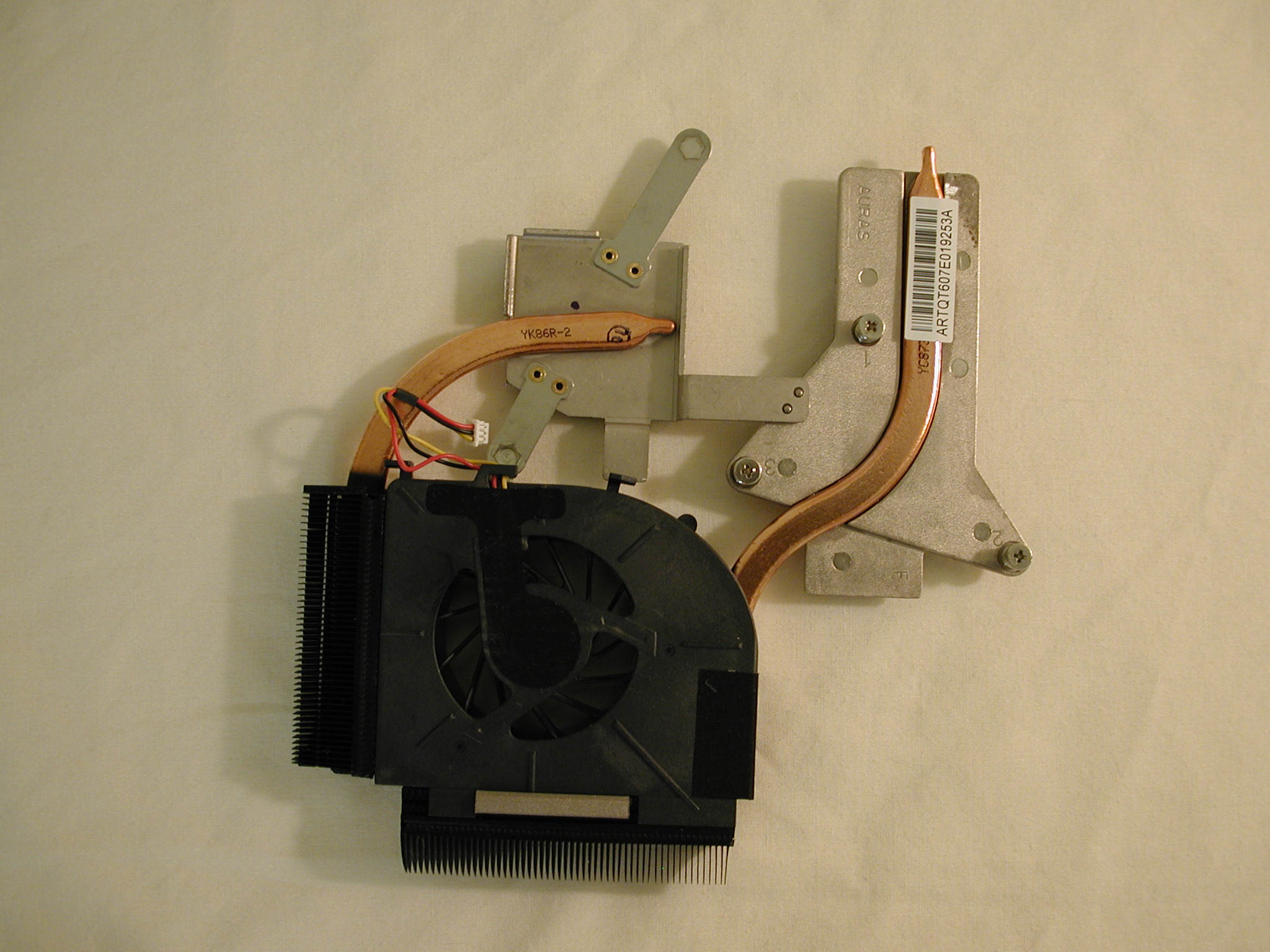
Ok, here are some pictures of the inside of the dv5t. Enjoy

Attached Files:
-
-
Go to advanced reply, manage attachments. Go from there.
-
Here are a few more pictures
Attached Files:
-
-
There is a true modder in every forum. I think we found our McGyver. Cool pics.
-
NWPerformance - WHOA that is sick!
There are those of us who are constantly wiping the laptop with a microfiber cloth ... -
I mod my truck, not my laptop. Haha...
-
Great pics! Totally a wicked thing to do to a brand new dv5t
-
Does anybody else keyboards feel like some of the keys are going to fall off. My O Key is extremely loose. Just noticed it.
-
Hi manager: glad you feel similarly re: the plug issue.
getting a transformer/brick is not ideal, in my opinion. it is a costlier alternative than necessary, in my opinion. Getting a little "L" shaped converter plug/jack is a better solution, IF one can find one! It's just like having an AC plug that doesn't fit into the outlet, we'd look for a converter plug, right?
hope someone knows where to find one! -
hi all
I have been using this laptop from the past 1 week, I have windows vista 64bit, I did not find any softwares for monitoring the temperatures. Please suggest few good softwares. I have it configured with the 9600m and I am facing a strange problem when I connect this to external display the mouse pointer vanishes and the touch pad stops working. I am using a 24'' acer monitor that I use with my PS3, I connected it using a HDMI problem also my speakers seem to emit strange sound at times even though mic is muted.
Please reply me, I am thinking to return this laptop as the touchpad is not working with external display. I planned to use it with external display . -
Well, actually I have two dv5's. Figured I would learn on one, then take the other one apart too. Then I can put all the best parts from both into one. I can then assemble it with more care than it gets going down the assembly line
I been taking things apart since I was three. It wasnt until much later that I mastered putting them back together again
Does anyone know how to post pictures in full size? I know the thumbnail thing, but I have seen others do full size pictures. -
I use hwmonitor and it seems to work well. -
my touch volume isn't working correctly it kept flickering and wouldn't go up or down.. it kept flickering up and down and you can hear it it's really annoying. and now my up seems to be going down and my down is going up lol how can i fix this!
-
Wow. I just called HP (late I know). Told them how configuring my system with the new 30% code was x amount cheaper than the $400 dollar off coupon was. No problem, I'll credit your card. It was an operator in India, but she was very nice. The whole call took maybe 5 minutes. That's good customer service.
Chris -
wow good to hear a good experience out of all the bad ones.
-
Was this after you already had your laptop? This price guarantee stuff includes coupons and not only actual price reductions? So if I used the 400 dollar code and already received my laptop, which I did, I can get a small refund if I call them since there is a better deal out now?
-
anybody noticed that the touchpad buttons on the laptop are uneven in height? My left button seems to be lower than my right button. anyone else?
-
There is still one problem ofr me. I can't shrink the system partition to about 40-50 GB. Right now I'm using about 30GB space on that partition so I don't know why this problem occurs. Anyone can help?
-
mine seem even
in fact overall i love it so far, havent found any problems -
My left button is actually HIGHER than my right... I figured it was just something they did because the left button is used more? Guess not...
-
my left is lower than my right. figured it was since i use the left so much more.
on a side note, anyone know where i can get a 12 cell battery for this laptop at a good price? -
the 12 cell battery is not available yet
-
I noticed that the volume touch keys do not work while I'm in quick play...I have to exit out and adjust the volume before I start the movie. Has anyone else noticed that? Or is it a know problem already?
-
My touchpad is not working when I connect this with external display, it seems to be a strange problem. Does anyone else have the same problem ?
-
Wow, what an awesome deal. I spent $150 more and got half the hard drive space, half the RAM, a lesser CPU, and no Office. How did you get it for such a low price if I may ask?
I suppose it depends where you have the laptop. It's not annoying for me, though I can see how it can be for some. I agree that a right-angle connection would have been best.
Amazing pictures! Thanks, that takes some guts.
I'm one of those people.
Mine is very solid . . . you should have yours replaced if it is defective. -
-
Whoever was having the problem with the Microsoft 5000 mouse and seeing the HID data error.. I'm getting it too.. I've googled this so much now... how can it be just us? Maybe because it's a problem only with the dv5t and it's so new?
Come on techies... help us out
-
I have a question i need to ask you guys. Can you upgrade the graphics card for the dv5t? I was just wondering if you can put a nvidia 9800gtx or 8800gtx in there. Cuz if you buy the laptop through HP and customize it. The highest graphics card they have is the 9600M GT. I try to search around but i just notice the search tool is gone.
-
I just recevied my dv5t today, a day early actually, and I have to say that this thing is absolutely gorgeous and performs FANTASTIC! I, of course, am not playing games like crysis on this notebook but I consider myself an "old school" gamer lol. I played WoW and GW on it and was consistently getting 62 FPS on M-H settings. It looks georgous. The keyboard feels like a dream. I have all of this ANNOYING bloatware however the computer is still running extremely fast. I have a tower running an intel quad core with dual sli 9600gt graphics cards and a 500GB hard drive so I'm not too worried about having a SUPER laptop. However this laptop is fantastic for my needs and I am very pleased. Despite all of the trouble that I have gone through with HP, I must say that they have made up for it ten fold and love this laptop. I recommend it to anyone who is looking for portable GOOD performance.
I only have TWO gripes about the notebook:
1. The mouse pad is kinda annoying lol....the keys feel like little bricks and the touch pad is very hard.
2. I have an EXTREMELY slight space between the speaker grill and the dvd drive however you'd have to be BEYOND anal to notice it.(lol guess im anal.)
Other than that, GREAT NOTEBOOK!!!!!
looking forward to getting some heat specs for the CPU as well. So keep an eye out.
Thanks for reading everyone.
Cheers
Jaz -
it is not possible to upgrade the graphics card in the dv5t
-
I just recevied my dv5t today, a day early actually, and I have to say that this thing is absolutely gorgeous and performs FANTASTIC! I, of course, am not playing games like crysis on this notebook but I consider myself an "old school" gamer lol. I played WoW and GW on it and was consistently getting 62 FPS on M-H settings. It looks georgous. The keyboard feels like a dream. I have all of this ANNOYING bloatware however the computer is still running extremely fast. I have a tower running an intel quad core with dual sli 9600gt graphics cards and a 500GB hard drive so I'm not too worried about having a SUPER laptop. However this laptop is fantastic for my portable needs and I am very pleased. Despite all of the trouble that I have gone through with HP (this being my third replacement) , I must say that they have made up for it ten fold and love this laptop. I recommend it to anyone who is looking for portable GOOD performance.
I only have TWO gripes about the notebook:
1. The mouse pad is kinda annoying lol....the keys feel like little bricks and the touch pad is very hard.
2. I have an EXTREMELY slight space between the speaker grill and the dvd drive however you'd have to be BEYOND anal to notice it.(lol guess im anal.)
Other than that, GREAT NOTEBOOK!!!!!
looking forward to getting some heat specs for the CPU as well. MO, it does not feel that hot nor does the left hand rest spot feel hot at all. And I was playing my game for over an hour. Thanks to Chaz for the cooling idea too. I have it lifted up slightly and its very cool.
Thanks for reading everyone.
Cheers
Jaz -
Oh great.. Dell has the Studios available in the outlet lol...
Guys.. it IS normal to have all the various problems, right?
..uneven mousepad buttons
..some people having speaker grill defects
..touchpad keys not working..mute light, etc.
etc. etc. etc.
This is normal.. right? I'm not used to forums and discussing new items with people with the same items.. -
I have a problem with the equalizer. If I try to adjust anything with the equalizer on the sound panel all the bass and middle-tones disapear. Anyone experiencing the same problem, and how did you fix it?
-
Hello all,
First off, thank you to chaz and everyone else who has contributed to this thread - definitely checked this forum often before buying my dv5t (which arrived about a week ago).
Specs:
- C2D T9400
- 15.4" WSXGA+ Infinity
- nvidia 9600 gt (w/ 512mb)
- 4GB DDR2 Memory
- 320gb hdd
- blu-ray
- tv-tuner
- 5100N wireless
- Home Premium 64-bit
Overall pretty happy with the notebook and the performance thus far but do have a couple of questions as to whether (like Ashley's question above) there are some "standard" problems with the unit or whether mine has specific issues.
1. Loud / clicky keys - really only the shift key and spacebar, but they are much louder than the rest of the keys (spacebar sounds as though it hits the base of the notebook when i type, and left shift key is loud and just doesn't seem to be sitting "right" / makes a double-click sound sometimes if that makes any sense). This is probably my biggest issue as the keyboard is kind of critical and right now i think it's too annoyingly loud for me to take it into a meeting / etc. All the other keys are fine.
2. AC Adapter 'hissing' sound. This has been discussed before, but wasn't sure if everyone is experiencing this problem. I bought a spare AC adapter and that one seems fine, so I assume the one that came with my unit is defective?
3. Other small gripes (heat, touchpad surface, etc.) but really stuck on the keyboard thing.
Again, overall happy but am kind of annoyed that this $2K config is being held back by the keyboard issue. Would love to hear if others have the same problem. Also, just to collect opinions (assuming price doesn't matter), what do people think about the HP Elitebook 8530p (new model)? Would you look at that over the dv5t - I've used the business line before and know the keyboards are fine + it looks to have very similar specs (not sure how ATI 3650 DDR 3 compares with 9600GT DDR2 , though).
Thanks for all the help. -
i was just luking at the HP Elite range, they r a ripoff, a gud spec machine goes upto $5500, in tht amt of money, anyone can get an extreme gaming XPS lappy or an Extreme Gaming Alienware lappy, or probably a full specd up HDX.
I dont get it why they r charging tht much. -
I just purchased the dv5t with the 802.11b/g WLAN and Bluetooth wireless card, but after reading some posts where people got the Intel(R) WiFi Link 5100AGN and Bluetooth(TM), I'm wondering if I should've gone with the Intel card. Is there a benefit to having one over the other? Is the Intel one supposed to be better? Thanks
-
the 5100 is supposed to be faster and it also supports 802.11n. and the buletooth is also nice to have and you can just turn it off to give a little extra battery life. its worth it for $25 extra.
-
Thanks ilikepie
-
Hey guys, i just got my computer the other day. I was trying to use my webcam to chat with my sister through aol. we had voice, and i could see myself, but i couldn't see her, and likewise. I looked through some settings and everything but no luck. anyone try using theirs yet?
-
Icydius: the proper answer to your question is actually more complicated. according to many experts in wireless that i've spoken with, there are two major producers of non-Intel wireless (i forgot their names), and it is NOT apparent which one this HP laptop would use. Functionally, they all "do the job". BUT, and it's a big but: one of those OTHER producers uses a hardware/firmware combination that is SUPERIOR to the Intel 5100. However, you wouldn't easily be able to tell which one HP uses.
apparently, the Intel hardware/firmware is fair, but one of the OTHER producers is GREAT. Intel can sell a "fair" card because it is a huge brand name and many folks would simply click and buy that option simply because it is a big brand name.
that said, the guy who took his dv5t apart would be one of the best people to ask (he posted pictures of his "taken apart" dv5t) because he can further and best inspect the wireless card to see which producer it is from.
sorry for such a complicated answer but i thought this would be most thorough to provide you with all that i know. -
im trying to take it apart now but i cant get the keyboard off. it says lift the rear edge until it rests at an angle and then to slide it back but i cant lift the keyboard. i unscrewed and removed everything from the back so i have no idea what to do now.
-
Thanks Dual! I really don't want to go through the hassle of returning my laptop to get a different wireless card if there wouldn't be much of a change in performance.
Nwperformance- Would you be able to add anything since you've taken one of your laptops apart? Thx -
Yes, I had it. All I did was reconfigure it online, get the price, call them, and they credited me no problem.
-
All I can say is that my dv5t with 5100AGN pulls in anything and
everything. I recently logged onto a hospital guest network that
had to be at least 200' away. Plus, the signal had to penetrate
at least two brick walls.
I'm very happy with the card. Speed is good and I haven't had one
disconnect, so far.
Rob
*HP dv5t (1XXX series) Owners Lounge*
Discussion in 'HP' started by Badious, Jul 22, 2008.