 Problems? See this thread at archive.org.
LOL I would like to know that myself. It seems no matter what I do I cannot get kombuster to run on the dgpu even after setting it to performance mode. I also tried it with crossfire on and no such luck. I am in the process of downloading 3dmark11 and doing a before and after bench.
-
??? How is that possible? My idle voltage is around 0.675 and it stays at 38C to 40C, did you do anything to your fan?
-
nope no changes to the fan. when I browse the web it goes up to 38-40 though.
-
What do you mean by "under load"? What program do you use to stress your processor?
-
well, i guess i should point out that there are a lot of benchmarks there, look at the lower right, you can change the settings from dx11 thru 10, 9 and then gl2 and 3. If hitting those and running the benchmark doesn't move you around, between the two gpu's then something is set wrong. My main problem is that I have yet to find a way to get it to run the gl's on the 6750.
seer -
I purchased an 8GB 1600mhz kit from G.Skill and it did not work on my dv6. I tried combining the new stick with a stock module, and it booted presumably because the stock 1333 module caused the 1600 module to run at 1333mhz. G.Skill suggested increasing the voltage to 1.6V and the timing to 11-11-11-30 which is obviously not gonna happen since there's no option to do that in the dv6's BIOS. So I'll be returning them.
P.S. I have the latest BIOS update. -
Yeah, still waiting for the confirmation and screen shots from that guy.
I trust HP technical service representatives about as far as I can throw them, so i'm keeping my fingers crossed that they were wrong and that HP lappies can run 1600mhz DDR3 memory is the CPU supports it. -
I have been using intel burn burn test for stressing the cpu.
-
I set all those to high performance mode. In fact I opened the msi afterburner and kopmbuster folders up and set all the exe files to high performance and still it only runs on the igpu. I really wish you could manually control the graphics. Maybe the next driver update...
-
When you run Kombsutor is it running GL2 mode? That's OpenGL, and on by default, which will only run on the integrated GPU. Choose DX9 or DX10 from the drop down menu and it should use both GPU's.
-
This was the response to a criticism on the functionality of 1600 ram on a Llano system.
Newegg.com - G.SKILL Ripjaws Series 4GB 240-Pin DDR3 SDRAM DDR3 1600 (PC3 12800) Desktop Memory Model F3-12800CL9S-4GBRL
Maybe that can be of some help. -
Ok, well here's my reading on this. We have at least one poster in this thread who HAS successfully run 1600 modules (tho he was using 2 x2gig) at the 1600 speed, AND, its clear from AMD's printed information that the mx APU's can in fact run at 1600mghz. Further, I think it unlikely that other than excluding 1600 ram from the printed specifications, that HP did anything physically to cripple that ability.
Assuming I'm right, then the problem your Gskill appears imho to be the weird jdec timings they claim amount to 1600 speeds. Everyone knows that the relationship between the base clock and the available ram is critical on a lano and must operate within narrowly defined parameters. I believe that particular G-skill is trying to operate outside that range. I'm still waiting for the ram I want to hit the market. It's out for the desktops, just not yet in the 204pin format.
Seer -
Okay that fixed it! With stock dgpu and stock cpu and kombuster in dx11 i get an average of 97fps after 2 minutes
with xfire on i only get 90fps
With the overclock of 700 core and 900 memory I get 110fps so around a 13% increase in performance. -
I just found this memory kit on newegg. Can't find detailed specs if this has JEDEC profile. Thinking of picking them up and tying it out.
Newegg.com - ADATA XPG Gaming Series 8GB (2 x 4GB) 204-Pin DDR3 SO-DIMM DDR3 1600 (PC3 12800) Laptop Memory Model AXDS1600GC4G9-2G -
I'd still like to see a screenshot using both CPU-Z and HWINFO32 before I start breaking out the champagne. I'm sorry if I'm cynical about what people write on forums, but that's just me I suppose.
And as for HP not crippling things on their notebooks... I believe they would if it caused THEM less problems. As I mentioned before, they did it to my last DV6. -
Hmmm, free shipping and 30 day return, I might try a set of that myself.
 , and as for being synical, well i can understand that
but i'm usually more cynical in the 't'forum
heheheh
, and as for being synical, well i can understand that
but i'm usually more cynical in the 't'forum
heheheh
seer -
You have to pay for return shipping and 15% restocking fee though. So will probably cost you $10 in the end to return it. Hopefully it works though.
-
we'll see I've had very good luck with Adata products in the past. Note that this memory is rated to work at 1.35 volts. I suspect it really is 'gamer' quality. I'm seriously considering ordering a set.
seer -
Alright guys, sorry for the wait, I know this is important but I've been busy.
I may be a procrastinator, maybe sometimes a liar, but I'm definitely not lying in this case.
Here's 2 pics I took real quick, I'll have 3dmark11 scores up sometime later.
Images have been cropped because otherwise I get the "size too big" error.
before: ImageShack® - Online Photo and Video Hosting
after: ImageShack® - Online Photo and Video Hosting
edit: woah the ADATA RAM looks pretty frickin sweet. 1600mhz and 1.35v? And its only $58... That's $12 less than the 8gb 1.5v gskill RAM. Nice!
Also, has anybody been able to get the catalyst 11.8 whql drivers to work? I've downloaded the catalyst software suite from the AMD link but every time I try to install, whether express or custom, it never installs or gives me the option to install the display drivers. Am I downloading the wrong thing?
Also, just fyi for anybody who doesn't know, the llano iGPU automatically takes 500mb of RAM as video RAM... Didn't know that until I launched the AMD system monitor for the first time. -
Ok, look at those numbers, just the change in ram took you from 7.4g/s to over 8g/s? and the latency from 78ns down to 65.4? Looks like you got increases across the board AND you were dropping from 6gigs of ram to 4. Course I'm using Windows' built in calculator, but you gained right at 7.9 percent increase in bandwidth by switching to the 1600. That's not bad and that increase in bandwidth is going to available for BOTH the cpu and igpu to use
Now, that Adata gamers timings match those of your 1333 ram, but they do it at 1600 Dam, at that price...what the hell I'm going to pop for a set
LOL
ok, now i don't want to encourage anyone to order the Adata...but IF u do...use a new email address, doesn't matter if you use the same credit card etc., open a new login, order the ram, and before you finalize your order enter the code "newcustomer10" and you'll get another ten bucks off the ram. With free shipping, that's 47bux and 99 cents for 8gigs of 1600 sauce.
Seer
Some other thoughts, its just possible that the additional 'clockability' of the faster ram *may* let you get better overclocks on the cpu.. won't know till I try, but could be .and for those coming late to the thread, remember you need a llano with the 'mx' on the end of the apu number. As far as we know, amd data sheets tell us that only the 'mx' apu's can use the 1600 ram. -
Hmm, looks enticing. I may bite too if I keep the DV6z over the Asus K53TA
-
Hey, HT, little question about that ASUS. I saw the 3DMark scores, and they look dissappointing. Are those bad indicators and it performs better in games, or is it just not very potent? I ask because I'm considering either the Dv6z or the ASUS, since if I get the ASUS, I can afford either a Motorola Triumph or ASUS Eee Pad Transformer too.
Thanks!
-
3dmark11 benches done:
1333mhz: AMD Radeon HD 6620G video card benchmark result - AMD A8-3510MX APU with Radeon(tm) HD Graphics,Hewlett-Packard 358D score: P1745 3DMarks
1600mhz: AMD Radeon HD 6620G video card benchmark result - AMD A8-3510MX APU with Radeon(tm) HD Graphics,Hewlett-Packard 358D score: P1761 3DMarks
Not really a big difference. :/ -
I don't think those benchmarks are really indicative of its true performance. I can play Bad Company 2 at a solid 40-50fps on medium detail. My M11x R1 that had CPU overclocked to 2.0GHz had similar benchmark results, but it is night and day difference in performance. I could barely play Bad Company 2 at 1024x768 with all low detail, was about 20-25fps average and dipped to teens in intense action.
-
I just wish I could use 1600
-
are you overclocked? the extra bandwidth is only going to matter if your up against the wall now.
seer -
Thanks HT. Not sure what I'm going to go with. Hows battery life? And, R3d, that seems odd...
-
Well I bit the bullet and bought 8gbs of the Adata 1600 today. Should have it early next week. Will post some numbers when I get it in. Amy thoughts on what I should run?
-
Battery life is about 4 hours regular web use, so not stellar. I played a netflix movie, and it requires "balanced" mode otherwise the movie can stutter with "power saver". And then you only get about 2:20-2:30 battery life, and that's with my revised undervolted profile, and about 40% brightness.
My battery came with 5% wear already though. I'm hoping there's a high capacity replacement somewhere.
Of course if I upgrade with everything I'd prefer, I might as well keep the DV6z: 1080p, blu-ray, high capacity battery.
But for $450 I need to really assess what I need and what I want.
Personally, all I really want it to do is play Battlefield 3, everything else is gravy. I've used a netbook for an extended period and survived just fine. But I do like an occasional romp on my laptop with a handful of games. -
Yeah, I saw the screen was a mess. Couldn't be worse than the M11x? I'd also be putting a 1080p screen in if I got one. Dv6z really does seem like a winner. Battery life is big to me, so that may be the nail in the coffin for the ASUS.
-
Is that using the discrete graphics or integrated? and was crossfire on?
-
I had an M11x R1 for a while, and I'd say the screen is about same for viewing angles, and a little better with brightness.
And yeah, I figure a new screen (+$120), blu-ray (+$80), and high capacity battery (+$80) would put it about the cost of the DV6z with 30% coupon.
Personally though, I'm figuring as of right now I don't plan on using my laptop a whole heck of a lot, although battery life would be very nice, 4 hours with regular use is about right at my minimum which this meets. 1080p is nice but not necessary, and have an external blu-ray if I really want to use it for that, but internal would be so much more convenient.
I have until Aug 31 to return it, so hoping my DV6z will get here next week giving me a few days to really assess the situation. Just hate to return the Asus only to have to buy another. I have a feeling that the price on the Asus K53TA will jump $100 in the next month or so since they seem to be selling like hotcakes. -
Yeah, I've had thid m11x for a while, you get used to the screen, but I came from an M9750 with an old, nice, 1200p screen, and it killed me at first. As for the ASUS vs. Dv6z, after all the add ins (I wouldn't care about the Blu-Ray) I'd rather not go through the trouble, and have the added performance. I specced out a great Dv6z w/the 30% coupon at $860 after taxes, so not too shabby..
-
Yeah, mine was $813 after taxes + 5% ebates discount so ~ $40 less comes to about $775.
I think once I mess with the DV6z I'll be much happier with the better screen and battery life, the $300 difference will be worth it. -
Most likely. However, it still weighs on me the fact that,with my 1k budget, I could get the ASUS, and Eee Pad Transformer, and either a Motorola Triumph or the Eee Pad keyboard dock.. Descions decisions.
-
Crossfire, so both.
-
Just for the info, Tomshardware just tested the new 1600-1700 dollar Qosimo775 gamer machine. std I2630 and gtx 560m.... 3dmark11 score? 2005.. now that beats the Asus g73 with the i2630 and the gtx460m which put up 1848 (around 1500-1600..)...
Am I impressed? well, not with my 740.00 Z putting up a P2110 I can run 24/7....sheesh... at LOWER TEMPS no less! having WAAAY too much fun. will be interesting to see what kind of an increase my z gets from the adata. So at least in dx10 and dx11 multithreaded apps, we're bypassing i7/gtx560m numbers. Not bad HP, not bad at all.
seer
z -
I saw that article and immediatly thought of your numbers. Its a beast!
-
I just keep shaking my head. One thing I did discover in my overclocking is that there apparently are speed dividers that seem to tier overclocking stability. For instance, between 640 and 680 core timing on my 6750, its unstable as hell, then as I pass thru 670 all of a sudden i'm rock solid..goes to hell again at around 720, but i can now get a solid 792..go figure. Same goes with the memory and actually I think its the mem dividers that that are determinative of the core's abilities. I'll find right in the middle of a mass of instability, that a certain combination all of sudden puts me back onto rock solid...I wish I could get a white sheet on what amd/hp did in the microcode/bios on these timings.
seer
oh, and Kev? I'm increasingly confident that I will soon see an over 2200 graphics score
-
I just wish 8.881 driver worked for overclocking. 8.861 are extremeley unstable for me. I pretty much got my k10stat stuff locked in. See a 10fps increase in CPU intensive games (mainly Dawn of War 2). -
I saw about the same gains (some higher) in most of my games after upping the clock speed of all four cores to 2.4 ghz. Could probably go higher but my load temps are great at about 66C max after about 4 hours of Oblivion or New Vegas. Should probably try crysis to truly push this laptop.
-
Crysis will only push the video card. Try Metro 2033 or better yet Bad Company 2. That seems to top out quad core CPU's and GPU's.
-
those are awesome temps.
-
I have bad company 2 but not metro so i'll try that out next.
I set the fan to coolest mode in HP coolsense, and my chip seems to be okay with low voltages. Crysis is pushing about 73c on the level with the tank and me blowing up everything.
Like wing suggests I'll try bad company 2 next and see if that changes anything -
Bad Company 2 multiplayer, not single player. Single player won't push it much harder than most other single player FPS's.
-
1 kill and 14 deaths, I suck, bad but eh they didn't mind as the entire team was getting spawn camped by a chopper in vietnam. 50 frame average when not being chased by a helicopter in DX 11 medium @ 1280X720 with a couple settings tweaked in the config to high.
Here's my idle temp/cpu-z/k10 stat
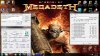
I'll upload Bad Company 2 shots and temps under load in a little bit. -
er Frank? according to that screenie, k10stat's clock control is turned off...
seer -
D'oh! Sorry Seer.
Here's a fixed one with the clock control enabled and I'm gonna test if 2.6 ghz is stable
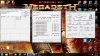
-
You shouldn't need to enable clock control. It will still use the set P-state speeds and voltages.
-
Using Afterburner I notice that GPU1 temp is occasionally spiking ver quickly to 127c even when idle, the temp sits at 49 then quicly shoots up then back down (looks like a heartbeat monitor). HWInfo does not show it go over 73 max when running 3DMark. Do I need to worry because it spikes often?
*HP dv6z AMD Llano (6XXX series) Owners Lounge*
Discussion in 'HP' started by scy1192, Jun 22, 2011.


