Problems? See this thread at archive.org.
Awesome, Thanks guys
i saw many scores of firestrike, is it possible to break/reach the 20k mark in graphics score? i only saw 20k+ scores in the zephyrus gx701 but i didn't saw a fully tunned/tweaked 2080 legion, how it does in benchmarks? from factory i saw arround 18k scores
sorry i got exited, can't wait for mine.
-
There is no need to block BIOS updates. I have the latest BIOS and undervolting is still possible. I don't see any other reason for blocking a BIOS update.
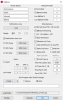
Thermal modes can be switched also without installing Lenovo Utility or Lenovo Vantage. To verify this, press Fn+Q and see how PL1 Power Limit set in HWiNFO. Below is Quiet Mode, 25W.
-
That's pretty good to know. Do you get an indicator about what mode you're in or do you still need Lenovo Utility for the pop-up?
-
There is no indicator. I just use HWiNFO and check the PL1 Power Limit. Base on this I know on which mode I am. I do no press Fn+Q very often, so it usually stays in Quiet Mode. I an using the laptop mostly for coding, and twice a year for gaming

Fn+Q - Quiet mode
GPU - 80W
CPU - 25W PL1 and 45W PL2
Fn+Q - Balanced
GPU - 90W
CPU - 60W PL1 and 80W PL2
Fn+Q - Performance
GPU - 90W
CPU - 70W PL1 and 107W PL2 -
i have a really thight data plan, also i really do want to know if its possible to block the updates or not
-
A BIOS update is 1MB. Thight data plan
Do not install Lenovo Vantage and you will not get any updates. But even with Lenovo Vantage I never saw updates installed without user consent.
-
I see. Thank you for the answer
-
Why nvidia still messing around with their latest firmware update?
Latest stable (and normal) version is 452.06
Newer version than that has glitch and artifact problem especially when using dedicated GPU mode and HDR ON.bryanryan likes this. -
Hi people. Been a LONG time since posting on here since I was without a laptop for over a year since owning one which was a y740.
I have another one a year on. I just trying verify maybe a minor issue. I swapped out the stock ssd for my own. I had not put the screws back in the lid. But had been testing just in case I had to do a bit of drive recovery on the stock drive.
After realising I had no issues after like 2 days of use. I put the screws incorrectly in the lid. I boot and the screen does the Lenovo splash screen. But rather than loading windows normally. It’s like the screen is black on jumping like there is a ribbon cable issue or faulty gpu symptoms.
I removed a particular screw and it’s as though it fixed it. And started normally.
It’s as though with the screws in it intermittently has this issue.
When I put the stock drive in the load up issue never happened with the screws in. It’s an odd one because I haven’t had any issues with the ssd that I was using in my previous y740.
Has anyone else had this problem? Like I’ve just turned it on and it loaded fine. I left it a while to text this message and the screen saver came on and the screen went black. I went to resume and now it’s doing it again.![[IMG]](images/storyImages/47466c761eafecfec7ee1387a8693751.jpg)
Sent from my iPhone using Tapatalk -
So the screen works fine before Windows booting? I would say its then driver issue, Optimus and/or HDR enabled.
First turn off HDR, that is what caused mine to fail. Turn off Optimus and then roll back drivers/restore Windows to previous versionsisqo_uk likes this. -
Probably a typo but in balanced mode the GPU only draws 80 watts.
-
Thanks for the reply. I thankfully learned it was not the gpu was failing. But think it was hdr that I turned on in the windows options and all was fine. But I think I also did activate optimus as well.
Is there a fix for this? Say if I wanted to turn on hdr.
I feel quite silly adding the whole screws thing . Seriously I had the regular hard drive with an os on it and the nvme and I thought it was trying to boot both hence the initial problem. And because the screw didn’t go in smoothly I was convinced it was doing some damage cos every time I took it out it was fine.
I reinstalled it and it’s all fine now.
So I appreciate the response
Sent from my iPhone using Tapatalk -
If you insist to use HDR mode, install NV driver 452.06
its known (at least by me) for the last stable and normal driver version to use HDR mode. -
Thanks I’ve screen shot it. Also do you think it’s worth using HDR or just sticking to having it off? I mean doesn’t it automatically activate when in games that have hdr settings like the division 2 for example, on my last model that had the 8750h 300nits the hdr wasn’t in the screen. But when I would play externally on my tv and hdr would activate on the screen. Although it was weird because it always seemed to be washed out colours as opposed to when off it was nice and vibrant. As if it was the wrong way around
 .
.
I haven’t tested this yet since.
Sent from my iPhone using Tapatalk -
Since that windows HDR setting always has given me nothing but trouble I always leave it off. Games that support HDR let you enable it simply in game and it works.
You only have to activate the windows setting if you wanna watch HDR videos.sisqo_uk likes this. -
I updated my nvidia drivers today; something broke completely. Can someone test this and let me know if they are running into same issue?
- Set graphics to "Use dedicated GPU" (Instead of hybrid mode)
- Connect external monitor (preferably one with G-Sync)
- Disconnect external monitor
I have crazy flickering on the laptop panel. Only a restart will fix it and it will work fine until I connect a external display and disconnect again. wtf
I tried using the Nvidia driver direct from Lenovo Website -
Ok, I believe it's fixed, updated the Intel GPU drivers too, no more flickering. Had to clear the Win Update cache for a looping bug that popped up. Seems good to go now!
EDIT: Nope! It's back
Any suggestions?Last edited: Nov 29, 2020 -
I've gotten that kind of flickering maybe once or twice when disconnecting my external DP monitor while the GPU is trying to render something, even something as simple as a youtube video.
Since it's a relatively new problem (and rare at least for me), I'd either blame Windows or Nvidia drivers. If you already tried uninstalling with DDU and installing the stock drivers from Lenovo, I'd think it's a problem with Windows. Try disabling/enabling hardware accelerated GPU scheduling, see if that helps.Last edited: Dec 1, 2020 -
Can anyone with an external monitor confirm this issue please: http://forum.notebookreview.com/threads/lenovo-y540-main-thread.829600/page-10#post-11061774
-
The latest NVIDIA Game Ready Driver (457.51) includes a fix specific to this laptop.
Release notes
Download link -
Whats the temp limit for the rtx 2070 max q version gpu? Ive started to see thermal limit reached info from sensors at 78C. Feels like the limit used to be 82C? Has there been an update to lower the limit, or do I just have a problem with the heatsink and the temp limit reaching too high on some part of the gpu. One of the ribbons have ripped of the motherboard from the heatsink, and there is a cap now between some memory modules and the heatsink. The one next to the gpu that only has thermal pads on them...
Should send the whole laptop to lenovo for repairs, but I know that they gonna say its my fault for opening the heatsink and charge me for the whole mainboard... Dont want pay for that thou -
If some of you play cyberpunk, how are your thermals?
Ive let hwmonitor running in the background and when i quit the game max cpu temo showed 99c. Never saw that temp before on my machine.
Gpu max was normal at 77c.
I'm on almost fresh nanogrease extreme. -
I have undervolted the cpu - getting temps at around 88-90 even with undervolt.
How did you open the screws that are securing the fans and heatpipes? I tried opening them but they are so tight i'm worried ill strip them and rly screw it up. -
I haven’t played cyberpunk yet. But I’m assuming the higher the quality the more likely the higher temps. This game is ROUGH!
I’m hardly surprised but surprised the cpu is this high
Sent from my iPhone using Tapatalk -
Lenovo uses a lot of lock tite, i almost stripped a screw by only removing the bottom cover. You really have to be careful unscrewing everything but it works.
-
Guys be careful! I stripped 1 screw a year ago, was a pain in the ... the get it out. Now when I tried to open the screws, they seem to be stuck again. Not gonna strip more of those.
About Cyberpunk. I have CPU at max 35W tdp set from throttlestop. This way the CPU doesnt reach over 85C anytime. The clocks vary from 2.9ghz to 3.9ghz, it bounces crazy around. Its not really optimized yet. GPU goes to 78C (like posted before) and maxes out there. Havent really dialed in the settings, but im running high/ultra with RT off and DLSS on quality. Running great thou and looks awesome! And with the 35W tdp hard cap temps are fine.
I used to play games like battlefield 5 at 37W, so might go to that. Like said, my heatsink is not connected nicely (read broken) so I think everyone else is going to have better temps than me at this point anyway...
Im using a coolerpad, rising the bottom helps a lot with the temps. -
You ripped a ribbon cable off with the heat sink? The only ribbons are attached to the fans. Are you sure both fans are able to turn?
If you just running on one fan now you will constantly be at thermal limit on either CPU or GPU (Depending which fan cable you busted)
I am about to save you a bunch of money! My Y740 died on me a month or two ago. I troubleshot it to be a motherboard failure. I am out of warranty.
I figured it would cost more then the laptop to fix/replace MB.
So I took it to Bestbuy Geek Squad. I already had it apart so just got them to do a board diagnostic, costs $100.
I told them if the repair was under $600 to just do it, they said the $100 diagnostic fee will apply to the repair cost!!
It took them about 2 weeks and they got me my laptop back better then new!
I had all the thermal pads and grease removed when i took it to them, so they repasted it and put all new thermal pads and changed the bad capacitor on the board, all for the initial $100 fee!!!!!!!!!
Now my laptop runs cooler then it ever has so whatever paste they used they did a great job, plus i expect they used the updated thermal pad sizes because it didnt run this cool even straight from factory.
So take it to Bestbuy and get them to fix it, they can even do full MB replacements, and its cheaper then you would expect.
Cheers. -
Not a ribbon cable. The mounting part of the heatsink got ripped out of the whole motherboard. One of the parts that you actually screw the screw for the heatsink... A part that looks like a motherboard stand, where the screw for the heatsink attaches to. So basically my heatsink is now missing one of the screws, as the mount is ripped off the MB.. I think the GPU still makes pretty good contact with the the heatsink, as I am able to run games quite well. But the 78C limit just seems off, as I remember doing benchmarks a year ago and the max temp was 82C.
If something to take out of this, be careful when removing the heatsink. Stripped one screw and had to buy a special piers to get that one out. While installing, might have tighten the screw too tight and that must have applied too much pressure for the mount and ripped it out of the MB. I think only part of the heatsink not making good contact are ether VRMAS or some other modules, eventhou all the sensor data doesn show overheating. Might have to remove the heatsink and apply thicker thermalpads to that are to get better contact.. I just dont want to anymore, all the screws seem to be stuck again
It would not be too hard to replace the mount part with a motherboard stand or something like that, but while still under warranty (I mean for the other parts of the machine i guess...) I dont want to remove the MB from the chassis.
Unlucky for me there are no Bestbuys here in Finland
-
It seems it's popping up more and more.
https://forums.lenovo.com/t5/Gaming...life-and-Hybrid-mode-issue/m-p/4550401?page=2 -
I've started a thread on the official Lenovo forums here to try to keep info in one spot and hopefully get some support on this issue.
-
Hello everyone!
Have y740-17 with i7-9750h + 2070 max-q (90w tdp)
I have read about nvflash and successfully disabled protectection for writing. Also backup of my vbios fully recognized by TDP tweaker.
Maybe some advises how I can reflashing my vbios with another version with higher tdp (or my modified vbios) without problems?
my GPU-z and TDP tweaker info: https://imgur.com/a/IMRQ3B0 -
Well, yesterday my screen backlight just died out of nowhere. Hope they will fix it under warranty as quick as possible.
Hotline guy said its not a problem if the ssd or battery were removed or the thermal paste changed. Hope he's right. -
Hi - just pulled the trigger on one of these; 9750H, 32GB RAM, 2070MQ etc..
Are there any must do things for this laptop? There doesn't seem to be a summary of the 200+ pages that I can see.
From what I've pieced together:
-Upgrade BIOS
-OC GPU / UV CPU
-Upgrade SSD (ordered a Samsung 970 + SSD for the 2.5" bay)
Anything else? Does anyone have some solid OC settings for ThrottleStop?
Cheers -
Attached Files:
-
-
That's great, thanks. - 120 offset is decent.
-
Hi - has anyone had any issues with their Y740 where certain keyboard keys dont light up at all? SDFZHK all don't light up on my unit and its mega annoying. I've updated the BIOS, KB firmware, and iCUE to no avail.. Any ideas?
-
Received back my Laptop from Repair and wanna give some props.
Two days after I called Lenovo Poland (where I live atm) the Laptop was picked up by UPS and 1 week later I have the machine back in my hands.
They changed the screen so everything is fine again. I was worried that maybe I can see some repair marks or something but there are none.
The only thing that wasnt so great is that they didnt repaste but just remounted the heatsink. But not a big deal for me.
I also hoped that they mount new screws but they didnt. At least they didnt strip them more as they already were lol.
So can recommend the warranty service. -
If you set a profile where every key should be lit and they are not then I guess its a hardware defect.
-
Got a LG GN950-B 4k 144Hz monitor, which requires Display 1.4 with DSC to work at full 144Hz at 4k. When connected to the mini displayport, I cannot get anything above 1440P to work. Even with several different brands of HBR3 VESA certified 1.4 mini-DP-to-DP cables hooked up to the monitor's display port, anything higher resolution than 1440P just flickers or have snow/artifacts with distortions.
However, when connected using the TB3/USB-C Alt mode with a USB-C to Displayport cable, I can get full 144Hz 4K at 10 bit 4:4:4 with DSC.
I think the MiniDisplay port on this laptop might be bandwidth limited? Anyone tried it with a 4K@60, 120 or 144HZ? Or maybe something wrong with the built-in MUX between my 2070 and mini-DP port? Any BIOS config that could affect this? -
Does anyone have an issue with the W button getting stuck while the temps go high while playing?
I have this issue in a few games but its most noticeable in Rocket league where the car keeps going forward even after the W key is not pressed.
I have verified that this issue is hardware related by using another keyboard for a long time and the issue did not repeat, i have also contacted rocket league support and went through a whole bunch of software related tests and fixes to make sure its not a software issue (and the problem went away when using another keyboard)
I am considering sending the computer to be fixed because of this and the temps going off the charts when i am gaming (im talking 95+) and its impossible to use it
if not undervolted and even then its uncomfortable.
I regret buying this computer so much, my old acer predator had so many more features and options, main one was to easily control fan settings and a keypad that doesn't mess up my typing habits built over 20+ years of using normal keyboards lol.
I have the y470 17" 2070maxq version.Last edited: Jan 24, 2021 -
OK, its power shunt time. Looks like I may need some help here.
I have the Y-740 I7 8750H, 2070MX.
So I have identified 4 R005 resistors on the circuit board.
-One small one is by the " DC power in" to the laptop, Bottom exposed side of the MB, under the heat sink right by the GPU fan.(Must remove cooler to access)
-Another small one is by the " DC Battery Connector", Bottom exposed side of the MB, directly above the battery connector to the MB.(Only need to remove bottom cover to access)
-Then I found two larger R005 resistors on the Top side of the MB, under the Metal foil.
(Do not need to remove cooler to lift MB enough to access these)
If the keyboard was invisible you would see these two resistors directly under the right side of the space bar.
What I have tried: (Liquid solder resistivity = 0.005ohm/cm)
1-Use liquid solder on the two small Resistors on the bottom of the MB.
This did not seem to have a noticeable effect. But a capacitor on the MB ended up blowing and had to be replaced by geek squad for $100. No report beyond that so cant say more on what damage occurred. (I removed the liquid solder before sending to repairs)
2-Use liquid solder on the two large resistors on the top of the MB.
This does not seem to have a noticeable effect.
3-With step 2, if I use liquid metal on the r005 by the battery connector, the laptop will freeze if I try to start a game on battery power. So I removed the metal from the battery connector resistor. This to me is a good sign that its trying to draw more then the battery wants to give, so it looks like I gotta do the R005 by the main laptop "DC Power In".
My Dilemma:
Geek squad did an amazing repaste job, they must have used all the new thermal pad thicknesses or something because my lappy has never run this cool before. It doesnt get to 90C in easy games anymore!, and the core temp evenness is amazing (7-9C spread, best I was getting before was 15C or so spread, some cores always ran hot no matter how many times I repasted.)
So do I risk ruining the repaste job? I would hate myself if it runs even slower after due to heat hahaha.
So we are getting close, anyone in here do this for this lappy yet? -
You should be able to control fans with FN+Q unless you got updated bios, in which case you can just revert to the old bios. Its on Lenovo website. I am on 1.07 since I got the lappy and FN+Q is great for gaming and OC. Gives extra 10W too (I have 8th gen CPU)
If you got 9th gen CPU you gotta go back to bios 1.03 I believe.
My laptop is the 15" and it runs nice and cool in my games, but if you play battlefield and stuff it can get toasty on the CPU. But that is easy to fix with max fans and UV.GodnesS likes this. -
Thanks for that!
I actually sent my laptop to be fixed since its under guarantee and the W key keeps getting stuck for some odd reason + the heat issue.
I heard about reverting the bios to get the FN Q combo to work, i tried taking it back to 1.06 but it didn't work so i figured it was a bust! i do have gen 9 and didn't know i had to go all the way back to 1.03.
I will give it a try when the laptop comes back - I am assuming they will change the motherboard since here they don't bother fixing anything they just replace whatever is the issue. -
I just installed BIOS v1.11. Everything seem to work, including Fn+Q. Anyone know if it does anything special?
-
Anybody can recommend size and thickness of thermal pads?
I plan to repaste the cpu and gpu but I don't remember if there are any thermal pads factory applied and if not, where users successfully applied them.
I can buy Gelid 0.5 or 1.0mm thermal pads/strips. -
Hello,
look at reddit people are complaining v1.11 is removing the UV possibility.
And reverting should kill the mainboard.
I have also updated to 1.11 without checking the posts and i have no problems. UV is still working.
I think it‘s just about the next gen y740 (9750h and 10th gen). I have the 8750h version.
And about your question they have closed vulnerabilities with this update. I have checked which one it should remove the UV possibility for all laptop users i don‘t know why our version isn‘t affected by this, but i am happy that it still works as i haven‘t checked the news before.
-
Hello,
i have repasted my laptop with phobya nano grease extreme nearly one year ago. The temps are like the day i have repasted.
I bought the gelid extreme pads as well but i was afraid that they won‘t touch the mosfets. It is impossible to check if they full touch the chips, mosfest, the chipset...
If you want to try it check the post of user „a1san“ here in the forum. He recommend which thickness you should take. Sorry i am on mobile phone right now ortherwise i would have find it for you. -
@Itzap
Thanks.
I forgot I can search for keywords inside the thread, I will do it later today and find the proper size for thermal pads. -
I have the 9750 and no issues here either. Oh well.bryanryan likes this.
Lenovo Legion Y740 17" 15"
Discussion in 'Lenovo' started by victorgm, Jan 30, 2019.