Problems? See this thread at archive.org.
If you use it for MadVR, why you dont use latest known stable nvidia driver?
-
-
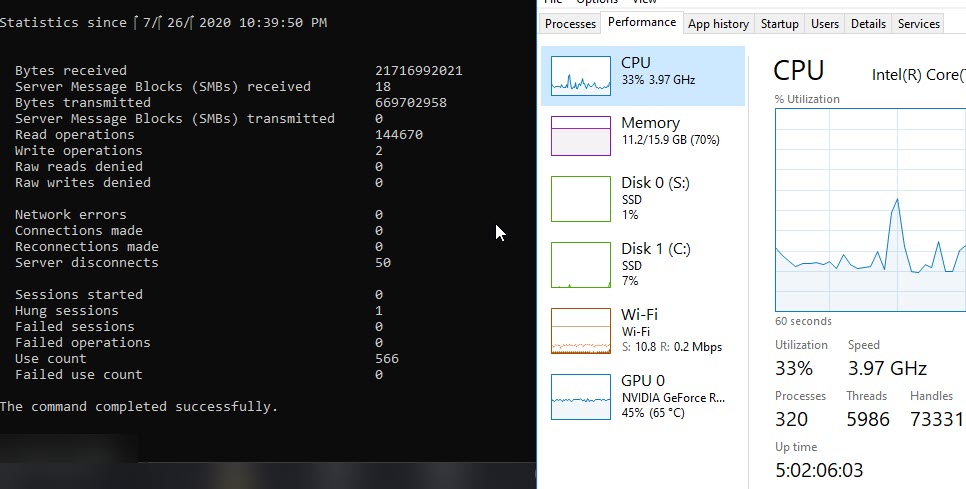
I should do that but I haven't had an issue recently in the past few days . It's weird .... When I get the shutdowns it seems to be random, I'm sure if I downgrade to the latest Nvidia drivers I wouldn't have as many of those nvidia krnl crashes . I attached my uptime
Attached Files:
-
-
Changing thermal grease probably gives you some degrees lower temps, but not to a significant degree.
Undervolting and lowering of CPU turbo is much more effective IMO. -
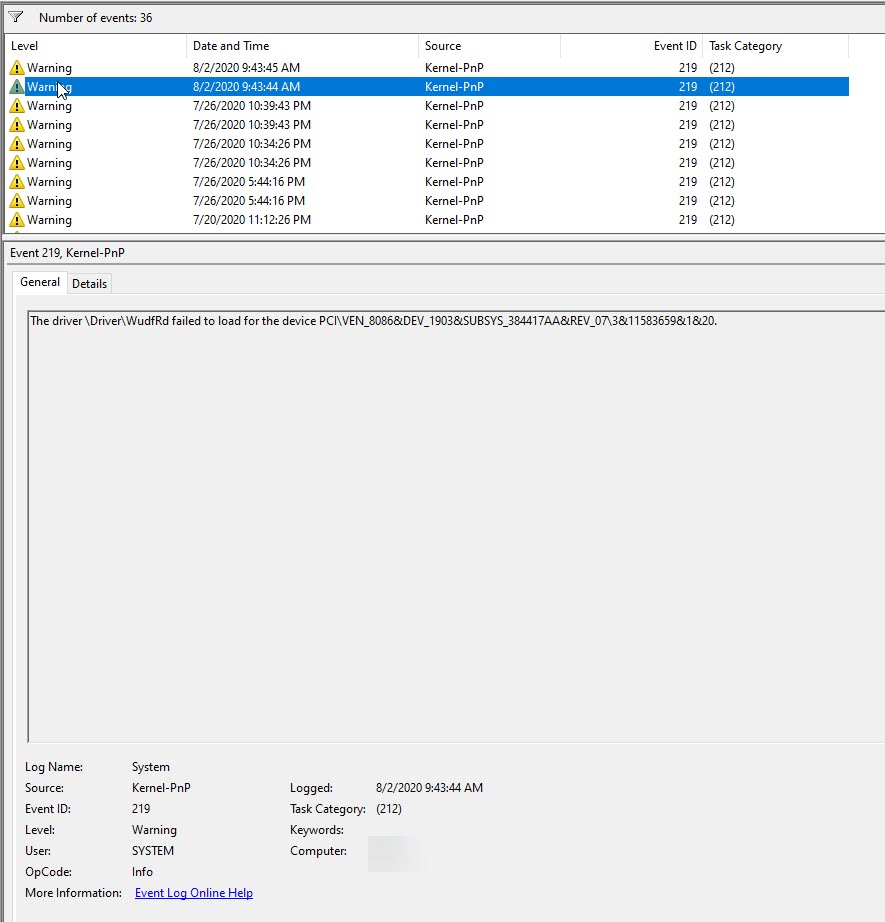
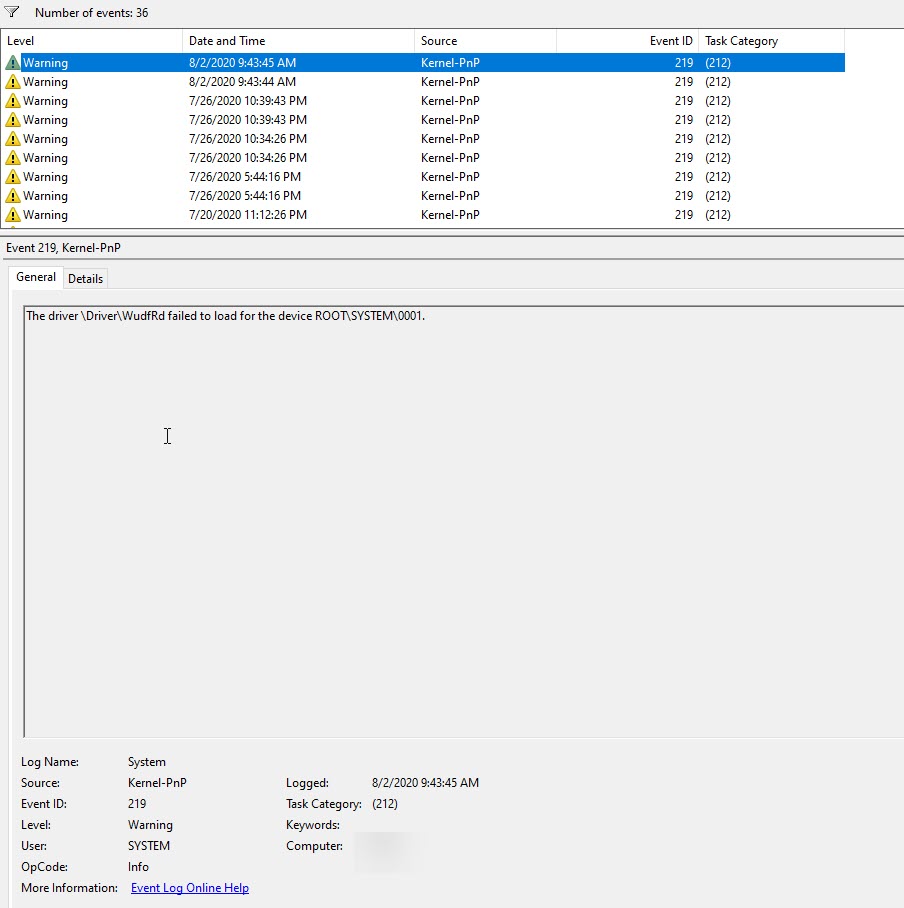
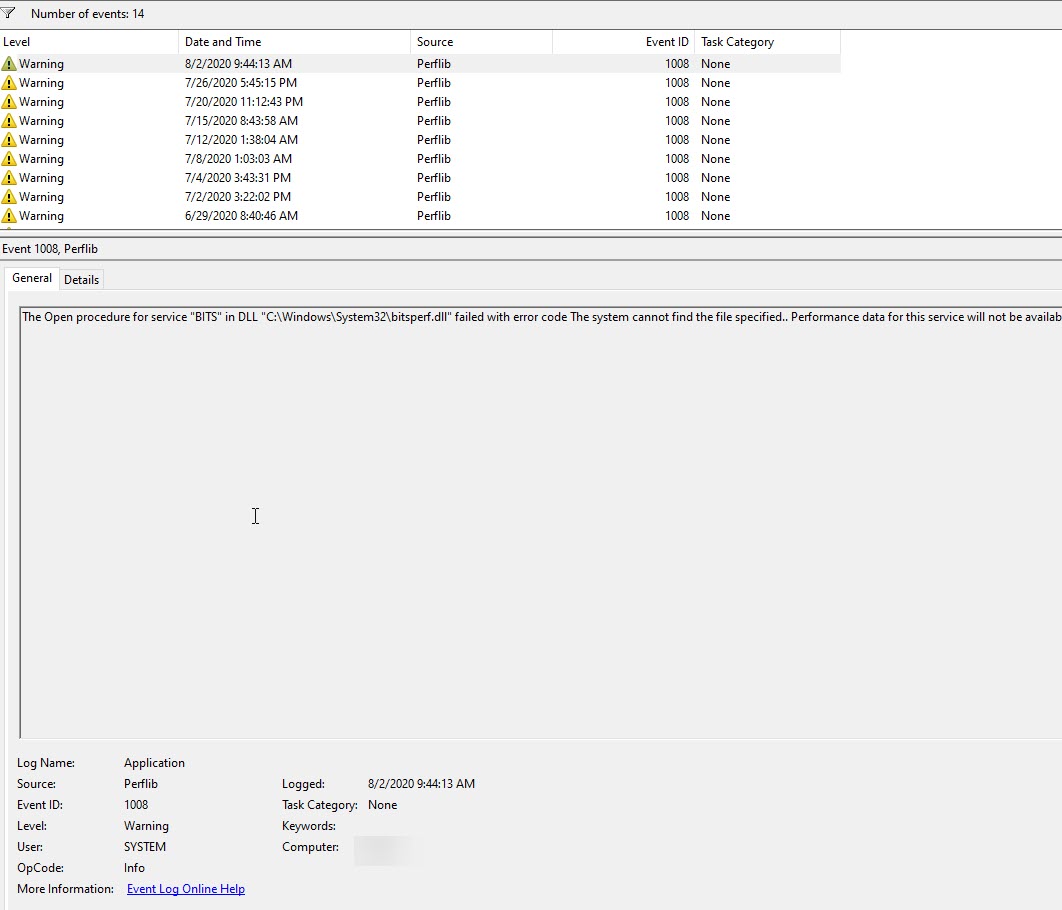
My machine literally just crashed like 6 minutes ago, I was watching a youtube video on google chrome. Here are the error logs if anyone is interested in checking out, no nvidia crashes.
-
I had the same issue with my Y740 15 inch, literally straight out of the box I noticed my Q key wasn't sitting right and after playing around it did the same thing as your Ctrl key. I noticed that it wasn't clipped in properly at the top left.
It was a stressful 5 mins but I unclipped the top right of the key, then had to lift the whole key up and clip the top back in.
There is a bit of give on the clip so don't push/pull too hard, try see if everything is still in tact and not damaged, figure out how the clips go back in and work your magic. Just be firm but GENTLE. -
It "clips" in right sometimes and sometimes it's loose I think on of those "clips" is clipped.
-
Check the whole clip properly, mine used to "clip" in too but then would move the same way as yours. My key was slightly skew on to the main clips, look carefully and you will see its not in properly. I found it easier to see by unclipping the top right side too
-
Two of my keys have just recently started to make this same "clicky" sound every time I press them. At first it was just my "E" key. Then a few weeks later my "D" key also started making it. It doesn't feel quite as firm as the other keys when I press it down, I'm not sure if it's due to wear and tear and something is damaged or if one of the clips is just not aligned correctly. I use my Y740 for gaming mostly so both of these keys get pressed way more than the others. Here's a video I put on reddit asking for help about it:
Video:
Does this sound like the same thing? Should I try and unclip part of the key and re-align it? Thanks. -
I can't say for sure as my issue was the same as contro. The easiest way to see if you have the same issue is try move the key clockwise or anti-clockwise and see if it moves at all so it proves isn't clipped on one side, if it moves sideways or upwards like contro's video then you may have the same issue. Be gentle as you don't want to break any of the clips, else you will need to buy a replacement.
https://www.quikfixlaptopkeys.com/?product=lenovo-legion-y740-15-keyboard-key-replacement-kit
I honestly can't remember which hinge type it was but they are both pretty much the same. I checked the clips on the top and how the went in, I found the top right was really easy to clip in but the top left wouldn't. I then grabbed a cotton swab and held down the clip so i could pull the key cap off the hinge. I can't remember exactly which part it was but on the top left it was slightly skew or off so it wasn't clipping into the hinge correctly. I lightly bent it back into place and guided the clip back onto the hing so it wouldn't bend back, lightly pushed it back in and it clipped in properly. I haven't had an issue with it since.contro likes this. -
I recently had a small accident that did some damage to my Y740 15". I'm considering possibly replacing the top case (with the keyboard and trackpad and all of that). Basically doing a chassis swap.
But I'm wondering - to do that, will I need to remove the cooler from the motherboard?
Don't get me wrong, I know I'll need to remove the motherboard from the case... that's obvious. But I've read some horror stories of people stripping out screws trying to remove just the cooler. So I'm wondering if it's possible to remove the motherboard and cooler all as one unit?
TL/DR: Anyone know if I can access all the connections and screws I'll need to remove the motherboard without seperating the cooler? Anyone have any idea how complex this will turn out to be?Last edited: Aug 16, 2020 -
I was wondering is it normal for a y740 to have PCH temperature of 82-85 while gaming, my idle temperature is around 45c.
Should I be worried? -
Is it stock or undervolted etc?
-
Its undervolted, but i just recently changed the thickness of the thermal pad from 0.5mm to 2mm and the PCH never goes over 76c, so i guess problem fixed
-
Alrighty then.
-
I would say that is pretty good. Not undervaulted mine sits at 95 degrees ALOT. Undervaulted it spikes to 95 but normally is around 85-90 mid game.
-
what about your VRR temp?
-
Has someone tried to use IC Graphite Pads or Thermal Grizzly Carbonaut to repaste the GPU/CPU on the y740 with success?
-
Please use the search function at the top right of the forum and search this thread. You will find your answers
-
Hey guys,what’s the best Non conductive thermal paste for this laptop?Ive already tried IC diamond.its not bad.What paste are you guys using and how does it perform?also has anyone removed the black tape in top of the heatsink gpu.does it help for thermals?what are some Laptop mods I can do for better thermals
-
Well, there are like 212 pages full of it. But to sum things up for you:
- For laptops / uneven heatsinks, get a paste with a high viscosity.
- Thicker paste which numberous people have succes with are: Phobya NanoGrease or Gelid GC-Extreme
- With Kryonaut you get very good results, but seems to dry up quicker (my experience as well)
I use the Gelid GC-Extreme. CPU Temps are 70-74 during heavy load depending on room temperature. UV + UC to 3.6ghz. I get a small core temp difference with this paste. 3degrees between highest and lowest core.
Fyi, Kryonaut did 68-72 on heavy load. But after less then two months it went to 78 and up andit came with a larger core temp. gap. -
I don’t mind repasting every 2 months as long as I get good performance.is it worth it?some say the y740 heatsink is uneven
Sent from my iPhone using Tapatalk -
I also have this experience with Kryonaut.I'm gonna go with Phobya NanoGrease next as it worked good for me in another gaming laptop.
-
I don’t mind repasting kryonaut every month,will it have good temps tho?for my y740
Sent from my iPhone using Tapatalk -
If you do it properly, I guess you have a good chance at that.
-
Also earlier in this thread,someone said to remove the Black tape on top of the heatsink,is that a good idea?does that improve thermals?has anyone done it?
Sent from my iPhone using Tapatalk -
Are you sure you didn't misread that? Afaik the tape should stay on.
-
No,page 177 IIRC,he said to remove the black tape on top of the gpu heatsink.
Sent from my iPhone using Tapatalk -
You seem to be right. Well, try it if you want - the tape can easily be replaced. I'm repasting my machine again one of these days, so I might remove it too.
-
Repasting your CPU is not a monthly activity. It is not like the change of the engine oil of a car because your drive the car a lot. If you were unlucky and you are among the 0.01% users that received a laptop from factory with a bad applied CPU thermal paste, you do it once and forget about it. It is a gaming laptop, it will generate heat. Just limit the CPU performance while gaming to keep the heat at reasonable levels.
Last time when I had to repaste a CPU was 20 years ago when I replaced a broken motherboard from my desktop PC, because I had to remove the CPU and install it on a new motherboard. I really don't know who started this fashion of repasting the CPU in laptops as a cool thing that you have to do. It does not improve anything, it is just the placebo effect. -
this laptop suffers realy from pumpout effect using thin thermal paste. switch from kryonaut to ic diamond. ic diamond is way thicker than kryonaut. so far no pumpout effect. can realy recommend.
-
Using ic diamond already
Sent from my iPhone using Tapatalk -
Just notice a new bios update for y740-15ICH, anyone tried it?
Is the thermal still bad with the newer bios? -
Hello,
My Y740-15ICHg had issues with the WiFi not working in Windows (Device manager showed a network controller with a yellow exclamation mark and had correct VID & PID values but just couldn't install the driver and make it work) in Ubuntu I could see the 9560 show up in lspci but over there also the card didn't work.
I then updated the BIOS to 1.12 and it came back up.
----------------------------------
Also, has anybody upgraded to the AX200 or better? I wanted to know which card works as there is BIOS whitelisting with Lenovos. -
I updated the BIOS and run my CPU at -125mV core and -100mV cache. Saw no difference in CBR15 scores (1050-1130) with multiple runs in a room with high ambient temps(27c).
-
What about the temps? About the same than before?
-
Temps are the same for me. Specifically my CPU constantly sits between 90-95 degrees and sits at 95 when under heavy load. Often when starting up/general use it will spike to 90-92. Now that I've had this laptop for more than a year I am going to be re-pasting.Last edited: Oct 5, 2020
-
Can you verify that the undervolts are actually getting applied in Throttlestop? Open the FIVR menu and look at the top right table, you should be seeing the offsets changing.
-
That's definitely applying correctly. Reason I asked was that they didn't for me when I first tried it.
Unfortunate, but you can definitely try repasting. -
It hasn't really bothered me, the only time its irritating is when I am not doing much and the CPU just spikes every now and again and forces the CPU fan to max out. I'm more concerned of the health in a years time with the CPU constantly sitting at 95 degrees under any sort of load.
-
Wanted to update you guys my computer has been on for 20 Days so far and has not randomly shut down~
-
Has anyone posted the order for screwing in the heatsink screws on a repaste? I've been searching for it for a few days now, and haven't come across it any where...
-
Its written on one of the chips heatsink. But in the end it doesn't really matter. Just go around and screw in one screw after another bit by bit.
-
Hi. Im about to pull buy a y740 but theres a question that i can't find the answer to.
Is there any way to block the bios updates from windows? I've spoken with some owners and they told me that their 740 updated their bios with no warning even tho the updates were disabled in the vantage. Is there ny way to disable it from windows? Or some program that can disable it?
Thanks beforehand i hope to join the 740 team soon -
Hello,
i own the Y740 since may 2019.
I don‘t know why other owners gave you this information but if you don‘t update the BIOS then it stays at the current version.
For a BIOS update you need to activate automatically updates in Lenovo Vantage or you need to manually update it by downloading it from the lenovos website. I totally cannot confirm that lenovo has Whql certified their BIOS updates and i never saw them in a windows update.
I am using Lenovo Vantage software since day 1 - disabled automatic updates. I am updating my BIOS manually and stay on a version as long as i want.
Hope this helps you a little bit!
Best regards,
Itzap -
Tyvm Itzap
I'll try to document all my findings i really like this laptop. You have a 17" or 15" model?
I saw the 15" i work at a laptop reseller but i wanted to know about the 17" and i"ll try to make some videos for comprasion for other modes with mine.
How is the subwoofer.. does it really makes a difference? I dont need an supreme sound just a little bass would be awesome. For me will be a plus since i need a 17"
Many thanks -
Hello,
your absolutly welcome.
I have spent a lot and i really mean hundreds of hours beside using the laptop with technical details, repaste, talked to engineers of parts inside the y740.
If i can help a little bit it makes me happy.
I own the y740-15ichg with 2070max q and 8750h cpu.
I did not test the 17 inch model but i have tested many laptops in the past, also 17 inch models with a „subwoofer“ inside.
Its nothing special than a third quite bigger speaker in the center of the laptop.
I can say yes you hear the difference but it still will be a laptop. The sound of the y740 in general is very good.
If you dont transport the laptop very often you could benefit from other advantages of the 17 inch model as well.
But therefore other reviews and members of the 17 inch model could give you more and better tips!
Best regards,
Itzap -
I've been trying to research info about the 2080mq in the 740 but i can't find anythi g about this model.
I want to know if it pulls 90w like the 2070 or if its just a 80w variant
Every answer regards this question is "i have the 2070 and it uses 90w" i've sold many of those in my company and i tested them and saw that 90w... but never saw a 2080 variant nor tested. Someone knows about the wattage of the 740 with 2080 at its most powerful mode?
I know it could make only 5-10% differenc3 but it could be q deal breaker for me having to chose between this the zephy gx701 and the razer blade pro
But i like the 740 most tbh ...
Thanks in advance -
The 2080mq in my Y740-15IRHg works at 90w when in Performance mode, in Quiet or Balanced modes it it will be running at 80w. Thermal modes can be togged by using the shortcut Fn+Q if you have LenovoUtility installed or directly through Lenovo Vantage.
-
I can confirm
Lenovo Legion Y740 17" 15"
Discussion in 'Lenovo' started by victorgm, Jan 30, 2019.