 Problems? See this thread at archive.org.
Do yourself a favor and replace it with a SSD. You won't regret the purchase
Anyway, if you want to pursue the issue, mind downloading and running a program called gsmartcontrol for me? Then double click on the drive and post screenshots of what it says on the Attributes tab and the Error tab (if it has anything).
-
Oh, I definitely want an SSD, I just don't have the money at the moment. I'd go for a 500GB or bigger, which is pretty pricey...
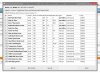
There was nothing on the Error tab. But the sound has gone away now, anyway. Really strange... I'll keep an eye on it, though. Thanks for pointing me towards gsmartcontrol! Looks pretty handy. -
Where can I download the BIOS mod? Thanks!
-
No prob
That Attributes page looks fine to me.
If you have any other questions about any applications where a program might be handy, feel free to ask. I'll probably know something
As for the SSD, check prices on Black Friday or Cyber Monday or whatever the heck it is nowadays. I got my MX100 512GB for $200 and they just keep dropping in price. You might be able to get a good deal on one of those days.
I use more than 500GB, but not on my SSD. I have the things I use on a daily basis on my SSD and carry around an external drive for things like movies, games that I don't really play anymore, large files that I use for my job occasionally (installation packages, ISOs), things like that. -
If you read a bit further back, someone stated that installing that mod would replace the key for Windows inside your machine. That's not a good thing. And there's even the possibility that his BIOS mod won't work with your laptop. It was his BIOS file specifically that was hacked anyway.
-
yes, you need to dump your own bios and post it on that bios mod request thread for someone to mod it. your own bios contains your windows license on it, so flashing someone elses will result in windows becoming no longer activated.
heibk201 likes this. -
does changing the wireless card void the warranty?
-
No it doesn't look like it. What card do you have?
-
I have a realtek RTL8723BE, it's okaish at home, I get around 70mbit near the ap but I still have to try it at work where the ap is quite far
-
I noticed sometimes when I have a lot of chrome tabs open that my computer has a lag when scrolling on a webpage. I have the 4k, 16gigs of ram, and an SSD.. Why would this be happening?
It stops once I open task manager and kill all chrome processes -
What is the name of the drivers you use for the wifi card?
Mine is located in system32\drivers\ and is called netwbw02.sys, netwfw02.dat and vwfibus.sys.
I uninstalled the bluetooth driver and deactivated the bluetooth aswell, but still... So crap. Will search the web to find out of the warranty will be affected if I open the cover (does it?).
edit: my driver is version 17.1.0.19, date 21.07.2014.
Well this was surprising. Now my speed actually looks ok! What I did was deactive wireless adapter, uninstall driver, reboot PC, install latest intel driver, then go to update driver, chose a intel driver and updated to that. Now my speed is 4-5 mbps slower than my friends asus, but still, that much better than before! Now I have 20, he has 25, and I used to have 5-15 (sometimes 15, most of the time 5mbps). I will keep updating if my speed drops.
edit 2: speed suddenly dropped 10mbps, don't know why... my router says that the connection is a 26mbps connection, all other connections are 65mbps and up! -
Hey guys.
I got the 4k version and I have a problem with battery life. It just last couple of hours with normal web browsing and youtube watching. I did a clean install and all drivers are updated, brightness at 50-60%. Is this normal? -
A couple of hours? Is that 2-4 hours? That is normal. 2-3 hours I would say is perfect, 4 hours is really lucky, almost not possible. The battery life simply isn't the best
-
Yeah I meant 2 hours, maximum 2 and half. I actually thought that 4 hours was the standard.
-
It just all depends. Set your brightness all the way down, and put it in power saver/maximum power saver and you might hit between 3-4 hours, maximum.
-
so where did you guys found the 7260 ngw? In europe I can only find the 7260 hmw which I assume it's not compatible
-
Here is some info, if you are buying directly from Lenovo. Is that already known?
 Sandbag likes this.
 -
4 hours is like the maximum battery time on the 1080P version. If you want to get even close to 4 hours, were talking about lowering the brightness alot, on powersaving mode and...well, simply don't use it very much.
When you read manufacturers battery life: split the number in half. I use this for class and I always get by the first hours. About 9AM to 12AM with moderate web browsing on low brightness and batterysaver/balanced. It's not dead by then(maybe...10-15%) but after lunch I plug it in.
This is not made as a battery champion though. It's a balanced gaming/productivity laptop and if battery life is anywhere near a high priority, this is a bad buy. -
For a moment I though the refresh rate of the monitor could be adjusted beyond its limit via software or through the video card, but after looking at the Asus PB287Q which operates at 60Hz, it seems it's a hardware issue.
So if the Lenovo 4K monitor is locked at 48Hz then it's nothing we can do but to replace the screen.
Monitors & Projectors - PB287Q - ASUS -
Does everyone with the 4K model have the fan clicking issues and a track pad that makes a lot of noise when touched, or is it a select number of people?
-
Hey guys! Just bought the Lenovo Y50 and was wondering if anyone knew if the VRAM was Hynix/Samsung.
-
So I just got a Y50 the other day and I noticed that my startup times have been around 22-30 seconds. I decided to investigate and tried to disable the fast startup options in power options and suddenly my startup time is down to between 12-14 seconds. Anyone have any idea whats going on? how do i fix it?
Also one other thing I noticed that I am not sure is completely normal is that when fast startup is enabled, when I shutdown, the screen turns off but the front LEDs/keyboard stay lit with the pc working for maybe another 30 seconds. Any thoughts would be very appreciated. -
Yeah, I'm one of those people who nearly bought an Y50 and then lost all interest due to the screen. I'm now looking into buying the new Acer with the 860m+IPS. But if Lenovo makes an updated Y51 with a better screen (and better cooling), I might consider that as well.
-
You have installed an intel driver on your realtek wifi card?
-
I can finally say that my wireless card is working fine! Got a new Linksys router and the newest intel drivers, and I now get 85mbps on 5ghz with a maximum of 100mbps, so I'm happy with that
-
How come I'm experiencing keyboard lag when typing and deleting? Very frustrating.
-
Anyone had this experience to them? if not what do u suggest i do? its a software/windows problem right?
-
Microsoft sells the UHD 4K Touch model.
-
And guys, I can't seem to open MalwareBytes anymore and I've tried running Chameleon tests but to no avail. Why can't I open it?
-
That's normal. The computer turns off the screen but is still running so it can save all of the drivers and whatnot for fast boot. In other words, your computer is still doing work until the LEDs go off. I have an SSD and it might be half a second slower to start up, but the time for it to completely turn off is much shorter.
-
Sry if you got me wrong^^ This question was serious. You got the Realtek RTL8723BE Wireless LAN 802.11n PCI-E NIC and installed the intel driver from the lenovo website on it and it works better?
-
No I have the intel 7260 ac.
-
yes, someone else noticed the same problem! I was starting to think its something else I've installed. I can fix the issue temporarily when I apply my keyboard settings, but then within a few minutes its back to being slow again.
-
it's an issue that just happens with w.e. reason, a lot of dell users have this too. I have the same problem whenever I woke it up from sleep, the keyboard just resets the repeat rate
-
hi i have a disturbing issue with my y50 and i was wondering if anyone has this particular problem.
when i play videos on youtube or netflix for example without it charging, the videos stutter frequently.
however when i play videos with it charging videos are played fine.
is there a way to fix this?
i believei do have max/high performance without battery plugged in. if there are ways to maximize performance throughout the pc with and without being plugged in, please lend me those tips!
i have the UHD with 16gb ram and 250 gb SSD. -
right click on desktop, open graphics properties
chose the "Power" option
Choose the "On Battery" tab
Select "Maximum Performance."
Hope this helps!
-
Can any Y50 owners comment on the build quality of the laptop? I've read and watched reviews. But I'm confused about the lid and the bottom -- Is it actually of metal construction? Or is it plastic with a hairline/brushed design? If its the latter, does it still feel premium with no give?
I'm buying a laptop for work and a LAN party in a couple of weeks. Will be away from home and "stuck" with it for months to come. lol. So I'd like to know if its durable enough for me to throw in a backpack and go!
-
The build quality is good, the back of the screen loves fat and finger prints, but who cares? I don't. The bottom is made of plastic. It feels very good in my opinion.
About the network issues I had, it still seems that 2,4ghz is CRAP! With 5ghz network I get 73mbp just now, with 2,4ghz I get 12mbps! I mean, what is going on with this network card? And while I'm gaming CS for example, every 1 or 2 minute there is a session with extreme lagging, feels like a network drop... I would be happy for a solution to this problem... -
i've had the base touch model for couple months and i've been regularly experiencing stuttering issues when i play csgo. i've set the performance to maximum, updated drivers for nvidia using geforce experience (344.11), and even tried lowering the graphics settings but the stuttering is always there. can anyone help?
-
Try ThrottleStop and set the multiplier to 25-30 (depending on ambient temps). It helped for me.
-
Hi
I've been reading through these forums since Page1 and have finally decided to purchase the Lenovo Y50. I'm from India and there are only two variants available here.
1. i7 4710HQ, 8GB RAM, 4GB GTX 860M
2. i7 4710HQ, 8GB RAM, 2GB GTX 860M
Im planning on buying the 4gb variant.
However on this one site [ Snapdeal ] the display they are offering is a 1366x768. AFAIK all the Y50s are FHD 1080p displays. Is there a 1366x768 variant ever ? i was looking to purchase from this website as it was offering the laptop the cheapest in comparison to other E-retailers like Amazon, Ebay, Flipkart, thedostore etc.
Anyone who has any info or has purchased from Snapdeal please shed some light..
thanks in advance -
My notebook is always plugged in because I play alot of games on it. So today i started the notebook without being plugged in and the battery meter tells me it's 93% full. How's that? I always shut the notebook down, not to sleep mode or anything like that.
-
Yet another Intel Wireless AC-7620 question.
This is my second brand new Y-50 in two weeks. I exchanged the first one because of the following issue. I keep having issues with the AC-7620 disconnecting and not connecting to my WiFi router or any other router for that matter (work, school, Starbucks, library). This happens on a a brand new clean system. I do the initial setup and then Windows updates before anything else. It's hapened to BOTH machines from day one!!! I am getting disconnected randomly sometimes every 5 or 10 minutes other times I can go a half hour to an hour before getting disconnected. It usually also won't automatically reconnect. I almost always have to "troubleshoot and go into the adapter to get it to reset...
I do NOT have this issue with any of my 3 other laptops or the desktop so I don't think it's the router. I have reset the router as well to see if that made a difference but it didn't... In fact I use my Y50 right next to my desktop which is also connected by WiFi and when the Y50 won't connect or drops the connection the desktop is still fine. I have checked my old laptop as well as my wifes and kids and they are always connected as well.
When I troubleshoot the WiFi adapter I get the error message "The remote device or resource wont accept your connection." Then when I go into the actual adapter and "Diagnose" I ALSO get the following: "device or resource DNS server is not responding"
I have uninstalled the original drivers because of this issue and installed the latest Intel AC-7260 drivers. Driver date: 7/21/2014 Version 17.1.0.19 with NO improvement.
I have also gone into the adapter properties and ensured that the settings in the TCP/IP v4 and v6 where set to obtain IPv4/v6 and DNS automatically AND unchecked allow this computer to turn off this device to save power. Transmit power is set to "Highest" and when it is connected I have all bars...
I have spent many hours trying to sort this out. not only on the first machine wich I exchanged but now also on this machine.
Do I need to install different drivers for the AC-7620
Do I need to change anything in the settings or registry?
What do I need to do to connect and keep me connected?
PLEASE HELP!!! Between work and school I don't have time for this!
Thanks...
Tom -
Is there a modded bios for the video card allowing for higher gpu core clock rates?
-
Wrong driver perhaps?
What OS do you have?
Is your wireless card Intel or another manufacturer? -
Hi,
i can't solve the "fast startup" problem. The laptop starts in 35 seconds with it enabled: I disabled fast boot and shut off the computer and then turned it on again. Then I enabled fast boot and only the first time it boots in under 12 seconds. If i turned on the laptop again the issue is back.
I tried to turn the "fast startup" off and then back on using command prompt with no luck, only the first time the boot was fine
If i disabled the fast startup the boot time was around 20 seconds -
Sorry forgot to mention OS is Win 8.1
Card is Intel AC-7620
Edit: really should check my spelling before posting...
-
I assume you have a hard drive. I have an SSD and it takes about 12-15 seconds max. Not sure if the fast startup is on or off in my laptop. I just got it and haven't tweaked it.
-
I have the same.
I installed the "Intel WLAN Driver for Windows 8.1 (64-bit) - Lenovo Y50-70, Y50-70 Touch" (driver ver. 17.0.5.8) (date 8/12/2014)
from the Lenovo site: Laptops and netbooks :: Lenovo Y Series laptops :: Y50 70 Touch Notebook Lenovo - Lenovo Support (US)
I have no problems with it. No signal dropping, no lagging in YouTube videos. -
Just something bugging me a little bit.
The card is an AC-7260, not an AC-7620. The latter doesn't exist.
Lenovo Y50 Owners and Information Thread
Discussion in 'Lenovo' started by kingfirejet, Jun 5, 2014.


