 Problems? See this thread at archive.org.
Now why is it showing an ips panel... I will be sad if a fhd turns out to have an ips panel... cousin just collected the laptop from walmart...uhd one....
-
Got my p650se with 970m for 1260 dollars
-
Edited my post. If I had 200 more dollars in my budget, I would totally go for that one. 970 OC'd is better than an 880 or so I've heard...
-
970m is about 20% faster than 880m... at base clock...
-
Hello,
My Y50 just arrived but I'm having troubles installing the windows. I'm starting to freak out thinking it might be a faulty unit?
I've added my windows 8.1 on a USB Drive ( tried in many ways - MBR for UEFI and BIOS ; GPT for UEFI , etc ) and also in bios tried in legacy mode with secure boot disabled and almost anything I could think of.
The issue is that, after it boots the USB and I choose the settings, format the drive and it starts installing the OS, it's restarting and the harddisk makes a click sound.
Anyone encountered this problem?
Edit: My Y50 came with FreeDOS. Is there a way to remove that? Maybe this is causing the issue?
Thank you.Last edited: Dec 2, 2014 -
I wanted to upgrade to 8.1 pro and I couldn't figure out how to do it from a flash drive. I tried all of the settings in every combination and couldn't get it to work...help!
-
Try the following:
1. Use Rufus and create a bootable USB, use the "GPT partition scheme for UEFI computer" option.
2. Make sure you select UEFI and not Legacy Mode in the BIOS.
3. Make sure you don't have any external devices connected - mouse, kbd, external hard drive etc.
4. During the installation process when the system does the first restart - remove the USB intermediately to allow the laptop to boot from the disk instead. -
hey guys Im considering getting this y50 or the y40. Now if u guys could help that would be great, I like the y50 cause i think the nividia card is better and less buggy. However the y40 is smaller and I like more portability. My question is is the y50 bulky and does it get hot. also I have heard the screen is really bad. I am trying to figure out is it as bad as like a 500 dollar laptop. How bad will it be. also I can get the y40 fully maxed for 850 but the y50 would be 1000 and thats without a ssd. What do u guys think of the lenovo's. Thank you guys
-
In my opinion the Y50 is definitely not bulky but yeah, it would be bigger than the Y40. If its get hot - yeah, under load, though not much due to CPU throttling Idle or light usage - no it doesn't get hot. The screen is bad but I haven't changed it yet, don't know what else to say here, depends of what kind of quality do you need/require.
Bottom line it really depends on what task are you going to perform and if you prefer portability over performance. If you want both, i.e. the portability of Y40 and the power of Y50 I suggest you go for another brand/model and probably prepare to spend more.
Honestly, at this point I wouldn't get neither Y40 or Y50. I don't know about the Y40 but apart from the bad screen the Y50 has quite a lot of minor but somewhat annoying issues that Lenovo won't even acknowledge.. I don't trust Lenovo anymore to produce a quality "first release" non-business class laptop model, I'd rather wait for a refresh, Y41 or Y51 or whatever Lenovo decides to call it or go for something with 970m. -
I got mine today from TigerDirect. To complicate your decision it came with the Broadcom Wifi card (unless I'm reading something wrong).
-
Looks like people are going to have to play the Wi-Fi card lottery...
-
Yeah, if I had patience I would have waited until Q1 of next year for the Broadwell models, but I needed a laptop now. Overall, I'd say I'm satisfied with the Y50 as long as you super-user your way through the annoying stuff or just luck out (Like I did with the 7260 card).
-
Consider that you aren't going to find a laptop for the same weight, price and performance as the Y50.
But sadly the screen is really bad, I'd say judge for yourself, but in my opinion you just have to change it.
It gets hot depending on what you are doing. If you are running the latest and most demanding game with your GPU overclocked, of course it's going to be hot. If you are browsing the internet the temperature is satisfactory, especially considering that there's a fan that is basically always on.
Would I recommend the Y50? yes but only with a screen change, and if you are willing to solve possible problems that can emerge while using it.
About the Y40 I can't really say much, other than the fact that the screen is just as bad, and it might not be changed as easily as the Y50. And of course there's less performance and weight, but also less price.
Would I recommend the Y40 for gaming?
no.
Would i recommend the Y40 for non-gaming use such as browsing the internet and watching movies?
Absolutely not. -
hi all, may someone put a copy of ur original y50 lenovo settings app here.. since i fresh install new win 8.1 pro and forgot to make a backup of it.. i;ve searched in win store, but its a no go because lack of functions.. hope someone upload it here,, thanks

-
https://www.dropbox.com/s/e3auywhk09v9740/Lenovo Settings.zip?dl=0
Just unzip it...I couldn't find the setup file though...joferes likes this. -
Are you better off getting the 4k models instead of the FHD ones?
Ive seen a few 4k's float for around 1200. -
Its not as bad as the FHD. I got it and returned it.
The yellows are terrible! I could get it from a mustard yellow to normal but contrast and gamma were affected.
Better to get the FHD and replace the screen. The 4k model's scaling is annoying!There are fixes based on programs but they make it look worse (like zooming in on a 3MP picture). -
are you talking about the Y50? I wouldn't get a 4K Y50 because of lower fps, 48hz lock, most games play in small window with black borders, and bad yellows.
-
Keep in mind everyone is going to have a different perspective. I looked at the 4K model and passed and so far I'm content with the FHD screen. It isnt the best but viewing angles are not important for me and I was expecting a lot worse based on comments I've seen here and elsewhere. To me the screen is fine and frankly there arent a lot of equally equipped alternatives for the same price. Can you find someplace where you can return without re-stock? It might pay to try it yourself.
I got the i7, 16GB RAM, and a 4GB 860m for $950 (less with cash back). -
How can I find my windows 8.1 key on my Y50? someone help please. I want to do a clean install to get rid of bloatware! Thanks
-
Where did you buy the y50 for that price? Did it come with a SSD?
-
TigerDirect had this deal so that's what I would guess. Probably no SSD though.
-
Yeah, I just saw it. It states the i7-4700 and no SSD.
I just ordered a similar model off Lenovo Website. says it has an i7-4710. A slight upgrade or just marketing?
i7 4710, 16gb ram, 512 SSD, and 4GB Nvidia 860m for $1249.00 -
I agree with you on this. I just adjusted the color with the Intel color management and I was set. I know it changes with brightness but rarely do I change it lower than 75%. I wouldn't let the screen detract from buying this laptop. Depending on configuration you can get a killer deal.
I got the i7-4710hq 16GB ram, 860m 4gb and 512GB SSD for 1149.00. -
Yes this model. I have an additional discount from my work as well as the black Friday sale
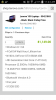
-
Here are the main differences between them. Looks like a slight increase in clock speed from 2.4 to 2.5 base and 3.4 boost to 3.5 boost.
Intel Core i7 4710HQ vs 4700HQ -
How do you get access to that price?
-
It's 2.5 GHz vs 2.4 GHz. Easily made up with a .1 overclock. I've heard it has some new definitions but I don't even know what that means XD Not a noticeable difference.
I'm pretty sure you got the best deal of anyone. However, with the TigerDirect deal you could do a little better getting that and upgrading to a 500GB EVO SSD for $190. That would put you at 1140 and you have an extra hard drive to boot--no pun intended
I just bought the 250GB EVO with free Far Cry 4. I would have definitely gone for the 500GB one if I had known that Far Cry 4 takes up freaking 31 GB of space... -
Has anyone done Clean installs on their new Y50? If so how do I get the windows key from the BIOS?
-
Through my work. They have a corporate portal that we log into with our work passwords and it gives us an extra 100 off on average.
-
I got this one without the SSD for $950 on black Friday. I looked at that Lenovo.com deal and i think its good, but since this is not my primary gaming machine it wasn't worth it for me to spring for the 512MB SSD since the price difference was considerable.
Lenovo Y50 Notebook - Intel Quad-Core i7 4700HQ 2.4GHz, 16GB Memory, 1TB HDD, 4GB GeForce GTX 860M, IPS Full HD 1920 X 1080 15.6 Notebook, Windows 8.1 64-Bit - 59425651 at TigerDirect.com -
Darn union guys get all the perks!
-
I'd try calling Lenovo. I'm actually using a student deal for free 8.1 Pro Planning on waiting until after finals though...
-
Hey guys. Any of you have problems with the spacebar sticking? I wanna pop it off but I've never removed keys like this before. Anyone wanna tell me the correct way to do it? Thanks.
-
thats uncommon incidents, perhaps if u could find small tools to release it, try a needle
-
wow it works !!! ran the lenovo settings execute and it works flawlessly but i dont know know how to install it coz thres no setup file as u said, so it is a direct-play app.. btw thanks mate.. ur the best thumb-up !!
anyone knows how to download the installer since i cant find it on lenovo website -
If you reinstall Windows (same edition) , it will automatically detect key from BIOS but if you actually want to extract your key then use this tool :
http://www.datafilehost.com/d/a973833a -
Can I actually use lenovo settings as well? Mine was a DOS model, now with windows 8.1
-
of course it will, just extract the package into short path like C or D,, then run the lenovo settings exe file.... it will automatically detect ur laptop ID and enjoy
credits to @Plexabit -
I clean installed my y50-70 using the following guide Need help formatted genuine windows 8 in lenovo
Didn't have to enter my key at all. -
Thanks! Did you make an install disk on the Microsoft website?
-
I also jumped on this cyber Monday deal at Tigerdirect... I know it won't come with an IPS panel like the description states but I still think it's an awesome deal for $949 (no tax or shipping costs at least for me)
I'm pretty excited to replace my U330 which is showing it's age... I haven't gamed on a laptop in years, the Y50 should change that! -
hi guys question for y50 owners,
is the screen bad only on the y50 non touch version? is the screen better on the touch version? -
My Crucial SSD just arrived and I'm thinking about what to do next. I'm new to this fancy business, so forgive me if what I ask below seems silly.
I'd rather not clone the SSHD. Can I just install Windows 8.1 and go? Someone I know was concerned about drivers. He said if I downloaded the WIFI and graphics drivers ahead of time to my jump drive I could install them to the SSD after installing the OS. Is that feasible? -
You can use any installation media, I used Murphy78's ISO file.(it's 100% legal as long as you use your own key to activate Windows.)
Make sure that you're installing same Windows edition that came with your PC. It's "Windows 8.1 Single Language" for Y50. -
So...now I'm seriously thinking about returning my 250GB and getting a 500GB model...I think I'll sleep on it XD
-
well i hope the best for it,, i too thought that 250gb volume insufficient nowadays and games size are more bigger....
-
Tricky question for you guys, without any solution in all likelyhood:
Can the dolby digital plus software start automatically with windows? It was stated in the older thread that it had to be started manually after each reboot, but this is a pain...the sound is noticeably better/louder when it's turned on... -
You could maybe make a task. Just search "tasks" in the start menu and schedule a new task to run DDP on startup. Do you have a link to the Dolby driver?
Lenovo Y50 Owners and Information Thread
Discussion in 'Lenovo' started by kingfirejet, Jun 5, 2014.


