 Problems? See this thread at archive.org.
I thought you meant that but I just wanted to confirm (system is a more generic term than operating system).
Anyways, can you tell me where did you get it without the OS ? Lenovo site doesn't give an option to purchase a laptop without any OS. I also have a previous copy of Win 8.1 Pro which I'd like to re-use and thus save some money.
-
Yeah true - wording was confused.
I'm from Poland - it was bought on Allegro.pl - WiÄcej niż aukcje. Najlepsze oferty na najwiÄkszej platformie handlowej. but I don't think there is an option they can send it abroad. -
Hi everyone, thanks to Black Friday i got the Lenovo y50 with 15.6,intel i5 4200h, 1TB+8gb ssHD,nvidia 860m 2gb and win8.1 and so far its been great..except when gaming which is primarily the reason i got it..I've been experiencing lag/stutters every 10 seconds of Watch Dogs, NFS Rivals ,CoD Ghost e.t.c
So far i've tried reinstalling drivers and even installed the latest 344.75 from nvidia website but the stutter is still there...
Now someone mentioned that the SSHD is the culprit and i should run a program called QuietHDD alongside my game and somehow it works wonders..the lag is gone..or rather at least most of it...it still lags from time to time just not as much..so i was wondering if there was a better permanent solution without removing the sshd...
Thanks in advance.. -
Hi guys,
I want to ask if your lenovo y50 touchpad has noticable sound when clicking near top right of the touchpad. I did not tap too hard, but it seems the touchpad is wobbling which cause this sound. Anyone have this issue?
I just got mine for 1 week. -
Ah, okay. Yeah that option isn't available to me then. Maybe I can sell of the Windows 8.1 key that comes with my laptop as I don't need it.
I don't have my Y50 in possession yet so take the following with a grain of salt, but it might be because of the CPU throttling that Lenovo laptops do by default. You may need to use ThrottleStop to overcome this stutter. -
Hi encie, just contact Lenovo support, it seems somethng wrong with your hardware and you should bring it to service center.
The first i got this laptop i boot up, windows 8 setup loading and it seems fine. After 1 week, still fine. Maybe something happened to your hdd. -
I think there is no solution for microstutters then to change SSHD to SSD (that I know of)
In my opinion the SSHD is the weakest part of this laptop to be honest (the screen is totally fine for gaming) -
You can't sell that key because its OEM, in fact you don't even have an actual key so to speak, its build in in your BIOS.
-
Hey guys cool it down a bit, will you? I visit and participate in this thread quite often so I'm watching you.
heibk201 likes this. -
What do you mean by that because I'm clueless?
-
Everyone is leaving the gray bottom vent intake dust cover on? Lowering the GPU from 75 to 65C is significant.
I'm curious if there will be a ramification later? The only thing I can think of is that it was also a bottom "heat shield", and the plastic laptop desk I use playing on my couch may melt a little? To avoid DX9 video artifacts it would be worth buying a new plastic laptop desk annually, and also now needing to blow out fan dust.
My other option is to dis-assemble the heat pipes and apply arctic silver paste, since I'm pretty sure Lenovo uses the cheap paste, but that may only improve the temp 5C, 10C if it was really badly done by Lenovo.
thoughts? -
Just a friendly reminder for everybody to play nice.
Can't help you about the cover, I haven't opened mine yet so no idea whats inside. Could you take some pictures?
Its always nice to change the paste, manufacturers generally don't use quality ones.. -
I ran gpu-z, cpu-z,coretemp and hwmonitor alongside Watchdogs and other games and I'm certain its not throttling..both the cpu and gpu remain consistent in Mhz..whenever the game stutters, the gpu load decreases to zero for a second then goes back up..while the core and memory clocks remain consisistent...
-
It has nothing to do with throttling.
It is stated by all user that the crappy SSHD is causing microstutering. If you want to get rid of it, change to SSD
-
Plaing WarThunder im getting 88 degres, do You guys know a guide or have some kind of modded underwolted BIOS?
My GPU is 64 but CPU is very hot... -
Can you replace it afterwards or is it stuck on?
Right now I'm running bf4 on high and cpu temps are high 80s - BDPROCH set off and multiplier at 20. As soon I was run it on ultra which it does fine with the FPS the i7-4710hq gets up to mid 90s and most of the times shuts down due to it hitting 100C, mind you I'm playig 64 players so that might be quite cpu intensive -
Wow, these are really high CPU temps guys! Have you thought about buying a cooling pad?
There are some really good ones like Enermax Aeolus which can decrease temps 7~8 degrees. I intend to buy this one myself this month, as I really like playing with Throttlestop on - it helps with some games like SC2, Crysis 2,3.
Regading dust cover... I think it's there for a reason and it may be that your laptop will gather dust quicker than usual. -
I have Y50 on Rain Design Mstand (basically a passive cooling stand) that I was using for my Macbook previously.
My CPU (Core i5) is undervolted -65mV and Throttlestopped to 2.9Ghz All the time.
This stand may be passive with no fans, BUT it is elevated a lot from the desk, also it has a hole in the middle, so laptop can breathe well and get inside fresh, cool and pretty much clean air (with minimum dust, because of elevation). Also it is fully made of aluminium, that can absorb some heat too.
All I can tell you, that it is basically impossible for CPU and/or GPU to hit 80C.
These are MAXIMUM reached temps at that time:
League of Legends on highest settings: CPU: 65C; GPU: 53C (after one hour playing)
Battlefield 4 High settings: CPU 74C; GPU 63C (after one hour playing)
Laptop fans are pretty much silent while playing.
That could give you some idea.
P.S. I found out the hard way, that using low elevation coolerpad with fans is not that good idea, because it sucks all the dirt and dust from your desk and surroundings, sending it right into your laptop. -
Ah think I know where I have went wrong now, didn't undervolt my CPU at all so that's probably why it was hitting 90s, just undervolted by -65mV and ran a stress test at 2.5x multiplier and everything stayed at 70C without a cooling pad or additional elevation.
-
Yeah, slight undervolt and staying around 3Ghz (or simply base clock) is the best way to keep laptop pretty cool all the time, while managing stable performance.
Henrysslee, can you provide some more information about your stress test? What software did you use exactly, what was the wattage consumption (shown in Throttlestop), for how long did you run it, etc.
I would love to compare i5 vs i7 temperature under same conditions, I have i5, so need someone with i7. Anyone willing to do the same test as I will and compare results? -
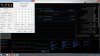
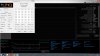
It was just the CPU stress test on XTU, here are the before and after stress. I could probably turn the multiplier higher to be honest -
Yes you could, but if you will be running games, CPU temp will be much higher, because the heatsink is shared with GPU. If you hit 70C on stressed CPU alone, it will definitely hit at least 80C on CPU if GPU will be running at the same time too.
Maybe try TS Benchmark in Throttlestop rather than XTU. Just use 16 Threads and 1024MB, you should definitely go over 30W. XTU is not really using CPU at all.
Anyway, even you have much lower voltage at this frequency than me, lower CPU clock, you are still running 78C shortly after the test started, I guess the i7 runs much hotter than i5, even when rated at same TDP. At this clock, I would have max 60C after a long time testing.
EDIT: Just tested TS Benchmark, 1024M and 16 Threads, after whole test 58C MAX on both cores while maintaining 2.9Ghz for whole time, not bad.Last edited: Dec 30, 2014 -
My USB 3.0 to SATA III cable finally showed up, so I'm about to clone my SSHD.
I've got some programs like Kaspersky on my stock drive. Will having it on my SSD count as another use of my limited installs for these programs, or will these programs realize that this is in fact the same computer?
Also, I'm going to clone using Acronis. I heard some people had issues. As in, it goofed things up on the new drive. Anyone experience that sort of thing?
Here's someone describing some Acronis issues: http://www.wilderssecurity.com/threads/beware-of-acronis-leftovers-issues.316447/
He's talking about the 2012 version, however.
Also, would I have any issues using OneKey Recovery to reset to factory settings on the new SSD?Last edited: Dec 30, 2014 -
Can you undervolt an intel i7-4700HQ. and Nvidia GTX 860M ?
A search finds threads from 2008, 2010. I tried Throttlestop, and RMClock, but they don't seem to allow for voltage changes. There is nvidia inspection for undervolting the GPU? Any good guides not written 4-6 yrs ago?
WoW doesn't need much cpu/gpu to run 120 FPS, so undervolting sounds like a great idea.
Tks! -
Having trouble installing Acronis to clone my drive. Look here: Installing and Activating Acronis True Image HD 20... - Crucial Community
At step nine, nothing happens when I click "I have only short key." Anyone else used Acronis? -
I would not use Acronis, just use free SW Drive Clone, worked perfectly many times for me. And yes, OneKey Recovery will break down, it does not like resizing partitions - however, it can be repaired, manual is somewhere here on NBR.
You can undervolt your i7 definitely - it should be possible stable by at least -50mV. I use mine i5 undervolted by -65mV stable so far. Bigger undervolt seems unstable for me, benchmarks run stable, but sooner or later I get BSOD in games, so I keep it -65mV and no problem.
I did not try undervolting GPU yet, not sure if it is even possible with Maxwell, you gotta do your research. -
So.. anyone knows an answer to the question what is the driver/software responsible for on-screen display for volume/brightness? I want to disable it, as when playing some games it goes to windowed mode when using it (FN + arrows).
And where can I check some kind of windows log when shutting down? It seems that my windows is always shutting down with 10 sec delay as it waits for a software to close.
EDIT: Ok scrap that - it was Lonovo Energy Management which needed to be uninstalled.
How many points you guys have in Firestrike?Last edited: Dec 31, 2014 -
Use Intel XTU to undervolt your CPU.
-
I suggest using rather Throttlestop 7.0 if he is already using it for CPU clock settings. It is better to use one software to control CPU management than two.
-
AFAIK Throttlestop doesn't support UV yet, this feature will be available in the next beta release.
-
It does support it, I'm using it right now in Y50 with Core i5.
-
guys, may i know how long does it takes to change the thermal paste?
-
Could you share a screenshot of your Throttlestop 7.0 (beta 3) first settings page, and other settings? I just want to undervolt a safe amount to reduce heat. There are so many settings more focused on overclocking than undervolting.
Tks! -
You can start with -40mv and go lower while stress testing. If you get BSOD then you went too low and you've got to go back a bit. Typically you can undervolt the 4700 somewhere between -80mv and -40mv.
![[IMG]](images/storyImages/4h63qd.jpg)
By the way speaking of ThrottleStop I've found out something you guys might be interested to know. In my opinion one shouldn't have TS enabled all the time but only if needed because the application is CPU heavy. Why? Because otherwise you get unnecessary heat. For example I've tried playing Diablo 3 for a few hours TS enabled(throttling disabled and undervolted CPU) and TS disabled. With TS enabled the CPU reached max temps 90C and with TS disabled the CPU reached 75C - and in both cases the in-game performance is exactly the same. There might be some frame difference or something but its not noticeable at least in that particular game. -
That does not make much sense, especially when you are not providing any data, ie. your TS setup. Logically, without TS ON, CPU throttles to approx. 2.4Ghz after reaching 65C, hence the low temperature. If you have TS on and set up for example to 3Ghz, of course you will have higher temperature. But that is what TS profiles are for, just use it. Also, you can enable stuff like Power Saver, etc. -
I did say what my TS setup is - throttling disabled and undervolted. I haven't touch anything else.
I thought I explained my point but I guess I didn't so here goes - when playing Diablo 3 I get the same in-game performance with TS enabled as with TS disabled, the only difference is the heat generated is significantly more when TS is enabled. I guess D3 is happy with the processor throttling at 2.4Ghz but when throttling is disabled D3 would make the CPU use the turbo all the time hence the CPU is delivering more performance(and generate more heat) but that performance is not really needed because the game run just as fine with the CPU throttling. -
Guys, do You know where i can find BIOS that unlock OC of GPU over 135 mhz?
I cant find anything for maxwell, all are for kepler. -
I think we have a misunderstanding here.
Imho, it is not really good to use ThrottleStop JUST to get rid of low temperature throttling issue (meaning it will stay at full turboboost all the time and meaning it's temperature will of course skyrocket). Just use TS profiles, in example, set profile 1 to full turboboost and switch to that only when you need it (I guess you won't need it, but who knows) and set up profile 2 to something reasonable, like between 2.9 - 3.1 Ghz and you won't have any problem. Leaving TS off is imho not that reasonable too, because CPU clock then fluctuates too much, resulting in not that smooth gameplay experience. Just use reasonably set up TS profile most of the time and you will be good. You can also leave C1E and Power Saver on, helps cooling down and saving some power. -
Nuts, I just got Acronis installed and activated. If Acronis really does goof anything up, It'd be a problem not to be able to reset to factory settings.
Does anyone know of a way to reset to factory settings on a new disk? If not, any recommendations for a free cloning program? Also, would it be that bad of an idea to use Acronis given that I've already got it installed?
I had wanted to do a fresh install of Windows, but wasn't sure what drivers I'd need to keep the Y50 functional.Last edited: Dec 31, 2014 -
I have already told you what free SW to use - Drive Clone, by Farstone.
-
For people that are wondering how to set up Throttlestop, I give you an example, how you can do so, it is really easy, fun to use and convenient.
On the following picture, you can see 4 profiles that I have set up. My Throttlestop starts up automatically when Windows is booting, it is also automatically turned ON, so TS settings are immediately applied and I do not have to remember to start up the app or change any settings.

Profile 1: Maximum performance profile, I have it for a moment I will need maximum CPU performance regardless of heat. I do not use it at all, I just have it in case I MIGHT use it someday.
Profile 2: This is the profile that is automatically selected when Windows starts and laptop is connected to power supply. It is maintaining reasonable performance with no unnecessary throttling (set by Lenovo) and with no unnecessary heat.
Profile 3: This profile is automatically selected, when power supply is unplugged. The clock is pretty lower, but enough for watching a movie, playing simple game or working with computer. Low heat and laptop lasts longer on battery.
Profile 4: This profile is automatically selected, when power supply is unplugged, battery is discharging and drops under 25%. This is basically an ultra power saving mode, not really possible to watch HD movie (stutters), but it is still possible to browse, text edit, etc.
All this settings is easily set up via Options, you can also see above mentioned settings in included screenshot.
I hope this will help your orientation with Throttlestop. You can just set it up ONCE and then it will keep working endlessly as you wished it to. -
a year usually for me
-
You'll have to contact Prema, and get a custom BIOS done.(Keep in mind he does it free of charge so don't forget to leave a donation!)
Our BIOS' are unique for each of us as they contain information specific to our own machines, otherwise I'd share mine with you. I'm satisfied with mine combined with TS!
I get about 300+ on core and 380+ on memory. -
well, my throttlestop 7 beta has expired, anyone haven't got this expire validation..? Unclewebb , does the full version is out? .. such a great software n i willing to sent out some donation to him
-
Sadly, I have same problem, it just expired. I guess it's because of 2015, I believe he will release some quick to this version. Imo it's just a bug.
-
i've adjust date before 2015 and it worked and i heard he's developing a new beta 4,.. well we just need to wait
-
Hey!
How to conctact Prema?
-
http://forum.notebookreview.com/member.php?u=109539
There ya go, just private message him! -
Hello to all and Happy New Year... So Santa brought me a new Samsung SSD and I finally have a bit of time to do the installation... I've read a few dozen pages and done searches on this forum as well but I still have questions to those in the know...
Has anyone published a comprehensive step by step guide to upgrading/improving/modding the Y50?
I have access to a free copy of Win 8.1Pro because I'm going back to school. I would love to do a clean install of Win 8.1Pro but I understand that some of the drivers are not available. Is this still the case? Retaining full functionality of my Y50 is very important to me... Please give me your thoughts.
I'm also having problems with my Intel AC 7260 card disconnecting once or twice an hour. Grrrr!!!! I've tried everything and the only thing that has helped some is to disable HT Mode in the Advanced setting of the driver. I'd be willing to shell out the bucks for a new network card if someone would tell me which WiFi/Bluetooth card works best with the Y50...
The screen It sucks! Yes I can live with it but I would love to replace it. I have the touch model but have disabled the touch feature. Has anyone successfully replaced the touch screen with a non touch screen? I don't need or want 4k since I want to retain acceptable frame rates for DayZ and Arma2/3 ... Any suggestions?
Finally, THANKS to all those who continue to give their time helping this community out. I appreciate it immensely...Last edited: Jan 1, 2015 -
Hello guys, im new here, just hands on Lenny Y50 and sign up here , ,.. just FYI , for resizing partitions , OKR definitely will break , cos it has something todo of the GUID set mismatch.
But that could be fixed simply using "diskpart" under cmd line . After resizing partition, it will break the GUID of Partition 1, 3 & 7 in GPT partition table.
So need to set back the GUID to default Factory. Partition 1 & 7 set GUID as RECOVERY disk and aprtition 3 set GUID as OEM disk.
more details u could find on this link below :
https://amigotechnotes.wordpress.co...izing-partitions/comment-page-2/#comment-3144
^^Credit goes to Amigo ..
also i created this txt to use as a batch or just put 1by1 on cmd prompt.
https://www.dropbox.com/s/p9kcc9zi3tdsml7/Set ID Batch.txt?dl=0
Regards,
Lenovo Y50 Owners and Information Thread
Discussion in 'Lenovo' started by kingfirejet, Jun 5, 2014.


