 Problems? See this thread at archive.org.
Hai sir,
thanks for the info, gonna try contact Prema about this mod and make him worth a while.
btw , would you mind tellin me your setup ? like your system BIOS version and NVIDIA driver version ? is your System BIOS also been modded , i.e unlocking advanced menu tab etc ?
now im at v1.14 BIOS and 347.09 Nvidia driver , i seems cant get the std overclocking to work with Nvidia Inspector anyhow .
Do you know how to enable std +135 oc using this Nvidia version ? or should you had any suggestion please do inform us sir.
Thank you very much.
-
Have anybody tried using the External CD/DVD Drive the laptop came with?
I'm having problems with it randomly disconnecting every minute. Trying to install wolfenstein but can't because this CD drive they gave us sucks balls. -
I'm afraid this is questionable, I asked in the other topic and Uncleweeb was sad because there were no donations
You can follow it up here:
http://forum.notebookreview.com/har...t-upgrades/531329-throttlestop-guide-260.html
Anyway, I reverted back to Throttlestop 6 (which is NOT a beta but full version) and it is working with my mobile i-4710hq no problem, so there is no need to change the system date. -
Nvidia has disabled all overclocking thru Inspector and MSI Afterburner in newest drivers. You have to go back to 344.xx
-
-
my drive doesn't work at all on the y50, but it works on my other laptop.. searched around, found others who have the same issue with external drives not working on their pcs (not necessarily y50), but haven't found a solution that works.
does your drive work at all? you mentioned it disconnects after a minute? that might have to do with your power options. try,
power options -> change plan settings -> advanced settings -> usb settings -> usb selective suspend setting -> plugged in/on battery -> disabled -
really? omg ~ why our laptop gpu doesnt turbo boost its freq to 1100mhz since it does have nvidia boost? locked 1050mhz max freq
-
Ordered my y50 last week from lenovo, really excited. Only concern is that my shipping date has been moved from today (the 2nd of January) to the 14th and 16th delivery. This concerns me reading all of the shipping horror stories online.
How did shipping from lenovo go with you guys? -
Hello all, : I have ordered following specs from Amazon for 1149/- do you think it's good deal or is there any better deals around for Y50 UHD Touch 16GB?
Lenovo Y50 Touch 4K UHD Laptop Computer - 59423621 - Intel Core i7-4700HQ / 256GB Solid State Drive / 16GB RAM / 15.6" UHD MultiTouch 3840x2160 Display / NVidia GeForce 860M 2GB / Dual Band Wireless AC / Windows 8.1 -
Woah, where did you hear this? I cant find any info on it, or in the release notes.
I currently use 344.75.
I am updated to the newest Bios, which was a mistake cuz the new thermal mapping is worse hah... thank goodness for TS! But the only thing done to the BIOS was having prema unlock it so I could bypass the limits and up the voltage. -
I searched extensively for the touch too, that I have to say is the best offer!Last edited: Jan 3, 2015 -
Release notes, page 16 .
And I'm not sure what are those NVIDIA system tools. Anyone knows? -
someone has a modified bios?
I know it can be ordered in a famous site and apparently work but want to know if you can do overcloc and undervolt
someone could put some screenshots
I would be very grateful -
Daxter : Thanks for quick reply and posting. I should receive the laptop by UPS max by tomorrow. Recently I did checked the UHD touch at MS Store and Microcenter : both came with Samsung RAM and Samsung Display - Model: SDC4852. But, after going through plenty of issues around monitors over this forum, I'm bit concerned about the quality of UHD touch 4K version.
When I checked it at Both the stores, it's all right, not really noticed any sort of major issues with Samsung display in UHD version. -
Hello!!
I have got a modified 1.13 BIOS (thanks www.bios-mod.com) but I don't know how to avoid Lenovo throttling or overclock GPU/CPU.... Insyde BIOS is crazy!!!
Please, could anyone help me with these BIOS settings?
Thanks, -
Has anyone found an audio driver with working Dolby that doesn't have horrible static noise on headphones?
-
Throttlestop 6.0 will stop any throttling, im using it and its awesome.
-
Throttlestop 6.0 will stop any throttling, im using it and its awesome.
-
Yes,Throttlestop is awesome but it would be great to know how to tune BIOS settings.
-
Hey guys, so recently i noticed the dust from the bottom vents under the laptop. Anyway to clean it ? I tried using the compressed air can but its not helping at all... Its still kinda there. Thanks in advance and please, methods that will not require dissasembling the bottom cover.

-
Just a quick question, do Y50 laptops have an AHCI option available for internal SATA drive ?
I ask because I got my SSD today (Samsung 840 EVO 1TB) and I'm testing it out on a HP laptop, and realized that not all laptops provide an option in BIOS to use AHCI ...Last edited: Jan 4, 2015 -
Some people have moved away the filter (more airflow = lower temperatures)... I am thinking do itLast edited: Jan 4, 2015
-
There's also a dust removal tool in Lenovo Settings. I don't know how well it works, but if it really does run the fans in reverse, then it would work quite well.
-
Hi how about mine? i used samsungs data migration software and i got these
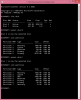
it has only 5 partitions
what should i do? -
I have access to a free copy of Win 8.1Pro because I'm going back to school. I would love to do a clean install of Win 8.1Pro but I understand that some of the drivers are not available. Is this still the case or should I clone the existing drive? Please give me your thoughts.
Thanks... -
Getting a lot of heat in the WASD area when playing The Talos Principle. Forgive my ignorance, but what is it in this picture that's probably getting so hot?
Pic: http://i.imgur.com/nES8b2U.jpg -
Would removing that cover allow more dust into the computer? Almost removed the gray thing when putting in my SSD, but wimped out.
Also, SSD's really are sweet. Boots up in like, 7 seconds.
I checked the BIOS after putting in my Crucial SSD and it was on AHCI.
-
Thankyou for your confirmation ! I just got my Samsung SSD which recommends AHCI mode for better performance .. I find it odd that even in today's day and age, not all laptops support this feature, especially HP laptops .. :S
-
I think that's the GPU right under WASD(on the picture it should right above the RAM stick). The CPU is pretty close too, just a little higher and to the left(from the photo's perspective).
-
In my opinion, a clean install is always the best, with no bloatware.
As far ask I know, all the drivers are available on Lenovo's site, so you shouldn't lose any functionality except for One-Key recovery, which many people don't care about. -
wah it seems you hadnt clone the entire partition. Partition 3 and 7 needed for OKR to work. I supposed ur 2nd disk is the Orig Disk came with the unit right ? so u still ableto use OKR , but need to put back ur orig Drive .
unless you wanna re clone entire Disk partitions.
but as long u got original backup need no worry ,
rgds, -
just wondering, has anyone heard anything regarding the next iteration of Lenovo Y50?
i mean the next Gaming Laptop from Lenovo after Y50.
i was thinking if it would be a better idea to just wait for that one.
might be a flawless and better version of the Y50.
also, the intel Broadwell has been announced already. that's already a nice upgrade if ever. -
I've posted a couple times about it. I've got a modded bios from Prema that allows me to overclock and undervolt, though if you want a solid overclock you're going to want to OVERvolt. You can already underclock the CPU without a modded bois.
Sorry I dont have any screen shots, its to late and I'm to tired to post one hah.
I currently have a modest overclock of 250+ core, 350+ memory. Its capable of more, that's just all I need atm. -
can you give me the link to the page where you made bios unlock
if you can, I would like to see some screenshots
I know this site for bios mod https://www.bios-mods.com/forum/Forum-Bios-Mods-Forum, prema is better¿? -
hi guys, im facing this problem when i insert the lenovo cd drive that comes with the y50... it also shows the same error when i inserted my broadband usb modem where it doesn't automatically install the driver
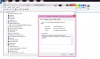
-
There might be a registry problem. Try to uninstall the device(right click->Uninstall) then click "Scan for hardware changes" right in the Device Manager.
-
Only Broadwell-U processors have been announced, quad core Broadwells are expected mid-2015, which is probably what the Y50 successor will use (assuming there will be a Broadwell refresh).
-
Can anybody please run a CPU benchmark (Geekbench 3, Cinebench R15) and hard drive speed test (HD Tune, CrystalDiskMark) with ThrottleStop enabled and the processor running at its full potential, and post the results up here? Thanks in advance.
-
Today, I have received Y50-70 UHD Touch with 16GB / 256GB SSD...
Simply a brilliant and superior system....far far far superior style, construction and impeccable quality.
In the last 10 yrs, I have been through 10+ laptops, I must say Y50-70UHD is a Engineering marvel and the Design genius and product teams who engineered this kind of great laptop should be honored.
Mine came with Samsung display and it's not as bad as some of the guys complaining. UHD screen is ultra sharp and certainly there is issue with Yellow, a typical yellow looks like Dark golden yellow or close to Mustard yellow in general.
other that simple color reproduction issue, I think Y50-70UHD will be one of the great buys...
It's worth say Y50 is OWNERS PRIDE SYSTEM. -
Prema is much better! And unfortunately I cant provide a page or screenshots atm.
Also what sets our laptops apart is that our BIOS' are unique to each of our comps. They contain our unique identifiers so you cant share them with someone else, that's why a custom one must be made for every y50. That's why I'm worried about that site you posted, it seems to be just generic bois' for each computer. You're better off with Prema! He'll do a custom bios based off your dump you provide him, and he does it by donation too!
So my question is, your HDD is what size? 2.5"? 7mm?
I unfortunately don't have the money for a SSD, but I want to invest in a quality 7200rpm, I really cant stand this stuttering while gaming, and I've read a couple (poor)people fixed it with 7200rpm. -
Guys,
Can u tell some good fine tuning tips about Y50-70 touch UHD please? -
Guys, if I want to get recovery CDs for this laptop, should I buy them from Lenovo directly ? They charge $69.99 for a total of 6 CDs, based on their phone support ..
I ask because I'll be installing an SSD in my laptop once I get it, so I will need the Recovery CDs to restore the partitions, etc. -
Personally, I don't think its worth it, since you can easily make own your recovery DVD's/USB's, for the cost of a single DVD. (A couple of dollars).
But if you think money grows on trees, sure go ahead
-
Hi guys
I am from Perú, I dont know if you ve talked about this in other pages. I just bought a y50 FHD last week. On the first days of playing it was normally, the clock speed ran at 3.3 ghz on high performance plugged all the time, and yesterday, after 30 minutes of playing it decreased at 2.35 ghz., and the game experimented some lag.
How can I stabilize the clock speed always at 3.3 ghz?
Thank you very much.
-
So will the self-generated recovery discs be exactly the same as the ones Lenovo sells ?
Can the self-generated recovery discs be used to restore the factory partitions to a blank SSD ? -
Hi Everyone,
I got my y50-70 FHD non-touch a few days ago. I'm definitely not super pleased but it will have to do for the time being. One thing I find ridiculous is that I cannot set the dedicated graphics card to default for a video player. Can anyone tell me if an actual fix for this exists and maybe shed some light as to why this might be the case? Mainly, I'm wanting to setup MPC-HC using madVR which the HD4600 can't come close to handling properly but surely the GT860m could.
Any thoughts would be super helpful, thanks. -
i had the same problem, and couldn't find a solution in win8.1. reformated to win7, and everything works fine. i know that's not the answer you're looking for; hopefully you figure something out!
-
yes 2.5" 7mm
how much are you willing to spend? ssds have really come down in price recently,
crucial 240gb m500 is $85 usd at newegg
Crucial M500 SSD CT240M500SSD1 2.5" 240GB SATA III MLC Internal Solid State Drive - Newegg.com -
Crap, thats honestly a steal. Unfortunately I need more disk space, but shopping around when it comes to 7200rpm in 7mm theres only one I can find: Seagate ST500LM021 500GB 7200 RPM 32MB Cache SATA 6.0Gb/s 2.5" Laptop Thin Hard Drive - Newegg.com
And honestly I wanted a 1t... but for $55 I'll rock a 500G till 1T SSDs come down in price. -
It works but "barely". It would fail 80% of the times when I try to burn DVD's.
I tried the power options fix but the problem still persist. So I just downloaded the game via steam. Game took a huge chunk out of my bandwidth which i was trying to avoid. oh well lol
Lenovo Y50 Owners and Information Thread
Discussion in 'Lenovo' started by kingfirejet, Jun 5, 2014.


