Problems? See this thread at archive.org.
there is one issue i see with the touchscreen with the y50 i've never seen on any other laptop. In any kind of glare or sunlight you can see these strange grid lines in the screen from what i assuming is the touchscreen film. I wish i had a picture of it. They're completely invisible unless you're in direct sunlight or a bright glare though. That would be the only reason i would go with the matte screen vs the touch screen.
-
-
I have the same problem but i can fix it by deleting nvidia driver and use only internal vga but it's not a fix but i don't know why ?
And i tried all nvidia drivers and all the same
But i will send it back to warranty hope they will be able to fix it -
That kinda defeats the purpose of having the 960m haha. But yes I think it was a video card issue, as I would get complete freezes with many artifacts on the screen.
I sent mine in for an RMA, I'll let you know of the results. -
for sure i won't use it without nvidia drivers because i mainly got it to use gtx 960

-
This is probably my biggest regret when it comes to the Y50... scaling makes normal use frustrating.
-
Was thinking of getting a 120hz monitor, but I know there's a limitation on the hdmi output of the y50 for 1080p@60hz. Can it do 720p@120hz though through the Y50's HDMI out?
-
Well count me in for Y50 returns. Here is my story in an easy to read format.
1. Got the Y50 4k for a great price from the outlet (4k/4720/960m)
2. Noticed Poor yellows and that supposedly lenovo had a fix https://forums.lenovo.com/t5/Lenovo...s-really-dark-on-display/td-p/1624430/page/19 Post184
3. I had 2 year in home warranty. Called lenovo and they said that I had to ship the computer out and they would not send anyone to my home to fix this. (Dell always sent a guy to my home in the past)
4. Wait 8 day turn around
5. Get it back today and the colors are just as bad, if not worse, and THERE ARE WHITE SPOTS ON THE SCREEN. I think its pressure marks that may be able to fix, but still... They had my computer a week and it comes back WORSE.
6. All said and done, they took the return even though its longer than 14 days (closer to 20 days) but they wasted quite a bit of my time and it'll be probably 14 days until the money gets back into my account (not an issue, just seriously annoying).
I don't consider myself picky. If lenovo could not fix the screen, then they could have just told me so. I know many people on here have had issues with the yellows, but after reading of the fix from the lenovo forums I figured... why not see if it really is fixed. Well I can say its not and I am going to go on a serious vendetta to let potential buyers of the 4k screen to know of all of its pitfalls. As for lenovo, I'm probably done with their products for a little while... well let me take that back, I'd still get a thinkpad, but ideapad... nope. -
Hello,
I got a Lenovo Y50-70 with 960M 4GB some days ago. I've seen that the graphic card stays around 90ºc while playing games, I tried Battlefield 4 and GTA V, both with same results. Is this normal?
I had a gaming laptop before, a Medion with a 670MX, but this graphic card never reached a temperature higher than 80ºC.
I'm a little bit worried about those temperatures. -
Its going to get hot, its a laptop. 90 is rather hot, but I would not get too concerned unless its over 100.
-
So got my y50 ips, 4720HQ, 1TB hybrid hdd/ssd, 4gb ram. Been playing around for 2 days. Everything works fine, no ips flickering, no gaming overheating, however have not tried super games, only Life is Strange, hitman absolution, europa universalis 4 and so. Never went over 76c. Only one problem was, 7620 ac intel dual card would show no internet sign every few hours, for like 20 seconds or so, but driver was old, from 2013, version 16.x.x.x.... installed newest one from 2015, June... v18.x.x.x... and so far, so good.
Mine has Hynix HMT451S6AFR8A-PB 4GB ram, so ordered the same from ebay... so will have 8GB in total.
Also have samsung evo 850 250gb by my hand, but waiting for windows 10 to come out, then will install it. -
Is it the new model with 960M or the old one? 76ºc on CPU, GPU or both?
-
Its a model with 960m 4GB VRAM. Just played hitman absolution for good 35 minutes, and gpu max was 76c, same with cpu... only one core hit 76c.... the rest of the were at lower c.
Also idle temps are pretty nice for stock thermal paste, around 41-49c, so i guess factory did a good pasting job, or if did crappy one like factories usually does, there is a few degrees room for improvement with good paste and good way of applying it.Last edited: Jul 26, 2015 -
hey everyone, future Y50 owner here. I bought mine refurbished off the Lenovo Outlet, will probably ship next week. I've read bad experiences about the outlet but the specs were too good to pass up... best GPU possible for what I bought it for ($650). Did any of you guys get yours from the outlet and did it work out fine for you?? I understand specs aren't exact, but how "off" can I expect them to be? All the older Y50's will have the 860M anyway right?
-
Has somebody tried to repaste the laptop? Do you know if I would lose the warranty in case I repaste it?
I think I will have to do it. GPU temperatures are really high at this moment, and I'm afraid they will get higher do that the temperature here is going to increase 10ºc in the next weeks. -
did 2 hours of gta V, and gpu hit 76c max, cpu one core 85c... the rest were lower.
-
How is the ambient temperature where you live? Mine is around 25°C, GPU reaches 90-93°C while gaming.
Sent from my SM-N9005 using Tapatalk -
My Idle Gpu temp is 24c
Load GPu 60c max
Cpu idle is 48c
Cpu load 69 max -
My build is cooled by Gelid GC extreme thermal paste
-
Mine is probably around the same... 23-26c in the room.
did super stress testing prime for cpu and at same time fur for gpu... gpu hit 80c max, cpu i think ~90c... but thats extreme... no game will stress cpu and gpu like that. if i turn on lappy and leave it in idle, temps are around 38-46c. now did some gaming and is going down slowly at idlle (well 4 tabs open in chrome). 43-51c. So i guess so far i got lucky with my y50... knocking on the wood lol -
anyone tried windows 10?
-
Just installed it and the first thing that I noticed missing is the Dolby Digital Plus Software.
-
o...lenovo support page didn't provide
-
Recently got my first bsod with windows 10 talking about some critical_process_died?
-
Yes i tried windows 10 pro and every thing works perfect and very very smooth and u can download all drivers for windows 10 from lenovo website
Also u can upgrade to pro version for free although we have win 8.1 single language. -
It's working perfect .. u need to install latest drivers for windows 10 from lenovo website
-
I called up support and live chat a few days ago and they said as long as you dont damage any parts, it is absolutely fine to repaste.
I have in home warranty so I had a technician repaste my y50, temps went from 92 cpu and 87 gpu to 79 cpu and 78 gpu (1 hour of project cars) -
Win10 is indeed a beast. Y50 with i7, 4gb ram, samsung evo 850 250gb ssd... works like a champ. Boot in about 7 seconds, and also so far no problems/bugs encountered, and it does look pretty sexy. As mentioned before, lenovo site has all drivers needed for win 10.
-
any help, my windows 10 notification thing disappeared. well, if I go to customize my icon tray, its there, but its not showing on the bottom. when I changed it to not show, then to show again, it says that it will show the next time its active, but on my other laptop, it still hows. did this happen to anyone else?
Last edited: Jul 30, 2015 -
New BIOS out.
Updates to the goofy new Lenovo logo, among other fixes: https://download.lenovo.com/consumer/mobiles/9ecn40ww.txt
Just be careful, my update reverted the BIOS to default and it wouldn't boot after install. I had to manually change everything back (including boot to Legacy) for everything to start working again. -
I did and the Dolby software just disappeared. The only thing I can do now is turn it on and off under the sound properties. So no more equalizer -.-Last edited: Jul 31, 2015
-
It say for windows 7,8 and 8.1 but I've already updated to 10
Should I still download? -
Hey guys, so a few weeks ago I got a Y50 with the LG LP156WF4 panel. Couple days ago the screen started flickering, but it would go away if i just readjusted the screen position. Now it became permanent and there's this purple tint and if I leave it alone the screen kind of "burns in" images. I'm wondering if this is solely a screen issue. I tried connecting the laptop to my TV and it was completely fine. Thanks in advance for the help!
-
Download the iso from microsoft web site and burn it into the flash drive and start the update inside the windows
-
Yes this is bios and it will work and optimize things for your windows
-
^^Yeah, I wouldn't do that, unless Lenovo specifies its ok to use it under Windows 10.
-
Thanks for the info.
Finally I did it. I disassembled the laptop, cleaned thermal paste and applied Arctic MX-4. Before repasting it, GPU temperatures reached around 92-93ºC after playing some minutes. Now I get around 83ºC after 30 minutes of GTA V.
By the way, what browser are you using? I use Google Chrome but it's a little bit annoying due that I have to increase the zoom manually on every web page. It doesn't detect the Windows settings.
Is there any improvement in rescaling on Windows 10? -
Just did new bios install on windows 10... works fine.
-
anyway to backup bios before update?
-
I ran mine on Win 10, no problems with the OS. Lenovos BIOS update is unique in that it doesn't really flash anything in the OS. Once you've downloaded and extracted it just asks you to confirm you want to install and then restarts to a cusotm bios update screen where all the work is done. It seems quite OS agnostic.
There's no need to back up anything really. The BIOS includes a rollback feature and the old version is on Lenovos site for download -
I can confirm this is true (that the BIOS updater isn't Windows version dependent), though it is annoying if you use Linux as you need the Windows OS partition. Since I replaced my HDD to a SSD I still have the HDD with the Windows 8 install. Though Linux natively on this machine isn't that practical, compared to Windows, so I run it through a VM.
-
Anybody know how to increase the signal strength of the intel dualband AC 7600 wireless card?
I'm upset that my old HP computer can pick up 10x more signals from my area while this one can only pick up one if i'm standing right in front of my router.
I'm seriously considering buying a USB wifi adapter now. -
Nvm, it came back. But dowlnoad what iso? Windows 10 iso?
Also does anyone know what it will look like when they notify you that you can now download windows 10? -
can try windows update
-
any improvement? mine still the first bios version
-
Yes download windows 10 iso
-
So I recently updated my Lenovo Y50 and I went for a clean reinstall (my laptop couldn't find my old documents and I had to delete most of my things) but now I can't seem to boot up my laptop using the SSD. It been using my 1tb hardrive (takes over 300+ seconds apparently according to my antivirus). Does anyone have any solution to this?
-
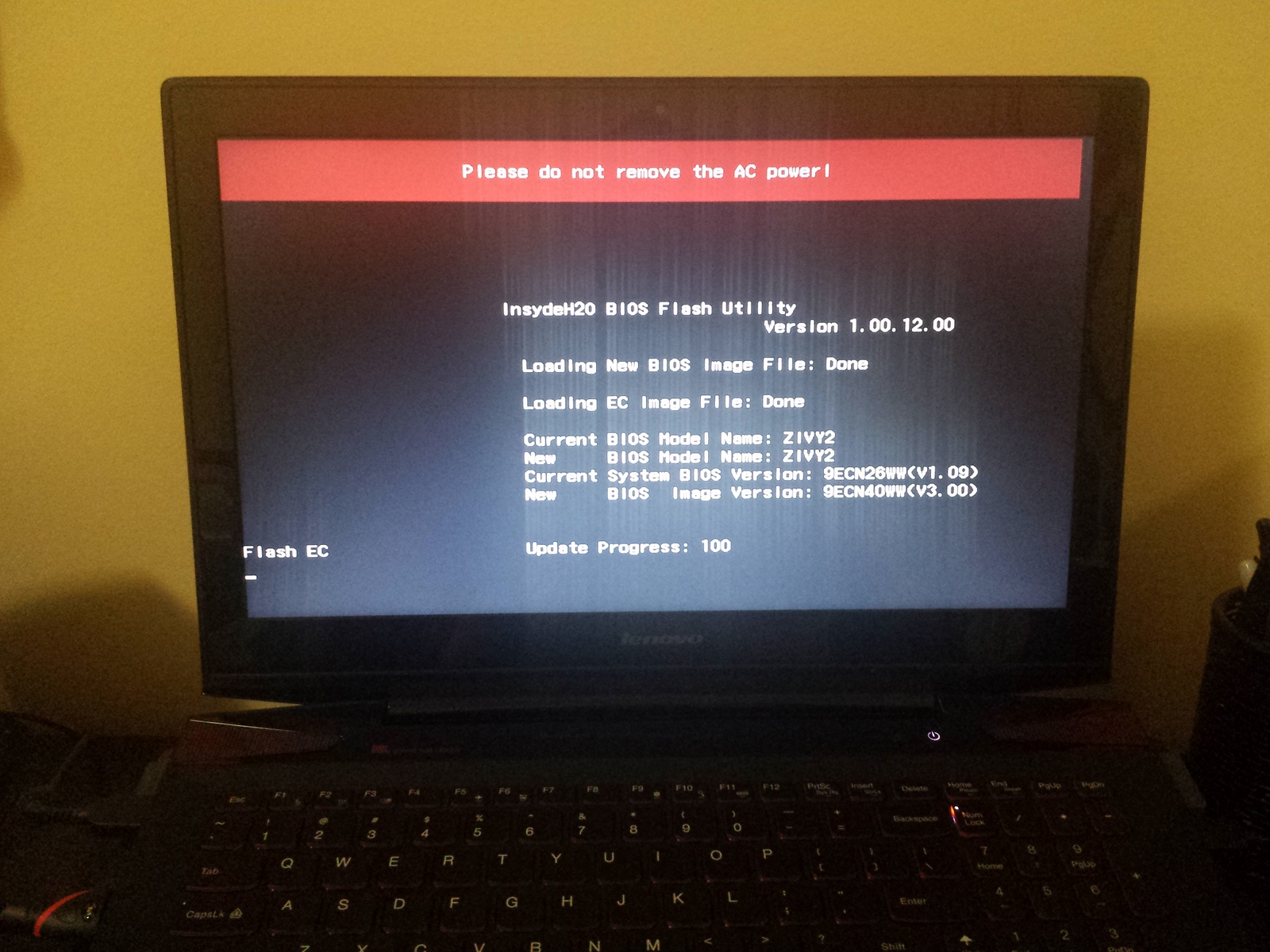
Guys need help. Just started updating bios and laptop stuck on update progress 100. Current Bios v1.09 to v3.0. Laptop y50: I5, 8g, HDD, 8.1, 64 bit...
Attached Files:
-
-
I'd wait as long as possible before making any move, if it's still stuck, you have no other choice but to abort.
-
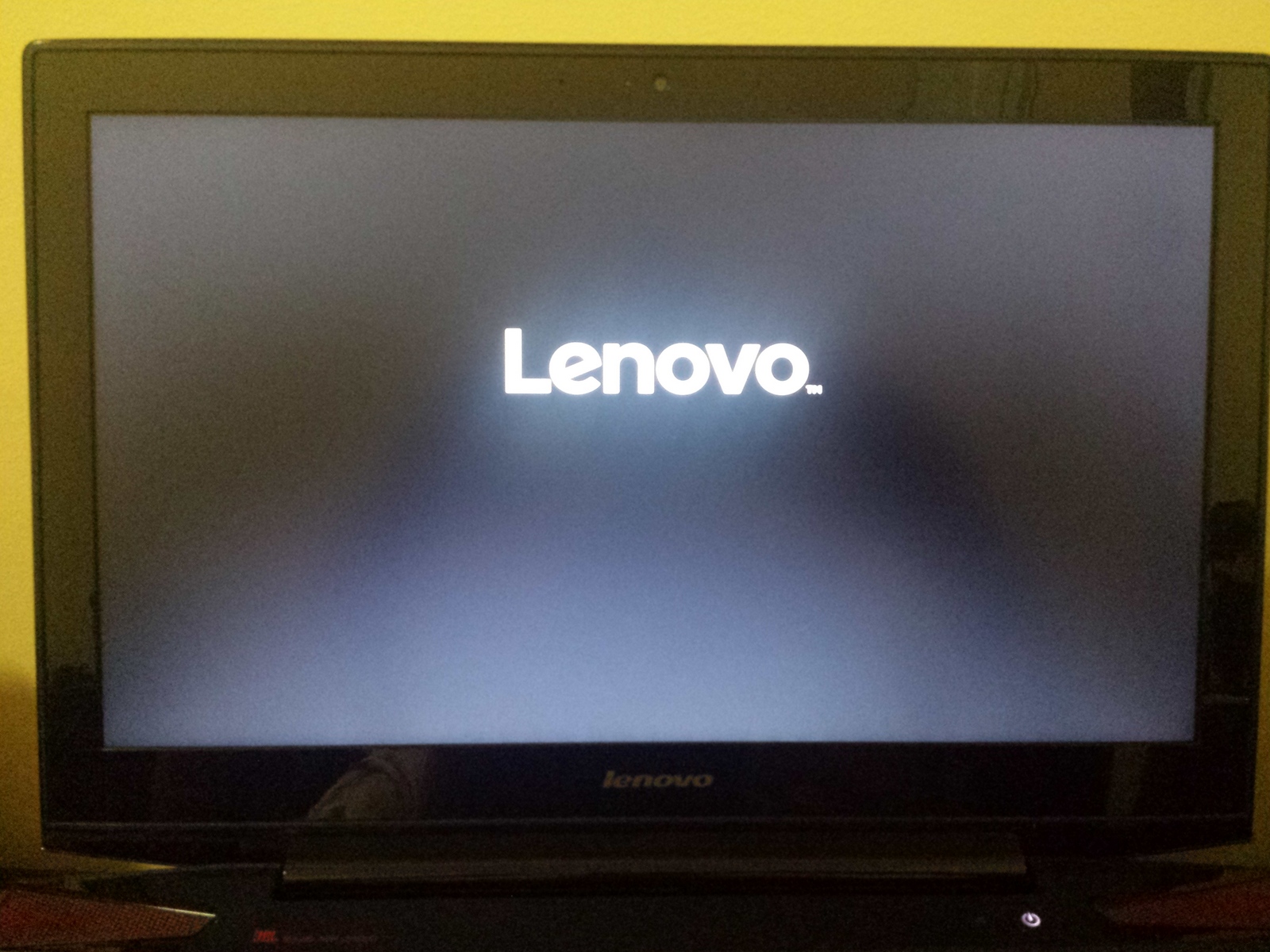
I fixed bios update freeze. Unplug power cord, remove back panel to access to battery, then unplug battery connector. After fans stop, put everything back. Lunch windows. Done!!! Bios v3.0
Attached Files:
-
-
Glad everything went fine. I wonder why it freezed though, didn't experience anything like this when I updated my BIOS.
Lenovo Y50 Owners and Information Thread
Discussion in 'Lenovo' started by kingfirejet, Jun 5, 2014.